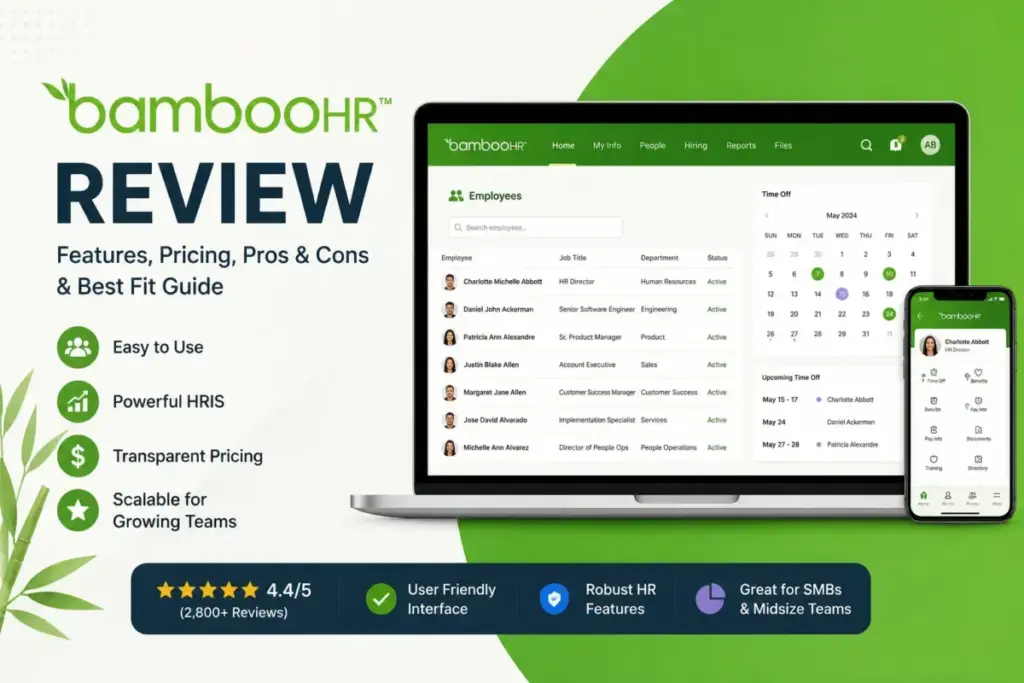
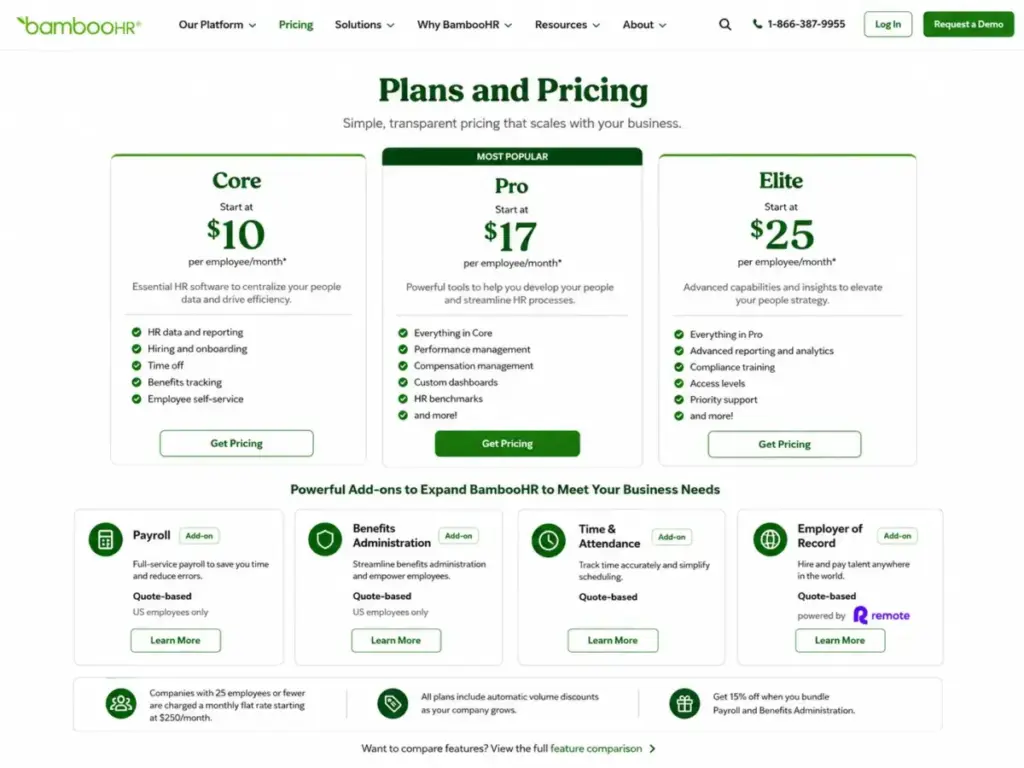
BambooHR lists Core at $10 per employee/month. For a company with 25 employees or fewer, the actual starting price is a $250/month flat rate, not the per-head math you expect. That single pricing detail changes the buying calculus for every small team evaluating accounting and HR software options.
This BambooHR review breaks down the Core, Pro, and Elite plan gates, the add-ons that require a sales quote, the job opening limits most reviews skip, and the buyer scenarios where BambooHR fits versus where Gusto, Rippling, or Paylocity deliver more for your money.
If you are comparing HR and payroll platforms, the pricing floor alone should shape your shortlist. This evaluation draws on official product documentation, BambooHR’s published pricing page, and verified user sentiment from G2, Capterra, and TrustRadius (as of May 2026).
| Category | Verdict |
|---|---|
| Best for | US companies with 25-500 employees replacing spreadsheets with structured HR |
| Not ideal for | Teams under 15 employees, high-volume recruiting, global payroll |
| Starting price | $10/employee/month (Core), $250/month flat rate for 25 or fewer employees |
| Best practical plan | Pro at $17/employee/month for performance management and 25 job openings |
| Free plan/trial | Free 7-day trial, no credit card required |
| Setup difficulty | Low to medium |
| Main strength | Clean employee records, time-off management, onboarding, and eNPS in one system |
| Main limitation | Add-on prices for payroll, benefits, and time tracking require a quote |
| Best alternative | Gusto (payroll-first), Rippling (modular IT+HR) |
What this means: BambooHR is a strong HRIS foundation for US small and midsize teams that want employee records, time-off, onboarding, reporting, and optional performance management in one place. The tension is between that clean base experience and the add-on costs that move the real price beyond the published per-employee rate.
How We Reviewed BambooHR
This evaluation draws on official BambooHR product documentation, the published pricing page, feature specification pages, the BambooHR Trust Center, mobile app documentation, API developer documentation, and verified user reviews on G2, Capterra, and TrustRadius. Pricing figures reflect the official page as of May 2026.
Testing level: third-party validated. I did not run a live multi-week deployment of BambooHR with a production team. All feature descriptions and plan gates are sourced from official documentation and corroborated by user review patterns across three major review platforms.
Review limitation: setup experience, admin workflow speed, and real-world support response times should be confirmed directly with BambooHR during a trial or demo. I did not score this product based on brand popularity alone.
The 3 Problems BambooHR Solves
Employee Records Without the Spreadsheet Chaos
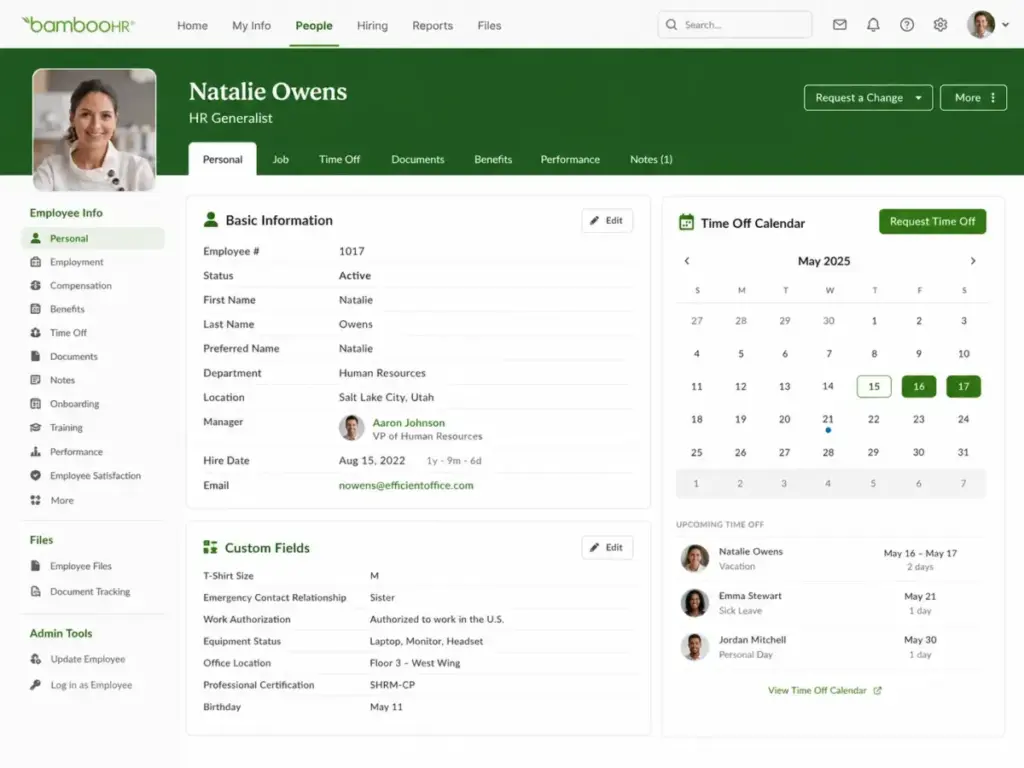
BambooHR centralizes employee data, custom fields, workflows, approvals, and reporting into one HRIS. Core includes employee records, a custom report builder, dashboards, and HR insights. For a 50-person company replacing Google Sheets and manual onboarding, that consolidation eliminates the version-control problem that HR teams know too well.
G2 reviewers consistently mention reduced spreadsheet chaos and time-off visibility as top benefits. The onboarding workflows let new hires complete paperwork, e-signatures, and training assignments before day one.
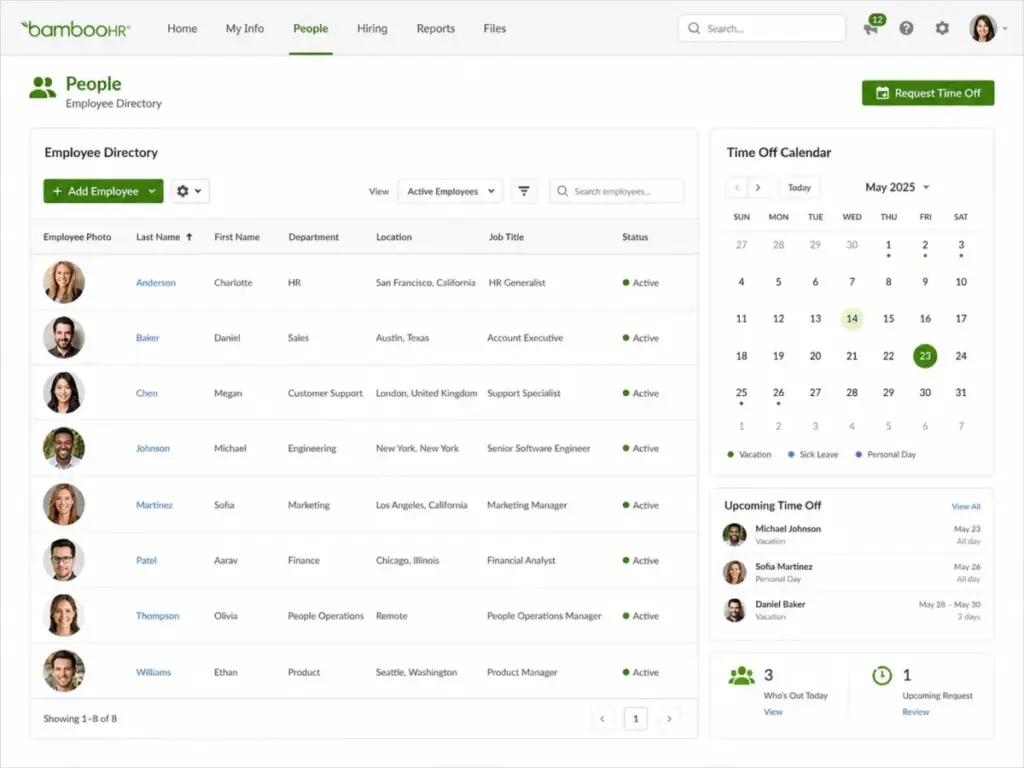
I suspect most teams under 100 employees get the most immediate value from the employee records plus time-off calendar combination. BambooHR’s time-off system supports unlimited custom policies, which matters for companies with PTO, sick leave, parental leave, and volunteer time off on separate tracks.
Performance Management Without a Separate Tool
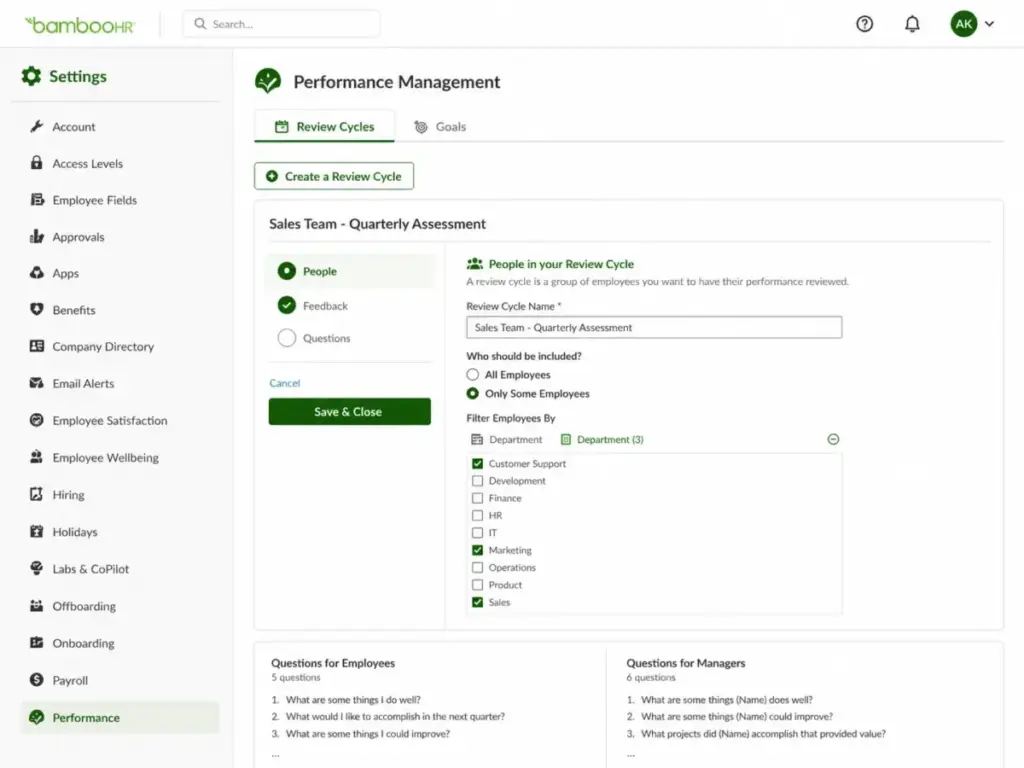
Pro adds performance management, 360 review cycles, 1:1 meeting tracking, and instant performance reporting at $17/employee/month. For a 75-person company with annual reviews and quarterly check-ins, this eliminates the need for a standalone performance tool like Culture Amp or Lattice.
The employee community feature on Pro also gives teams a Slack-alternative internal channel for announcements and recognition. Fifteen compliance training courses come bundled, up from just 1 on Core.
Here is the practical gap: if your team runs performance reviews, you need Pro. Core does not include performance management at all. That is a clear plan gate, not a feature limitation.
Compensation Planning With Salary Benchmarks
Elite adds compensation management, salary benchmarking powered by Mercer benchmarks, levels and bands, custom dashboards, advanced visualizations, curated data insights, and HR benchmarks at $25/employee/month. For an HR leader building a compensation philosophy for a 200-person company, this is the tier that replaces manual compensation spreadsheets with structured pay planning.
Elite also includes dedicated customer support, two admin training sessions per year, data integrity services, exclusive webinars, and 300+ compliance training courses.
The upgrade from Pro to Elite only makes sense when your HR team actively manages compensation bands, benchmarks salaries against market data, or needs custom analytics dashboards. A 30-person company that runs annual reviews but handles compensation in a spreadsheet does not need Elite.
The 2 Problems BambooHR Creates
The Add-On Pricing Black Box
BambooHR publishes base plan prices. Add-on prices for Payroll, Benefits Administration, and Time & Attendance are not publicly listed. You need a sales quote to learn the actual cost of running HR plus payroll plus benefits through BambooHR.
The best HR software comparison gets harder when you cannot model the total cost before talking to sales. BambooHR’s pricing page notes a 15% bundle discount when Payroll and Benefits Administration are combined with any plan for US employees. That is helpful, but the base add-on prices remain opaque.
Payroll and Benefits Administration are available for US employees only. If your team has international employees, BambooHR offers an Employer of Record add-on powered by Remote, but that is another quote-based cost layer.
I keep coming back to this gap: BambooHR markets itself as an all-in-one HR platform, but the “all-in-one” experience requires multiple add-ons with undisclosed pricing. A 100-person team comparing BambooHR to Gusto or Rippling cannot do an apples-to-apples cost comparison without contacting each vendor.
Capterra reviews echo this tension. Users praise BambooHR’s ease of use but note the platform can feel inflexible when teams need workflows or reports outside its templates.
Recruiting Depth Hits a Ceiling
BambooHR includes applicant tracking and job postings, but the job opening limits differ by plan:
| Plan | Job Opening Limit |
|---|---|
| Core | 5 active job openings |
| Pro | 25 active job openings |
| Elite | 50 active job openings |
What this means: a growing company hiring for 10 roles simultaneously needs at least Pro. A company running 30+ concurrent openings needs Elite. Neither plan offers proactive candidate sourcing, advanced ATS analytics, or the recruiting automation that tools like Greenhouse or Lever provide.
TrustRadius reviewers identify customization, integrations, support speed, and performance feature depth as common improvement areas. For recruiting-heavy startups, BambooHR’s ATS is a basic inbound hiring tool, not a full recruiting stack.
BambooHR Pricing and Plans in 2026
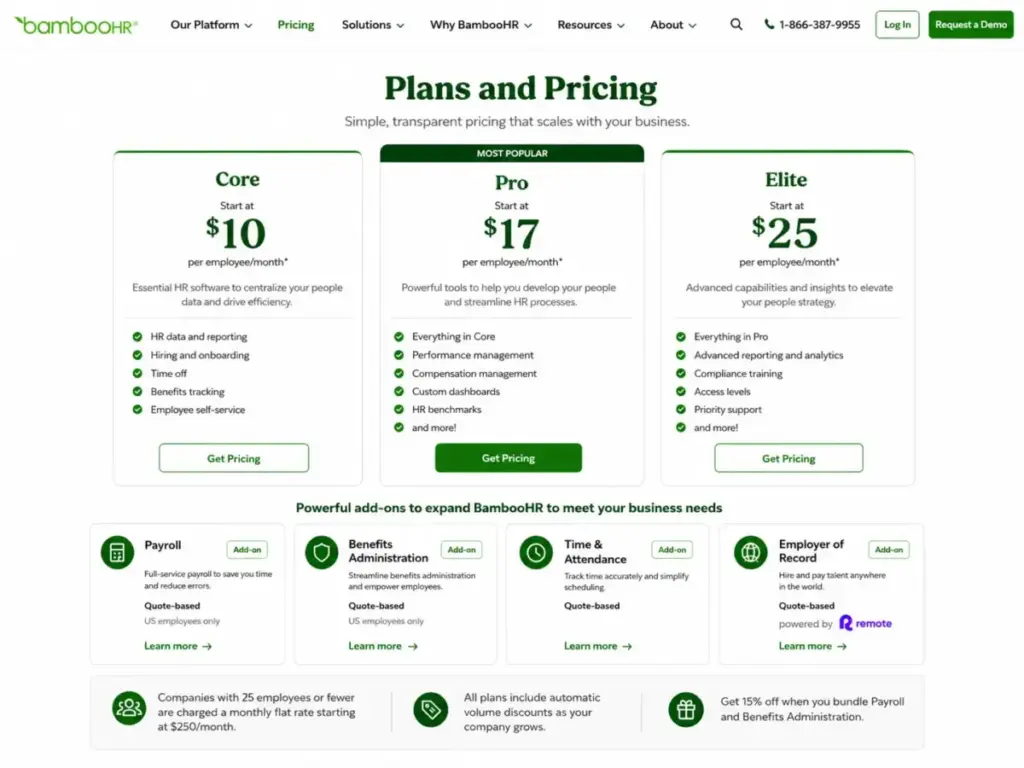
BambooHR publishes starting prices on its official pricing page. Here is the full breakdown as of May 2026:
| Plan | Price | Billing | Key Inclusions | Job Openings | Compliance Courses |
|---|---|---|---|---|---|
| Core | $10/employee/month | Per employee/month | HR data, reports, workflows, dashboards, hiring, onboarding, time off, benefits tracking, eNPS, wellbeing, total rewards, compliance intelligence, basic AI assistant | 5 | 1 |
| Pro | $17/employee/month | Per employee/month | Everything in Core + performance management, 360 reviews, 1:1s, instant reporting, employee community, policy/document AI assistant | 25 | 15 |
| Elite | $25/employee/month | Per employee/month | Everything in Pro + compensation planning, Mercer salary benchmarking, levels/bands, custom dashboards, advanced visualization, HR benchmarks, dedicated support, admin training | 50 | 300+ |
What this means: the jump from Core to Pro is $7/employee/month, and that unlocks performance management, 5x the job openings, and 15x the compliance training courses. For a 50-person company, that is the difference between $500/month and $850/month. The jump to Elite adds another $8/employee/month ($1,250/month for 50 employees) and makes sense only if compensation planning and advanced analytics are active priorities.
The Small-Company Pricing Floor
Companies with 25 employees or fewer pay a flat monthly rate starting at $250/month. That changes the per-employee math significantly:
| Team Size | Per-Employee Math at $250/month |
|---|---|
| 25 employees | $10/employee (matches Core rate) |
| 15 employees | $16.67/employee |
| 10 employees | $25/employee |
What this means: a 10-person team pays the equivalent of $25/employee/month on the flat-rate floor. At that price point, the team is paying Elite-tier per-employee economics for Core-tier features. That is where the math stops working for very small teams.
Add-Ons and Hidden Costs
| Add-On | Pricing | Coverage |
|---|---|---|
| Payroll | Quote-based | US employees only |
| Benefits Administration | Quote-based | US employees only |
| Time & Attendance | Quote-based | All employees |
| Employer of Record (via Remote) | Quote-based | International employees |
| HR Consulting | Quote-based | Advisory services |
| Managed Payroll Services | Quote-based | Full-service payroll |
Volume discounts apply automatically based on headcount. Registered nonprofits receive an additional 15% discount. Extended-term subscriptions can be non-cancelable until end of term. BambooHR accepts credit cards, ACH, wire transfers, and checks.
Does the $250/month floor justify itself for a 10-person team? Only if the team genuinely needs structured HR workflows, onboarding automation, time-off tracking, and eNPS. A 10-person startup using a basic payroll provider and a shared Google Sheet may not need this level of HR infrastructure yet.
BambooHR Feature Gates by Plan
| Feature | Core | Pro | Elite |
|---|---|---|---|
| Employee records and custom fields | ✓ | ✓ | ✓ |
| Custom reports and dashboards | ✓ | ✓ | Custom dashboards |
| Workflows and approvals | ✓ | ✓ | ✓ |
| Hiring and onboarding | ✓ | ✓ | ✓ |
| Time-off management | ✓ | ✓ | ✓ |
| Benefits tracking | ✓ | ✓ | ✓ |
| eNPS and employee wellbeing | ✓ | ✓ | ✓ |
| Compliance intelligence | ✓ | ✓ | ✓ |
| Performance management | ✗ | ✓ | ✓ |
| 360 review cycles and 1:1s | ✗ | ✓ | ✓ |
| Employee community | ✗ | ✓ | ✓ |
| Compensation planning | ✗ | ✗ | ✓ |
| Salary benchmarking (Mercer) | ✗ | ✗ | ✓ |
| Levels and bands | ✗ | ✗ | ✓ |
| Advanced visualization | ✗ | ✗ | ✓ |
| HR benchmarks | ✗ | ✗ | ✓ |
| Dedicated support | ✗ | ✗ | ✓ |
| AI assistant | Basic | Policy/document AI | Advanced |
| Compliance training courses | 1 | 15 | 300+ |
| Job openings | 5 | 25 | 50 |
What this means: Core covers the HR foundation. Pro unlocks performance management and meaningful recruiting capacity. Elite is a compensation and analytics tier. The AI assistant upgrades progressively, with the Pro-level assistant handling company policies and documents, and the Elite assistant offering advanced capabilities.
BambooHR Pros and Cons
| Pros | Cons |
|---|---|
| Clean employee records with custom fields, reports, and workflows reduce spreadsheet dependency | Add-on pricing for payroll, benefits, and time tracking requires a sales quote |
| Time-off management supports unlimited custom policies and a visual calendar | The $250/month small-company floor makes BambooHR expensive per-employee for teams under 15 |
| Onboarding workflows automate paperwork, e-signatures, and training before day one | Job opening limits (5/25/50) constrain recruiting capacity on lower plans |
| eNPS and employee wellbeing tools provide engagement data without a separate survey tool | Payroll and Benefits Administration are US employees only |
| Performance management on Pro includes 360 reviews, 1:1s, and instant reporting | Dashboard customization and advanced analytics require Elite ($25/employee/month) |
| SOC 2 Type 2, PCI DSS, and EU-US Data Privacy Framework compliance | Third-party review platforms note limited reporting flexibility outside templates |
Ease of Use and the First 30 Minutes
BambooHR positions itself as a low-complexity HRIS. The free trial requires no credit card and ends automatically after 7 days.
The first 30 minutes with BambooHR look like this: create an account, add employee records, configure time-off policies, and explore the reporting dashboard. The mobile app (iOS and Android) supports time-off requests, time clock entry, Ask BambooHR AI assistant, benefits enrollment, goal tracking, performance feedback, and e-signatures.
Complexity increases when teams add payroll, benefits administration, time attendance, API integrations, custom permissions, or multi-state compliance workflows. The basic HR setup stays simple. The layered add-ons introduce configuration decisions that require planning.
Support hours run weekday English-language coverage from 6:00 a.m. to 6:00 p.m. Mountain Time on the base plan. Elite customers get dedicated support, two admin training sessions per year, and data integrity services.
Integrations, API, and Technical Buyer Checklist
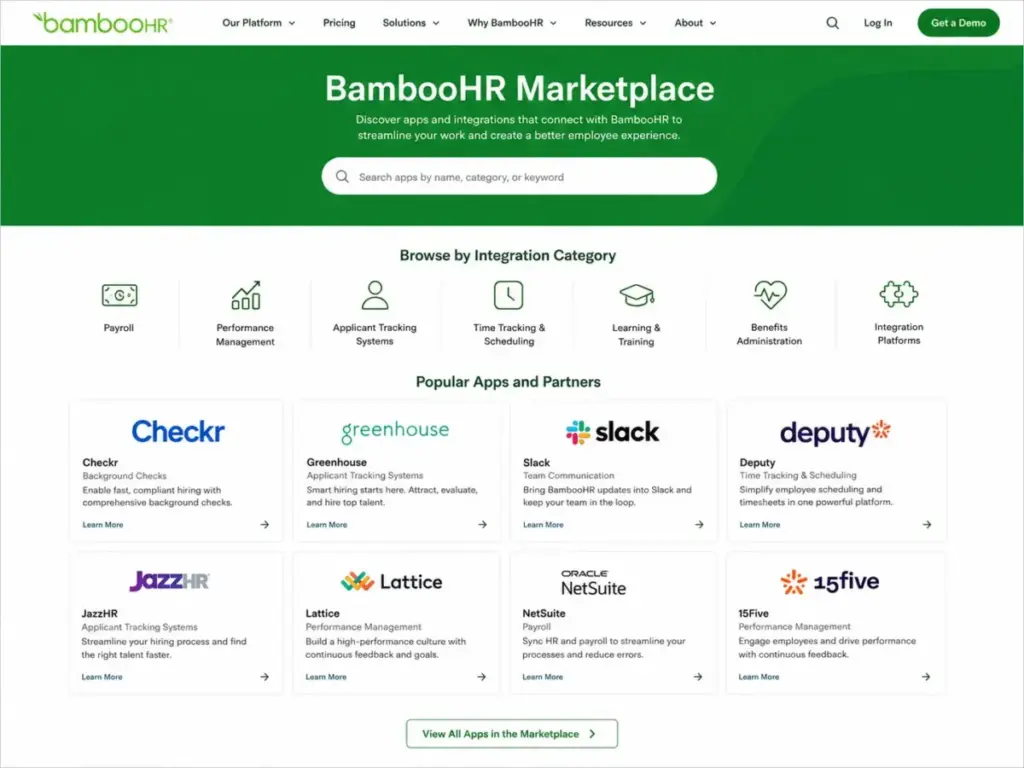
BambooHR lists more than 150 integration partners across payroll, performance, ATS, time tracking, learning, and benefits categories. Named integrations include Checkr, Greenhouse, Culture Amp, Slack, Google SSO, SAML, Microsoft SSO, Indeed, Okta, NetSuite, Deputy, Lattice, JazzHR, and 15Five.
For IT teams evaluating BambooHR, the technical checklist includes:
- RESTful API for employee data and reports
- OAuth authentication and developer portal setup
- API keys for permitted users
- Webhooks for event-driven workflows
- Postman collection and official SDK documentation
The API caveat: developers need to handle status codes, permission errors, employee limits, possible rate limiting, and retry-after behavior. If your team relies on custom API integrations, confirm rate limits and webhook log retention (14 days, 200 entries) before committing.
Security and Compliance
BambooHR’s Trust Center lists SOC 1, SOC 2 Type 2, PCI DSS, EU-US Data Privacy Framework, UK Extension to EU-US DPF, and Swiss-US DPF. Data is encrypted in transit, with sensitive fields encrypted at rest. Hosting is available in the United States, Canada, or Ireland depending on customer needs.
BambooHR Limitations
BambooHR is strong for US small and midsize teams, but these limitations matter for specific buyer profiles:
| Limitation | Who It Affects | Workaround |
|---|---|---|
| Add-on prices not public | Budget-conscious buyers who need cost modeling before sales contact | Request a detailed quote covering payroll + benefits + time attendance before committing |
| Payroll and benefits US-only | Companies with international employees | Use the Employer of Record add-on (powered by Remote) or a separate global payroll provider |
| Job opening limits by plan | Recruiting-heavy teams hiring for 6+ roles on Core | Upgrade to Pro (25 openings) or Elite (50 openings), or use a dedicated ATS alongside BambooHR |
| Limited dashboard customization | HR leaders needing custom analytics views | Elite unlocks custom dashboards. Core/Pro users rely on standard report templates. |
| ATS lacks proactive sourcing | Talent acquisition teams sourcing passive candidates | Pair BambooHR with Greenhouse, Lever, or a sourcing-specific tool |
| Reporting flexibility | Teams needing reports beyond pre-built templates | Custom report builder covers many scenarios, but non-template workflows may require workarounds |
Who Should Use BambooHR?
- US companies with 25-500 employees replacing spreadsheets with a proper HRIS for employee records, onboarding, time-off, and reporting.
- HR generalists who want one system for employee data, workflows, eNPS, and performance reviews without enterprise-grade complexity.
- Growing teams adding payroll and benefits through BambooHR add-ons, especially when the 15% bundle discount makes the combined cost competitive.
- Companies that value compliance support: Elite’s 300+ compliance training courses serve regulated employers and multi-state teams.
- Teams with moderate recruiting needs that fit within the 5/25/50 job opening limits.
Who Should Avoid BambooHR?
- Very small teams (under 15 employees) paying the $250/month flat-rate floor. The per-employee cost exceeds the value for micro-businesses. Consider Gusto as a payroll-first alternative.
- High-volume recruiting teams needing proactive sourcing, advanced ATS analytics, or more than 50 concurrent job openings. BambooHR’s ATS is functional, not specialized.
- Enterprise HR teams needing deep workflow customization, complex global payroll, advanced workforce planning, or extensive API integrations. BambooHR targets the SMB segment.
- International-first companies that need payroll and benefits administration outside the US. BambooHR’s payroll and benefits add-ons cover US employees only.
- Budget-sensitive buyers who need fully transparent pricing before talking to sales. The add-on quote requirement creates friction for comparison shopping.
BambooHR Alternatives
| Scenario | Best Alternative | Why Choose It | Starting Price |
|---|---|---|---|
| Payroll-first HR for small teams | Gusto | Built-in payroll, benefits, and HR from day one without add-on quotes | $40/month + $6/employee/month |
| Modular IT + HR platform | Rippling | Combines HR, IT, payroll, and device management with granular module selection | Custom pricing per module |
| Mid-market payroll and HR | Paylocity | Deeper payroll capabilities, time tracking, and benefits for 50-500 employee companies | Custom pricing |
| Budget HR for micro-teams | Zoho People | Lower entry cost for teams under 25 employees needing basic HR records | $1.25/employee/month |
| Global workforce management | Deel | Payroll, EOR, and contractor management across 150+ countries | Custom pricing |
What this means: choose BambooHR if you want a clean HRIS foundation with optional modules. Choose Gusto if payroll is the primary driver. Choose Rippling if you need HR plus IT management in one platform. Choose Paylocity if your mid-market team needs deep payroll capabilities.
Final Verdict: Is BambooHR Worth It?
BambooHR earns 7.5/10. It is worth it for US small and midsize companies (25-500 employees) that want a clean, usable HRIS to replace spreadsheets with structured employee records, onboarding, time-off management, performance reviews, and compliance support.
Choose BambooHR if your team fits in the 25-500 employee range, your primary need is HR data centralization with optional payroll and benefits, and you are willing to get a quote for add-on pricing.
Avoid BambooHR if your team is under 15 employees (the flat-rate floor hurts), you need international payroll, or you need a best-in-class ATS. In those cases, Gusto or Rippling covers the gap at a different price point.
The Pro plan at $17/employee/month is the practical choice for most growing teams. It unlocks performance management, 25 job openings, and 15 compliance training courses. Core works for companies that only need HR records and time-off. Elite pays for itself only when compensation planning and salary benchmarking are active HR priorities.
One question every buyer should ask before signing: what is the total monthly cost for your team size with payroll, benefits administration, and time attendance included? That number, not the base plan price, determines whether BambooHR is the right investment.
FAQ
Is BambooHR worth it for a 25-person company?
Yes, if the team needs structured HR workflows, onboarding, time-off tracking, and eNPS beyond what spreadsheets provide. The $250/month flat-rate floor means the per-employee cost stays at $10/employee/month for exactly 25 employees. Below that headcount, the math tilts against BambooHR unless the HR process gains justify the premium.
Does BambooHR include payroll, or is payroll extra?
Payroll is a separate add-on with quote-based pricing, available for US employees only. BambooHR offers a 15% bundle discount when Payroll and Benefits Administration are combined with any plan. The payroll add-on includes a specialized support team and a dedicated payroll project manager during setup.
Can BambooHR replace a standalone ATS?
No, unless your recruiting volume fits within the job opening limits: 5 on Core, 25 on Pro, and 50 on Elite. BambooHR handles inbound applicant tracking, job posting, and offer letter templates. It does not offer proactive candidate sourcing or advanced recruiting analytics comparable to Greenhouse or Lever.
What BambooHR plan includes performance reviews?
Pro at $17/employee/month. Core does not include performance management. Pro adds 360 review cycles, 1:1 meeting tracking, instant performance reporting, and an employee community feature.
Should I choose BambooHR or Gusto?
Choose BambooHR if your primary need is employee records, HR workflows, onboarding, and optional performance management for a 25-500 person US team. Choose Gusto if payroll and benefits administration are the main priorities and you want those costs included in the base price without add-on quotes. Gusto starts at $40/month plus $6/employee/month.
Is BambooHR too limited for enterprise HR?
Yes, if enterprise means deep workflow customization, complex global payroll, advanced workforce planning, or hundreds of API integrations. BambooHR targets US small and midsize companies. For enterprise HCM, evaluate ADP Workforce Now, Paylocity, or dedicated enterprise platforms.
How many compliance training courses does each BambooHR plan include?
Core includes 1 compliance training course. Pro includes 15. Elite includes 300+. Multi-state teams and regulated employers who need recurring required training will likely need Pro at minimum and Elite for full compliance library access.
Does BambooHR have a free trial?
Yes. BambooHR offers a free 7-day trial with no credit card required. The trial ends automatically. A live demo is also available through the BambooHR website.
What are BambooHR's hidden costs?
The main hidden costs are add-on modules (payroll, benefits administration, time & attendance) with quote-based pricing, marketplace partner apps with separate vendor pricing, and extended-term subscriptions that can be non-cancelable until end of term. Budget for the total cost with add-ons, not just the base plan price.
Does BambooHR support mobile time clock?
Yes. The BambooHR mobile app (iOS and Android) supports time clock entry, hours worked tracking, time-off requests, benefits enrollment, goal tracking, performance feedback, e-signatures, and the Ask BambooHR AI assistant. Access requires an active BambooHR account.