
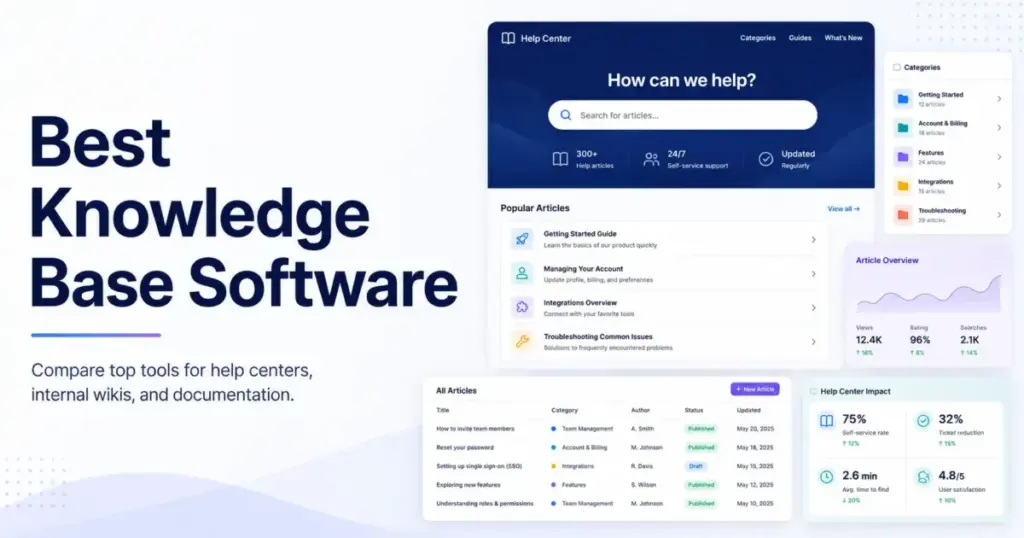
A $10/seat/month wiki and a $249/month dedicated knowledge base solve different problems. The gap between those two numbers is where most buyers waste time, picking tools by starting price and then discovering that the features they actually need sit behind a higher tier, an add-on, or a sales call.
I evaluated 42 knowledge base platforms and ranked 15 based on pricing transparency, publishing workflows, AI and search capabilities, integration depth, scalability, and buyer fit. The list covers external help centers, internal wikis, developer documentation tools, and enterprise knowledge management platforms, because these are genuinely different buying decisions even when competitors lump them into one generic ranking.
For teams that need a purpose-built knowledge base with internal and external publishing, workflows, and analytics, Document360 is the strongest overall pick. If budget is the primary constraint, Notion and Slab offer usable free plans. For support teams already running a help desk, Zendesk Guide and Freshdesk bundle knowledge base features into their suite pricing. Understanding what a knowledge base is and what type your team actually needs is the first step before comparing any pricing page.
Best Knowledge Base Software by Use Case
| Use case | Best pick | Why it fits |
|---|---|---|
| Best overall dedicated KB | Document360 | Internal/external publishing, workflows, analytics, AI, and API depth |
| Best for support teams | Zendesk Guide | KB bundled with ticketing, AI, chat, and omnichannel routing |
| Best lightweight support KB | Help Scout Docs | Simple Docs plus inbox for small support teams with a real free tier |
| Best flat-rate pricing | Helpjuice | 30 users included at $249/month with no per-seat surprise |
| Best budget help desk KB | Freshdesk | Support KB with ticketing starting at $19/agent/month |
| Best guided KB setup and migration | KnowledgeOwl | 30-day trial, import tools, transparent plan limits, and onboarding support |
| Best developer documentation | GitBook | Git-style workflows, API docs, and managed publishing |
| Best internal AI knowledge | Guru | AI-powered answers across 100+ enterprise apps |
| Best engineering wiki | Confluence | Jira integration, whiteboards, and the Atlassian ecosystem |
| Best flexible workspace wiki | Notion | Free workspace wiki with databases, AI, and project tools |
| Best simple standalone help center | HelpDocs | Lightweight hosted help center without help desk overhead |
| Best startup internal wiki | Slab | Free for up to 10 users with a clean editor and unified search |
| Best for Zoho ecosystem teams | Zoho Desk KB | Native KB module connected to Zoho CRM, Desk, and Projects |
| Best simple self-service KB | ProProfs KB | Standalone KB with templates and WYSIWYG editor for small teams |
| Best enterprise knowledge management | Bloomfire | AI-powered search, multimedia content, and department-level analytics |
What this means: there is no single “best knowledge base software” without context. A 5-person support team choosing between Help Scout and Document360 is making a fundamentally different decision than a 50-person engineering org choosing between Confluence and Slab. The table above maps your use case to the right starting point.
How We Chose and Ranked These Tools
I evaluated 42 knowledge base platforms based on a detailed analysis of official product documentation, feature specifications, pricing pages, and verified product positioning. Pricing was verified in May 2026.
Ranking criteria and weights:
| Criterion | Weight | What I checked |
|---|---|---|
| Pricing value | 20% | Starting price, free plan, minimum seats, add-ons, hidden costs, transparency |
| Core feature depth | 20% | Authoring, publishing, search, analytics, AI, versioning, localization, access controls |
| Ease of use | 15% | Setup path, editor clarity, onboarding burden, maintenance workflow |
| Integrations | 15% | Native integrations, API, help desk/CRM connections, Slack/Teams, Git workflows |
| Scalability | 15% | Permissions, SSO, SCIM, analytics, governance, security, multiple KBs |
| User fit | 15% | Best-for match, not-best-for risk, limitation severity, buyer clarity |
What this means: I weighted pricing value and feature depth equally at 20% each because the knowledge base market has extreme pricing variance. A tool that scores 9/10 on features but hides its price behind a sales wall loses points against a tool with transparent, predictable billing.
Badge logic: Best Overall reflects the highest balanced score for a dedicated knowledge base. Other badges reflect use-case dominance. A tool can rank lower overall but earn a badge for being the clear winner in its niche.
Limitation: All evaluations are based on official documentation and published product information, not hands-on testing. I did not rank tools by brand popularity or affiliate payout. Pricing can change; verify current rates on each vendor’s pricing page before purchasing.
Free Tier Champions
Six of the 15 tools on this list offer a free plan or free program. Not all free plans are equal. Some cap users, some cap articles, and one expires after six months.
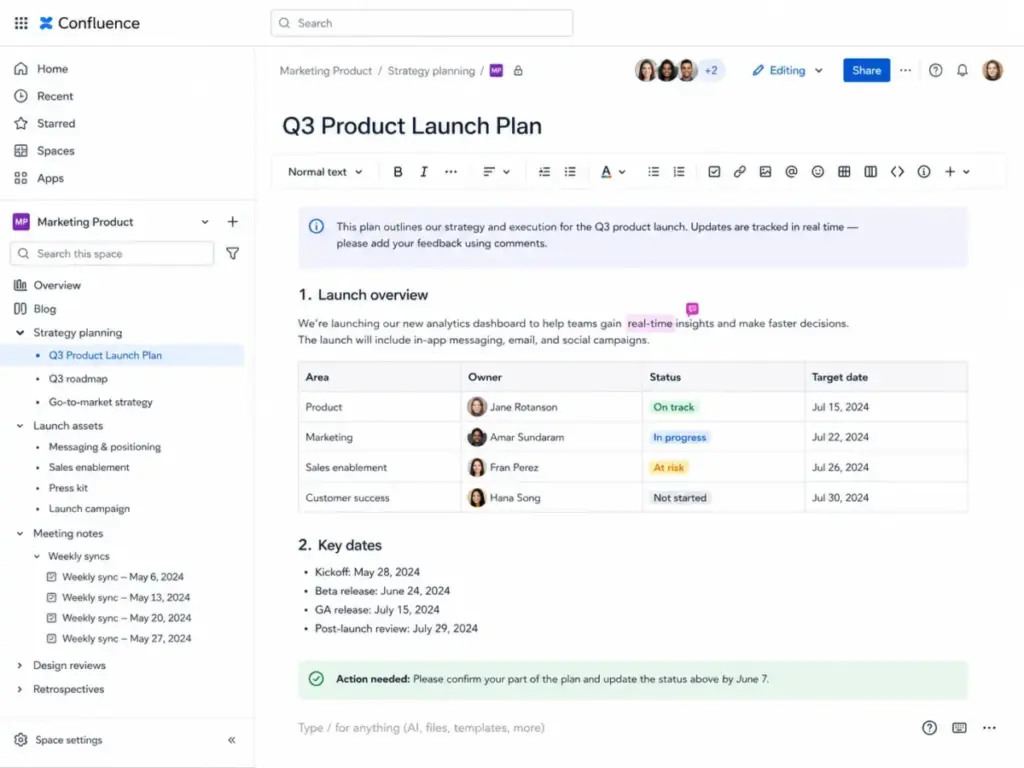
Confluence: Best Engineering Team Wiki

Confluence is the internal wiki that engineering, product, and project teams reach for when they already use Jira or other Atlassian tools.
Atlassian offers a free plan for Confluence Cloud, which makes it accessible for small teams getting started. Paid tiers use calculator-based pricing that scales with user count, so the exact monthly cost depends on your team size. Verify current rates on Atlassian’s pricing page.
What it does well:
- Deep integration with Jira, Trello, and the Atlassian Marketplace
- Team workspaces with pages, whiteboards, and collaborative editing
- AI-assisted drafting and search on paid plans
- Strong permissions and admin controls at scale
Where it falls short:
- Not purpose-built as a public help center or customer-facing KB
- Can become complex and cluttered at scale without governance
- Marketplace apps and user-count tiers can change total cost unpredictably
Best for:
- Engineering and product teams on Jira
- Internal documentation and runbooks
- Teams of 10-200 that need structured wiki pages
Avoid if: you need a polished public help center with ticket deflection. Confluence was designed for internal collaboration, not customer self-service. Read the full Confluence evaluation for a deeper look at its strengths and trade-offs.
Setup difficulty: Medium. Requires workspace setup, space organization, and permission planning.
Verdict: Choose Confluence if your team already lives in Atlassian and needs an internal wiki. Skip it if your primary goal is a customer-facing knowledge base.
Notion: Best Flexible Internal Workspace Wiki

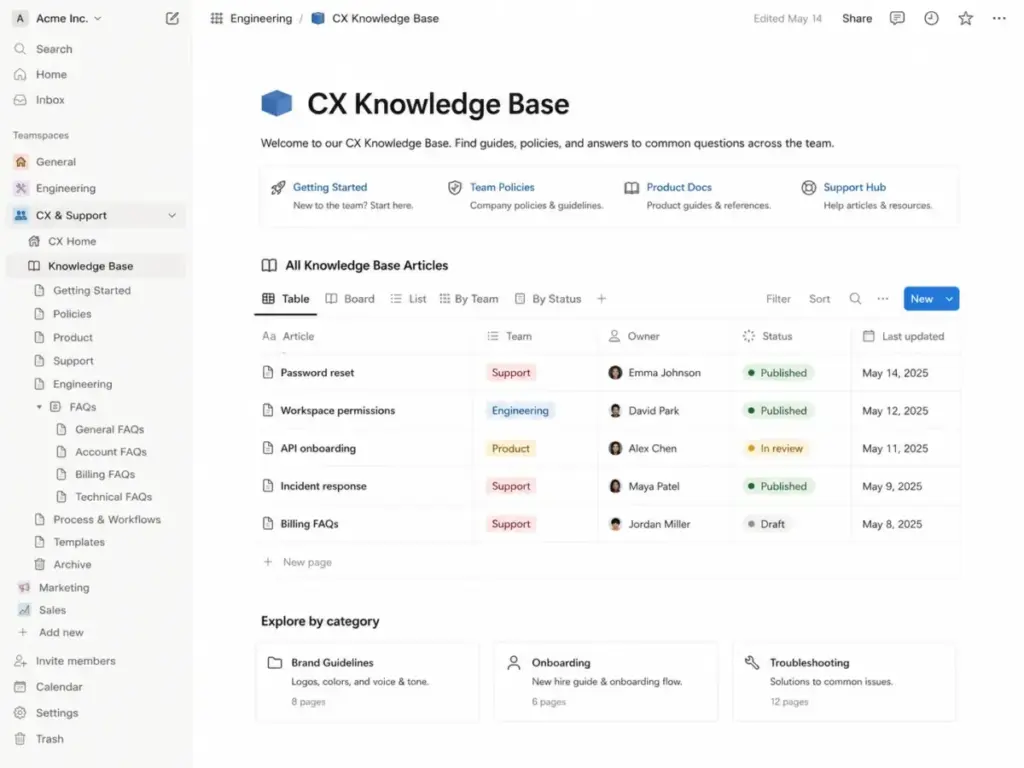
Notion is not a dedicated knowledge base tool. It is a workspace platform that teams use as an internal wiki, project tracker, database, and document hub.
Notion’s free plan is genuinely usable for individuals and small teams. Plus starts at $10/seat/month, and Business at $20/seat/month, according to Notion’s pricing page.
What it does well:
- Flexible blocks, databases, and templates for any internal documentation structure
- AI features including Notion Agent, meeting notes, and enterprise search
- Integrations with Slack, GitHub, Google Drive, Jira, Salesforce, and more
- Low entry cost with a functional free tier
Where it falls short:
- No dedicated public help center or ticket deflection workflow
- Flexible structure can become messy without governance
- AI agents/credits, custom domains, SSO, and SCIM require higher plans or add-ons
- Free team workspaces have block limits
Best for:
- Internal wikis for teams under 50
- Teams that want docs, projects, and knowledge in one tool
- Startups and small companies already running work in Notion
Avoid if: you need a customer-facing help center with analytics, SEO, and self-service workflows. The Notion workspace analysis covers its broader strengths beyond knowledge management.
Setup difficulty: Low. Drag-and-drop editor with templates, but scaling requires intentional structure.
Verdict: Choose Notion if your team wants one workspace for internal docs, projects, and knowledge. Do not choose it as a standalone external knowledge base.
Slab: Best Startup Internal Wiki

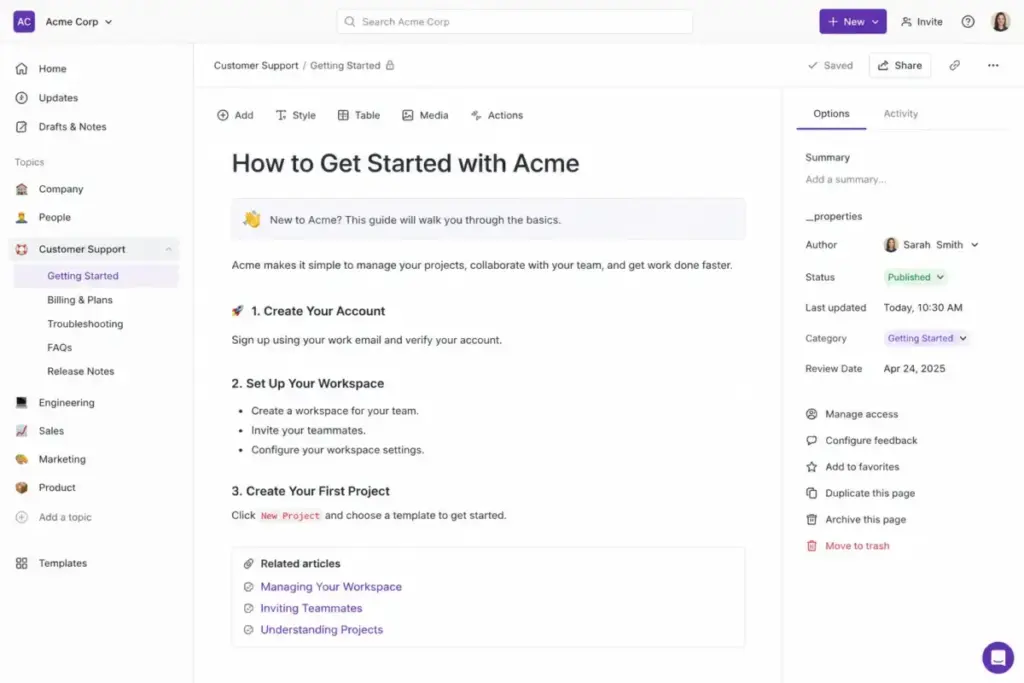
Slab is a clean, focused internal wiki built for startups and small teams that want organized knowledge without the complexity of Confluence or the flexibility-chaos of Notion.
Slab’s free plan supports up to 10 users, which is generous for early-stage teams. Startup is $6.67/user/month billed annually, and Business is $12.50/user/month billed annually, per Slab’s pricing page.
What it does well:
- Free plan for up to 10 users with core wiki functionality
- Clean, distraction-free editor designed for knowledge articles
- Unified search across connected tools
- Simple onboarding with minimal configuration
Where it falls short:
- Focused on internal wiki, not external customer-facing documentation
- Smaller integration ecosystem compared to Confluence or Notion
- Enterprise features require custom pricing
Best for:
- Startups with 5-15 people
- Teams that want a simple internal wiki without project management bloat
- Budget-conscious teams that need a free starting point
Avoid if: you need a public-facing help center, advanced analytics, or enterprise-grade governance.
Setup difficulty: Low. Minimal configuration required.
Verdict: Choose Slab if you want an internal wiki that stays simple. It is the best free starting point for startup teams.
Best Under $25/Month
These tools offer the lowest practical paid entry points for teams that have outgrown free plans or need features that free tiers do not include.
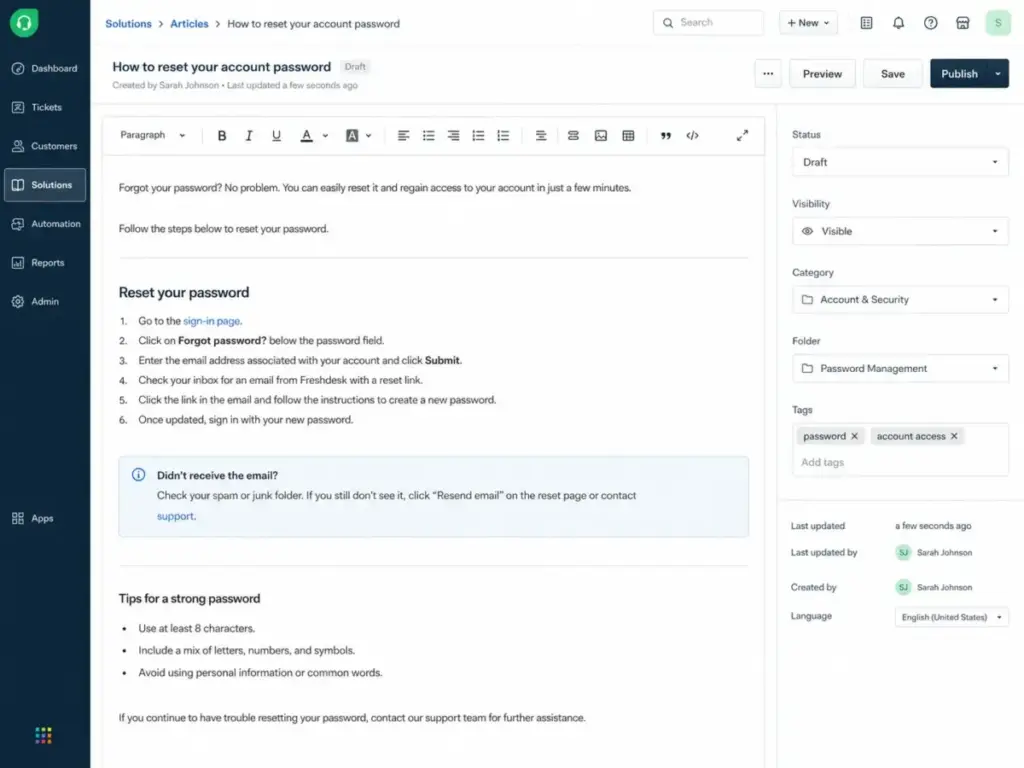
Freshdesk Knowledge Base: Best Budget Help Desk Knowledge Base

Freshdesk bundles a knowledge base into its help desk platform, which means support teams get ticketing, a customer portal, reports, and self-service documentation in one product.
Growth starts at $19/agent/month billed annually. Freshdesk also offers a $0 free program for 1-2 agents for six months, which includes knowledge base access. Verify current pricing on Freshworks’ pricing page.
What it does well:
- Ticketing, customer portal, and KB in one platform at a low entry price
- Freddy AI options for automated responses and session handling
- 14-day trial with Enterprise-level access
- Routing, SLA, and reporting features on higher plans
Where it falls short:
- Free program is time-limited to six months
- KB is part of a help desk, not a standalone dedicated KB platform
- Advanced portals, reporting, routing, AI, audit logs, and approval workflows require higher tiers
- Freddy AI Agent sessions cost $49 per 100 sessions beyond the included 500 on Pro/Enterprise
Best for:
- Support teams with 2-10 agents that need ticketing plus a KB
- Budget-conscious teams that want help desk features from day one
- Teams already using other Freshworks products
Avoid if: you only need a standalone knowledge base without help desk features. You would pay for ticketing, routing, and SLA capabilities that a docs-only team does not use. Our Freshdesk support platform review covers the full help desk experience.
Setup difficulty: Low to Medium. Standard help desk setup with KB as an included module.
Verdict: Choose Freshdesk if you want a knowledge base that lives inside your help desk. Skip it if you need a dedicated KB without customer service packaging.
HelpDocs: Best Simple Standalone Help Center

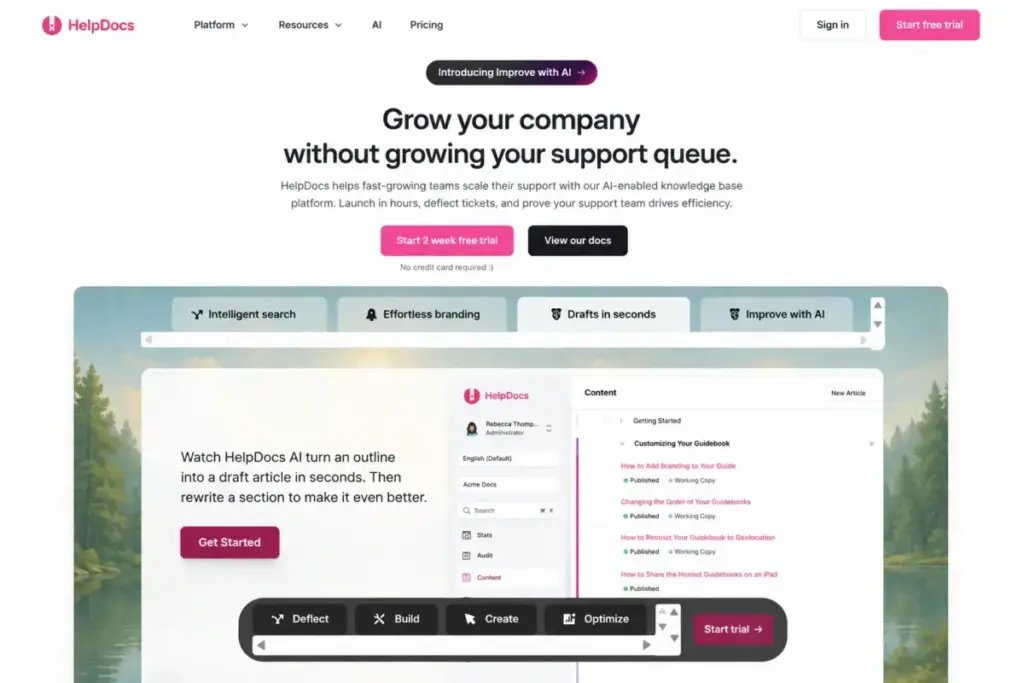
HelpDocs is a standalone, AI-enabled knowledge base built for small teams that want a simple hosted help center without adopting a full help desk suite.
HelpDocs offers a 2-week free trial with no credit card required. The official pricing page is available at helpdocs.io/pricing; verify current plan details and pricing directly, as exact plan tables were not fully confirmed in this evaluation cycle.
What it does well:
- Simple setup for a standalone help center
- AI-enabled search and article drafting
- Branding customization and ticket deflection positioning
- No help desk overhead for docs-only teams
Where it falls short:
- Pricing details require direct verification on the current pricing page
- Smaller feature set compared to enterprise-grade KB platforms
- Integration and governance details are less documented than larger competitors
Best for:
- Small teams (2-10 people) that want a help center without a help desk
- SaaS companies needing a simple customer-facing documentation site
- Teams that prioritize setup speed over advanced workflows
Avoid if: you need deep governance, large author pools, or enterprise compliance features.
Setup difficulty: Low. Designed for quick launch.
Verdict: Choose HelpDocs if you want the simplest path to a standalone help center. Verify pricing directly before purchase.
Zoho Desk Knowledge Base: Best for Zoho Ecosystem Teams

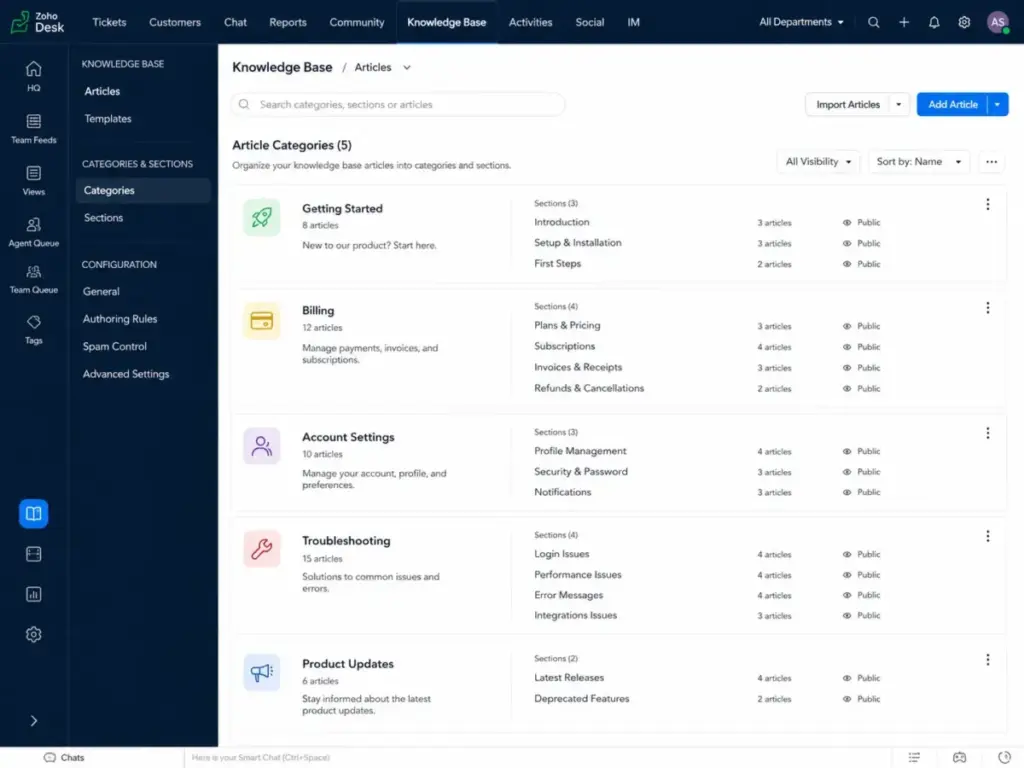
Zoho Desk includes a knowledge base as part of its help desk platform. For teams already using Zoho CRM, Zoho Projects, or other Zoho apps, the KB module connects natively to the existing ecosystem.
Zoho Desk offers competitive per-agent pricing across multiple tiers. Verify current rates on Zoho Desk’s official pricing page. A free plan is available for small teams.
What it does well:
- KB integrated with Zoho Desk ticketing, chat, and customer portal
- Native connections to Zoho CRM, Zoho Projects, and the broader Zoho suite
- Affordable per-agent pricing compared to Zendesk and Freshdesk
- Multi-brand help center support on higher plans
Where it falls short:
- KB is a module within the help desk, not a standalone product
- Advanced features like AI, custom functions, and multi-department support require higher tiers
- Less intuitive editor compared to dedicated KB tools
Best for:
- Teams already using Zoho CRM or Zoho Suite
- Budget-conscious support teams that want ticketing plus KB
- Small businesses with 3-15 agents
Avoid if: you need a standalone knowledge base without help desk packaging, or if your team does not use any other Zoho products. Read our Zoho Desk customer service evaluation for the complete help desk assessment.
Setup difficulty: Low to Medium. Straightforward if you are already in the Zoho ecosystem.
Verdict: Choose Zoho Desk KB if you run your business on Zoho. The integration value offsets the KB limitations.
ProProfs Knowledge Base: Best Simple Self-Service KB for Small Teams

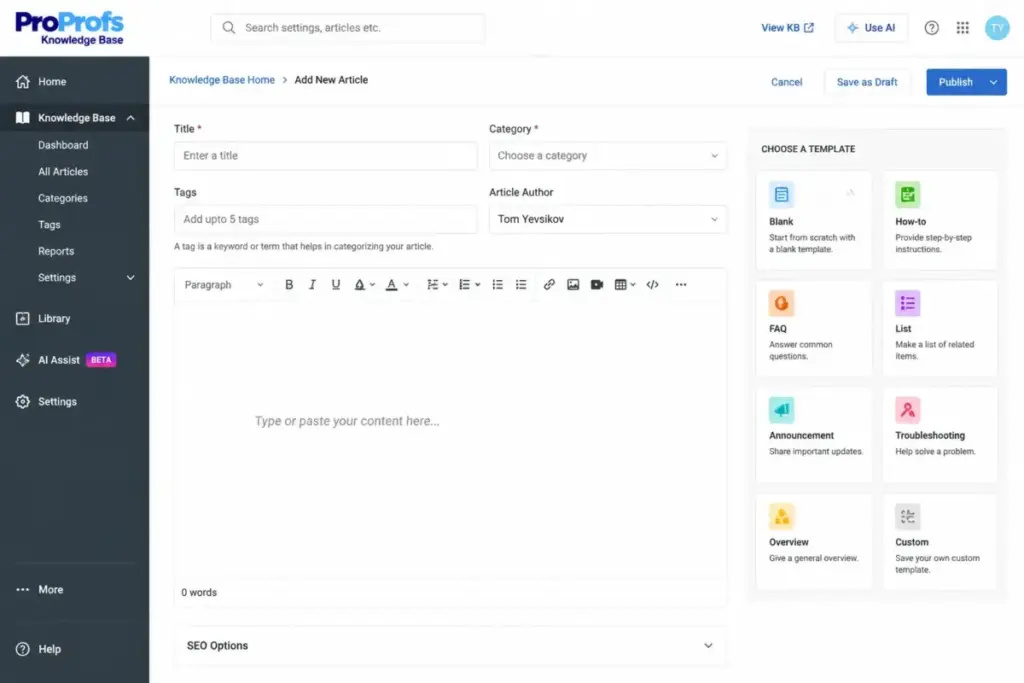
ProProfs Knowledge Base is a standalone knowledge base tool designed for teams that want a simple self-service portal without the complexity of a help desk suite or enterprise platform.
ProProfs offers public pricing on its official site. Verify current plan details and rates on ProProfs’ pricing page before purchase.
What it does well:
- Standalone KB without bundled help desk overhead
- Templates and a WYSIWYG editor for quick article creation
- Internal and external knowledge base options
- Reporting and analytics on article performance
Where it falls short:
- Smaller ecosystem and integration library than enterprise competitors
- Advanced features and customization options are limited on lower plans
- Less recognized brand compared to Zendesk, Freshdesk, or Document360
Best for:
- Small teams (1-10 people) that want a simple, no-frills KB
- Companies that need both internal SOPs and external help docs
- Teams that prioritize ease of setup over enterprise depth
Avoid if: you need advanced AI features, deep governance, or a large integration ecosystem.
Setup difficulty: Low. Template-based setup with minimal configuration.
Verdict: Choose ProProfs KB if you want a simple, affordable standalone knowledge base. It is a practical option for teams that do not need the depth of Document360 or the help desk packaging of Freshdesk.
Best for Mid-Market: $25 to $100 per Month
These tools are priced between $25 and $100 per month (per user or flat rate) and offer deeper features than budget options, including stronger analytics, more integrations, and better scalability.
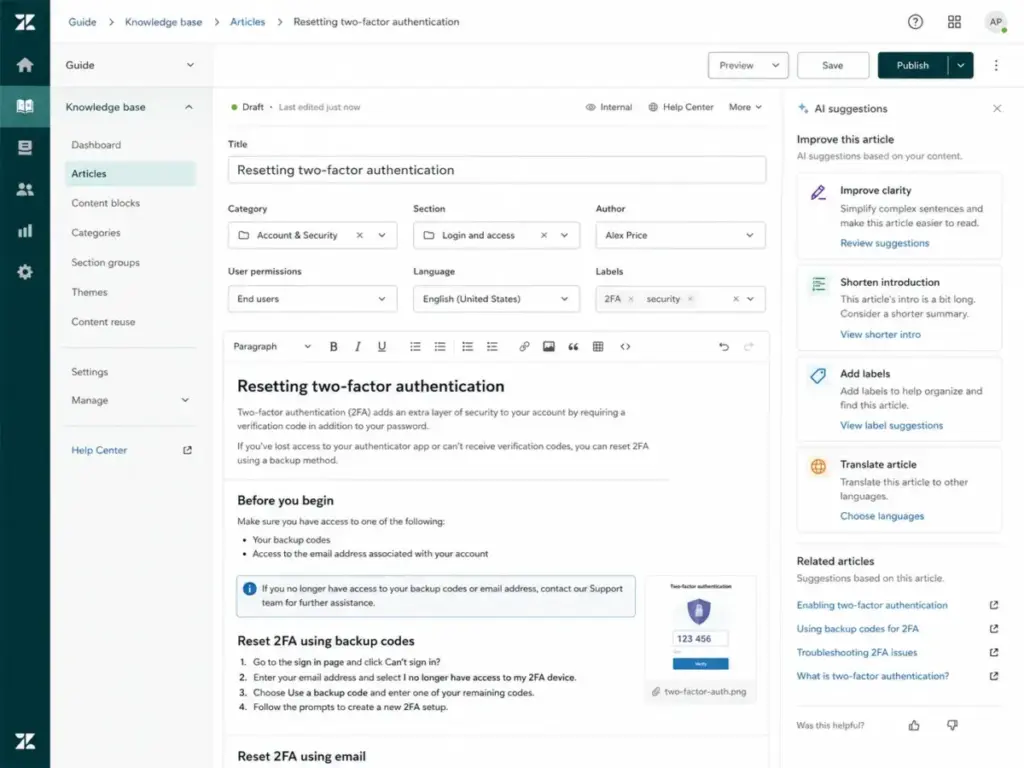
Zendesk Guide: Best for Zendesk Support Teams

Zendesk Guide is the knowledge base component of the Zendesk Suite. It is not sold separately. If your support team runs on Zendesk, Guide is the natural KB choice. If you do not use Zendesk, you are buying an entire support suite to get a knowledge base.
Suite Team starts at $55/agent/month paid yearly, according to Zendesk’s pricing page. Zendesk offers a 14-day free trial.
What it does well:
- Help center KB tightly integrated with ticketing, messaging, live chat, and phone
- AI knowledge tools for article suggestions and self-service optimization
- Zendesk Marketplace with hundreds of integrations
- Omnichannel routing and advanced reporting on higher tiers
- Enterprise-grade security, SSO, and admin controls
Where it falls short:
- Suite packaging is heavy for a standalone KB use case
- Advanced reporting, routing, and AI features require higher plans
- No free plan; $55/agent/month is a significant entry price for docs-only teams
- Docs-only teams pay for ticketing, chat, and voice they may not use
Best for:
- Support teams with 5-50 agents already on Zendesk
- Customer service operations that need KB, ticketing, and chat in one platform
- Enterprise teams that require compliance, audit logs, and role-based access
Avoid if: you only need a standalone knowledge base without ticketing or customer service workflows. At $55/agent/month, Zendesk is expensive for teams that just want to publish help articles. See our Zendesk customer service review for the full platform breakdown.
Setup difficulty: Medium. Requires help center configuration, article migration, and agent onboarding.
Verdict: Choose Zendesk Guide if your team already uses Zendesk or needs a KB inside a mature support operation. Skip it if you only need docs.
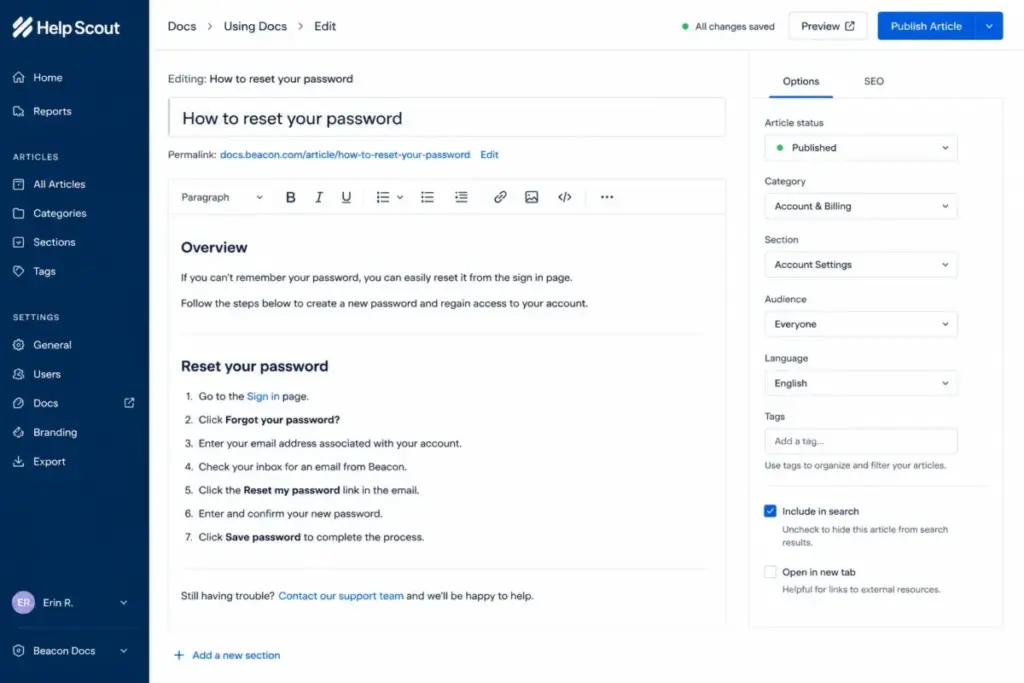
Help Scout Docs: Best Lightweight Support Knowledge Base

Help Scout Docs is a clean, simple knowledge base that lives inside Help Scout’s support platform. It is designed for small and mid-sized support teams that want docs, shared inbox, live chat, and AI assistance without the weight of Zendesk or Freshdesk.
Standard starts at $25/user/month. The free plan includes up to 5 users, 1 inbox, and 1 Docs site. Plus is $45/user/month, and Pro is $75/user/month with a 10-user minimum. Help Scout offers a 15-day free trial for Standard and Plus, and a 3-month trial for AI Answers. All pricing is from Help Scout’s pricing page.
What it does well:
- Real free plan with 5 users, 1 inbox, and 1 Docs site
- Simple, fast editor for creating help articles
- AI Inbox assistant and AI Answers add-on for self-service deflection
- Integrations with Salesforce, Jira, HubSpot, Linear, and 100+ apps
Where it falls short:
- Docs is tied to Help Scout’s support platform, not sold standalone
- Multiple Docs sites cost $20-24/month each
- AI Answers costs $0.75 per resolution after the trial period
- Standard caps at 25 users; Plus at 50; Pro requires minimum 10
Best for:
- Support teams with 3-15 agents that want simplicity
- Companies that need a help center plus shared inbox without enterprise complexity
- Teams that value transparent, predictable pricing
Avoid if: you need a completely standalone knowledge base decoupled from a support inbox, or if your team exceeds 50 agents.
Setup difficulty: Low. One of the fastest KB setups in this list.
Verdict: Choose Help Scout Docs if you want the lightest-weight support KB with a real free tier. The add-on costs for AI Answers and extra Docs sites are the main pricing watch items.
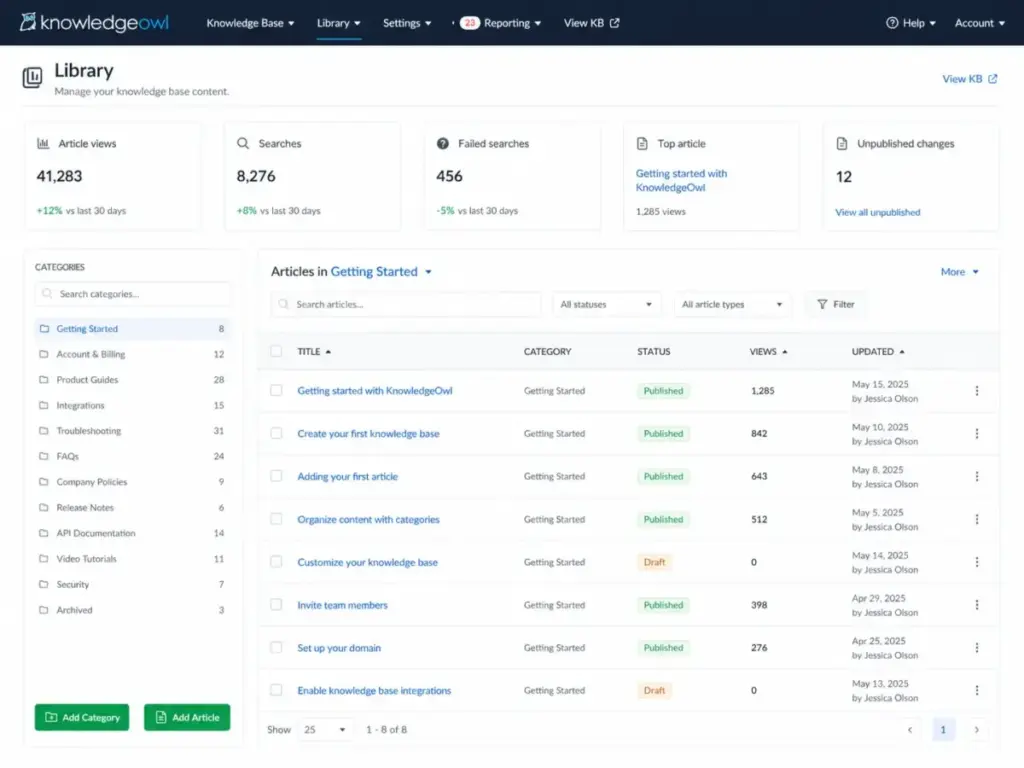
6. KnowledgeOwl: Best for Guided KB Setup and Migration

KnowledgeOwl is a dedicated knowledge base platform that stands out for transparent plan limits and unusually strong onboarding and migration support. It is one of the few tools in this list that publishes exact article limits, AI credit counts, and add-on prices.
Basic starts at $100/month with 1 author and 1 KB. Pro is $250/month, and Business is $500/month. Extra authors cost $25 each, and extra KBs cost $50 each. All pricing from KnowledgeOwl’s pricing page. A 30-day free trial is available.
What it does well:
- Transparent pricing with published article limits and AI credit counts
- Internal and external KB publishing options
- AI chatbot, AI search, AI article creation, and AI summaries
- Import tools from Freshdesk, Zendesk, Confluence, and Word
- Semantic search and version history
- 30-day trial, the longest in this list
Where it falls short:
- Only 1 author and 1 KB on the $100/month base plan
- AI credits are capped: 100 on Basic, 500 on Pro, 1,000 on Business
- Article limits apply: 1,000 on Basic, 2,500 on Pro, 5,000 on Business
- SSO, API, and Salesforce SSO require higher plans
Best for:
- Teams migrating from Zendesk, Freshdesk, or Confluence
- Companies that want a dedicated KB with predictable costs
- Mid-market teams (10-50 people) that need analytics and governance
Avoid if: you need multiple authors on a tight budget. At $100/month for 1 author plus $25 per additional author, a 5-author team costs $200/month before any add-ons.
Setup difficulty: Low. KnowledgeOwl offers guided onboarding and migration assistance.
Verdict: Choose KnowledgeOwl if migration support and pricing transparency are priorities. Factor in the per-author and per-KB add-on costs for accurate budgeting.
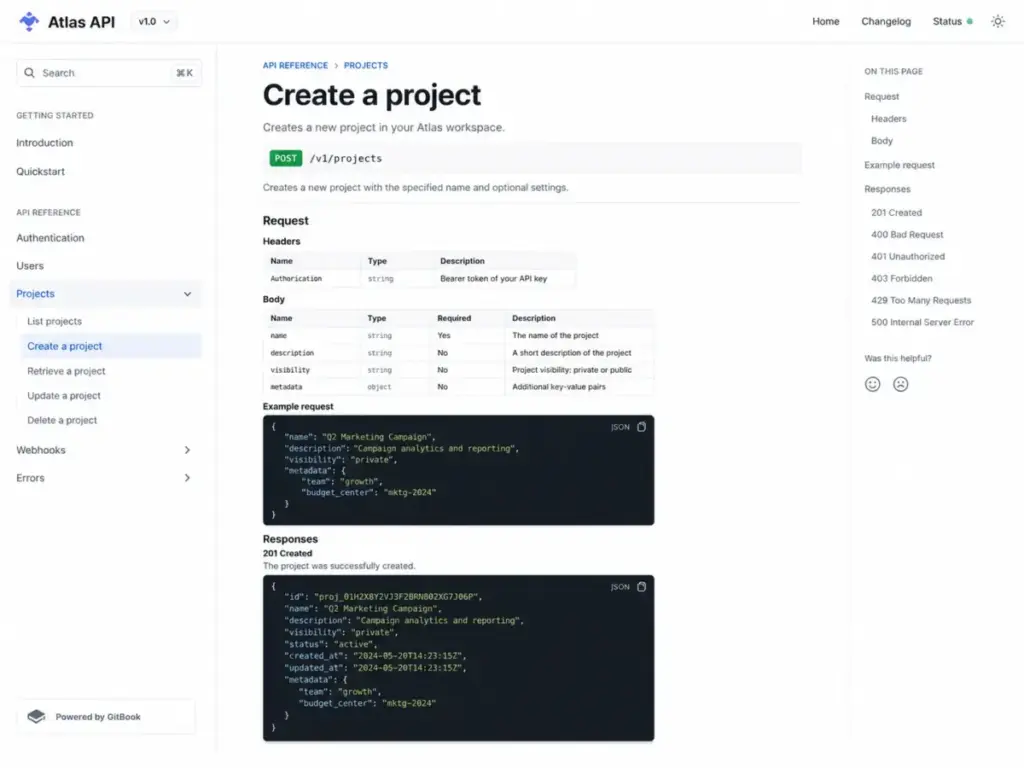
GitBook: Best for Developer and Product Documentation

GitBook is a documentation platform built for developer docs, API references, and technical product documentation. It supports Git-style publishing workflows that feel natural to engineering teams.
A free plan is available. Premium is $65/site plus $12/user, and Ultimate is $249/site plus $12/user. Annual billing gives two months free. All pricing from GitBook’s pricing page.
What it does well:
- Purpose-built for developer and product documentation
- AI search, AI Assistant, and adaptive content
- Custom domains, site sections, and authenticated access
- GitHub/GitLab-style documentation workflows
- Insights and feedback tools for measuring doc quality
Where it falls short:
- Site-plus-user billing model can surprise multi-site teams
- Not designed for support-style help centers or ticket deflection
- Enterprise features require a sales conversation
Best for:
- Developer documentation and API reference sites
- SaaS product teams that want managed docs with Git workflows
- Technical teams with 5-30 contributors
Avoid if: you need a traditional support help center with ticketing integration. GitBook is strongest when the audience is developers, not end-user support seekers.
Setup difficulty: Low to Medium. Fast for teams familiar with Git workflows; steeper for non-technical teams.
Verdict: Choose GitBook if your knowledge base is really developer or product documentation. It is the best tool in this list for that specific use case.
Best for Enterprise: $100+ per Month
These tools serve teams that need advanced governance, AI capabilities, flat-rate pricing for large author pools, or dedicated knowledge management infrastructure.
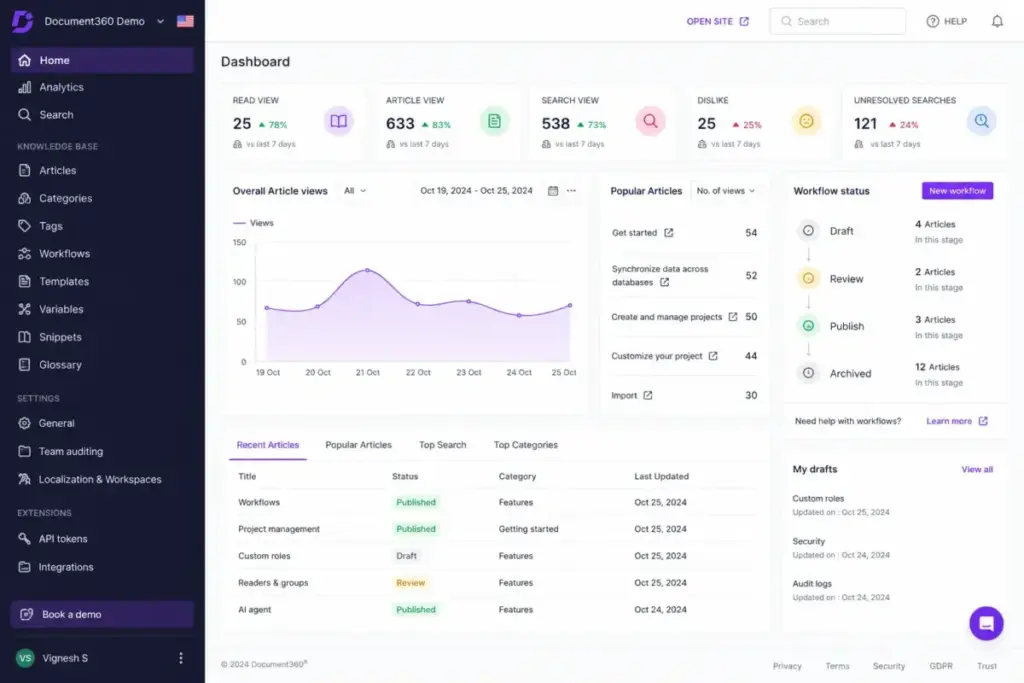
Document360: Best Overall Knowledge Base Software

Document360 is a purpose-built knowledge base platform that supports both internal and external publishing with custom workflows, analytics, AI features, and API access. It ranks first because it offers the deepest dedicated KB feature set of any tool on this list.
Document360 uses quote-based pricing. The pricing page shows plans and a free trial CTA, but self-serve prices are not publicly listed. Exact costs, minimum seats, AI limits, and add-ons require a sales conversation.
What it does well:
- Internal and external knowledge base in one platform
- Custom workflow builder for article review and publishing
- Import from Word, PDF, and other formats
- Eddy AI for search, article suggestions, and content assistance
- Analytics dashboard with search behavior, article performance, and ticket deflector metrics
- API support for custom integrations and automation
- Multi-project, multi-workspace, and multi-language capabilities
Where it falls short:
- No public self-serve pricing makes budgeting difficult before a sales call
- Add-ons for extra projects, workspaces, languages, translation credits, storage, and users add complexity
- AI limits and exact feature gates are not transparent until the quote stage
Best for:
- Support, product, and documentation teams that need a dedicated KB platform
- Companies with 20-500 users that need governance, workflows, and analytics
- Teams that publish both internal documentation and customer-facing help centers
Avoid if: you are a very small team that needs to see a price before talking to sales. The lack of public pricing is a real barrier for teams that compare costs independently. Our Document360 review covers the platform’s full capabilities and trade-offs.
Setup difficulty: Medium. Requires workflow configuration, content migration, and admin setup.
Verdict: Choose Document360 if you need the most feature-complete dedicated knowledge base. Accept the sales call as part of the evaluation process.
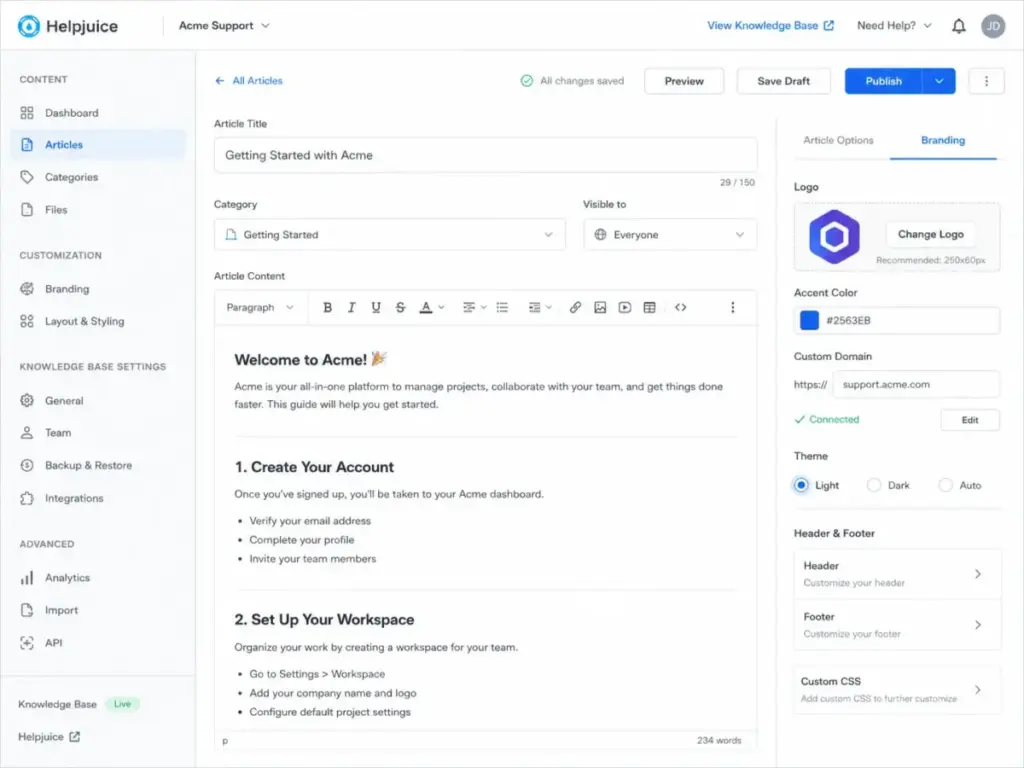
Helpjuice: Best Flat-Rate Dedicated Knowledge Base

Helpjuice uses flat-rate pricing that includes a set number of users per plan. This is a structural advantage over per-seat tools for teams with 10-30+ contributors who do not want per-user cost surprises.
Knowledge Base starts at $249/month for 30 users. AI-Knowledge Base is $449/month for 100 users. Unlimited AI-Knowledge Base is $799/month with unlimited users. All pricing from Helpjuice’s pricing page. A 14-day free trial is available with no credit card required.
What it does well:
- Flat-rate pricing with included user counts (30, 100, or unlimited)
- Custom design and branding for the published help site
- Live collaboration, workflows, and article versioning
- Localization and AI article translation on higher plans
- AI Writer, AI Search, and AI Chatbot on the $449 and $799 plans
- Analytics, version history, and search insights
Where it falls short:
- $249/month entry price is high for teams with fewer than 10 users
- Full AI Suite (AI Writer, AI Search, AI Chatbot) requires the $449/month or $799/month plan
- SSO is not shown on the lowest plan in the verified source
- Integration details should be confirmed during the trial
Best for:
- Growing teams with 15-100 users that want predictable monthly costs
- Companies that need dedicated KB depth without per-seat billing anxiety
- Teams that want AI-powered KB features and are willing to pay for the $449+ tier
Avoid if: your team has fewer than 10 users. At $249/month, the per-user cost for a 5-person team is effectively $50/user/month, which is more expensive than most per-seat alternatives. Our detailed Helpjuice analysis breaks down the feature gates by plan.
Setup difficulty: Low to Medium. 14-day trial with full access for evaluation.
Verdict: Choose Helpjuice if you have 15+ users and want flat-rate billing with no per-seat surprises. The $249 entry price is justified only at scale.
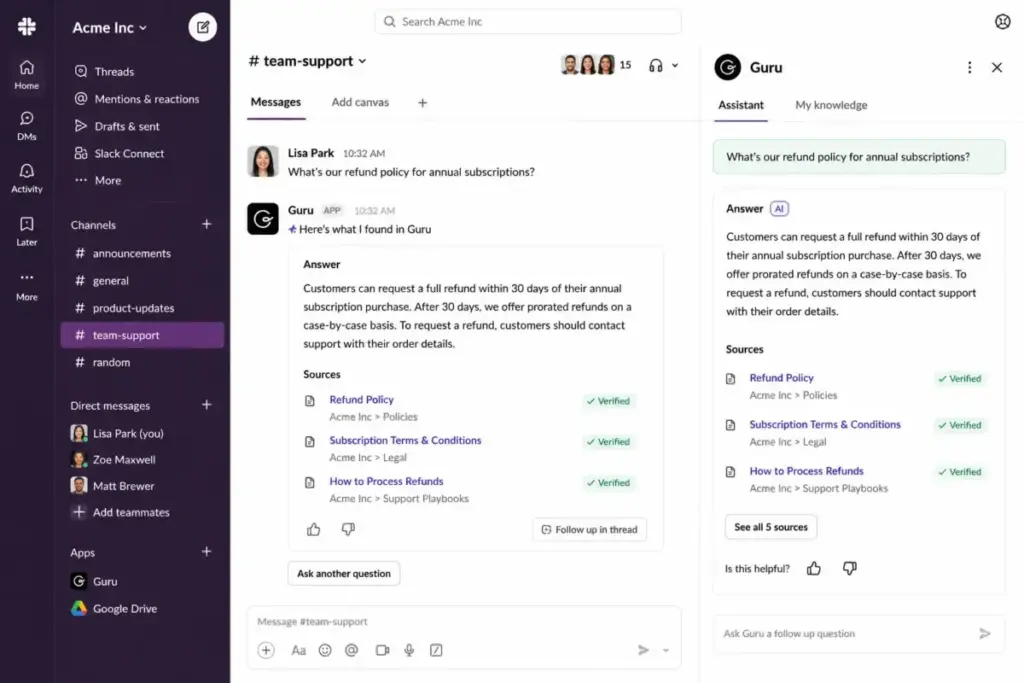
Guru: Best Internal AI Knowledge Layer

Guru is not a traditional knowledge base. It is an AI-powered internal knowledge platform that surfaces governed answers across the tools your team already uses, including Slack, Microsoft Teams, Salesforce, Zendesk, Confluence, and SharePoint.
Guru uses custom pricing; exact self-serve prices are not publicly listed on the pricing page. A sales-led working session is the starting point.
What it does well:
- AI search, chat, and automation across 100+ enterprise tools
- Governed knowledge layer with citations, audit trails, and permission inheritance
- Content verification workflows to prevent stale information
- Native integrations with Slack, Teams, Salesforce, Zendesk, Confluence, and SharePoint
- Enterprise-grade security, SSO, and admin controls
Where it falls short:
- Pricing is not public, which makes budgeting and comparison difficult
- Stronger for internal knowledge than external help centers
- AI usage model and package limits require sales confirmation
- Not designed for public-facing self-service documentation
Best for:
- Internal teams with 50-500+ employees across multiple tools
- Companies that need governed AI answers, not just a static wiki
- Knowledge management and operations teams solving information silos
Avoid if: your primary requirement is a customer-facing public help center. Guru is an internal knowledge layer, not an external docs platform. The Guru knowledge management review covers its AI capabilities and integration depth.
Setup difficulty: Medium to High. Requires integration configuration, knowledge verification setup, and organizational rollout.
Verdict: Choose Guru if you need an AI-powered internal knowledge layer across enterprise tools. It is the best tool in this list for that specific problem, but it is not a general-purpose KB.
Bloomfire: Best for Enterprise Knowledge Management

Bloomfire is an enterprise knowledge management platform designed for large organizations that need centralized, searchable knowledge across departments, with AI-powered discovery, analytics, and governance.
Bloomfire uses custom pricing based on organizational requirements. Verify current rates and plan options on the Bloomfire website.
What it does well:
- Enterprise-scale knowledge management with AI-powered search and discovery
- Content organization across departments, teams, and business units
- Analytics on knowledge usage, engagement, and content gaps
- Video and multimedia knowledge content support
- SSO, permissions, and enterprise security features
Where it falls short:
- Custom pricing requires a sales conversation
- Primarily built for enterprise knowledge management, not small-team help centers
- Less suited for developer documentation or lightweight support KB needs
- Onboarding and implementation can be complex for large deployments
Best for:
- Enterprises with 100+ employees that need centralized knowledge management
- Organizations with distributed teams across multiple departments
- Companies that need analytics on knowledge usage and content effectiveness
Avoid if: you are a small team or a startup looking for a simple help center or internal wiki. Bloomfire is built for organizational-scale knowledge management.
Setup difficulty: High. Enterprise implementation with onboarding, content migration, and organizational rollout.
Verdict: Choose Bloomfire if your organization needs enterprise-grade knowledge management. For smaller teams, the tools ranked higher in this list offer more practical starting points.

Pricing Comparison: Starting Price vs Practical Tier
| Tool | Starting price | Practical tier | 10-user cost (est.) | Free plan | Trial |
|---|---|---|---|---|---|
| Document360 | Custom | Custom | Quote required | Not verified | Free trial CTA |
| Zendesk Guide | $55/agent/mo | $55/agent/mo | $550/mo | No | 14 days |
| Help Scout Docs | $25/user/mo | $25/user/mo | $250/mo | Yes (5 users) | 15 days |
| Helpjuice | $249/mo flat | $249/mo flat | $249/mo (30 users incl.) | No | 14 days |
| Freshdesk KB | $19/agent/mo | $19/agent/mo | $190/mo | Yes (limited) | 14 days |
| KnowledgeOwl | $100/mo + $25/author | $250/mo (Pro) | ~$350/mo (Pro + 10 authors) | No | 30 days |
| GitBook | $65/site + $12/user | $65/site + $12/user | $185/mo | Yes | 14 days |
| Guru | Custom | Custom | Quote required | Not verified | Sales session |
| Confluence | Free/calculator | Calculator-based | Calculator-based | Yes | N/A |
| Notion | $10/seat/mo | $10/seat/mo | $100/mo | Yes | N/A |
| HelpDocs | Check pricing page | Check pricing page | Check pricing page | Not verified | 2 weeks |
| Slab | $6.67/user/mo | $6.67/user/mo | $67/mo | Yes (10 users) | N/A |
| Zoho Desk KB | Check pricing page | Check pricing page | Check pricing page | Yes | Varies |
| ProProfs KB | Check pricing page | Check pricing page | Check pricing page | Check site | Varies |
| Bloomfire | Custom | Custom | Quote required | Not verified | Sales session |
Pricing verified May 2026. All prices shown in USD. Annual billing where specified. Verify current rates on each vendor’s pricing page before purchasing.
What this means: the cheapest plan is not always the right comparison point. Helpjuice’s $249/month looks expensive until you realize it includes 30 users. Zendesk’s $55/agent/month is competitive for a full support suite but expensive for a standalone KB. And tools with “custom” pricing require a sales call before you can compare them at all. Always calculate your 10-user cost, not just the per-unit price.
Feature Gate Comparison
| Feature | Document360 | Zendesk Guide | Help Scout | Helpjuice | Freshdesk | KnowledgeOwl | GitBook | Guru | Confluence | Notion |
|---|---|---|---|---|---|---|---|---|---|---|
| External KB | All plans | All Suite | All plans | All plans | All plans | All plans | All plans | No | Limited | No |
| Internal KB | All plans | All Suite | All plans | All plans | All plans | All plans | All plans | All plans | All plans | All plans |
| AI features | Plan-gated | Plan-gated | Add-on | $449+ | Pro+ | All plans | Plan-gated | All plans | Plan-gated | Plan-gated |
| Analytics | All plans | Plan-gated | Standard+ | All plans | Growth+ | Basic+ | Premium+ | All plans | Standard+ | Business+ |
| SSO | Quote | Suite Pro+ | Plus+ | Not on $249 | Pro+ | Pro+ | Ultimate | Yes | Premium+ | Business+ |
| API | Yes | Yes | Plus+ | Trial FAQ | Yes | Pro+ | Yes | Yes | Yes | Business+ |
| Multi-KB/site | Add-on | Plan-gated | $20+/site | All plans | Plan-gated | $50/KB | Per-site billing | N/A | Per-space | Per-workspace |
| Versioning | Yes | Limited | Limited | Yes | Limited | Yes | Yes | Yes | Yes | Yes |
What this means: AI features and SSO are the two most commonly gated capabilities. If your team requires either, check which plan includes them before committing. For example, Helpjuice’s full AI Suite requires the $449/month plan, Help Scout’s AI Answers is a $0.75/resolution add-on, and Notion’s SSO requires the Business plan at $20/seat/month.
Setup and Migration Difficulty
| Tool | Setup difficulty | Why |
|---|---|---|
| Document360 | Medium | Workflow configuration, content migration, admin setup |
| Zendesk Guide | Medium | Help center configuration, article migration, agent onboarding |
| Help Scout Docs | Low | One of the fastest setups; simple editor and import |
| Helpjuice | Low-Medium | 14-day trial with full access; custom design takes time |
| Freshdesk KB | Low-Medium | Standard help desk setup with KB module |
| KnowledgeOwl | Low | Guided onboarding, migration support, import from Zendesk/Freshdesk/Confluence |
| GitBook | Low-Medium | Fast for Git-familiar teams; steeper for non-technical users |
| Guru | Medium-High | Integration configuration, verification workflows, org rollout |
| Confluence | Medium | Workspace and space setup, permission planning, Jira integration |
| Notion | Low | Drag-and-drop; scaling requires intentional structure |
| HelpDocs | Low | Designed for quick launch |
| Slab | Low | Minimal configuration |
| Zoho Desk KB | Low-Medium | Straightforward in the Zoho ecosystem |
| ProProfs KB | Low | Template-based setup |
| Bloomfire | High | Enterprise implementation with onboarding and migration |
What this means: setup difficulty matters more than most buyers expect. A tool with great features but a 3-month implementation timeline is a poor fit for a team that needs a KB live in two weeks. KnowledgeOwl and Help Scout are the fastest paths to a working knowledge base. Guru and Bloomfire require the most organizational planning.
Which Knowledge Base Tool Should You Avoid?
No tool is universally bad. But choosing the wrong type of KB for your use case wastes budget and creates migration headaches later.
Avoid Zendesk Guide if you only need a standalone knowledge base. At $55/agent/month, you are paying for ticketing, chat, voice, and routing that a docs-only team does not need.
Avoid Confluence as a customer help center. It is an internal wiki, not a public-facing KB with self-service analytics and ticket deflection.
Avoid Notion as your external documentation site. Notion is a workspace tool. It does not have help center analytics, SEO controls for public docs, or ticket deflection workflows.
Avoid Document360 or Guru if you cannot handle quote-based pricing. Both require a sales conversation before you see a number. If your evaluation process needs transparent pricing upfront, choose from the tools that publish their rates.
Avoid Helpjuice if your team has fewer than 10 users. At $249/month for a 5-person team, the effective per-user cost is $50/month, more than Zendesk Suite Team.
How to Choose the Right Knowledge Base Software
- Clarify the use case. External help center, internal wiki, developer docs, or enterprise KM? This single question eliminates half the list.
- Count your authors and readers. Per-user tools get expensive fast. Flat-rate tools save money at scale but cost more for small teams.
- List your must-have features. AI search, analytics, SSO, versioning, localization, and multi-KB publishing are the most commonly gated capabilities.
- Check which plan includes those features. The starting price is meaningless if your must-haves require the second or third tier.
- Calculate total cost at 10 users. Include add-ons, extra sites, AI credits, and per-author fees.
- Test the editor. A knowledge base is only useful if your team actually writes in it. Trial the editor before committing.
- Evaluate migration support. If you are switching from another tool, KnowledgeOwl, Document360, and Confluence offer the strongest import paths. Teams comparing Notion and Confluence should test both editors with real content before deciding.
Common Mistakes When Choosing Knowledge Base Software
1. Choosing by starting price. Slab at $6.67/user/month and Zendesk at $55/agent/month are not comparable products. Starting price tells you nothing without context on what features are included.
2. Buying a full help desk when you only need docs. Zendesk, Freshdesk, and Zoho Desk bundle KBs into support suites. If your team does not use ticketing, chat, or routing, you are paying for capabilities you will not touch.
3. Ignoring AI credit limits. KnowledgeOwl caps AI credits at 100-1,000 depending on plan. Help Scout charges $0.75 per AI resolution. Freshdesk charges $49 per 100 additional AI sessions. These costs add up.
4. Picking a workspace tool when you need a dedicated KB. Notion and Slab are excellent internal wikis, but they do not replace a purpose-built customer help center with analytics, SEO controls, and self-service deflection.
5. Not checking article limits and storage caps. KnowledgeOwl caps articles at 1,000-5,000. Helpjuice caps storage at 12-38GB. Confluence’s free plan has feature limitations. Read the fine print.
6. Overlooking migration difficulty. Moving 500+ articles from Zendesk to Document360 is a project, not a weekend task. Factor migration time and risk into your decision. Teams coming from best help desk solutions often underestimate the content migration effort.
7. Assuming all KB software works for both internal and external. Guru is internal-only. Notion is internal-only. Confluence is primarily internal. Document360, Helpjuice, and KnowledgeOwl handle both. Confirm the publishing model before you buy.
Final Verdict
For most teams that need a dedicated knowledge base: Document360 is the strongest overall platform. Its combination of internal/external publishing, workflows, analytics, and AI capabilities is unmatched in this list. The trade-off is that you must talk to sales to get pricing.
By buyer type:
- Support teams on a budget: Freshdesk ($19/agent/month) or Help Scout (free plan available)
- Support teams on Zendesk: Zendesk Guide is the only practical choice
- Internal wiki for startups: Slab (free for 10 users) or Notion (free plan)
- Engineering teams: Confluence (Atlassian ecosystem) or GitBook (developer docs)
- Developer documentation: GitBook is the clear winner
- Enterprise knowledge management: Guru (internal AI) or Bloomfire (organizational KM)
- Flat-rate pricing for 15+ users: Helpjuice ($249/month for 30 users)
- Migration from another KB: KnowledgeOwl (30-day trial, import tools, guided onboarding)
The knowledge base market splits into four categories: support help centers, internal wikis, developer docs, and enterprise KM. Picking the correct category first narrows the list to 3-4 tools. From there, pricing and feature gates make the final decision for you.
FAQ
What is the best knowledge base software overall?
Document360 is the best overall knowledge base software for teams that need a purpose-built platform with internal and external publishing, workflows, analytics, and AI. It scored highest in feature depth and scalability. The main caveat is that pricing requires a sales conversation.
What is the best free knowledge base software?
Notion and Slab offer the most usable free plans for internal knowledge bases. Notion’s free plan works for individuals and small teams, while Slab’s free tier supports up to 10 users. For support teams, Help Scout’s free plan includes 5 users, 1 inbox, and 1 Docs site.
What is the cheapest knowledge base software?
Slab at $6.67/user/month billed annually is the cheapest paid option in this list. Notion Plus at $10/seat/month is the next lowest. Freshdesk starts at $19/agent/month but includes help desk features beyond just a KB.
Which knowledge base tool is best for small businesses?
Help Scout Docs is the best fit for small support teams (3-15 people) that want a knowledge base plus shared inbox. Slab is the best internal wiki for small teams. Freshdesk is the best budget option for teams that also need ticketing.
Which knowledge base tool is best for enterprise teams?
Document360, Guru, and Bloomfire serve enterprise needs but in different ways. Document360 is best for large-scale documentation with governance. Guru is best for AI-powered internal knowledge across enterprise tools. Bloomfire is best for organizational knowledge management across departments.
How much does knowledge base software cost?
Prices range from free (Notion, Slab, Confluence, Help Scout) to $799/month (Helpjuice Unlimited). Per-user tools typically cost $10-55/user/month. Flat-rate tools cost $100-799/month. Document360, Guru, and Bloomfire use custom pricing that requires a sales call.
Is Notion good for a knowledge base?
Yes, if your knowledge base is internal. Notion is a strong workspace wiki for teams that want docs, databases, and projects in one tool. No, if you need a customer-facing help center with analytics, SEO, and ticket deflection. Notion does not replace dedicated help center software.
Can I use a help desk knowledge base without the help desk?
No, in most cases. Zendesk Guide, Freshdesk KB, Zoho Desk KB, and Help Scout Docs are modules within their respective help desk platforms. You cannot purchase the KB alone. If you only need a standalone knowledge base, choose Document360, Helpjuice, KnowledgeOwl, GitBook, or HelpDocs instead.
