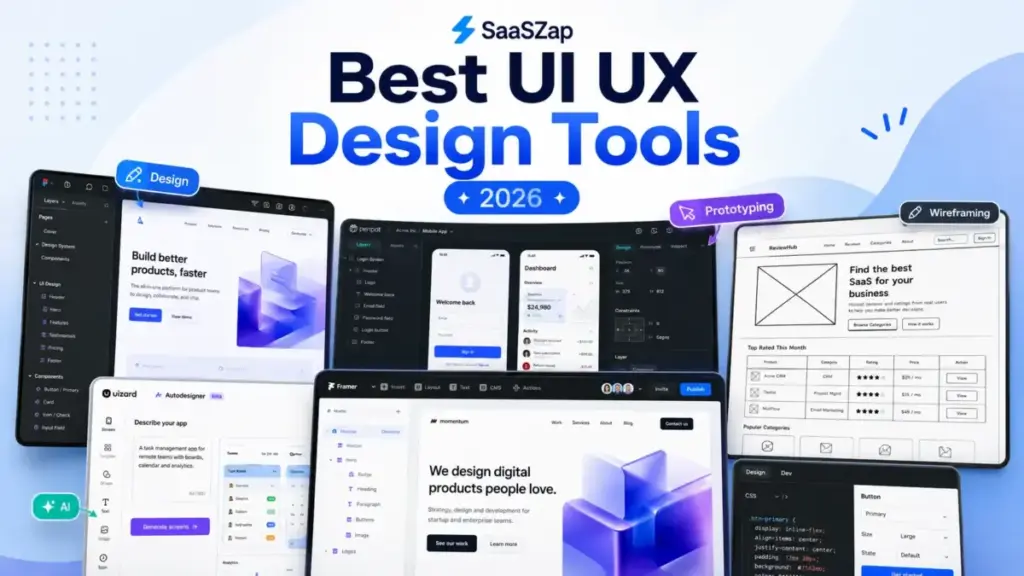
Figma’s Professional plan starts at $16/month per full seat. That number looks reasonable until a 10-person product team adds developers, reviewers, and AI credits on top. The actual bill for a mixed team of designers and devs can land closer to $200/month before anyone touches Organization-tier governance. That gap between sticker price and real operational cost is the story of every UI UX design tool on this list.
The best UI UX design tools in 2026 are not competing on feature count. The market has fractured into five distinct buying jobs: collaborative product design, low-fidelity wireframing, code-backed prototyping, AI-assisted concepting, and design-to-build publishing. Picking the wrong category costs more than picking the wrong tool within a category.
I evaluated 26 candidates based on official product documentation, pricing pages, feature specifications, and verified customer feedback. Ten made the final shortlist. The rest, including Adobe XD (maintenance mode), InVision (shut down in 2024), and several whiteboard tools, did not qualify. All ten tools reviewed here operate on the SaaS delivery model, which means pricing, features, and limits can change with each billing cycle.
Quick Verdict: Best UI UX Design Tool by Use Case
| Use case | Best pick | Why it fits |
|---|---|---|
| Best overall for product teams | Figma | Deepest collaboration, prototyping, design systems, and ecosystem |
| Best open-source/self-hosted | Penpot | $0 Professional plan, self-hosting, predictable enterprise caps |
| Best for Mac-native workflows | Sketch | Native macOS performance, offline local files, polished vector design |
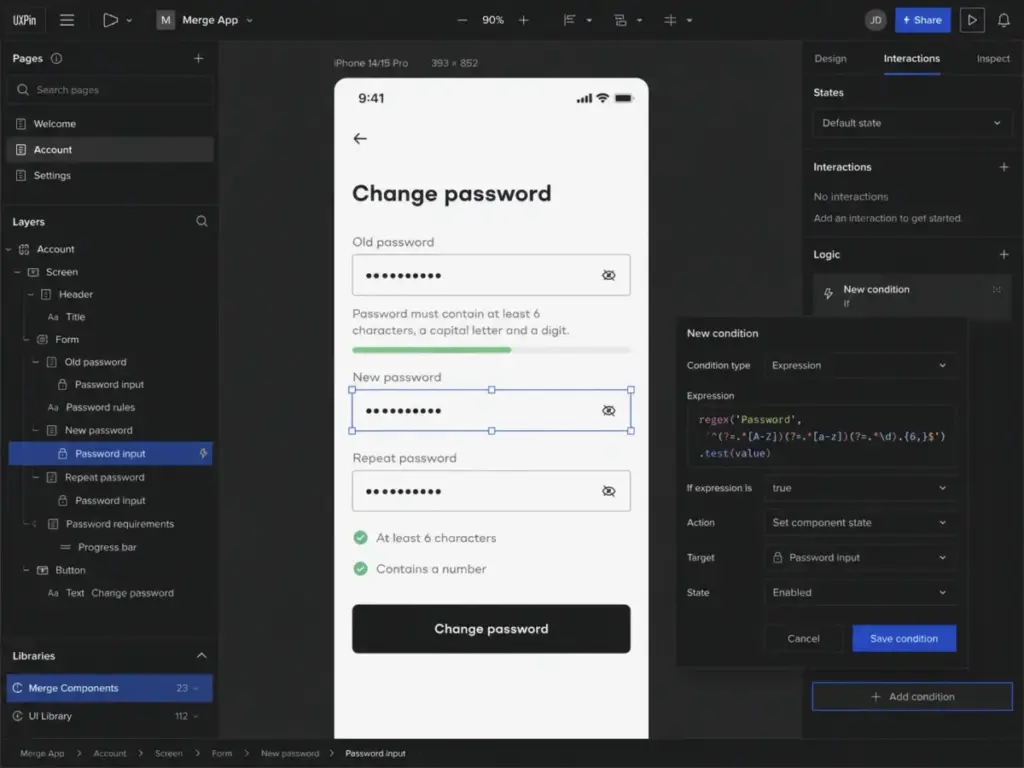
| Best for code-backed prototypes | UXPin | Conditional logic, variables, expressions, Storybook integration |
| Best for design-to-live-site | Framer | Visual design directly to published sites with CMS and hosting |
| Best AI concepting tool | Uizard | Prompt-to-wireframe, screenshot-to-design, heatmap predictions |
| Best for low-fidelity wireframes | Balsamiq | Intentionally rough wireframes that prevent premature polish |
| Best for complex enterprise prototypes | Axure RP | Advanced conditional logic, data-driven prototypes, documentation |
| Best browser-based high-fidelity prototyping | Proto.io | No-code prototypes with animations, gestures, and 250+ UI components |
| Best for non-designers and AI wireframes | Visily | AI-generated screens, Figma import/export, built for PMs and founders |
What this means: There is no single best tool for every team. A 3-person startup exploring ideas with AI wireframes (Uizard or Visily) needs a fundamentally different product than a 50-person enterprise team governing a design system (Figma or UXPin). The right tool depends on your workflow stage, platform constraints, collaboration model, and total seat cost.
How We Chose and Ranked These Tools
This evaluation is based on independent editorial research, analyzing official product documentation, feature specifications, pricing pages, and verified customer sentiment. Pricing was verified in May 2026. I did not rank tools by brand popularity or affiliate payout.
Ranking criteria and weights:
| Criterion | Weight | What we checked |
|---|---|---|
| Pricing value | 20% | Starting price, free plan usefulness, seat model, AI credit limits, upgrade triggers |
| Core feature depth | 20% | Design canvas, components, prototyping, variables, design-system support, export fidelity |
| Ease of use | 15% | Learning curve, onboarding, templates, speed from blank canvas to useful prototype |
| Integrations | 15% | Figma/Sketch import/export, Jira, Slack, GitHub, design tokens, APIs, handoff tools |
| Scalability | 15% | SSO, SCIM, guest controls, version history, design-system governance, self-hosting |
| User fit | 15% | Fit for solo designers, product teams, agencies, enterprises, non-designers, dev-heavy teams |
What we excluded and why:
- Adobe XD: Maintenance mode. Not recommended as a 2026 primary choice.
- InVision: Design collaboration services discontinued at end of 2024.
- Zeplin: Developer handoff tool, not a primary design canvas.
- Maze: UX research and usability testing, not primary design software.
- Miro: Whiteboarding platform, not a high-fidelity UI design tool.
- Webflow: Website builder. Excellent for marketing sites, weaker as a SaaS app UI design tool.
Review limitation: I did not conduct hands-on workflow testing for this evaluation. All pricing, features, and limitations are verified against official product documentation and public pricing pages. I did not score these products based on brand popularity alone.
Free-Tier Champions
Figma: Best Overall UI UX Design Tool

Score: 9.1/10
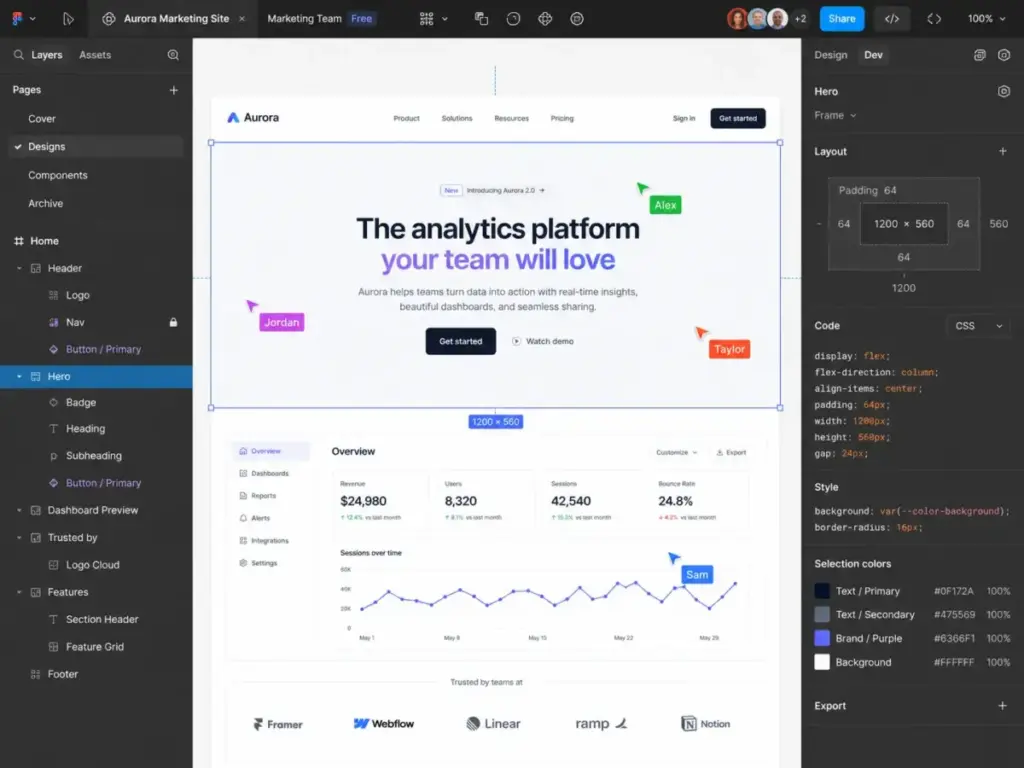
Figma is the best UI UX design tool for product teams, SaaS teams, agencies, and cross-functional organizations that need collaborative design, prototyping, comments, design systems, and developer handoff in a single browser-based platform.
The Starter plan is genuinely free. It includes unlimited drafts, UI kits, templates, and capped AI credits. That makes it usable for solo designers and students without paying anything.
The limitation of the free tier shows up when teams grow. Starter provides limited access with AI credit caps that restrict how much AI-assisted generation you can do before hitting a wall. For most product teams, the paid Professional plan is where the real work begins.
Pricing (as of May 2026):
| Plan | Full seat | Dev seat | Collab seat | Billing |
|---|---|---|---|---|
| Starter | $0 | $0 | $0 | Free |
| Professional | $16/mo | $12/mo | $3/mo | Monthly |
| Organization | $55/mo | $25/mo | $5/mo | Annual |
| Enterprise | $90/mo | $35/mo | $5/mo | Annual |
Source: Figma’s official pricing page
Hidden costs to watch: Approved seat requests can expand billing automatically. AI credit add-ons, Governance Plus features, and paid seat upgrades push the real cost above the listed per-seat price. A 10-person team mixing Full seats ($16 each) and Dev seats ($12 each) on Professional lands at $140-$160/month before AI add-ons.
Key strengths:
- Best-in-class collaborative design editor with real-time multiplayer
- Prototyping with variables, conditional logic, and interactive components
- Team libraries and design-system governance on Organization and Enterprise
- Dev Mode for developer handoff with inspect, code snippets, and annotations
- Largest plugin ecosystem (1,400+ plugins) and community resources
Where it falls short:
- Seat management can create billing surprises when teams grow
- Not available for self-hosting (cloud-only)
- AI credits vary by plan and seat type, with limits that are not immediately clear
- Organization and Enterprise require annual billing
Avoid Figma if: Your team needs self-hosting for compliance, offline-first local file workflows, or strict control over automatic seat expansion billing.
Setup difficulty: Low. Browser-based, no installation required. Most teams are productive within hours.
Verdict: Figma remains the default choice for collaborative product design in 2026. Its ecosystem depth, prototyping power, and collaboration model are unmatched. The real question for buyers is not whether Figma is good enough, but whether the seat-billing model fits their team composition.
Penpot: Best Open-Source and Self-Hosted Figma Alternative
Score: 8.0/10
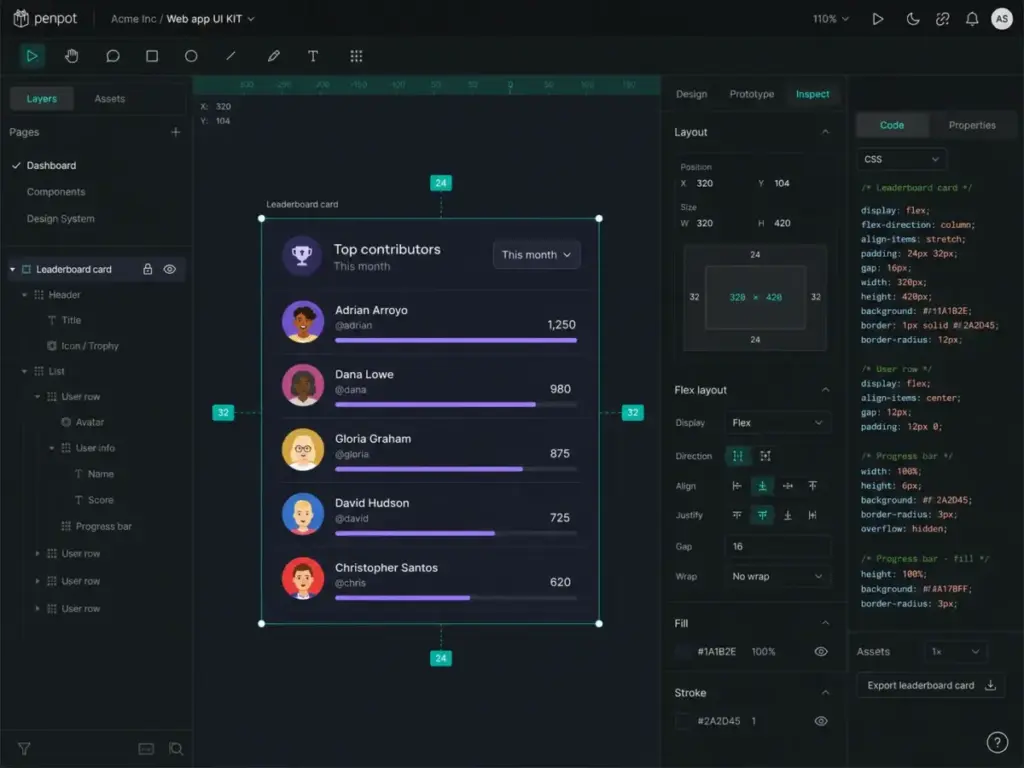
Penpot is the best UI UX design tool for open-source teams, regulated organizations, and companies that want to own their design infrastructure without vendor lock-in.
The Professional plan costs $0/user/month and includes core design features for up to 8 team members with unlimited viewers and 10GB storage. That is a genuinely usable free tier, not a trial.
Pricing (as of May 2026):
| Plan | Cost | Team size | Storage | Key features |
|---|---|---|---|---|
| Professional | $0/user/mo | Up to 8 | 10GB | Core design, unlimited viewers, 7-day autosave |
| Unlimited | $7/user/mo (capped $175/mo) | Unlimited | More | Extended features, higher caps |
| Enterprise | $950/mo | Unlimited | Custom | SSO, priority support, SLA |
| Private Server | $50K/year | Custom | Custom | Self-hosted, full control |
Source: Penpot’s pricing page
What makes it different: Penpot is fully open-source. You can self-host it, audit the code, and avoid vendor lock-in. The Unlimited plan caps at $175/month regardless of team size, and Enterprise caps at $950/month. That predictability is unusual in design tools.
Key strengths:
- Open-source editor with Flex Layout and Grid Layout
- Inspect mode, comments, and real-time collaboration
- REST API, webhooks, plugins, and open file formats
- Figma import path for migration
- Self-hosting available for regulated and compliance-sensitive teams
Where it falls short:
- Plugin ecosystem is significantly smaller than Figma’s
- Self-hosting requires DevOps capacity to deploy, maintain, and secure
- Enterprise design-system analytics are not as mature as Figma’s
Avoid Penpot if: You need the largest plugin marketplace, mature enterprise design-system analytics, or your team has zero capacity for self-hosting operations.
Setup difficulty: Low for cloud. Medium-to-High for self-hosted deployment.
Verdict: Penpot is the credible open-source alternative to Figma with a pricing model that rewards team growth instead of punishing it. Teams in regulated industries, open-source organizations, or companies concerned about vendor lock-in should evaluate Penpot before defaulting to Figma.
Best Under $25/Month
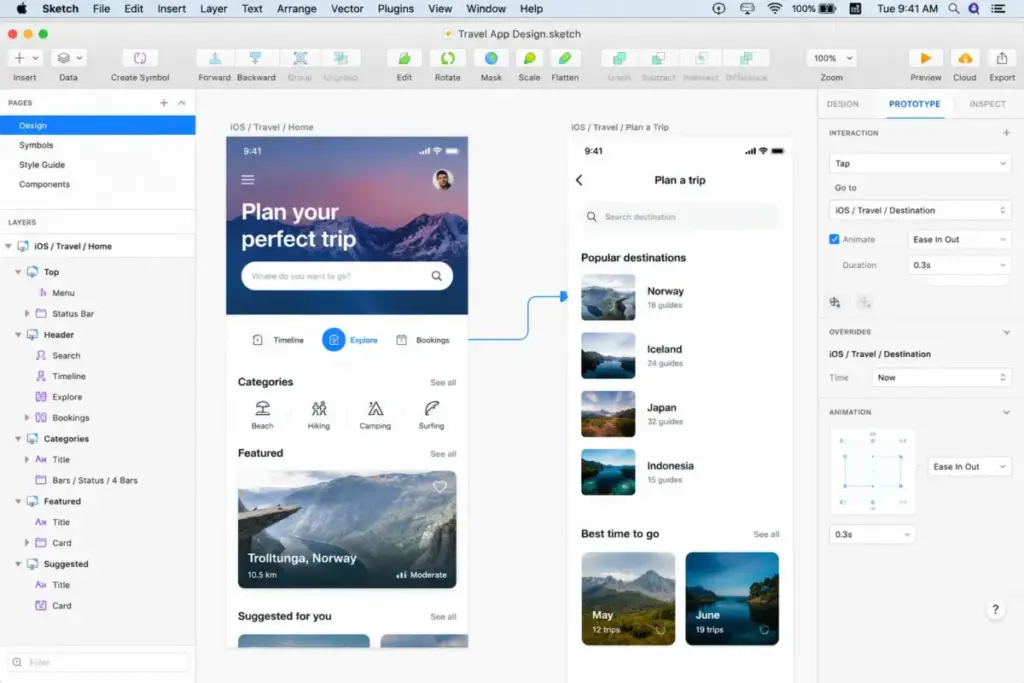
Sketch: Best Mac-Native UI Design Tool

Score: 7.8/10
Sketch is the best UI UX design tool for Mac-first designers and agencies that value native macOS performance, offline local file workflows, and polished vector design with built-in handoff.
Pricing (as of May 2026):
| Plan | Cost | Billing | Notes |
|---|---|---|---|
| Standard | $12/editor/mo | Annual | 50GB storage per editor |
| Professional | $24/editor/mo | Annual | Advanced collaboration |
| Enterprise | $44/editor/mo | Annual | SSO, admin controls |
| Mac-only license | $120/seat | One-time | 1 year updates, no collaboration |
Source: Sketch pricing page
No full free plan. Free viewers and education offers exist. A 30-day free trial is available without a credit card.
The Mac-only license at $120/seat with one year of updates is worth noting for solo designers who do not need web collaboration. That is the cheapest per-year option in this entire list for a full-featured desktop design tool.
Key strengths:
- Native macOS editor with fast, smooth performance
- Offline local file storage (your files stay on your machine)
- Built-in prototyping, collaboration, web review, and developer handoff
- Strong plugin ecosystem through the developer platform
- Free viewers for stakeholder review
Where it falls short:
- Requires macOS Sonoma 14.0 or newer. No Windows, no Linux, no browser.
- Mac-only license excludes all online collaboration features
- Smaller market share means fewer third-party resources compared to Figma
- Private Cloud deployment involves custom pricing and setup
Avoid Sketch if: Your team includes Windows or Linux users, or you need browser-based real-time collaboration across platforms.
Setup difficulty: Low for Mac users. Not applicable for non-Mac teams.
Verdict: Sketch still delivers the best native Mac design experience. For agencies and freelancers who work exclusively on Macs and value local file ownership, Sketch is a strong choice at $12/editor/month. Cross-platform teams should look elsewhere.
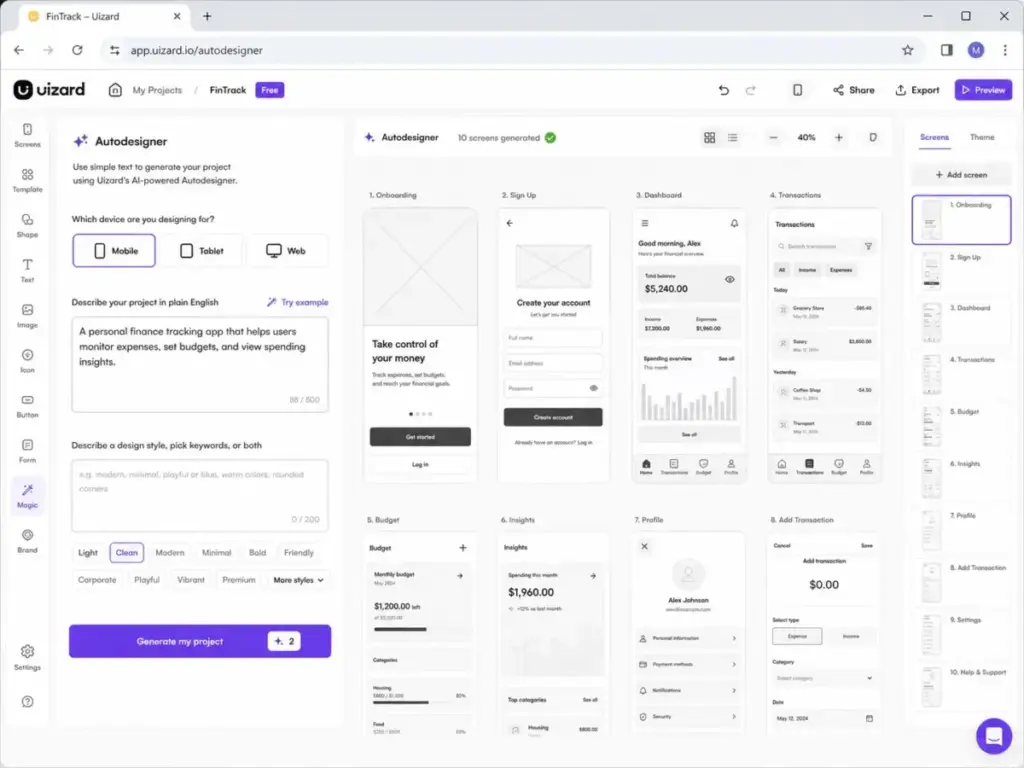
Uizard: Best AI UI Design Tool for Fast Concepts

Score: 7.5/10
Uizard is the best UI UX design tool for founders, product managers, consultants, and marketers who need AI-assisted concepts, wireframes, and mockups without hiring a designer.
Pricing (as of May 2026):
| Plan | Cost | Billing | Key limits |
|---|---|---|---|
| Free | $0 | N/A | Limited projects and screens |
| Pro | $12/mo | Annual (40% savings) | More projects, screens, AI features |
| Business | $39/mo | Annual | Team features, priority support |
| Enterprise | Custom | Custom | 15+ team members, custom setup |
Source: Uizard pricing page
What makes it different: Uizard’s AI can generate wireframes and mockups from text prompts, convert hand-drawn sketches to digital wireframes, and transform screenshots into editable designs. These are not gimmick features. For non-designers who need to communicate product ideas quickly, the AI generation saves days of work that would otherwise require a designer.
Key strengths:
- Prompt-to-wireframe AI generation
- Screenshot-to-design conversion
- Hand-drawn sketch to digital wireframe
- Heatmap prediction for UI usability analysis
- Designed for non-designers: PMs, founders, consultants
Where it falls short:
- AI-generated outputs often need manual cleanup before they are production-ready
- AI credit limits are not always transparent on the pricing page
- Not suitable as a primary design-system tool for mature product teams
- Limited advanced prototyping compared to Figma or UXPin
Avoid Uizard if: You need production-quality design-system management, advanced conditional prototyping, or developer handoff with design tokens.
Setup difficulty: Low. Browser-based, AI-driven, minimal learning curve for non-designers.
Verdict: Uizard fits the gap between “we need wireframes” and “we do not have a designer yet.” At $12/month on Pro, it is the cheapest way to go from idea to visual concept. Treat it as a concepting tool, not a production design system.
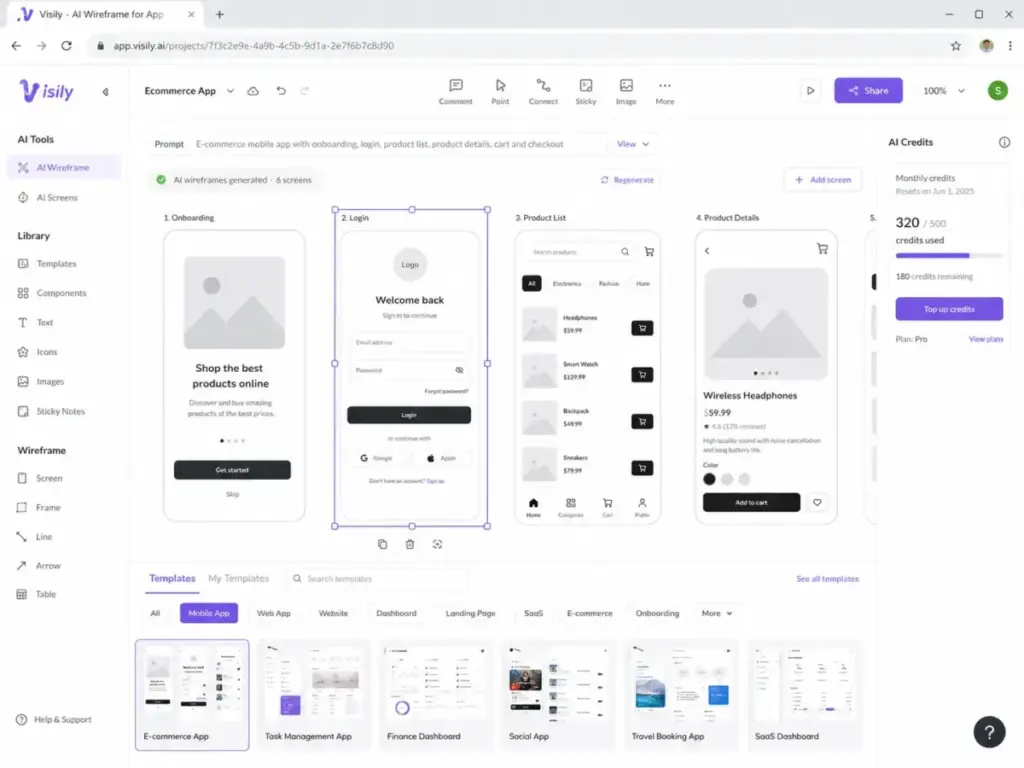
Visily: Best for Non-Designers and AI-Assisted Wireframes

Score: 7.0/10
Visily is the best UI UX design tool for non-designers, founders, product managers, and mixed teams that want quick wireframes, AI-generated screens, and Figma import/export without learning a professional design tool.
Pricing (as of May 2026):
| Plan | Cost | Billing | AI credits/editor/mo | Key limits |
|---|---|---|---|---|
| Starter | $0 | Free | 300 (after 1st month) | 2 boards, 2,500 elements/board, watermarked export |
| Pro | $11/editor/mo | Annual (Save 20%) | 3,000 | Unlimited boards, Figma import/export, Export to Code |
| Business | $29/editor/mo | Annual | 10,000 | SAML SSO, 30-day version history, priority support |
| Enterprise | Custom | Custom | Custom | Custom billing, advanced security |
Source: Visily pricing page
The pricing page displays annual rates with a “Save 20%” label. Regular monthly self-serve pricing is not publicly confirmed. A special promotional offer provides 30,000 credits/month for the first month (normally 10,000 on Business).
Hidden cost: AI credit top-ups are available only for active paid plans. Packages range from 3,000 to 100,000 credits. Guest editor limits depend on license count.
What makes it different: Visily combines AI wireframe generation from text prompts with screenshot-to-design conversion and a template library specifically built for non-designers. The Starter plan is free but restrictive: only 2 editable boards, watermarked exports, no Figma import/export, and no guest access. Serious work requires Pro at $11/editor/month (annual).
Key strengths:
- AI screen generation and AI prototyping
- Screenshot-to-editable-design conversion
- Figma export/import on paid plans
- Export to Code on paid plans
- Built for PMs and founders, not just designers
Where it falls short:
- Starter is too restrictive for serious work (2 boards, watermarked exports, no Figma sync)
- No guest viewers or editors on Starter plan
- Smaller plugin and integration ecosystem compared to Figma
- Not suitable as a primary tool for professional design-system teams
Avoid Visily if: You are a professional designer who needs a mature UI canvas, deep component governance, or production-grade design-system workflows.
Setup difficulty: Low. Browser-based with guided onboarding for non-designers.
Verdict: Visily earns its place for non-designers who need AI wireframes and quick collaboration. Pro at $11/editor/month (annual) is competitively priced, but the free Starter plan is too limited for anything beyond a quick test. Evaluate it alongside Uizard for the AI concepting job.
Best for Mid-Market: $25-$100/Month
UXPin: Best for Code-Backed Prototypes and Design Systems
Score: 7.8/10
UXPin is the best UI UX design tool for design-system teams and front-end-aligned product teams that need realistic prototypes with conditional logic, variables, expressions, and production code components.
Pricing (as of May 2026):
| Plan | Monthly | Annual | AI credits | Key features |
|---|---|---|---|---|
| Free | $0 | $0 | 50 | 2 prototype limit |
| Core | $49/mo | $29/mo | 200/mo | Design editor, prototyping |
| Growth | $69/mo | $40/mo | 500/mo | Advanced features, more credits |
| Enterprise | Custom | Custom | Custom | Git/Storybook libraries, SSO |
Source: UXPin pricing page
The cost gap matters here. Core at $49/month monthly drops to $29/month on annual billing. That is a 41% discount, making UXPin competitive with tools like Figma for small teams. A 5-person team on Core annual pays $145/month total.
What makes it different: UXPin’s Merge technology lets teams use actual production React, Angular, or Vue components inside the design tool. Designers prototype with the same components developers build with, eliminating the gap between mockup and production. This is fundamentally different from every other tool on this list.
Key strengths:
- Code-based prototyping with conditional logic, variables, and expressions
- Merge: design with real production components from Git/Storybook
- Figma plugin and Sketch import for migration
- Integrations: Slack, FullStory, Jira
- Free plan with 50 AI credits and 2 prototypes
Where it falls short:
- Custom coded libraries (Git/Storybook) require Enterprise plan
- Steeper learning curve than Figma for basic design tasks
- Smaller community and template ecosystem
- Higher entry price than browser-first design tools
Avoid UXPin if: You need a simple wireframing tool, you are a beginner designer, or your team does not work with production code components.
Setup difficulty: Medium. The design editor is straightforward, but Merge setup with Git/Storybook requires developer involvement.
Verdict: UXPin is the right choice when prototype behavior and production component alignment matter more than pixel-perfect mockups. If your team already uses Storybook or a component library, UXPin Merge closes the design-to-code gap better than any competing tool. The caveat: Merge requires Enterprise pricing.
Framer: Best for Design-to-Published-Site Workflows
Score: 7.6/10
Framer is the best UI UX design tool for designers, startups, and agencies that need to move visual design directly to live marketing sites, landing pages, portfolios, and CMS-powered pages.
Pricing (as of May 2026):
| Plan | Annual price | Extra editors | Key limits |
|---|---|---|---|
| Free | $0 | N/A | Non-commercial, limited pages |
| Basic | $10/mo | $20/mo each | 30 pages, 2 CMS collections, max 2 editors |
| Pro | $30/mo | $40/mo each | More pages, CMS items, bandwidth |
| Scale | $100/mo (annual only) | $40/mo each | Usage-based, advanced features |
Source: Framer pricing page
Hidden cost alert: Extra editors cost $20/month on Basic and $40/month on Pro and Scale. A 3-person team on Pro pays $30 + $40 + $40 = $110/month. CMS items, bandwidth overages, localization add-ons, and Advanced Hosting are additional.
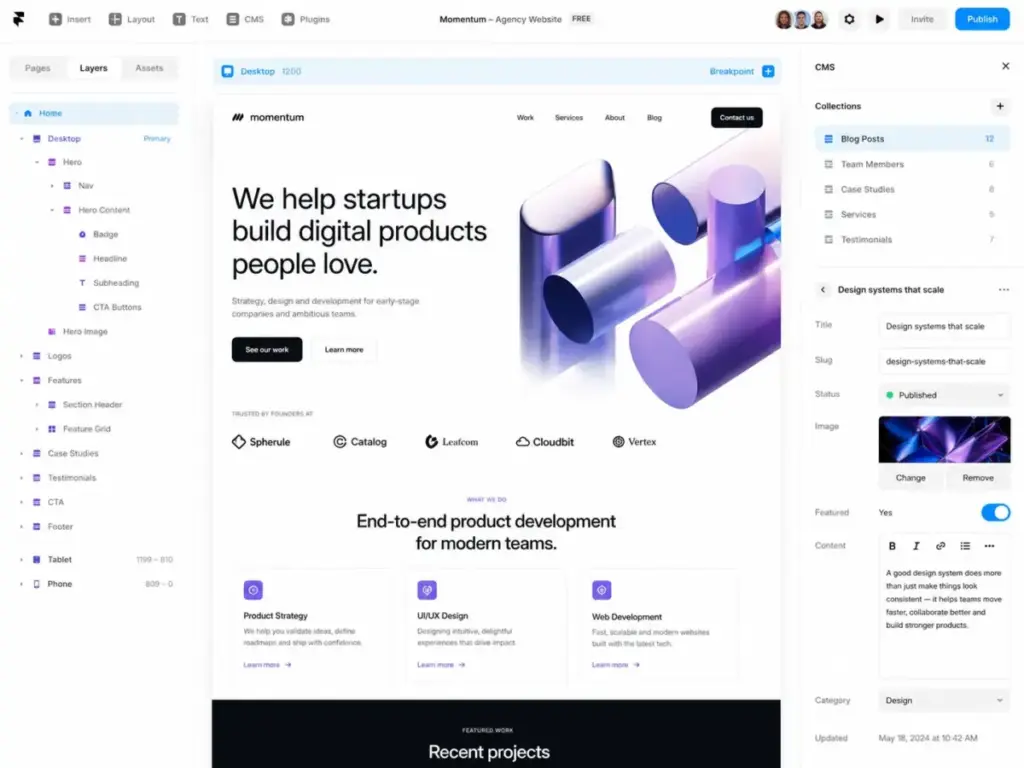
What makes it different: Framer is not a prototyping tool that outputs mockups. It is a design tool that publishes real websites. You design in a visual canvas and the output is a live, hosted website with CMS, SEO controls, staging, rollback, and A/B testing. That changes the buying calculation entirely.
Key strengths:
- Visual design directly to live published websites
- Built-in CMS, hosting, SEO, and staging environments
- Rollback, versioning, and A/B testing (Convert add-on)
- Localization add-ons for multi-language sites
- Strong for marketing sites, portfolios, and landing pages
Where it falls short:
- Pricing is website-plan based, not pure design-seat pricing
- Not suitable as a primary SaaS app UI design-system tool
- Extra editor costs add up quickly for teams
- Usage-based billing on Scale requires monitoring
Avoid Framer if: You need a primary design tool for complex SaaS product interfaces, or you want pure design-seat pricing without website hosting costs.
Setup difficulty: Low for simple sites. Medium for CMS-heavy projects with multiple editors.
Verdict: Framer is the right tool when the deliverable is a live website, not a design file. For marketing-site teams and agencies publishing landing pages, Framer eliminates the designer-to-developer handoff entirely. For SaaS product UI design, use Figma instead.
Balsamiq: Best for Low-Fidelity Wireframing

Score: 7.4/10
Balsamiq is the best UI UX design tool for teams that need intentionally rough, low-fidelity wireframes that prevent premature visual polish and keep conversations focused on structure and flow.
Pricing (as of May 2026):
| Plan | Cost | Billing | Projects | AI credits/editor |
|---|---|---|---|---|
| Starter | $16/editor/mo | Annual | 10 | 500 |
| Teams | $24/editor/mo | Annual | 100 | 1,000 |
| Enterprise | $35/editor/mo | Annual | 400 | 2,500 |
Source: Balsamiq official pricing
No permanent free plan. A 14-day free trial is available without a credit card. The pricing page displays annual rates with a “Save 30%” label; regular monthly pricing is not publicly confirmed.
Hidden cost: AI credit top-ups cost $15 per 500 credits. Teams that use Balsamiq’s AI features heavily will burn through included credits and hit this add-on. The Starter plan’s 500 credits per editor is the lowest cap in this list.
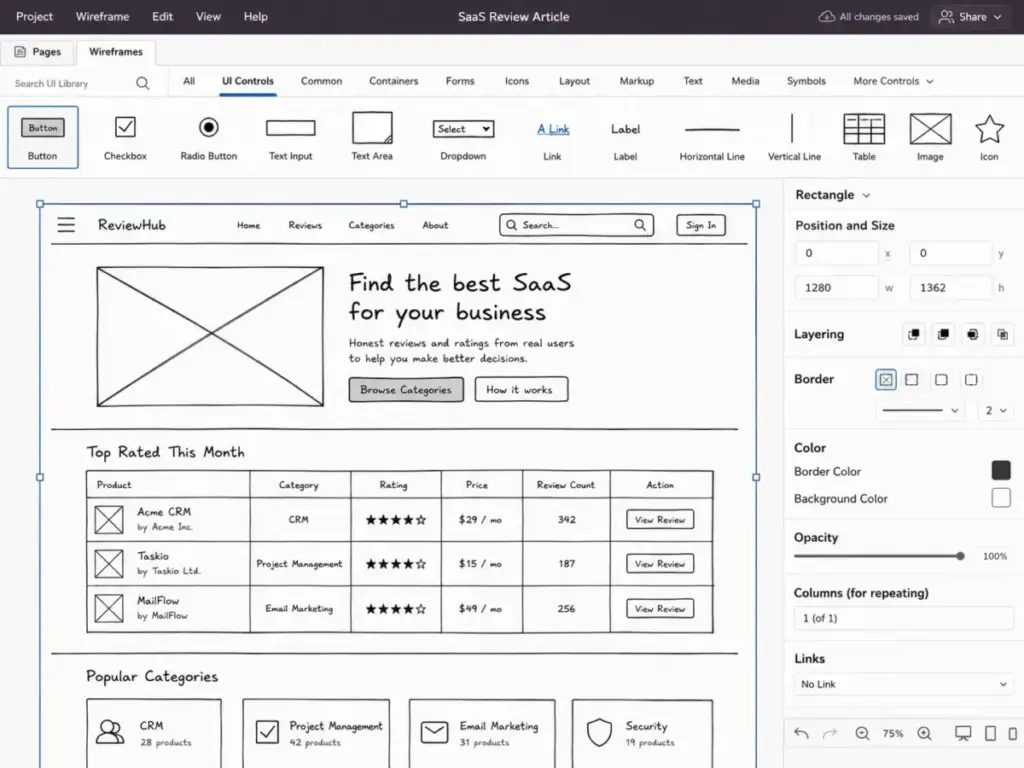
What makes it different: Balsamiq deliberately makes everything look hand-drawn. This is not a limitation. It is the core design philosophy. When wireframes look polished, stakeholders focus on colors and fonts instead of structure and user flow. Balsamiq eliminates that problem by design.
Key strengths:
- Intentionally low-fidelity, sketch-style wireframes
- Drag-and-drop component library with 75+ UI controls
- Fast from blank canvas to shareable wireframe (minutes, not hours)
- Linked wireframes for basic click-through prototyping
- Simple enough for non-designers to use immediately
Where it falls short:
- No high-fidelity design capabilities
- No design-system management
- No developer handoff with specs or code
- Limited prototyping (basic click-through only)
- Cannot be used as a primary UI design tool for production interfaces
Avoid Balsamiq if: You need high-fidelity mockups, design-system governance, interactive prototypes, or developer handoff.
Setup difficulty: Low. Intuitive drag-and-drop interface with minimal learning curve.
Verdict: Balsamiq does one thing and does it well: low-fidelity wireframes that keep teams focused on structure. At $16/editor/month (annual), it is not the cheapest tool on this list, but it is the most focused. Use it alongside a tool like Figma, not instead of one.
Best for Enterprise: $100+/Month
Axure RP: Best for Complex Enterprise Prototypes

Score: 7.3/10
Axure RP is the best UI UX design tool for UX teams in enterprise environments that need advanced conditional logic, data-driven prototypes, and detailed documentation for complex application interfaces.
Pricing (as of May 2026):
| Plan | Cost | Billing | Key features |
|---|---|---|---|
| Pro | $29/user/mo | Monthly | Core prototyping, interactions |
| Team | $49/user/mo | Monthly | Collaboration, team projects |
| Enterprise | Custom | Annual | SSO, admin, cloud hosting |
Source: Axure RP pricing page
A 10-person team on the Team plan pays $490/month. Enterprise pricing requires contacting sales. No free plan is available, but a free trial exists.
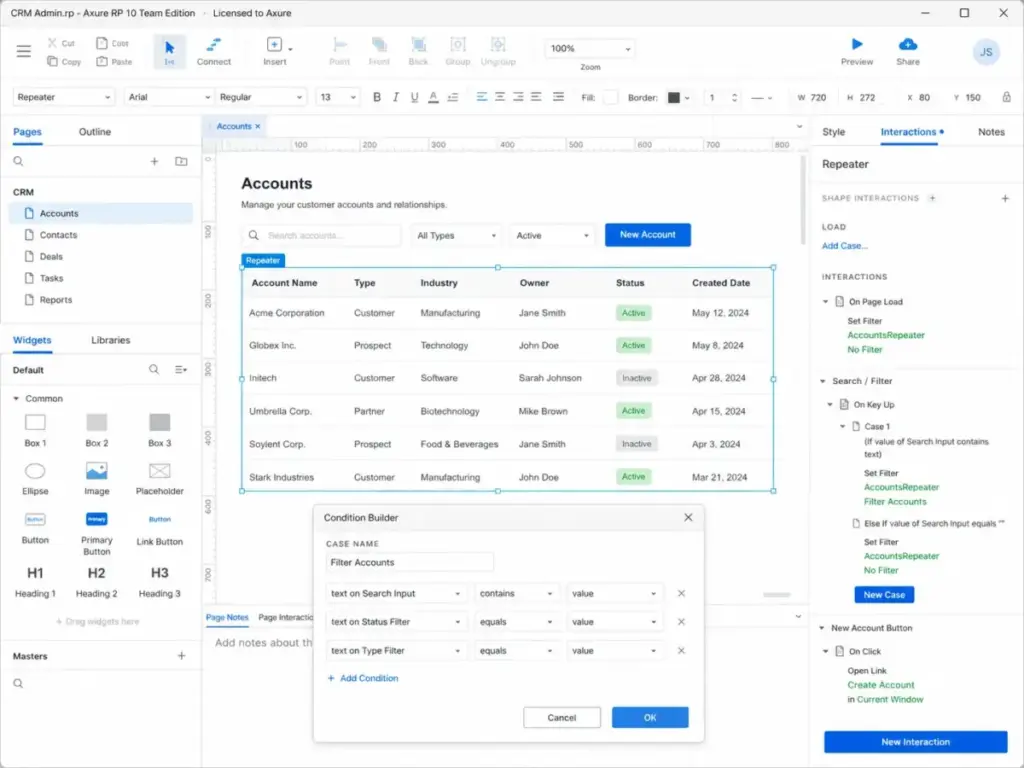
What makes it different: Axure RP supports conditional logic, variables, dynamic panels, repeaters, and data-driven prototypes at a depth no other tool on this list matches. For complex enterprise dashboards, multi-step forms, and data-heavy workflows, Axure produces prototypes that behave like real applications.
Key strengths:
- Advanced conditional logic and variables
- Dynamic panels and repeater widgets for data-driven prototypes
- Built-in documentation and specifications output
- Axure Cloud for sharing and collaboration
- Deeply customizable interactions without code
Where it falls short:
- Steeper learning curve than any other tool on this list
- Desktop application (Windows and Mac), not browser-based
- Visual design capabilities lag behind Figma and Sketch
- Smaller community and fewer modern UI templates
- Not ideal for teams that prioritize visual design over interaction design
Avoid Axure RP if: You need quick wireframes, visual design polish, or a browser-based collaborative editor. Axure is for interaction complexity, not visual beauty.
Setup difficulty: High. Desktop installation, significant learning curve, and prototype logic requires UX engineering mindset.
Verdict: Axure RP fills a niche that no other tool on this list addresses: enterprise-grade interactive prototypes with conditional logic, data simulation, and specification documentation.
If your team builds complex dashboards, multi-step workflows, or data-driven interfaces, Axure’s depth justifies the learning investment. For standard product design, Figma’s prototyping and collaboration cover most needs at lower complexity.
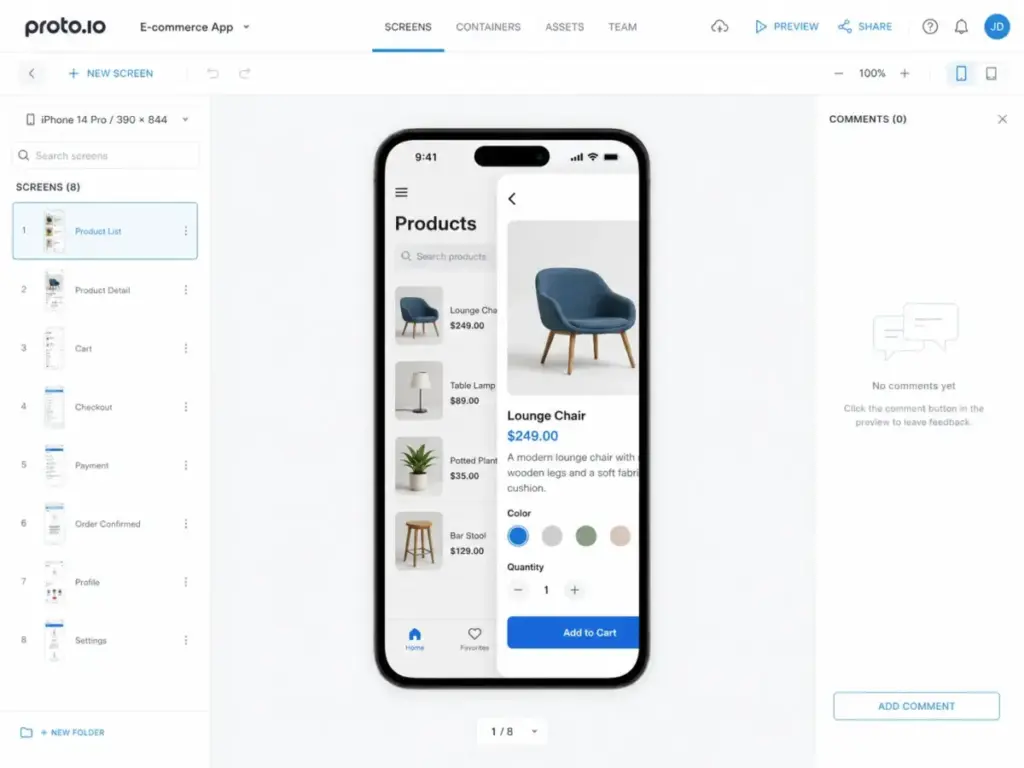
Proto.io: Best Browser-Based High-Fidelity Prototyping Tool

Score: 7.1/10
Proto.io is the best UI UX design tool for teams that need browser-based, no-code, high-fidelity prototypes with animations, gestures, UI libraries, and reviewer sharing.
Pricing (as of May 2026):
| Plan | Monthly | Annual | Projects | Users |
|---|---|---|---|---|
| Freelancer | $29/mo | $24/mo | 5 active | 1 |
| Startup | $49/mo | $40/mo | 10 active | 2 |
| Agency | $99/mo | $80/mo | 15 active | 5 |
| Corporate | $199/mo | $160/mo | 30 active | 10 |
Source: Proto.io official pricing
A limited free account exists: 1 user, 1 active project, 5 prototype screens, 10MB storage, and no additional reviewers. A 15-day full-featured trial is available without a credit card. All paid plans include unlimited reviewers.
Annual billing saves 17-20% across all tiers. A 5-person team on Agency annual pays $80/month with 15 active projects. A 10-person team on Corporate annual pays $160/month with 30 projects.
Hidden cost: Enterprise plans for additional users, unlimited projects, SSO, and enterprise-grade security require custom pricing. Parking an account after cancellation may require a small monthly fee.
What makes it different: Proto.io produces interactive prototypes that look and feel like real apps on actual devices. It includes 250+ UI components, 1,000+ templates, and advanced animation controls. The device-preview feature lets stakeholders experience the prototype on their phone exactly as end users would.
Key strengths:
- No-code interactive prototyping with animations and transitions
- 250+ UI components and 1,000+ templates
- Import from Sketch, Figma, Adobe XD, and Photoshop
- User testing platform connections
- All paid plans include unlimited reviewers
Where it falls short:
- Not a full design tool (limited vector editing and layout capabilities)
- Free account is highly limited (1 project, 5 screens, 10MB)
- Project and user caps per plan require careful tier selection
- Limited design-system capabilities
Avoid Proto.io if: You need a full UI design tool with vector editing, design-system management, or developer handoff with code specs.
Setup difficulty: Medium. Browser-based, but mastering interactions and state management takes time.
Verdict: Proto.io earns its place for teams that need high-fidelity prototypes with real device previews. Agency at $80/month (annual) with 15 projects and 5 users is the practical tier for small teams. For general product design, pair it with Figma or Sketch.
Pricing Comparison: Starting Price vs Practical Tier
| Tool | Starting price | Practical tier | 10-user cost | Free plan | Free trial | Hidden costs |
|---|---|---|---|---|---|---|
| Figma | $0 (Starter) | Professional $16/full seat/mo | $140-160/mo | Yes | No (free plan) | AI credits, seat approvals, governance |
| Penpot | $0/user/mo | Unlimited $7/user/mo | $70/mo (capped $175) | Yes | 14-day trial | Self-host operations, infrastructure |
| Sketch | $12/editor/mo (annual) | Standard $12/editor/mo | $120/mo | No | 30 days | Private Cloud custom pricing |
| UXPin | $0 (Free) | Core $29/mo (annual) | $290/mo | Yes (2 prototypes) | 14-day trial | Enterprise for Git/Storybook, AI credits |
| Framer | $0 (Free) | Pro $30/mo (annual) | $110-190/mo | Yes | No (free plan) | Extra editors $40/mo, CMS overages |
| Uizard | $0 (Free) | Pro $12/mo (annual) | N/A (flat rate) | Yes | N/A | AI credit limits, Enterprise setup |
| Balsamiq | $16/editor/mo (annual) | Teams $24/editor/mo | $240/mo (Teams) | No | 14 days | AI credit top-up $15/500 credits |
| Axure RP | $29/user/mo | Team $49/user/mo | $490/mo | No | Free trial | Enterprise custom pricing |
| Proto.io | $29/mo ($24 annual) | Agency $80/mo (annual) | $160/mo (Corporate annual) | Yes (limited) | 15 days | Enterprise custom, account parking fee |
| Visily | $0 (Starter) | Pro $11/editor/mo (annual) | $110/mo (Pro, 10 editors) | Yes | No (free plan) | AI credit top-ups, guest editor limits |
Pricing verified as of May 2026 from official pricing pages. Check each vendor’s pricing page for current rates, as prices can change.
What this means: Starting price tells you almost nothing about what a team actually pays. Figma’s $0 Starter is free but limited. Penpot’s $0 Professional is surprisingly full-featured. Sketch’s $12/editor is affordable but Mac-only. The 10-user column is where budget reality hits: Figma at $140-160/month versus Axure at $490/month reflects fundamentally different product categories, not just pricing strategies.
Feature Gate Comparison
| Feature | Figma | Penpot | Sketch | UXPin | Framer | Uizard | Balsamiq | Axure RP |
|---|---|---|---|---|---|---|---|---|
| Design canvas | All plans | All plans | All plans | All plans | All plans | All plans | Wireframe only | All plans |
| Prototyping | All plans | All plans | All plans | All plans | Site-based | Basic | Click-through | Advanced |
| Variables/logic | Professional+ | Limited | Limited | Core+ | Limited | No | No | Pro+ |
| Design systems | Organization+ | All plans | Professional+ | Enterprise | No | No | No | Team+ |
| AI generation | All plans (credits) | No | No | All plans (credits) | No | All plans (credits) | No | No |
| Developer handoff | Dev Mode (paid) | Inspect mode | Built-in | Built-in | N/A (publishes site) | No | No | Specs output |
| Self-hosting | No | Yes (Private Server) | No | No | No | No | No | No |
| SSO/SCIM | Organization+ | Enterprise | Enterprise | Enterprise | Enterprise | Enterprise | No | Enterprise |
What this means: If design-system governance is your priority, Figma Organization ($55/seat/month annual) or UXPin Enterprise are your realistic options. If self-hosting matters, Penpot is the only choice. If AI UI generation is important, evaluate Figma, UXPin, Uizard, and Visily based on credit limits and output quality, not just the “AI” label.
Setup and Migration Difficulty
| Tool | Setup difficulty | Why |
|---|---|---|
| Figma | Low | Browser-based, no install, immediate collaboration |
| Penpot | Low (cloud) / High (self-host) | Cloud is instant. Self-hosting requires infrastructure |
| Sketch | Low (Mac only) | Native app install, familiar to Mac designers |
| UXPin | Medium | Editor is simple. Merge setup needs developer help |
| Framer | Low-Medium | Visual builder is fast. CMS setup takes more time |
| Uizard | Low | AI-driven, minimal learning curve |
| Balsamiq | Low | Drag-and-drop, intentionally simple |
| Axure RP | High | Desktop app, steep learning curve, logic requires UX engineering |
| Proto.io | Medium | Browser-based but interactions and state management take time |
| Visily | Low | Built for non-designers with guided onboarding |
Which UI UX Design Tool Should You Avoid in 2026?
Adobe XD: Adobe moved XD to maintenance mode. No major feature updates are planned. If you are currently on Adobe XD, start planning your migration to Figma or Penpot. Do not begin new projects on XD.
InVision: InVision discontinued its design collaboration services at the end of 2024. If you still have InVision files, export them and migrate. InVision is not a viable option.
Any tool marketed as “all-in-one”: If a tool claims to handle UI design, user research, whiteboarding, prototyping, handoff, and publishing equally well, test the claim against your actual workflow. Most teams need a primary design tool plus 1-2 specialized companions, not a single tool that does everything mediocrely.
How to Choose the Right UI UX Design Tool
Start with these questions before comparing features:
- What is your team’s primary workflow? Collaborative product design (Figma), quick wireframes (Balsamiq), design-to-code (UXPin), design-to-site (Framer), or AI concepting (Uizard/Visily)?
- How many designers, developers, and reviewers need access? Figma charges by seat type. Penpot caps monthly cost. Sketch charges per editor. Calculate the real team cost.
- Do you need self-hosting or compliance controls? Only Penpot offers self-hosting. Figma and Sketch require cloud trust.
- What is your platform constraint? Mac-only teams can use Sketch. Everyone else needs a browser-based tool.
- How mature is your design system? If you manage production components, evaluate UXPin Merge or Figma Organization. If you are starting from scratch, any tool works.
- Do you need AI UI generation? If yes, compare credit limits and output quality across AI tools for content creation, Uizard, Visily, and Figma AI.
- What is your total annual budget? Calculate 10-user annual cost including add-ons, not just starting price.
Common Mistakes When Choosing UI UX Design Tools
Choosing by starting price. Figma’s $0 Starter and Penpot’s $0 Professional are not the same. The practical tier for most teams is $16-55/month per seat (Figma) versus $7/user capped at $175 (Penpot). Always calculate the 10-user cost.
Mixing tool categories. Comparing Balsamiq (wireframes) to Figma (product design) to Framer (site publishing) is like comparing a notebook to a laptop to a server. Define your workflow first, then compare tools within that category.
Ignoring the developer handoff workflow. The design tool is only half the cost. If your tool produces mockups that developers cannot inspect, export, or reference with code snippets, you pay again in engineering time. Evaluate Figma Dev Mode, UXPin Merge, and Sketch handoff side by side. The handoff tool must integrate with your team’s communication and ticketing stack.
Overvaluing AI features. AI wireframe generation sounds impressive, but check: How many credits do you get per month? Is the output editable in standard Figma/Sketch formats? How much cleanup time does each generation require? AI that creates throwaway wireframes is marketing, not productivity.
Defaulting to Figma without evaluating fit. Figma is the best overall tool, but it is not the best choice for every team. If you need self-hosting (Penpot), Mac-native performance (Sketch), code-backed prototypes (UXPin), or live site publishing (Framer), the best tool is the one that matches your actual output.
Ignoring legacy-product risk. Adobe XD and InVision are cautionary tales. Before committing to any tool, check the vendor’s product roadmap, recent feature releases, and financial stability. A tool that stops updating becomes a migration liability.
Not testing with your real workflow. Demo dashboards look great. Import your actual project, invite your actual team, and run your actual review process. Most free trials and free plans give you enough access to test real work before committing budget.
Tools Not to Choose in 2026
| Tool | Status | Why you should avoid it |
|---|---|---|
| Adobe XD | Maintenance mode | No feature updates planned. Migrate to Figma or Penpot |
| InVision | Discontinued (2024) | Services ended. Export files and move on |
| Google Stitch | Early/experimental | Interesting AI watchlist product, but not a stable general-purpose replacement |
If you are currently using Adobe XD or InVision, prioritize migration. Figma and Penpot both offer import paths that reduce migration friction.
Final Verdict: Best UI UX Design Tool for Most Teams
Figma is the best overall UI UX design tool in 2026. Its combination of collaborative editing, prototyping depth, design-system governance, developer handoff (Dev Mode), and ecosystem breadth makes it the safest default for most product teams. Score: 9.1/10.
The best choice for your team depends on your constraints:
- If budget predictability matters most: Penpot. The $175/month cap and open-source model eliminate billing surprises.
- If you are Mac-only and want native performance: Sketch at $12/editor/month. Best offline, local-file workflow.
- If your team builds with production components: UXPin Merge. Design with the same React/Angular/Vue components developers ship.
- If your deliverable is a live website: Framer. Skip the mockup-to-developer handoff entirely.
- If you do not have a designer: Uizard or Visily. AI generates the wireframes. You edit.
- If you need low-fidelity wireframes only: Balsamiq at $16/editor/month (annual). Intentionally rough, laser-focused on structure.
- If you need complex enterprise prototypes: Axure RP. No other tool matches its conditional logic depth.
- If you need self-hosting for compliance: Penpot Private Server at $50K/year. The only real option.
Stop comparing every tool against Figma. Compare tools within the workflow category that matches your actual output. The right tool is the one your team will use daily, not the one with the longest feature list.
FAQ
What is the best UI UX design tool overall in 2026?
Figma is the best overall UI UX design tool for most product teams. It scores 9.1/10 for its combination of real-time collaboration, prototyping with variables and conditional logic, design-system governance, Dev Mode for developer handoff, and the largest plugin ecosystem. Professional plan starts at $16/month per full seat.
What is the best free UI UX design tool?
Penpot Professional is the best genuinely free design tool. It costs $0/user/month for up to 8 team members with unlimited viewers, core design features, and 10GB storage. Figma Starter is also free but more limited. Uizard and Visily offer free tiers with AI wireframe generation, though with credit caps.
Is Figma still the best UI UX design tool?
Yes, for collaborative product design. Figma leads in ecosystem depth, collaboration, and adoption. It is not the best for self-hosting (use Penpot), Mac-native performance (use Sketch), code-backed prototyping (use UXPin), or live site publishing (use Framer). The market has specialized, and the best tool depends on your team’s primary workflow.
Is Adobe XD still usable in 2026?
Adobe XD is in maintenance mode with no major feature updates planned. While existing installations continue to function, starting new projects on XD carries migration risk. Migrate to Figma or Penpot for active development and support.
What replaced InVision for prototyping?
InVision discontinued its design collaboration services at the end of 2024. For prototyping, Figma absorbed most former InVision users. Proto.io and Framer serve specific high-fidelity prototyping needs. UXPin covers advanced conditional-logic prototypes that fit teams building complex project workflows.
Which UI UX design tool is cheapest for a team with many reviewers?
Penpot offers unlimited viewers on all plans, including the free Professional tier. Figma charges $3/month per Collab seat on Professional and $5/month on Organization. Sketch provides free viewers. For teams where reviewers significantly outnumber designers, Penpot’s unlimited viewer model is the most cost-effective.
Which UI UX design tool has the best developer handoff?
Figma Dev Mode is the most widely adopted developer handoff solution, offering inspect, code snippets, and annotations at $12/month per Dev seat. UXPin Merge goes further by letting developers work with production React/Angular/Vue components directly in the design tool, though this requires Enterprise pricing. Sketch includes built-in handoff on all collaboration plans.
What UI UX design tool should a startup use before hiring a designer?
Uizard or Visily. Both offer AI-powered wireframe generation from text prompts, allowing founders and PMs to create visual mockups without design skills. Uizard Pro costs $12/month (annual). Visily has a free tier. Once you hire a designer, transition to Figma for production design work.
Should I use Penpot instead of Figma?
Use Penpot if your team needs self-hosting, open-source code access, predictable enterprise pricing (capped at $175-950/month), or if you are building an open-source product. Use Figma if you need the largest plugin ecosystem, most mature design-system analytics, or maximum third-party integration support. Both are capable design tools.
Are AI UI design tools good enough for real product work?
AI UI design tools like Uizard and Visily generate wireframes and mockups that are useful for early-stage concepting and stakeholder communication. They are not production-ready. AI-generated outputs consistently require manual cleanup, do not integrate with design-system workflows, and have credit limits that restrict heavy use. Use them for ideation, then refine in Figma or Sketch for production.