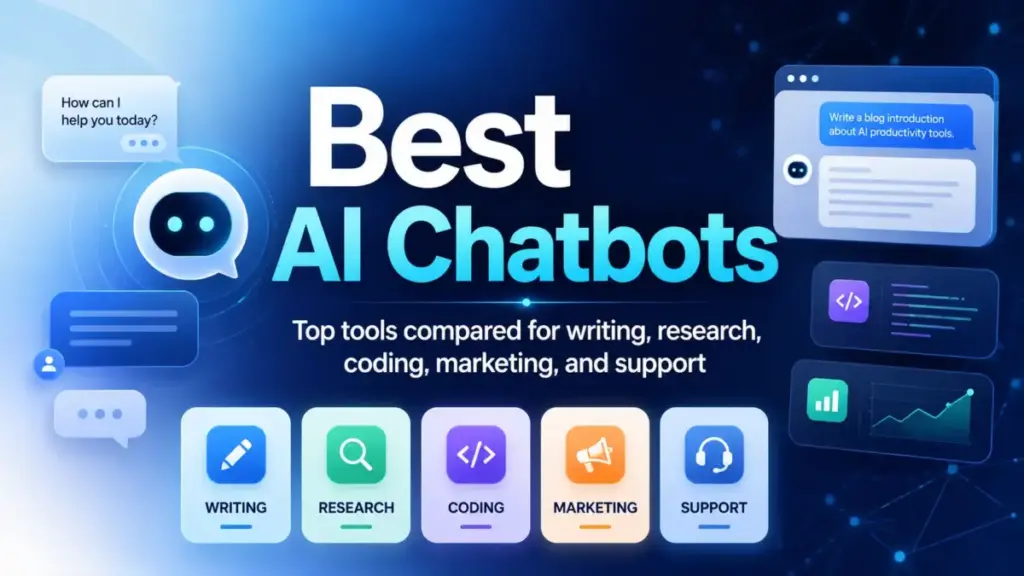
The best AI chatbots in 2026 cost between $0 and $69/month for personal use, but the real price depends on whether you need a general assistant, a research engine, a marketing writer, or a customer support agent. Most comparison pages treat these categories as interchangeable. They are not. A $20/month AI chatbot subscription that fits your daily workflow will outperform a $100/month plan that sits unused because it solves the wrong problem.
I evaluated 48 candidates across official pricing pages, product documentation, feature evidence, and limitation disclosures. The 20 tools ranked here cover five distinct buyer categories: general-purpose assistants, cited research engines, multi-model hubs, marketing chat tools, and customer support AI agents. Each product includes verified pricing status, usage caveats, and a clear recommendation for who should and should not use it.
For most users, ChatGPT remains the broadest everyday assistant. Claude is the stronger pick for deep writing and analysis. Google Gemini wins if you already live in Gmail and Docs. If your primary need is cited research, Perplexity is the better tool. And if you need a website support agent, not a personal chatbot, skip the first 15 entries and start with Tidio Lyro AI or Intercom Fin.
Quick Verdict: Best AI Chatbots by Use Case
| Use case | Best pick | Why it fits |
|---|---|---|
| Best overall for most users | ChatGPT | Broadest feature mix: writing, code, images, files, voice, app connections |
| Best for deep writing and analysis | Claude | Strongest long-form reasoning at $20/month (Pro) with clear public pricing |
| Best for Google Workspace users | Google Gemini | Native Gmail, Docs, Drive, NotebookLM access at $19.99/month |
| Best for Microsoft 365 workflows | Microsoft Copilot | AI inside Word, Excel, Outlook, Teams with enterprise data controls |
| Best for cited research | Perplexity | Answer engine with source links; Pro at $17/month billed annually |
| Best multi-model hub | Poe | One account for GPT, Claude, Gemini, DeepSeek, and community bots |
| Best free option | DeepSeek | Free consumer access with competitive reasoning quality |
| Best free social assistant | Meta AI | $0 assistant embedded in WhatsApp, Instagram, Messenger |
| Best for roleplay and companions | Character.AI | c.ai+ at $9.99/month; entertainment-focused with voice calls |
| Best budget marketing chat | Chatsonic | Marketing-focused AI agent from $16/month billed annually |
| Best for marketing teams | Jasper Chat | Brand voice, campaign workflows from $69/month (Pro) |
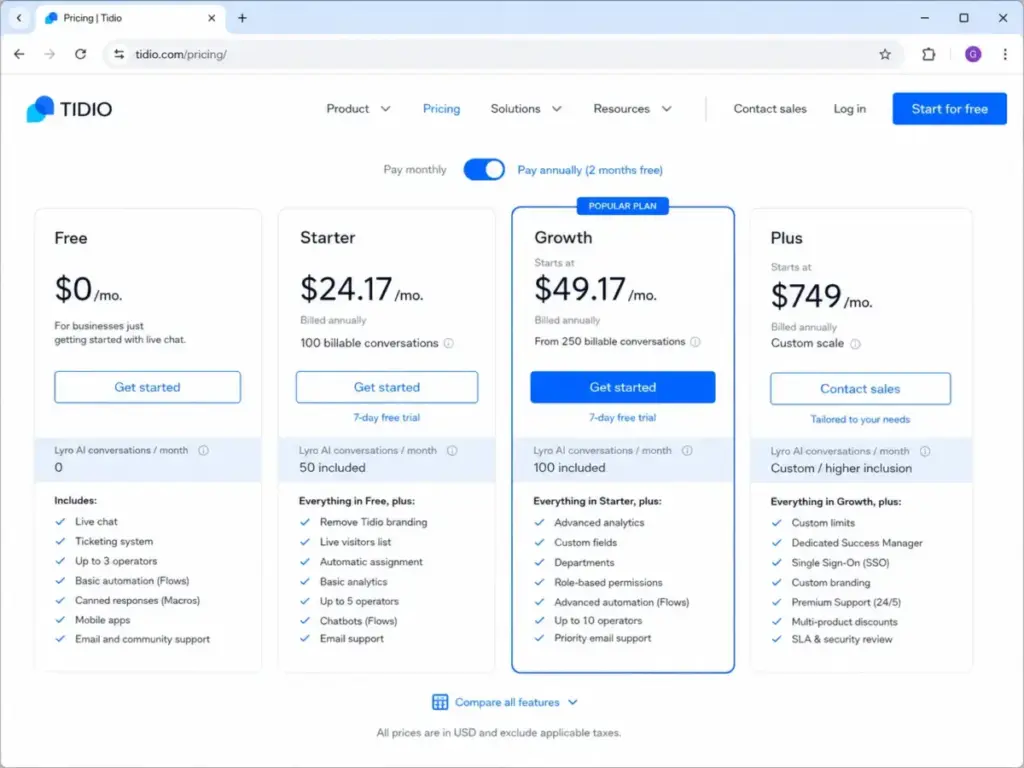
| Best SMB support chatbot | Tidio Lyro AI | Live chat + AI agent from $0 (Free) to $24.17/month (Starter) |
| Best enterprise support agent | Intercom Fin | Outcome-based pricing at $0.99 per resolved conversation |
| Best website chatbot builder | Chatbase | Build a site-trained AI agent for free; no credit card required |
| Best no-code automation chatbot | Zapier Chatbots | Connect chatbot output to 9,000+ apps via Zapier workflows |
| Best developer chatbot platform | Botpress | Pay-as-you-go with $5/month AI token credit for custom agents |
| Best open-source community chat | HuggingChat | Free access to open models; Hugging Face Pro at $9/month |
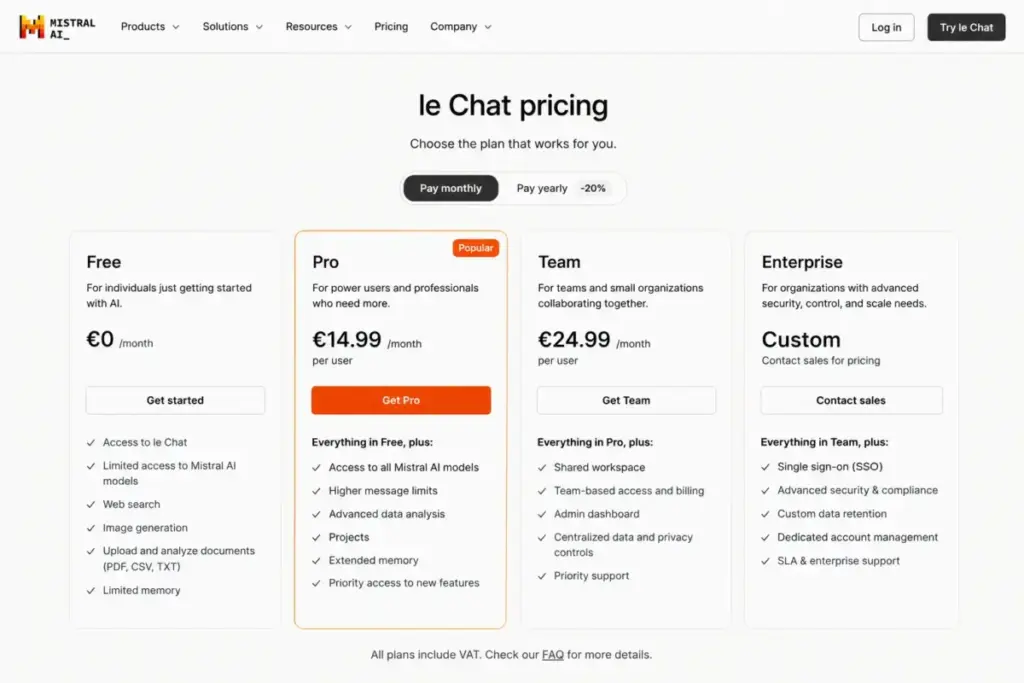
| Best European AI assistant | Mistral Le Chat | EU-oriented with free, Pro, Team, and Enterprise tiers |
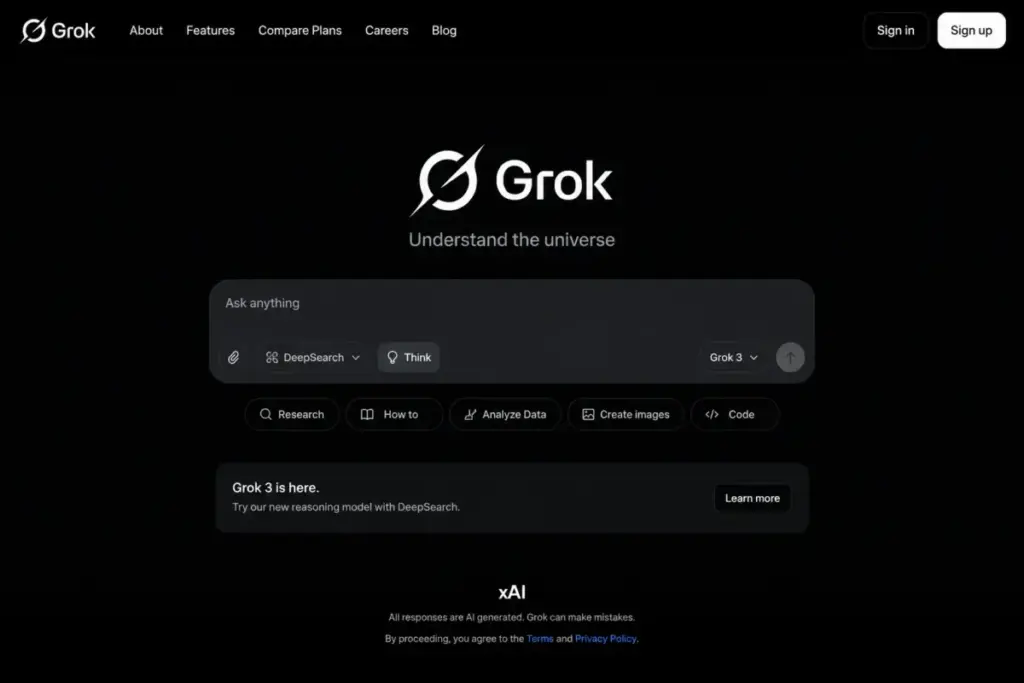
| Best for X and real-time culture | Grok | Real-time answers from X and web; pricing not publicly disclosed |
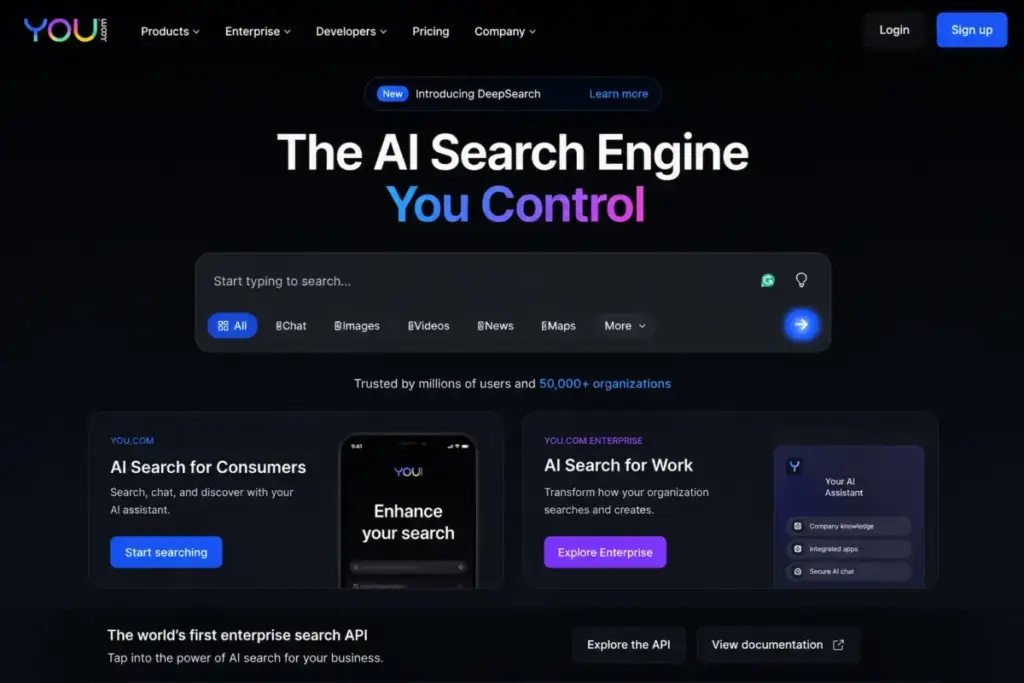
| Best for AI search builders | You.com | Web search APIs for AI with pay-as-you-go enterprise pricing |
The right AI chatbot depends on your workflow, not the model size. A support team evaluating Intercom Fin operates in a completely different pricing model ($0.99 per outcome) than a student comparing Claude Pro ($20/month). This guide separates those categories so you compare within the right frame.
How We Chose and Ranked These 20 AI Chatbots
I started with 48 candidates sourced from SERP competitor analysis, official product websites, pricing pages, and editorial screening. Each product needed to meet four evidence thresholds: a public official URL, pricing or pricing-status evidence, feature documentation, and at least one limitation or caveat disclosure.
Products excluded from the final 20 fell into five categories: not primarily a chatbot tool (GitHub Copilot Chat), too narrow for a US buyer guide (region-specific tools), overlapping with a ranked parent product (OpenAI Playground vs. ChatGPT), lacking public evidence (Pi after Inflection’s strategic shifts), or better classified as an adjacent platform (Ada, Breeze by HubSpot).
Ranking Criteria
| Criterion | Weight | What I checked |
|---|---|---|
| Pricing value | 20% | Starting price, free plan quality, minimum seats, add-ons, hidden costs |
| Core feature depth | 20% | Category-specific capabilities and coverage |
| Ease of use | 15% | Onboarding clarity, UI, setup time, learning curve |
| Integrations | 15% | Native connections, API access, app ecosystem breadth |
| Scalability | 15% | Team controls, permissions, enterprise features, usage model |
| User fit | 15% | Best-for clarity, limitation severity, not-best-for honesty |
Testing Level and Review Limitation
All 20 products in this guide carry a testing level of official research only. I did not conduct hands-on testing for this article. Rankings reflect official pricing pages, product documentation, feature evidence, and limitation analysis verified as of June 2026. Pricing can change without notice. Check each product’s official pricing page before purchasing.
I did not score products based on brand popularity or affiliate payout. The review methodology page explains how SaaSZap evaluates software across all categories.
Free Tier Champions
Three products on this list offer genuinely free access without a trial countdown.
ChatGPT: Best Overall AI Chatbot

Starting price: Free; paid personal and business tiers available
Free plan: Yes, with limited messages, uploads, image generation, deep research, memory, and Codex access
Billing: Per user
Official pricing: ChatGPT pricing page
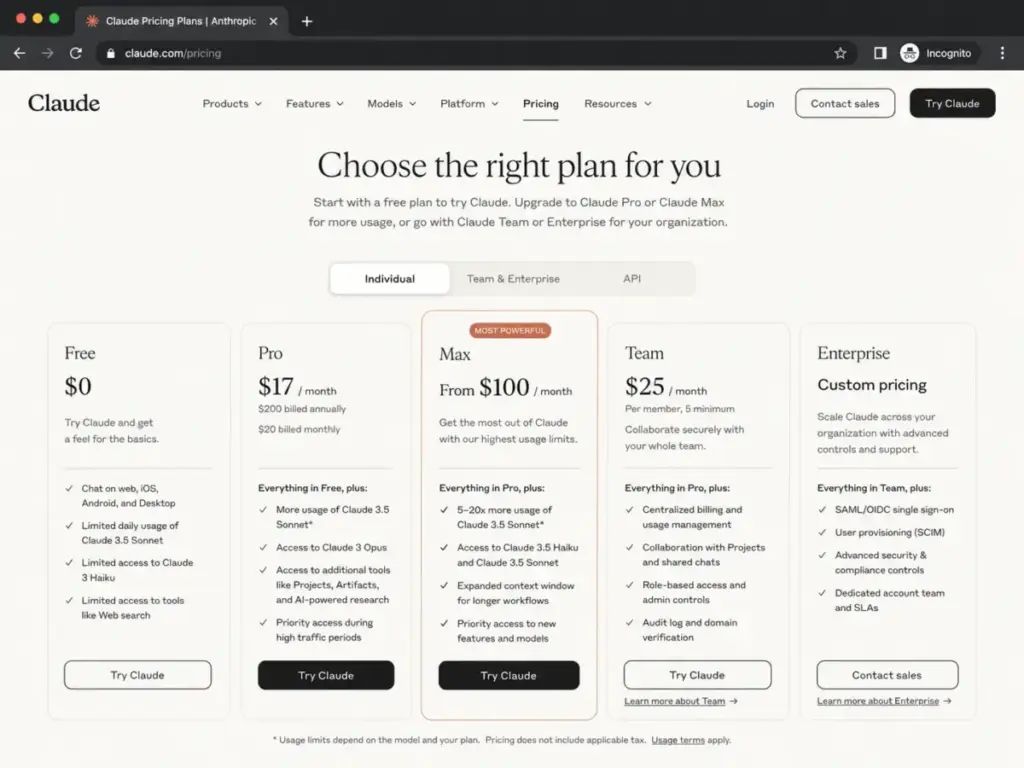
ChatGPT ranks first because no other chatbot matches its breadth across writing, brainstorming, file uploads, data analysis, image generation, vision, GPTs, projects, tasks, and connected work apps. The free plan is real, not a 7-day trial, but it comes with usage caps on messages, image generation, and deep research that OpenAI does not publish as exact numbers.
The business side is where pricing gets specific. The Business plan requires a minimum of 2 users and includes 60+ app connections (Slack, Google Drive, SharePoint, GitHub, Atlassian). Enterprise pricing is sales-led. Personal paid plan prices (Go, Plus, Pro) appear on the official pricing page but can vary by region and are delivered through dynamic markup that does not always render in accessible text.
Key features: Writing and brainstorming, file uploads and data analysis, image generation and vision, GPTs/projects/tasks, apps that connect to work tools
Where it falls short: Exact message caps on the free plan are not public. Personal plan prices can be dynamic and region-specific. The product does not prioritize source citations the way Perplexity does.
Best for: General users and teams that need one broad assistant for writing, analysis, coding, files, images, voice, and app-connected work.
Avoid if: You need deterministic source-first answers for every query, or you need strict single-purpose customer support automation.
Setup difficulty: Low
Verdict: ChatGPT is the safest default for most people. If you need a specific workflow (cited research, marketing copy, customer support), a specialized tool on this list will do that one job better.
DeepSeek: Best Free/Low-Cost Reasoning Option

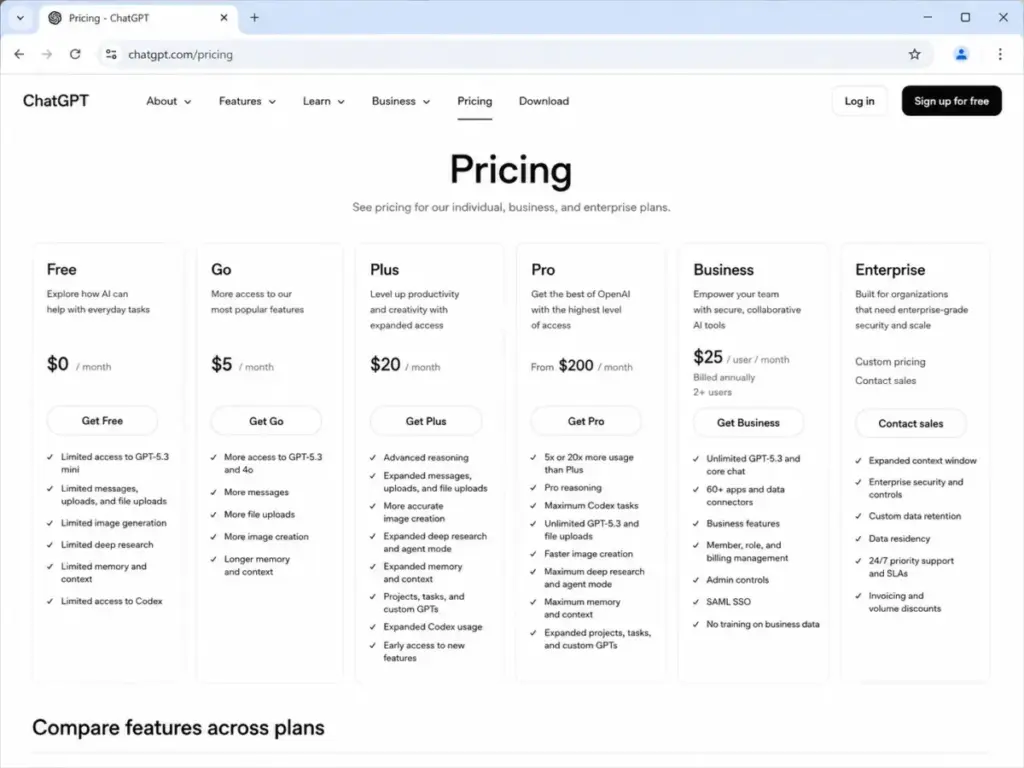
Starting price: $0 (free consumer access); API from $0.14 input / $0.28 output per 1M tokens (v4-flash)
Free plan: Yes, the official site confirms free access to DeepSeek for web and app
Billing: Usage-based (API); free (consumer)
Official pricing: DeepSeek API pricing
DeepSeek provides the lowest-cost entry point for AI reasoning on this list. The consumer web and app experience is free. The API pricing undercuts most competitors: v4-flash starts at $0.14 per million input tokens (cache miss) and $0.28 per million output tokens. Context length reaches 1M tokens with max output of 384K.
The caveat is not the product quality. It is the procurement context. DeepSeek is a Chinese AI service, and some US organizations restrict use on government devices or in regulated environments. Enterprise buyers need to evaluate privacy and data residency posture before committing. For another Chinese AI assistant with similar procurement questions, the Moonshot AI Kimi review maps Kimi’s plans, API billing, and compliance gaps.
Key features: Free web/app assistant, coding and content help, file reading, thinking/non-thinking modes, OpenAI-format and Anthropic-format API endpoints
Where it falls short: Consumer usage limits are not fully disclosed. Enterprise buyers must evaluate privacy and security posture. Regional availability can change.
Best for: Developers and cost-sensitive users who want low-cost reasoning and coding help.
Avoid if: Your organization has strict data residency requirements or procurement restrictions around Chinese AI services.
Setup difficulty: Low (consumer); Medium (API integration)
Verdict: DeepSeek is the budget pick for developers who prioritize cost-per-token over vendor compliance. For regulated teams, Claude or ChatGPT Business offers clearer data governance.
Meta AI: Best Free Social-App Assistant

Starting price: $0
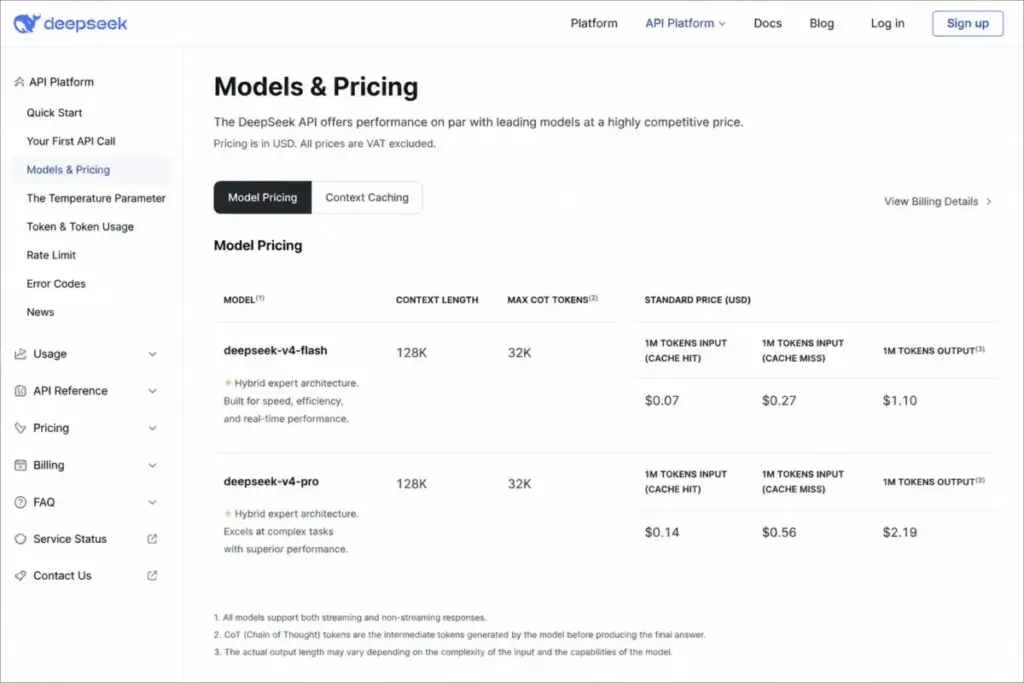
Free plan: Yes, free consumer assistant across web, app, glasses, Facebook, Messenger, Instagram, and WhatsApp
Billing: Free
Official page: Meta AI
Meta AI is the only product on this list positioned as a completely free assistant with no visible paid tier. It lives inside Facebook, Messenger, Instagram, WhatsApp, Meta AI glasses, and a standalone web/app experience. Features include local recommendations, shopping recommendations, visual understanding, voice mode in 13 languages, and file/photo/document handling.
The limitation is structural. There is no paid SLA, no workspace admin, no team controls, and no transparent usage caps. Feature availability varies by app, region, and rollout status. This is a consumer social assistant, not a procurement-ready business tool.
Key features: Local and shopping recommendations, visual understanding, voice mode in 13 languages, files/photos/docs handling
Where it falls short: No paid plan, no SLA, no usage cap transparency, no enterprise controls. Best features are tied to Meta app ecosystem and rollout regions.
Best for: Users who want a free assistant embedded in Meta apps for casual social discovery, recommendations, and visual/voice help.
Avoid if: You need a paid SLA, workspace admin, or source-first research workflows.
Setup difficulty: Low
Verdict: Meta AI is compelling as a $0 assistant for social app users. It does not compete with paid tools on professional procurement or cited research.
Best Under $20/Month
Six products on this list offer paid plans under $20/month that meaningfully upgrade the free experience.
Claude: Best for Deep Work and Writing

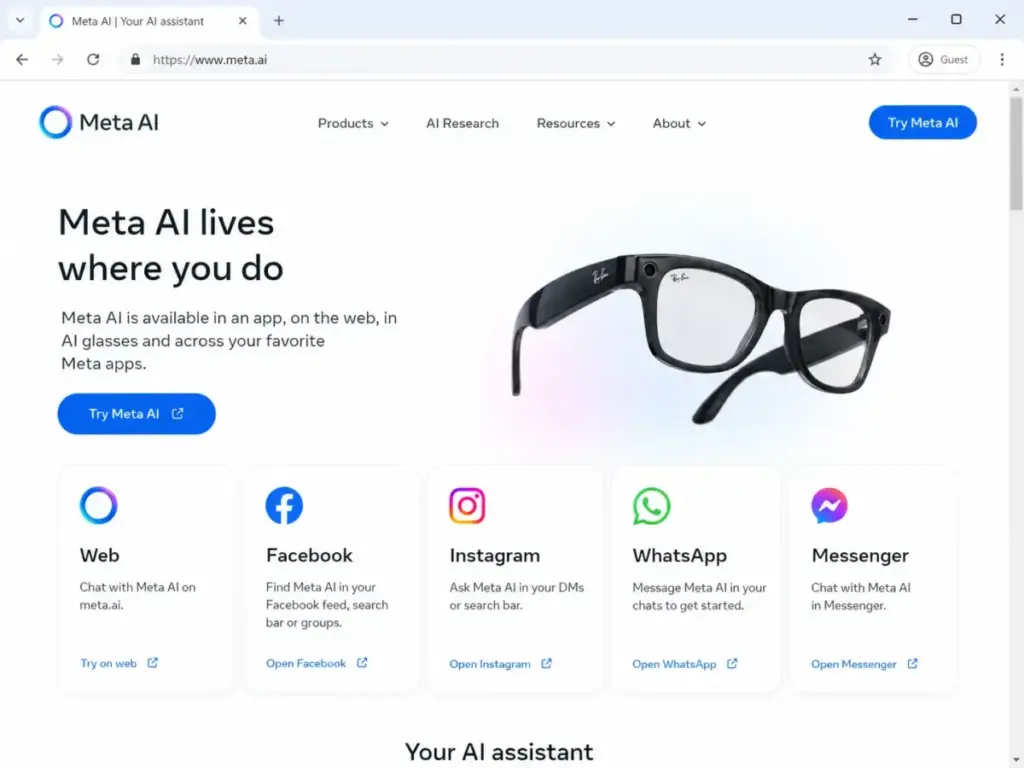
Starting price: Free; Pro at $20/month or $17/month billed annually
Free plan: Yes, free plan for everyone
Max plan: From $100/month
Billing: Per user
Official pricing: Claude pricing page
Claude’s pricing page is one of the most transparent on this list. Free, Pro ($20/month or $17/month annually, $200 billed upfront), and Max (from $100/month) are all visible on a single page. Team and Enterprise tiers are also listed. Usage limits exist but are expressed relatively (Max offers 5x or 20x more usage than Pro) rather than as exact token counts.
What separates Claude from ChatGPT is not the model. It is the use case. Claude excels at careful long-form reasoning, structured output, and document workflows. Claude Code and Research features serve developers and analysts. The Microsoft 365 and Outlook integration (Claude for Microsoft 365, Claude for Outlook) gives it cross-ecosystem reach that most competitors lack.
Key features: Web/iOS/Android/Desktop chat, Claude Code, Research, Projects, Microsoft 365 and Outlook access, MCP ecosystem positioning
Where it falls short: Usage caps are not published as token counts. Image generation is not Claude’s primary strength. Team seat minimums are not verified in accessible pricing text.
Best for: Writers, analysts, product teams, and developers who value careful long-form reasoning and structured output.
Avoid if: You prioritize built-in image generation over text, reasoning, and document workflows.
Setup difficulty: Low
Verdict: Claude is the strongest writer’s assistant on this list. The $17/month annual Pro price undercuts most competitors while delivering reasoning depth that holds up under complex prompts. If you spend most of your day writing, analyzing documents, or coding, Claude is the better pick over ChatGPT. For a detailed breakdown, see our Claude AI review.
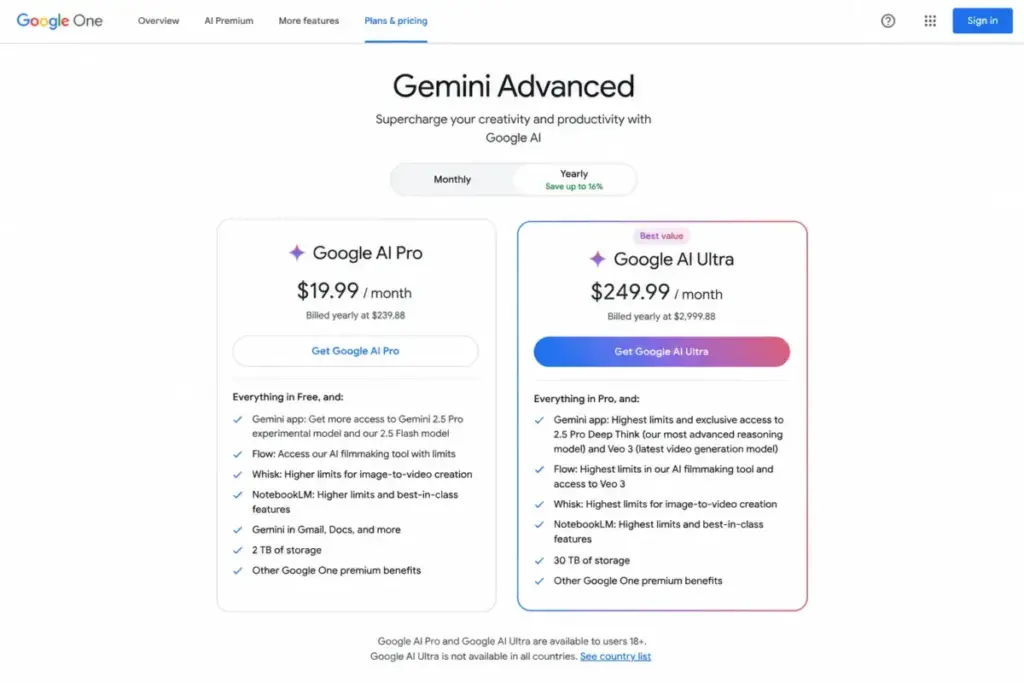
Google Gemini: Best for Google Workspace Users

Starting price: Free; Google AI Pro at $19.99/month (US)
Free plan: Yes, Gemini app free tier available
Billing: Flat rate (personal)
Official pricing: Gemini subscriptions page
Google Gemini’s value proposition is not the model. It is the integration depth. Gmail, Docs, Slides, Sheets, Meet, Drive, NotebookLM, Flow, Android, and Google Search AI Mode all connect through the Google AI Pro subscription. If you already pay for Google Workspace, the $19.99/month unlock gives AI access across every app you use daily.
The caveat is ecosystem dependency. Feature availability varies by country, account type, age, language, and Google product. Workspace business customers need separate business offerings. The pricing page lists Google AI Pro and Ultra tiers, but Ultra regional pricing varies.
Key features: Gemini app, Deep Research, image generation and editing, Gemini Live, NotebookLM and Flow access through AI plans
Where it falls short: Best value depends heavily on Google ecosystem usage. Workspace customers need separate business offerings. Feature availability varies by country and account type.
Best for: Students, creators, and professionals already working in Gmail, Docs, Drive, Search, NotebookLM, and Android.
Avoid if: Your team standardizes on Microsoft 365 or you need open model routing inside one chat app.
Setup difficulty: Low
Verdict: Google Gemini is the obvious choice if Google apps are your daily operating system. For Microsoft 365 teams, Copilot (ranked #4) is the equivalent play. Our Gemini review covers the full feature breakdown.
Perplexity: Best for Cited Research

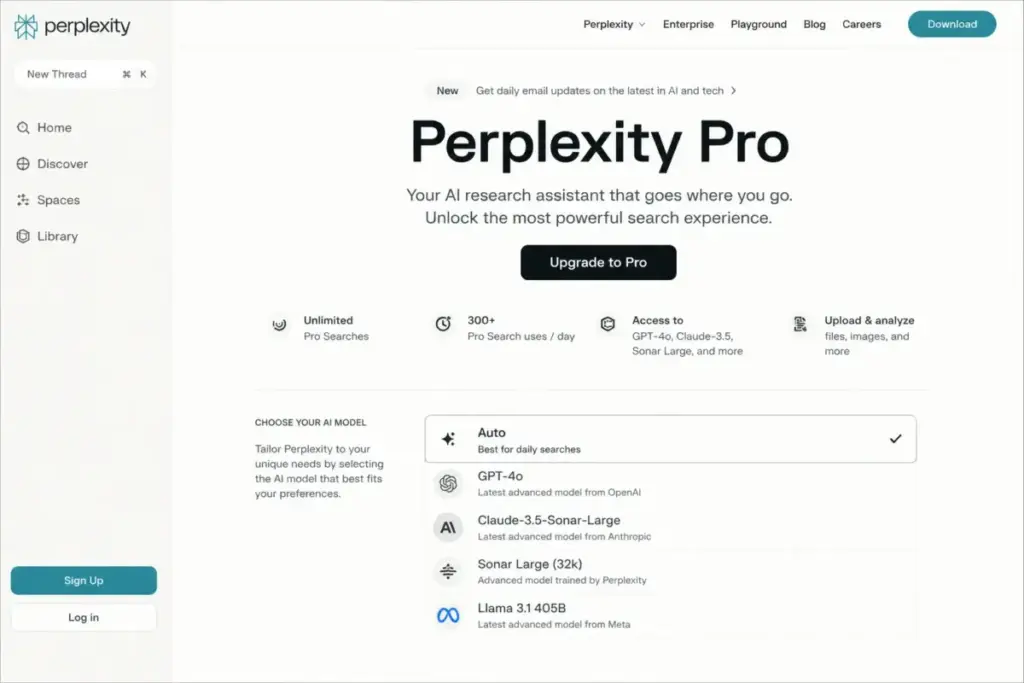
Starting price: Free; Pro at $17/month billed annually
Free plan: Yes, free search/chat access with lower limits
Billing: Per user
Official pricing: Perplexity enterprise pricing
Perplexity solves the one problem that ChatGPT, Claude, and Gemini handle inconsistently: citations. Every answer includes source links. The Pro plan ($17/month billed annually) unlocks latest AI models, deeper sourcing, and access to proprietary financial and scientific data sources through enterprise partnerships (PitchBook, Wiley).
The model selection is broader than most users realize. Perplexity routes across GPT, Claude, Gemini, and other models. Deep research and report generation features position it as a research assistant, not just a chat interface.
Key features: Answer engine with citations, model selection across GPT/Claude/Gemini and others, deep research, reports and documents, web and team-file search in enterprise
Where it falls short: Less suited for brand-voice marketing workflows. Pricing and limits differ between consumer, Pro, Enterprise Pro/Max, and API surfaces. Monthly consumer price should be visually checked before publishing.
Best for: Researchers, analysts, students, journalists, and buyers who need answers with citations and web/source grounding.
Avoid if: Your main need is brand-safe creative writing, roleplay, or full customer support automation.
Setup difficulty: Low
Verdict: If you cite sources in your work, Perplexity is the most useful chatbot on this list. The $17/month annual Pro price is competitive, and the citation quality is unmatched. See our Perplexity AI review for the full evaluation.
Character.AI: Best for Roleplay and AI Companions

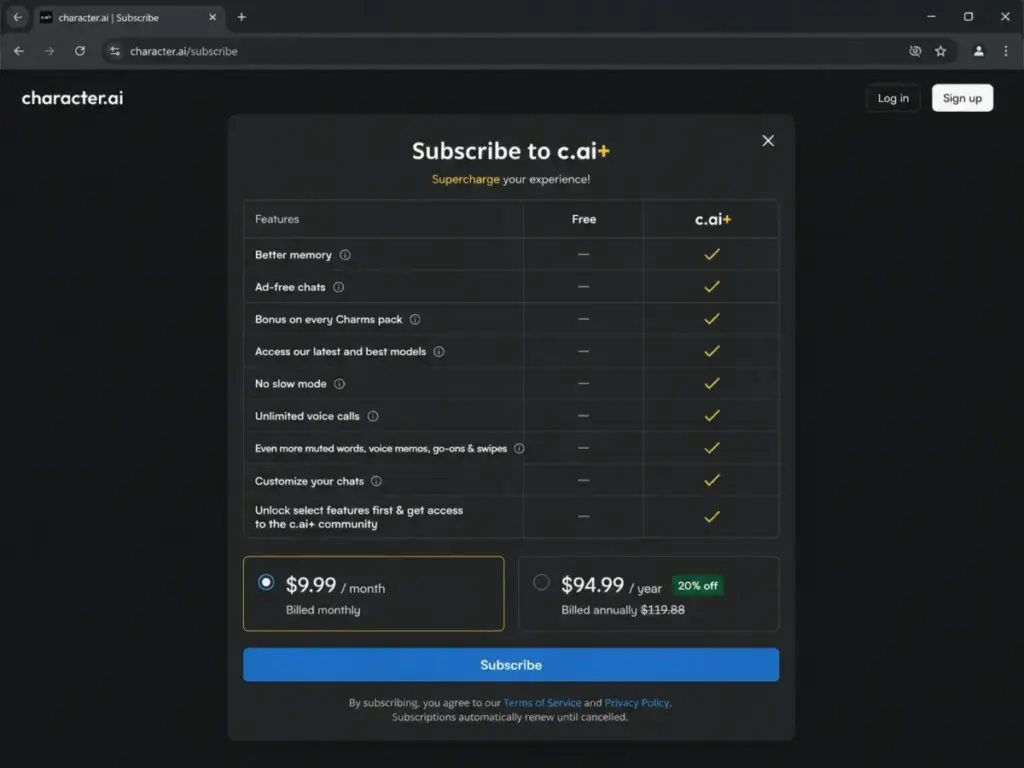
Starting price: Free; c.ai+ at $9.99/month or $94.99/year
Free plan: Yes
Billing: Flat rate
Official pricing: Character.AI subscribe page
Character.AI occupies a category that most chatbot comparisons ignore: entertainment and companion chat. The c.ai+ subscription at $9.99/month ($94.99/year) removes slow mode, adds better memory, unlocks unlimited voice calls, and grants early access to new features.
This is not a productivity tool. There are no citations, no file uploads for business analysis, no enterprise admin controls. The value is social: roleplay, character discovery, creative conversation, and companion-style interaction.
Key features: Character chat models, better memory on Plus, ad-free chats, unlimited voice calls, customizable chats, community character discovery
Where it falls short: Not designed for citation-first or business workflow assistance. Professional integrations are limited. No enterprise controls.
Best for: Roleplay, entertainment, companion-style chats, character discovery, and casual creative conversations.
Avoid if: You need business research, enterprise security, citations, or serious productivity workflows.
Setup difficulty: Low
Verdict: Character.AI dominates social and character chat. At $9.99/month, it is the cheapest paid plan on this list. The product serves a completely different buyer than ChatGPT or Claude.
HuggingChat: Best Open-Source Community Chat

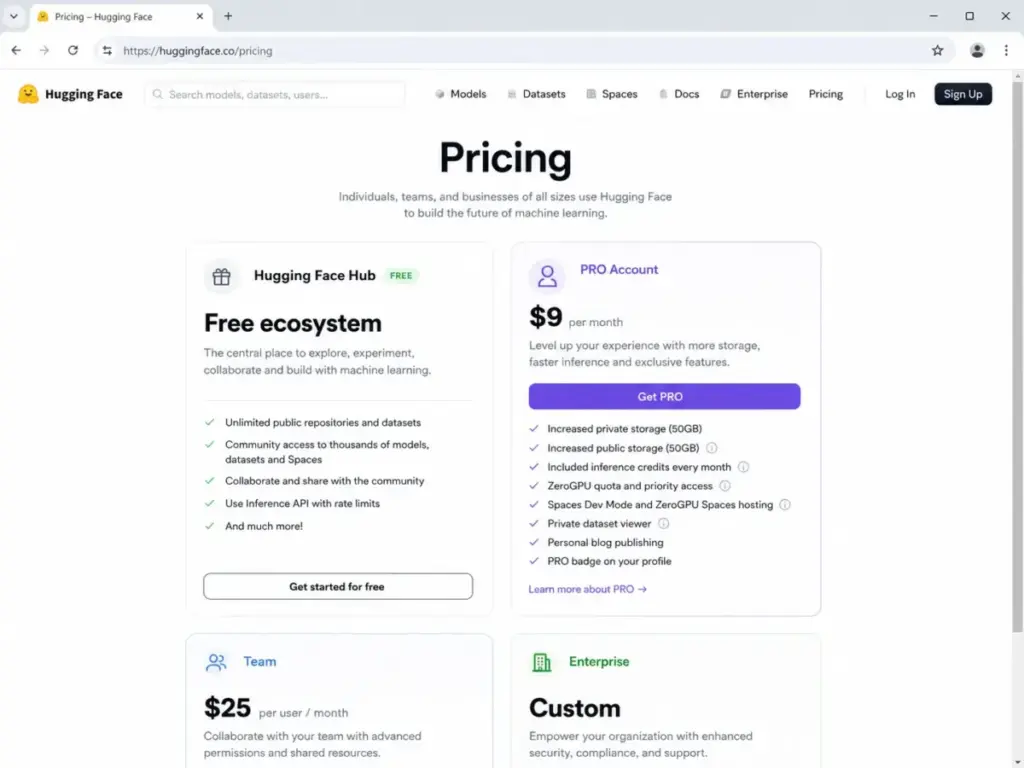
Starting price: Free; Hugging Face Pro at $9/month
Free plan: Yes, free account and community access
Billing: Per user
Official pricing: Hugging Face pricing
HuggingChat is the chatbot interface for the Hugging Face ecosystem: models, datasets, Spaces, inference providers, and community sharing. The free tier provides access to open models. The $9/month Pro account adds inference credits and compute quotas for the broader platform.
The audience is specific. HuggingChat serves developers, researchers, and open-model enthusiasts who want community-aligned AI. It is not designed for nontechnical users seeking polished consumer AI with bundled productivity apps.
Key features: Open model chat experience, Hugging Face model ecosystem, Spaces, inference credits, community sharing
Where it falls short: Less polished for mainstream business workflows. Model availability and performance can vary. Advanced compute/inference usage costs extra.
Best for: Developers, researchers, and open-model users who want a community-aligned chatbot and model ecosystem.
Avoid if: You are a nontechnical user seeking polished consumer AI with bundled productivity apps.
Setup difficulty: Medium
Verdict: HuggingChat is the best fit for open-source and model-curious users. For consumer-friendly AI, ChatGPT or Claude are more accessible.
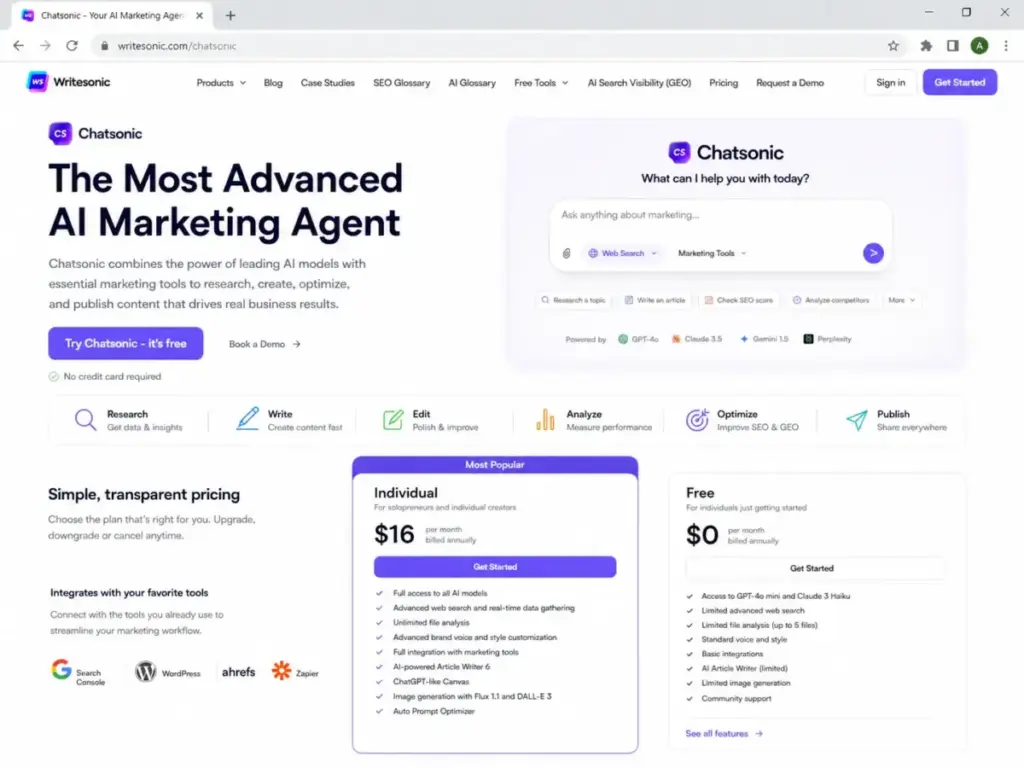
Chatsonic: Best Budget Marketing Chat

Starting price: $16/month billed annually
Free plan: Not verified on current page
Billing: Per user
Official pricing: Chatsonic page
Chatsonic, built by Writesonic, positions itself as an AI marketing agent that combines ChatGPT, Claude, and Gemini models with WordPress publishing workflows. At $16/month billed annually, it undercuts Jasper Chat ($69/month) significantly for marketers who need AI chat connected to content creation.
The caveat: product packaging can be confusing across Writesonic, Chatsonic, and Botsonic pages. Exact usage limits should be checked directly before committing.
Key features: AI marketing agent, multi-model access (ChatGPT, Claude, Gemini), research and content creation, publishing support, WordPress productivity
Where it falls short: Product packaging can be confusing. Usage limits not fully disclosed. Not designed for enterprise support automation or research citations.
Best for: Marketers who want a lower-cost chat assistant connected to content and WordPress workflows.
Avoid if: You need enterprise-grade customer support automation or pure research citations.
Setup difficulty: Low
Verdict: Chatsonic gives marketing-focused chat at a fraction of Jasper’s entry price. Verify current packaging and limits on the live product page before subscribing.
Best for Mid-Market: $20 to $50/Month
Four products on this list sit in the $20 to $50 range, serving users who need more than a free tier but less than full enterprise pricing.
Microsoft Copilot: Best for Microsoft 365 Workflows
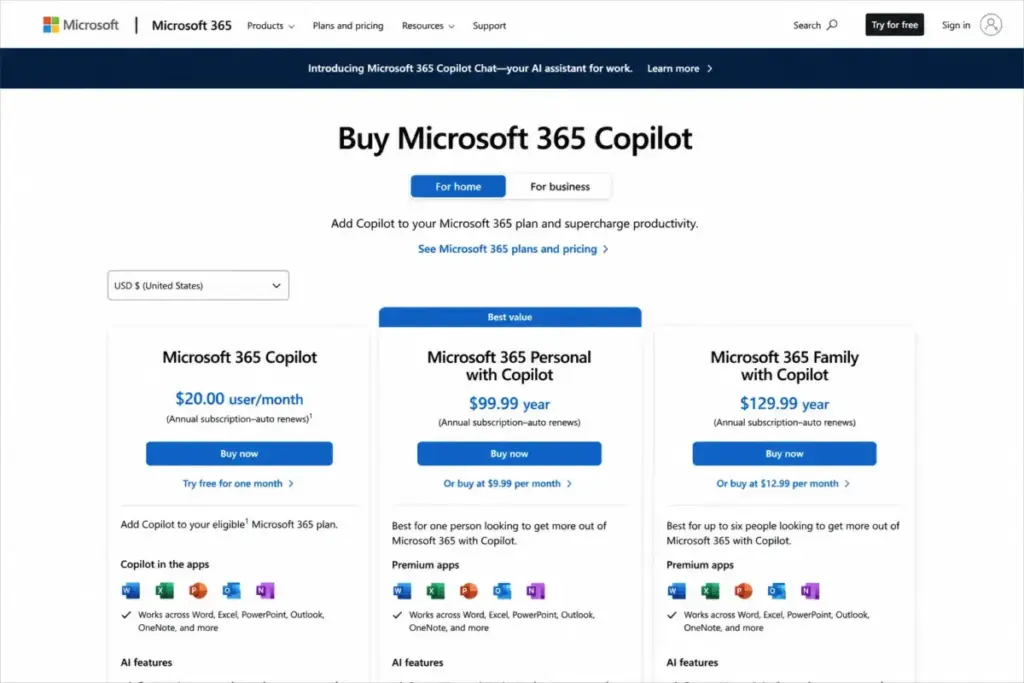
Starting price: Free chat; Microsoft 365 Copilot at $30/user/month
Free plan: Yes, free Copilot chat at copilot.microsoft.com (limited features)
Billing: Per user (annual commitment for business)
Official pricing: Microsoft 365 Copilot plans
Microsoft Copilot’s value is not in the chat interface. It is in the contextual access to Word, Excel, Outlook, PowerPoint, Teams, and enterprise data. The $30/user/month price requires an annual commitment for business plans, and the cost stacks on top of existing Microsoft 365 subscriptions.
This makes Copilot the most expensive per-seat product on this list for teams. A 10-user deployment costs $300/month ($3,600/year) on top of base Microsoft 365 licensing. The value justification is workflow depth: Copilot reads your emails, drafts in your documents, summarizes your meetings, and queries your organizational data.
Key features: AI in Word, Excel, PowerPoint, Outlook, Teams, OneNote, Microsoft 365 data grounding, enterprise-grade data protection, admin controls
Where it falls short: Requires existing Microsoft 365 subscription. Per-seat pricing stacks. Free Copilot chat is limited compared to ChatGPT Free. Business features require annual commitment.
Best for: Microsoft 365 teams that want AI inside their existing document, email, and meeting workflows with enterprise data controls.
Avoid if: Your team uses Google Workspace, or you need a standalone chat assistant without a Microsoft 365 subscription.
Setup difficulty: Medium (requires M365 admin deployment for business)
Verdict: Microsoft Copilot is the right choice only if your team already lives in Microsoft 365. The $30/user/month premium is steep without the M365 context layer. For Google teams, Gemini fills the same role at $19.99/month.
Poe: Best Multi-Model Hub

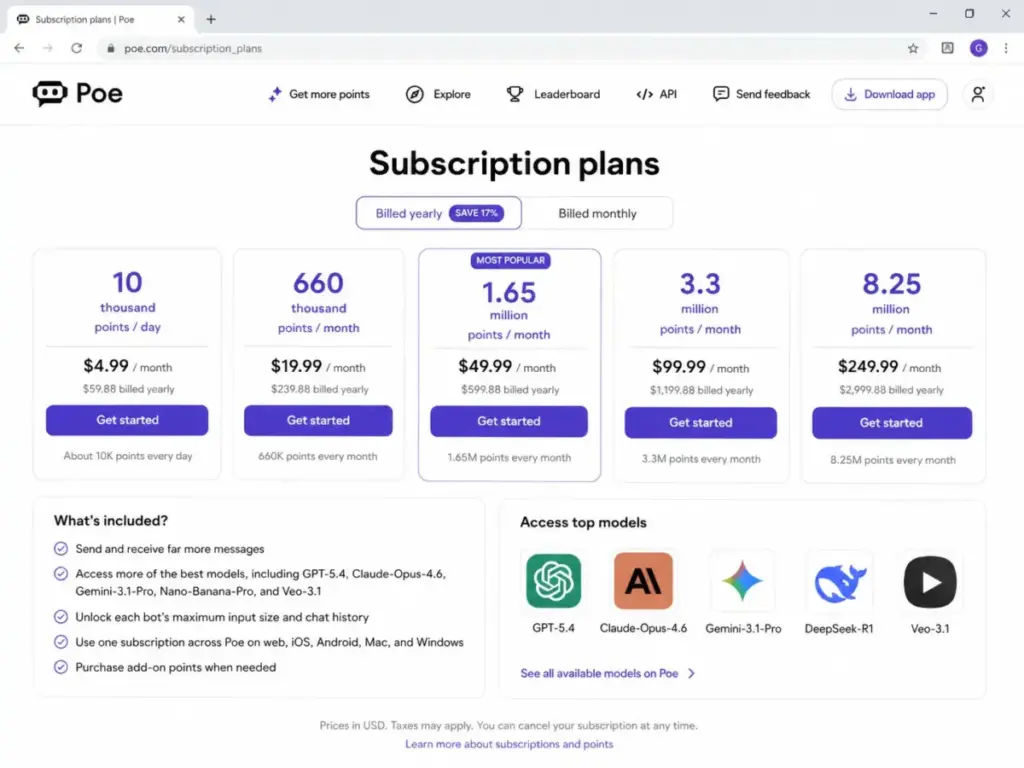
Starting price: Free; subscription available (reported around $19.99/month)
Free plan: Yes, free access with daily credits
Billing: Flat rate
Official pricing: Poe subscribe page
Poe gives access to GPT, Claude, Gemini, DeepSeek, DALL-E, and community-built bots through a single account. The subscription removes daily credit limits and unlocks higher usage across premium models.
The pricing page uses dynamic rendering, so exact plan pricing should be verified directly. The value is model access breadth: instead of paying $20/month each for ChatGPT Plus, Claude Pro, and Gemini, Poe bundles multi-model routing at one subscription price.
Key features: Multi-model access (GPT, Claude, Gemini, DeepSeek, DALL-E, and others), community bots, bot creation, cross-model routing, conversation sharing
Where it falls short: Exact pricing and credit limits are dynamically rendered. Enterprise admin controls are limited. No native productivity app integration (no Word, Docs, or email access).
Best for: Power users who want to test and compare multiple AI models without separate subscriptions.
Avoid if: You need integrated workplace AI (email, docs, meetings) or enterprise security controls.
Setup difficulty: Low
Verdict: Poe is the best value for model-curious users who want breadth over depth. For a head-to-head analysis of the two leading models, see our ChatGPT vs Claude comparison.
Grok: Best for X and Real-Time Culture

Starting price: Linked to X Premium subscription; pricing not publicly disclosed on a standalone pricing page
Free plan: Free web access with limitations
Billing: Tied to X/xAI subscription
Official page: Grok on xAI
Grok’s differentiator is real-time X (formerly Twitter) data access and conversational humor. The product pulls from X posts, web search, and live data in a way that ChatGPT and Claude do not prioritize. Free web access is available with limitations.
The pricing problem: Grok does not maintain a standalone public pricing page. Access tiers appear tied to X Premium subscriptions, and exact costs are not transparently listed. Enterprise buyers cannot run a standard procurement comparison without verifiable pricing.
Key features: Real-time X and web search grounding, unfiltered conversational style, image generation, live data access, xAI model reasoning
Where it falls short: No standalone public pricing page. Feature availability tied to X Premium subscription tiers. Enterprise procurement readiness is unclear. Data governance policies differ from US enterprise standards.
Best for: X power users who want real-time social data grounding and culture-aware AI conversation.
Avoid if: You need transparent procurement pricing, enterprise admin controls, or separation from X ecosystem.
Setup difficulty: Low (consumer); Unclear (enterprise)
Verdict: Grok is compelling for X-native users. The pricing opacity makes it impossible to include in a standard feature-for-dollar comparison. If transparent pricing matters to your team, ChatGPT or Claude are safer bets.
Mistral Le Chat: Best European AI Assistant

Starting price: Free; Pro, Team, and Enterprise tiers available
Free plan: Yes, free tier access
Billing: Per user (Team/Enterprise)
Official pricing: Mistral Le Chat pricing
Mistral Le Chat brings European AI to this list. The pricing page shows Free, Pro, Team, and Enterprise tiers. The Pro price uses dynamic rendering, so the exact monthly cost should be verified directly. Mistral’s models include Le Chat agent features, Canvas, search, code generation, and document analysis.
For EU-based organizations evaluating AI governance and data residency, Mistral’s European base offers a regulatory alignment that US-based tools (ChatGPT, Claude, Gemini) do not inherently provide.
Key features: Le Chat agent, Canvas, search, code generation, document analysis, European data residency positioning, API access
Where it falls short: Pricing specifics are dynamically rendered. US market recognition is lower than ChatGPT or Claude. Enterprise features and SLA terms require sales engagement.
Best for: European organizations and users who prioritize EU-based AI with data residency alignment.
Avoid if: You need the deepest English-language app ecosystem or US enterprise compliance frameworks.
Setup difficulty: Low
Verdict: Mistral Le Chat is the first choice for EU-oriented procurement. For US buyers without EU requirements, ChatGPT or Claude deliver broader feature coverage.
You.com: Best for AI Search Builders

Starting price: Free; custom/enterprise pricing
Free plan: Yes, free access to You.com search
Billing: Custom (enterprise)
Official page: You.com
You.com positions itself at the intersection of AI chat and web search. The consumer experience is free. The enterprise value is in search APIs for AI, which companies embed into their own products for retrieval-augmented generation (RAG) workflows.
For individual users, You.com competes with Perplexity on search-first AI. For builders, the API pricing and enterprise terms require direct engagement.
Key features: AI search assistant, web research grounding, search APIs for AI, RAG pipeline support, enterprise search integration
Where it falls short: Enterprise pricing not publicly listed. Consumer features overlap with Perplexity. API and builder features require technical integration.
Best for: Developers and companies building AI-powered search into their own products.
Avoid if: You need a polished consumer assistant with broad productivity integrations. Perplexity offers a more complete consumer research experience.
Setup difficulty: Low (consumer); Medium-High (API/enterprise)
Verdict: You.com is a builder’s tool disguised as a search chatbot. For consumer search, Perplexity is the better fit.
Best for Enterprise and Professional Teams: $50+/Month
Four products on this list target enterprise buyers, marketing departments, and customer support operations with pricing at $50/month or above.
Jasper Chat: Best for Marketing Teams

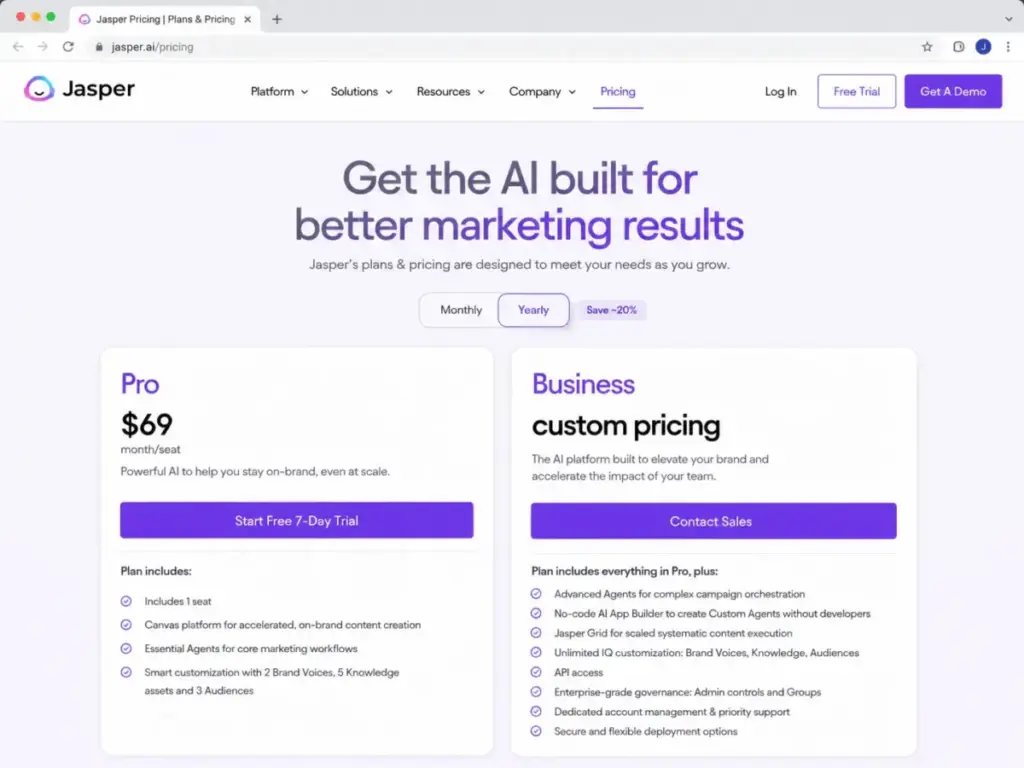
Starting price: Pro at $69/month billed annually; Business pricing is custom
Free plan: 7-day free trial
Billing: Per seat
Official pricing: Jasper pricing page
Jasper Chat is not a general assistant. It is a marketing execution platform with AI chat built in. The $69/month Pro plan (billed annually) includes brand voice, company intelligence, campaign workflows, and multi-channel content outputs. Business pricing is custom and requires sales engagement.
At $69/month, Jasper is the most expensive consumer-facing chatbot on this list. The value argument: ChatGPT at $20/month does not know your brand voice, campaign calendar, or content guidelines. Jasper stores that context and applies it across outputs.
Key features: Brand voice and company intelligence, marketing campaign workflows, content generation and remix, channel-specific outputs, team collaboration, analytics, AI content generation at scale
Where it falls short: $69/month is 3.5x more than ChatGPT Plus. 7-day trial is short. Not suitable for general chat, research, or customer support. Business pricing is opaque.
Best for: Marketing teams that need brand-consistent AI content across campaigns, channels, and team workflows.
Avoid if: You need general-purpose chat, cited research, customer support automation, or the lowest possible price.
Setup difficulty: Medium
Verdict: Jasper Chat is expensive. If your marketing team spends 10+ hours per week on content creation and maintains strict brand voice guidelines, the $69/month Pro plan pays for itself. For solo creators, ChatGPT or Claude at $20/month covers most of the same ground without brand intelligence features.
Tidio Lyro AI: Best SMB Support Chatbot

Starting price: Free; Starter at $24.17/month billed annually
Free plan: Yes, free plan with basic features and Lyro conversations included
Billing: Per plan (not strictly per agent)
Official pricing: Tidio pricing page
Tidio Lyro AI combines live chat, helpdesk ticketing, and an AI agent (Lyro) in one platform. The free plan includes basic Lyro conversations. The Starter plan at $24.17/month (billed annually) adds more operator seats and conversation volume.
This is a different category than ChatGPT or Claude. Tidio serves businesses that need a website chatbot handling customer questions, not individuals seeking a personal AI assistant. The pricing scales by conversation volume and operator seats, not by model access. For teams comparing help desk solutions, Tidio competes with Intercom and Zendesk, not with Perplexity.
Key features: Lyro AI agent for automated customer conversations, live chat, helpdesk and ticketing, website widget, order management (Shopify integration), conversation analytics
Where it falls short: Advanced Lyro AI volume requires higher-tier plans. Enterprise features (SSO, audit log, custom SLA) are on Growth and Plus tiers. Not designed for personal research or general chat.
Best for: SMBs and e-commerce teams that need a website AI chatbot to handle customer questions alongside live chat and helpdesk.
Avoid if: You need a personal AI assistant, cited research, or enterprise-scale support with outcome-based pricing (see Intercom Fin).
Setup difficulty: Low-Medium
Verdict: Tidio is the most approachable support chatbot for small teams. The free plan lets you test Lyro before committing. For enterprise support operations, Intercom Fin offers a fundamentally different pricing model.
Intercom Fin: Best Enterprise Support Agent

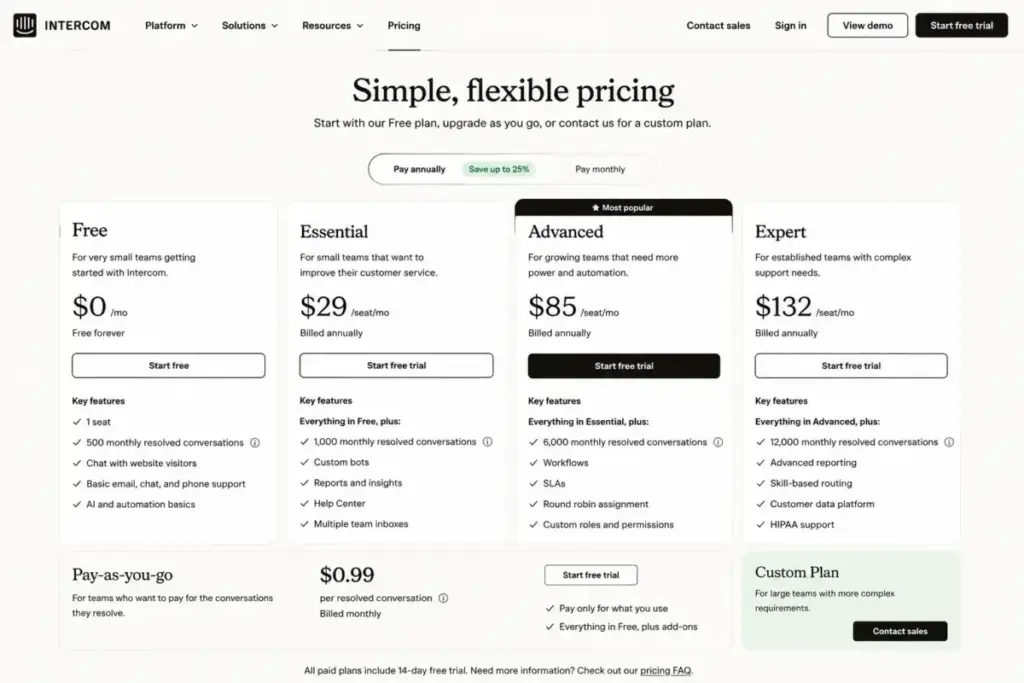
Starting price: Outcome-based at $0.99 per resolved conversation
Free plan: 14-day free trial
Billing: Outcome-based + per-seat for human agents
Official pricing: Intercom pricing page
Intercom Fin uses a pricing model no other product on this list shares: $0.99 per resolved conversation. You pay only when the AI agent successfully resolves a customer question without human handoff. Human agent seats start at $29/seat/month (Essential), $85/seat/month (Advanced), or $132/seat/month (Expert).
This outcome-based model changes the ROI math. A support team resolving 500 conversations per month through Fin pays $495/month for AI plus seat costs for human agents. The cost scales linearly with resolution volume, not with the number of customers or website visitors.
Key features: AI agent with outcome-based pricing, multi-source knowledge base, human handoff routing, help center, conversation analytics, workflows, multi-channel support
Where it falls short: Human seat pricing adds up for large teams. The $0.99/resolution model requires high AI resolution rates to deliver ROI. Not designed for personal chat or research.
Best for: Enterprise and mid-market support teams that want to pay per AI resolution rather than per seat.
Avoid if: You need a personal assistant, your support volume is under 50 conversations/month (Tidio Free is cheaper), or you lack a structured knowledge base for AI training.
Setup difficulty: Medium-High
Verdict: Intercom Fin is the most sophisticated support AI on this list. The outcome-based pricing rewards teams that invest in knowledge base quality. For budget-conscious SMBs, Tidio’s flat-rate model is simpler.
Chatbase: Best Website Chatbot Builder

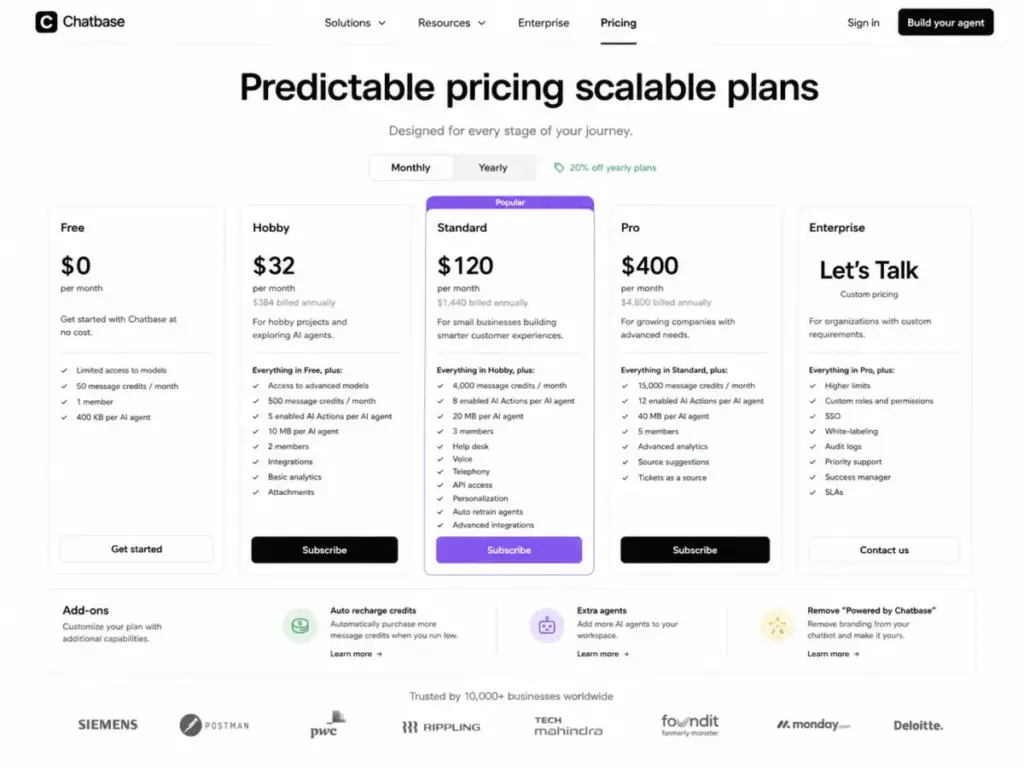
Starting price: Free; paid plans from $19/month (estimated based on prior versions)
Free plan: Yes, no credit card required
Billing: Flat rate per plan
Official pricing: Chatbase pricing page
Chatbase lets you build a custom AI chatbot trained on your website content, documents, and data sources. The free plan requires no credit card. Paid plans add more message credits, data sources, and customization options.
This sits in the builder category alongside Botpress and Zapier Chatbots. You are not chatting with Chatbase. You are building a chatbot for your visitors. The pricing scales with message volume and training data, not model access.
Key features: Website-trained AI chatbot, custom data sources, embeddable widget, no-code builder, lead capture, conversation analytics
Where it falls short: Pricing page uses dynamic rendering; verify current plan prices directly. Message credits and data source limits vary by plan. Not a personal assistant.
Best for: Businesses that want a custom AI chatbot on their website without writing code.
Avoid if: You need a personal AI assistant, enterprise support with SLA, or advanced multi-channel automation.
Setup difficulty: Low
Verdict: Chatbase is the fastest way to deploy a website AI chatbot. The free plan lets you validate the concept before paying. For more complex automation, Botpress or Zapier Chatbots offer deeper workflow control.
Zapier Chatbots: Best No-Code Automation Chatbot
Starting price: Free; paid plans from $20/month (Zapier platform pricing)
Free plan: Yes, Zapier Free includes limited chatbot functionality
Billing: Per plan
Official pricing: Zapier Chatbots page
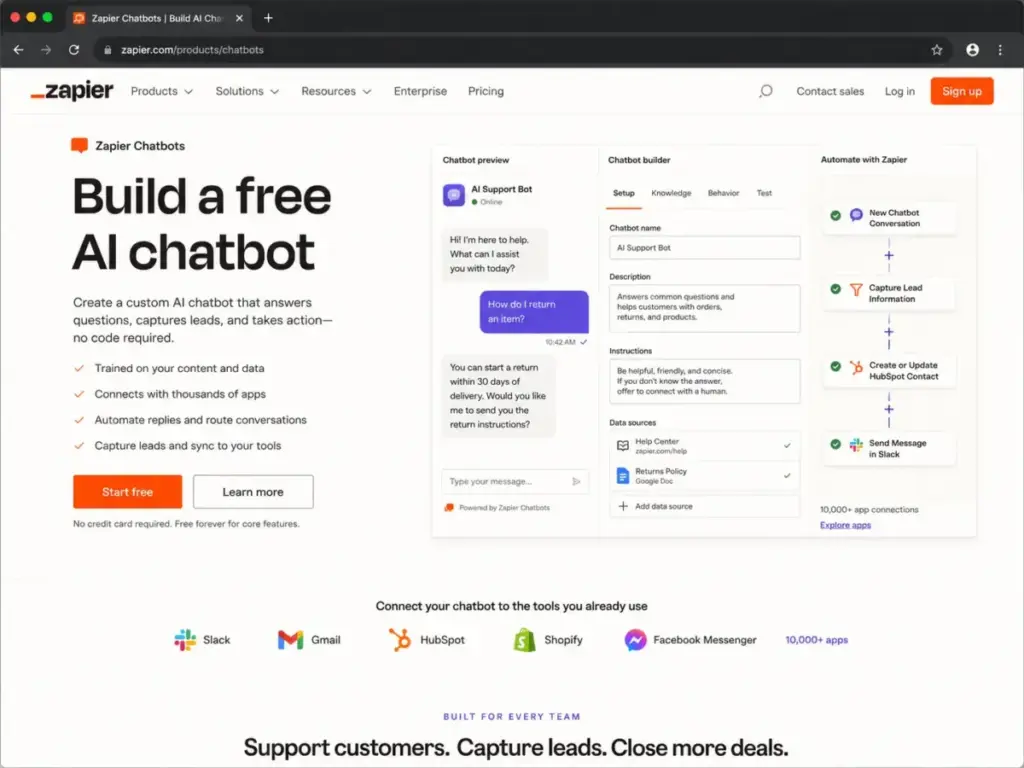
Zapier Chatbots connects AI chat to 9,000+ app integrations through Zapier’s automation platform. The chatbot itself is one feature inside the broader Zapier ecosystem. Pricing follows Zapier’s platform tiers, not a separate chatbot subscription.
The value is workflow output. A Zapier chatbot can collect a lead from your website, add it to your CRM, send a Slack notification, and trigger an email sequence without custom code. No other chatbot on this list offers that breadth of automated downstream action.
Key features: AI chatbot with 9,000+ app connections, no-code builder, lead capture to CRM, workflow automation triggers, Zapier platform integration
Where it falls short: Chatbot quality depends on Zapier plan tier and task limits. AI conversation quality is not as deep as ChatGPT or Claude. Not designed for standalone customer support.
Best for: Teams already using Zapier who want a chatbot that feeds directly into their existing automation workflows.
Avoid if: You need deep conversational AI quality, enterprise support, or a standalone chatbot without the Zapier ecosystem.
Setup difficulty: Low-Medium
Verdict: Zapier Chatbots win on output, not conversation. If you already pay for Zapier and need a lead-capture chatbot connected to your stack, this is the most efficient option. For deeper AI conversation quality, use ChatGPT or Claude and connect them to Zapier separately.
Botpress: Best Developer Chatbot Platform

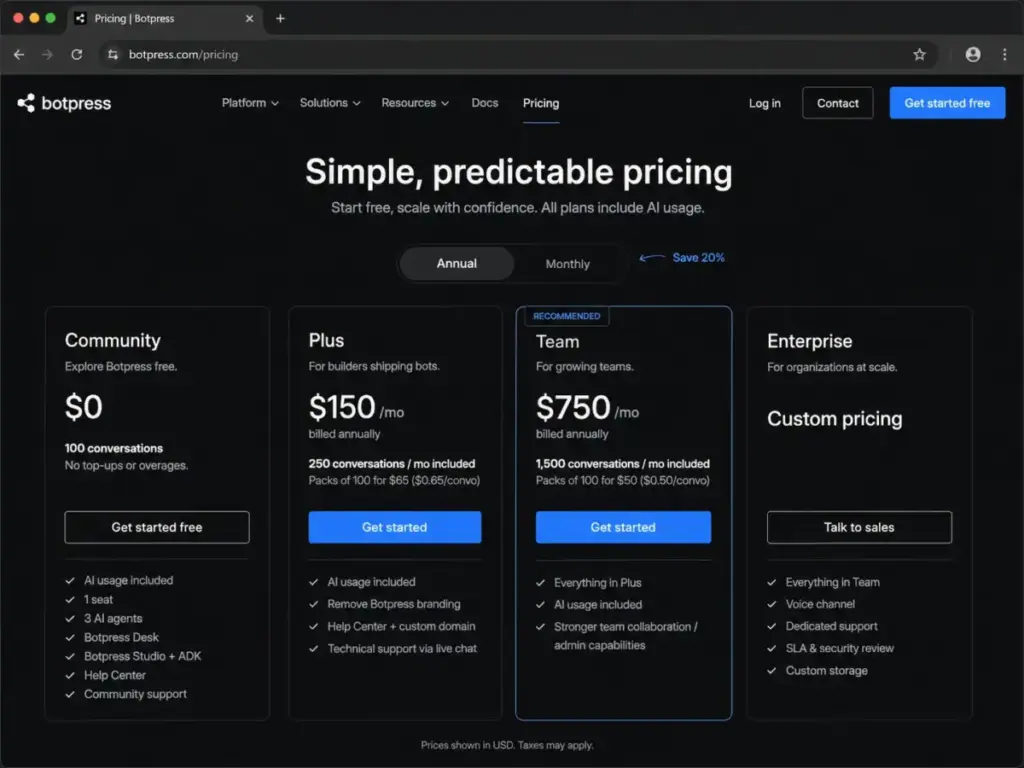
Starting price: Free (Community); Pay-as-you-go starts at $0 with $5/month AI spend credit on Plus
Free plan: Yes, Community tier with standard models and integrations
Billing: Usage-based
Official pricing: Botpress pricing page
Botpress is a developer-first chatbot platform. The Community tier is free with standard models and integrations. The Plus tier adds a $5/month AI token credit, more models, and advanced features. Team ($495/month) and Enterprise (custom) tiers serve larger deployments.
The pricing model is usage-based. You pay for AI tokens consumed, not per seat or per conversation. This makes Botpress the most flexible platform for developers building custom chatbot agents, but also the hardest to predict in terms of monthly cost.
Key features: Visual flow builder, multi-model support, knowledge base, API and webhook integrations, community marketplace, usage-based AI spend
Where it falls short: Cost unpredictability with usage-based pricing. Requires developer skill for full platform use. Team tier at $495/month is a significant jump from Plus.
Best for: Developers and agencies building custom AI chatbot agents with specific workflow requirements.
Avoid if: You are a nontechnical user, need a personal assistant, or want predictable monthly billing.
Setup difficulty: Medium-High
Verdict: Botpress is the most powerful builder platform on this list. The $5/month AI credit on Plus makes experimentation cheap. For production deployments, budget for usage-based costs carefully.
Pricing Comparison: Starting Price vs Practical Tier
| Product | Starting price | Practical tier | 10-user cost (practical) | Free plan | Billing model |
|---|---|---|---|---|---|
| ChatGPT | $0 (Free) | Business (per user, see page) | Verify on pricing page | Yes | Per user |
| Claude | $0 (Free) | Pro ($20/mo or $17/mo annual) | ~$200/mo (Pro) | Yes | Per user |
| Google Gemini | $0 (Free) | AI Pro ($19.99/mo) | $199.90/mo | Yes | Flat rate |
| Microsoft Copilot | $0 (Free chat) | M365 Copilot ($30/user/mo) | $300/mo + M365 base | Yes (limited) | Per user (annual) |
| Perplexity | $0 (Free) | Pro ($17/mo annual) | $170/mo | Yes | Per user |
| Poe | $0 (Free) | Subscription (~$19.99/mo) | Flat rate (1 account) | Yes | Flat rate |
| Grok | $0 (Free web) | X Premium (not publicly priced) | Not verifiable | Yes (limited) | Tied to X |
| DeepSeek | $0 (Free) | API ($0.14/1M tokens input) | Usage-based | Yes | Usage-based |
| Mistral Le Chat | $0 (Free) | Pro (verify on page) | Verify on page | Yes | Per user |
| Meta AI | $0 | N/A (no paid tier) | $0 | Yes (only tier) | Free |
| Character.AI | $0 (Free) | c.ai+ ($9.99/mo) | Flat rate (1 account) | Yes | Flat rate |
| HuggingChat | $0 (Free) | Pro ($9/mo) | $90/mo | Yes | Per user |
| You.com | $0 (Free) | Enterprise (custom) | Custom | Yes | Custom |
| Jasper Chat | 7-day trial | Pro ($69/mo annual) | $690/mo | Trial only | Per seat |
| Chatsonic | Verify on page | $16/mo annual | $160/mo | Not verified | Per user |
| Tidio Lyro AI | $0 (Free) | Starter ($24.17/mo annual) | See plan tiers | Yes | Per plan |
| Intercom Fin | 14-day trial | $0.99/resolution + seats | $290/mo (seats) + $0.99/res | Trial only | Outcome + seat |
| Chatbase | $0 (Free) | Paid (verify on page) | Verify on page | Yes | Flat rate |
| Zapier Chatbots | $0 (Free) | Paid ($20/mo platform) | $20/mo (platform) | Yes | Per plan |
| Botpress | $0 (Community) | Plus ($5/mo AI credit) | Usage-based | Yes | Usage-based |
The most expensive option for a 10-user team is Jasper Chat at roughly $690/month, more than 3x what ChatGPT Business or Claude Team would cost. The cheapest team option is Meta AI at $0, but it carries no SLA, no admin controls, and no enterprise guarantees.
Most buyers will land between $170/month (Perplexity Pro for 10 users) and $300/month (Microsoft Copilot for 10 users). The right comparison is not price versus price. It is price versus workflow fit.
Feature Gate Comparison
| Feature | ChatGPT | Claude | Gemini | Copilot | Perplexity | Jasper | Tidio Lyro | Intercom Fin |
|---|---|---|---|---|---|---|---|---|
| Free plan | Yes | Yes | Yes | Limited | Yes | Trial only | Yes | Trial only |
| File/document analysis | Yes | Yes | Yes | Yes (M365) | Limited | Yes | No | KB-based |
| Image generation | Yes | No (not primary) | Yes | Yes | No | Yes | No | No |
| Code generation | Yes | Yes | Yes | Yes | Limited | No | No | No |
| Source citations | Limited | No | Limited | Limited | Yes (core) | No | N/A | N/A |
| Brand voice | No | No | No | No | No | Yes (core) | No | No |
| Customer support agent | No | No | No | No | No | No | Yes (core) | Yes (core) |
| Multi-model access | No | No | No | No | Yes | No | No | No |
| Workspace integration | Apps | M365/Outlook | Google apps | M365 (deep) | No | Marketing tools | Website widget | Multi-channel |
| Enterprise admin | Business/Ent | Team/Ent | Workspace | M365 admin | Enterprise | Business | Growth/Plus | Advanced/Expert |
| API access | Yes | Yes | Yes | Yes | Yes | Yes | Yes | Yes |
Setup and Migration Difficulty
| Product | Setup difficulty | Reason |
|---|---|---|
| ChatGPT | Low | Sign up and start chatting; Business requires admin setup |
| Claude | Low | Sign up and start; Team/Enterprise requires admin |
| Google Gemini | Low | Google account required; Workspace integration is automatic |
| Microsoft Copilot | Medium | Requires M365 admin deployment for business features |
| Perplexity | Low | Sign up and search; Enterprise requires onboarding |
| Poe | Low | Sign up and access models immediately |
| Grok | Low | X account or web access |
| DeepSeek | Low (consumer) / Medium (API) | Consumer is instant; API requires developer setup |
| Mistral Le Chat | Low | Sign up and chat |
| Meta AI | Low | Available in Meta apps by default |
| Character.AI | Low | Sign up and start |
| HuggingChat | Medium | Free to start; full ecosystem requires technical familiarity |
| You.com | Low (consumer) / Medium-High (API) | Search is instant; API integration requires development |
| Jasper Chat | Medium | Requires brand voice setup and team configuration |
| Chatsonic | Low | Sign up through Writesonic platform |
| Tidio Lyro AI | Low-Medium | Website widget installation and knowledge base setup |
| Intercom Fin | Medium-High | Knowledge base training, workflow configuration, seat management |
| Chatbase | Low | Upload website URL and deploy widget |
| Zapier Chatbots | Low-Medium | No-code builder but requires Zapier workflow knowledge |
| Botpress | Medium-High | Visual builder but full power requires developer skills |
Which AI Chatbot Should You Avoid?
Not every product on this list fits every buyer. Here are the mismatches I see most often:
Avoid Grok for procurement decisions. The lack of a standalone public pricing page makes standard vendor comparison impossible. If your organization requires transparent pricing documentation for software procurement, Grok cannot currently meet that requirement.
Avoid Meta AI for business workflows. No SLA, no admin controls, no paid tier. It is a consumer social assistant. Treating it as a business tool creates risk without contractual coverage.
Avoid Character.AI for productivity. It excels at entertainment and companion chat. Using it for business research, content creation, or customer support is a category mismatch.
Avoid Jasper Chat if you are a solo user. At $69/month, Jasper delivers value through brand voice and campaign workflows. Solo users get 80% of that value from ChatGPT or Claude at $20/month.
Avoid general assistants (ChatGPT, Claude, Gemini) for customer support automation. These tools are personal and team assistants. They do not route tickets, measure resolution rates, or integrate with helpdesk workflows. Tidio or Intercom Fin serve that need.
How to Choose the Right AI Chatbot
Follow this decision framework to narrow 20 options to 2 or 3 finalists:
- Define your primary workflow. Are you writing, researching, coding, creating marketing content, or automating customer support? This single question eliminates 70% of the list.
- Check your existing ecosystem. Google Workspace users should evaluate Gemini first. Microsoft 365 teams should evaluate Copilot first. Neither tool is the “best AI chatbot” in isolation, but both are the best choice within their ecosystems.
- Set your budget ceiling. Free tools (DeepSeek, Meta AI, HuggingChat) serve different needs than $20/month tools (ChatGPT, Claude, Perplexity). And $20/month tools serve different needs than $69/month tools (Jasper). Price alone does not determine value, but it does determine your comparison set.
- Separate personal from team needs. Solo users can evaluate any product. Teams need admin controls, seat management, and billing predictability. This narrows the field to ChatGPT Business, Claude Team, Copilot, Perplexity Enterprise, Jasper Business, Tidio, or Intercom.
- Test the free tier before paying. Every product ranked #1 through #12 offers a free plan or trial. Use it for your actual workflow, not a demo scenario. The free tier reveals friction points that marketing pages do not.
- Verify pricing on the official page today. AI chatbot pricing changes frequently. Every price in this guide carries a verification date of June 2026. Check the linked pricing pages before making a commitment.
- Match the pricing model to your usage pattern. Per-seat pricing (ChatGPT, Claude, Copilot) works for predictable team sizes. Usage-based pricing (DeepSeek API, Botpress) works for variable workloads. Outcome-based pricing (Intercom Fin at $0.99/resolution) works for support teams with measurable AI resolution rates.
How to Test an AI Chatbot Before Paying
16 of the 20 products on this list offer a free plan or trial. The difference between a good evaluation and a wasted one is what you test during that window. Most buyers open the chat, type “write me an email,” get impressed, and subscribe. That is not a test. That is a demo.
Here is a 5-step evaluation framework that separates marketing polish from daily utility:
Step 1: Run Your Actual Workflow, Not a Sample Prompt
Open a document, email, or project you worked on this week. Ask the chatbot to do exactly what you need: rewrite that paragraph, analyze that spreadsheet, summarize that meeting transcript, debug that function. Generic prompts (“write a blog post about productivity”) tell you nothing about fit. Your real tasks expose friction points within 10 minutes.
Step 2: Test the Limits Before You Hit Them
Every free tier has caps. ChatGPT limits messages, image generation, and deep research. Claude limits conversation length. Perplexity limits Pro searches on the free plan. During your trial, push until you hit the wall. Count how many queries you send in a normal workday. If you hit the cap by 2 PM, the free tier is not viable and you know exactly which paid plan to evaluate.
Step 3: Upload a Real File
File handling separates productivity tools from chat toys. Upload a 15-page PDF, a CSV with 500 rows, or a code repository. Ask the chatbot to extract specific data points, not just “summarize this.” ChatGPT, Claude, and Gemini all handle file uploads, but accuracy and context retention vary. The file test reveals which tool actually reads your data versus which one skims the first page.
Step 4: Check Output Quality on Day 3, Not Day 1
First impressions are unreliable. AI chatbots feel magical on the first interaction because every response is novel. By day 3, you notice patterns: repeated phrasing, shallow analysis on follow-up questions, formatting inconsistencies. Test the same tool across at least 3 working days before forming an opinion. One-session evaluations produce buyer’s remorse.
Step 5: Price the Upgrade Before You Need It
Before subscribing, calculate your 90-day cost at the tier you will actually use. A solo user paying $20/month for Claude Pro spends $60 over 3 months. A 10-person team on Microsoft Copilot at $30/user/month spends $900 over 3 months on top of existing M365 licensing. Know the number before the trial ends, not after the first invoice arrives.
The 30-minute rule: If you cannot complete Steps 1 through 3 within 30 minutes of signing up, the tool’s onboarding friction is a signal. Products like ChatGPT and Claude pass this test. Enterprise tools like Intercom Fin and Botpress require longer setup by design, which is acceptable for their category but disqualifying for personal assistant use.
Common Mistakes When Choosing an AI Chatbot
Mistake 1: Comparing a personal assistant to a support agent. ChatGPT and Intercom Fin solve fundamentally different problems. Ranking them on the same scale misleads buyers. This guide separates those categories intentionally.
Mistake 2: Choosing by starting price instead of practical tier. DeepSeek is free. ChatGPT is free. The features that matter (higher usage, file analysis, team admin, brand voice) live behind paid plans. Compare practical tiers, not starting prices.
Mistake 3: Ignoring ecosystem lock-in. Choosing Google Gemini locks you into the Google Workspace ecosystem for maximum value. Choosing Microsoft Copilot locks you into Microsoft 365. This is not inherently bad, but switching later costs more than the subscription difference.
Mistake 4: Expecting citations from general assistants. ChatGPT, Claude, and Gemini generate text. Perplexity generates answers with source links. If your work requires citations, using a general assistant and manually verifying sources costs more time than using Perplexity directly.
Mistake 5: Paying for brand voice when you do not need it. Jasper Chat at $69/month includes brand voice intelligence. If you are a solo blogger or freelancer without brand guidelines, you are paying 3.5x more than ChatGPT for a feature you will not use.
Mistake 6: Treating AI chatbots as finished products. Every tool on this list changes features, pricing, and limits quarterly. The chatbot you evaluate today will have different capabilities in 90 days. Build your selection around workflow fit and pricing model, not specific feature counts.
Mistake 7: Skipping the free tier. 16 of the 20 products on this list offer a free plan or trial. The cost of testing before buying is $0 and 30 minutes. The cost of choosing wrong is months of subscription payments and workflow disruption.
Final Verdict: Best AI Chatbot for Most Users in 2026
ChatGPT remains the best AI chatbot for most users because no competitor matches its breadth across writing, coding, images, files, voice, apps, and team features.
By buyer type:
- Best for everyday personal use: ChatGPT (Free or Plus) or Claude (Free or Pro at $17/month annual). Both deliver strong reasoning. ChatGPT is broader. Claude is deeper on writing and analysis.
- Best for cited research: Perplexity Pro at $17/month annual. Nothing else on this list matches citation quality.
- Best for Google ecosystem teams: Google Gemini AI Pro at $19.99/month. The value is integration, not the model.
- Best for Microsoft ecosystem teams: Microsoft Copilot at $30/user/month. Expensive, but nothing else reads your Outlook, Word, and Teams data.
- Best for marketing teams: Jasper Chat Pro at $69/month annual. Expensive, justified only if brand voice and campaign workflows matter.
- Best for SMB customer support: Tidio Lyro AI, starting free. The simplest path to a website AI chatbot.
- Best for enterprise customer support: Intercom Fin at $0.99/resolution. Outcome-based pricing rewards knowledge base quality.
- Best for budget-conscious developers: DeepSeek (free consumer, low-cost API). Evaluate data residency requirements first.
- Best for model experimentation: Poe. One subscription, multiple models.
- Best free option with no caveats: Meta AI at $0. Consumer-only, no business guarantees.
The best AI chatbot in 2026 is not the one with the biggest model. It is the one whose pricing model, data access, integrations, and limitations match your real workflow. Start with the free tier. Test with your actual tasks. Pay only when the upgrade solves a problem you can name.
FAQ
What is the best free AI chatbot in 2026?
ChatGPT Free and DeepSeek both offer strong free-tier access for general chat. ChatGPT Free includes limited file uploads, image generation, and memory. DeepSeek provides free consumer access with competitive reasoning. Meta AI is completely free but limited to the Meta app ecosystem with no business features.
Is ChatGPT better than Claude?
ChatGPT is broader: it covers writing, images, code, voice, apps, and files in one tool. Claude is deeper on long-form writing, careful reasoning, and document analysis. For most users who need one tool, ChatGPT is the safer default. For writers and analysts, Claude Pro at $17/month (annual) delivers stronger output quality.
Which AI chatbot is best for customer support?
Tidio Lyro AI for SMBs (starting free) and Intercom Fin for enterprise teams ($0.99 per resolved conversation). General assistants like ChatGPT and Claude are not designed for ticket routing, resolution tracking, or helpdesk integration.
How much does an AI chatbot cost per month?
Personal plans range from $0 (DeepSeek, Meta AI, free tiers) to $69/month (Jasper Pro). Team pricing ranges from $17/user/month (Perplexity Pro annual) to $30/user/month (Microsoft Copilot). Customer support AI uses different models: Tidio starts free, Intercom Fin charges $0.99 per AI-resolved conversation plus seat fees.
Can AI chatbots replace customer support agents?
AI chatbots handle repetitive, knowledge-base-answerable questions. Intercom reports Fin resolving conversations at $0.99 each. AI does not replace human agents for complex, emotional, or policy-exception cases. The practical outcome is reduced ticket volume for human teams, not full replacement.
What is the difference between an AI chatbot and an AI agent?
An AI chatbot responds to user messages in a conversational interface. An AI agent takes autonomous actions: routing tickets, updating CRM records, triggering workflows, or resolving support cases. Tools like Intercom Fin and Tidio Lyro operate as agents. ChatGPT and Claude operate as chat assistants. The line is blurring, but the pricing models remain distinct.
Is Perplexity better than ChatGPT for research?
For research that requires source citations, Perplexity is better. Every Perplexity answer includes source links. ChatGPT generates text without consistent source attribution. If your workflow requires citing sources (journalism, academic work, procurement reports), Perplexity Pro at $17/month annual is the right tool.
Which AI chatbot works best with Google Workspace?
Google Gemini AI Pro ($19.99/month) integrates natively with Gmail, Docs, Sheets, Slides, Drive, Meet, and NotebookLM. No other chatbot on this list offers that depth of Google app integration.
Are AI chatbots safe for business use?
Safety depends on the specific product and plan tier. ChatGPT Business and Enterprise include data controls and admin features. Claude Team and Enterprise offer similar governance. Free tiers and consumer products (Meta AI, Character.AI, DeepSeek) typically do not provide enterprise-grade data protection, audit logs, or compliance certifications. Check each product’s security documentation before deploying for business.
What AI chatbot should I avoid?
Avoid Grok if you need transparent procurement pricing. Avoid Meta AI for business-critical workflows (no SLA). Avoid Character.AI for productivity (it is an entertainment tool). Avoid Jasper at $69/month if you are a solo user without brand guidelines. Match the tool category to your actual need before evaluating features.