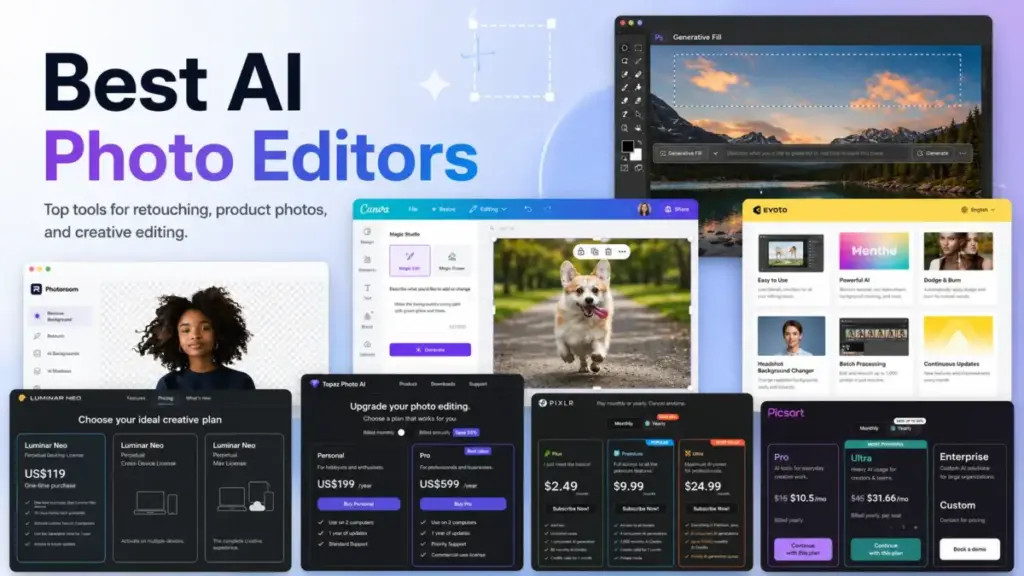
Adobe Photoshop costs US$22.99/month (as of June 2026) and limits you to 25 generative credits. Canva gives you a free plan with AI editing, but caps premium AI uses at 20 per month. Pixlr starts at US$1.99/month billed yearly with 80 AI credits. Those three numbers tell you more about this category than any feature list.
After analyzing pricing, credit models, and export limits across 30 AI photo editing tools, I can tell you the published price is almost never the full picture. Credit allotments, generative tool renewals, watermark policies, and per-export charges add cost layers that most best AI image generators roundups skip entirely.
The best AI photo editor in 2026 depends less on a single viral AI button and more on matching the workflow. Professional retouching, ecommerce product cleanup, creator design, technical image repair, and browser editing are different jobs. They need different tools, different pricing models, and different limit structures.
This guide ranks the 10 best AI photo editors by buyer fit, verified pricing, credit economics, and the specific limitations that change your buying decision. I will break the list into budget tiers so you can compare within your price range first, then across categories.
Quick Verdict: Best AI Photo Editors by Use Case
| Use case | Best pick | Why it fits |
|---|---|---|
| Best overall for professional editing | Adobe Photoshop | Deepest AI compositing, layers, generative fill, and Adobe ecosystem |
| Best for creators and marketing teams | Canva Magic Studio | AI photo edits inside design, brand, and social workflows with a free plan |
| Best AI-first editor for photographers | Luminar Neo | One-time US$119 license with AI sky, portrait, and scenery tools |
| Best for image repair and enhancement | Topaz Photo | Denoise, sharpen, upscale, and face recovery in one focused tool |
| Best for ecommerce product photos | Photoroom | Background removal, product staging, batch exports, and Shopify support |
| Best for portrait studios | Evoto | Batch retouching, culling, and gallery delivery with credit-based exports |
| Best free plan for beginners | Fotor | Free forever Basic plan with AI editing, templates, and cloud storage |
| Best browser-based budget editor | Pixlr | Starts at US$1.99/month with generative fill, object removal, and browser access |
| Best creator AI suite | Picsart | Photo, video, AI generation, brand kits, and bulk editing in one subscription |
| Best desktop value editor | CyberLink PhotoDirector 365 | US$39.99/year with AI replace, denoise, upscale, and chat-based editing |
What this means: If you need professional compositing depth, Adobe Photoshop is the safest default. If your workflow is creator-focused or marketing-driven, Canva Magic Studio gives you more value per dollar. If you edit portraits in volume, Evoto and Luminar Neo serve that workflow better than either generalist. Budget buyers should start with Pixlr or CyberLink PhotoDirector 365.
How We Chose and Ranked These Tools
I evaluated 30 AI photo editors using six weighted criteria. Each product was scored on pricing value (20%), core feature depth (20%), ease of use (15%), integrations (15%), scalability (15%), and user fit (15%).
All pricing was verified from official pricing pages or official product documentation as of June 3, 2026. I cross-checked credit allotments, export limits, generative tool access terms, and commercial-use restrictions. Testing level for every product in this article is official research only, meaning I did not conduct hands-on testing. All claims are sourced from official websites, pricing pages, help documentation, and product feature pages.
Data comes from official product pages, official pricing pages, official help centers, and SERP competitor analysis. I did not use hands-on testing for this round.
Limitation: This ranking reflects publicly available pricing and feature data. Products with opaque pricing (Photoroom paid tiers, Fotor paid tiers) received lower pricing-value scores. Credit and limit structures change frequently, so verify current terms before purchasing.
Free Tier Champions
Two products on this list offer verified free plans with real AI photo editing features. The economics differ enough to matter.
Canva Magic Studio: Free with AI Limits
Canva’s free plan includes 5GB of cloud storage and a limited AI allowance: up to 200 Standard AI uses or 20 Premium AI uses per month. That covers basic background removal, Magic Eraser, and template-based editing. You do not get Magic Grab, higher-resolution AI expansion, or brand kit access on the free plan.
The free plan works for solo creators editing fewer than 20 images per month with simple AI tools. Once you need brand consistency, higher AI volume, or team access, the jump to Canva Pro at US$144/year is where Canva starts generating revenue. It is a genuine free tier, not a trial.

Fotor: Free Forever with Watermarks
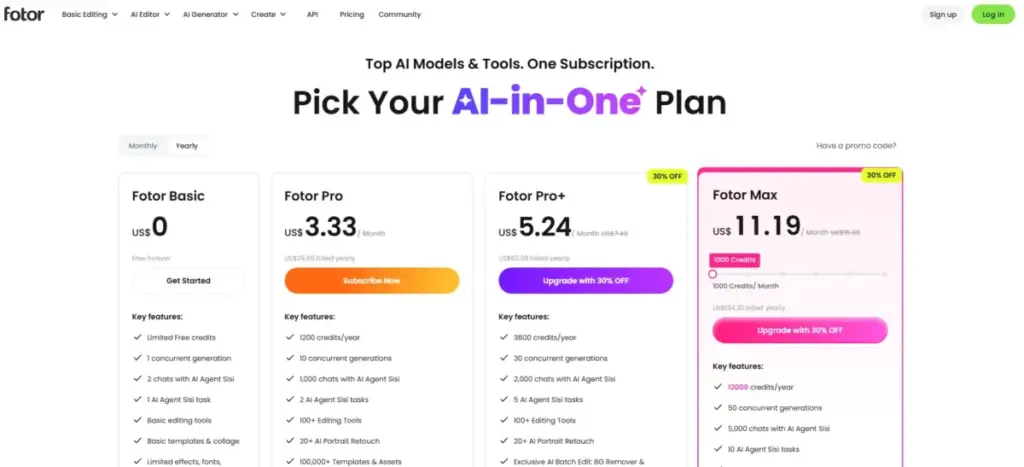
Fotor Basic is free forever with limited credits, one concurrent generation, two Sisi AI chats, one Sisi task, and 512MB of storage. The catch: exports are watermarked. For personal experimentation and low-stakes social edits, it works. For anything commercial or client-facing, you need a paid plan.
The paid plan pricing was not captured in my research evidence, which means Fotor loses points for pricing transparency. Buyers should check Fotor’s pricing page directly before committing.
Best Under US$25/Month
Four products fall into this budget range, each targeting a different workflow.
Pixlr: Best Browser-Based Budget Editor

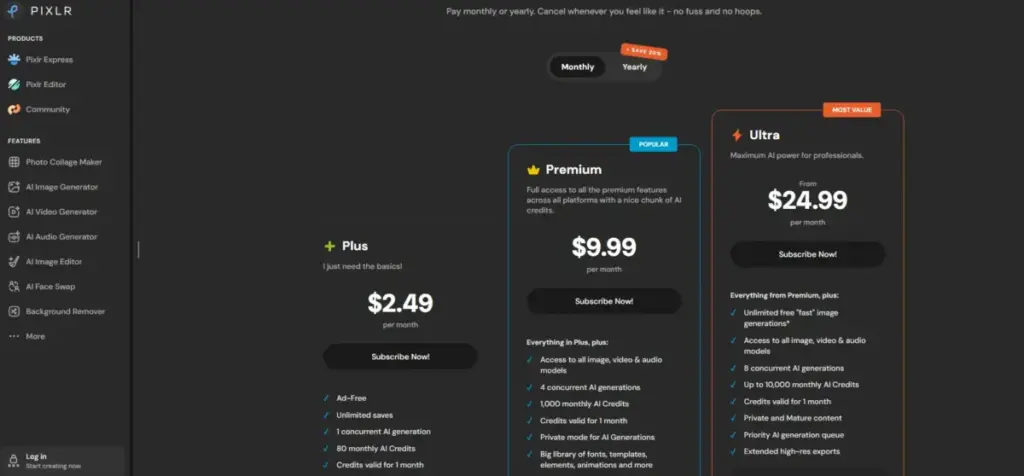
Starting price: US$2.49/month (or US$1.99/month billed yearly for Plus)
Pixlr is the lowest-cost AI photo editor on this list with a browser-based workflow. No desktop installation required.
| Plan | Monthly price | Yearly-billed monthly | AI credits/month |
|---|---|---|---|
| Plus | US$2.49 | US$1.99 | 80 |
| Premium | US$9.99 | US$7.99 | 1,000 |
| Ultra | US$24.99 | (not captured) | (not captured) |
What this means: Plus gives you 80 monthly AI credits. That covers about 80 background removals, generative fills, or object removals. If you do more than 80 AI edits per month, you need Premium. Credits reset monthly, so unused credits do not roll over.
Key features: AI background remover, object remover, generative fill, AI image generator, AI Instruct Editor.
Better than: Fotor for pricing transparency and credit clarity. More accessible than Photoshop for quick browser edits.
Worse than: Photoshop, Luminar Neo, and Topaz Photo for professional-grade editing depth. Lighter desktop workflow than CyberLink PhotoDirector 365.
Avoid if: You need RAW workflows, local file management, or team governance features.
Hidden costs: Credit limits and monthly reset matter for heavy AI users. Free browser access exists, but paid features gate the most useful AI tools.
Picsart: Best Creator AI Suite
Starting price: US$10.50/month billed yearly for Pro
Picsart combines photo editing, video editing, AI generation, background removal, and brand kits in one subscription. It is broader than Pixlr but narrower than Photoshop.
Key features: Advanced background and object removal, AI image generator, image enhancer, bulk edit, brand kits, templates.
Better than: Pixlr for feature breadth and creative suite depth. Better brand kit support than Fotor.
Worse than: Photoshop for layer-level compositing. Canva for template volume and design ecosystem.
Avoid if: You need RAW workflows or mature real-time collaboration features. Picsart listed shareable links and real-time collaboration as “coming soon.”
Hidden costs: Daily AI limits apply to many tools. Monthly credits expire unless you purchase add-on credit packs. Ultra at US$31.66/month billed yearly per seat adds API credits and enterprise support but the per-seat cost scales.

CyberLink PhotoDirector 365: Best Desktop Value Editor
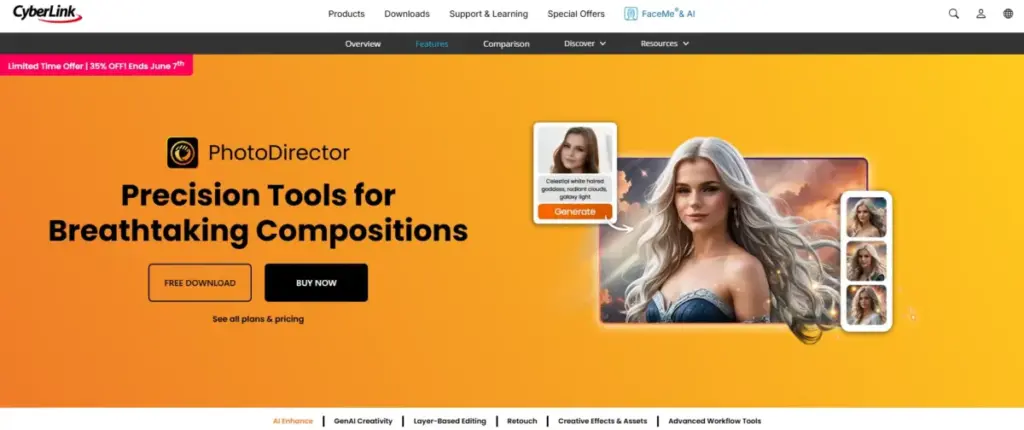
Starting price: US$39.99/year (monthly plans start as low as US$3.33)
CyberLink PhotoDirector 365 is the best value for desktop AI photo editing. At US$39.99/year, it costs less annually than one month of Adobe Photoshop.
Key features: Edit by Chat (natural language editing), AI image generator, AI replace, AI image extender, AI denoise, deblur, upscale, object remover, portrait retouching.
A one-time purchase option exists: PhotoDirector 2026 at US$99.99. That gives you a perpetual license without subscription renewal.
Better than: Photoshop for budget. Offers a one-time license path that Photoshop does not.
Worse than: Photoshop for ecosystem breadth, plugin support, and professional compositing depth. Less browser accessibility than Pixlr or Canva.
Avoid if: You need browser team collaboration, Photoshop-level plugin ecosystem, or enterprise governance.
Hidden costs: Exact AI credit allotment was not confirmed in my research. Promotional pricing may change. The subscription and one-time editions have different feature sets.
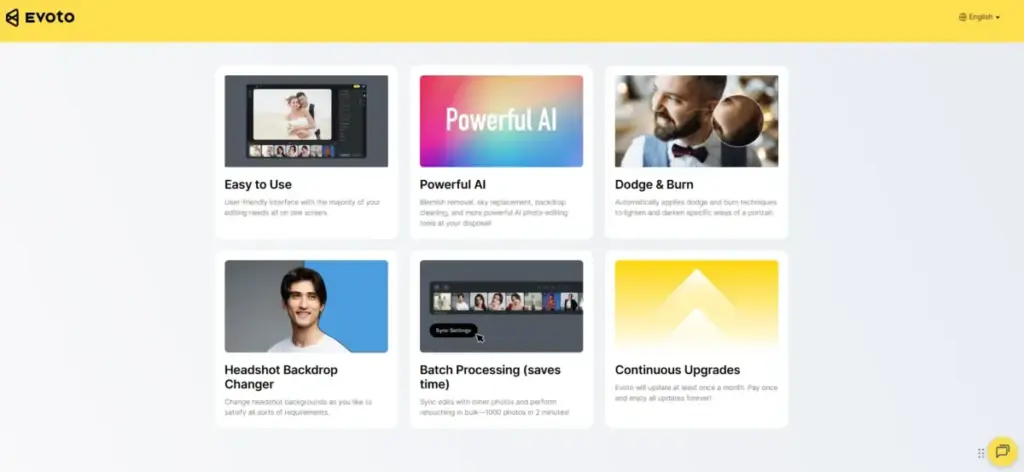
Evoto: Best for Portrait Studios

Starting price: US$49 pay-as-you-go for 200 credits, or US$89/year Starter for 800 credits
Evoto is built for portrait, wedding, school, and studio photographers who need batch retouching at volume. Understanding what text-to-image AI does helps explain why credit-based models exist in this category. Evoto’s pricing model is usage-based: one credit equals one watermark-free edited-image export.
| Package | Price | Credits | Cost per export |
|---|---|---|---|
| Pay-as-you-go | US$49 | 200 | US$0.245 |
| Starter annual | US$89/year | 800 | US$0.111 |
What this means: A portrait studio editing 2,000 images per month needs to model credit consumption carefully. At the Starter annual rate, 2,000 exports would cost approximately US$222/month in credits. Rollover rules vary by package type, so the per-unit economics depend on your export volume and package choice.
Key features: AI skin retouching, blemish removal, wrinkle removal, color grading, culling, batch sync, gallery sharing.
Better than: Photoshop and Canva for batch portrait retouching speed. Purpose-built studio workflow.
Worse than: Photoshop for compositing and layer editing. Canva for design templates. Not a graphic design tool.
Avoid if: You need design templates, ecommerce backgrounds, advanced layers, or unlimited exports without credit modeling.
Hidden costs: High-volume studios must calculate per-export credit costs before committing. No full free plan verified.
Best for Mid-Market: US$25–US$120/Month
Three products serve teams and professionals who need more depth and are willing to pay for it.
Adobe Photoshop: Best Overall AI Photo Editor
Starting price: US$22.99/month (annual, billed monthly)
Adobe Photoshop is the deepest AI photo editing tool on this list. It scores highest for feature depth (10/10) and integrations (10/10) in my evaluation. No other tool in this category matches its combination of generative AI capabilities and professional editing layers.
| Plan | Monthly (annual billing) | Annual prepaid | Generative credits |
|---|---|---|---|
| Photoshop standalone | US$22.99/month | US$263.88/year | 25/month |
| Photography plan | (varies) | (varies) | (varies) |
| All Apps | (varies) | (varies) | (varies) |
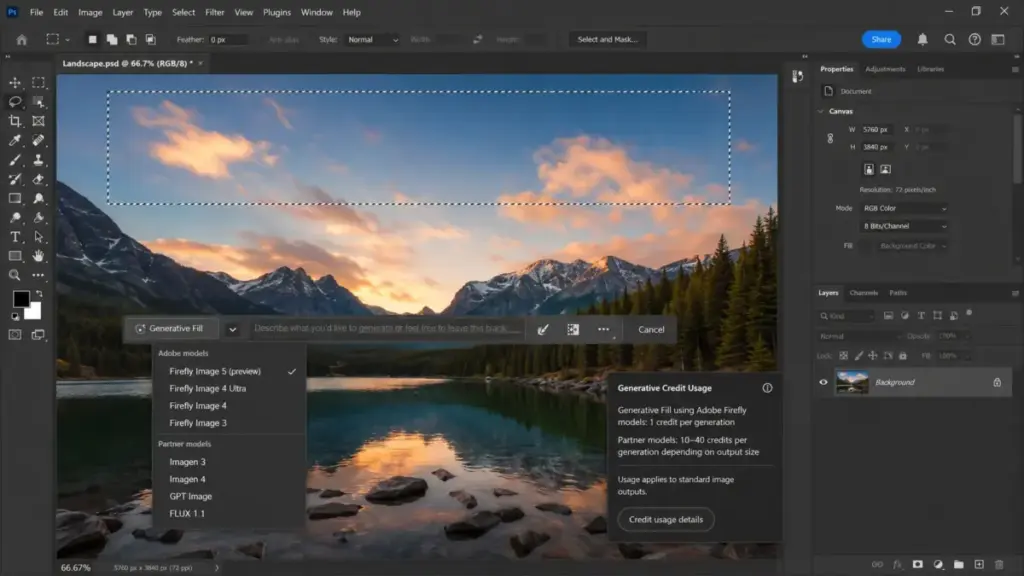
What this means: The standalone Photoshop plan includes 25 monthly generative credits. Generative Fill, Generative Expand, and content-aware AI tools consume these credits. Partner and premium AI model usage consumes credits faster. A designer running 10 generative fills per day will exhaust 25 credits in fewer than 3 business days.
Key features: Generative Fill, Generative Expand, add and remove content, nondestructive layers, Photoshop desktop, web, and mobile access.
I reviewed Adobe Firefly’s capabilities separately. The Firefly AI engine powers Photoshop’s generative features, but the Photoshop wrapper adds layers, masks, adjustment tools, and professional compositing that Firefly alone does not provide.
Better than: Every other tool on this list for professional compositing, layer editing, and ecosystem breadth.
Worse than: Canva for template-based creator workflows. CyberLink PhotoDirector 365 for budget. Evoto for batch portrait retouching speed.
Avoid if: You only need quick background removal or social media edits. Photoshop’s learning curve and subscription cost are overkill for simple tasks.
Hidden costs: Subscription-only. No perpetual license. Partner and premium AI models consume generative credits. The 7-day free trial is the only try-before-you-buy option.
Canva Magic Studio: Best for Creators and Marketing Teams
Starting price: Free; Canva Pro at US$144/year
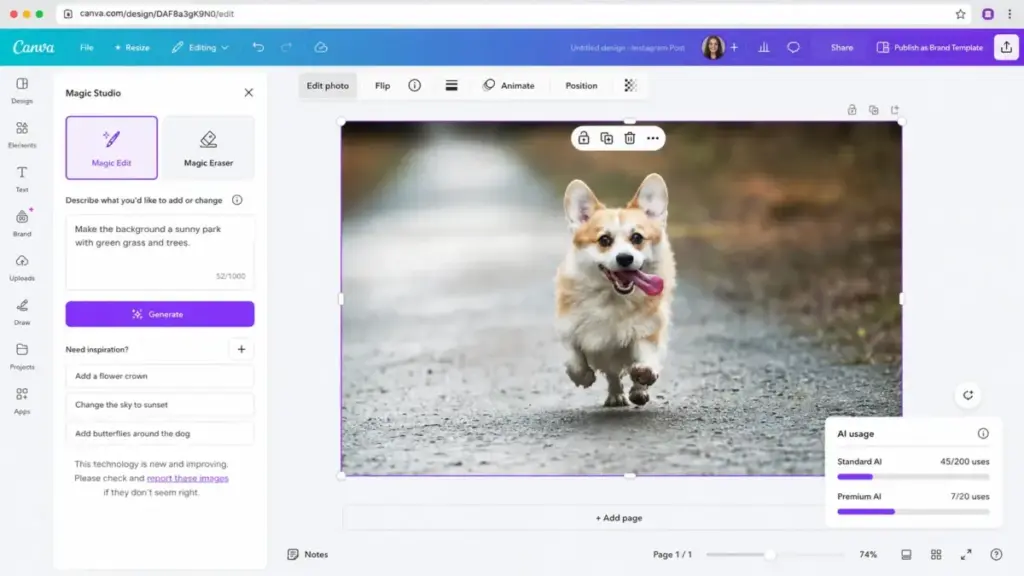
Canva Magic Studio ranked second overall because it wraps AI photo editing inside the design workflow most creators and marketers already use. The Canva AI editing suite includes Magic Edit, Magic Eraser, Magic Expand, Magic Grab, and a background remover.
Key features: Magic Edit, Magic Eraser, Magic Expand, Magic Grab, background remover, Canva AI, templates, Brand Kits (Pro+).
The free plan is genuinely usable for low-volume creators. The Pro plan at US$144/year (one person) is the price threshold where Canva becomes a serious production tool. Above that, Canva Teams and Canva Enterprise add seat management, shared brand kits, Affinity integration, and access to Leonardo.Ai and Flourish on higher tiers.
Better than: Photoshop for template-based marketing workflows and collaborative design. Better free plan than any competitor on this list.
Worse than: Photoshop for professional compositing, RAW editing, and layer depth. Luminar Neo for photographer-specific AI tools.
Avoid if: You need RAW workflows, advanced local file management, or layer-level retouching depth. Heavy AI use may require the AI Pass add-on for higher needs.
Hidden costs: AI allowance is shared and fair-use limits apply. The AI Pass may cost extra for users who exceed Pro-tier AI limits.
Luminar Neo: Best AI-First Editor for Photographers
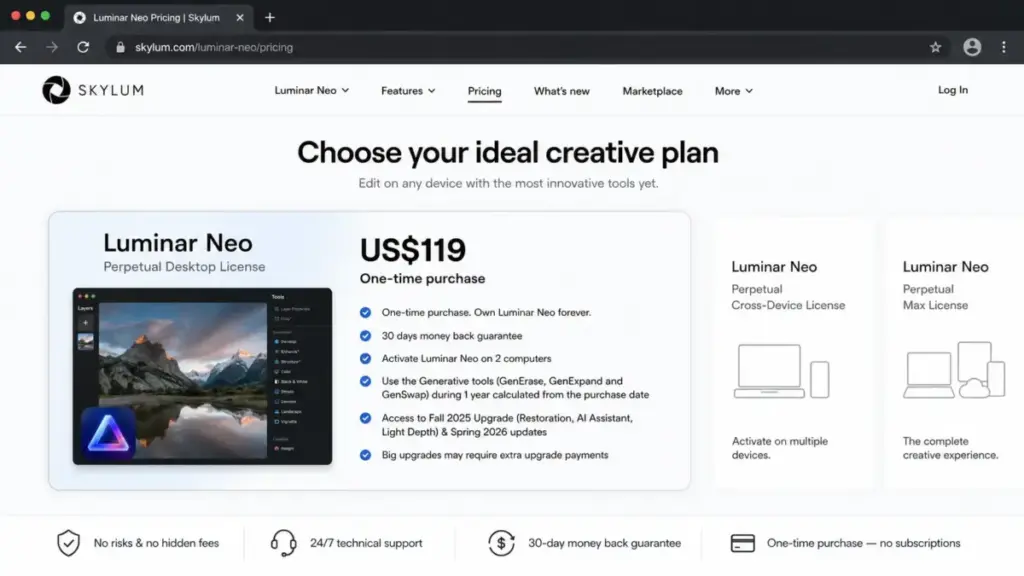
Starting price: US$119 one-time Desktop License
Luminar Neo is the only tool on this list with a one-time perpetual license that includes AI editing features. For photographers who want to avoid monthly subscriptions, that alone makes it worth considering.
Here is the catch. Generative AI tools (GenErase, GenExpand, GenSwap) are included for the first year. After that, continued generative access requires a renewal payment. The one-time license covers the core AI tools (Sky AI, Enhance AI, portrait and scenery tools) permanently, but the generative features are time-limited.
Key features: Sky AI, Enhance AI, GenErase, GenExpand, GenSwap, portrait and scenery AI tools.
Better than: Photoshop for price if you buy once and use core AI tools long-term. More approachable than Photoshop for photographers who do not need compositing layers.
Worse than: Photoshop for professional compositing and ecosystem breadth. Not designed for browser team collaboration or ecommerce workflows.
Avoid if: You need browser collaboration, ecommerce catalog workflows, or indefinite generative AI access without renewals. No verified free trial exists; Skylum offers a 30-day money-back guarantee instead.
Hidden costs: Auto-upgrades and generative tools renew after the included first year. Check Adobe Firefly pricing if you want to compare generative AI credit economics between Adobe and Skylum.
Integrations: Windows and macOS desktop. Plugins for Photoshop, Lightroom Classic, and Photos for macOS.
Best for Specialized and High-Volume Workflows
Two products serve the higher-volume and specialty markets.
Topaz Photo: Best for Image Repair and Enhancement

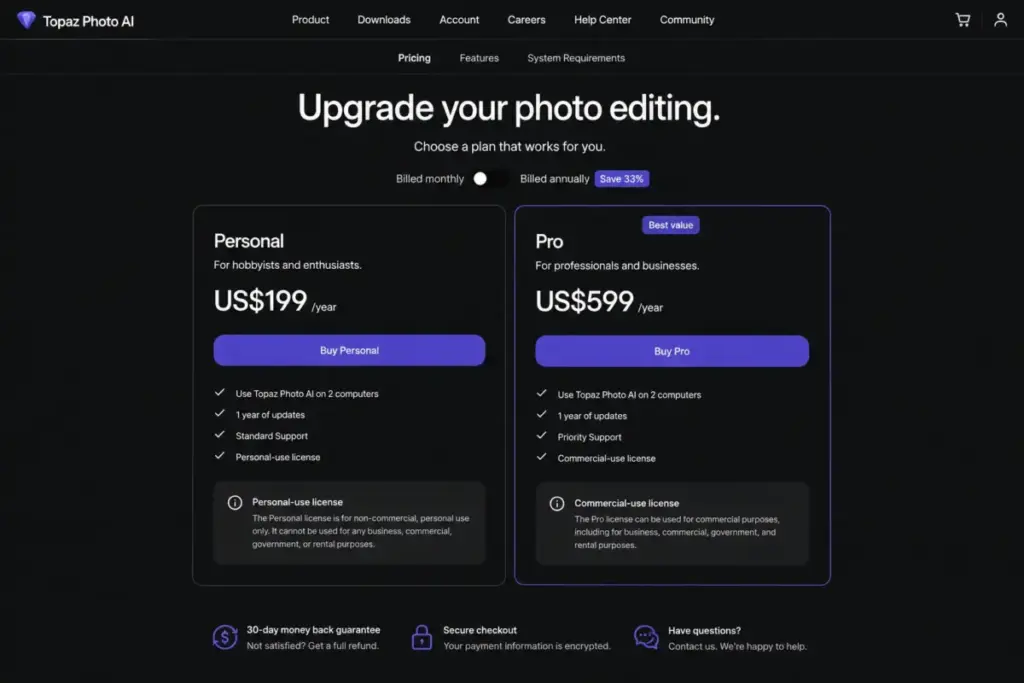
Starting price: US$17/month billed annually as US$199/year
Topaz Photo is the strongest specialist for image enhancement and restoration. It does one category of things extremely well: denoise, sharpen, upscale, recover faces, remove objects, heal dust and scratches, and Super Focus.
| Plan | Monthly | Annual | Cloud rendering | Commercial use |
|---|---|---|---|---|
| Personal | US$39/month | US$199/year | Included | Limited above revenue threshold |
| Pro | (not captured) | US$599/year | Included | Full commercial + seats |
What this means: Personal is the practical starting tier for individual photographers and retouchers. Pro at US$599/year is required for organizations above Topaz’s stated revenue threshold and for seat management. The gap between Personal and Pro is US$400/year, and the primary difference is commercial-use breadth and team controls.
Key features: Denoise, sharpen, upscale, recover faces, remove, healing brush, dust and scratch removal, Super Focus.
Better than: Every other tool on this list for image restoration and technical enhancement. Strongest at rescuing damaged, noisy, or low-resolution photos.
Worse than: Photoshop for compositing and design. Canva for templates. Photoroom for ecommerce workflows. It is not a complete design suite.
Avoid if: You need design templates, product-listing workflows, or creative compositing. Topaz Photo does repair, not creation.
Hidden costs: Personal commercial use is limited for organizations above Topaz’s stated revenue threshold. Check the license terms before using Personal-plan outputs in commercial campaigns.
Photoroom: Best for Ecommerce Product Photos

Starting price: Free; paid USD price not captured in research evidence
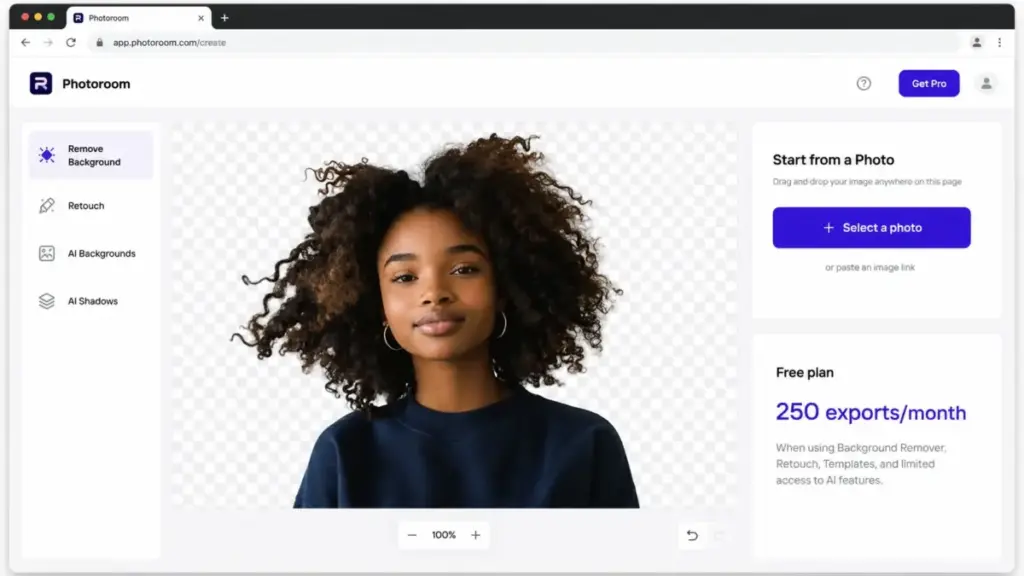
Photoroom is the most workflow-specific pick for ecommerce product photography. Its entire feature set is built around removing backgrounds, staging products, retouching product images, and exporting in batch.
Free plan: 250 exports per month for selected core features with limited AI. That is enough to test the workflow for a small product catalog.
Key features: Background removal, retouch, AI backgrounds, product staging, virtual model, ghost mannequin, batch exports.
| Tier | Exports | AI credits | Seats |
|---|---|---|---|
| Free | 250/month | Limited | 1 |
| Pro | Higher | Higher | Up to 50 |
| Max | Higher | Higher | Up to 50 |
| Ultra | Higher | Higher | Up to 50 |
| Enterprise | Custom | Custom | Custom |
What this means: The free tier is clear and useful. The paid tiers scale by AI credits, batch export limits, and feature access (Shopify listing support appears on higher tiers). But exact paid USD pricing was not captured in my research, which is a transparency gap buyers need to resolve by visiting Photoroom’s pricing page directly.
Better than: Photoshop and Canva for ecommerce product photography workflows. Stronger batch export and product staging tools.
Worse than: Photoshop for professional RAW workflows or advanced layer compositing. Not a general-purpose photo editor.
Avoid if: You need professional RAW editing, advanced layers, or compositing. Photoroom is a product photo tool, not a general editor.
Hidden costs: Paid pricing not fully captured. Heavy users must evaluate AI credits, batch exports, and Enterprise custom pricing.
Pricing Comparison: Starting Price vs Real Cost
| Product | Starting price | Free plan | Generative credits/limits | Annual cost (entry tier) | Billing basis |
|---|---|---|---|---|---|
| Adobe Photoshop | US$22.99/month | No (7-day trial) | 25/month | US$263.88/year | Per user |
| Canva Magic Studio | US$0 | Yes (200 Standard or 20 Premium AI uses) | Limited on Free; higher on Pro | US$144/year (Pro) | Flat rate |
| Luminar Neo | US$119 one-time | No (30-day money-back) | Generative tools: 1 year included | US$119 first year; renewals after | Flat rate |
| Topaz Photo | US$17/month (annual) | No | Unlimited local rendering | US$199/year (Personal) | Per user |
| Photoroom | US$0 | Yes (250 exports/month) | Limited on Free | Paid USD not captured | Flat rate |
| Evoto | US$49 one-time (200 credits) | No | 1 credit = 1 watermark-free export | US$89/year (Starter, 800 credits) | Usage-based |
| Picsart | US$10.50/month (annual) | Limited free app | Daily AI limits; monthly credit expiry | ~US$126/year (Pro) | Per user |
| CyberLink PhotoDirector 365 | US$3.33/month (annual) | Free Essential version | Not confirmed | US$39.99/year | Flat rate |
| Pixlr | US$1.99/month (annual) | Yes (browser editor) | 80/month (Plus); 1,000/month (Premium) | ~US$23.88/year (Plus) | Flat rate |
| Fotor | US$0 | Yes (watermarked exports) | Limited free credits | Paid USD not captured | Flat rate |
What this means: Annual entry costs range from US$0 (Canva, Fotor, Photoroom free tiers) to US$263.88 (Adobe Photoshop). But starting price is misleading. Evoto’s per-export credit model means a high-volume studio can spend more annually than a Photoshop subscriber. Luminar Neo’s one-time license looks cheap until generative tool renewals add recurring costs. Photoroom and Fotor lose pricing-value points because their paid USD prices were not publicly captured.
The real question for buyers is not “which is cheapest” but “which pricing model matches my edit volume and workflow.” Subscription models favor consistent monthly use. Credit models favor predictable low-to-medium volume. One-time licenses favor long-term ownership without generative AI dependency.
Feature Gate Comparison
| Feature | Photoshop | Canva | Luminar Neo | Topaz Photo | Photoroom | Evoto | Picsart | PhotoDirector 365 | Pixlr | Fotor |
|---|---|---|---|---|---|---|---|---|---|---|
| AI background removal | Yes | Yes (all plans) | Yes | Yes | Yes (core) | No | Yes | Yes | Yes | Yes (paid) |
| Generative fill/expand | Yes (25 credits) | Yes (Pro+) | Yes (1 year) | No | No | No | Yes (daily limits) | Yes | Yes (credit-based) | No |
| Portrait retouching | Yes | Limited | Yes | Yes (face recovery) | No | Yes (core) | Yes | Yes | Limited | Yes (paid) |
| Batch processing | Yes | Limited | Yes | Yes | Yes (paid) | Yes (core) | Yes (bulk edit) | Limited | No | Yes (Pro Plus) |
| RAW editing | Yes | No | Yes | Yes | No | Yes | No | Yes | No | No |
| Layers/compositing | Yes (full) | Limited | Limited | No | No | No | Limited | Yes | Yes (basic) | No |
| Browser access | Yes (web) | Yes | No | No | Yes | No | Yes | No | Yes | Yes |
| Mobile app | Yes | Yes | No | No | Yes | Yes (iPad) | Yes | Yes | Limited | Yes |
| API access | Limited | Enterprise | No | Pro | Yes (Enterprise) | No | Ultra | No | No | No |
What this means: Only Adobe Photoshop and Luminar Neo support RAW editing with AI tools. Only Photoshop offers full-depth layer compositing with generative AI. Browser access splits the market: Canva, Pixlr, Photoroom, Picsart, and Fotor all run in-browser, while Photoshop, Luminar Neo, and Topaz Photo are desktop-first. Batch processing is strongest in Evoto (built for it), Photoroom (ecommerce), and Topaz Photo (repair).
Setup and Migration Difficulty
| Product | Setup difficulty | Reason |
|---|---|---|
| Adobe Photoshop | Medium-High | Desktop install + Creative Cloud login. Learning curve is steeper than template-based editors. |
| Canva Magic Studio | Low | Browser-based. No install. Templates start you immediately. |
| Luminar Neo | Medium | Desktop install. Photographer-friendly UI, but generative tool terms need review. |
| Topaz Photo | Medium | Desktop install. Focused workflow means fewer menus, but AI model downloads are large. |
| Photoroom | Low | Browser and mobile. Product photo workflow is guided and fast. |
| Evoto | Medium | Desktop and iPad install. Credit model requires upfront planning. |
| Picsart | Low | Browser and mobile. Creator-friendly onboarding. |
| CyberLink PhotoDirector 365 | Low-Medium | Desktop install. Edit by Chat simplifies first edits. |
| Pixlr | Low | Browser-based. No install. Free access lets you start immediately. |
| Fotor | Low | Browser-based. Free plan starts immediately with guided tools. |
Which AI Photo Editor Should You Avoid?
Not every tool on this list is right for every buyer. Here are the specific avoidance signals:
Avoid Adobe Photoshop if you only need quick background removal or social media templates. You are paying US$263.88/year for professional compositing depth you may never use. Canva or Pixlr will do the job for less.
Avoid Fotor if you need confirmed paid-plan pricing before purchasing. The free tier is watermarked and limited. Without visible paid USD pricing, budgeting is impossible.
Avoid Evoto if you are not a portrait or studio photographer. The credit-per-export model adds variable cost that only makes economic sense at portrait volume.
Avoid Luminar Neo if you depend on generative AI tools long-term without paying renewal fees. The one-time license covers core AI, but generative features expire after year one.
How to Choose the Right AI Photo Editor
- Define your primary workflow. Professional compositing, creator design, product photos, portrait retouching, image repair, or quick browser edits each have a clear winner on this list.
- Calculate your monthly AI edit volume. Credit-based tools (Pixlr, Evoto, Canva Free) penalize high-volume users. Subscription tools (Photoshop, Picsart) cap generative credits. Match the credit model to your output.
- Check whether you need RAW support. Only Photoshop, Luminar Neo, Topaz Photo, CyberLink PhotoDirector 365, and Evoto support RAW workflows. If you shoot RAW, half the list is eliminated.
- Decide browser vs desktop. Browser-based editors (Canva, Pixlr, Photoroom, Fotor, Picsart) require no install and work cross-device. Desktop editors (Photoshop, Luminar Neo, Topaz Photo, PhotoDirector 365) offer more processing power and local file control.
- Evaluate commercial-use rights. Topaz Photo Personal limits commercial use above a revenue threshold. Canva Free has fair-use limits. Fotor Free adds watermarks. Verify commercial rights before publishing client work.
- Test the free option first. Canva, Photoroom, Pixlr, and Fotor all offer free plans or free browser access. Photoshop offers a 7-day trial. Start with the free option in your workflow category before committing.
- Compare annual cost, not monthly price. Pixlr Plus at US$1.99/month sounds cheap. That is US$23.88/year. CyberLink PhotoDirector 365 at US$39.99/year sounds expensive by comparison, but it includes desktop AI tools that Pixlr Plus does not. Always compare the annual total against the feature set.
Common Mistakes When Choosing AI Photo Editors
Mistake 1: Choosing by starting price alone. Evoto starts at US$49, but a high-volume studio can spend more annually than a Photoshop subscriber. Per-unit economics matter more than entry price.
Mistake 2: Assuming “AI” means the same thing in every tool. Photoshop AI means generative fill and expand. Topaz Photo AI means denoise and upscale. Evoto AI means batch portrait retouching. These are different jobs. A tool that excels at one will not automatically handle another.
Mistake 3: Ignoring credit expiration and rollover. Pixlr credits reset monthly. Picsart credits expire. Evoto rollover rules vary by package type. If you buy credits in bulk and do not use them, you lose money.
Mistake 4: Treating free tiers as permanent solutions. Canva Free limits you to 20 premium AI uses per month. Fotor Free watermarks exports. Photoroom Free caps at 250 exports. Free plans are evaluation tools, not production environments for most teams.
Mistake 5: Skipping the commercial-use check. Topaz Photo Personal restricts commercial use above a revenue threshold. Publishing client work on the wrong plan creates legal and financial risk.
Mistake 6: Overlooking generative tool renewal terms. Luminar Neo’s one-time license is attractive until you realize generative AI tools need annual renewal. If GenErase and GenExpand are core to your workflow, factor renewal costs into the total.
Mistake 7: Buying a general editor for a specialty workflow. If your primary job is product photography, Photoroom is purpose-built for it. Using Photoshop for the same job means paying more for features you do not use. Match the tool to the task.
Final Verdict
Adobe Photoshop is the safest default for professionals who need the deepest AI editing toolkit, layers, compositing, and ecosystem integration. At US$22.99/month, it is not the cheapest option, but no other tool matches its workflow depth.
For creators and marketers, Canva Magic Studio is the better pick. The free plan is genuine, the Pro tier at US$144/year is competitive, and the design ecosystem turns edited photos into finished marketing assets faster than any competitor.
For photographers, Luminar Neo offers the best AI-first editing experience at a US$119 one-time price, with the caveat that generative tools renew annually. If your workflow is portrait-heavy, Evoto’s batch retouching and credit model serve that niche more efficiently.
For ecommerce teams, Photoroom is the clear choice for product photo cleanup, staging, and batch exports, though buyers must verify paid pricing directly.
For budget-conscious individuals, Pixlr at US$1.99/month (annual) and CyberLink PhotoDirector 365 at US$39.99/year offer the most AI features per dollar. Start with the best AI tools for content creation if your needs extend beyond photo editing.
For image repair, Topaz Photo at US$199/year is the strongest specialist. Nothing else on this list matches its denoise, sharpen, upscale, and face recovery depth.
If your workflow involves both photo editing and broader visual design tools, consider how the AI photo editor fits into your full production pipeline before committing to any single subscription.
FAQ
What is the best free AI photo editor in 2026?
Canva Magic Studio offers the most useful free AI photo editing experience, with background removal, Magic Eraser, and up to 200 Standard AI uses per month. Fotor and Pixlr also have free tiers, but with more restrictive limits.
Is Adobe Photoshop worth it for AI photo editing?
Yes, for professionals who need generative fill, compositing, layers, and Adobe ecosystem integration. At US$22.99/month, it is expensive for casual users. If you only need background removal or quick edits, Canva or Pixlr costs less.
Which AI photo editor is best for ecommerce product photos?
Photoroom is purpose-built for ecommerce product photography with background removal, product staging, virtual models, ghost mannequin tools, and batch exports. It supports Shopify listing integration on higher tiers.
Can Luminar Neo replace Adobe Photoshop?
For photographers who need AI sky replacement, portrait retouching, and scenery enhancement, Luminar Neo is a strong alternative at US$119 one-time. It cannot replace Photoshop for professional compositing, layer editing, or broad creative workflows.
What is the cheapest AI photo editor with good features?
CyberLink PhotoDirector 365 at US$39.99/year offers the best feature-to-price ratio for desktop AI editing, including AI replace, denoise, upscale, and chat-based editing. Pixlr Plus at US$23.88/year is cheaper but browser-only with 80 monthly AI credits.
How do AI photo editor credit systems work?
Most AI photo editors limit generative AI usage through credit systems. Adobe Photoshop gives 25 monthly generative credits. Pixlr Plus gives 80 monthly AI credits. Evoto charges one credit per watermark-free export. Credits typically reset monthly and do not roll over unless stated otherwise.
Is Topaz Photo AI worth the price?
For image repair and enhancement (denoise, sharpen, upscale, face recovery), Topaz Photo at US$199/year Personal is the strongest specialist. It is not worth it if you need design templates, product photography workflows, or creative compositing.
What is the best AI photo editor for portrait photographers?
Evoto is built specifically for portrait, wedding, and studio photographers with batch retouching, culling, color grading, and gallery delivery. Luminar Neo is the best alternative with broader scenery and sky AI tools.
Do AI photo editors work in the browser?
Canva, Pixlr, Photoroom, Picsart, and Fotor all offer browser-based AI photo editing. Adobe Photoshop has a web version with limited features. Luminar Neo, Topaz Photo, and CyberLink PhotoDirector 365 are desktop-only.
Which AI photo editor has the best batch processing?
Evoto has the strongest batch retouching workflow for portraits. Photoroom has the best batch processing for ecommerce product photos. Topaz Photo excels at batch image enhancement and repair. Adobe Photoshop supports batch actions but requires more manual setup.