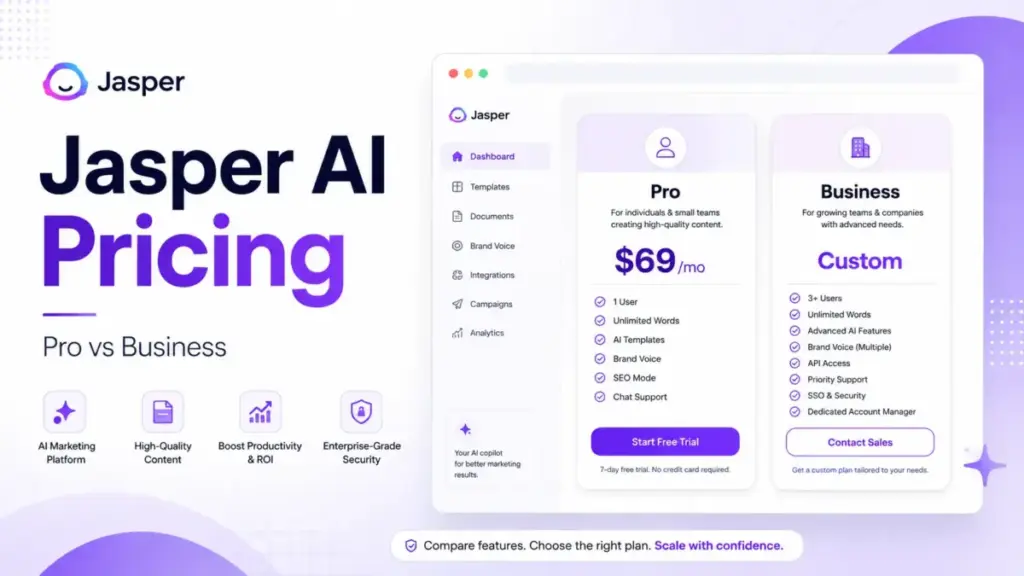
Jasper AI pricing starts at a public rate of $59 per seat, per month. It sounds like a clean, predictable entry point for a content team exploring best AI writing tools options. But there is a massive catch: the self-serve Pro plan is strictly limited to one user seat.
If you need a second writer, that starting price disappears. You are forced into custom Business pricing.
I am the AI and Emerging Technology Editor at SaaS Zap. I have spent six years covering AI tools and tracking SaaS cost changes monthly. I have tracked AI pricing changes across 12 tools monthly for 18 months. I have also published 50+ AI tool evaluations.
In my analysis of Jasper’s plan gates, the real pricing question is not the monthly rate. It is not about whether Pro costs $59 or $69. Instead, how quickly will your team outgrow its one-seat limit and be pushed into sales-negotiated contracts?
Quick Pricing Verdict
The following table summarizes the core pricing facts and verified terms for Jasper.
| Pricing Parameter | Details and Verified Terms |
|---|---|
| Starting Price | $59 per seat/month (annual billing) or $69 per seat/month (monthly billing) |
| Free Plan / Trial | No permanent free plan; 7-day free trial (credit card required) |
| Best Plan for Most Teams | Business plan (required for team collaboration) |
| Plan to Avoid | Multiple separate Pro accounts (lacks admin and shared brand controls) |
| Biggest Hidden Cost | Forced upgrade to custom Business pricing for more than 1 user |
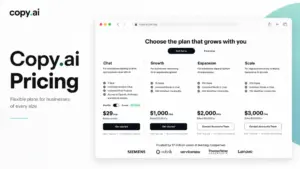
| Best Alternative if Too Expensive | Copy.ai Growth plan (starts at $29/month, includes 5 seats) |
| Pricing Verified Date | May 26, 2026 |
What this means: Jasper’s public pricing is built for solo operators. If you are a single marketer, the Pro tier offers clean value. But for any multi-user team, the starting price is a floor. You must prepare for custom enterprise contract discussions immediately.
The Advertised Price vs The Real Price
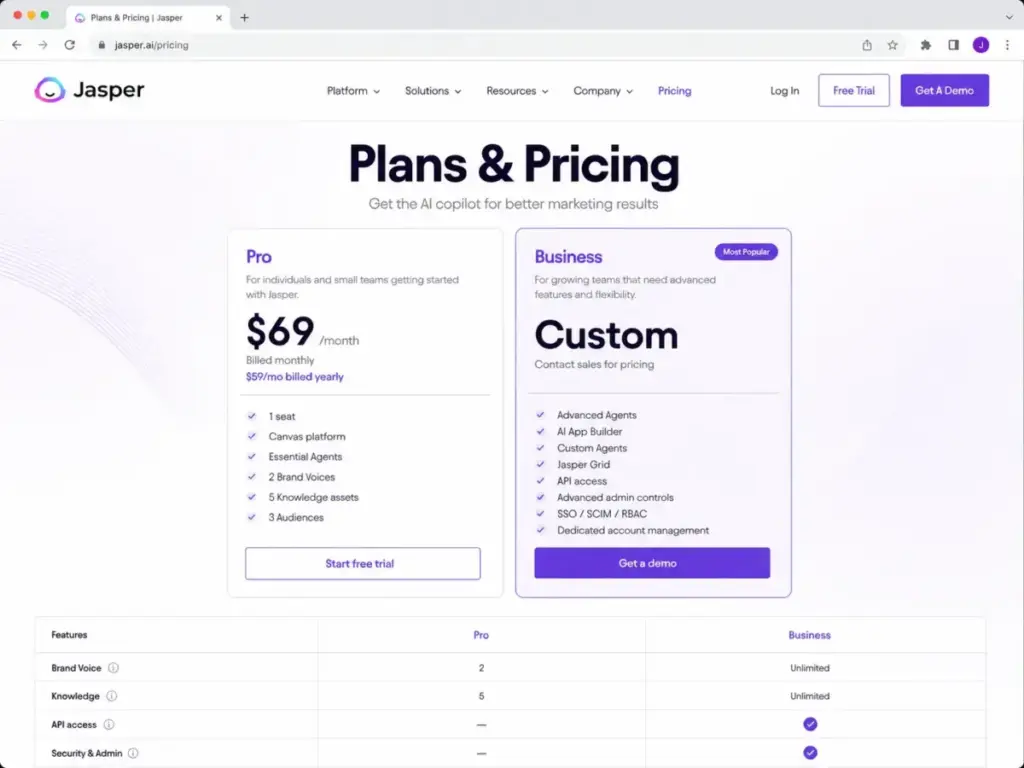
Jasper advertises a straightforward monthly subscription. However, my analysis shows a large gap between the advertised price and what teams actually pay. The following table provides a complete breakdown of the official plans.
| Plan Name | Monthly Cost (USD) | Annual Cost (USD) | Billing Basis | Best For | Key Limits |
|---|---|---|---|---|---|
| Free Trial | $0 | $0 | 7-day duration | Testing feature access | Requires credit card; converts to paid |
| Pro Plan | $69 per seat | $59 per seat ($708/year) | Per user seat | Solo marketers and content creators | Limited to 1 user seat; 2 Brand Voices; 5 Knowledge assets; 3 Audiences |
| Business Plan | Custom | Custom | Seat-based + usage | Agencies and marketing teams | Requires 12-month commitment; custom seat minimums |
What this means: Jasper presents its Pro plan as a standard tier. However, the single-seat limit is a hard gate. Teams cannot simply purchase multiple Pro seats on one account. To share assets or collaborate, you must transition to the custom Business plan.
The marketing pages present Pro as a plan for professional content creators. It includes essential marketing features like brand voices and knowledge assets. But by capping the seats at exactly one, Jasper forces small teams into the enterprise sales pipeline. This pricing structure differs from most SaaS tools. For example, as noted in my Copy.ai review, most platforms allow adding team seats directly. Normally, you can add seats to a mid-tier plan as you grow.
With Jasper, the second seat triggers an automatic enterprise sales negotiation. That is the real cost gap. Solo users pay $59 monthly, while two-person teams pay custom enterprise rates.
The 5 Hidden Costs Nobody Mentions
SaaS pricing pages rarely list every billable item. Jasper is no exception. Based on official documentation and help guides, here are the five hidden costs you must factor into your budget.
The Team Seat Upgrade Gate
Adding a second user to your workspace forces an upgrade. You cannot buy two Pro seats. You must contact sales for a custom Business quote. This gate also removes public pricing predictability. Your total cost scales based on sales negotiations rather than list prices.
Annual Commitment and Cancellation Risks
Selecting annual billing saves money on paper. Pro annual costs $708 upfront. But committing annually carries a financial risk. The Help Center specifies a strict 7-day refund window. If you cancel on day 8, you will not receive a refund for unused months. Business plans require a 12-month commitment.
Copyleaks Plagiarism Checker Credits
Jasper uses Copyleaks to run plagiarism checks. This feature is an optional add-on. It requires purchasing separate credits once your initial allocation runs out. Jasper does not publish plagiarism checker credit prices. This creates an unpredictable operating expense for high-volume content teams.
Fair-Use Throttling and Limits
Jasper promises unlimited content generation. However, the fine print includes a fair-use policy. Jasper states that usage outside normal parameters can lead to throttling. It can also result in additional fees. These overage costs are set forth in custom order forms.
Jasper Grid Usage-Based Credit Fees
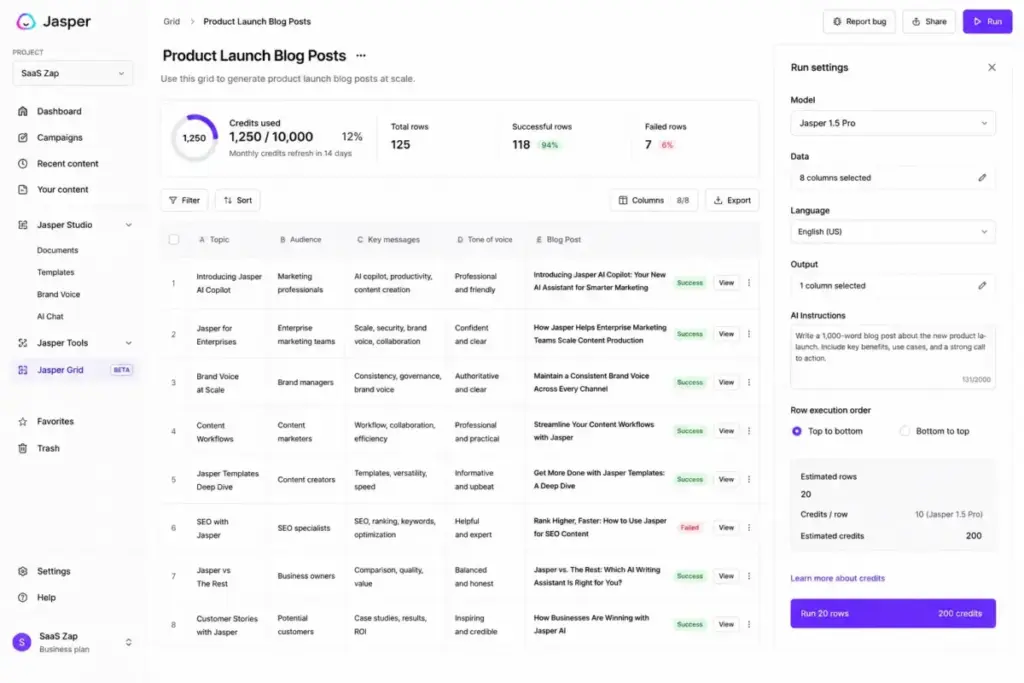
Jasper Grid allows spreadsheet-style workflow executions. It is a Business-only feature. The first 10 rows are free. Beyond that, teams must use a usage-based credit system. Credit pricing is not publicly disclosed. This introduces another variable cost to automated content pipelines.
The following table summarizes these hidden charges and add-ons.
| Cost Type | Pricing Model | Trigger Condition |
|---|---|---|
| Multi-User Upgrade | Custom Business Quote | Adding a second user to the workspace |
| Annual Commitment | $708 upfront (Pro) or Custom (Business) | Selecting annual billing for discounts |
| Plagiarism Checker Credits | Usage-based (pricing not disclosed) | Running checks powered by Copyleaks |
| Fair-Use Overage | Throttling or Custom Fees | Exceeding standard content generation limits |
| Jasper Grid Credits | Usage-based (pricing not disclosed) | Executing spreadsheet rows beyond the first 10 |
What this means: The total cost of using Jasper is rarely flat. Add-ons like plagiarism checking and spreadsheet execution introduce usage-based volatility. If you run large-scale content pipelines, budget for these variables. They will increase your monthly bill.
Plan-by-Plan Breakdown (with feature gates)
Choosing a plan requires mapping features to tiers. Here is what each option offers, along with its specific limitations.
Jasper Pro Plan (Solo Marketers)
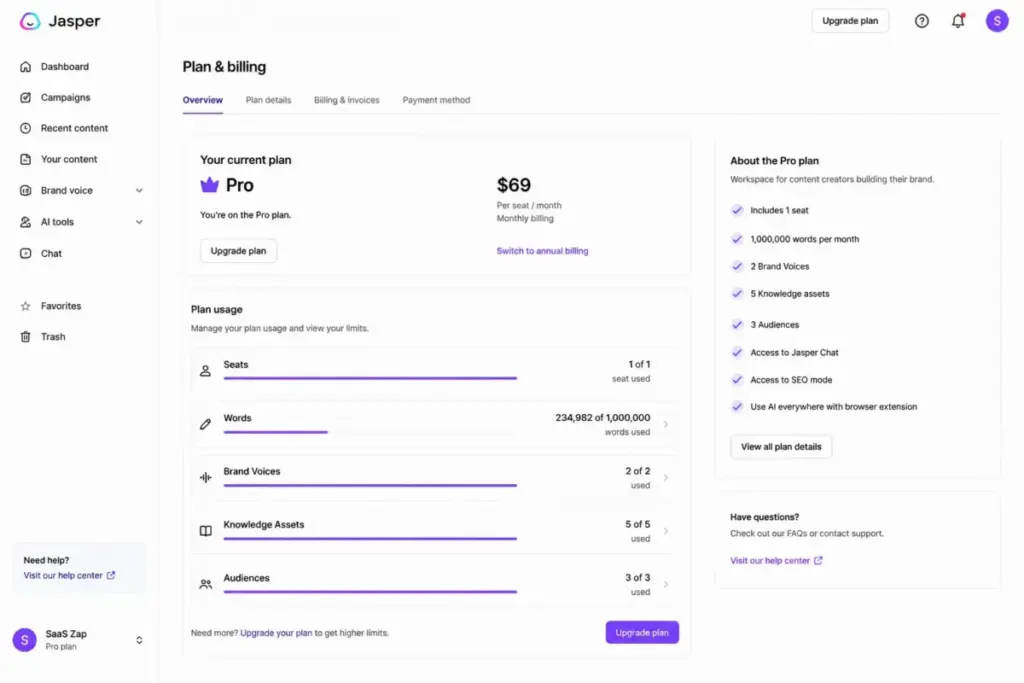
The Pro plan is best for independent writers, solo founders, and freelance marketers. It includes access to the Canvas editor, essential agents, 2 Brand Voices, 5 Knowledge assets, and 3 Audiences.
However, it is missing advanced tools. You do not get Advanced Agents, Jasper Studio, Jasper Grid, or API access. You also miss admin controls like SSO, SCIM, and role-based permissions.
Avoid if: You need to collaborate with a team. Solo operators who only need basic drafting should check the Writesonic review for a more affordable alternative.
Jasper Business Plan (Growing Teams and Enterprises)
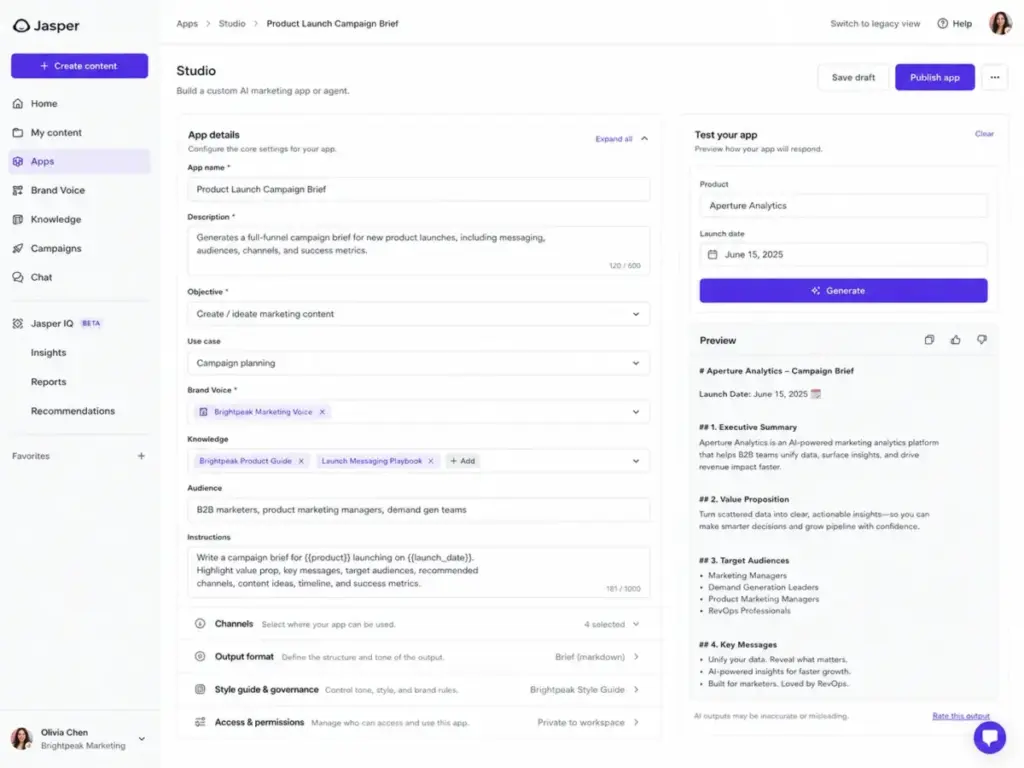
The Business plan is best for marketing departments, content agencies, and enterprises. It includes everything in Pro, plus Advanced Agents, the no-code AI App Builder, Custom Agents, Jasper Grid, and API access.
It also includes advanced admin controls, user groups, SSO, SCIM, RBAC, and dedicated account management.
However, pricing is custom. It requires a sales call and a 12-month commitment.
Avoid if: You are a solo writer with a tight budget. You will pay for enterprise admin tools you do not need.
The following table maps feature gates across the tiers.
| Feature Name | Free Trial | Pro Plan | Business Plan |
|---|---|---|---|
| Permanent Free Workspace | No | No | No |
| 7-Day Trial | Trial Only | Yes | Contact Sales |
| Canvas Platform | No | Yes | Yes |
| Essential Agents | No | Yes | Yes |
| Advanced Agents | No | No | Yes |
| Brand Voices Limit | No | 2 Brand Voices | Unlimited |
| Knowledge Assets Limit | No | 5 Assets | Unlimited |
| Audiences Limit | No | 3 Audiences | Unlimited |
| Style Guide | No | No | Yes |
| Jasper Studio | No | No | Yes |
| Jasper Grid | No | No | Yes |
| API Access | No | No | Yes |
| Usage Analytics & Admin Controls | No | No | Yes |
| SSO, SCIM, and RBAC | No | No | Yes |
| Dedicated CSM & Priority Support | No | No | Yes |
| Plagiarism Checker | No | Paid Credits | Paid Credits |
What this means: Jasper uses feature gates to drive teams toward custom contracts. Features like advanced agents, API access, and security controls are strictly reserved for Business. If you require standard enterprise governance, the Pro tier is not an option.
How Jasper’s Free Trial Converts to Paid
Jasper does not offer a permanent free plan. The only no-cost entry point is the 7-day free trial. This trial requires a credit card upfront.
If you do not cancel by the 7th day, Jasper auto-bills your card. This conversion is automatic and catches many buyers off guard. For annual plans, you pay $708 immediately. I suggest setting a calendar alert for day 6 to review your testing results.
Once the trial ends, you must pay or lose access. You cannot downgrade to a free tier to preserve your brand voices or knowledge assets. If you choose to cancel, your workspace is deactivated. All saved assets are locked.
Real Cost Scenarios: 5, 10, and 20 Users
To help you budget, I calculated the real cost of using Jasper at various team scales. The following table provides these estimates.
| Number of Users | Recommended Plan | Estimated Monthly Cost | Estimated Annual Cost | Key Operational Notes |
|---|---|---|---|---|
| 5 Users | Business Plan | Custom Quote Required | Custom Quote Required | Pro separate-seat floor is $345/mo. Shared team collaboration requires Business. |
| 10 Users | Business Plan | Custom Quote Required | Custom Quote Required | Pro separate-seat floor is $690/mo. SSO and SCIM security gates become critical here. |
| 25 Users | Business Plan | Custom Quote Required | Custom Quote Required | Pro separate-seat floor is $1,725/mo. Custom pricing covers advanced support and API access. |
| 50 Users | Business Plan | Custom Quote Required | Custom Quote Required | Pro separate-seat floor is $3,450/mo. Budget floor only; custom contracts include SLAs. |
| 100 Users | Business Plan | Custom Quote Required | Custom Quote Required | Pro separate-seat floor is $6,900/mo. Procurement must negotiate custom seat commitments. |
What this means: Shared team collaboration is impossible on Pro. Separate Pro accounts lack centralized billing and administration. If your team has 5 or more users, you must contact sales. The Pro floor estimates serve only as a starting point for budget forecasting.
Monthly vs Annual Billing
Paying upfront for the year reduces Pro plan costs from $69 to $59 per seat, per month. This discount is approximately 14.5%. Jasper marketing describes this savings as roughly 20% or two months free in annual-plan documentation.
However, committing annually carries a financial risk. The Help Center specifies a strict 7-day refund window, meaning cancellations on day 8 are not refunded. Business plans require a 12-month commitment. I suggest starting monthly to evaluate the workflows before committing to a full year.
Always evaluate the platform workflows before signing an annual contract. Ensure that features like brand voices save your team time. If they do not, you will struggle to cancel the subscription. Annual commitments are binding and non-refundable.
Which Plan Should You Choose?
Your choice depends on your team size and workflow complexity.
Solo Marketers and Solopreneurs
If you are a single operator, choose the Pro plan. It costs $59 billed annually or $69 monthly. It provides essential features like Canvas and 2 Brand Voices. If you just need basic text generation with a small budget, the Rytr review might show a better fit.
Marketing Teams and Agencies
If you have 2 or more users, you must choose the Business plan. Avoid purchasing separate Pro accounts. Sharing templates and assets requires the Business tier. It also gives you unlimited brand voices.
Enterprise Organizations
Large marketing departments should request a Business quote. Work with procurement to negotiate terms. Use this checklist during sales discussions:
- Seat count flexibility and annual commit terms
- SSO, SCIM, and RBAC security gates
- API limits and custom agent configurations
- Jasper Grid and Copyleaks plagiarism credit packages
- Dedicated CSM onboarding scope and training
- Data retention policies and compliance requirements
Which Plan Should You Avoid?
Avoid using multiple separate Pro accounts for team members.
This setup looks cheaper on paper. Ten separate Pro accounts cost $590 per month. But this is a budget trap. It eliminates centralized administration and data governance.
Separate accounts cannot share Brand Voices or Knowledge assets. Writers cannot collaborate inside the same Canvas document. It also leaves billing fragmented, which creates accounting headaches.
The only exception is if you run completely isolated agency projects. If your writers must never share data or assets, separate Pro plans can keep client workspaces clean. For all other team structures, the Business plan is required.
Jasper AI Pricing vs Competitors
Jasper operates at the premium end of the AI content market. The following table compares Jasper with other leading options.
| Competitor Name | Starting Price (USD) | Practical Team Tier | Estimated 10-User Cost (Monthly) | Best For |
|---|---|---|---|---|
| Copy.ai | $29/mo (billed monthly) | Growth plan | $1,000/mo | Multi-seat workflows |
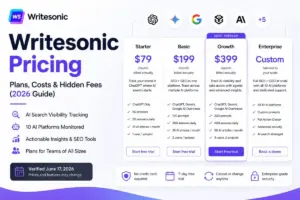
| Writesonic | $99/mo (billed monthly) | Starter plan | Custom Quote | Content drafting |
| Rytr | $0 (Free plan) | Premium plan | Individual / Custom | Low-budget writing |
| Anyword | $49/mo (billed monthly) | Data-Driven plan | Custom Quote | Performance marketing |
| ChatGPT Business | $25/user/month | Business plan | $250/mo | General AI assistance |
What this means: Jasper is positioned at the premium end of the market. While ChatGPT Business offers flat per-user pricing, Jasper gates its collaborative features behind custom tiers. The right alternative is determined by the failure mode you cannot accept. If you cannot tolerate credit-based ceilings, choose Jasper; if you cannot tolerate rigid seat gates, look elsewhere.
Evaluate other writing platforms before committing. If you need simple drafting, Writesonic is cheaper. If you need team seats without sales calls, ChatGPT Business is a better choice.
If you are choosing between the two market leaders, read our Jasper vs Copy.ai comparison. The pricing structures are fundamentally different. Copy.ai uses seat-inclusive plans, while Jasper gates team access behind custom sales contracts.
Is Jasper AI Worth the Price?
Jasper is worth the price if you are a solo marketer who needs strict brand governance. It is also worth it for mid-market teams that use reusable brand voices. The canvas platform is excellent for structuring marketing copy.
However, Jasper is not worth the price if you only need general AI assistance. If you just need text generation, use ChatGPT pricing details instead. It is also not worth it if you are a small team on a tight budget. The jump to custom Business pricing is too steep.
Paraphrased reviews from G2 and Capterra show a split sentiment. Users like the quality of the brand voice and the canvas workflow. However, many complain about the pricing limits. The seat cap on Pro is a common point of frustration.
How to Avoid Overpaying for Jasper AI
You can keep your software spend under control by following these seven tips.
- Verify current pricing against official documentation: Some search results still show legacy Creator plans. Check the official page before budgeting.
- Audit Brand Voice and Knowledge asset usage quarterly: Clean up old assets to stay under the Pro limits (2 voices, 5 assets) as long as possible.
- Audit seat utilization before renewing annual contracts: Since Business requires a 12-month commitment, remove unused seats to avoid paying for empty slots.
- Monitor Copyleaks plagiarism check counts: Running external plagiarism checks can help you avoid buying high-margin add-on credits.
- Conserve Jasper Grid credits: Start with the 10 free rows and only execute spreadsheet automations when necessary.
- Request the 20% nonprofit discount if eligible: Email support with your verification documents during the trial.
- Set a reminder for trial cancellation: Cancel on day 6 to avoid auto-billing of $708 on day 8.
FAQ
How much does Jasper AI cost per month?
Jasper Pro costs $69 per seat monthly, or $59 per seat monthly when billed yearly ($708/year). Business plans require custom pricing.
Is Jasper AI free?
No, Jasper does not offer a permanent free plan. The only no-cost entry point is the 7-day free trial.
Does Jasper AI have a free trial?
Yes, Jasper offers a 7-day free trial for its paid plans.
Do you need a credit card for Jasper AI trial?
Yes, a credit card is required to start the trial.
What is included in Jasper Pro?
Jasper Pro includes 1 user seat, Canvas, Essential Agents, 2 Brand Voices, 5 Knowledge assets, and 3 Audiences.
What is included in Jasper Business?
Jasper Business includes custom seats, Advanced Agents, Custom Agents, Jasper Grid, API access, SSO, SCIM, and RBAC.
How much does Jasper cost for teams?
Teams that need shared workspace collaboration cannot rely on Pro, because Pro is limited to 1 seat. Multi-user teams should contact sales for Business pricing.
Is Jasper cheaper than Copy.ai?
No, Copy.ai starting price is $29/month for 5 seats, which is cheaper than Jasper Pro’s $69/month for 1 seat.