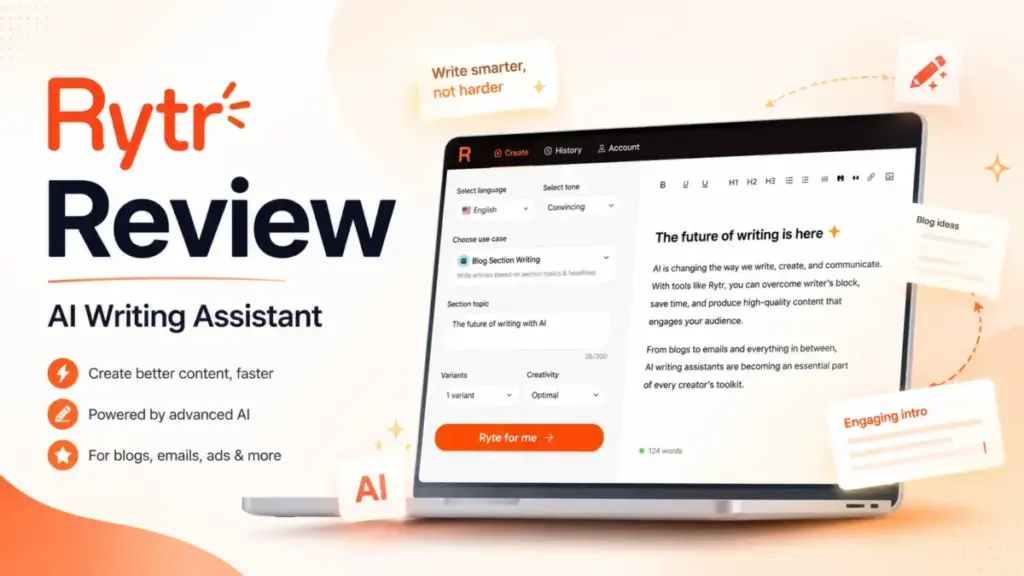
This Rytr review breaks down what the AI writing assistant actually delivers in 2026 and where it falls short. If you need a cheap, template-driven tool for short-form drafts, Rytr sits at $7.50/month on its annual plan and gives you access to 40+ content use cases.
That price point beats nearly every competitor in the AI tools for content creation space. But price alone does not make a tool worth your time. Rytr’s real cost shows up in editing, fact-checking, and the content depth it cannot reach. This review covers pricing as verified on the official page, feature limits by plan, hidden costs, the FTC regulatory timeline, and a clear alternative matrix. The goal is to help you decide whether Rytr fits your workflow or whether a different generative AI tool is a better match.
Rytr Review Verdict
Rytr earns a 7.8/10 as a budget drafting layer for short-form copy, not as a publishing system. It is fast, cheap, and simple enough for a first draft in under two minutes. It is not built for long-form strategy, SEO research, or team-scale brand governance.
| Category | Score / Detail |
|---|---|
| Overall Score | 7.8 / 10 |
| Short-Form Copy Value | 8.7 / 10 |
| Long-Form SEO Content | 5.8 / 10 |
| Brand Governance | 5.5 / 10 |
| Beginner Usability | 8.8 / 10 |
| Best For | Solo marketers, freelancers, ecommerce sellers needing low-cost short-form drafts |
| Not For | Teams needing SEO research, brand controls, live web data, or long-form depth |
| Starting Price | $0/month (Free), $7.50/month annual (Unlimited) |
| Free Plan | Yes, 10K characters/month |
| Main Limitation | Weak long-form depth, no live research, limited integrations |
| Best Alternative (Brand Governance) | Jasper |
| Best Alternative (SEO/GEO) | Writesonic |
| Best Alternative (GTM Workflows) | Copy.ai |
Scoring methodology: editorial score based on official pricing, feature set, user-review evidence from G2 and Capterra, and market comparison. This is not lab-tested. If the SaaSZap editor adds benchmark data, scores will be updated.
What Is Rytr?
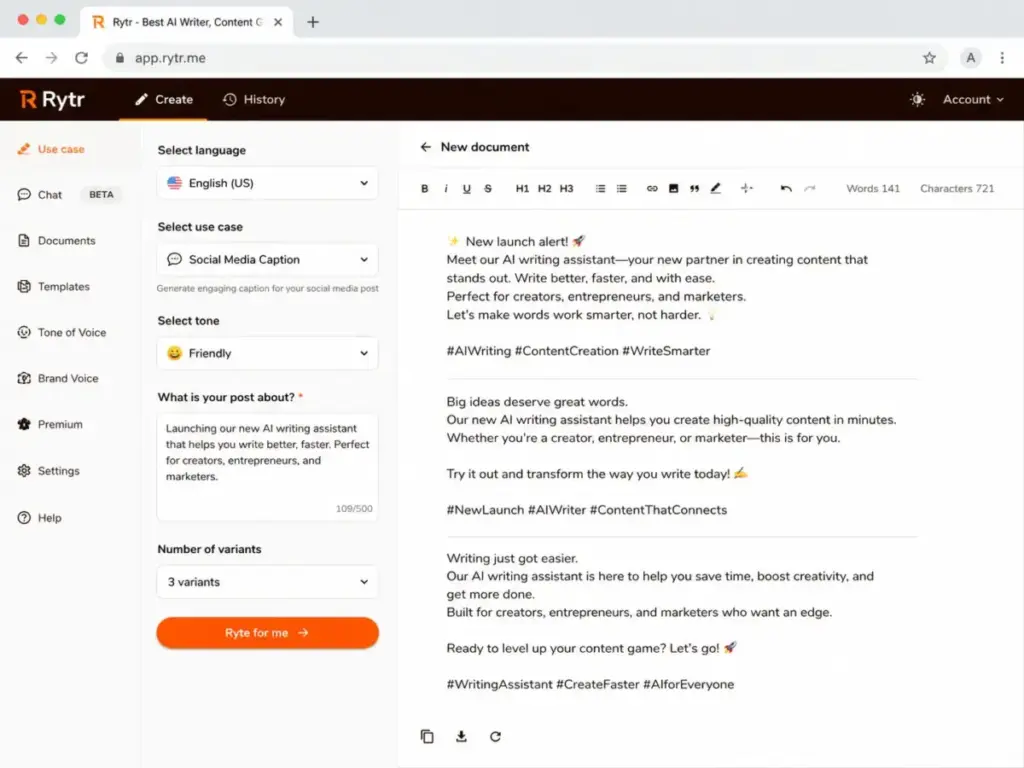
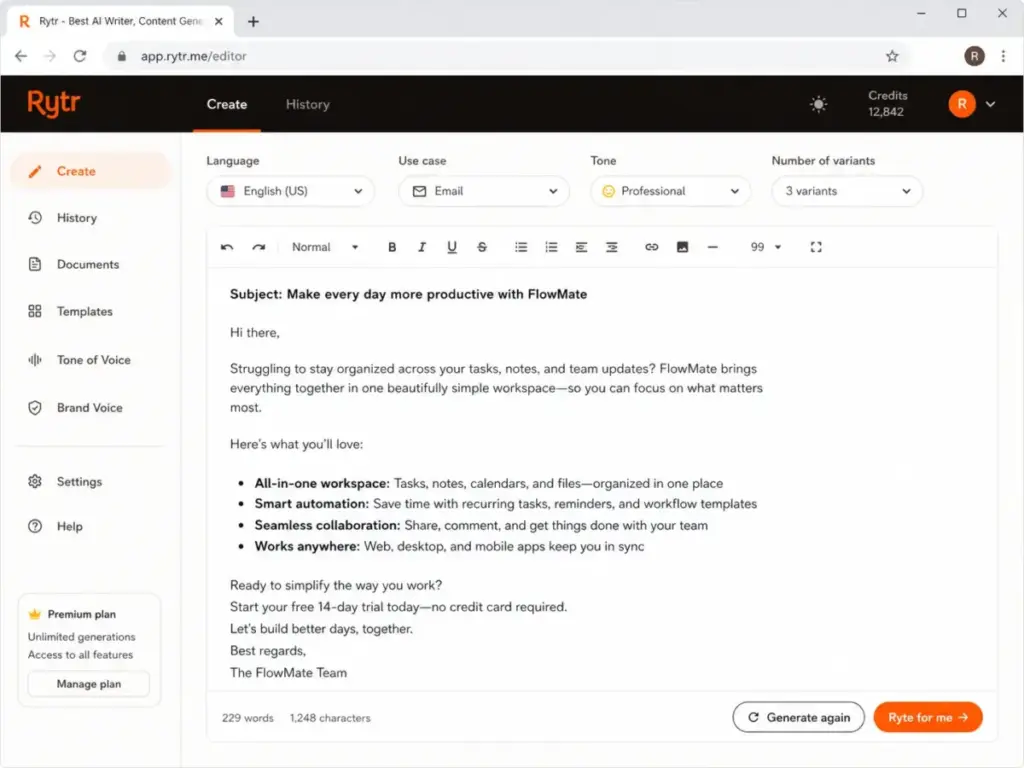
Rytr is a template-first AI writing assistant that generates short-form content from structured prompts. You pick a use case, add context, select a tone, and Rytr returns 1 to 3 text variants. It covers 40+ use cases: product descriptions, email copy, social media captions, blog section outlines, ad copy, meta descriptions, and more.
The core workflow relies on templates rather than open-ended prompt engineering. You do not need to write detailed prompts from scratch. Instead, you fill in form fields and Rytr maps your input to its generation model. This lowers the skill floor for beginners.
Beyond templates, Rytr offers My Voice for tone matching, a Copyscape-powered plagiarism checker, a Chrome extension that works across Gmail, social media, and other web apps, and an API for developers who want to build Rytr generation into their own tools.
Rytr Features That Matter
Rytr’s value comes from template speed, not content depth. Templates reduce the friction of starting a draft. They do not replace research, fact-checking, or editorial judgment. Here is what each feature does and where it stops.
Rytr Templates and Use Cases
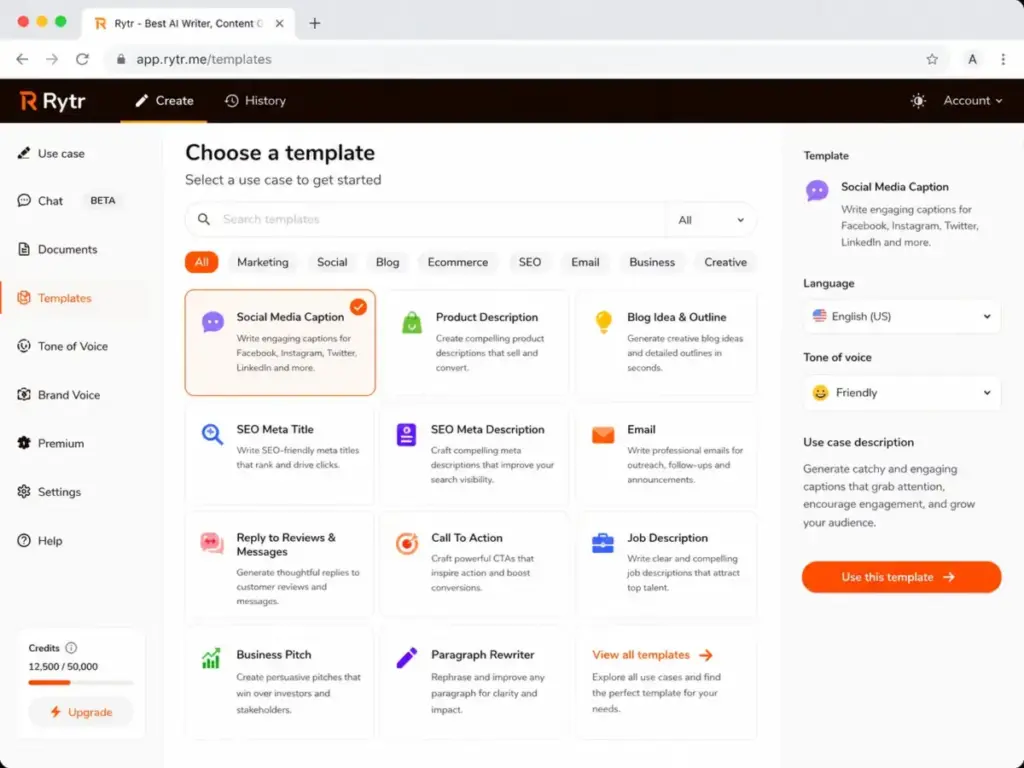
Rytr lists 40+ content templates. These include blog idea outlines, product descriptions, Facebook and Google ads, email subject lines, landing page copy, review responses, and video descriptions. Each template asks for a few inputs: product name, keywords, context, and tone.
The output is a first draft. In my observation of the template structure, Rytr handles product descriptions and email subject lines well because those formats are short, formulaic, and tolerant of generic phrasing. Blog outlines and longer sections are weaker. The generation tends to produce surface-level points without supporting evidence or original analysis.
As one G2 reviewer put it:
“always write your own text and let Rytr fill and complete your sentences or expand it”
— Ruhani R., Ex Head of Product | Senior General Manager (Digital), G2 review
That advice reflects the strongest Rytr workflow: human outline, Rytr expansion, human fact-check.
Rytr My Voice and Tone Matching
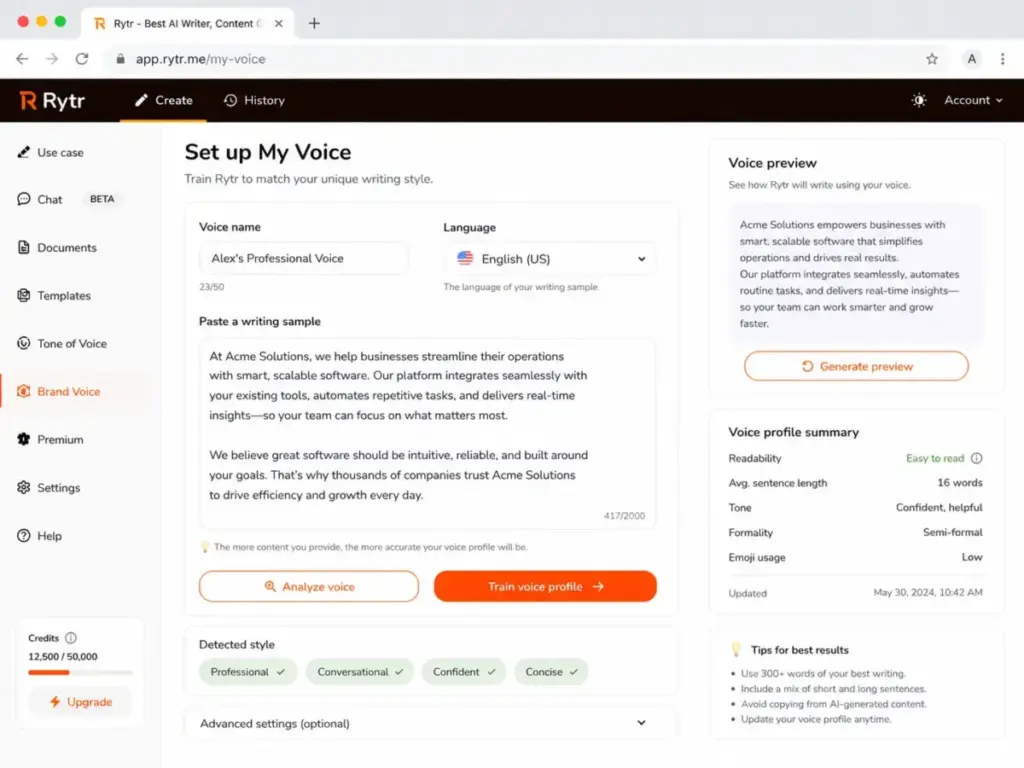
My Voice analyzes a writing sample you provide and mirrors its tone in future generations. The Free plan does not include tone matching. The Unlimited plan includes 1 tone match. Premium includes multiple tone matches, which matters for freelancers managing several client brands.
This feature is useful for maintaining consistency across short outputs like emails or product descriptions. It is not a substitute for full brand governance. Jasper’s Brand Voice system, for comparison, ties into knowledge assets, audience profiles, and team-wide enforcement. Rytr’s My Voice is a personal preference, not an organizational control.
Rytr Plagiarism Checker
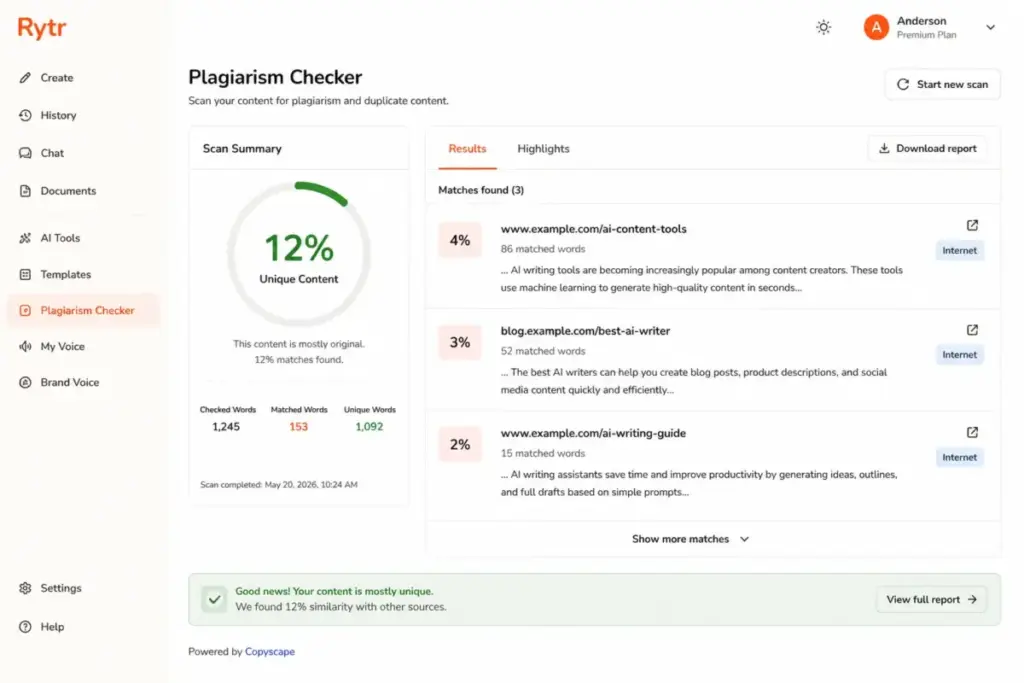
Rytr includes a plagiarism checker powered by Copyscape. Free users get zero plagiarism checks. Unlimited users get 50 checks per month. Premium users get 100 checks per month.
This is a useful safety net for freelancers submitting work to clients. It does not check for AI detection signals, factual accuracy, or hallucinated claims. You still need a human review pass for anything published under your name or your client’s brand.
Rytr Chrome Extension
The Chrome extension brings Rytr’s 40+ templates into any browser tab. It works in Gmail, LinkedIn, Twitter, Google Docs, and other web apps. You highlight text, right-click, and generate or rewrite.
This is convenience, not workflow automation. It does not integrate with CMS platforms, project management tools, or content calendars. Compare this with Copy.ai’s workflow credits or Jasper’s Canvas platform, and the gap in integration depth is clear.
Rytr API
The Rytr API lets developers generate content programmatically. It supports language, tone, voice, use case, and custom use case endpoints. Each request can return up to 3 variants in HTML or plain text format. Creativity levels range from “none” to “max.”
API pricing starts free for the first 10,000 characters:
| Character Volume | Price per 10K Characters |
|---|---|
| 0 – 10K | Free |
| 10K – 1M | $0.75 |
| 1M – 10M | $0.70 |
| 10M – 100M | $0.65 |
| 100M+ | $0.60 |
Your card is billed for every $25 of usage. Full documentation is on GitHub.
For ecommerce sellers generating hundreds of product descriptions via script, this pricing is competitive. For teams building complex content pipelines, the API lacks the orchestration, governance, and multi-model routing that Copy.ai or Jasper Business offer.
Rytr User Experience
The first 30 minutes with Rytr are fast and frictionless. Sign up takes under a minute. No credit card is required for the Free plan. Here is the typical onboarding path:
- Sign up. Email or Google account. No credit card for Free.
- Pick a use case. Choose from 40+ templates or write a custom prompt.
- Add context. Fill in the template fields: product name, keywords, description, audience.
- Choose a tone. Select from preset tones or use My Voice (paid plans only).
- Generate variants. Rytr returns 1 to 3 options. Generation takes 5 to 15 seconds.
- Edit manually. Rewrite, expand, shorten, or fact-check the output before publishing.
Step 6 is where most of the real work happens. Template speed does not equal publish-ready content. Rytr gives you a starting point. You still need to verify facts, add original insight, adjust voice, and check for repetitive phrasing.
As one Capterra reviewer noted:
“On occasion it can be repetitive.”
— Barrie E., Business Owner, Capterra review
Repetition shows up most in longer outputs and when you generate multiple variants for similar inputs. The editing pass is not optional.
Rytr Pricing and Plan Limits
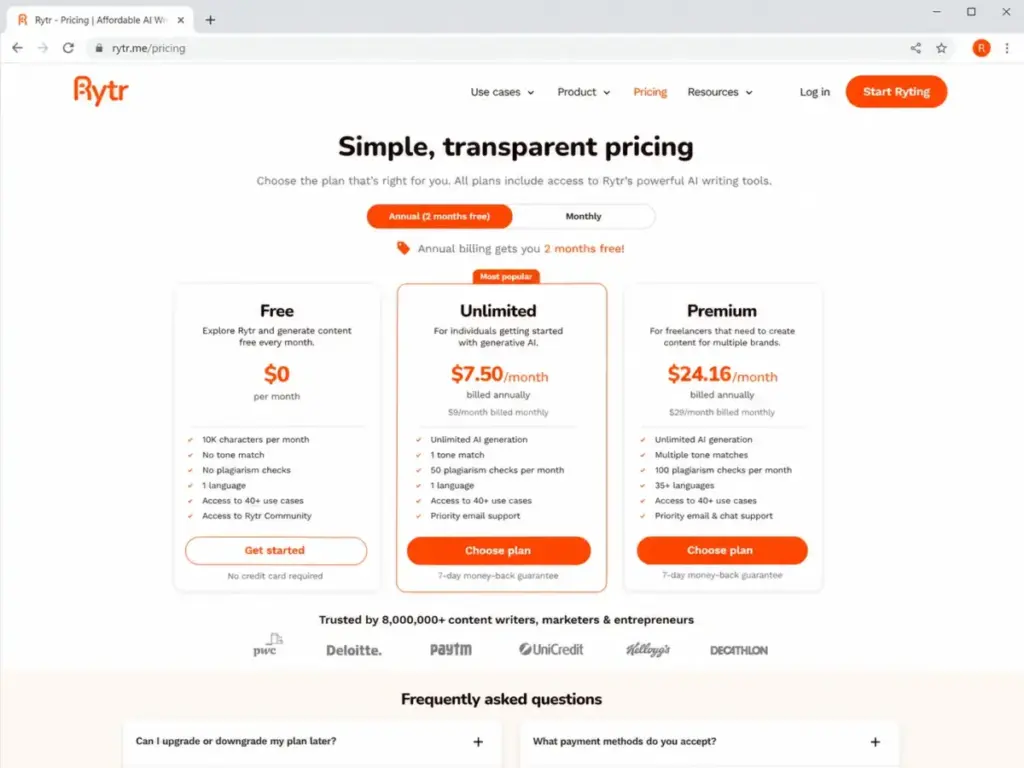
Rytr’s official 2026 pricing page lists three plans: Free, Unlimited, and Premium. A note for readers comparing multiple review sites: some older articles still reference a “Saver” plan or different monthly prices. The table below uses data verified from the official Rytr pricing page on May 5, 2026.
| Plan | Annual Price | Best For | Generation Limit | Tone Match | Plagiarism Checks | Languages | Verified |
|---|---|---|---|---|---|---|---|
| Free | $0/month | Testing, casual use | 10K characters/month | None | None | 1 | May 5, 2026 |
| Unlimited | $7.50/month | Solo short-form users | Unlimited | 1 | 50/month | 1 | May 5, 2026 |
| Premium | $24.16/month | Freelancers, multi-brand | Unlimited | Multiple | 100/month | 35+ | May 5, 2026 |
Annual billing gives you 2 months free. Some third-party pages report monthly pricing of $9/month and $29/month. If you are comparing prices, confirm whether the source shows monthly or annual billing.
What the Rytr pricing page does not tell you:
- Free plan: no tone match, no plagiarism checks, 1 language. You get 10,000 characters per month. That is roughly 1,500 to 2,000 words depending on output format. Enough to test the tool, not enough to run a content workflow.
- Unlimited plan: 1 tone match only. If you manage multiple brands, you are locked into one voice profile unless you upgrade to Premium.
- Unlimited plan: 50 plagiarism checks. If you generate 60 product descriptions and want to check each one, you run out before the month ends.
- Premium plan: 35+ languages. This gate matters for multilingual freelancers. Free and Unlimited users are restricted to 1 language.
- No built-in SEO scoring. None of the plans include keyword research, SERP analysis, or content optimization scoring. You need a separate tool like Frase or Writesonic for that.
What Rytr Really Costs After Editing
The subscription price is only part of the cost. Every piece of Rytr output needs editing. The real monthly cost depends on how much time you spend rewriting, fact-checking, and adding original analysis.
Here is a formula:
Total monthly cost = subscription + (editing hours × your hourly rate)
And here is a hypothetical scenario, clearly labeled as an estimate, not measured data:
| Content Type | Pieces/Month | Subscription | Est. Editing Minutes/Piece | Est. Editing Hours | Your Rate | Est. Editing Cost | Est. Total Cost |
|---|---|---|---|---|---|---|---|
| Product descriptions | 50 | $7.50 | [EDITOR TEST DATA NEEDED] | [EDITOR TEST DATA NEEDED] | $30/hr | [EDITOR TEST DATA NEEDED] | [EDITOR TEST DATA NEEDED] |
| Email subject lines | 20 | $7.50 | [EDITOR TEST DATA NEEDED] | [EDITOR TEST DATA NEEDED] | $30/hr | [EDITOR TEST DATA NEEDED] | [EDITOR TEST DATA NEEDED] |
| Blog section drafts | 8 | $7.50 | [EDITOR TEST DATA NEEDED] | [EDITOR TEST DATA NEEDED] | $30/hr | [EDITOR TEST DATA NEEDED] | [EDITOR TEST DATA NEEDED] |
The point is simple: $7.50/month looks cheap until you add the editing labor. Short-form, formulaic content (product blurbs, email hooks) needs less editing. Long-form content (blog posts, case studies) needs significantly more.
Rytr Pros and Cons
Rytr’s strengths cluster around affordability and short-form speed. Its weaknesses cluster around depth, accuracy, and integration limits.
- Free plan available with no credit card required
- Unlimited plan at $7.50/month is among the cheapest AI writers
- 40+ templates reduce prompt friction for common formats
- Chrome extension adds generation to any browser tab
- My Voice feature helps maintain tone consistency on paid plans
- Copyscape-powered plagiarism checking on Unlimited and Premium
- API access with competitive per-character pricing
- Fast onboarding: first draft in under 5 minutes
- Weak long-form depth: blog posts lack original research and supporting evidence
- No live web research: Rytr generates from training data, not current sources
- No built-in SEO scoring, keyword research, or SERP analysis
- Editing is required for nearly all output: repetition, factual gaps, generic phrasing
- Limited integrations: Chrome extension and API only, no CMS or workflow connectors
- Factual accuracy risk: AI hallucination is possible in any claim-heavy content
- Free plan gates: no plagiarism checks, no tone match, 1 language
- Pricing-name confusion: older reviews reference “Saver” plan, which no longer appears on the official page
Rytr Trust and FTC Context
Rytr has a regulatory history that buyers should know about. In December 2024, the FTC approved a final consent order against Rytr related to its former AI “Testimonial & Review” generation service. The concern was that the tool enabled users to create fake reviews and testimonials.
In December 2025, the FTC reopened and set aside that order in response to the administration’s AI Action Plan.
What this means for buyers in 2026: the legal matter is resolved. The consent order was set aside. Rytr’s current product does not appear to offer the specific review-generation service that triggered the FTC action. However, the history matters because AI-generated reviews and testimonials remain a high-risk use case under existing consumer protection standards. If you plan to use any AI tool to generate customer reviews or testimonials, consult legal counsel first.
Rytr Alternatives
No single AI writing tool covers every workflow. Rytr is best for budget short-form drafting. Other tools are better for brand governance, SEO, GTM automation, editing, or flexible long-form reasoning. Here is how they compare.
| Alternative | Best For | Starting Price | Why Choose It Over Rytr | Why Stay With Rytr |
|---|---|---|---|---|
| Jasper | Brand governance, marketing teams | $59/month/seat (annual) | Brand Voice, Canvas, Agents, team controls | Rytr is 8x cheaper for solo users |
| Copy.ai | GTM workflow automation | $24/month (annual) | Multi-model chat, workflow credits, 5 seats | Rytr is simpler and cheaper for basic copy |
| Writesonic | SEO and AI search visibility | $79/month (annual) | SEO tools, GEO scoring, content operations | Rytr costs a fraction for non-SEO copy |
| Grammarly | Editing, grammar, tone | $12/member/month (annual) | Superior editing, AI detection, rewrites | Rytr generates drafts; Grammarly only edits |
| ChatGPT | Flexible drafting, research | $0 – $20/month | Open-ended prompts, web browsing, reasoning | Rytr templates are faster for repeated formats |
| Claude | Long-form reasoning, analysis | $0 – $20/month | Deep reasoning, large context, fewer hallucinations | Rytr is cheaper and template-driven |
Rytr vs Jasper
Jasper starts at $59/month per seat on annual billing. That is nearly 8x the cost of Rytr Unlimited. The difference shows in brand governance: Jasper offers Brand Voice, Knowledge assets, Audience profiles, and Agents that automate multi-step marketing workflows. If you are a solo freelancer writing product descriptions, Jasper’s price is hard to justify. If you are a 5-person marketing team that needs consistent brand output across channels, Jasper is the better investment. Read the full Jasper AI review or compare Jasper AI pricing for details.
Rytr vs Copy.ai
Copy.ai positions itself as a GTM AI platform, not a copywriting tool. Its Chat plan starts at $24/month annually and includes 5 seats with access to OpenAI, Anthropic, and Gemini models. Growth plans start at $1,000/month with workflow credits. Rytr cannot match Copy.ai’s workflow automation or multi-model access, but most solo users do not need those capabilities. If your job is “write 50 product blurbs this week,” Rytr is faster and cheaper. If your job is “build a repeatable GTM content pipeline,” read the Copy.ai review.
Rytr vs Writesonic
Writesonic starts at $79/month annually and focuses on SEO, AI search visibility, and content operations. It includes GEO scoring, SERP analysis, and content optimization tools that Rytr does not offer at any price. If SEO performance drives your content strategy, Writesonic is in a different category. If you just need cheap first drafts and handle SEO separately, Rytr’s price advantage is significant. See the Writesonic review for a full breakdown.
Rytr vs Grammarly
Grammarly is an editing tool, not a content generator. At $12/month per member annually, Grammarly Pro offers grammar correction, full-sentence rewrites, tone adjustments, plagiarism detection, and AI text detection. Rytr generates drafts. Grammarly polishes them. Many users pair both: Rytr for the first draft, Grammarly for the edit pass. They solve different problems. For teams comparing that draft-to-edit workflow, our Grammarly editing review covers whether Pro is worth paying for after a cheaper generator like Rytr.
Rytr vs ChatGPT and Claude
ChatGPT and Claude are general-purpose AI assistants. They handle open-ended prompts, web research (ChatGPT), long-form reasoning (Claude), code generation, and analysis. Neither is template-first. You need stronger prompt skills to get consistent output. Rytr’s advantage is template speed for repetitive short-form tasks. ChatGPT’s advantage is flexibility. Claude’s advantage is deep reasoning and large context windows. If you already pay for ChatGPT Plus or Claude Pro, you may not need Rytr at all. See the ChatGPT review and Claude review for comparison. You can also read our ChatGPT vs Claude head-to-head.
Who Should Use Rytr?
Rytr fits best when your content needs are short-form, repetitive, and budget-sensitive. Here are four micro-cohorts where Rytr makes economic sense.
1. Solo affiliate blogger publishing 4 lightweight posts per month.
You need blog outlines, meta descriptions, and email hooks. The Free plan covers testing. Unlimited at $7.50/month handles ongoing generation. You will still write the core content yourself, but Rytr accelerates the scaffolding.
2. Ecommerce founder generating 50 product descriptions per month.
Product descriptions are short, formulaic, and tolerance for generic phrasing is higher than in editorial content. Rytr’s templates and API are well suited here. The API pricing is competitive for batch generation.
As one G2 reviewer noted:
“Rytr enables me to do 3x the amount of work”
— Kate D., G2, republished on Rytr customer reviews page
3. Freelance copywriter managing 3 client brands.
Premium at $24.16/month gives you multiple tone matches, 100 plagiarism checks, and 35+ languages. This covers the basics for multi-client short-form work. You will still need a separate editing tool and possibly a project management system.
4. Local business owner creating weekly emails and social posts.
If you send one email and post three times per week, Rytr’s Unlimited plan generates enough material to start each piece. The Chrome extension lets you draft directly in Gmail or social platforms.
Who Should Not Use Rytr?
Rytr is the wrong tool when your workflow requires depth, governance, or live data. Here are four micro-cohorts that should look elsewhere.
1. Six-person SaaS content team with SEO targets.
You need keyword research, SERP analysis, content scoring, and brand-consistent long-form output. Rytr offers none of these. Consider Writesonic for SEO or Jasper for brand governance.
2. Agency producing 20 long-form articles per month.
Long-form content from Rytr lacks supporting evidence, original analysis, and structural depth. Your editors will spend more time rewriting than they save. A general-purpose LLM like ChatGPT or Claude, paired with a human editorial process, is a better fit.
3. Regulated industry team needing strict factual review.
Healthcare, finance, legal, and compliance-heavy industries cannot tolerate AI hallucination risk without a formal review layer. Rytr does not include fact-checking, source citation, or compliance workflows. No AI writing tool should be used without human review in these contexts, but Rytr offers fewer guardrails than most.
4. Enterprise marketing department needing SSO, governance, and approval workflows.
Rytr does not advertise SOC 2 compliance, SSO, role-based access, approval chains, or admin controls. Jasper Business and Copy.ai Enterprise are built for those requirements.
Daniel Rivera’s Quick Take
Rytr does one thing well: it turns a blank page into a rough draft for cheap. At $7.50/month, it costs less than a single coffee shop visit. For product descriptions, email hooks, social captions, and meta copy, that price-to-output ratio is hard to beat.
But I would not build a content strategy around Rytr alone. The output is a starting point, not a finished product. It does not research. It does not cite sources. It does not know what your competitors published yesterday. If you treat Rytr as a drafting layer inside a human-led workflow, it saves time. If you treat it as a publishing system, you will publish content that sounds generic, lacks evidence, and risks factual errors.
My recommendation: use Rytr for the short-form tasks that eat your time but do not require original thinking. Use a different tool, or a human writer, for everything else.
Final Verdict
Rytr earns a 7.8/10 as a budget AI writing assistant for short-form copy in 2026.
Here is which plan fits each buyer type:
- Free ($0/month): Test the interface and templates. Good for casual exploration. Not enough for ongoing production.
- Unlimited ($7.50/month annual): Best value for solo users who need unlimited short-form generation with basic plagiarism checking. Start here if Rytr is your primary drafting tool.
- Premium ($24.16/month annual): Worth it for freelancers managing multiple client brands across languages. The extra tone matches, plagiarism checks, and language access justify the step up.
- Alternatives: Choose Jasper for brand governance. Choose Writesonic for SEO and AI search visibility. Choose Copy.ai for GTM workflow automation. Choose Grammarly for editing. Choose ChatGPT or Claude for flexible, open-ended drafting and reasoning.
Rytr is a good cheap drafting layer. Treat it that way, and it earns its price. Expect it to replace your editorial process, and it will disappoint you.
Rytr FAQ
Answers below reflect official product data and editorial assessment as of May 2026.
Is Rytr worth it in 2026?
Yes, for specific use cases. Rytr is worth the $7.50/month Unlimited plan if you generate short-form content like product descriptions, emails, and social posts regularly. It is not worth it if you need long-form SEO content, live research, or brand governance. The value depends on your editing tolerance and content type.
How much does Rytr cost?
Rytr offers three plans on annual billing: Free at $0/month, Unlimited at $7.50/month, and Premium at $24.16/month. Annual billing includes 2 months free. The official pricing page is the source of truth. Older reviews may list different plan names or monthly-only pricing.
Does Rytr have a free plan?
Yes. Rytr Free includes 10,000 characters per month, no credit card required. It does not include plagiarism checks, tone matching, or multi-language support.
What are Rytr's free plan limits?
The Free plan caps generation at 10,000 characters per month (roughly 1,500 to 2,000 words). It restricts you to 1 language, offers no tone matching via My Voice, and includes zero plagiarism checks.
Is Rytr good for long-form blog posts?
Not particularly. Rytr can generate blog section drafts and outlines, but the output lacks depth, original research, and supporting evidence. Long-form content from Rytr requires heavy editing. For long-form work, ChatGPT, Claude, or a dedicated SEO tool like Writesonic are stronger options.
Is Rytr good for SEO content?
No. Rytr does not include keyword research, SERP analysis, content optimization scoring, or AI search visibility tools. You can use Rytr to draft copy, but you need a separate SEO tool to optimize it. Writesonic and Frase are purpose-built for SEO content workflows.
Does Rytr check plagiarism?
Yes, on paid plans. Rytr’s plagiarism checker is powered by Copyscape. Unlimited users get 50 checks per month. Premium users get 100 checks per month. Free users get no plagiarism checks.
What is Rytr My Voice?
My Voice is Rytr’s tone-matching feature. You provide a writing sample, and Rytr analyzes it to mirror that tone in future generations. The Free plan excludes My Voice. Unlimited includes 1 tone match. Premium includes multiple tone matches for managing several brand voices.
What is the best Rytr alternative?
It depends on your need. For brand governance, Jasper. For GTM workflows, Copy.ai. For SEO and AI search visibility, Writesonic. For editing, Grammarly. For flexible long-form drafting, ChatGPT or Claude. See the comparison table in the Rytr alternatives section above for pricing and trade-offs.
Can Rytr replace a human writer?
No. Rytr generates first drafts, not finished content. Every output needs fact-checking, editing for tone and accuracy, and original insight that only a human can add. AI writing assistants reduce drafting time. They do not eliminate the need for editorial judgment, research, or subject-matter knowledge. Use Rytr as one layer in a human-led content workflow.