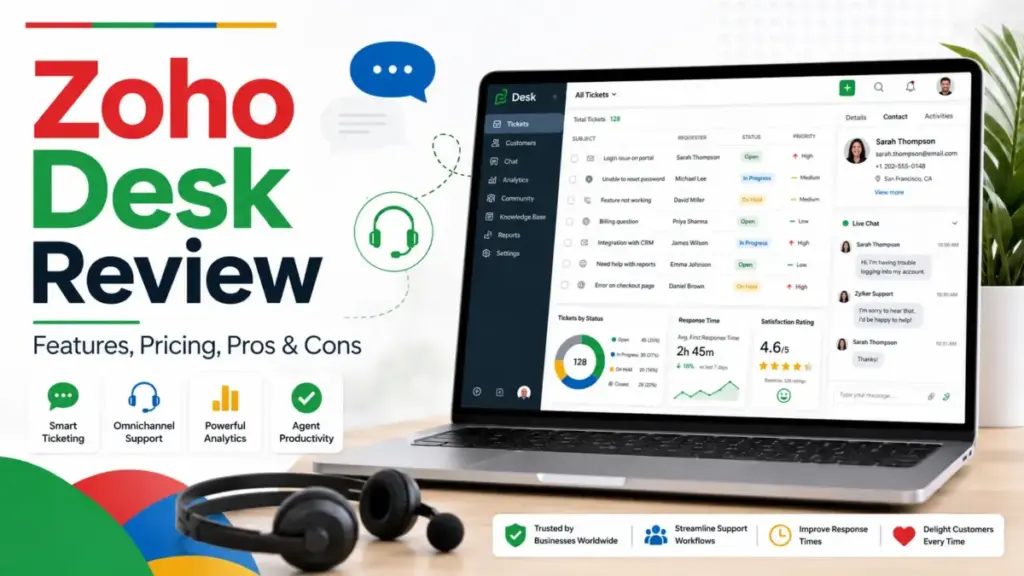
Zoho Desk sits in a crowded field of help desk solutions, and picking the wrong one can lock your team into months of migration pain. This Zoho Desk review breaks down what the product actually delivers in 2026, where its pricing gets complicated, and which teams will get the most from it.
Zoho positions Desk as an AI-powered help desk trusted by 125,000+ businesses, but the gap between marketing copy and day-to-day reality matters more than badge counts. I spent weeks analyzing Zoho Desk’s plan structure, feature gates, user review patterns across G2 and Capterra, and competitive pricing to give you a clear picture. If you run a support team of 5 to 50 agents and you are evaluating SaaS software options, this is the breakdown I wish existed when I started researching.
Zoho Desk Review: Quick Verdict
Zoho Desk earns strong marks for pricing and workflow depth, but its best features live behind the Enterprise plan. Here is how I scored it based on our SaaS Zap review methodology.
Overall Score: 8.4 / 10
| Category | Detail |
|---|---|
| Score | 8.4 / 10 |
| Best For | Zoho-native support teams (5 to 50 agents) that need structured ticketing, SLA tracking, and workflow automation at a lower per-agent cost |
| Not For | Teams wanting instant AI chat deployment, the simplest agent inbox, or Shopify-native ecommerce support |
| Starting Price | Free (3 users); paid plans from $7/agent/month (annual) |
| Biggest Catch | Live chat, Answer Bot, multi-brand help centers, and sandbox all require the $40/agent/month Enterprise plan |
Zoho Desk is a strong value play for process-driven support teams, especially those already inside the Zoho ecosystem. It falls short for buyers who need plug-and-play AI chat or a clean, minimal inbox experience out of the box.
What Is Zoho Desk?
Zoho Desk is a cloud-based help desk platform built by Zoho Corporation. It centralizes customer support across email, social media, messaging, telephony, and live chat into a single ticketing system. The platform includes a knowledge base, community forums, SLA management, workflow automation, Blueprints for process enforcement, Zia AI for ticket analysis, and reporting dashboards. It connects to 360+ apps through the Zoho Marketplace and integrates natively with Zoho CRM, Zoho Analytics, and Zoho SalesIQ.
Zoho Desk Features That Matter
Feature lists can make any product look impressive. What matters is whether those features solve real support problems at the plan level you can actually afford. I focused on the six capability areas that define whether Zoho Desk fits a given team.
Zoho Desk Ticketing and Omnichannel Inbox
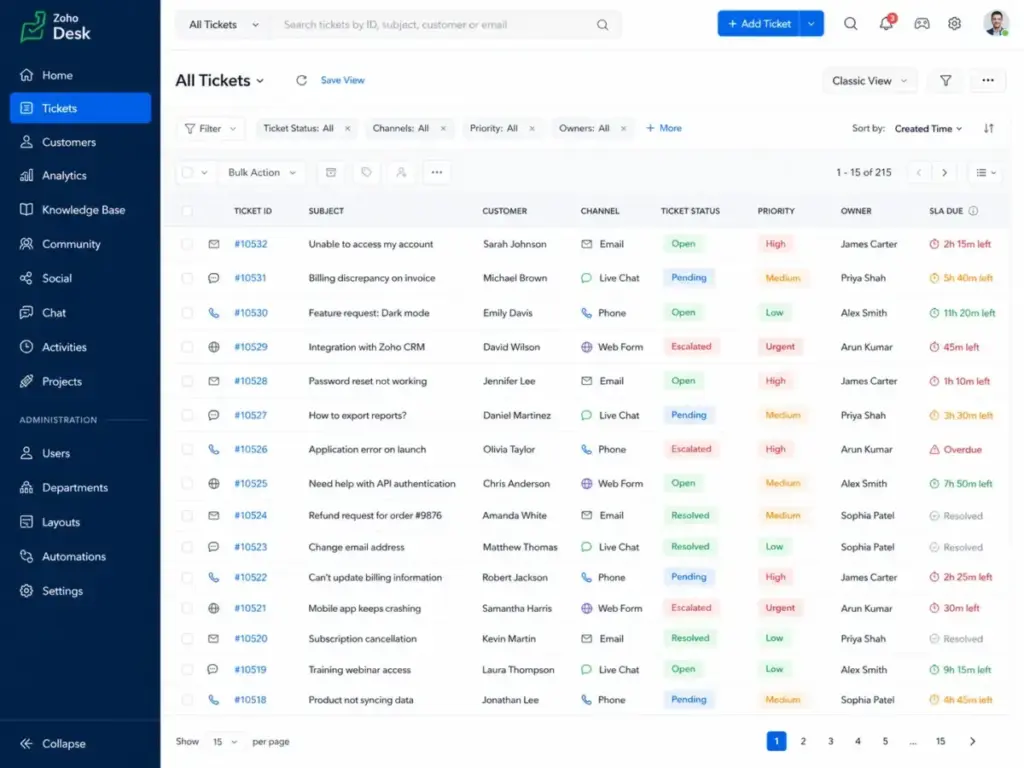
Ticketing is the core of Zoho Desk. Tickets arrive from email, web forms, social media, instant messaging, and (on Professional and above) telephony. The inbox supports work modes that let agents view tickets by status, priority, due time, or customer. Direct assignment, round-robin (Professional+), and skill-based routing (Enterprise) give managers control over how work gets distributed.
Multi-department support starts at Professional, which means Standard plan teams are limited to a single department view. Parent-child ticketing also requires Professional, so teams handling complex, multi-step issues on Standard will need workarounds.
The ticketing experience is functional and configurable. It is not the cleanest inbox I have seen (Help Scout wins that comparison), but it handles volume and structure well for teams that need ticket history tied to customer accounts.
Zoho Desk Knowledge Base and Self-Service
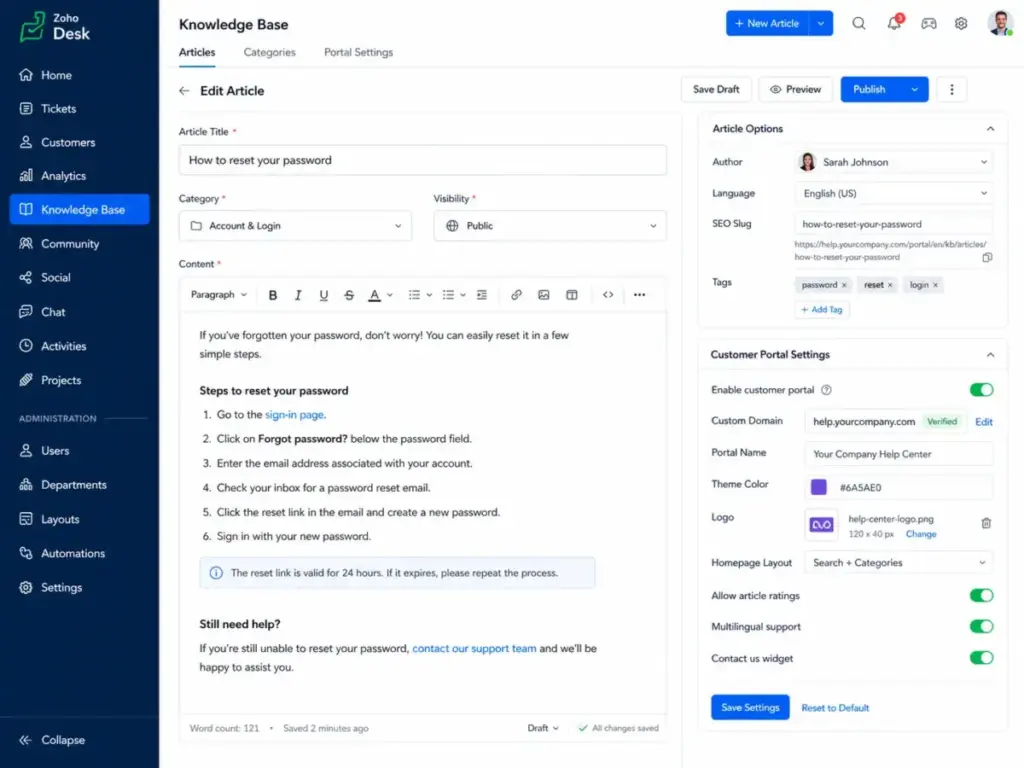
Standard plan and above includes a knowledge base, ASAP widget, and customer portal. You can create categorized articles, embed them in your help center, and track which articles deflect tickets. The community forum (Standard+) adds a peer-support layer.
The multilingual help center requires Professional. Multi-brand help centers require Enterprise. If you operate two or more products under separate brands, you are looking at $40/agent/month minimum.
One consistent complaint from SelectSoftware reviewers and Reddit threads: the knowledge base software search within Zoho Desk could be smarter. Article discovery depends heavily on how well you tag and structure content. The editor itself is adequate, not exceptional.
Zoho Desk Workflow Automation and Blueprints
Workflow rules are available from Express onward. These cover ticket assignment, field updates, notifications, and escalations. Multi-level escalations ensure SLA breaches trigger the right alerts.
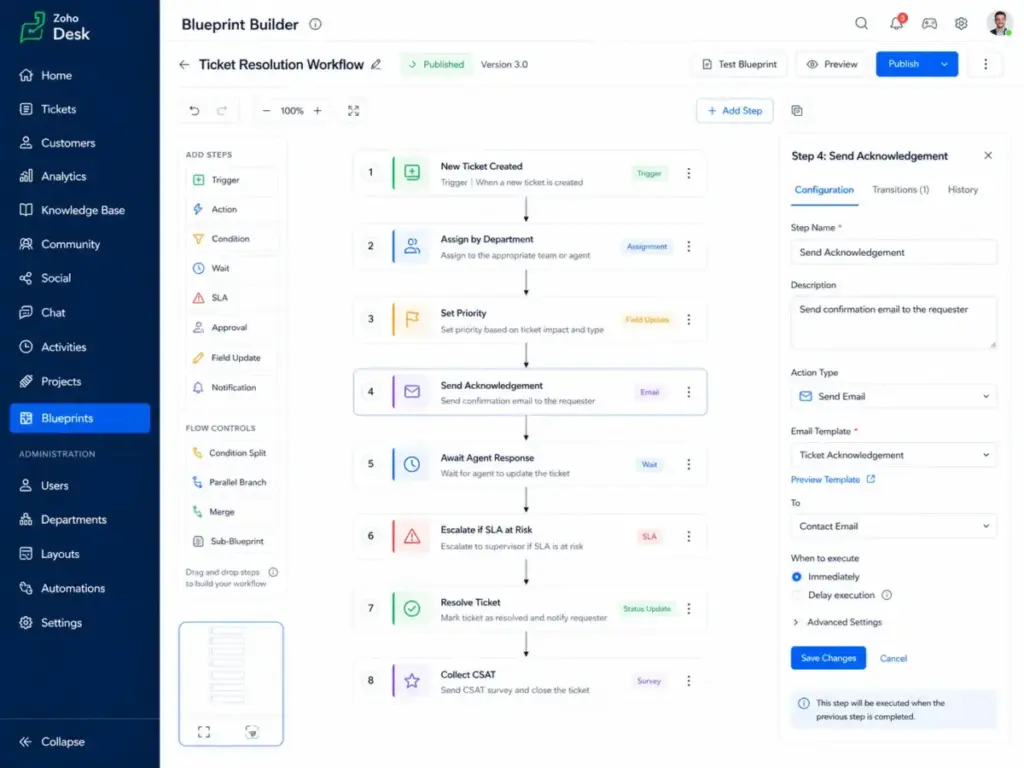
Blueprints (Professional+) are where Zoho Desk separates itself from simpler help desks. Blueprints enforce process sequences: a ticket must move through defined stages with required actions at each step. For teams with compliance requirements or multi-step resolution workflows, this is a genuine differentiator. I have not seen this depth of process enforcement at this price point from Freshdesk or Help Scout.
Custom actions, webhooks, and API access (Professional+) extend automation to external systems. Enterprise adds custom modules and sandbox for testing changes before they hit production.
Zoho Desk Zia AI and AI Agents
Zoho’s AI story is layered, and the layers matter more than the marketing suggests. Here is how AI breaks down by plan:
- Standard: Generative AI via OpenAI API key (you bring your own key)
- Professional: AI Agents for task automation
- Enterprise: Answer Bot, AI support assistant, guided conversations
Zia AI powers sentiment analysis, ticket field predictions, and anomaly detection. On Enterprise, the Answer Bot suggests knowledge base articles to customers before they submit tickets, and guided conversations create decision-tree flows for self-service.
The key distinction for budget-conscious buyers: Zoho includes Zia capabilities within its per-seat pricing. Intercom charges $0.99 per Fin AI resolution on top of seat costs. Help Scout charges $0.75 per AI Answers resolution. For teams processing thousands of tickets monthly, Zoho’s included AI pricing can produce meaningful savings, assuming you reach Enterprise tier to access the full AI suite.
However, if you want AI chat automation deployed in under a day, Intercom’s Fin is faster to set up and more mature for in-app messaging. Zoho’s AI strength is in ticket analysis and process automation, not conversational AI speed.
Zoho Desk Reporting and Customer Happiness
Reporting starts simple on Express and grows through the plan tiers. Standard adds custom reports. Professional adds cross-module custom reports. Enterprise adds advanced analytics and dashboards.
Customer happiness ratings let you track satisfaction at the ticket level, not just through periodic surveys. This is available from Standard onward and ties directly into agent performance views. Combined with Zoho Analytics integration, you can build dashboards that connect support metrics to business outcomes.
The friction point: building custom reports requires learning Zoho’s report builder, which has its own learning curve. Several G2 reviewers flag reporting setup as an area where they needed extra time or support.
Zoho Desk Integrations and Marketplace
Zoho Desk connects to the Zoho ecosystem natively: Zoho CRM, Zoho SalesIQ, Zoho Analytics, Zoho Books, Zoho Mail, Zoho Projects, and more. For teams running Zoho One, Desk becomes part of a unified operating system rather than a standalone tool.
The Zoho Marketplace offers extensions for third-party tools, and the Zoho Desk API enables custom integrations. Zoho claims 360+ app integrations.
This ecosystem advantage is real, but it cuts both ways. If you are not using other Zoho products, you lose the primary integration benefit that justifies choosing Zoho Desk over competitors with broader third-party app marketplaces like Zendesk.
Zoho Desk User Experience
The agent experience in Zoho Desk is functional and configurable, but it is not minimal. New users face a setup process that rewards patience and punishes rushing. G2’s review summary notes that users praise ease of use and automation, but some say initial setup can be complex. That matches what I found across Reddit threads and Capterra feedback.
The First 30 Minutes in Zoho Desk
Here is what a realistic first session looks like for a new Zoho Desk admin:
- Create your portal and set your subdomain.
- Connect your support email to start receiving tickets.
- Configure departments (Professional+ for multi-department).
- Set up ticket fields, statuses, and priorities to match your workflow.
- Build your first SLA policy with response and resolution targets.
- Create assignment rules or enable round-robin (Professional+).
- Draft your first knowledge base articles (Standard+).
- Publish your help center and test the customer portal.
That is not a 30-minute job for most teams. Expect 2 to 4 hours for a basic setup, and several days to configure workflows, Blueprints, and automations properly. The 15-day free trial (no credit card required) gives you enough time, but do not expect to evaluate the product in a quick afternoon session.
“Zoho Desk was easily the one that best matched our company’s needs.” — Joao Batista A., IT Manager, Airlines/Aviation, Mid-Market (G2, April 2026)
That quote reflects the experience of a buyer who invested the setup time. Teams that skip configuration often end up frustrated with defaults that do not match their process.
Zoho Desk Pricing and Plans
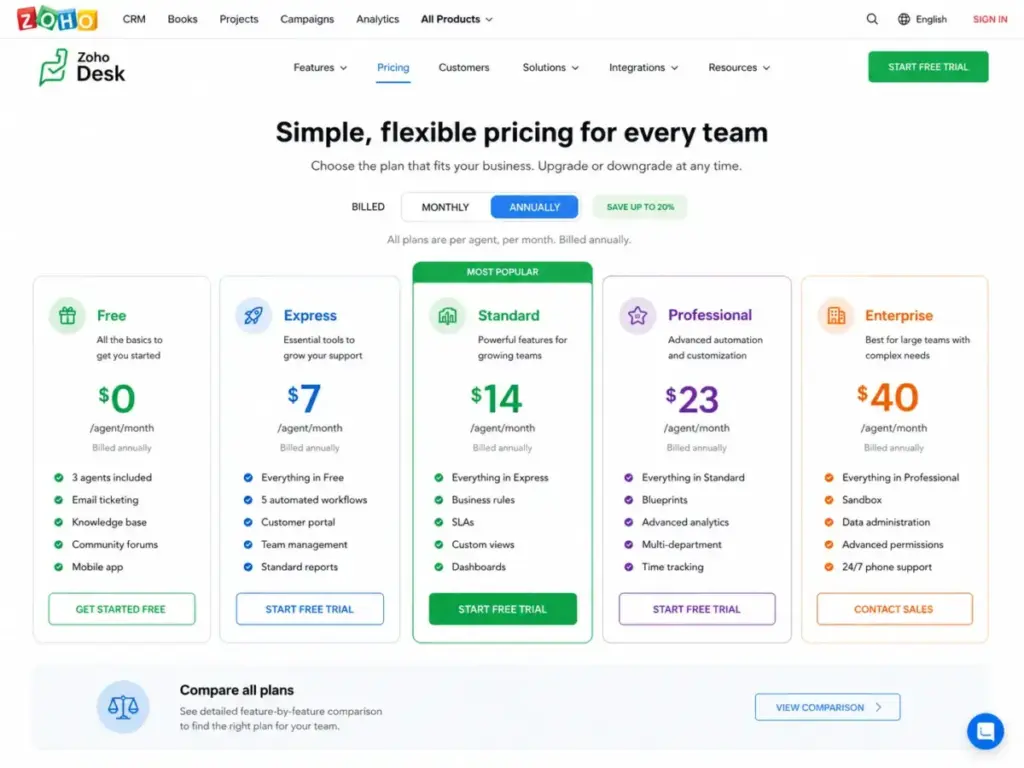
Zoho Desk offers five plans, and the pricing math changes based on billing period, team size, and which features your workflow actually requires. All prices below are in USD, verified as of May 4, 2026, and cross-referenced from Zoho’s pricing page, Hiver, and Capterra. Zoho’s pricing page may display different currencies by region, so confirm USD pricing directly before purchase.
| Plan | Annual (per agent/month) | Monthly (per user/month) | Best Fit |
|---|---|---|---|
| Free | $0 | $0 | Testing email ticketing (3-user cap) |
| Express | $7 | $9 | Micro teams needing email, social, forms |
| Standard | $14 | $20 | Growing teams needing KB, SLAs, messaging |
| Professional | $23 | $35 | Multi-department teams needing Blueprints, telephony |
| Enterprise | $40 | $50 | Teams needing live chat, AI suite, multi-brand |
Pricing verified May 4, 2026. Local taxes (VAT, GST) may apply. Annual pricing requires upfront annual payment.
Buyer Math: What Zoho Desk Actually Costs
The per-agent price only tells part of the story. Here is what real teams pay annually:
| Team Size | Standard (Annual) | Professional (Annual) | Enterprise (Annual) |
|---|---|---|---|
| 5 agents | $840/year | $1,380/year | $2,400/year |
| 10 agents | $1,680/year | $2,760/year | $4,800/year |
| 25 agents | $4,200/year | $6,900/year | $12,000/year |
For comparison, 25 agents on Zendesk Suite Professional with Copilot would cost $46,500/year ($155/agent/month). The same team on Freshdesk Pro would cost $16,500/year ($55/agent/month). Zoho Desk Enterprise at $12,000/year for 25 agents is significantly cheaper, though it offers less enterprise depth than Zendesk.
“After switching to Zoho Desk, we saved 35% in licensing costs and experienced a 30% increase in team productivity.” — Bianca Bento, Client Experience, NOOA Brasil (Zoho official customer quote)
What the Pricing Page Does Not Make Obvious
Several high-value features are gated behind specific plans, and the pricing comparison page buries some of these details. Here is the gate map:
| Feature | First Available Plan | What This Means for Buyers |
|---|---|---|
| Knowledge base | Standard ($14) | Free and Express teams cannot build a help center |
| Blueprints | Professional ($23) | Process enforcement requires a $9/agent jump from Standard |
| Multi-department support | Professional ($23) | Standard teams are limited to a single department |
| AI Agents | Professional ($23) | Basic AI automation starts here |
| Live chat (Zoho SalesIQ) | Enterprise ($40) | Real-time chat requires the top-tier plan |
| Answer Bot | Enterprise ($40) | AI article suggestions need Enterprise |
| AI support assistant | Enterprise ($40) | Full Zia AI capabilities are Enterprise-only |
| Guided conversations | Enterprise ($40) | Decision-tree self-service flows need Enterprise |
| Skill-based routing | Enterprise ($40) | Routing tickets by agent skill needs Enterprise |
| Multi-brand help center | Enterprise ($40) | Multiple brand portals need Enterprise |
| Sandbox | Enterprise ($40) | Testing configuration changes safely needs Enterprise |
| Custom modules | Enterprise ($40) | Extending the data model needs Enterprise |
The pattern is clear: Zoho Desk is affordable until your required workflow lands on Enterprise. Standard and Professional offer genuine value. Enterprise is where costs approach mid-market territory.
Zoho also notes that paid customers receive Classic support, with faster response times, 24/7 availability, dedicated onboarding, and priority support available through paid support plans at additional cost.
Zoho Desk Pros and Cons
Every help desk product has tradeoffs. I weighed Zoho Desk’s strengths against its friction points using official documentation, G2’s 7,521 reviews (4.4 rating), Capterra’s 4.5 value-for-money score from 1,929 reviews, Reddit community threads, and SelectSoftware reviewer feedback.
- Lower per-agent cost than most competitors. Standard starts at $14/agent/month (annual), undercutting Freshdesk Growth ($19) and Help Scout Standard ($25).
- Deep Zoho ecosystem integration. Native connections to Zoho CRM, Analytics, SalesIQ, Books, and Projects create a unified support-to-sales data flow.
- Blueprints for process enforcement. No other help desk at this price offers comparable process sequence controls.
- Included AI pricing. Zia AI capabilities are bundled into seat pricing, avoiding per-resolution charges that Intercom and Help Scout layer on.
- Flexible ticket management. Work modes, SLA tracking, customer happiness ratings, and multi-department support (Professional+) handle structured support operations well.
- 15-day free trial without a credit card. Low-risk evaluation period.
- Compliance-ready posture. GDPR, HIPAA configuration guidance, ISO 27001, and SOC 2 Type II support enterprise security requirements.
- Setup complexity is real. G2 top con themes include “Learning Curve,” “Steep Learning Curve,” and “Not Intuitive.” Reddit threads confirm tricky setup and clunky scaling.
- Best AI and chat features are Enterprise-gated. Answer Bot, guided conversations, live chat, and the AI support assistant all require the $40/agent/month tier.
- Mobile app performance concerns. Capterra users mention mobile app slowness, and SelectSoftware reviewers flag the mobile experience as an area needing improvement.
- Performance lag reports. Community complaints include slow ticket loading. One user reported 40 seconds to open a single ticket.
- Knowledge base search could be smarter. SelectSoftware feedback specifically calls out search quality within the knowledge base.
- Paid support plan considerations. Classic support is included, but faster response times and dedicated onboarding cost extra.
- Regional pricing and tax complexity. Zoho’s pricing page may show different currencies, and local taxes (VAT, GST) are added on top of listed prices.
“Zoho Desk’s customization can be limited for some use cases.” — Nantabo Jackie, Sales Manager at Softhostings Limited (SelectSoftware Reviews)
Zoho Desk Security and Compliance
For regulated teams, Zoho Desk supports GDPR workflows with data processing controls, right-to-erasure tools, and consent management. Zoho publishes GDPR readiness documentation that covers ISO 27001 and SOC 2 Type II certifications. For healthcare-adjacent teams, Zoho provides a HIPAA compliance configuration guide and supports BAA (Business Associate Agreement) requests. Zoho’s privacy posture, including data center choices and encryption standards, is documented separately on their trust center. This does not make Zoho Desk a “HIPAA-certified” product out of the box, but it provides the configuration path that compliance teams need.
Zoho Desk vs Alternatives
No single help desk fits every team. The right choice depends on your team size, budget, ecosystem, and whether you prioritize ticketing depth, AI chat, or inbox simplicity. Here is how Zoho Desk compares to four major alternatives.
| Product | Starting Price (Annual) | Best For | Better Choice When… |
|---|---|---|---|
| Zoho Desk | $7/agent/month | Zoho-native teams needing structured ticketing | You want deep Zoho integration and lower cost |
| Zendesk | $155/agent/month (Suite + Copilot Pro) | Enterprise service operations | You need mature WFM, QA, and thousands of marketplace apps |
| Freshdesk | $19/agent/month (Growth) | Mainstream help desk adoption | You want a simpler mainstream help desk without Zoho ecosystem dependency |
| Intercom | $29/seat/month + $0.99/Fin outcome | SaaS product-led support | You prioritize AI chat, in-app messaging, and proactive support |
| Help Scout | $25/user/month (Standard) | Clean shared inbox teams | You want the simplest agent experience and strong documentation tools |
Zoho Desk vs Zendesk
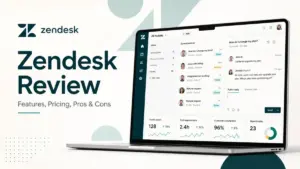
Zendesk is the enterprise standard. Its marketplace has thousands of apps, its workforce management and quality assurance tools are more mature, and its analytics suite is deeper. But Zendesk Suite Professional with Copilot costs $155/agent/month, nearly 4x Zoho Desk Enterprise.
Zoho Desk wins on cost and Zoho ecosystem integration. Zendesk wins on enterprise breadth, third-party app coverage, and service operations maturity. For a 25-agent team, the annual cost difference is over $34,000 (Zoho Enterprise at $12,000 vs Zendesk Suite Pro at $46,500).
If your team needs enterprise governance, advanced WFM, and a massive integration ecosystem, read our full Zendesk review. For pricing details, see our Zendesk pricing breakdown.
Zoho Desk vs Freshdesk
Freshdesk is the closest direct competitor to Zoho Desk in the mid-market. Freshdesk Growth starts at $19/agent/month (annual), slightly above Zoho Standard at $14. Freshdesk Pro ($55) and Enterprise ($89) are notably more expensive than Zoho’s Professional ($23) and Enterprise ($40).
Freshdesk offers a cleaner onboarding experience and benefits from the Freshworks CX ecosystem (Freshchat, Freshsales, Freshservice). Zoho Desk offers deeper workflow automation at a lower price and stronger integration for Zoho-native companies.
If you are not tied to either ecosystem, Freshdesk is the easier adoption path. If you already run Zoho CRM or Zoho One, Zoho Desk is the smarter investment. Read our full Freshdesk review for more detail.
Zoho Desk vs Intercom
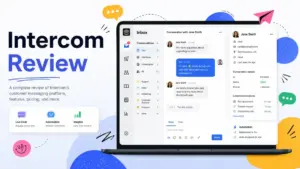
These products serve different philosophies. Intercom is built for product-led SaaS companies that want AI chat, in-app messaging, and proactive customer engagement. Zoho Desk is built for ticket-centric support operations.
Intercom Essential costs $29/seat/month plus $0.99 per Fin AI resolution. For teams handling high chat volume, that per-outcome pricing adds up fast. Zoho Desk includes Zia AI within its seat pricing, but its AI capabilities are more focused on ticket analysis than conversational chat.
Choose Intercom if you want AI chat deployed quickly and your support model is chat-first. Choose Zoho Desk if you need structured ticketing, SLA management, and predictable per-seat costs. For a deeper comparison, see our Intercom review and our Zendesk vs Intercom breakdown.
Zoho Desk vs Help Scout
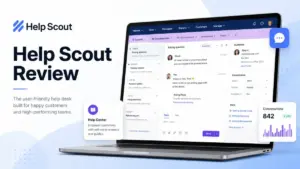
Help Scout offers one of the cleanest agent inbox experiences in the category. Its shared inbox, Docs knowledge base, and Beacon widget create a simple, focused support tool. Help Scout Standard costs $25/user/month, and its free plan (recently introduced) covers basic needs.
Zoho Desk offers more workflow depth: Blueprints, multi-department support, telephony integration, and broader automation rules. Help Scout offers a faster, cleaner agent experience with less configuration overhead.
Choose Help Scout if your team values inbox simplicity and clean documentation. Choose Zoho Desk if you need structured process enforcement and deeper automation. Read our Help Scout review for more.
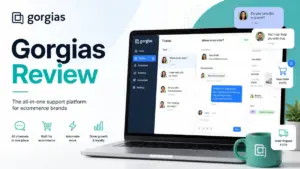
For ecommerce teams running Shopify, neither Zoho Desk nor the products above are the best fit. Check our Gorgias review for a Shopify-native help desk option.
Who Should Use Zoho Desk?
Zoho Desk fits specific buyer profiles better than others. Rather than a generic “good for SMBs” recommendation, here is where I see the strongest fit based on the product’s strengths and pricing structure.
Zoho Desk Fit Matrix
| Team Profile | Fit Level | Why |
|---|---|---|
| 5 to 15 agent SaaS support teams already using Zoho CRM | Strong | Native CRM integration, low per-agent cost, ticket-to-account linking |
| 3 to 10 person operations teams moving from shared inboxes | Good | Structured ticketing, SLA tracking, and workflow rules at Standard pricing |
| 10 to 50 agent support teams needing multi-department workflows | Strong | Blueprints, round-robin, parent-child ticketing at Professional tier |
| B2B service firms that need ticket history tied to customer accounts | Strong | Contact and account management, CRM sync, reporting |
| Cost-sensitive teams comparing Zendesk and Freshdesk pricing | Good | Significantly lower per-agent cost, especially at 10+ agents |
The common thread: Zoho Desk works best when it is part of a Zoho operating system, not when it is bought as a standalone inbox tool.
Who Should Not Use Zoho Desk?
Zoho Desk is not the right choice for every support team. These profiles will likely find better options elsewhere.
| Team Profile | Why Not | Better Alternative |
|---|---|---|
| 2-person teams that only need a shared inbox | Too much configuration for a simple use case | Help Scout Free or Standard |
| AI-first SaaS teams wanting chat automation deployed in under a day | Zoho’s AI chat (Enterprise-gated) is slower to deploy than Intercom Fin | Intercom |
| Ecommerce teams needing Shopify-native order automation | Zoho Desk lacks deep Shopify integration and order-context automation | Gorgias |
| Enterprises needing mature WFM, QA, and deep governance | Zoho’s enterprise tooling is growing but not at Zendesk’s depth | Zendesk |
| Teams allergic to setup menus and configuration work | G2 and Reddit consistently flag setup complexity and learning curve | Help Scout |
Final Verdict: Is Zoho Desk Worth It?
Zoho Desk earns its 8.4/10 score by delivering structured ticketing, strong workflow automation, and competitive pricing that undercuts most alternatives at every tier. It is not the prettiest inbox, the fastest AI chat deployment, or the simplest tool to set up, but it solves real problems for the right teams.
My recommendation: Zoho Desk is worth it for support teams of 5 to 50 agents that already use Zoho products, need process-driven ticketing, and want to keep per-agent costs below $25/month. It is not worth it for teams that want the cleanest inbox (choose Help Scout), the fastest AI chat deployment (choose Intercom), or the broadest enterprise service suite (choose Zendesk).
The product’s best value sits in the Standard and Professional plans. If your required workflow lands on Enterprise, run the cost comparison carefully, because at $40/agent/month, the price gap between Zoho Desk and competitors narrows. Zoho Desk is cheap until your required feature lives on Enterprise.
Final Score: 8.4 / 10
FAQ
Is Zoho Desk worth it in 2026?
Yes, for the right buyer. Zoho Desk offers strong value for Zoho-native support teams that need structured ticketing and workflow automation at a lower per-agent cost than Zendesk or Freshdesk. It is weaker for teams that prioritize AI chat speed or minimal setup.
How much does Zoho Desk cost?
Zoho Desk starts free (3 users) and scales from $7/agent/month (Express, annual) to $40/agent/month (Enterprise, annual). Monthly billing runs from $9 to $50 per user. Local taxes may apply. Pricing verified May 4, 2026 from Zoho’s pricing page.
Does Zoho Desk have a free plan?
Yes. The Free plan supports up to 3 users with basic email ticketing. It does not include a knowledge base, SLAs, or workflow automation. The 15-day free trial of paid plans does not require a credit card.
Does Zoho Desk include AI?
Yes, but AI features are spread across plan tiers. Standard supports generative AI via an OpenAI API key you provide. Professional adds AI Agents. Enterprise adds Answer Bot, AI support assistant, and guided conversations. Unlike Intercom ($0.99 per Fin outcome) or Help Scout ($0.75 per AI resolution), Zoho includes AI within seat pricing.
Is Zoho Desk better than Zendesk?
Zoho Desk is better on price and Zoho ecosystem integration. A 25-agent team pays $12,000/year on Zoho Enterprise vs $46,500/year on Zendesk Suite Professional. Zendesk is better for enterprise-grade WFM, QA, marketplace breadth, and service operations maturity.
Is Zoho Desk better than Freshdesk?
Zoho Desk is cheaper at every comparable tier and offers deeper workflow automation through Blueprints. Freshdesk offers simpler onboarding and a stronger Freshworks CX ecosystem. The better choice depends on whether you value price and Zoho integration (Zoho Desk) or easier adoption and Freshworks tools (Freshdesk).
What are the biggest Zoho Desk limitations?
Four specific limitations stand out: (1) live chat, Answer Bot, and multi-brand help centers all require the $40/agent/month Enterprise plan, (2) setup complexity and learning curve are consistently flagged by G2 and Reddit users, (3) mobile app performance and ticket loading speed draw complaints, and (4) the knowledge base search lacks the smart discovery features found in dedicated knowledge base tools.
What are the best Zoho Desk alternatives?
The best alternative depends on your use case. Zendesk for enterprise service operations. Freshdesk for mainstream help desk adoption. Intercom for AI-first SaaS chat support. Help Scout for clean shared inbox simplicity. Gorgias for Shopify-native ecommerce support. Each serves a different buyer profile.