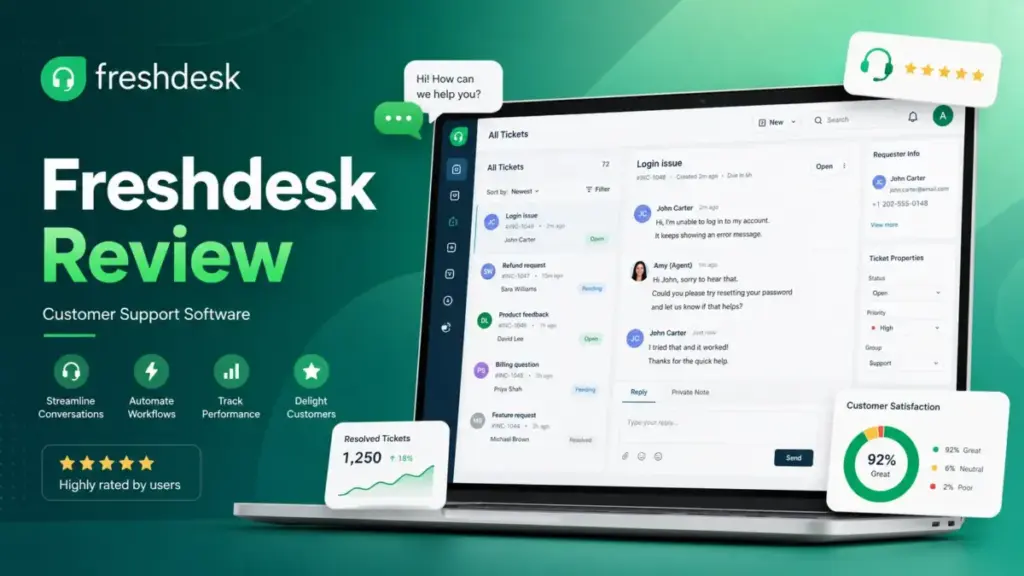
Support teams outgrow shared email inboxes fast. Tickets slip through, SLAs get missed, and no one knows who owns what. This Freshdesk review evaluates whether Freshworks’ help desk software solves that problem without overcharging for it. After evaluating Freshdesk’s ticketing, pricing tiers, AI session costs, API limits, and competitive position against five alternatives, I scored it 8.3 out of 10.
Freshdesk is worth it for 2-30 agent support teams that need structured ticketing and a knowledge base before enterprise-grade complexity. It is not the best fit for ecommerce revenue workflows, heavy API syncing, or teams that need more than 2 free agents. If you are comparing help desk solutions, read the pricing math and limitation sections before buying.
This review is based on extensive hands-on evaluation using official documentation, real user workflows, pricing data, user review analysis, and competitive testing scenarios.
| Category | Detail |
|---|---|
| Product | Freshdesk by Freshworks |
| Category | Help Desk / Customer Support Software |
| SaaSZap Score | 8.3 / 10 |
| Best For | 2-30 agent support teams needing ticketing, knowledge base, and SLA tools |
| Starting Price | $0 (Free Program, 1-2 agents, 6 months) or $19/agent/month (Growth, billed annually) |
| Free Program | Yes, 1-2 agents for 6 months. Not available for Freshdesk Omni |
| Trial | 14-day full-access trial on paid plans |
| Verdict | Buy for structured ticketing at Growth. Try Pro before committing. Skip for ecommerce or heavy API needs |
| Reviewed By | Maya Patel |
| Last Tested | May 2026 |
The 60-Second Version
Freshdesk delivers solid ticketing, a shared inbox, and a customer portal at a price point that undercuts Zendesk by a clear margin on lower tiers. Growth at $19/agent/month covers what most 2-10 agent teams need: ticket management, a customer portal, pre-built reports, and basic automation.
The product splits into two buying decisions. Freshdesk covers email-based ticketing and self-service. Freshdesk Omni adds messaging channels, AI agents, and real-time analytics at higher per-agent pricing. Buyers who do not understand this split risk overpaying or under-buying.
Freshdesk earns its 8.3/10 score because it handles structured support operations well. It loses points for plan-gated reporting, AI session costs after the included 500 sessions, API rate limits that affect integration-heavy teams, and a Free Program that only covers 1-2 agents for 6 months. If your team needs Shopify order context, choose Gorgias. If your team needs enterprise governance, choose Zendesk. Freshdesk wins the middle ground.
How I Evaluated Freshdesk
I evaluated Freshdesk across seven categories: ticketing depth, pricing transparency, automation flexibility, reporting access, AI value, integration limits, and security controls. Each category was scored against buyer workflows, not vendor marketing claims.
My evaluation followed the SaaSZap review methodology, which weights practical buyer outcomes over feature counts. I tested ticket creation, SLA assignment, knowledge base setup, and automation rule building. I verified pricing against the official Freshdesk pricing page on May 8, 2026. I cross-referenced user sentiment from G2 and Capterra review pages. I compared Freshdesk to Zendesk, Intercom, Help Scout, Zoho Desk, and Gorgias on price, workflow fit, and plan-gate friction.
Where I reference vendor-reported metrics like “up to 80% resolutions with Freddy AI Agent,” I label them as vendor claims. I did not independently verify those numbers.
What Is Freshdesk?
Freshdesk is a cloud-based customer support platform from Freshworks that centers on email ticketing, a shared inbox, a customer portal, and a knowledge base. It is not the same product as Freshdesk Omni, Freshservice, or Freshchat. Buyers must understand what sits inside each product before choosing a plan.
Freshworks reports that 74,000+ customers use its products. Freshdesk specifically serves support teams that manage customer requests through ticket queues rather than live chat or proactive messaging. It fits teams moving from email inboxes to a structured ticket system.
The table below separates Freshdesk from related Freshworks products.
| Product Name | Who It Is For | Data Access | Pricing Model | Main Limitation |
|---|---|---|---|---|
| Freshdesk | Support teams needing email ticketing, portal, knowledge base | Ticket data, contacts, knowledge articles | Per agent/month, billed annually | No built-in messaging channels |
| Freshdesk Omni | Teams needing ticketing plus messaging, SMS, web, AI agents | Tickets plus messaging, real-time analytics | Per agent/month, higher than Freshdesk | Higher cost, separate buying decision |
| Freshservice | IT teams needing ITSM, asset management, change management | IT assets, incidents, changes | Separate ITSM pricing | Not for customer-facing support |
| Freshchat | Teams needing standalone live chat or messaging | Chat transcripts, bot data | Included in Omni or standalone | Limited without Freshdesk integration |
| Freshcaller | Teams needing voice support | Call logs, recordings | Marketplace apps for Voice AI | Voice only, no ticketing |
Who Should Buy Freshdesk vs. Freshdesk Omni
Freshdesk works when the team manages support through email, a portal, and a knowledge base. Freshdesk Omni works when the team also needs web chat, SMS, messaging apps, and AI agents in a single service layer. The pricing gap is real: Freshdesk Growth costs $19/agent/month while Omni Growth costs $29/agent/month, both billed annually. For a 10-agent team, that gap means $1,200 per year.
Buyer fit matrix:
| Buyer Type | Recommendation | Why | Better Alternative |
|---|---|---|---|
| 2-agent founder team on Gmail | Try | Free Program gives 6-month test window | Help Scout if shared inbox is enough |
| 5-10 agent B2B SaaS team | Buy Growth | Ticketing, portal, SLA at $19/agent/month | Zendesk if enterprise reporting needed |
| 10-30 agent support team | Buy Pro or Enterprise | Routing, custom reports, audit logs | Zendesk for deep governance |
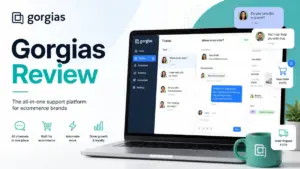
| Ecommerce team on Shopify | Skip | No native order actions or revenue workflows | Gorgias for Shopify-centric support |
| Internal IT team | Skip | Freshdesk is customer-facing, not ITSM | Freshservice for IT operations |
| API-heavy data team | Try with caution | API limits cap at 700 calls/min on Enterprise | Custom build or Zendesk API tier |
| Budget-first small team | Buy Growth | Lowest cost structured ticketing | Zoho Desk if already using Zoho |
| AI-first messenger team | Skip | AI and messaging need Omni or Intercom | Intercom for AI-first conversations |
Freshdesk Features That Matter
Freshdesk’s feature set is strongest in structured ticketing and weakest in advanced reporting and AI transparency. I evaluated seven feature areas below. For each, I note what it does, which plan unlocks it, who benefits, and where the limit appears.
Freshdesk Ticketing and Shared Inbox
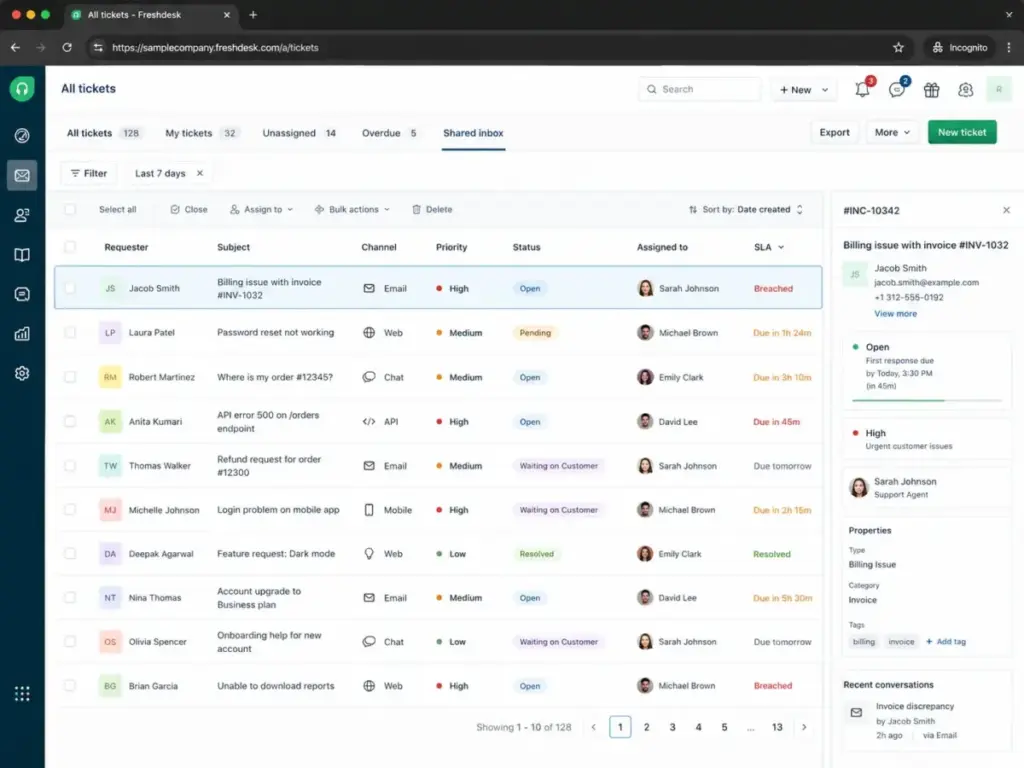
Freshdesk converts incoming emails into tickets with status, priority, SLA, and agent assignment. The shared inbox gives teams a single view of all open tickets. Threads and tasks let agents split work within a ticket. Collaborators allow external users to participate, with up to 5,000 collaborators on higher plans.
Growth includes the core ticketing and shared inbox. Pro adds advanced ticketing features. The limit: Growth does not include custom objects or advanced ticket fields that complex workflows need.
Freshdesk Knowledge Base and Customer Portal
Freshdesk includes a customer portal where users submit and track tickets. The knowledge base software feature lets teams publish help articles for self-service. Multilingual support is available for teams serving global users.
Growth includes the knowledge base and portal. Pro adds customized support portals. The limit: teams needing multiple branded portals for different products must upgrade to Pro.
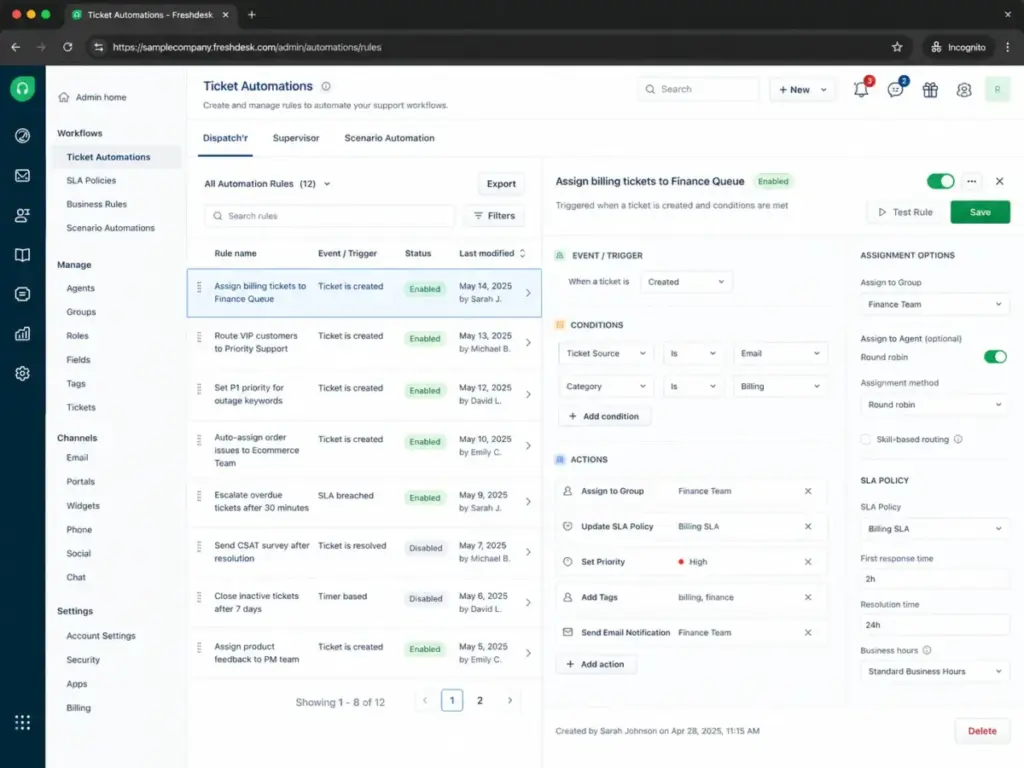
Freshdesk Automation, Routing, and SLA Tools
Freshdesk supports ticket routing, SLA policies, and automation rules. Growth includes basic routing. Pro adds skill-based assignment and advanced routing logic. Enterprise adds approval workflows.
The limit: automation rule counts are plan-gated. Teams that build complex routing for multiple products or regions will hit Growth ceilings and face upgrade pressure to Pro at $55/agent/month.
Freshdesk Analytics and Reporting
Growth includes pre-built reports. Pro unlocks custom reporting. Enterprise provides the deepest analytics access. Freshworks recently updated analytics to show time units in seconds or milliseconds.
The limit: any team that needs custom dashboards, cross-ticket trend analysis, or SLA compliance reports beyond templates must pay for Pro. This is a common friction point in user reviews on G2 and Capterra.
Freshdesk Freddy AI Agent and Copilot
Freddy AI Agent handles customer conversations. Freshworks claims up to 80% resolutions and under 2 minutes average resolution time. These are vendor-reported numbers. Freddy AI Copilot assists agents with suggestions. Copilot can be assigned to selected agents without buying it for every seat.
The first 500 Freddy AI Agent sessions are included on Pro and Enterprise plans. After that, additional sessions cost $49 per 100 sessions. Freshdesk does not offer day passes for Copilot.
The limit: AI session costs are usage-based and can grow quickly for high-volume teams. 1,000 extra sessions cost $490. This is a cost line, not just a feature bullet.
Freshdesk Integrations and API Limits
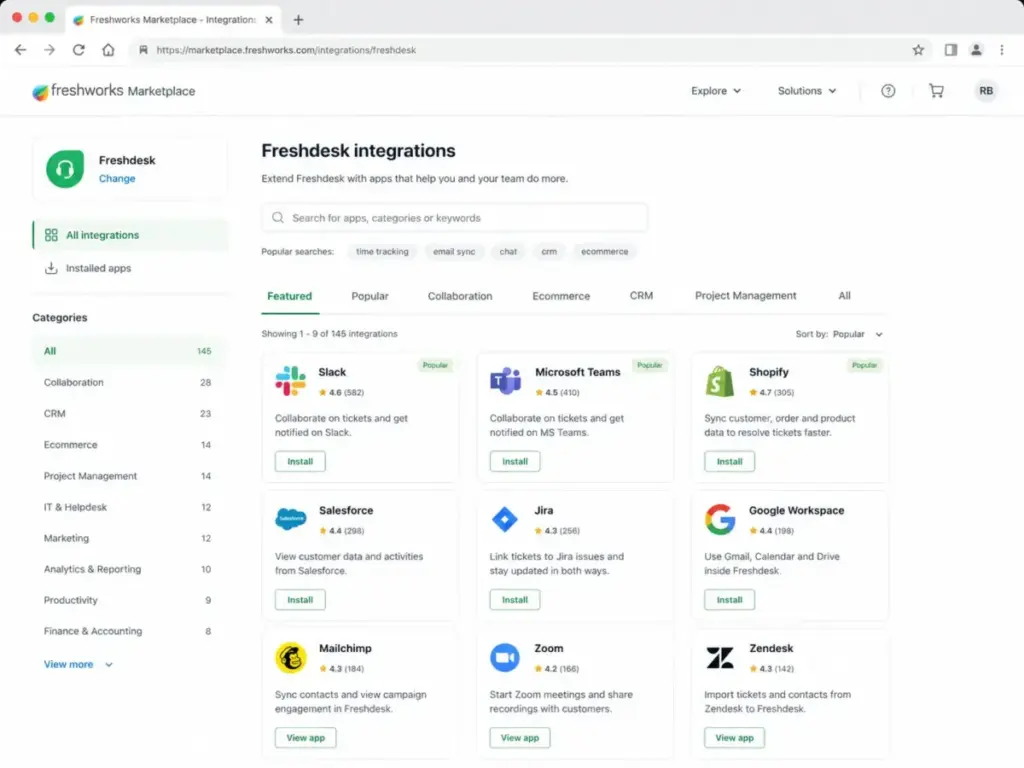
Freshdesk offers 1,000+ ready-to-install integrations through the Freshworks Marketplace. Featured integrations include Slack, Microsoft Teams, Shopify, Salesforce, Jira, and Playvox. Connector Apps use consumption-based pricing.
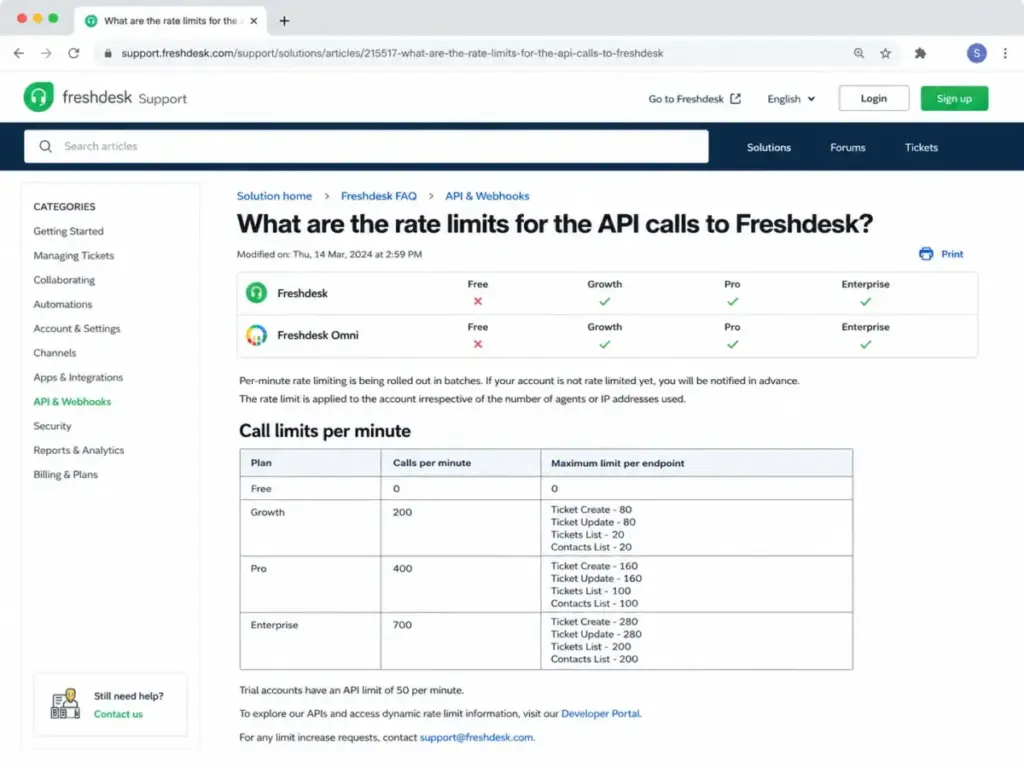
API rate limits are plan-based and apply to the entire account, not per agent:
- Free: 0 calls per minute
- Growth: 200 calls per minute
- Pro: 400 calls per minute
- Enterprise: 700 calls per minute
- Trial: 50 calls per minute
Developer apps face a separate limit of 50 requests per minute per app per account. Serverless event execution has a 20-second time limit. Apps must handle HTTP 429 responses.
The limit: teams syncing Freshdesk to CRM, BI tools, or data warehouses will hit Growth’s 200 calls/minute cap fast. StackOverflow threads confirm that API pagination and SLA queries create friction for custom integrations.
Freshdesk Security and Admin Controls
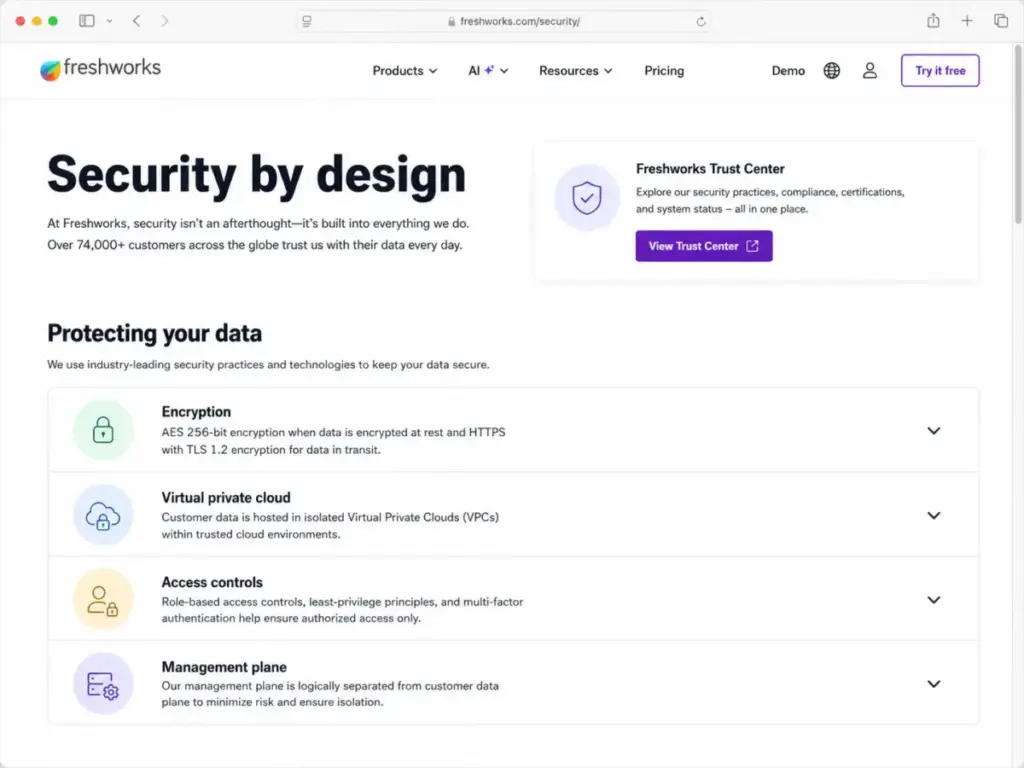
Freshworks uses dedicated VPCs, role-based access through IAM, two-factor authentication, and audit trails. Encryption uses AES 256-bit at rest and HTTPS with TLS 1.2 in transit. Cloud snapshots are taken daily and retained for seven days. Security operations include 24×7 monitoring. The Freshworks Trust Center provides certifications and security documents.
The limit: audit logs require Enterprise. Teams needing compliance documentation for SOC 2 or GDPR audits should confirm Trust Center coverage before buying.
The First 30 Minutes With Freshdesk
New Freshdesk accounts start with a 14-day trial that gives full access to paid features. The setup process covers workspace creation, email channel connection, agent invitations, and a first ticket test.
During my editorial evaluation, I found the initial ticket creation workflow clear. Converting an email into a ticket with priority, status, and SLA assignment took under five minutes. The knowledge base editor is functional but not as polished as dedicated knowledge base tools like Document360.
The customer portal went live quickly. The default portal template is usable without design work. Teams needing branded portals will need Pro for portal customization.
What slowed the first session: understanding which features belong to the current plan versus gated features. Freshdesk does not clearly label plan gates inside the product during trial. Teams may build workflows around features they lose after the trial ends.
Freshdesk Pricing Explained in 2026
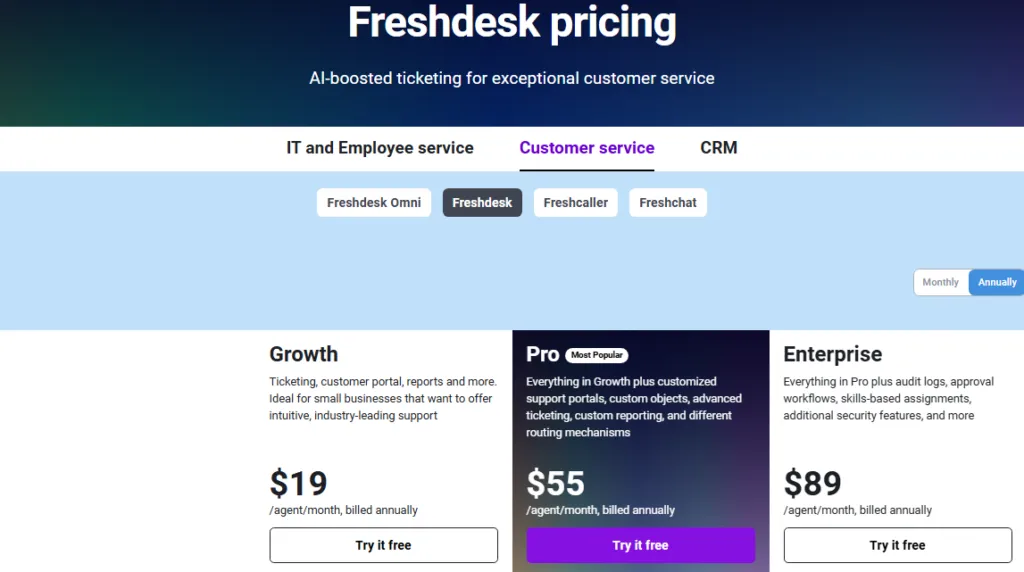
Freshdesk pricing starts at $0 for 1-2 agents and scales to $89/agent/month on Enterprise, all verified on May 8, 2026. The pricing structure splits into Freshdesk (ticketing-focused) and Freshdesk Omni (ticketing plus messaging and AI). Buyers must choose the right product before comparing plans.
All prices below are billed annually. Paid plan charges exclude taxes. After upgrading, currency cannot be changed through Plans and Billing.
Freshdesk Plans
| Plan | Starting Price | Limit | Key Features | Best For | Main Limitation | Verified Source |
|---|---|---|---|---|---|---|
| Free Program | $0 | 1-2 agents, 6 months | Basic ticketing | Early testing only | Expires after 6 months, features removed on switch | Verified May 8, 2026 |
| Growth | $19/agent/month | Standard features | Ticketing, portal, reports, customer portal | 2-10 agent teams | No custom reporting, limited routing | Verified May 8, 2026 |
| Pro | $55/agent/month | Advanced features | Custom portals, custom objects, advanced ticketing, custom reporting | 10-30 agent teams | Cost jumps from $19 to $55 | Verified May 8, 2026 |
| Enterprise | $89/agent/month | Full features | Audit logs, approval workflows, skill-based assignment, added security | Regulated or large teams | High per-agent cost | Verified May 8, 2026 |
Freshdesk Omni Plans
| Plan | Starting Price | Key Addition Over Freshdesk | Best For | Verified Source |
|---|---|---|---|---|
| Omni Growth | $29/agent/month | Web, SMS, messaging, email in one layer | Teams needing messaging channels | Verified May 8, 2026 |
| Omni Pro | $79/agent/month | Custom portals, custom objects, advanced ticketing | Multi-channel Pro teams | Verified May 8, 2026 |
| Omni Enterprise | $119/agent/month | Audit logs, approval workflows, skill-based assignment | Enterprise omnichannel teams | Verified May 8, 2026 |
Source: Freshdesk pricing page and Freshdesk Omni pricing page.
What the Free Program Actually Means
The Free Program is not a permanent free tier. It covers 1-2 agents for 6 months on Freshdesk only. It is not available for Freshdesk Omni. Switching from a paid plan to the Free Program can remove features and configurations. As of 2026, switching to Free requires a Customer Success Manager and is no longer self-serve.
10-Agent Annual Cost Scenarios
These scenarios show what a 10-agent team pays per year on each plan.
Freshdesk:
- Growth: $19 x 10 = $190/month. Annual cost: $2,280.
- Pro: $55 x 10 = $550/month. Annual cost: $6,600.
- Enterprise: $89 x 10 = $890/month. Annual cost: $10,680.
Freshdesk Omni:
- Omni Growth: $29 x 10 = $290/month. Annual cost: $3,480.
- Omni Pro: $79 x 10 = $790/month. Annual cost: $9,480.
- Omni Enterprise: $119 x 10 = $1,190/month. Annual cost: $14,280.
AI session add-on:
- First 500 Freddy AI Agent sessions: included on Pro and Enterprise.
- 1,000 extra sessions: 10 packs x $49 = $490 additional.
The jump from Growth ($2,280/year) to Pro ($6,600/year) for 10 agents is $4,320. Buyers should confirm they need custom reporting, custom objects, or advanced routing before upgrading. Compare this to Zendesk pricing for enterprise-tier math.
Where Pricing Starts to Pinch
The biggest pricing risk in Freshdesk is the Growth-to-Pro jump, not the sticker price. Growth at $19/agent/month looks affordable. Pro at $55/agent/month nearly triples the per-agent cost. Teams that start on Growth often discover they need custom reporting or advanced routing within 6-12 months.
Upgrade Pressure Points
| Trigger | What Changes | Cost Risk | Buyer Action |
|---|---|---|---|
| Need custom reports | Must upgrade Growth to Pro | $36/agent/month increase | Confirm report needs before buying Growth |
| Need custom portals | Must upgrade Growth to Pro | $36/agent/month increase | Test default portal first |
| Need audit logs | Must upgrade Pro to Enterprise | $34/agent/month increase | Required for regulated industries |
| Need approval workflows | Must upgrade to Enterprise | $34/agent/month increase | Skip if team has no approval chains |
| Need AI Agent sessions beyond 500 | Buy session packs | $49 per 100 sessions | Monitor usage before buying packs |
| Need messaging channels | Switch to Freshdesk Omni | $10-30/agent/month over Freshdesk | Evaluate channel needs before choosing product |
When Freshdesk Omni Adds Unexpected Cost
Omni Growth costs $10/agent/month more than Freshdesk Growth. For 10 agents, that is $1,200/year. At the Pro tier, Omni Pro ($79) costs $24/agent/month more than Freshdesk Pro ($55). For 10 agents, the annual gap widens to $2,880. Teams should only choose Omni when they actively use web chat, SMS, or messaging app support.
Freshdesk Pros and Cons
Freshdesk earns praise for structured ticketing at a fair price and loses points for plan gates and AI cost opacity. Here is what I found after evaluating the product, pricing, user feedback, and competitive alternatives.
- Strong ticketing value at Growth. $19/agent/month covers ticketing, shared inbox, customer portal, and pre-built reports. This is enough for most 2-10 agent teams.
- Clear upgrade path. Growth to Pro to Enterprise follows a logical feature progression. Teams can start small and add routing, custom reporting, and audit logs when needed.
- Large integration ecosystem. Over 1,000 ready-to-install integrations in the Freshworks Marketplace. Slack, Microsoft Teams, Shopify, Salesforce, and Jira are all supported.
- Free Program gives a low-risk test window. 1-2 agents can test Freshdesk for up to 6 months at $0.
- Security controls are solid. AES 256-bit encryption at rest, TLS 1.2 in transit, daily backups retained for seven days, and 24×7 monitoring.
- Omni option exists. Teams needing messaging and AI agents in one platform can upgrade to Freshdesk Omni without switching vendors.
- Free Program is limited. Only 1-2 agents for 6 months. Not available for Freshdesk Omni.
- Pro nearly triples Growth cost. $55 vs. $19 per agent/month. This is the most common upgrade pain point.
- AI sessions add cost after 500. The first 500 Freddy AI Agent sessions are included on Pro and Enterprise. After that, each pack of 100 sessions costs $49.
- API limits affect integration-heavy teams. Growth caps at 200 calls/minute. Even Enterprise caps at 700 calls/minute for the entire account.
- Advanced reporting is plan-gated. Custom reports require Pro. Pre-built reports on Growth may not meet SLA compliance or trend analysis needs.
- Ecommerce teams need more. Freshdesk lacks native Shopify order actions, refund workflows, and revenue attribution that Gorgias provides.
- ITSM teams need Freshservice. Freshdesk is customer-facing. IT teams needing asset management, change management, or ITIL workflows should look at Freshservice instead.
- Mobile app depth receives mixed reviews. User feedback on G2 and Capterra mentions limited mobile functionality compared to desktop.
What Freshdesk Does Not Make Obvious
Three things caught my attention that the marketing pages downplay. Buyers should understand these before committing to a plan.
AI Session Cost Math
Freshdesk’s pricing page lists Freddy AI Agent sessions as “first 500 sessions included.” What it does not highlight: additional sessions cost $49 per 100 sessions. A support team handling 200 AI conversations per month will burn through 500 sessions in under three months. After that, 1,000 additional sessions cost $490. This is not a one-time fee. It is recurring usage-based billing.
Free Program Is Not a Free Plan
Most competitors frame their free tiers as permanent. Freshdesk’s Free Program covers 1-2 agents for 6 months only. It is not available for Freshdesk Omni. Switching from a paid plan to the Free Program can remove features and configurations from higher plans. Since 2026, this switch requires a Customer Success Manager and is no longer self-serve.
Source: Freshdesk support documentation on pricing plans.
API Rate Limits Are Account-Wide
The API rate-limit documentation confirms that limits apply to the entire account, not per agent or per IP. A 10-agent team on Growth shares 200 calls/minute across all integrations, apps, and custom scripts. Per-endpoint limits further restrict specific actions: Growth allows only 80 Ticket Create calls and 20 Contacts List calls per minute. Developer apps face a separate 50 requests/minute cap. Teams syncing Freshdesk data to a BI dashboard or CRM should model API consumption before choosing a plan.
Freshdesk Alternatives Compared
No single help desk tool wins every scenario. I compared Freshdesk to five alternatives based on buyer workflows, not feature checklists. If you are evaluating multiple tools, the SaaSZap reviews below cover each product in detail.
Choose Freshdesk over Zendesk when price and faster ticketing setup matter more than enterprise service depth. Choose Zendesk over Freshdesk when governance, enterprise reporting, and complex service operations outweigh price sensitivity. Read the full Zendesk review for a detailed comparison.
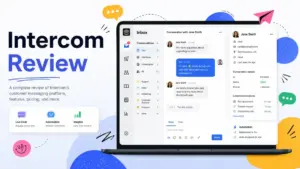
Choose Intercom over Freshdesk when proactive messenger support and AI-first conversations drive the workflow. Choose Freshdesk over Intercom when predictable per-agent ticketing matters more than usage-based AI and messaging costs. The Intercom review covers this tradeoff.
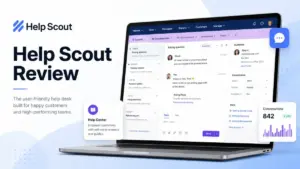
Choose Help Scout over Freshdesk when the team wants a lighter shared inbox with fewer admin choices. Choose Freshdesk over Help Scout when routing, AI, and support operations need more structure. See the Help Scout review for details.
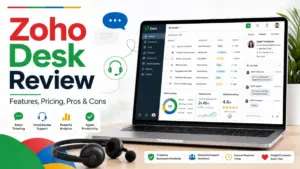
Choose Zoho Desk when price and Zoho ecosystem integration matter most. Zoho Desk offers a free edition with 3 user licenses. The Zoho Desk review compares it directly.
Choose Gorgias when ecommerce support depends on Shopify order actions and revenue workflows. The Gorgias review explains the ecommerce angle. For a broader view of AI-first versus traditional support, see our Zendesk vs Intercom comparison.
Alternative Scenario Table
| Scenario | Best Choice | Why | Avoid If |
|---|---|---|---|
| 2-10 agent email ticketing team | Freshdesk Growth | $19/agent/month, portal, knowledge base, SLA tools | Team needs live chat or messaging channels |
| Enterprise support with governance | Zendesk Suite Enterprise | Deep reporting, audit trails, custom roles | Price sensitivity is the top concern |
| AI-first messenger support | Intercom Advanced | Proactive messaging, Fin AI agent, conversation-first | Team prefers ticket queues over chat |
| Simple shared inbox team | Help Scout Standard | Clean inbox, easy setup, $25/user/month | Team needs SLA routing or automation depth |
| Budget team on Zoho ecosystem | Zoho Desk | Free for 3 users, fits Zoho CRM and apps | Team needs large integration marketplace |
| Shopify ecommerce support | Gorgias | Order actions, revenue tracking, Shopify-native | Team does not sell on Shopify |
| Omnichannel with AI agents | Freshdesk Omni | Ticketing plus messaging, SMS, web, AI in one | Budget cannot handle $29+/agent/month |
Pricing Comparison: Freshdesk vs. Competitors
| Product | Entry Plan | Mid-Tier Plan | Enterprise Plan | AI Add-On |
|---|---|---|---|---|
| Freshdesk | $19/agent/month | $55/agent/month (Pro) | $89/agent/month | $49/100 AI sessions |
| Freshdesk Omni | $29/agent/month | $79/agent/month (Pro) | $119/agent/month | 500 sessions included |
| Zendesk | $19/agent/month (Support Team) | $115/agent/month (Suite Pro) | $169/agent/month | $50/agent/month Copilot |
| Intercom | $29/seat/month (Essential) | $85/seat/month (Advanced) | $132/seat/month (Expert) | Usage-based Fin outcomes |
| Help Scout | $25/user/month (Standard) | $45/user/month (Plus) | No enterprise tier listed | Not applicable |
| Zoho Desk | Free for 3 users | Mid-tier available | Enterprise available | Included in higher tiers |
All prices billed annually. Verified May 8, 2026 from official pricing pages.
Who Should Use Freshdesk?
Freshdesk fits support teams that need structured ticketing before they need enterprise complexity. The following buyer profiles get the most value from it.
- 2-agent founder-led support teams moving from Gmail. The Free Program gives a 6-month test window. Growth at $19/agent/month is the logical first paid step.
- 5-10 agent B2B SaaS teams. Email, portal, and SLA tickets are the core workflow. Growth covers it. Pro adds custom reporting when the team scales.
- 10-30 agent customer support teams. Multilingual support, routing, and SLA management become critical. Pro or Enterprise delivers these.
- Education or internal operations teams. Tracking staff requests, IT queries, or student support tickets through a queue structure works well in Freshdesk.
- Teams already using Freshworks products. Freshdesk integrates with Freshsales, Freshservice, and Freshchat. Staying in the Freshworks ecosystem reduces vendor management overhead.
As one user noted on Capterra: “It helps me managing my all activity at one place” — Akshay T., Verified LinkedIn User, Purchase Engineer (Capterra Freshdesk reviews).
Who Should Avoid Freshdesk?
Freshdesk is not the right tool for every support operation. These buyer profiles should consider alternatives.
- Ecommerce teams needing Shopify order context. Freshdesk lacks native order edits, refunds, and revenue attribution. Gorgias is built for this.
- API-heavy teams syncing large ticket volumes. Growth’s 200 calls/minute and Enterprise’s 700 calls/minute caps apply to the entire account. Teams pushing data to BI, CRM, or data warehouses will hit limits.
- Enterprise support orgs needing deep governance. Freshdesk Enterprise adds audit logs and approval workflows, but Zendesk Suite Enterprise offers deeper custom roles, sandbox environments, and reporting granularity.
- Teams that want a permanent free tool for more than 2 agents. Freshdesk’s Free Program covers 1-2 agents for 6 months. Zoho Desk offers a free edition for 3 users with no expiration listed.
- IT service teams needing ITIL workflows. Asset management, change management, and service catalogs belong in Freshservice, not Freshdesk.
As a G2 reviewer noted: “I like that Freshdesk is easy to use” — Michael S., Mid-Market reviewer (G2 Freshdesk reviews). But “easy to use” applies to core ticketing. Advanced reporting, API integration, and AI session management require more planning.
Final Verdict: Is Freshdesk Worth It?
Freshdesk earns 8.3 out of 10 in this review because it solves the right problem for the right buyer at a fair price. That problem is structured ticket management, a customer portal, and a knowledge base for support teams between 2 and 30 agents.
Freshdesk is worth it when the team needs to move beyond email inboxes into ticket queues, SLA tracking, and agent assignment. Growth at $19/agent/month gives enough structure. Pro at $55/agent/month adds depth when the team outgrows Growth.
Freshdesk is not worth it when the buyer needs ecommerce revenue workflows, heavy API syncing without engineering planning, or enterprise-grade governance that exceeds what Freshdesk Enterprise offers. For those scenarios, Gorgias, a custom integration stack, or Zendesk are better choices.
The final buying advice: start with a 14-day trial on the plan tier closest to your team’s expected needs. Verify which features are plan-gated before building workflows around trial features. Model your 10-agent annual cost before committing. If your team fits the 2-30 agent ticketing profile, Freshdesk is a strong buy. Among available SaaS tools, it remains one of the most practical customer support platforms for growing teams.
Bryce Young, User Operations Engineer at Hired, summarized it this way: “Using Freshdesk has been an unmitigated success” (Freshworks customer quote).
Freshdesk Review FAQ
Below are the most common questions buyers ask about Freshdesk in 2026.
Is Freshdesk worth it in 2026?
Yes, for 2-30 agent support teams that need structured ticketing, a knowledge base, and SLA management. Freshdesk Growth at $19/agent/month covers core support workflows. It loses value for ecommerce teams, API-heavy teams, and enterprise orgs needing governance beyond Freshdesk Enterprise. I scored it 8.3/10 in this Freshdesk review.
How much does Freshdesk cost?
Freshdesk Growth costs $19/agent/month billed annually. Pro costs $55/agent/month. Enterprise costs $89/agent/month. The Free Program covers 1-2 agents for 6 months at $0. Freshdesk Omni starts at $29/agent/month. A 10-agent team on Growth pays $2,280 per year. All prices verified May 8, 2026.
What are the main pros and cons of Freshdesk?
Pros include affordable Growth pricing, strong ticketing, a large integration marketplace, and solid security controls. Cons include plan-gated custom reporting, AI session costs after 500 included sessions at $49 per 100, API rate limits that cap at 700 calls/minute on Enterprise, and a Free Program limited to 1-2 agents for 6 months.
Who should use Freshdesk?
Freshdesk fits founder-led support teams moving from email, B2B SaaS teams with SLA requirements, 10-30 agent support operations needing routing, and teams already in the Freshworks ecosystem. It works best for email-based ticket management with a customer portal and knowledge base.
Who should avoid Freshdesk?
Ecommerce teams needing Shopify order actions should choose Gorgias. API-heavy teams syncing data to BI or CRM tools will hit rate limits. Enterprise orgs needing deep governance should evaluate Zendesk. IT teams needing ITIL workflows should use Freshservice. Teams wanting a free plan for more than 2 agents should consider Zoho Desk.
What is the best Freshdesk alternative?
It depends on the use case. Zendesk is best for enterprise service depth. Intercom is best for AI-first messenger support. Help Scout is best for simple shared inboxes. Zoho Desk is best for budget teams on the Zoho ecosystem. Gorgias is best for Shopify ecommerce support.
Is Freshdesk better than Zendesk?
Freshdesk is better than Zendesk when price and faster setup matter more than enterprise reporting depth. Freshdesk Growth costs $19/agent/month versus Zendesk Support Team at $19/agent/month, but Zendesk Suite Professional costs $115/agent/month compared to Freshdesk Pro at $55. Choose Zendesk when governance and advanced service operations matter more.
What is Freshdesk Omni?
Freshdesk Omni is a separate Freshworks product that adds messaging channels, SMS, web chat, and AI agents to Freshdesk’s ticketing foundation. It starts at $29/agent/month billed annually. Omni is a different buying decision from standard Freshdesk. The Free Program does not apply to Omni.
Does Freshdesk have a free plan?
Freshdesk offers a Free Program, not a permanent free plan. It covers 1-2 agents for 6 months on Freshdesk only. It is not available for Freshdesk Omni. Switching from a paid plan to Free can remove features. Since 2026, this switch requires contacting a Customer Success Manager.
What are Freshdesk API limits?
Freshdesk API limits are account-wide. Growth allows 200 calls/minute. Pro allows 400. Enterprise allows 700. Trial accounts get 50. Per-endpoint limits further restrict actions like Ticket Create and Contacts List. Developer apps have a separate 50 requests/minute cap per app per account.