
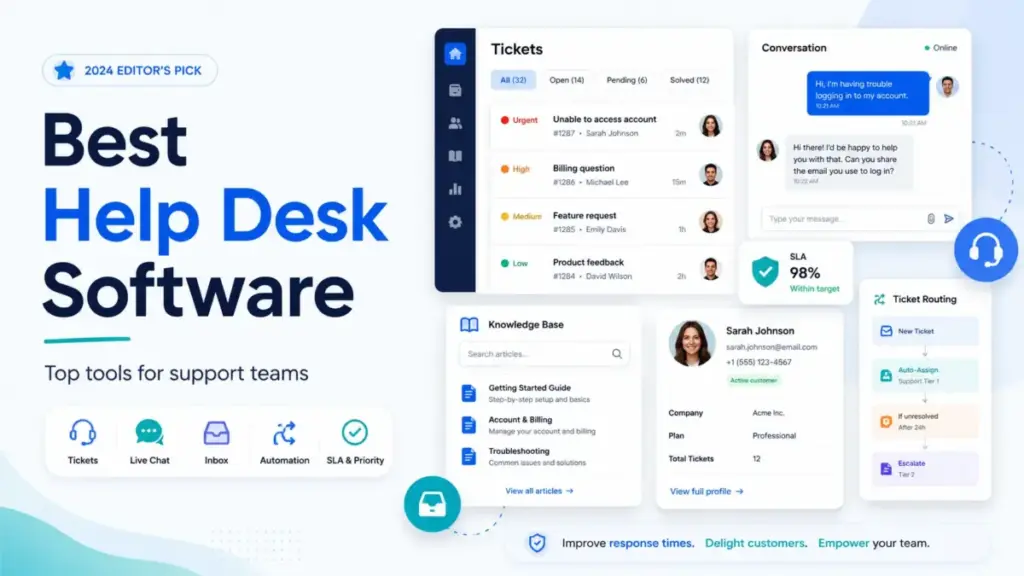
Zendesk publishes $19 per agent per month for Support Team. That is the number on the pricing page. A 20-agent team that needs CSAT surveys, SLA tracking, and omnichannel messaging jumps to Suite Professional at $115 per agent per month. Add the AI Copilot at $50 per agent per month and the monthly bill hits $3,300. That gap between entry price and operational cost is the story of help desk software in 2026.
For this guide, I reviewed official pricing pages, product documentation, and pricing caveats across 28 help desk software platforms. The pattern is the same every time: the starting price gets you in the door, and the add-ons determine what you actually pay.
This list ranks 10 help desk platforms by what matters after the pricing page: total cost at scale, AI charges, channel limits, and which team size each tool actually fits.
The tool that scores best overall is not the cheapest or the one with the longest feature checklist. It is the one whose ticketing model, add-on costs, and admin complexity match your support workflow before you outgrow the plan.
Quick Verdict: Best Help Desk Software by Use Case
| Use Case | Best Pick | Why It Fits |
|---|---|---|
| Best overall help desk | Zendesk | Deepest ticketing, omnichannel, 1,800+ integrations, and enterprise governance |
| Best for SMB ticketing | Freshdesk | Free program for 1-2 agents, $19/agent/month Growth, strong automation and portal |
| Best value (budget teams) | Zoho Desk | Free edition for 3 users, USD references list Standard from $14/agent/month annually |
| Best human-centered support | Help Scout | Clean shared inbox, free plan for 5 users, Docs knowledge base, $25/user/month Standard |
| Best AI-first platform | Intercom | Fin AI Agent at $0.99/outcome, messenger, proactive support, inbox, and ticketing |
| Best for ITSM and internal desks | Jira Service Management | Free for 3 agents, service portals, assets, Atlassian ecosystem, $20/agent/month Standard |
| Best CRM-native help desk | HubSpot Service Hub | Free tools, Smart CRM integration, Breeze AI agent, Starter from $20/seat/month base |
| Best ecommerce help desk | Gorgias | Shopify integration, order context, AI Agent, $10/month Starter on Shopify listing |
| Best collaborative shared inbox | Front | Email-like collaboration, $25/seat/month Starter, assignments, comments, and tags |
| Best enterprise CRM service | Salesforce Service Cloud | $25/user/month Starter Suite, Agentforce, Slack, Data Cloud, enterprise governance |
What this means: There is no single best help desk tool. The right pick depends on whether you need ticketing depth (Zendesk, Freshdesk), CRM-connected service (HubSpot, Salesforce), ecommerce workflows (Gorgias), IT service management (Jira), AI-first automation (Intercom), or a clean shared inbox (Help Scout, Front).
How We Chose and Ranked These Tools
I evaluated 28 help desk platforms against six weighted criteria: pricing value (20%), core feature depth (20%), ease of use (15%), integrations (15%), scalability (15%), and user fit (15%). Each tool was scored on a 10-point scale per criterion, then weighted to produce a final score.
Data sources: Official pricing pages, official product pages, official help centers, Shopify App Store listings, G2 and Capterra review summaries, and secondary pricing references (as of May 2026).
Testing level: All rankings in this article are based on official documentation research and third-party validation. I did not conduct hands-on testing for this roundup. Where I reference specific features or pricing, the source is the vendor’s official page or a verified secondary reference.
Limitation: Pricing can change. AI usage-based costs (Intercom Fin outcomes, Freshdesk Freddy sessions, Help Scout AI Answers) make exact monthly bills variable. Always verify current pricing at the vendor’s site before purchasing.
Scoring methodology: I weighted pricing value and feature depth highest (20% each) because buyer research shows these two factors drive the most regret when mismatched. Ease of use, integrations, scalability, and user fit each carry 15% because they determine whether the tool still works 12 months after purchase.
The 10 Best Help Desk Software in 2026
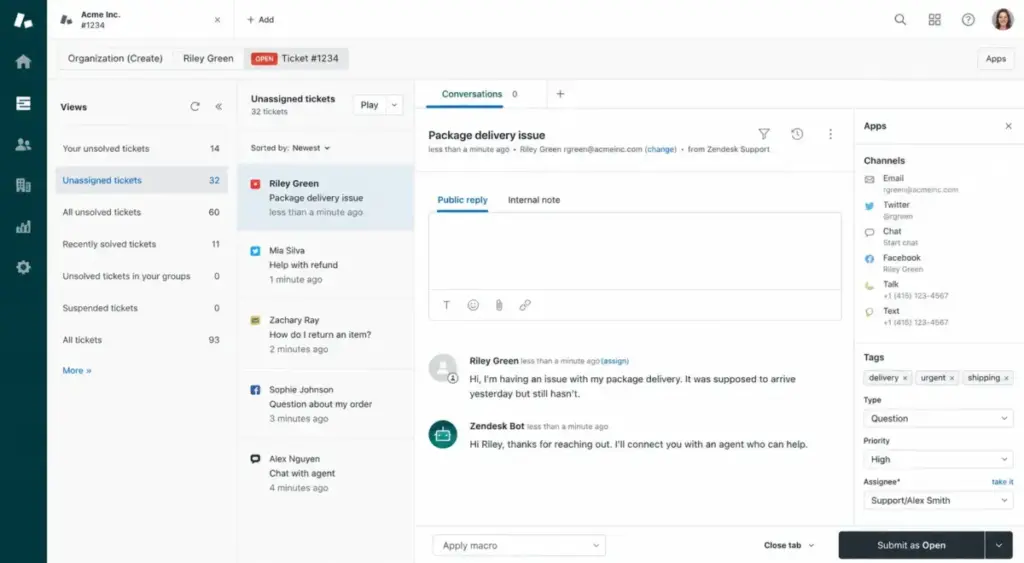
1. Zendesk: Best Overall Help Desk Software

Starting price: $19/agent/month (Support Team) | Practical tier: $115/agent/month (Suite Professional) | Free plan: No | Free trial: 14 days
Zendesk Support Team at $19 per agent per month billed annually gives you email ticketing, prebuilt analytics dashboards, automations and triggers, and the Zendesk Marketplace with 1,800+ apps.
This plan is email and ticketing focused. It does not include messaging, live chat, or telephony. Those require Suite Team at $55 per agent per month or higher. The jump from $19 to $55 is where the real cost decision happens.
Practical tier: Suite Professional at $115 per agent per month is where most scaling teams land. It adds custom analytics, SLA, multilingual support, and CSAT surveys.
Hidden costs: Copilot, Workforce Engagement, and Contact Center are each $50 per agent per month as add-ons. Enterprise plans require sales.
| Plan | Price (Annual) | Key Additions |
|---|---|---|
| Support Team | $19/agent/month | Email ticketing, prebuilt analytics, 1,800+ apps |
| Suite Team | $55/agent/month | Messaging, live chat, telephony, omnichannel |
| Suite Professional | $115/agent/month | Custom analytics, SLA, multilingual, CSAT |
| Suite Enterprise | Contact sales | Sandbox, custom roles, approval workflows |
What this means: At 10 agents on Suite Professional, you pay $1,150 per month. Add AI Copilot and the bill hits $1,650 per month. Zendesk earns the top rank because its ticketing depth, marketplace, and enterprise governance are the strongest in the category. But the real monthly cost is 2x to 3x the advertised starting price for most teams.
Better than: Every other tool on this list for omnichannel depth, marketplace size, and enterprise compliance controls.
Worse than: Help Scout and Freshdesk for teams that just need a clean inbox at low cost.
Avoid if: You have 5 or fewer agents and only need email support. The $19 plan works, but you will pay for capabilities you do not use if you upgrade to Suite.
For a full breakdown, see the Zendesk review.
2. Freshdesk: Best for SMB Ticketing
Starting price: $19/agent/month (Growth) | Practical tier: $55/agent/month (Pro) | Free plan: Yes (1-2 agents, 6 months) | Free trial: 14 days
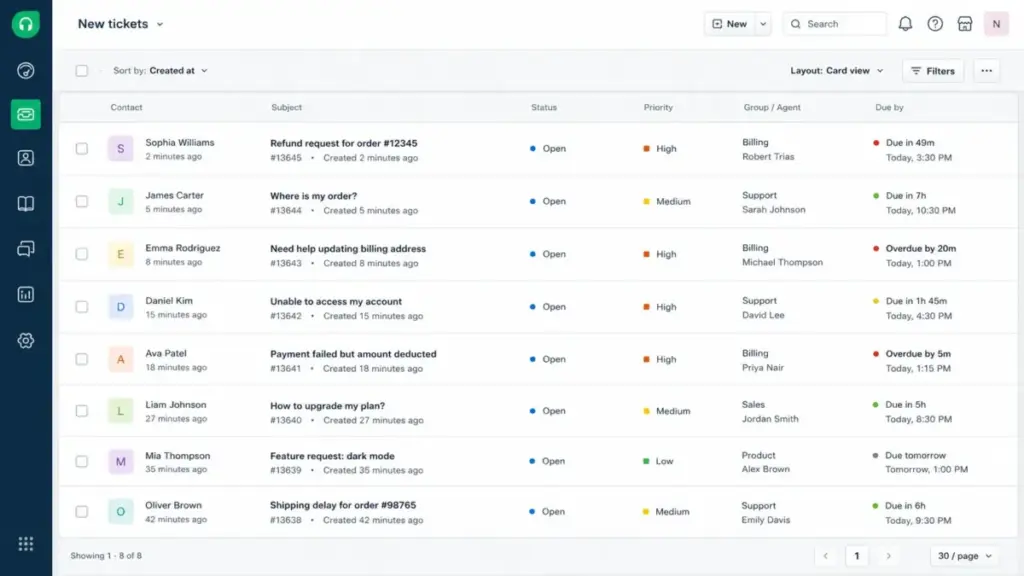
Freshdesk Growth at $19 per agent per month billed annually includes ticketing, a shared inbox, customer portal, multilingual help desk, routing, SLA management, and analytics.
The free program covers 1-2 agents for 6 months with basic features. That is not permanent, but it gives small teams a real trial window.
Practical tier: Pro at $55 per agent per month adds round-robin routing, CSAT, custom dashboards, and advanced automations.
Hidden costs: Freddy AI Agent includes the first 500 sessions, then charges $49 per 100 sessions. Freshdesk Omni, Freshchat, and Freshcaller are separate packages that can raise total cost.
| Plan | Price (Annual) | Key Additions |
|---|---|---|
| Free | $0 (1-2 agents, 6 months) | Basic ticketing |
| Growth | $19/agent/month | Portal, multilingual, SLA, analytics |
| Pro | $55/agent/month | Round-robin, CSAT, custom dashboards |
| Enterprise | $89/agent/month | Audit logs, advanced workflows, security |
What this means: At 10 agents on Pro, you pay $550 per month. That is less than half the cost of Zendesk Suite Professional at the same team size. Freshdesk earns the SMB badge because the pricing-to-feature ratio is the strongest in the under-$60 range.
Better than: Zendesk for SMB teams that need ticketing depth without Suite-level cost.
Worse than: Zendesk for enterprise governance, marketplace depth, and omnichannel maturity.
Avoid if: You plan heavy AI usage. Freddy AI session overages at $49 per 100 sessions can make costs unpredictable at high volume.
See the full Freshdesk review for feature-by-feature details.
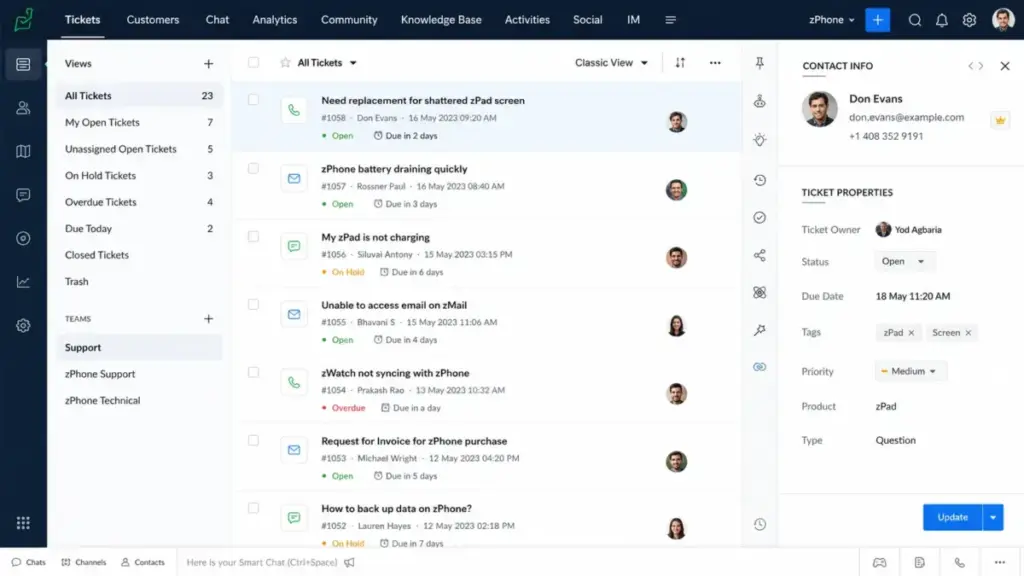
3. Zoho Desk: Best Value Help Desk Software
Starting price: ~$14/agent/month (Standard, USD ref.) | Practical tier: $23/agent/month (Professional) | Free plan: Yes (3 users, permanent) | Free trial: Yes
Zoho Desk Standard is referenced at $14 per agent per month billed annually in USD secondary sources. The official page may display localized currency, so verify at checkout.
The free edition supports 3 user licenses with basic email ticketing and support. For a 2-3 person team handling under 100 tickets per month, this is enough to manage customer requests without paying a dollar. The catch: advanced features like live chat, multi-brand help centers, Zia AI, and custom modules require paid editions.
Practical tier: Professional at $23 per agent per month (USD references) adds live chat through Zoho SalesIQ, multi-department support, and advanced automation.
Hidden costs: Advanced Zia AI, live chat integration, multi-brand help centers, and custom modules require higher editions.
| Plan | Price (Annual, USD ref.) | Key Additions |
|---|---|---|
| Free | $0 (3 user licenses) | Basic email ticketing |
| Express | $7/agent/month | Small team essentials |
| Standard | $14/agent/month | Answer bot, AI support assistant |
| Professional | $23/agent/month | Live chat, multi-department |
| Enterprise | $40/agent/month | Custom modules, sandbox |
What this means: At 10 agents on Professional, the estimated cost is $230 per month. Compare that to Freshdesk Pro at $550 and Zendesk Suite Professional at $1,150. Zoho Desk is the value winner by a wide margin, especially for teams already using the Zoho ecosystem.
Better than: Every tool on cost per agent if you are already in the Zoho ecosystem.
Worse than: Zendesk and Freshdesk for standalone ease of setup and marketplace depth outside the Zoho world.
Avoid if: You need the simplest possible setup. Zoho Desk can feel complex for teams new to Zoho apps, and advanced features require higher editions.
Explore the full Zoho Desk review for edition-by-edition detail.
4. Jira Service Management: Best for ITSM and Internal Service Desks

Starting price: $20/agent/month (Standard) | Practical tier: $51.42/agent/month (Premium) | Free plan: Yes (3 agents, permanent) | Free trial: Yes
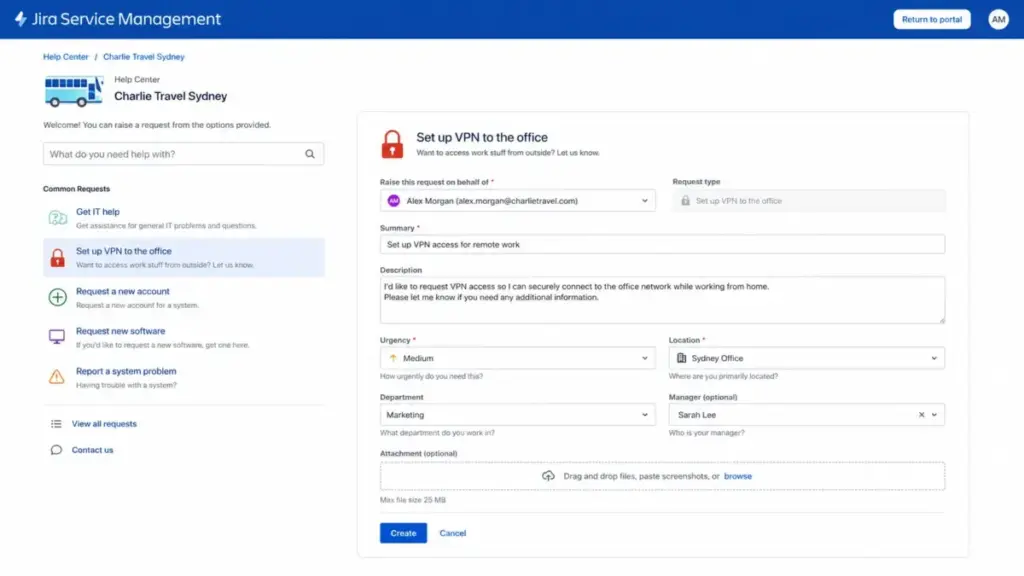
Jira Service Management Standard at $20 per agent per month adds customizable forms, queues, SLA management, and embedded knowledge base access via Confluence. It is purpose-built for IT, HR, legal, and operations teams running internal service desks.
The free plan covers 3 agents with a service portal, queues, embedded knowledge base, and Slack or Microsoft Teams intake. For an internal IT team handling employee requests, this does the job without spending anything.
Practical tier: Premium at $51.42 per agent per month adds asset and configuration management, Virtual Agent, and advanced service management workflows.
Hidden costs: Extra Assets objects and Virtual Agent assisted conversation overages add usage-based costs. Enterprise is sales-led.
Better than: Every other tool on this list for ITSM workflows, Atlassian integration, and internal service management.
Worse than: Zendesk, Freshdesk, and Help Scout for traditional external customer support.
Avoid if: Your team primarily handles customer-facing support for SaaS or ecommerce.
5. Help Scout: Best for Human-Centered Support

Starting price: $25/user/month (Standard) | Practical tier: $45/user/month (Plus) | Free plan: Yes (5 users, permanent) | Free trial: Yes
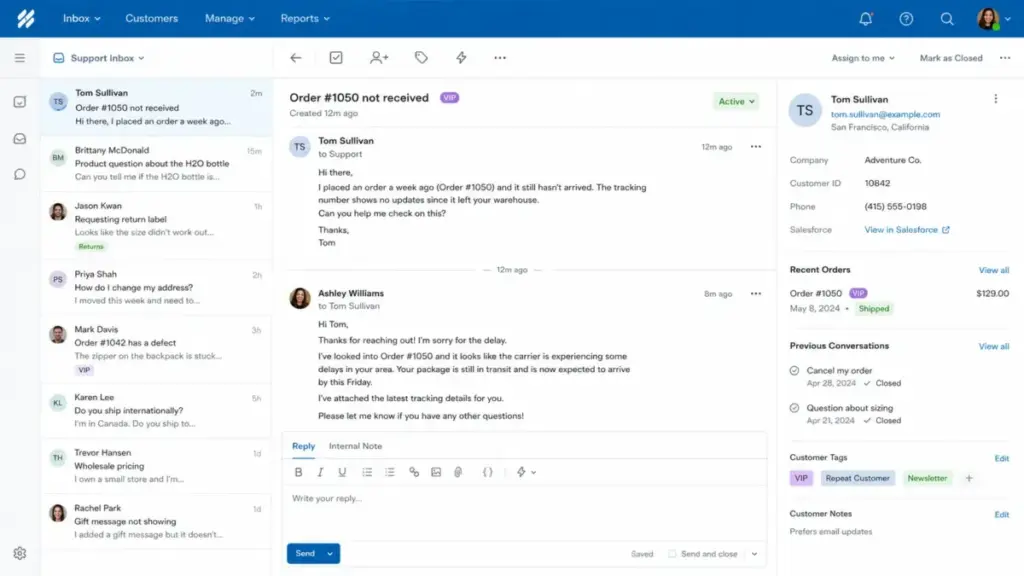
Help Scout Standard at $25 per user per month includes up to 25 users, multiple inboxes (additional inboxes cost $10 per month), live chat, Instagram and Messenger channels, SLA policies, and workflows. This is the cleanest inbox-first help desk on the list.
The free plan includes 5 users, 1 Inbox, and 1 Docs site. A small team can run email support and maintain a public knowledge base without paying anything. That makes Help Scout one of the most generous free tiers on this list.
Practical tier: Plus at $45 per user per month adds Salesforce and Jira integrations, WhatsApp, advanced workflows, and up to 50 users.
Hidden costs: AI Answers at $0.75 per resolution after the trial. Additional inboxes at $10 per month each. Pro ($75/user/month, minimum 10 users) required for SSO/SAML and HIPAA compliance.
Better than: Zendesk and Freshdesk for teams that want a clean, human-centered inbox without enterprise complexity.
Worse than: Zendesk for omnichannel depth and enterprise governance. Freshdesk for lower SMB pricing.
Avoid if: You need a full contact-center suite with native telephony and workforce management. Help Scout is an inbox tool, not a contact center.
Read the full Help Scout review for workflow and integration details.
6. Intercom: Best AI-First Help Desk

Starting price: $29/seat/month + $0.99/Fin outcome (Essential) | Practical tier: $85/seat/month (Advanced) | Free plan: No | Free trial: Yes
Intercom Essential at $29 per seat per month billed annually includes the Fin Customer Agent, Messenger, shared inbox and ticketing, pre-built reports, and a public help center. The AI-first approach means Fin handles customer queries before they reach a human agent.
Here is the catch: Fin outcomes cost $0.99 each. If Fin resolves 500 conversations per month, that is an additional $495 per month on top of seat costs. At 1,000 resolutions, the AI add-on alone costs $990 per month.
Practical tier: Advanced at $85 per seat per month adds workflows, multilingual help center, and automation depth. Expert at $132 per seat per month adds SSO, HIPAA, SLA management, and multibrand.
Hidden costs: Fin outcomes, Copilot, Proactive Support Plus, outbound campaigns, SMS, WhatsApp, and Phone are all additional costs.
| Plan | Price (Annual) | Key Additions |
|---|---|---|
| Essential | $29/seat/month + $0.99/Fin outcome | Fin AI Agent, Messenger, inbox, ticketing |
| Advanced | $85/seat/month | Workflows, multilingual help center |
| Expert | $132/seat/month | SSO, HIPAA, SLA, multibrand |
What this means: At 10 seats on Essential with 500 Fin outcomes per month, you pay $785 per month ($290 seats + $495 Fin). That is competitive with Zendesk Suite Professional but only if your AI resolution volume stays controlled. At high volume, Intercom can become one of the most expensive options on this list.
Better than: Every tool on this list for AI-driven resolution and proactive customer engagement.
Worse than: Freshdesk and Zoho Desk for predictable flat-rate pricing.
Avoid if: Your team needs a fixed monthly budget. Usage-based Fin pricing makes cost forecasting difficult for high-volume support teams.
The Intercom review covers Fin AI performance and plan-gate details.
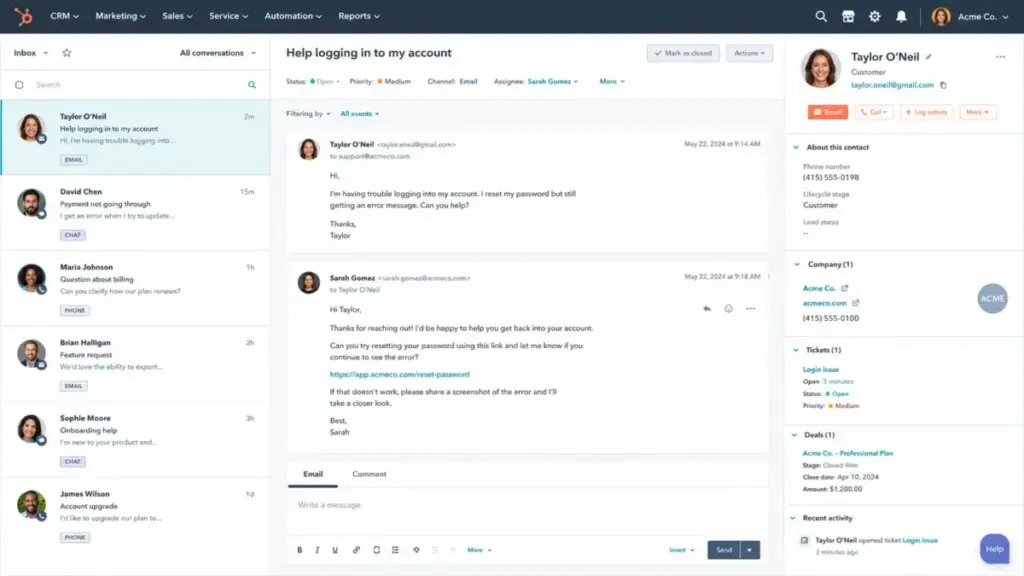
7. HubSpot Service Hub: Best CRM-Native Help Desk

Starting price: $20/seat/month (Starter, base) | Practical tier: $100/seat/month (Professional) | Free plan: Yes (basic tools) | Free trial: 14 days
HubSpot Service Hub Starter at $20 per seat per month (base price, $10 promotional) connects support tickets to HubSpot’s Smart CRM with contacts, companies, and deal data. Free tools are available with contact management, ticketing, and team email.
Practical tier: Professional at $100 per seat per month adds the help desk workspace, customer success workspace, Breeze customer agent, knowledge base, and advanced automation.
Hidden costs: Seats, onboarding fees, limit increases, multiple Hub bundles, and Professional/Enterprise packages can raise total cost well beyond the Starter number. HubSpot’s pricing model compounds across Hubs. Understanding what CRM software does helps clarify whether the CRM-native approach adds value or just adds cost for your team.
Better than: Standalone help desks if your support team needs CRM data (contact history, deal stage, company size) in every ticket.
Worse than: Freshdesk and Zoho Desk as a standalone ticketing tool if you do not use HubSpot CRM.
Avoid if: You only need a ticketing system and do not use HubSpot for sales or marketing. The CRM-native advantage only pays off if your support team reads and writes CRM data daily.
8. Gorgias: Best Ecommerce Help Desk

Starting price: $10/month (Starter, 50 tickets) | Practical tier: $360/month (Pro, 2,000 tickets) | Free plan: No | Free trial: 7 days
Gorgias uses ticket-based billing, not per-agent pricing. Starter costs $10 per month with 50 tickets and 3 agents. Basic costs $60 per month with 300 tickets and unlimited agents. Pro costs $360 per month with 2,000 tickets. Advanced costs $900 per month with 5,000 tickets.
This pricing model is unique on this list. It rewards teams with low ticket volume and punishes teams with high volume through overages. For a Shopify brand handling 200 tickets per month, Basic at $60 is a strong deal with unlimited agents. For a brand handling 3,000 tickets, Pro at $360 plus overages gets expensive fast.
Hidden costs: Ticket overages and automation add-ons. Recurring and usage-based charges are billed every 30 days.
| Plan | Monthly Price | Tickets Included | Agents |
|---|---|---|---|
| Starter | $10 | 50 | 3 |
| Basic | $60 | 300 | Unlimited |
| Pro | $360 | 2,000 | Unlimited |
| Advanced | $900 | 5,000 | Unlimited |
What this means: Gorgias is the only tool on this list built specifically for ecommerce. Shopify Flow integration, order tracking, AI Agent, and commerce-specific automations make it the clearest fit for DTC brands. But if you are not running a Shopify or ecommerce store, every other tool on this list is a better choice.
Better than: Every tool on this list for Shopify-native support workflows and order context.
Worse than: Zendesk, Freshdesk, and Help Scout for B2B SaaS, ITSM, or non-commerce support.
Avoid if: You handle more than 2,000 tickets per month and need predictable costs. Ticket overages can spike your bill without warning.
See the Gorgias review for Shopify integration depth and AI agent analysis.
9. Front: Best Collaborative Shared Inbox

Starting price: $25/seat/month (Starter) | Practical tier: $65/seat/month (Professional) | Free plan: No | Free trial: 14 days
Front Starter at $25 per seat per month billed annually supports up to 10 seats with single-channel support (email), AI Topics, up to 10 automation rules, and basic analytics.
Front is not a traditional ticketing tool. It is a collaborative inbox where teams assign, comment, and draft responses together. The email-like workflow reduces the learning curve for teams migrating from Outlook or Gmail.
Practical tier: Professional at $65 per seat per month supports up to 50 seats, omnichannel support, up to 20 automation rules, advanced analytics, and a public knowledge base.
Hidden costs: AI Copilot at $20 per seat per month add-on (included in Enterprise). Smart QA at $20, Smart CSAT at $10, or both bundled at $25. Autopilot requires contacting sales.
Better than: Zendesk and Freshdesk for teams that prefer email-like collaboration over traditional ticket queues.
Worse than: Zendesk for strict ticketing workflows, SLA enforcement, and omnichannel depth.
Avoid if: You need ticketing-first workflows with SLA enforcement on the lowest plan. Front Starter is single-channel (email) and capped at 10 seats.
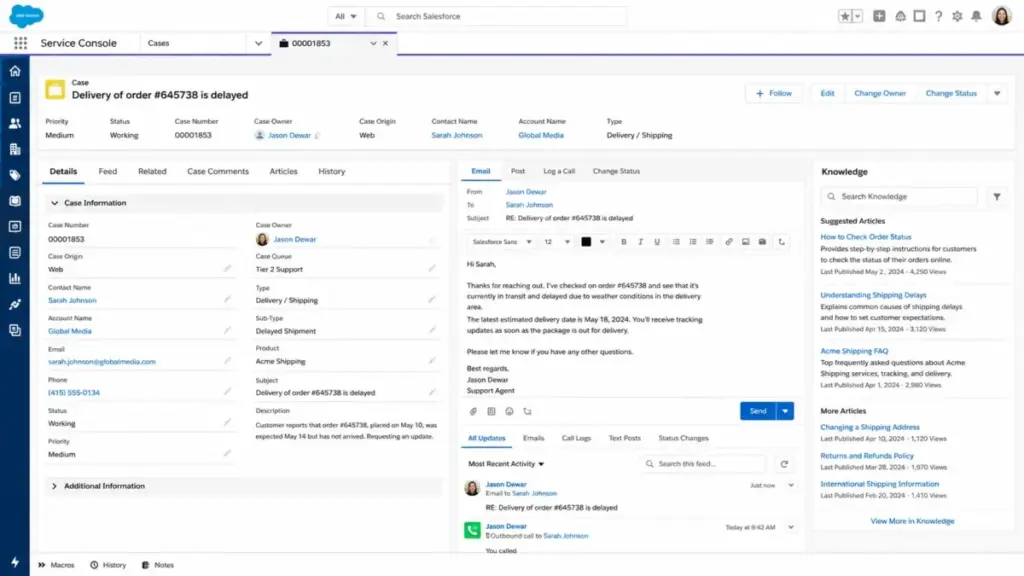
10. Salesforce Service Cloud: Best Enterprise CRM Service Platform
Starting price: $25/user/month (Starter Suite) | Practical tier: $175/user/month (Enterprise) | Free plan: No | Free trial: Yes
Salesforce Service Cloud Starter Suite starts at $25 per user per month. Pro Suite costs $100 per user per month. Enterprise costs $175 per user per month. Unlimited costs $350 per user per month. Agentforce 1 Service costs $550 per user per month.
This is the tool for large organizations already invested in the Salesforce ecosystem. Case management, Salesforce Knowledge, Slack-connected service, enterprise workflows, and Agentforce AI make it the deepest enterprise platform on this list. It is also the most expensive and admin-heavy.
Hidden costs: Implementation, dedicated admin, premium support, add-ons, Slack license considerations, and additional Agentforce credits can add 50-100% to the per-user price.
| Plan | Monthly Price | Key Additions |
|---|---|---|
| Starter Suite | $25/user/month | Case management, reports |
| Pro Suite | $100/user/month | Service automation, knowledge |
| Enterprise | $175/user/month | Advanced workflows, API |
| Unlimited | $350/user/month | Chat, bots, premier support |
| Agentforce 1 Service | $550/user/month | Full AI agent suite |
What this means: At 20 users on Enterprise, you pay $3,500 per month before implementation and admin costs. First-year TCO for a 20-person team often exceeds $60,000 when you include onboarding and configuration. Salesforce Service Cloud earns its enterprise badge because no other tool on this list matches its governance, compliance, and CRM data depth. But for teams under 50 agents, it is almost certainly more than you need.
Better than: Every tool on this list for enterprise governance, Salesforce CRM integration, and compliance controls.
Worse than: Every tool on this list for small team simplicity, fast setup, and low admin overhead.
Avoid if: Your team has fewer than 20 agents and no existing Salesforce investment. The implementation cost alone exceeds a full year of Zendesk or Freshdesk for most SMB teams.
Pricing Comparison: Starting Price vs Practical Tier
| Tool | Starting Price | Practical Tier | 10-Agent Monthly Cost (Practical) | Free Plan | Free Trial |
|---|---|---|---|---|---|
| Zendesk | $19/agent/month | Suite Professional $115 | $1,150 | No | 14-day |
| Freshdesk | $19/agent/month | Pro $55 | $550 | Yes (1-2 agents, 6 months) | 14-day |
| Zoho Desk | ~$14/agent/month (USD ref.) | Professional $23 | $230 | Yes (3 users) | Yes |
| Jira Service Mgmt | $20/agent/month | Premium $51.42 | $514 | Yes (3 agents) | Yes |
| Help Scout | $25/user/month | Plus $45 | $450 | Yes (5 users) | Yes |
| Intercom | $29/seat/month + $0.99/outcome | Advanced $85 + outcomes | $850 + outcomes | No | Yes |
| HubSpot Service Hub | $20/seat/month (base) | Professional $100 | $1,000 | Yes (basic) | 14-day |
| Gorgias | $10/month (50 tickets) | Pro $360 (2,000 tickets) | $360 flat | No | 7-day |
| Front | $25/seat/month | Professional $65 | $650 | No | 14-day |
| Salesforce Service Cloud | $25/user/month | Enterprise $175 | $1,750 | No | Yes |
What this means: The gap between starting price and practical tier ranges from 1.6x (Zoho Desk) to 7x (Salesforce). Zoho Desk has the lowest practical-tier cost at $230 per month for 10 agents. Salesforce has the highest at $1,750 per month. For most mid-market teams, the $230-$650 range (Zoho Desk, Help Scout, Freshdesk, Jira, Front) offers the best balance of features and cost.
(Pricing verified as of May 2026. Always confirm current pricing at each vendor’s official page.)
Feature Gate Comparison
| Feature | Zendesk | Freshdesk | Zoho Desk | Help Scout | Intercom |
|---|---|---|---|---|---|
| Email ticketing | All plans | All plans | All plans | All plans | All plans |
| Live chat | Suite Team+ | Growth+ | Professional+ | All paid | All plans |
| AI agent/bot | Add-on | Freddy (sessions) | Zia (higher tiers) | AI Answers ($0.75/res.) | Fin ($0.99/outcome) |
| Knowledge base | Suite Team+ | Growth+ | Standard+ | All plans (Docs) | All plans |
| SLA management | Suite Professional+ | Growth+ | Standard+ | Standard+ | Expert |
| Omnichannel | Suite Team+ | Omni package | Professional+ | Plus ($45) | Advanced ($85) |
| Custom analytics | Suite Professional+ | Pro+ | Professional+ | Plus+ | Advanced+ |
| SSO/SAML | Enterprise | Enterprise | Enterprise | Pro ($75) | Expert ($132) |
| Sandbox/testing | Enterprise | Enterprise | Enterprise | N/A | N/A |
What this means: Every tool gates its most requested features behind mid-tier or higher plans. Omnichannel support, custom analytics, SLA management, and AI capabilities are rarely available on the lowest plan. Budget for the practical tier, not the starting price.
Best Free Help Desk Plans
Four tools on this list offer free plans worth evaluating before you spend anything. Here is how they compare:
| Tool | Free Plan Limit | What You Get | Best For |
|---|---|---|---|
| Zoho Desk | 3 user licenses (permanent) | Basic email ticketing, support | Small teams already in Zoho ecosystem |
| Help Scout | 5 users, 1 Inbox, 1 Docs (permanent) | Email support + public knowledge base | Growing teams that want inbox + KB at zero cost |
| Jira Service Mgmt | 3 agents (permanent) | Service portal, queues, Slack/Teams intake | Internal IT and operations service desks |
| Freshdesk | 1-2 agents (6 months) | Basic ticketing features | Short trial before committing to Growth plan |
What this means: Zoho Desk, Help Scout, and Jira Service Management all offer permanent free plans with no countdown timer. If your team has 3-5 agents and moderate ticket volume, start with one of these before paying anything. Freshdesk’s free program is time-limited to 6 months, so treat it as an extended trial rather than a permanent solution.
Setup and Migration Difficulty
| Tool | Setup Difficulty | Reason |
|---|---|---|
| Zendesk | Medium-High | Many configuration options. More complex than SMB tools. |
| Freshdesk | Low-Medium | Approachable admin. Most SMB teams can self-serve. |
| Zoho Desk | Medium | Good value but setup is less intuitive than simpler inbox tools. |
| Jira Service Mgmt | Medium-High | Excellent for Atlassian teams. Heavier for non-technical teams. |
| Help Scout | Low | Clean interface. Minimal configuration needed for basic setup. |
| Intercom | Medium | Modern experience but pricing and plan decisions require care. |
| HubSpot Service Hub | Low-Medium | Strong ease-of-use reputation. CRM-native workflow is familiar. |
| Gorgias | Low | Strong for Shopify teams. Less universal outside ecommerce. |
| Front | Low | Email-like workflows reduce learning curve. |
| Salesforce Service Cloud | High | Requires dedicated admin. Implementation and training costs. |
Which Help Desk Tool Should You Avoid?
Every tool on this list has a use case where it excels. The problem is buying the wrong tool for your situation.
Avoid Salesforce Service Cloud if you have fewer than 20 agents and no existing Salesforce investment. The implementation cost, admin overhead, and per-user pricing make it the most expensive option per agent for small teams. Every dollar you spend on Salesforce admin is a dollar you could spend on an extra agent using Freshdesk or Zoho Desk.
Avoid Intercom if your team needs a fixed monthly budget. Fin AI outcome pricing is usage-based, and at high resolution volumes, the AI cost alone can exceed your entire Zendesk or Freshdesk subscription.
Avoid Gorgias if you are not running an ecommerce store. The entire product is built around Shopify and ecommerce workflows. For B2B SaaS or ITSM, it is the wrong category entirely.
Avoid Zendesk Support Team ($19) if you think $19 is all you will pay. Most teams need Suite features within 3 months. Budget for Suite Professional from the start.
How to Choose the Right Help Desk Software
Use this decision framework to narrow your choice before starting a free trial.
Step 1: Define your support model. Are you handling external customer tickets (Zendesk, Freshdesk, Help Scout), internal IT requests (Jira), ecommerce orders (Gorgias), or CRM-connected service (HubSpot, Salesforce)?
Step 2: Count your agents and tickets. Free plans work for 3-5 agents. At 10+ agents, plan for the practical tier, not the starting price.
Step 3: Decide on AI. If you want AI to resolve tickets before they reach a human, Intercom and Freshdesk have the strongest AI agents. But both charge per usage (outcomes or sessions), so estimate your monthly resolution volume.
Step 4: Check your existing stack. If you use Zoho apps, Zoho Desk is the cheapest option. If you use HubSpot CRM, Service Hub connects natively. If you use Atlassian, Jira Service Management fits. If you use Shopify, Gorgias fits. Stack alignment saves integration costs.
Step 5: Budget for the practical tier. Multiply the practical-tier price by your agent count. Add AI costs if applicable. That is your real monthly budget.
Step 6: Start a free trial of your top 2 picks. Test with real tickets, not demo data. The tool that handles your actual workflow fastest is the right choice.
Step 7: Check the Zendesk vs Intercom comparison if your shortlist includes either. That guide covers head-to-head feature gates and practical-tier cost math.
Also review the Zendesk pricing breakdown before committing to a Zendesk plan. The gap between Support Team and Suite Professional is where most budget surprises happen.
Common Mistakes When Choosing Help Desk Software
Mistake 1: Buying based on starting price. The starting price is the entry ticket. The practical tier is the real cost. I have seen teams sign up for Zendesk Support Team at $19, then upgrade to Suite Professional at $115 within 90 days because the basic plan lacked live chat.
Mistake 2: Ignoring AI usage costs. Intercom Fin at $0.99 per outcome and Freshdesk Freddy at $49 per 100 sessions make AI variable-cost items. A 10-agent team resolving 1,000 tickets per month through AI could add $990 (Intercom) or $245 (Freshdesk) to the monthly bill.
Mistake 3: Choosing a tool for features you will not use. Salesforce Service Cloud has the deepest feature set on this list. It also requires a dedicated admin. If your team is 8 agents handling email support, Freshdesk or Help Scout does the same job at a fraction of the cost and complexity.
Mistake 4: Skipping CSAT and SLA setup. Tools like Zendesk and Freshdesk gate CSAT surveys and SLA enforcement behind mid-tier plans. If customer satisfaction measurement matters (and it should), budget for the plan that includes it.
Mistake 5: Not testing with real tickets. Demo data does not expose routing problems, notification noise, or agent workflow friction. Import 50 real tickets and run your team through a week of actual support before committing.
Mistake 6: Forgetting migration costs. Switching from one help desk to another means migrating tickets, knowledge base articles, automations, and integrations. Salesforce and Zendesk migrations can take 4-8 weeks. Freshdesk and Help Scout migrations typically take 1-2 weeks.
Mistake 7: Buying a CRM-native help desk without using the CRM. HubSpot Service Hub and Salesforce Service Cloud deliver their strongest value when your support team reads CRM data in every ticket. If your team does not use the CRM, you are paying a premium for integration you never touch.
Tools We Considered but Did Not Rank
I evaluated 28 help desk platforms for this guide. These tools made the long list but did not crack the top 10 based on our scoring criteria:
- LiveAgent: Good for teams that want live chat and call-center workflows in a single tool. The per-agent pricing is competitive, but the interface and reporting depth fall behind Zendesk and Freshdesk for most support workflows.
- Hiver: Strong Gmail-native help desk that turns Gmail into a shared inbox. It works well for small teams that refuse to leave Gmail, but Front and Help Scout offer broader channel support and deeper functionality for teams ready to scale.
- HappyFox: Solid mid-market ticketing with good automation, but the pricing (custom quotes for most plans) and limited brand presence make it harder to evaluate and compare directly with the top 10.
- ServiceNow: The gold standard for enterprise IT service management at global scale. It is more powerful than Jira Service Management for 500+ agent operations, but the implementation cost, complexity, and minimum contract size put it outside the scope of most help desk buyers reading this guide.
- Spiceworks: Free IT help desk with no agent limits. The trade-off is ad-supported, limited reporting, and no commercial support. For budget-constrained internal IT teams that can tolerate ads, it fills a niche that Jira Service Management’s free plan now serves better.
These tools are not bad. They are narrower in fit or harder to compare on the same pricing basis as the top 10.
Final Verdict
For most mid-market support teams (10-50 agents): Zendesk Suite Professional is the safest pick. The cost is higher than Freshdesk, but the marketplace depth, enterprise governance, and omnichannel maturity reduce the risk of outgrowing the tool.
For SMB teams (under 10 agents) watching costs: Freshdesk Pro at $55 per agent per month gives you 80% of what Zendesk Suite Professional offers at half the price. Start here unless you need Zendesk-level marketplace depth.
For budget-first teams (under 5 agents): Zoho Desk Professional at $23 per agent per month delivers the best cost-per-feature ratio on this list. If your team uses Zoho CRM or Zoho SalesIQ, the integration saves you another tool subscription.
For human-centered support teams: Help Scout Plus at $45 per user per month is the cleanest inbox experience. No ticket queues, no enterprise bloat. Just a shared inbox, Docs, and workflows.
For AI-first teams: Intercom Advanced at $85 per seat per month with Fin AI Agent. Budget for outcome-based charges. The AI resolution quality is the highest on this list, but the cost scales with volume.
For ITSM and internal service desks: Jira Service Management Premium at $51.42 per agent per month. Nothing else on this list integrates with Confluence, Jira, and Slack as tightly for internal operations.
For ecommerce brands: Gorgias Pro at $360 per month. The Shopify integration, order context, and commerce automations are built for DTC support. No other tool matches this for ecommerce-specific workflows.
For enterprise Salesforce teams: Salesforce Service Cloud Enterprise at $175 per user per month. Only if you are already invested in the Salesforce ecosystem and have admin resources. The TCO is the highest on this list by a significant margin.
FAQ
What is the best help desk software for small businesses in 2026?
Freshdesk Pro at $55 per agent per month offers the best balance of features and price for small businesses. It includes ticketing, a customer portal, SLA management, CSAT surveys, and analytics. For teams with 3 or fewer agents, Zoho Desk’s free edition or Jira Service Management’s free plan are zero-cost alternatives worth trying first.
Is Zendesk worth the price?
Zendesk is worth it for teams that need omnichannel support (email, chat, phone, messaging), a large integration marketplace (1,800+ apps), and enterprise governance. It is not worth it for teams that only need email ticketing. The Support Team plan at $19 is email-only. Most teams end up on Suite Professional at $115 per agent per month, which is where the real value (and cost) sits.
What is the cheapest help desk software with a free plan?
Zoho Desk offers a free edition for 3 user licenses. Help Scout offers a free plan for 5 users with 1 inbox and 1 Docs site. Jira Service Management offers a free plan for 3 agents. All three are genuinely free with no time limit (unlike Freshdesk’s 6-month free program).
How much does AI cost in help desk software?
AI pricing varies by vendor. Intercom charges $0.99 per Fin AI outcome. Freshdesk Freddy AI Agent charges $49 per 100 sessions after the first 500 included. Help Scout AI Answers costs $0.75 per resolution. Zendesk AI Copilot is a $50 per agent per month add-on. None of these AI features are included in base plans for free, and all create variable or additional fixed costs.
What is the best help desk for Shopify stores?
Gorgias is the best help desk for Shopify. It integrates with Shopify Flow, Shopify Admin, Checkout, and ecommerce tools like Klaviyo, Recharge, and Attentive. The $60 per month Basic plan includes 300 tickets and unlimited agents, which covers most DTC brands with moderate support volume.
Can I use HubSpot Service Hub without HubSpot CRM?
You can use HubSpot Service Hub’s free tools for basic ticketing without paying for CRM features. But the tool’s strongest value comes from connecting tickets to CRM contacts, companies, and deals. If you do not plan to use HubSpot for sales or marketing, Freshdesk or Help Scout delivers better standalone help desk functionality at a lower price.
What is the best help desk for IT teams?
Jira Service Management is the best help desk for IT service desks. Its free plan for 3 agents includes a service portal, queues, Slack and Teams intake, and Confluence knowledge base integration. The Standard plan at $20 per agent per month adds SLA management and customizable workflows. No other tool on this list matches its ITSM depth.
How do I choose between Zendesk and Freshdesk?
Choose Zendesk if you need omnichannel depth, 1,800+ marketplace integrations, enterprise compliance (SOC 2, HIPAA), and custom analytics. Choose Freshdesk if you need strong SMB ticketing at a lower per-agent cost with good automation and a customer portal. At 10 agents, Freshdesk Pro costs $550 per month versus Zendesk Suite Professional at $1,150. The feature gap narrows at enterprise scale but the price gap stays wide.
Is Salesforce Service Cloud too expensive for small teams?
Yes. Salesforce Service Cloud requires dedicated admin resources, implementation costs, and per-user pricing that starts at $25 but typically lands at $175+ per user per month for meaningful feature access. A 10-person team on Enterprise pays $1,750 per month before implementation. For teams under 20 agents, Zendesk, Freshdesk, or Help Scout provide equivalent support functionality at 30-60% lower cost with faster setup.
What hidden costs should I watch for in help desk software?
The five most common hidden costs: (1) AI usage charges (Intercom outcomes, Freshdesk sessions, Help Scout resolutions), (2) per-agent add-ons (Zendesk Copilot at $50/agent, Front AI Copilot at $20/seat), (3) onboarding fees (Salesforce, Zendesk Enterprise), (4) ticket or conversation overages (Gorgias), and (5) tier jumps required for SLA, CSAT, or omnichannel features. Always calculate the practical-tier price with add-ons before committing.
