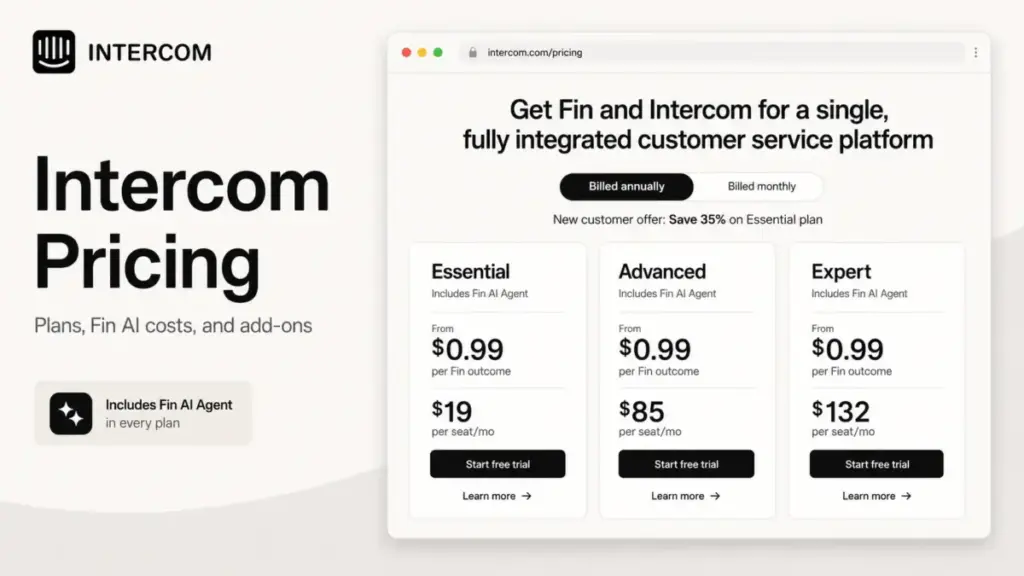
Intercom pricing starts at $29 per seat per month on annual billing, but that seat fee is only the first line item on the invoice. The number most support teams actually pay is seats plus $0.99 for every Fin AI Agent outcome, plus add-ons, plus usage-based channels like WhatsApp and SMS.
That gap between the advertised seat price and the real monthly bill is the whole story here. If you want the product judgment behind the numbers, our full Intercom review covers the platform side; this guide is about the money.
One naming note before the numbers. On May 12, 2026 the company renamed itself Fin, and on June 15, 2026 Salesforce signed a definitive agreement to acquire Fin for about $3.6 billion, expected to close in Salesforce fiscal 2027 Q4 subject to conditions.
The customer service product is still called Intercom, and the pricing below is the Intercom platform pricing, not a future Salesforce bundle.
All prices in this guide are USD and were verified on the official Intercom pricing page, Intercom help center, and Fin pricing docs on 2026-07-02. SaaS pricing changes often, so treat the dated figures as a snapshot and confirm on the official page before you buy.
Quick Pricing Verdict
| Question | Answer |
|---|---|
| Starting price | $29/seat/month (Essential, annual); $39/seat/month billed monthly |
| Free plan | No free plan; 14-day free trial, no credit card required |
| Best plan for most teams | Advanced at $85/seat/month annual, once you need Workflows and multiple team inboxes |
| Plan to avoid | Essential, if you already need automation, custom reports, or Salesforce/Marketo |
| Biggest hidden cost | Fin AI Agent outcomes at $0.99 each, billed on top of seats |
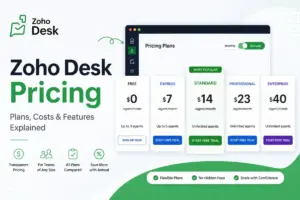
| Best alternative if too expensive | Help Scout or Freshdesk for predictable per-seat billing; Gorgias for ticket-volume pricing |
| Pricing verified | 2026-07-02, official Intercom and Fin sources |
Intercom is not a flat per-seat tool. It is a hybrid of seat licenses, per-outcome AI billing, add-on modules, and metered channels, so the plan you pick sets the floor, not the ceiling.
The Advertised Price vs the Real Price
The seat prices on the pricing page are real, but they describe a small part of most invoices. Here is how the advertised figure separates from the working budget.
| What you see advertised | What actually hits the invoice |
|---|---|
| Essential from $29/seat/month | $29/seat plus $0.99 per Fin outcome once automation goes live |
| “Fin from $0.99 per outcome” | 250 outcomes a month adds $247.50 on top of seats |
| “Free trial” | No free plan after 14 days; you convert to a paid seat plan or lose access |
| “AI-powered inbox” | Copilot is 10 free conversations per seat, then $35/agent/month for unlimited |
| Seat price only | WhatsApp, SMS, phone, and bulk outbound email are billed by usage |
A five-seat Essential team looks like $145 a month on paper. Add 250 Fin resolutions and the real number is $392.50 a month, which is 2.7 times the seat line.
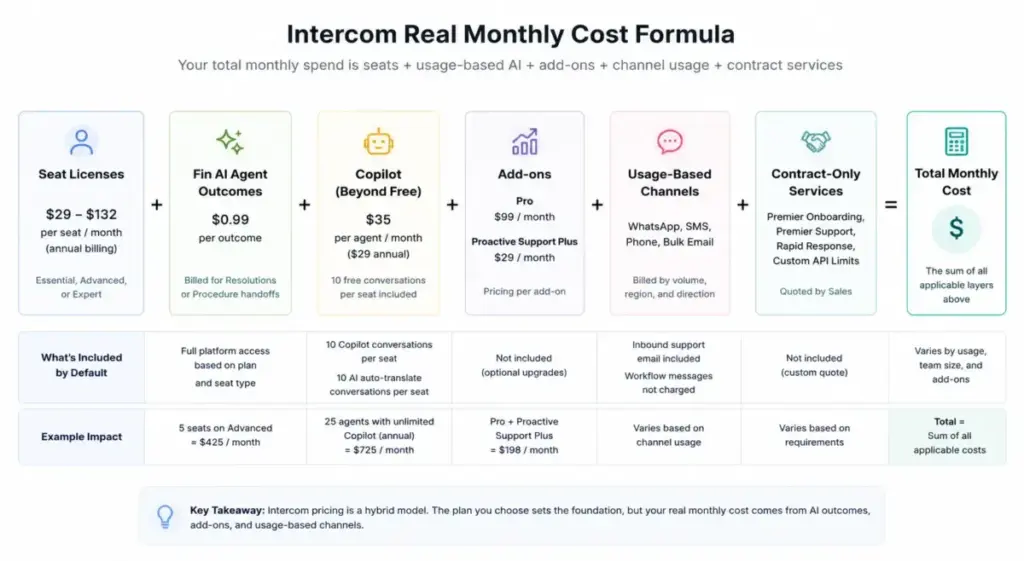
That multiplier is the reason a per-seat mental model fails for Intercom. The variable AI and channel spend is where the budget surprise lives, so the sections below price each layer separately.
The Five Hidden Costs Nobody Puts in the Headline
Intercom publishes these costs, but they sit in help docs and add-on menus rather than the plan cards. Each one can move your monthly total more than the seat tier you chose.
1. Fin AI Agent Outcomes at $0.99 Each
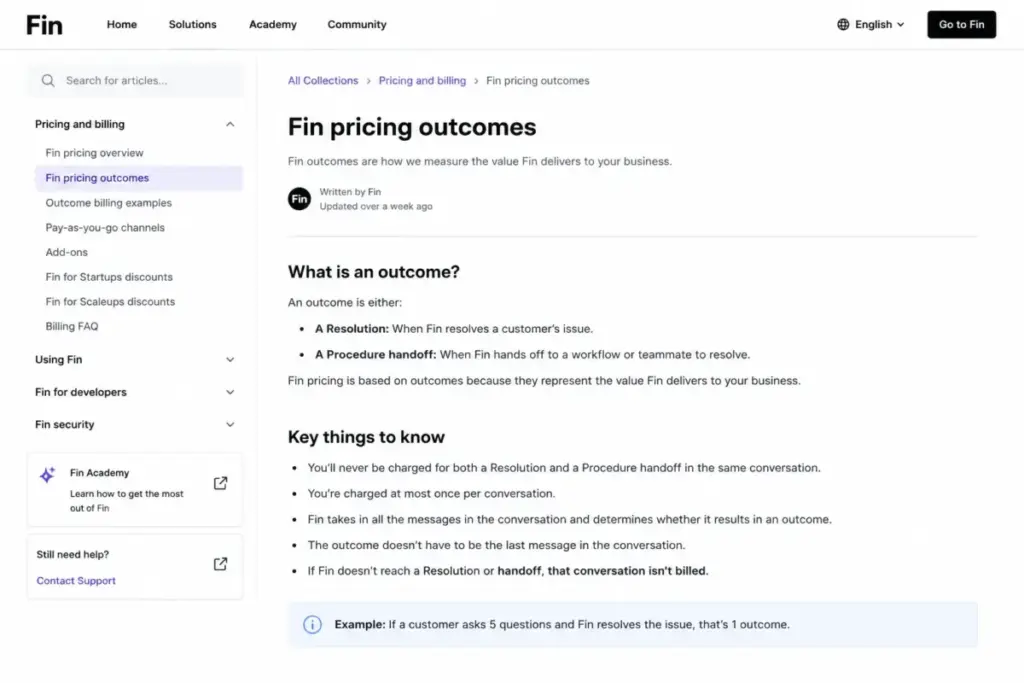
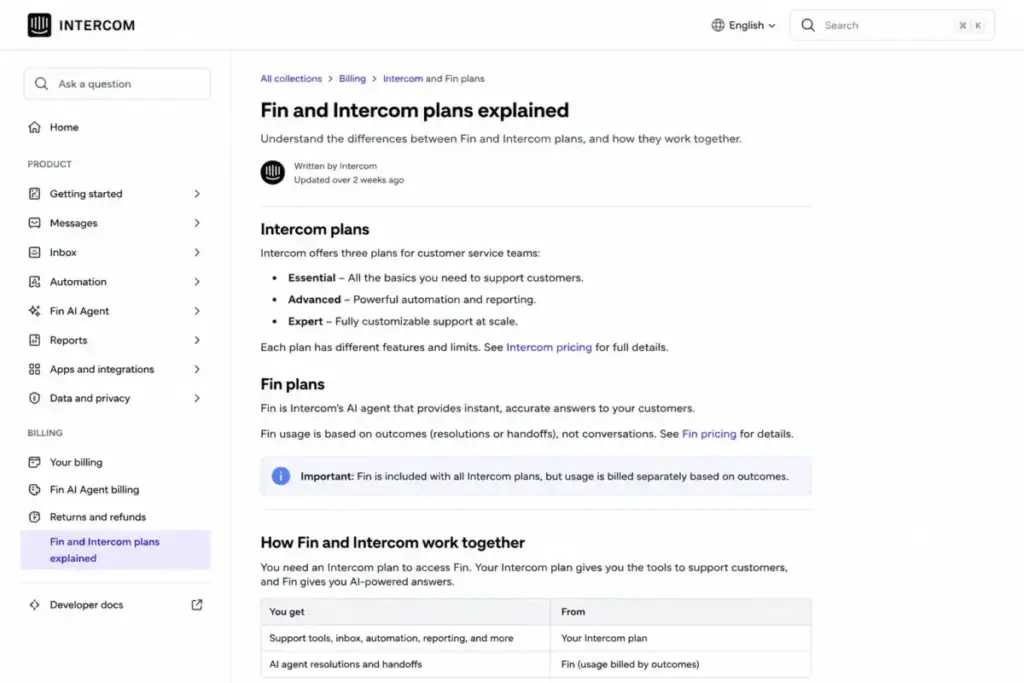
Every Intercom plan includes access to Fin AI Agent, but access is not the same as inclusion. Fin outcomes are metered at $0.99 per billable outcome on top of your seats.
A billable outcome is a Resolution or a Procedure handoff, and Fin charges at most once per conversation even when the customer asks several questions. At 2,000 automated resolutions a month, that is $1,980 in Fin spend before you count a single seat.
2. Copilot Beyond the Included Allowance
Every full-seat teammate gets 10 Copilot conversations and 10 AI auto-translation conversations per month at no extra charge. Past that, Copilot unlimited usage is $35 per agent per month, or $29 per agent per month on annual billing.
For a 25-agent team that lives in Copilot, unlimited access adds $725 a month at the annual rate. That is roughly the cost of eight and a half extra Advanced seats.
3. The Pro and Proactive Support Plus Modules
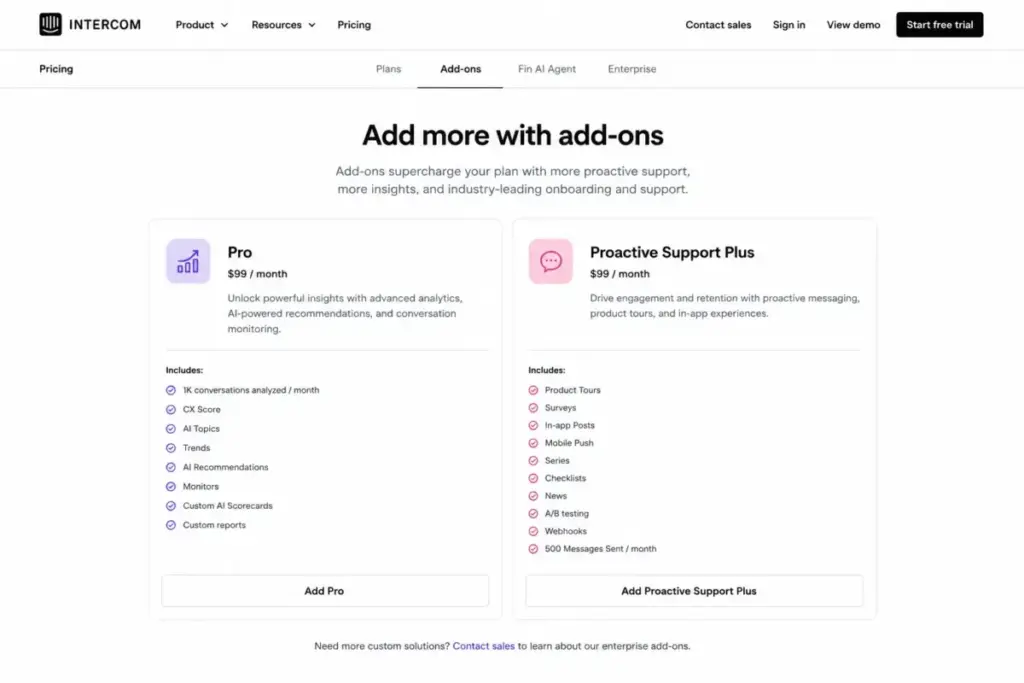
Two add-ons expand analytics and outbound messaging, and both are billed as flat monthly fees. Pro is $99 per month and includes analysis of 1,000 conversations per month, covering CX Score, AI Topics, Trends, AI Recommendations, Monitors, and Custom AI Scorecards.
Proactive Support Plus is also $99 per month and adds Product Tours, Surveys, In-app Posts, Mobile Push, Series, Checklists, News, A/B Testing, and Webhooks. It includes 500 Messages Sent per month, and overages above that are charged.
4. Usage-Based Channels
Support over WhatsApp, SMS, phone, and bulk outbound email is metered by volume, region, and direction. Intercom does not publish one fixed unit rate for every buyer, so I will not invent one; the official pricing FAQ and calculator are the only reliable source for your numbers.
Two clarifications matter for budgeting. Inbound support email is included, and Workflow messages are not charged, but bulk outbound messaging is charged, and Fin Voice over phone requires contacting Sales for pricing.
5. Contract-Only Services
Some line items never appear with a public price. Premier Onboarding, Premier Support, Rapid Response, and custom API rate limits are all quoted by Sales under a contract.
If your procurement requires SLAs on support response or a named onboarding specialist, budget for a negotiated fee that the pricing page will not show you. Treat these as enterprise line items, not self-serve add-ons.
How Fin Outcomes Are Billed
Fin is the single most important number in an Intercom budget, so it earns its own section. The billing rule is simple to state and easy to underestimate: you pay $0.99 when Fin succeeds, not when it runs.
| Billable outcome | Not billable |
|---|---|
| Fin resolves the conversation (Resolution) | Customer asks for a human |
| Fin completes a Procedure handoff | Fin cannot answer and escalates |
| (charged at most once per conversation) | Fin detects frustration and escalates |
| A Procedure fails |
This structure rewards good automation and does not punish escalations, which is fair. The budgeting risk is that a rising resolution rate raises your bill, so the better Fin performs, the more you pay.
You can also buy Fin without Intercom as your helpdesk. Standalone Fin runs on top of an existing helpdesk like Salesforce, HubSpot, or Freshworks at a $49 per month base plan that includes 50 resolutions, with additional outcomes at $0.99 each and a 50-outcome monthly minimum.
Two caveats keep buyers honest here. Standalone Fin on another helpdesk cannot be signed up self-serve and requires Sales access, and Fin for Sales and Fin for Ecommerce are not available on other platforms, so those roles still need an Intercom plan.
Intercom Pricing Plans Compared
Intercom sells three seat plans. All three include Fin AI Agent access with usage billed separately, and Advanced and Expert bundle free Lite seats for collaborators.
| Plan | Monthly | Annual | Billing basis | Best for | Key limits |
|---|---|---|---|---|---|
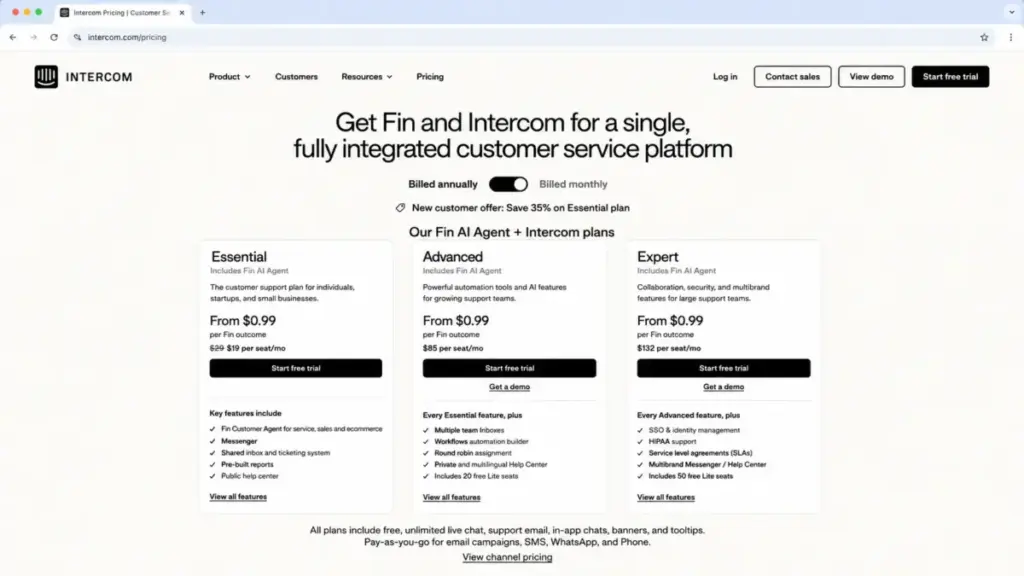
| Essential | $39/seat/mo | $29/seat/mo | Per full seat | Small teams on a shared inbox | No Workflows, no multiple team inboxes, no custom reports, no CRM integrations |
| Advanced | $99/seat/mo | $85/seat/mo | Per full seat, 20 Lite seats included | Growing teams needing automation | No SSO, HIPAA, SLAs, multibrand, extended API, or real-time dashboard |
| Expert | $139/seat/mo | $132/seat/mo | Per full seat, 50 Lite seats included | Larger and regulated teams | Enterprise services and Fin Voice still route through Sales |
One caveat on the entry price. The official pricing page showed a new-customer annual Essential offer of $19 per seat per month; I treat $29 as the standard annual price and the $19 figure as a temporary promotion, because the plan help doc lists $29.
What Essential Includes and Leaves Out
Essential covers the core support desk: shared inbox, ticketing, a public Help Center, and pre-built reports, plus Fin access on a usage basis. It works for a small team answering tickets from one queue.
It leaves out Workflows, multiple team inboxes, round robin assignment, a private or multilingual Help Center, custom reports, and Salesforce and Marketo integrations. Avoid Essential if any of those are already on your requirements list, because you will upgrade within months.
What Advanced Adds
Advanced is the tier most growing support teams settle on. It adds Workflows, multiple team inboxes, round robin assignment, a private and multilingual Help Center, a tickets portal, custom reports, and the Salesforce and Marketo integrations.
It also includes 20 free Lite seats for collaborators. Avoid Advanced only if you need SSO, HIPAA, SLAs, multibrand, extended API limits, or a real-time dashboard, all of which sit one tier up.
What Expert Adds
Expert is the security and administration tier. It adds SSO and identity management, HIPAA support, SLAs, multibrand Messenger and Help Center, workload management, team office hours, team reply-time settings, an extended API limit, and a real-time dashboard.
It includes 50 free Lite seats. Choose Expert only when compliance, single sign-on, or multibrand control is a hard requirement, because the feature jump from Advanced is narrow otherwise.
Feature Gates: What You Actually Get by Plan
The upgrade decision comes down to which specific feature forces the jump. This gate map groups the triggers by function so you can find your own breakpoint.
| Feature | Essential | Advanced | Expert |
|---|---|---|---|
| Fin AI Agent access | Included, usage billed | Included, usage billed | Included, usage billed |
| Shared Inbox | Included | Included | Included |
| Ticketing system | Included | Included | Included |
| Public Help Center | Included | Included | Included |
| Workflows | Not included | Included | Included |
| Multiple team inboxes | Not included | Included | Included |
| Private and multilingual Help Center | Not included | Included | Included |
| Custom reports | Not included | Included | Included |
| Salesforce and Marketo integrations | Not included | Included | Included |
| SSO and identity management | Not included | Not included | Included |
| HIPAA support | Not included | Not included | Included |
| SLAs | Not included | Not included | Included |
| Multibrand Messenger and Help Center | Not included | Not included | Included |
| Extended API limit | Not included | Not included | Included |
| Real-time dashboard | Not included | Not included | Included |
The Essential-to-Advanced jump is about automation and collaboration: Workflows, team inboxes, custom reports, and CRM sync. The Advanced-to-Expert jump is purely security, compliance, and admin control, so if you are not regulated, Advanced is usually where the value stops.
Full Seats vs Lite Seats
The free Lite seats on Advanced and Expert look like a way to shrink the paid count, and that misread causes under-budgeting. Lite seats are collaboration seats, not agent seats.
| Seat type | Cost | What it can do | What it cannot do |
|---|---|---|---|
| Full seat | $29 to $132/seat/mo by plan | Answer conversations, use the inbox, use Copilot | (full access) |
| Lite seat | Included: 20 on Advanced, 50 on Expert | Internal collaboration, notes, limited actions | Cannot send messages to customers; cannot use Copilot |
If a teammate needs to reply to customers or run Copilot, they need a paid full seat. Count your customer-facing agents as full seats and treat Lite seats as a bonus for managers and internal contributors, not a discount lever.
When the Trial Ends and Why There Is No Free Plan
Intercom does not offer a free plan, which separates it from Help Scout and Freshdesk. What it offers instead is a 14-day free trial with no credit card required.
The trial includes your chosen plan’s features plus Fin AI Agent, Pro, Copilot, and Proactive Support Plus. When it ends, self-serve users must add payment to keep access, and Sales-led trials need account manager approval, so access pauses if you do not convert.
Early-stage companies have one more lever. The Early Stage program offers roughly 93% off in year one, 50% in year two, and 25% in year three, plus 300 free Fin outcomes per month in year one, but eligibility is limited and not every startup qualifies.
Real Cost Scenarios: 5, 10, 25, 50, and 100 Users
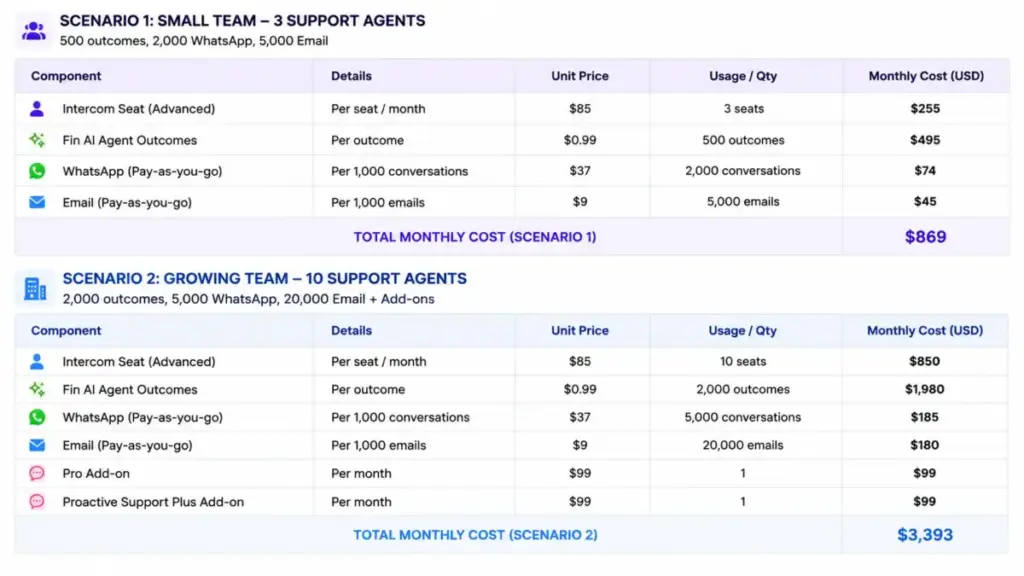
Base seat cost is the predictable half of the budget. This first table is seats only on annual billing, before any Fin outcomes, Copilot, Pro, Proactive Support Plus, or channel usage.
| Team size | Plan | Annual (monthly equivalent) | Billed monthly | Notes |
|---|---|---|---|---|
| 5 | Essential | $145/mo ($1,740/yr) | $195/mo | Base seats only |
| 10 | Advanced | $850/mo ($10,200/yr) | $990/mo | Advanced chosen for Workflows and collaboration |
| 25 | Advanced | $2,125/mo ($25,500/yr) | $2,475/mo | Includes 20 Lite seats that cannot message customers |
| 50 | Expert | $6,600/mo ($79,200/yr) | $6,950/mo | Expert for SSO, HIPAA, SLAs, multibrand |
| 100 | Expert | $13,200/mo ($158,400/yr) | $13,900/mo | Usage and add-ons can materially change this |
Now the realistic version. This second table layers in sample Fin outcomes and add-ons, using annual seat pricing and the stated assumptions, so the totals are illustrative estimates rather than quotes.
| Scenario | Users / plan | Assumptions | Estimated monthly | Estimated annual |
|---|---|---|---|---|
| Small support team | 5, Essential annual | 250 Fin outcomes, no paid add-ons | $392.50 | $4,710 |
| Growing automation team | 10, Advanced annual | 500 Fin outcomes, Copilot unlimited for 5 agents | $1,490 | $17,880 |
| Scaling support org | 25, Advanced annual | 2,000 Fin outcomes, Copilot all agents, Pro, Proactive Support Plus | $5,028 | $60,336 |
| Enterprise support org | 50, Expert annual | 5,000 Fin outcomes, Copilot all agents, Pro, Proactive Support Plus | $13,198 | $158,376 |
| Large global team | 100, Expert annual | 10,000 Fin outcomes, Copilot all agents, Pro, Proactive Support Plus | $26,198 | $314,376 |
Read the two tables side by side and the pattern is clear. At 25 users the seats are $2,125 a month, but Fin outcomes and add-ons push the working total to about $5,028, so variable spend is the larger half of the invoice.
Monthly vs Annual Billing
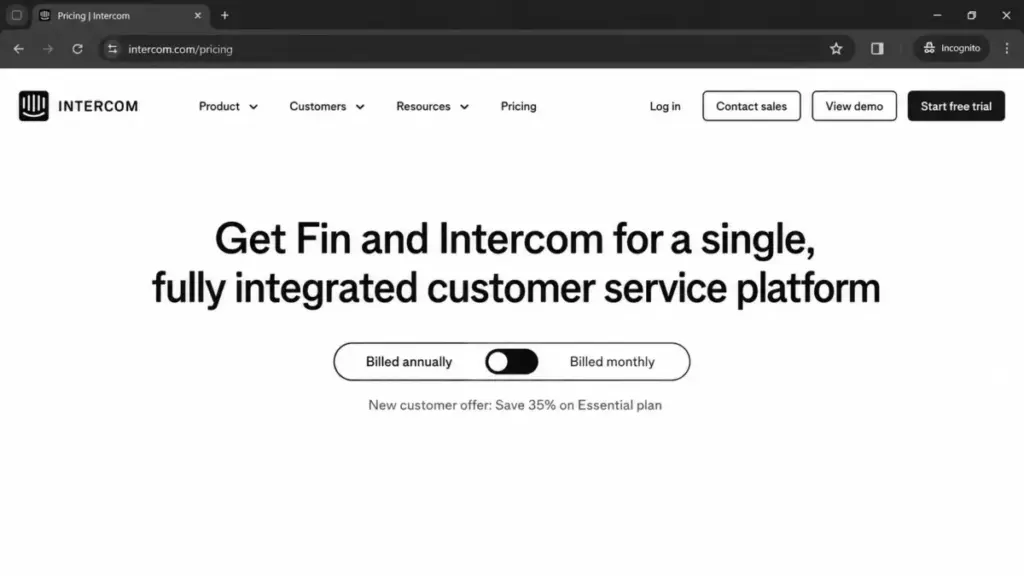
Annual billing lowers the seat rate, but the discount is uneven across plans and shrinks as you move up. Essential saves the most in percentage terms; Expert barely moves.
| Plan | Monthly rate | Annual rate | Approx. annual saving |
|---|---|---|---|
| Essential | $39/seat/mo | $29/seat/mo | About 25.6% |
| Advanced | $99/seat/mo | $85/seat/mo | About 14.1% |
| Expert | $139/seat/mo | $132/seat/mo | About 5.0% |
For a small Essential team, annual billing is an easy call at a quarter off. For an Expert team, the 5% seat saving is small enough that month-to-month flexibility may be worth more than the discount, especially while the Salesforce acquisition is still pending.
The discount only applies to seats. Fin outcomes and metered channels are usage-based regardless of billing cycle, so annual commitment does not cap your variable spend.
Which Intercom Plan Should You Choose?
The plan follows the requirement that forces the jump, not the team size alone. Match the trigger, not the headcount.
Solo operator or a two-person support desk on one queue: Essential at $29/seat annual. Use this if you only need a shared inbox, ticketing, and a public Help Center, and add Fin outcomes as automation grows.
Growing team of 5 to 25 that needs automation: Advanced at $85/seat annual. Use this once you need Workflows, multiple team inboxes, custom reports, or the Salesforce and Marketo integrations, which is the most common breakpoint.
Regulated or multibrand organization at any size: Expert at $132/seat annual. Use this only when SSO, HIPAA, SLAs, multibrand Messenger, extended API, or a real-time dashboard is a hard requirement.
Team already on Zendesk, Salesforce, or Freshworks that only wants AI: standalone Fin at $49 per month for 50 resolutions. Use this when your helpdesk is fine and you only want automated resolutions, and remember it needs Sales access, not self-serve signup.
Which Intercom Plan Should You Avoid?
Essential is the plan to watch. It is fine for a static shared inbox, but it becomes poor value the moment your requirements list includes automation, custom reporting, a private Help Center, or CRM integration.
The trap is buying Essential to save $56 per seat per month over Advanced, then discovering that Workflows and multiple team inboxes are gated. You end up migrating within a quarter and paying for the disruption on top of the upgrade.
The exception is real. If your team genuinely only triages tickets from one inbox and will not automate this year, Essential holds up, and the savings across five seats is $280 a month versus Advanced.
Expert has the opposite failure mode. It is overkill unless SSO, HIPAA, SLAs, multibrand, extended API, or the real-time dashboard is on your must-have list, so do not buy it for prestige.
Intercom Pricing vs Competitors
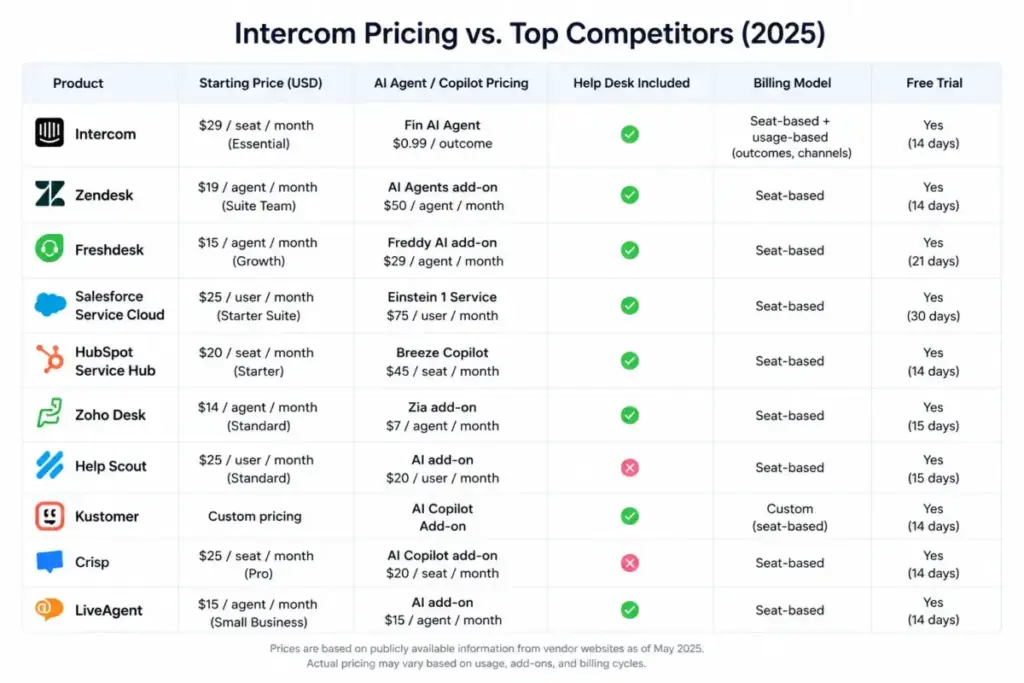
The reason starting prices mislead here is that the five obvious alternatives bill on different models. You cannot compare Intercom’s hybrid seat-plus-outcome pricing to a flat per-seat tool by looking at the entry number alone.
| Tool | Starting price | Practical tier | 10-user cost (annual) | Billing model |
|---|---|---|---|---|
| Intercom | $29/seat/mo | Advanced $85/seat/mo | $850/mo seats, plus Fin outcomes | Seat + per-outcome AI + add-ons |
| Zendesk | $19/agent/mo | Suite Team $55/agent/mo | $190/mo Support Team; $550/mo Suite Team | Per agent, Copilot add-on $50/agent/mo |
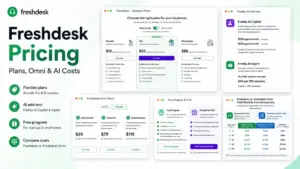
| Freshdesk | $19/agent/mo | Growth $19/agent/mo | $190/mo Growth | Per agent, Freddy AI billed after 500 sessions |
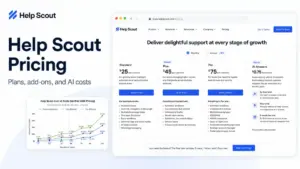
| Help Scout | Free for 5 users | Standard $25/user/mo | $250/mo Standard | Per user, AI Answers $0.75/resolution |
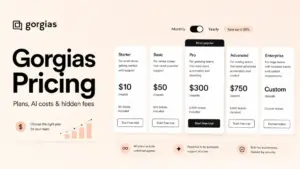
| Gorgias | $10/mo for 50 tickets | Basic $50/mo or Pro $300/mo | Depends on ticket volume, not seats | Ticket-volume, unlimited users |
| HubSpot Service Hub | $20/seat/mo | Professional $100/seat/mo | $200/mo Starter; $1,000/mo Pro | Per seat, Enterprise onboarding $3,500 |
The takeaway is model-shaped. Intercom looks mid-priced on seats but can cost the most once Fin volume is high, while Gorgias ignores seat count and Help Scout stays predictable with per-resolution AI at $0.75 instead of $0.99.
If you are still shortlisting, our roundup of the best help desk software ranks these tools by fit rather than headline price.
If you want the seat-based head-to-head, the Zendesk vs Intercom comparison breaks down feature parity so you can weigh seats against Fin outcomes directly.
Is Intercom Worth the Price?
Intercom is worth it when you can measure resolution rate and the automated resolutions are cheaper than the human hours they replace. At $0.99 per Fin outcome, the math works for AI-first SaaS, fintech, marketplace, and ecommerce teams with high, repetitive ticket volume.
It is worth it if you need Messenger plus omnichannel support in one system and can treat per-outcome AI as a variable operating cost rather than a fixed subscription. For those teams, the help desk software consolidation is the payoff.
It is not worth it if you need predictable all-in pricing, run low automation volume, or mainly want a basic shared inbox and Help Center. In those cases the per-outcome model adds cost and forecasting difficulty without a matching return.
If Intercom prices out, the cleanest predictable alternatives are Help Scout for small teams and Freshdesk for per-agent simplicity, while Gorgias fits ecommerce teams whose cost tracks tickets rather than seats. Our Help Scout review covers the fit details for the small-team case.
How to Avoid Overpaying for Intercom
The controllable spend is the variable layer, so the tactics below target Fin, add-ons, and billing rather than the seat tier.
- Right-size the plan to the feature that forces the jump. Do not buy Expert for security you do not need, and do not buy Essential if Workflows are already on your list, and if the seat math looks steep, scan the Zendesk alternatives shortlist before committing.
- Track Fin resolution volume weekly. At $0.99 per outcome, 2,000 resolutions is $1,980 a month, so model the outcome count before you switch automation on broadly.
- Use the 10 included Copilot conversations per seat before buying unlimited. Only add the $35 or $29 per-agent Copilot upgrade for agents who exhaust the allowance.
- Keep collaborators on Lite seats. Managers and internal reviewers do not need paid full seats unless they message customers or run Copilot.
- Commit annually only on Essential and Advanced. The Expert annual saving is about 5%, which may not justify locking in while the Salesforce deal is pending.
- Separate Workflow messages from bulk outbound. Workflow messages are not charged, so route automation through Workflows and reserve bulk outbound campaigns for when they earn their metered cost.
- If your helpdesk already works, price standalone Fin at $49 for 50 resolutions instead of migrating the whole team. You may only need the AI layer, not a platform switch, and an ecommerce team may find the Gorgias review points to a cheaper ticket-volume model.
Methodology
I built this guide from official sources checked on 2026-07-02: the Intercom pricing page, the Intercom help center plan and pricing FAQ articles, the Fin pricing and outcomes docs, the Copilot usage doc, and the Early Stage program page. Competitor figures come from each vendor’s own pricing page, also checked on 2026-07-02.
This is official-research pricing analysis, not a hands-on billing audit, and the cost scenarios are illustrative estimates based on public seat pricing plus stated sample usage. Where a channel rate or service fee is usage-based or Sales-quoted, I have said so rather than invent a number, and prices can change, so confirm on the official page before purchase.
FAQ
How much does Intercom cost per month?
Intercom starts at $29 per seat per month on annual billing, or $39 billed monthly. The working cost is higher because Fin AI outcomes at $0.99 each, add-ons, and metered channels bill on top of seats.
Does Intercom have a free plan?
No. There is no free plan, but there is a 14-day free trial with no credit card required that includes Fin and the main add-ons.
What is a Fin outcome and does Intercom charge for AI resolutions?
A billable outcome is a Resolution or a Procedure handoff, and Intercom charges $0.99 per outcome, at most once per conversation. You are not charged when Fin escalates, cannot answer, detects frustration, or a Procedure fails.
Is Intercom billed per seat?
Partly. Seats are per full seat, but Fin outcomes are per resolution and channels like WhatsApp and SMS are usage-based, so Intercom is a hybrid model rather than a pure per-seat tool.
What is the difference between Intercom Essential and Advanced?
Advanced at $85 per seat adds Workflows, multiple team inboxes, custom reports, a private Help Center, and Salesforce and Marketo integrations that Essential at $29 per seat does not include. Most growing teams upgrade for automation.
How much does Fin cost with an existing helpdesk?
Standalone Fin on a helpdesk like Salesforce or Freshworks is a $49 per month base plan including 50 resolutions, with extra outcomes at $0.99 and a 50-outcome monthly minimum. It requires Sales access rather than self-serve signup.
Can I pay for Intercom in my local currency?
Intercom bills in USD only. Online payment accepts major cards plus Apple Pay, Google Pay, and Stripe Link, while ACH and wire are limited to contracted subscriptions.
Is Intercom expensive compared with Zendesk?
On seats, Intercom’s $85 Advanced tier is higher than Zendesk’s $55 Suite Team, but the comparison flips with volume. Zendesk’s Copilot add-on is $50 per agent per month, while Intercom charges $0.99 per Fin outcome, so the cheaper option depends on your resolution count; the Zendesk pricing breakdown shows the seat side in full.
Will Salesforce change Intercom pricing?
Salesforce signed a definitive agreement to acquire Fin on June 15, 2026, expected to close in Salesforce fiscal 2027 Q4 subject to conditions. The deal has not closed, and there is no announced pricing change, so budget from current Intercom pricing; if you want a Salesforce-adjacent alternative to weigh, the HubSpot pricing tiers give a per-seat reference point.