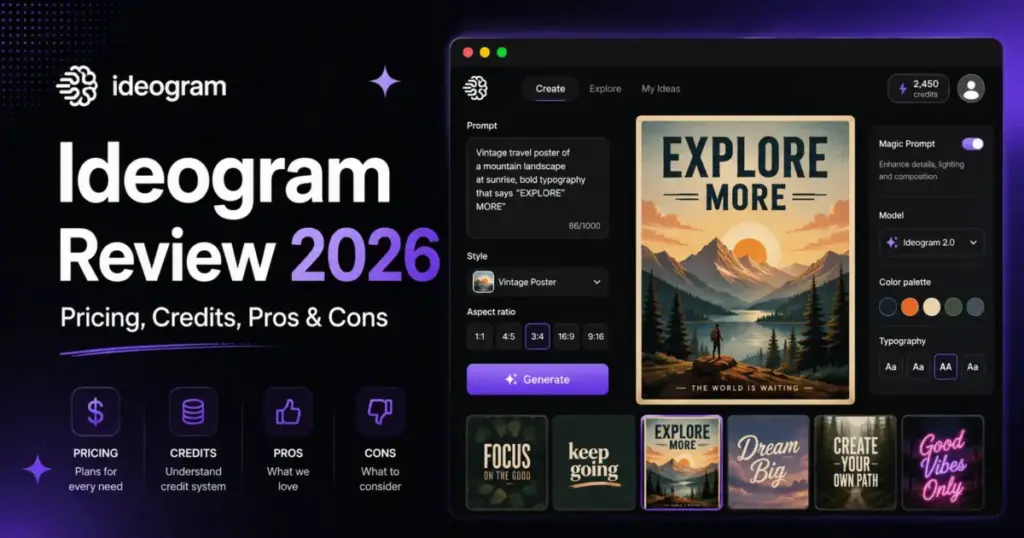
The short version: Ideogram is the clearest fit when readable in-image text, brand-style exploration, and fast creative iteration matter more than cinematic art or full design-suite control.
But the marketing line that Ideogram is simply “the best AI tool for text in images” skips the parts that decide whether you should pay for it: credit expiry, public-by-default outputs on free, separate API economics, and a hard no on SVG export. This Ideogram review focuses on those buying decisions, not the praise everyone already agrees on.
Here is the open loop I will close by the end: the free plan looks generous until you realize every image you make on it is public by default, and the fix is a paid feature. That single gate reshapes who should actually be on Free.
Quick Verdict: Is Ideogram Worth It in 2026?
Ideogram is worth it for creators and small marketing teams that repeatedly need text inside AI images, and it is the wrong tool for anyone needing vector logo files or private free generation. As a text-to-image AI tool, its specialty is turning prompts into graphics with legible lettering. Based on official documentation and public reviewer patterns, the text rendering reputation holds up. The pricing nuance is where most reviews stop short.
| Category | Verdict |
|---|---|
| Best for | Solo creators, 2-5 person marketing teams, ecommerce sellers, POD sellers, agencies needing readable in-image text |
| Worst for | Vector-first designers, free users needing privacy, buyers requiring published SOC 2, cinematic-art purists |
| Starting price | Free plan, then Plus at $20/month (as of June 2026) |
| Standout strength | Readable typography and prompt adherence in posters, thumbnails, ads, and logo mockups |
| Biggest catch | Free generations are public by default; private generation starts on Plus |
| Mobile | iPhone and iPad app; no verified Android app |
| API | Usage-based, from $0.03 per image, 10 in-flight request default limit |
| Our score | 4.1 / 5 for its target use case |
What this means: if your core job is text-on-image creative at speed, Ideogram earns the subscription. If your deliverable is a final vector brand asset or your generations must stay private without paying, the answer changes before you ever judge image quality.
Final Verdict and Who Should Use Ideogram
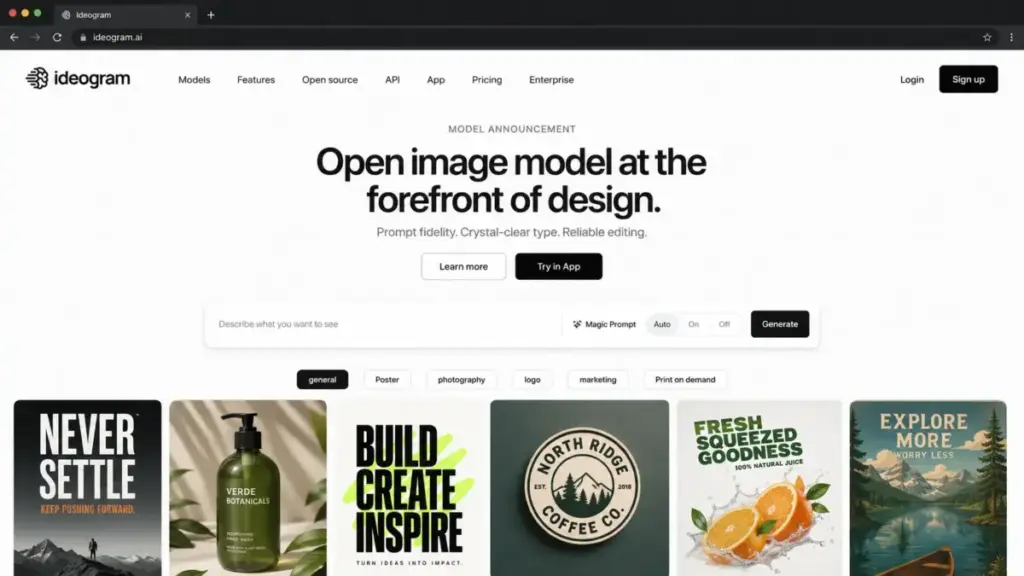
Ideogram scores 4.1 out of 5 for its intended job: producing AI images where the text inside the image is legible and on-brand. Most tools can slap “AI” on a feature list, but what makes Ideogram genuinely useful is that it solves the one failure mode that breaks Midjourney and older DALL-E outputs first, which is garbled lettering in posters, ads, and thumbnails.
The product covers a wide surface. Ideogram positions itself as a design-focused platform with text rendering, prompt fidelity, editing tools, API access, and an open-weight Ideogram 4.0 model. That breadth is real, but it does not mean every buyer should approach it the same way.
Who should use Ideogram
- Solo bloggers and Pinterest creators who need PNG graphics with clean headlines and consistent style.
- 2-5 person marketing teams producing social posts, ad drafts, and poster mockups weekly.
- Ecommerce and print-on-demand sellers generating product mockups and text-driven design concepts.
- Agencies running fast typography-heavy ideation before handoff to a design tool.
- Developers adding image generation to an app through the Ideogram API.
Who should not use Ideogram
- Freelance designers who must deliver scalable vector logos, because Ideogram does not export SVG.
- Free-tier users handling client or unreleased work, because free generations are public by default.
- Buyers who need published SOC 2 documentation, which was not verified in this research pass.
- Artists prioritizing cinematic, painterly output, where Midjourney remains the stronger pick.
My read: the question is not “Should I use an AI image generator?” It is which one fits your specific output, privacy needs, and total cost. For text-led creative, Ideogram is near the top of the best AI image generators shortlist. For everything else, it is a strong specialist, not an all-in-one.
Ideogram Pros and Cons
Ideogram’s strengths cluster around text and iteration speed; its weaknesses cluster around export, privacy gating, and credit behavior. Each con below is tied to pricing, a feature gate, or a real workflow.
| Pros | Cons |
|---|---|
| Readable in-image text that beats most generators on legibility | Free generations are public by default; privacy is a paid gate |
| Strong prompt adherence with Magic Prompt assistance | No SVG or vector export for final logo delivery |
| Deep post-generation editing: Magic Fill, Extend, background removal | Monthly priority credits do not roll over |
| API plus open-weight Ideogram 4.0 for developers and enterprises | Uploaded logos or photos can be slightly reinterpreted |
| Practical paid entry point at $20/month with PNG downloads | Subscription payments are non-refundable |
What this means: the pros make Ideogram a buy for text-heavy creators. The cons are not dealbreakers for that group, but they are exactly the details that turn a designer, a privacy-sensitive agency, or an inconsistent monthly user into someone who should choose differently.
How I Reviewed Ideogram
This Ideogram review is based on official documentation, the live pricing page, API docs, legal pages, the Apple App Store listing, and public review platforms including Trustpilot, Techjockey, and Reddit. SaaSZap did not run hands-on generation testing for this article, so I will not pretend output quality came from my own prompts.
Daniel Rivera, who covers AI tools and generative AI for SaaS Zap, weighed the product on four axes: plan-by-plan feature gates, credit and billing mechanics, privacy and licensing, and where the workflow stops being enough. Where community sentiment appears, I treat it as caveated feedback, not confirmed product behavior.
Trustpilot itself notes the company has not invited customers and reviews may not be representative, so I use sentiment to flag themes, not to set the score.
Pricing Reality: Plans, Credits, and the 10-Seat Math
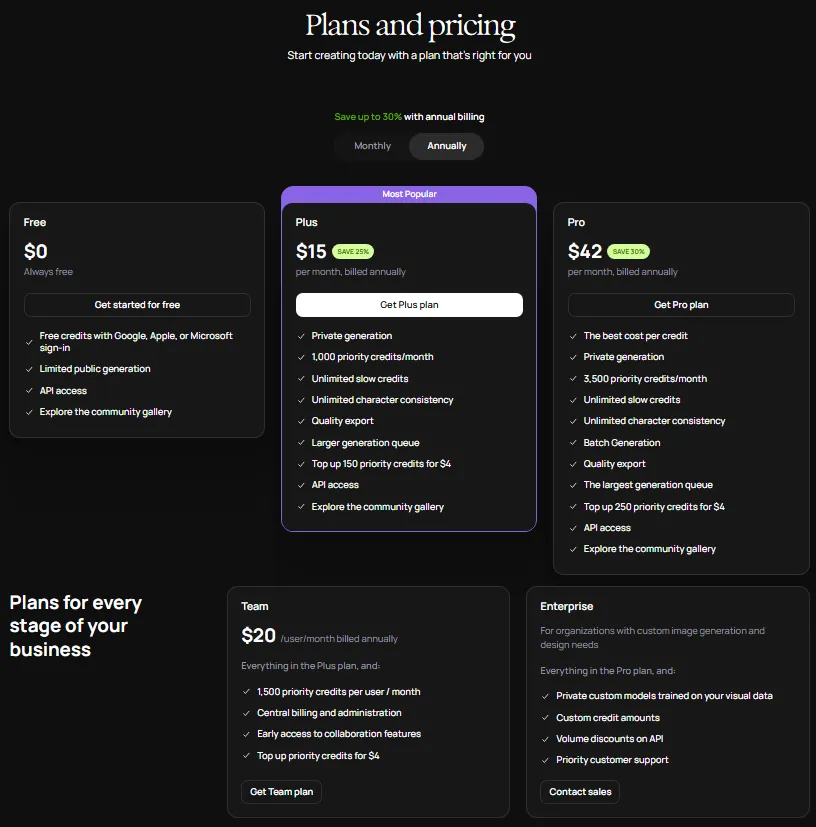
Ideogram pricing runs from a Free plan to Plus at $20/month, Pro at $60/month, and Team at $30 per member/month with a two-member minimum (as of June 2026). API access is priced separately and usage-based. Basic at $8/month still exists but is a legacy plan that new buyers cannot purchase, so do not plan around it.
| Plan | Monthly | Annual (effective) | Priority credits | Key gates |
|---|---|---|---|---|
| Free | $0 | Free | 10 slow credits/week, ~40 images/week | Public by default, JPG only, no upload, no edit tools |
| Basic (legacy) | $8 | $84/yr ($7/mo) | 400/month | Closed to new buyers |
| Plus | $20 | $180/yr ($15/mo) | 1,000/month | Private generation, image upload, PNG, Magic Fill, Extend, Upscale, background removal |
| Pro | $60 | $504/yr ($42/mo) | 3,500/month | All Plus features plus Batch Generation with CSV |
| Team | $30/member | $240/member/yr ($20/mo) | 1,500/member/month | Team access, 2-member minimum |
| API | from $0.03/image | volume/enterprise on request | usage-based | 10 in-flight request default limit |
What this means: Plus is the practical paid plan for most creators because it is the first tier that adds privacy, image upload, PNG export, and the editing suite. Free is for casual testing only. Pro earns its jump mainly when batch CSV generation matters to your volume.
The credit math nobody runs
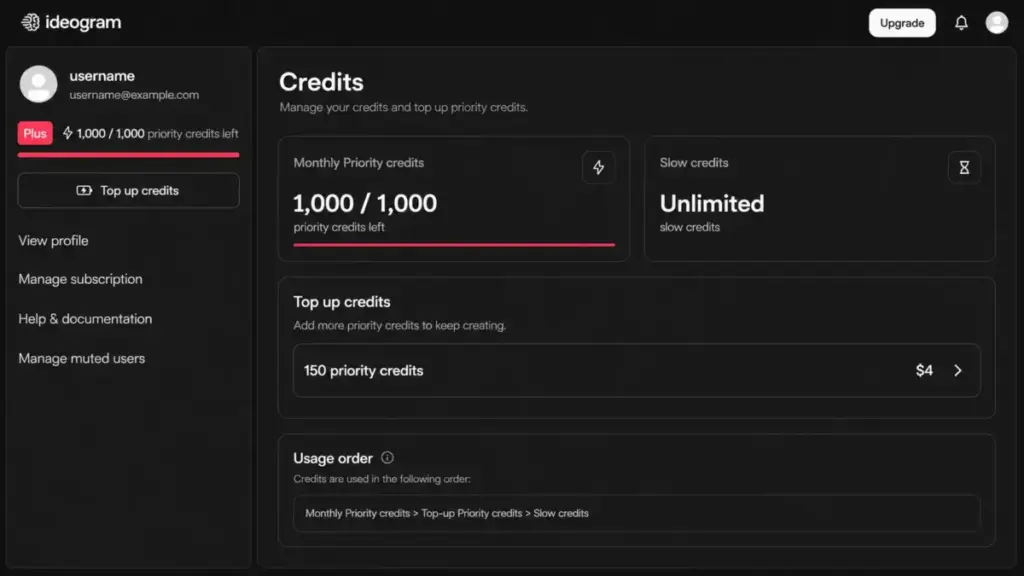
Here is original cost-per-credit math straight from the official numbers. Plus delivers 1,000 priority credits for $20, which is $0.02 per priority credit. Pro delivers 3,500 for $60, or about $0.0171 per credit, the best per-credit rate among subscriptions. Top-ups cost $4 per pack: 150 credits on Plus ($0.0267 each) and 250 on Pro ($0.016 each).
So a heavy Plus user buying top-ups is paying more per credit than a Pro subscriber generates at baseline. If you routinely buy two or more Plus top-up packs a month, Pro is the cheaper home for your volume.
The 10-seat scenario
A 10-person team on Team pricing pays $300/month at the monthly rate, or $2,400/year on annual billing ($240 per member). That buys 1,500 priority credits per member, or 15,000 pooled-equivalent credits monthly. Compare that to two Pro seats at $120/month for 7,000 credits if your team is smaller and shares logins less. The Team plan wins on per-seat features and admin, not on raw credit price.
How Ideogram credits actually work
Three billing facts create real hidden-cost risk, and most reviews skip all three. First, unused monthly priority credits do not roll over. Second, paid plans spend priority credits first, then drop to slow credits, with no manual toggle to choose the slow queue. Third, subscription payments are non-refundable, and canceling forfeits unused credits at the end of the billing period.
For an inconsistent creator who generates in bursts, that combination means you can pay for 1,000 monthly credits, use 300, and lose 700. If your usage is lumpy, annual Plus plus occasional top-ups beats over-buying a higher tier you cannot fully consume.
Ideogram Feature Deep-Dive
Ideogram’s feature set is strongest after the first generation, where editing and refinement live. The headline is text rendering, but the depth is in the correction tools that turn a near-miss into a usable asset.
Text rendering and Magic Prompt
Ideogram’s core draw is legible typography inside generated images, the area where competitors historically fail first. Magic Prompt expands a short prompt into a richer one to improve adherence. Public reviewer patterns on Techjockey and Reddit consistently praise readable text and style variety, while noting occasional rerolls are still needed. This is “AI as functional feature,” not “AI as marketing label.”
Canvas, Magic Fill, Extend, and background removal
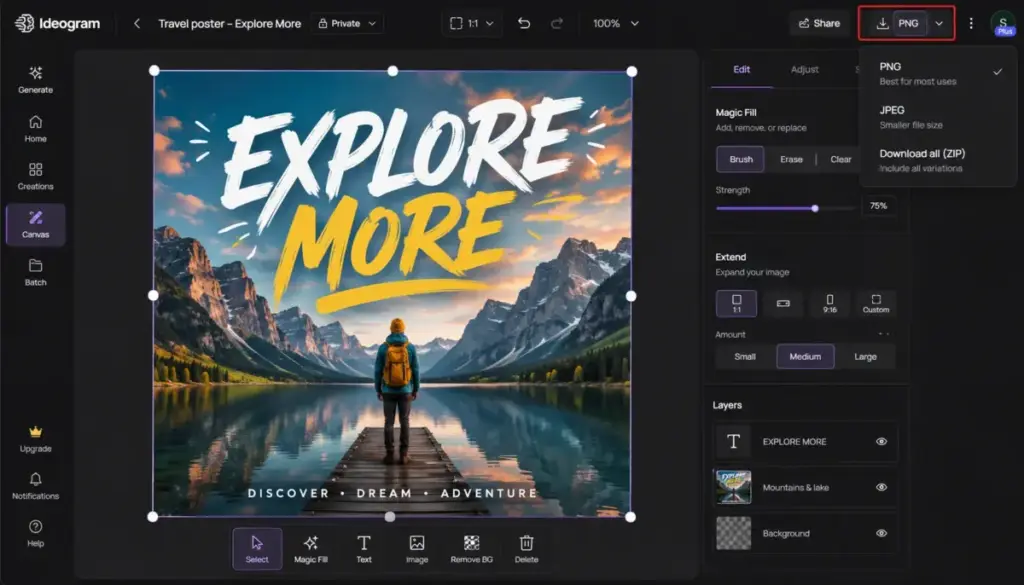
Plus and above add the editing suite: Magic Fill for inpainting, Extend (reframe) to grow a canvas, Upscale, and background removal. These are the tools that make Ideogram a workflow rather than a one-shot generator. The official site also describes prompt-based editing, sharpening, isolating, and reshaping after generation.
Style reference, character reference, and color control
Paid tiers add style reference, character reference, custom color palettes, negative prompts, and seed control. For a brand team, custom color palettes plus style reference are the features that keep a series of graphics visually consistent across a campaign.
Batch generation
Batch Generation with CSV upload is gated to Pro and Team. For an ecommerce seller producing dozens of product-text variations, this is the single feature that justifies Pro over Plus.
API and open weights
The Ideogram API covers Generate, Remix, Edit, Reframe, Replace Background, Describe, Upscale, and related operations. Pricing is usage-based per image from $0.03, with a default limit of 10 in-flight requests; higher volume requires contacting Ideogram. Separately, Ideogram 4.0 (released June 3, 2026) ships open weights with multilingual text rendering, bounding-box layout control, and 2K output. Open weights are for non-commercial use; commercial production, self-hosting, and fine-tuning require a commercial license.
The failure mode comparison here is simple: the app subscription, the API, and the open-weight license are three different buying paths. Picking the wrong one is the most expensive mistake an advanced team can make.
Ease of Use, Mobile, Support, and Privacy
Ideogram is low-friction for basic browser generation and medium-effort once brand workflows, credits, and public-versus-private gates enter the picture. The platform is genuinely approachable, but the account and privacy defaults need attention before client work.
Mobile and platforms
Ideogram offers an official iPhone and iPad app, with macOS compatibility listed for Apple silicon. No official Android app was verified in this research. App Store in-app purchase prices can differ from the web pricing above, so confirm on the web before subscribing.
Support and account friction
Product support runs primarily through Ideogram’s Discord channels, while billing and subscription issues are handled by email. Account management is rigid: you currently cannot change your username, email, or authentication method, and accounts created with Google or Apple have no Ideogram password reset path. For a team that rebrands or rotates staff, that inflexibility is a real operational snag.
Privacy: free is not private
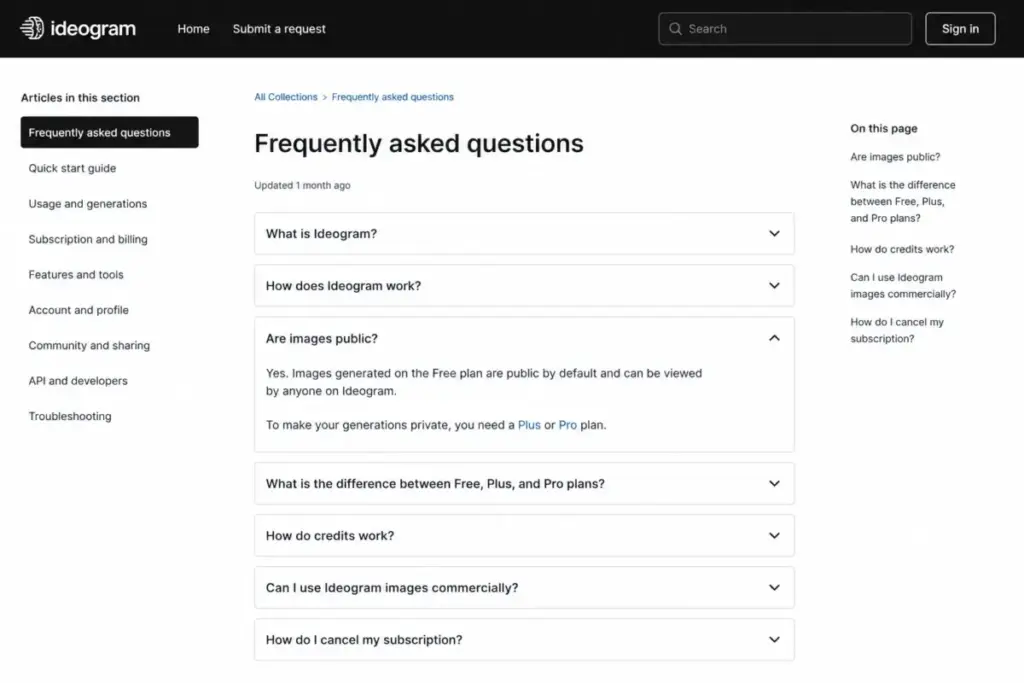
Free-plan generations are public by default, and private generation is available on Plus and Pro. Ideogram’s privacy policy says it collects prompts, uploaded images, generated content, account and payment data, and device data, and may use submitted content to improve services and train models. Its US privacy section states it does not sell or share personal information as defined by listed US privacy laws.
For agencies, unreleased campaigns, and branded assets, treat Plus as the floor. The privacy gate, not image quality, is the reason solo professionals outgrow Free fast.
Three Buyer Scenarios and What to Pick
Generic advice like “great for small businesses” helps no one decide. Here are three concrete scenarios with a plan call for each, drawn from the official feature gates.
A solo blogger making 30 Pinterest pins a month. Free is tempting, but public-by-default kills it for branded content, and JPG-only export limits quality. The call is Plus at $20/month for private generation, PNG export, custom color palettes, and Upscale. At roughly 1,000 priority credits, a 30-pin-a-month creator rarely touches a top-up.
A 4-person ecommerce team producing product-text variations weekly. This team needs volume and consistency. Batch Generation with CSV upload is the deciding feature, and it only appears on Pro. One Pro seat at $60/month for the operator plus shared review beats four Plus seats for this workflow, given Pro’s 3,500 credits at the best per-credit rate.
A developer embedding generation in a customer-facing app. Skip the consumer plans entirely. The Ideogram API from $0.03 per image with a 10 in-flight request default limit is the right path, with a sales conversation once volume climbs. Price the per-image rate against your expected request volume before wiring it in.
What this means: the plan you need is set by your workflow, not your company size. Privacy pushes you off Free, batch pushes you to Pro, and scale pushes you to the API.
Limitations That Change the Buying Decision
Ideogram’s limitations are not about quality; they are about export, privacy, and billing rigidity. Each one maps to a specific buyer who should pause.
No SVG or vector export. Ideogram does not support SVG or other vector formats. For a freelance designer delivering logos, this means Ideogram is good for concept exploration but not the final file. You will rebuild the vector in Illustrator, Figma, or a similar tool.
Logos and photos get reinterpreted. Per Ideogram’s FAQ, it is currently not possible to drop in an uploaded logo or photo without the AI slightly reinterpreting it. Exact, pixel-faithful brand placement is not guaranteed.
Public-by-default on Free. Covered above, and worth repeating because it is the most consequential default for professionals.
Credit and refund rigidity. Non-rollover monthly credits, no queue toggle, and non-refundable payments make Ideogram risky for stop-start usage.
Unverified enterprise compliance. No public SOC 2 or comparable certification was verified here. That does not mean none exists, but compliance-driven buyers should ask before committing.
On safety, Ideogram’s usage policy restricts unlawful, rights-violating, harmful, sexual, deceptive, and otherwise objectionable content. Community sentiment around Ideogram 4.0 is split: some users praise prompt adherence and quality, while others report stricter moderation or workflow difficulty. Treat that as caveated feedback, not a confirmed defect.
Best Ideogram Alternatives
The right Ideogram alternative is determined by the failure mode you cannot accept, not by feature count. If text rendering is not your priority, several tools fit better.
| Alternative | Best for | Why choose it over Ideogram |
|---|---|---|
| Midjourney | Cinematic, artistic, photoreal output | Stronger painterly quality when text legibility is not the goal |
| Adobe Firefly | Brand-safe commercial work | Trained for commercial use and Adobe ecosystem fit |
| DALL-E | Conversational, all-in-one generation | Tight integration inside a broader AI assistant workflow |
| Leonardo AI | Game art, assets, fine control | Style models and generation controls for asset pipelines |
| Canva AI | Non-designers doing full layouts | Generation lives inside a complete design editor |
| Stable Diffusion | Local control and customization | Self-hosting and open ecosystem for technical users |
What this means: choose Midjourney if artistry outranks typography; see the Midjourney review for the quality gap. Choose Firefly for commercial caution, detailed in the Adobe Firefly review. For conversational generation, the DALL-E review explains the assistant-first tradeoff. Asset pipelines fit the Leonardo AI review, full-layout users fit the Canva AI review, and technical self-hosting is covered in the Stable Diffusion review.
If you want the broader workflow context, our roundup of the best AI tools for content creation places image generation alongside writing and editing tools.
Frequently Asked Questions
Is Ideogram free?
Yes, Ideogram has a Free plan with 10 slow credits per week and up to about 40 images weekly. The catch is that free generations are public by default, and the plan limits you to JPG downloads with no image upload or editing tools. Free is fine for casual testing, but professionals handling client or unreleased work should start on Plus for private generation.
How much does Ideogram cost in 2026?
Ideogram costs $20/month for Plus, $60/month for Pro, and $30 per member/month for Team with a two-member minimum (as of June 2026). Annual billing lowers the effective rate, for example Plus drops to about $15/month. API access is separate and usage-based from $0.03 per image. The legacy Basic plan at $8/month is closed to new buyers.
Are Ideogram free-plan images public?
Yes. Images generated on Ideogram’s Free plan are public by default, meaning they can appear in the public gallery. Private generation is a paid feature available on Plus and Pro. For confidential client work, unreleased campaigns, or branded mockups, you must be on a paid plan to keep generations private, which makes Plus the practical floor for any professional use.
Do Ideogram priority credits roll over?
No. Unused monthly priority credits do not roll over to the next billing cycle. Paid plans also spend priority credits before slow credits, with no manual toggle to choose the slow queue first. Canceling a subscription forfeits remaining credits at the end of the billing period, and payments are non-refundable. Inconsistent users should avoid over-buying a high tier.
Can Ideogram export SVG logos?
No. Ideogram does not currently support SVG or other vector image formats. It is useful for generating logo and poster concepts quickly, but the output is raster, not scalable vector. Designers delivering production logos will need to recreate the vector version in a tool like Illustrator or Figma. Ideogram is a concepting step, not a final brand-file handoff.
Is Ideogram better than Midjourney for text?
For readable text inside images, Ideogram is generally the stronger choice, since text rendering is its core strength and a known weak point for Midjourney. Public reviewer patterns describe Ideogram as more precise for text-heavy work. Midjourney still leads on cinematic and artistic output, so the better tool depends on whether legible typography or visual artistry is your priority.
Does Ideogram have an Android app?
Ideogram offers an official iPhone and iPad app, with macOS support listed for Apple silicon. No official Android app was verified in this research. Android users can still access Ideogram through a mobile browser. If a native Android app is a requirement for your team, confirm current availability directly with Ideogram before subscribing, since mobile coverage can change.
Can I use Ideogram images commercially?
Ideogram states it does not claim ownership of generated outputs and allows commercial use, provided you respect third-party rights and the acceptable use policy. Separately, the open-weight Ideogram 4.0 model is licensed for non-commercial use, while commercial production, self-hosting, and fine-tuning require a commercial license. App and API outputs are a different track from open-weight self-hosting, so confirm which path applies.
Conclusion
Ideogram is a specialist that earns its keep. For solo creators, small marketing teams, ecommerce sellers, and agencies that repeatedly need legible text inside AI images, Plus at $20/month is a reasonable buy once you account for the public-by-default privacy gate and non-rollover credits. Developers get a capable API from $0.03 per image, and enterprises get an open-weight path that needs a commercial license.
The reasons to skip it are equally clear: vector logo delivery, private free generation, verified SOC 2, or cinematic-art-first work all point elsewhere. Judge Ideogram on the job it is built for, text-led creative, and price the credits before the pixels. On that basis, this Ideogram review lands it at 4.1 out of 5 for the right buyer.