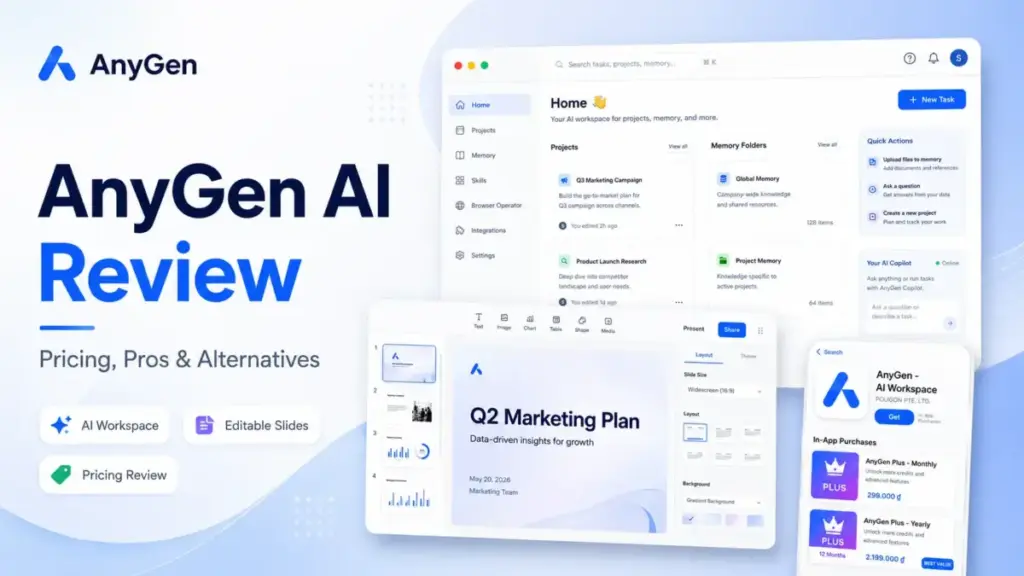
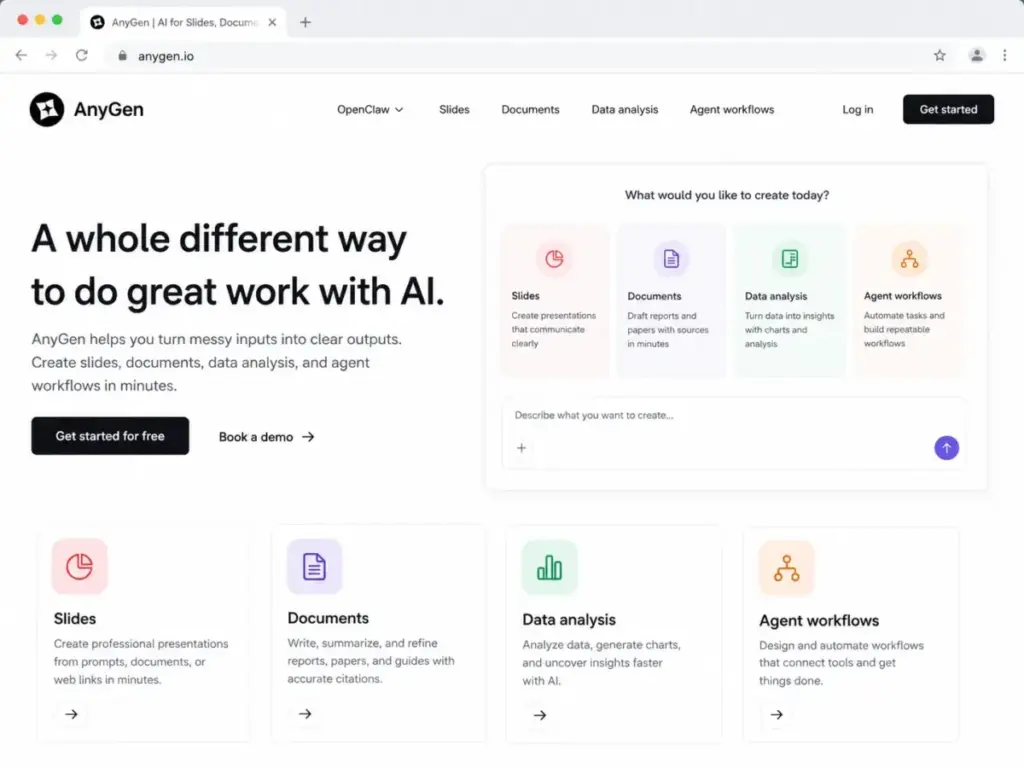
AnyGen calls itself “a whole different way to do great work with AI.” The official homepage lists slides, documents, data analysis, and agent workflows in one workspace. That sounds like every AI chatbot tool trying to be everything at once, and products that claim to do everything rarely excel at the specific task you need. This AnyGen AI review pulls apart what the official anygen.io product actually delivers, where the pricing evidence runs thin, and which buyers should look elsewhere for slides, data work, or enterprise AI.
AnyGen fits solo creators, consultants, and analysts who want one workspace for voice notes, docs, decks, and lightweight data outputs. It does not fit teams that require public US pricing, compliance documentation, or mature review-platform validation before procurement approval. The practical question is not whether AnyGen can generate a slide deck. It is whether you can verify costs, security, and support before uploading company files.
Important: Entity clarification. This review covers AnyGen AI Workspace at anygen.io, provided by POLIGON PTE. LTD. on the Apple App Store. Several SERP results conflate this product with older anygen.ai chatbot-builder listings. Those are different products with different pricing and feature sets. If you arrived here looking for an enterprise chatbot builder, this is not that review.
| Category | Verdict |
|---|---|
| Best for | Solo consultants, students, analysts who want AI-assisted docs, slides, and reports from messy inputs |
| Not ideal for | Procurement-led teams needing public US pricing, SOC 2, DPA, SLA, or published API limits |
| Starting price | Free app entry (Apple App Store) |
| Practical plan | AnyGen Plus (pricing not publicly verified in US USD) |
| Free plan/trial | Yes, free app with in-app purchases |
| Setup difficulty | Medium |
| Main strength | Workflow breadth: voice, docs, slides, data, diagrams, and agent skills in one workspace |
| Main limitation | No public US pricing page, no verified compliance documentation, limited public review footprint |
| Best alternative | Gamma for AI presentations; Julius AI for data analysis |
AnyGen Pros and Cons
- Multi-format output from a single workspace. Slides, documents, reports, diagrams, and data visualizations from one prompt, file, or voice note. Most AI writing tools focus on text only.
- Editable PowerPoint export with preserved formatting. Layout, spacing, fonts, charts, and colors carry over to .pptx. Consultants and analysts who deliver client-facing decks need native editability, not screenshots.
- Mobile capture through iOS app. Voice notes, photos, screenshots, and links captured on iPhone or iPad feed directly into workspace workflows. Requires iOS 15.0 or later.
- OpenClaw integration and skill repositories. GitHub-based AnyGen Suite skills expose slides, documents, diagrams, data analysis, research, and finance workflows for OpenClaw, Claude Code, and Cursor users.
- Conversational refinement on one page. AnyGen positions itself around shaping and polishing AI output rather than one-click generation. That aligns with how consultants actually work: draft, adjust, refine, send.
- No public US USD pricing page. The official anygen.io site does not display a pricing matrix. Buyers cannot verify costs before downloading the app or contacting the provider. This is a red flag for any team with a procurement process.
- Limited public review footprint. G2, Capterra, and TrustRadius profiles for the current anygen.io AI Workspace were not verified during research. Apple App Store says “Not Enough Ratings.” One anonymous Reddit post does not constitute validation.
- No verified compliance documentation. No public SOC 2, ISO 27001, HIPAA, DPA, or SLA page found. Teams handling sensitive client data cannot confirm security posture before committing.
- Android availability uncertain. iOS and iPadOS availability is confirmed through the Apple App Store. Android availability through Google Play was not conclusively verified on official anygen.io pages.
- Feature gates unclear. The App Store confirms free download with AnyGen Plus in-app purchases, but anygen.io does not publicly disclose plan-by-plan feature limits, credit caps, export limits, or API rate limits. You will not know what the free tier actually includes until you hit a wall.
How We Reviewed AnyGen
This evaluation is based on independent editorial research, analyzing official product pages at anygen.io, the Apple App Store listing for AnyGen AI Workspace, AnyGenIO GitHub skill repositories, and public sentiment from Reddit. We cross-referenced SERP results and identified entity confusion between anygen.io (current AI Workspace) and anygen.ai (older chatbot-builder product). Official US pricing is not publicly disclosed on anygen.io. The Apple App Store confirms the app is free with in-app purchases, but no public pricing matrix with USD amounts was found (as of May 2026).
Testing level: third_party_validated. We did not perform hands-on workflow testing inside the AnyGen app. Feature claims referenced in this review are sourced from official anygen.io pages and App Store descriptions. Users should verify all feature and pricing details directly with AnyGen before purchasing.
Review limitation: This review uses official product pages, App Store listings, GitHub repositories, and public sentiment as evidence. We did not deploy AnyGen with a live team, so real-world credit consumption, export quality at scale, and support responsiveness should be confirmed directly with the provider.
The 3 Problems AnyGen Solves
Problem 1: Too Many AI Tools for Too Many Output Types
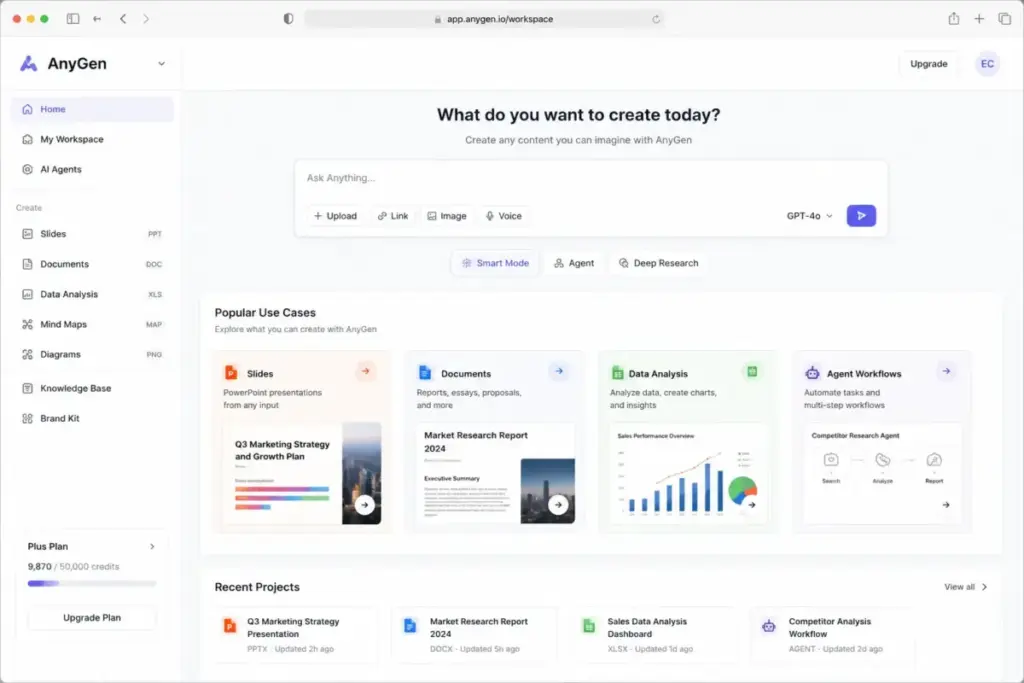
Most knowledge workers juggle separate tools for slides, documents, reports, and data visualization. AnyGen consolidates these into one workspace. According to the official homepage, users can go from raw inputs (voice notes, files, links, photos, prompts) to finished slides, documents, diagrams, charts, and reports without switching platforms.
The appeal is real for solo consultants and analysts who spend time copying outputs between tools. If you currently draft in ChatGPT, build charts in a spreadsheet, and format slides separately, our ChatGPT review maps out exactly why that fragmented workflow pushes users toward tools like AnyGen. The official product page describes this as a collaborative process where you shape and refine AI output, not just generate it.
The limitation: breadth does not guarantee depth. A product that generates slides, docs, and charts may not match Gamma on slide design quality or Julius AI on statistical analysis depth. For specific high-stakes workflows, specialized tools often produce better results.
Problem 2: Slide Decks That Cannot Be Edited After Export
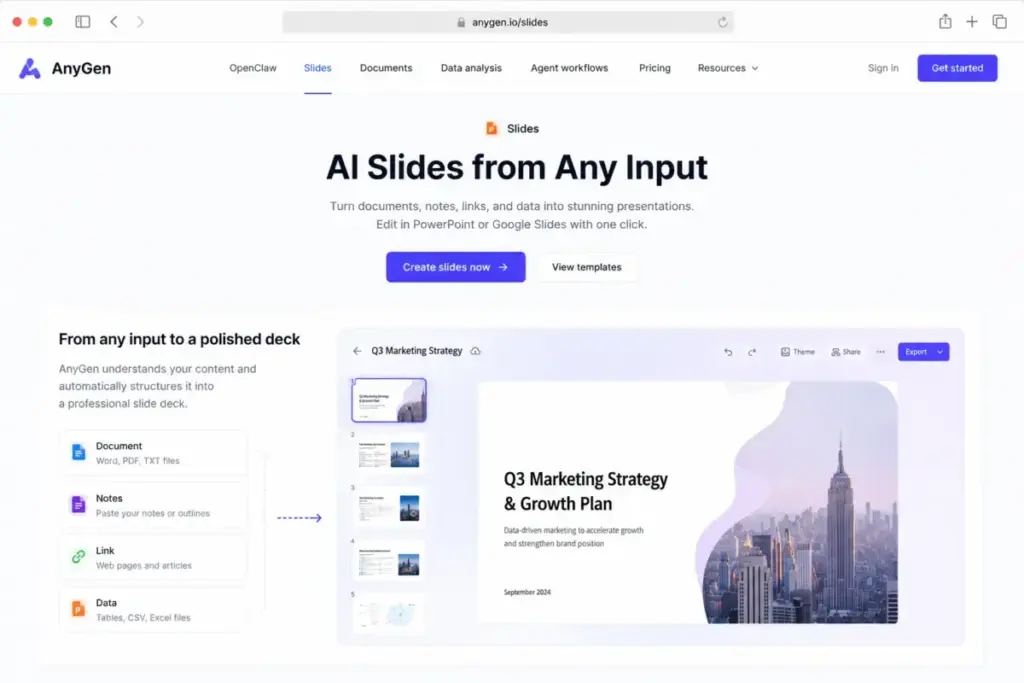
A common frustration with AI slide generators is locked or image-based outputs. AnyGen’s official site states that its slides are “engineered to be highly editable AI slides” with layout, spacing, fonts, charts, and colors preserved in PowerPoint export. That matters for consultants who need to apply client brand templates or adjust data before presenting.
According to the homepage, AnyGen aims to produce decks where charts are native (not flat images) and where every element remains adjustable in PowerPoint. If this works as described, it solves a real problem that cheaper AI slide tools create: a deck you cannot touch after generation.
The caveat: we did not export and test a .pptx file ourselves. Whether native chart editability holds across complex layouts, custom fonts, and large datasets remains something buyers should verify before committing to a paid plan.
Problem 3: Fragmented Input Sources for Knowledge Workers on the Move
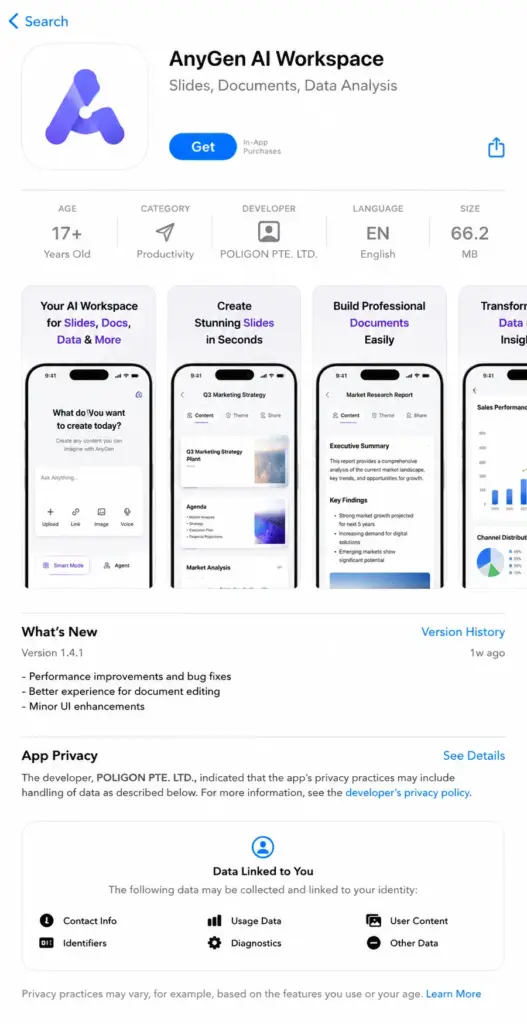
Mobile professionals capture ideas, data, and reference material across voice memos, photos, screenshots, and links. AnyGen’s iOS app (confirmed on the Apple App Store, requires iOS 15.0+) channels these inputs into workspace workflows. Combined with a desktop app for macOS and Windows and a Chrome extension, the product covers multiple input surfaces.
For a consultant who records voice notes during client calls, photographs whiteboards, and saves article links throughout the day, a unified capture-to-output pipeline removes friction. AnyGen also describes a “desktop AI Teammate” feature for local workspace automation, though public documentation on the scope of desktop agent access and permissions is limited.
The gap: Android users have no confirmed official app, which cuts out a significant buyer segment.
The 2 Problems AnyGen Creates
Problem 1: Pricing You Cannot Verify Before Buying
This is the biggest issue with AnyGen in 2026. The official anygen.io website does not show a public pricing matrix. No plan comparison table. No “per seat” or “per month” US dollar price visible on the site.
The Apple App Store confirms AnyGen is a free download with in-app purchases (AnyGen Plus Monthly and AnyGen Plus Yearly). That tells you a paid tier exists, but it does not tell you what it costs in US dollars or what it unlocks.
| What buyers need to know | What is publicly available |
|---|---|
| US dollar pricing for AnyGen Plus | Not publicly disclosed on anygen.io or the US App Store listing |
| Free tier usage limits | Not publicly disclosed |
| AnyGen Plus feature gates vs free | Not publicly disclosed |
| Team or multi-seat pricing | Not publicly disclosed |
| Web/desktop pricing (outside App Store) | Not publicly disclosed |
| API or agent-skill rate limits | Not publicly disclosed |
| Enterprise pricing or volume discounts | Not publicly disclosed |
Pricing status verified: May 2026. Source: official anygen.io pages and Apple App Store listing.
What this means: AnyGen has a free entry point and a paid Plus subscription available through the App Store, but US pricing details are not published on the web. Buyers cannot compare AnyGen’s cost against Gamma, Beautiful.ai, or Julius AI without first downloading the app or contacting the provider. For individual users, this is a minor inconvenience. For any team with a budget approval process, it creates real procurement friction.
Questions to answer before paying:
- What is the US dollar price for AnyGen Plus monthly and yearly?
- What are the exact credit or usage limits on the free tier?
- What features unlock with AnyGen Plus versus free?
- What are the export limits for PowerPoint, PDF, or other formats?
- Is there web/desktop pricing separate from App Store pricing?
- What are team or collaboration seat limits?
- What are API or agent-skill rate limits for OpenClaw integration?
- What data retention and commercial rights terms apply?
- What support channels are available, and is there an SLA?
Every item on this list is a gap in publicly available information. No competitor in this review has this many unanswered pricing questions.
Problem 2: No Public Compliance or Review Validation
Procurement teams evaluate tools on three trust pillars: pricing transparency, security documentation, and independent review validation. AnyGen is thin on all three.
Security and compliance: No public SOC 2, ISO 27001, HIPAA, DPA, or dedicated enterprise security page was found for AnyGen during research. The Apple App Store privacy label states that “data not linked to the user” may include contact info, user content, identifiers, usage data, and diagnostics. Apple’s listing adds that “the developer’s privacy information has not been verified by Apple.”
Review platform presence: G2, Capterra, and TrustRadius profiles for the current anygen.io AI Workspace were not verified. The Apple App Store says “Not Enough Ratings” for the app. A Trustpilot listing exists for anygen.ai, but that appears to describe a different or older enterprise chatbot product, not the current AnyGen Workspace.
What this means for enterprise buyers: If your procurement process requires a completed security questionnaire, a DPA, or a minimum number of verified third-party reviews, AnyGen does not currently meet those thresholds based on publicly available evidence. Individual users and small teams with lower compliance requirements face less friction.
Pre-purchase security checklist for teams:
- Request a data processing agreement (DPA) directly from AnyGen
- Ask about data residency, encryption at rest, and encryption in transit
- Confirm whether SOC 2 or equivalent audits have been completed
- Verify user content retention and deletion policies
- Check whether single sign-on (SSO) is supported for team accounts
AnyGen Key Features with Evidence Sources
The features below are mapped to their evidence sources to separate verified claims from assumptions.
| Feature | Evidence Source | Confidence |
|---|---|---|
| AI slides from prompts or documents | Official anygen.io homepage | High (official claim) |
| Editable PowerPoint export with preserved formatting | Official anygen.io homepage | High (official claim, not independently tested) |
| AI document writer and report generator | Official anygen.io homepage | High (official claim) |
| Data-to-chart and data-to-report workflows | Official anygen.io homepage | High (official claim) |
| Conversational refinement on one page | Official anygen.io homepage | High (official claim) |
| Voice, photo, screenshot, link capture on mobile | Apple App Store listing | High (App Store description) |
| OpenClaw integration | Official anygen.io, AnyGenIO GitHub | High (published integration) |
| Desktop AI Teammate (macOS, Windows) | Official anygen.io download page | Medium (product page claim) |
| Chrome extension | Official anygen.io | Medium (product page claim) |
| Source citation when using external information | Apple App Store description | Medium (App Store claim, not independently tested) |
| AnyGen Suite skills for Claude Code and Cursor | AnyGenIO GitHub repositories | High (public repositories) |
What this means: Most features are sourced from official product pages and App Store descriptions. None were independently tested through hands-on workflows. The difference matters: a product page claiming “editable charts in PPTX” is not the same as verified export quality across 50 slide decks with mixed chart types.
AnyGen Ease of Use and Setup
AnyGen targets two user types, and the experience differs significantly.
For consumer workflows (docs, slides, reports): The product emphasizes guided forms, voice capture, and direct outputs. Based on official product descriptions, a first-time user can input a prompt, voice note, or file and receive a structured output. This aligns with AnyGen’s positioning as a “shape, refine, and polish” workspace rather than a blank-canvas AI tool. Setup difficulty for basic use cases appears low to medium.
For technical workflows (OpenClaw, API keys, desktop agent): The product’s GitHub repositories expose skill configurations for OpenClaw, Claude Code, and Cursor. These require API key setup, skill installation, and familiarity with agent frameworks. Non-technical users will find this layer complex. Documentation on the GitHub repositories provides installation instructions, but the learning curve rises sharply compared to the consumer-facing app.
Desktop AI Teammate: AnyGen describes a desktop agent that works across local workspace files on macOS and Windows. The scope of what this agent can access, automate, and modify is not fully detailed in public documentation. Users should verify permissions and data access boundaries before enabling desktop agent features.
AnyGen Integrations and Ecosystem
AnyGen’s integration story centers on three connection points:
- OpenClaw integration. Official anygen.io pages and GitHub repositories confirm integration with OpenClaw for agent-skill workflows covering slides, documents, diagrams, data analysis, research, finance, and website tasks.
- AnyGen Suite for Claude Code and Cursor. Public GitHub repositories at AnyGenIO provide modular skill packages. These function as configuration layers that let developers call AnyGen output generation from within their coding environments.
- Chrome extension. The official site references a Chrome extension for browser-based automation tasks.
What is missing: public API documentation with rate limits, pricing, SLA, and commercial terms. The OpenClaw integration exists, but buyers who need guaranteed API availability, throughput, and support have no public documentation to evaluate.
For comparison, Microsoft Copilot publishes API rate limits and enterprise terms. ChatGPT pricing is published per token. AnyGen’s agent/API layer is visible but not commercially documented.
Security, Support, and Admin Controls
Security: No public SOC 2, ISO 27001, HIPAA, DPA, SLA, or dedicated enterprise security page was verified for AnyGen. The Apple App Store privacy label reports data practices but adds that the developer’s information has not been verified by Apple. This is a significant gap for any team uploading proprietary documents, financial data, or client information.
Support: Public support options were not clearly listed on anygen.io. No verified phone support, SLA, priority support tier, or enterprise support page was found. The Apple App Store links to a privacy policy. For a product that processes potentially sensitive work documents, the absence of documented support channels creates risk.
Admin controls: No information about team admin features, role-based access control, single sign-on (SSO), audit logs, or multi-user permission management was found in public documentation.
AnyGen Limitations
- No public US pricing page. Buyers cannot compare costs against alternatives without contacting the provider or checking their local App Store. This creates friction for budget-conscious teams and eliminates AnyGen from side-by-side pricing comparisons.
- No verified security or compliance documentation. Teams with data governance requirements cannot proceed without private verification. This affects consultancies, agencies, and any business handling client data.
- Thin public review footprint. Without G2, Capterra, or TrustRadius profiles showing verified user sentiment, buyers have limited external validation. One Reddit post and an App Store listing with “Not Enough Ratings” do not constitute a trust signal for mid-market or enterprise buyers.
- Android availability uncertain. The official anygen.io site did not conclusively confirm a Google Play listing during research. Android-first teams or organizations with mixed device policies face a gap.
- Feature gates undisclosed. Free versus paid boundaries are not publicly itemized. Users discover limits by hitting them, not by reading a comparison table before signing up.
- Citation accuracy not independently tested. AnyGen’s App Store description claims source citation when using external information. Whether citation accuracy meets professional or academic standards was not verified. Users should verify sources before delivering client-facing work.
Who Wins and Who Loses with AnyGen
AnyGen works for:
- Solo consultants creating client-ready decks. If you need voice-to-slides or document-to-deck workflows and value editable PowerPoint export, AnyGen’s breadth is appealing. Test the free tier before committing.
- Students and individual creators. Low-friction multi-format output from prompts, notes, and files. No team procurement process to navigate.
- OpenClaw, Claude Code, or Cursor users. The GitHub skill repositories give developers a structured way to generate slides, documents, and diagrams from their coding environment. This is a differentiator no competitor in this category currently matches.
- Analysts needing mixed report-plus-slide output. If your workflow involves data analysis followed by a presentation, AnyGen tries to handle both in one workspace rather than requiring a data analysis tool plus a separate slide maker.
AnyGen does not work for:
- Procurement-led mid-market teams. Without public US pricing, compliance documentation, or review-platform validation, your procurement team cannot approve this tool through standard evaluation processes.
- Teams requiring guaranteed Android access. If your organization standardizes on Android devices, AnyGen’s unconfirmed Google Play availability is a blocker.
- Enterprise buyers needing SLA, DPA, and audit-grade security. The absence of public compliance documentation means you cannot include AnyGen in vendor shortlists that require SOC 2 or equivalent certifications.
- Data-intensive analysts. For heavy statistical analysis, machine learning pipelines, or large dataset processing, Julius AI or dedicated BI tools publish deeper pricing, credits models, and feature documentation.
Better Alternatives for the Buyers AnyGen Does Not Serve
Gamma: Best Alternative for AI Presentations
Gamma publishes clear public pricing and focuses specifically on AI-generated presentations and documents. If your primary need is client-ready slide decks with transparent costs, Gamma offers a more established presentation-builder category fit. Gamma’s free tier and pricing page are publicly accessible, eliminating the pricing transparency gap that AnyGen creates.
Choose Gamma if: Your main output is presentations and you need public pricing before committing.
Julius AI: Best Alternative for Data Analysis
Julius AI publishes a deeper pricing and credits model for data-heavy work. If your primary workflow involves spreadsheet analysis, chart generation, and narrative reports from structured data, Julius AI provides more transparent feature gating and a more focused data analysis experience.
Choose Julius AI if: You analyze spreadsheets, datasets, or financial data and need published usage limits.
Genspark: Best Alternative for All-in-One AI Workspace
Genspark positions itself as a multi-capability AI workspace for work tasks. If you want the breadth of AnyGen but with more publicly available pricing and feature documentation, Genspark is worth evaluating.
Choose Genspark if: You want workspace breadth with more publicly documented features.
Beautiful.ai: Best Alternative for Presentation Teams
Beautiful.ai focuses on team presentation workflows with clear enterprise pricing tiers, team features, and design-focused slide automation. For presentation-first teams, it provides the team admin controls and pricing transparency that AnyGen currently lacks.
Choose Beautiful.ai if: Your team creates presentations collaboratively and needs enterprise admin features.
| Alternative | Best For | Starting Price | Why Choose Over AnyGen |
|---|---|---|---|
| Gamma | AI presentations with clear pricing | Free tier available, public pricing | Transparent pricing, focused slide design |
| Julius AI | Heavy data analysis and charts | Published pricing with credits model | Deeper data features, published limits |
| Genspark | All-in-one AI workspace | Publicly documented | More public feature documentation |
| Beautiful.ai | Team presentation workflows | Published enterprise pricing | Team admin controls, enterprise features |
| ChatGPT | General AI assistant work | $20/month Plus | Established ecosystem, published API pricing |
| Microsoft Copilot | Enterprise AI integration | Published per-user pricing | Enterprise compliance, IT admin controls |
Final Verdict: Is AnyGen Worth It in 2026?
AnyGen solves a real workflow problem: getting from raw inputs to finished docs, slides, and reports without juggling five tools. The editable PowerPoint export, mobile capture pipeline, and OpenClaw integration are genuine differentiators that most competitors in this space do not offer.
The problem is everything around the buying decision. No public US pricing page. No verified compliance documentation. No meaningful third-party review footprint. No confirmed Android app. No published feature gates or usage limits.
For individual users willing to test the free app and evaluate output quality firsthand, AnyGen is worth trying. The risk is low because the entry point is free. If the output quality matches your needs, the App Store subscription may be reasonable for your region.
For teams, the calculation is different. Every gap in publicly available information creates friction in procurement, security review, and budget approval. Until AnyGen publishes transparent pricing, compliance documentation, and feature gates, teams with structured buying processes should evaluate Gamma for presentations, Julius AI for data analysis, or Beautiful.ai for team slide workflows.
I suspect AnyGen will mature its public-facing business documentation over the next 6 to 12 months. The product ambition is clear. The buyer-readiness evidence is not there yet.
Verdict by buyer type:
- Individual creator/student: Try it. Free entry, low risk.
- Solo consultant: Test the free tier for your specific workflow before paying.
- Small team (5-15 people): Wait for public pricing and feature gates, or choose Gamma/Julius AI.
- Mid-market/Enterprise: Do not proceed without private verification of security, pricing, and support terms.
FAQ
Is AnyGen AI free?
Yes, the Apple App Store lists AnyGen AI Workspace as a free download with optional in-app purchases. The free tier exists, but exact usage limits, credit caps, and feature restrictions are not publicly documented on anygen.io. Test the free version to determine whether limits affect your specific workflow before upgrading.
How much does AnyGen AI cost?
Official US dollar pricing is not publicly available on the anygen.io website. The Apple App Store confirms a free app with AnyGen Plus in-app purchases (monthly and yearly options), but specific USD amounts are not displayed on the web. Check your local App Store listing or contact AnyGen directly for current pricing in your region.
Is AnyGen AI the same as anygen.ai?
No. The current AnyGen AI Workspace operates at anygen.io and is provided by POLIGON PTE. LTD. Several online listings reference anygen.ai, which appears to describe a different or older enterprise chatbot-builder product. Verify you are evaluating the correct product before making purchasing decisions.
Does AnyGen export editable PowerPoint files?
According to the official anygen.io homepage, AnyGen produces editable AI slides with layout, spacing, fonts, charts, and colors preserved in PowerPoint export. Native charts (not flat images) are part of the claimed output. This was not independently tested, so users should verify export quality with their own content before relying on it for client deliverables.
Does AnyGen have an Android app?
Android availability was not conclusively verified on official anygen.io pages during research (May 2026). The Apple App Store confirms iOS and iPadOS support. If you need Android access, check Google Play directly or contact AnyGen before assuming availability.
Is AnyGen safe for company files?
Based on publicly available evidence, AnyGen does not publish SOC 2, ISO 27001, HIPAA, DPA, or SLA documentation. The Apple App Store privacy label says data practices include contact info, user content, identifiers, and diagnostics, with Apple noting the developer’s privacy information has not been verified. Teams handling sensitive data should request compliance documentation directly from AnyGen before uploading proprietary files.
Can AnyGen replace Gamma for presentations?
AnyGen and Gamma overlap on AI slide generation, but they differ on pricing transparency and focus. Gamma publishes clear public pricing and specializes in presentation design. AnyGen offers broader multi-format output (slides plus docs, data, diagrams) but lacks public pricing and has a thinner review footprint. For presentation-only workflows with budget predictability, Gamma is the safer choice.
Does AnyGen work with OpenClaw?
Yes. Official anygen.io pages and AnyGenIO GitHub repositories confirm OpenClaw integration with skill packages covering slides, documents, diagrams, data analysis, research, finance, and website tasks. Public API pricing, rate limits, and commercial terms for this integration were not found.
What are AnyGen's biggest limitations?
The five biggest limitations are: (1) no public US pricing page, (2) no verified security or compliance documentation, (3) limited third-party review validation, (4) uncertain Android availability, and (5) undisclosed feature gates between free and paid tiers. These affect procurement-led teams more than individual users.
Should I use AnyGen or Julius AI for data analysis?
If your primary workflow involves structured data analysis, chart generation, and statistical reporting, Julius AI publishes a deeper pricing and credits model for data-heavy work. AnyGen advertises data-to-chart workflows as part of a broader workspace, but its data analysis depth and limits are not publicly documented. For dedicated data analysis, Julius AI provides more transparency.