Most teams buy CRM software because they want better customer data. That is the wrong starting point. CRM does not fix a data problem. It exposes a process problem. If your team cannot agree on who owns a lead, what qualifies a deal, or when a handoff happens, a CRM will just make those disagreements visible faster.
After evaluating 40+ CRM platforms, I can tell you the gap between what CRM marketing pages promise and what a real implementation delivers is wider than most buyers expect. The software category generated $128 billion in global revenue in 2024, according to Gartner. That is not a niche tool anymore. That is infrastructure.
This guide explains what CRM software is, how it works at the record level, which CRM type fits which use case, when spreadsheets stop working, where cost surprises hide, and how to evaluate CRM without overbuying. If you are comparing best CRM software options right now, start here first.
The 60-Second Explanation of CRM Software
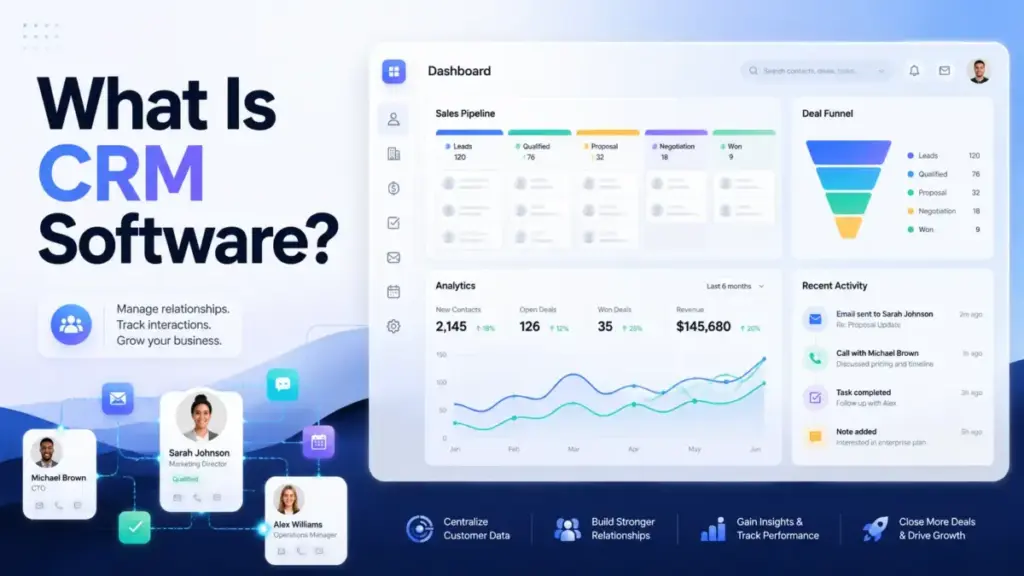
Quick Answer: CRM software, short for customer relationship management software, centralizes customer and prospect data, tracks every interaction, organizes sales and service activity, automates repetitive work, and turns customer information into reports your team can act on. It connects sales, marketing, and support teams around one shared view of each customer, according to Salesforce’s CRM definition page.
Simple definition
CRM is a shared system where your team stores customer contacts, tracks deals, logs calls and emails, and follows up on tasks. Think of it as a customer database that also tells you what to do next.
Technical definition
CRM software manages structured records: leads, contacts, accounts, deals, activities, service tickets, emails, calls, meetings, notes, and workflow events. Teams connect channels like email, website forms, phone, live chat, and social media. The CRM then assigns owners, moves opportunities through pipeline stages, triggers automations, and reports on conversion and retention metrics.
Business definition
For a revenue team, CRM is the operating system for customer-facing work. It connects lead generation to pipeline movement to customer retention. Sales managers use it for forecasting. Marketing teams use it for segmentation. Support teams use it for customer history. Leadership uses it for revenue reporting. The value depends entirely on whether the team defines and follows a process inside the system.
How CRM Software Actually Works
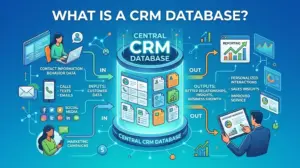
CRM works by creating records for every person, company, and deal your team touches. Those records are connected. A contact belongs to an account. A deal belongs to a contact. An activity belongs to a deal. Every email, call, and meeting gets logged against the right record.
Here is what a CRM data model looks like in practice:
| CRM Object | What It Stores | Who Owns It | Common Mistake | Example Field |
|---|---|---|---|---|
| Lead | Unqualified prospect | Marketing or SDR | No conversion criteria defined | Lead source, lead status |
| Contact | Qualified person | Account executive | Duplicate records from imports | Email, phone, lifecycle stage |
| Account / Company | Organization | Account executive or CSM | No parent-child linking | Industry, company size, revenue |
| Deal / Opportunity | Potential sale | Sales rep | Stuck in stage for months | Deal value, close date, stage |
| Activity | Calls, emails, meetings, tasks | Assigned rep | Activities logged after the fact | Type, date, outcome, notes |
| Service request / Ticket | Customer issue | Support rep | No link to account history | Priority, status, resolution time |
What this means: A CRM is not a single table. It is a connected system of objects. When a sales rep opens a contact record, they see the linked account, every open deal, past emails, scheduled meetings, and any support tickets. That context is what separates CRM from a spreadsheet. The connection between records is the product.
Where things go wrong
CRM fails when teams skip the data model step. They import 10,000 contacts from a spreadsheet with no lifecycle stage, no owner, and no duplicate check. Then they create deals with no required fields, no stage definitions, and no close-date discipline. Within two months, the CRM is a data dump with cleaner tabs in Google Sheets.
The gap between what a CRM database stores and what your team uses daily is where adoption breaks down.
CRM Software vs Related Concepts
A common source of confusion: CRM software is not the same as every customer-facing tool. Here is how to tell them apart.
| Concept | When to Use It | Key Difference from CRM |
|---|---|---|
| CRM software | Manage contacts, deals, pipeline, follow-ups, customer history | Tracks relationships and sales activity over time |
| ERP (Enterprise Resource Planning) | Manage finance, supply chain, HR, manufacturing | Back-office operations, not customer-facing sales workflows |
| Marketing automation | Run email campaigns, lead nurturing, scoring, drip sequences | Executes campaigns; CRM manages the relationship context |
| Customer data platform (CDP) | Unify first-party data from many sources for segmentation | Data layer for identity; CRM is the action layer for teams |
| Help desk / Service desk | Manage support tickets, SLAs, knowledge base, agent queues | Ticket-centric, not deal-centric; CRM tracks the full lifecycle |
| Sales engagement platform | Automate outbound sequences, cadences, call tasks | Outreach-focused; CRM tracks the deal after engagement works |
What this means: CRM sits at the center. Marketing automation feeds leads into CRM. Sales engagement automates outreach. Help desk handles post-sale issues. CDP unifies data. CRM vs ERP is the most common comparison I hear from operations teams who need both but should not conflate them.
5 Types of CRM Software
Not every CRM is the same tool wearing a different label. The categories matter because they shape which problems the software solves and which problems it ignores.
Operational CRM automates customer-facing workflows: lead capture, contact management, pipeline movement, task reminders, sales sequences, and follow-up activity. This is what most teams mean when they say “CRM.” Pipedrive and Salesforce Sales Cloud are examples.
Analytical CRM uses CRM data for reporting, segmentation, forecasting, lead scoring, and performance dashboards. The value depends on data quality. If reps are not logging activities, the analytics are incomplete. Zoho CRM and Salesforce Einstein Analytics serve this function.
Collaborative CRM improves data sharing across sales, marketing, support, and leadership so every team works from the same customer context. HubSpot Smart CRM, with its shared timeline and cross-hub integration, is a strong example.
Industry-specific CRM adapts objects, pipelines, compliance requirements, and workflows to industries like real estate, financial services, healthcare, or education. These tools sacrifice flexibility for faster time-to-value in regulated or specialized verticals. In real estate, that specialization usually means stronger lead routing, showing follow-ups, referral tracking, and long-term client history, which is why agents should compare real estate CRM software instead of relying only on general CRM categories.
All-in-one customer platform combines CRM with marketing automation, service, reporting, commerce, and AI agents in a broader platform. HubSpot and Salesforce both push this direction, but the tradeoff is cost and complexity.
Most modern CRM tools blend at least two of these categories. The distinction matters when you are evaluating which type of CRM fits your team’s primary job: running the pipeline, analyzing performance, or coordinating across departments.
Your CRM Starter Checklist
If your team is implementing CRM for the first time, work through this list in order. Skip a step and the system loses trust within weeks.
- [ ] Write down your pipeline stages (lead, qualified, proposal, negotiation, closed-won, closed-lost)
- [ ] Define what “qualified” means for your team (budget, authority, need, timeline, or your own criteria)
- [ ] Assign an owner for every lead, contact, and deal
- [ ] Choose 5 to 7 required fields per record type (not 20)
- [ ] Clean your existing spreadsheet: remove duplicates, standardize names, add lifecycle stages
- [ ] Import data into CRM with a test batch of 50 records first
- [ ] Connect email and calendar sync
- [ ] Build 3 to 5 dashboards tied to business questions (pipeline value, lead source, deal stage distribution, activity count, conversion rate)
- [ ] Assign one person as CRM admin (data hygiene, field governance, user onboarding)
- [ ] Run a 30-day manual adoption check before adding any automation
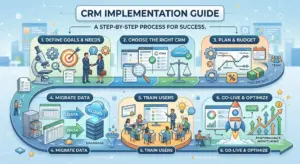
Step-by-Step: How to Implement CRM Software
The definition is the easy part. Getting value from CRM requires a specific sequence. Skip a step and the whole system loses trust.
Step 1: Define the customer-facing process first
Before choosing a tool, write down your lead sources, qualification rules, pipeline stages, handoff points, field requirements, and reporting goals. If your team cannot agree on what a “qualified lead” means offline, the CRM will not fix that disagreement. It will amplify it.
Step 2: Clean and map existing data
Export contacts, companies, and deals from your current tools. Remove duplicates. Assign lifecycle stages. Standardize company names, job titles, and phone formats. Map source fields to CRM fields. Most failed CRM implementations start with a dirty import.
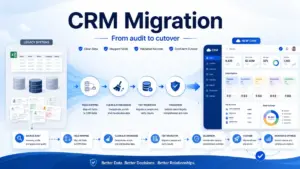
If you are moving from spreadsheets, read the CRM migration guide before importing anything.
Step 3: Start with a minimum viable CRM setup
You do not need 40 custom fields on day one. Start with contact records, company records, a deal pipeline, task reminders, basic email and calendar sync, and 3 to 5 dashboards tied to real business questions.
A team that actually uses 5 fields beats a team that ignores 50.
Step 4: Add automation only where the process is stable
Automation is the multiplier, not the foundation. Automate lead assignment, follow-up reminders, lifecycle stage updates, and reporting alerts. But only after the underlying process has been followed manually for at least 30 days.
Step 5: Train by role, not by feature list
Sales reps need pipeline and follow-up habits. Managers need forecast hygiene. Marketing needs customer segmentation workflows. Support needs customer history. A 90-minute feature tour teaches nothing. Role-based training teaches the daily actions each person needs to complete inside CRM.
Step 6: Review adoption and data quality monthly
Before expanding into AI, advanced workflows, custom objects, or enterprise reporting, check the basics: Are reps logging activities? Are deals moving through stages? Are required fields being filled? Is the dashboard being used? If any answer is no, the CRM is being used as a spreadsheet with a login screen.
The Mistakes That Waste Your First 3 Months
I have watched teams buy CRM software and get less value from it than the spreadsheet they replaced. Here are the patterns:
- Buying before defining the sales process. The CRM enforces a process. If there is no process, there is nothing to enforce.
- Importing dirty data. Duplicates, blank fields, outdated contacts, and inconsistent formats destroy trust in the system within the first two weeks.
- Creating too many required fields. Every required field is a friction point for reps. Start with 5 to 7. Expand only when reporting proves the need.
- Over-automating unclear workflows. If a human cannot describe the workflow in 3 sentences, the automation will break silently.
- Ignoring admin ownership. Every CRM needs one person responsible for data hygiene, field governance, automation maintenance, and user onboarding. That person is rarely the sales manager.
- Comparing list prices without add-ons. Onboarding fees, AI credits, contact limits, automation limits, annual billing requirements, and premium support tiers change the real number.
- Enabling AI before fixing data quality. Salesforce reports that sales leaders now cite AI as their top tactic for driving growth. But AI CRM outputs depend on clean records, connected integrations, and permission governance. Without those, AI recommendations are incomplete or misleading.
Common Misconceptions About CRM Software
Misconception: CRM software is just a digital address book.
Reality: Contact storage is the foundation. CRM also manages interactions, pipeline stages, automations, reports, segmentation, service handoffs, and customer lifecycle workflows.
Misconception: A CRM automatically fixes sales problems.
Reality: CRM exposes and enforces a process. It does not replace lead quality, sales discipline, clean data, ownership, or follow-up habits.
Misconception: Small businesses are always too early for CRM.
Reality: Spreadsheets work at very low volume. CRM becomes necessary once follow-ups are missed, deal ownership is unclear, customer history is fragmented, or reporting takes manual effort.
Misconception: AI CRM is valuable immediately after purchase.
Reality: AI depends on reliable structured data, connected integrations, permissions, and clear workflows. Without those, AI outputs are noise.
Misconception: The best CRM is the one with the most features.
Reality: The best CRM is the one the team will use, with enough process fit, data structure, integrations, and cost control for the business stage.
When to Use CRM Software and When to Avoid It
You need CRM software when:
- Your team has missed follow-ups more than once in the past month
- Multiple people touch the same customer without shared context
- You have more than 100 active leads or relationships
- Deal ownership is unclear or disputed
- You need pipeline visibility that a spreadsheet cannot provide reliably
- Customer history is scattered across email, notes, and messaging apps
- Reporting requires someone to build a manual spreadsheet every week
- Handoffs between sales, marketing, and support are inconsistent
You do not need CRM software yet when:
- You have fewer than 30 active relationships and one person manages all of them
- There is no repeat sales process to track
- No one on the team is willing to own CRM data hygiene
- You have no need for shared visibility because the process is solo
- You are trying to use software to fix unclear positioning, poor lead quality, or a missing sales accountability structure
How Much Does CRM Software Cost?
CRM pricing is never just the sticker price. Seat type, billing cycle, onboarding fees, add-ons, contact limits, automation limits, and AI credits change the real number. Here is what five CRM tools cost as of the official pricing pages verified in May 2026:
| CRM | Entry Price | Mid-Tier | Top Tier | Key Cost Caveat |
|---|---|---|---|---|
| Salesforce Sales Cloud | $25/user/month (Starter Suite) | $100–$175/user/month (Pro/Enterprise, billed annually) | $350–$550/user/month (Unlimited/Agentforce, billed annually) | AI add-ons and enterprise features require higher tiers; pricing is listed as subject to change |
| HubSpot Smart CRM + Sales Hub | Free tools available; Starter from $20/seat/month | Professional from $100/seat/month | Enterprise from $150/seat/month (billed annually) | Enterprise onboarding fee of $3,500; HubSpot Credits reset monthly |
| Zoho CRM | Free edition for up to 3 users; Standard from $14/user/month (annual) | Professional $23/user/month; Enterprise $40/user/month (annual) | Ultimate $52/user/month (annual) | Pricing is region-sensitive; USD figures from public comparison sources |
| Pipedrive | Lite $14/seat/month (annual) | Growth $24; Premium $49/seat/month (annual) | Ultimate $69/seat/month (annual) | LeadBooster, Projects, Campaigns, Smart Docs are paid add-ons |
| monday CRM | Basic $12/seat/month (annual) | Standard $17; Pro $28/seat/month (annual) | Enterprise: contact sales | Plan usage limits on contacts, automations, dashboards, and workspaces |
What this means: A 10-person team on Salesforce Starter pays $250/month. The same team on Salesforce Enterprise pays $1,750/month before add-ons. On Pipedrive Growth, the same team pays $240/month. On HubSpot Professional Sales Hub, $1,000/month. The entry price comparison is misleading unless you map it to the plan that includes the features your team needs.
For full pricing breakdowns, see the Salesforce pricing guide or the HubSpot pricing analysis. Zoho CRM, Pipedrive, and monday CRM pricing details are also available on SaaSZap.
Real-World CRM Software Examples
Here is how five CRM tools implement the concept differently:
Salesforce Sales Cloud is the enterprise benchmark. It offers lead, account, contact, and opportunity management, forecasting, AI (Einstein), Data Cloud, Slack integration, and an ecosystem of add-ons. The tradeoff: complexity and cost scale fast. Best fit for teams that need platform extensibility and are willing to invest in admin ownership. Full analysis in the Salesforce CRM review.
HubSpot Smart CRM and Sales Hub takes the customer platform approach. Free CRM tools cover contacts and deals. Sales Hub adds sequences, forecasting, and reporting. The ecosystem connects marketing, service, and commerce under one roof. The tradeoff: the gap between free and Professional is steep. See the HubSpot CRM review for the full cost trajectory.
Zoho CRM offers a free edition for up to 3 users, with leads, deals, workflows, reports, a mobile app, and AI (Zia) at higher tiers. The tradeoff: feature depth grows with each tier, and the ecosystem is deep but can feel fragmented across Zoho’s 45+ products. A full Zoho CRM analysis is available on SaaSZap.
Pipedrive is built around pipeline visibility. Leads, deals, contacts, calendar events, AI reports, email sync, automations, and integrations serve one goal: keeping the deal moving. The tradeoff: paid add-ons for LeadBooster, Projects, and Campaigns increase the bill.
monday CRM is a visual CRM built on monday.com’s work platform. Contacts, deals, dashboards, quotes, invoices, automations, and centralized communications work through a board-based interface. The tradeoff: plan limits on contacts, automations, and dashboard widgets.
How to Measure CRM Success
A CRM is not working if the team is not using it. These metrics tell you whether your CRM is delivering value or just generating logins:
| Metric | What It Measures | Why It Matters |
|---|---|---|
| CRM activity logging rate | Percentage of reps logging calls, emails, and meetings | Low logging means reps are working outside the CRM |
| Pipeline stage conversion rate | Percentage of deals moving from one stage to the next | Identifies where deals stall and which stages need attention |
| Lead response time | Time from lead capture to first outreach | Faster response correlates with higher conversion |
| Duplicate record rate | Percentage of duplicate contacts or companies | High duplication means the CRM data is unreliable |
| Forecast accuracy | Gap between forecasted and actual revenue | Shows whether pipeline data supports real business decisions |
| Average sales cycle length | Time from deal creation to close | Tracks whether CRM process changes shorten or extend the cycle |
| Dashboard usage | How often managers and reps access CRM dashboards | Low usage signals that reporting is not actionable |
What this means: If your team’s activity logging rate is below 60%, the CRM is a reporting tool with incomplete data. Fix adoption before investing in automation, AI, or custom reports.
CRM Software Tools That Make Implementation Easier
If you are evaluating CRM software now, start with the comparison that matches your team size and use case:
- Best CRM for small business covers tools under $30/seat/month with quick setup
- Best free CRM software compares free plans and their real limitations
For startups scaling from 5 to 50 users, the best CRM for startups guide on SaaSZap is a strong starting point. For sales-specific workflows, explore the SaaSZap knowledge hub articles on sales automation and lead management.
FAQ
What is CRM software in simple terms?
CRM software is a system where your team stores customer information, tracks deals and interactions, automates follow-ups, and creates reports. It connects everyone who touches a customer, from first contact through ongoing support, so no information is lost between handoffs.
What does CRM stand for?
CRM stands for customer relationship management. The term covers both the strategy of managing customer relationships and the software that supports it.
What are the main types of CRM software?
The three traditional types are operational CRM (automates sales, marketing, and service workflows), analytical CRM (reporting, forecasting, and customer behavior analysis), and collaborative CRM (data sharing across teams). In practice, most modern CRM tools combine all three, and some add industry-specific or all-in-one platform capabilities.
Is CRM only for sales teams?
No. Sales teams are the primary users, but marketing teams use CRM for segmentation and campaign targeting. Support teams use it for customer history and ticket context. Operations teams use it for revenue reporting and forecasting accuracy.
Can a small business use spreadsheets instead of CRM?
Yes, if the team manages fewer than 30 active relationships, has one person handling all follow-ups, and does not need shared visibility. Once follow-ups are missed, deals are tracked by memory, and reporting takes a manual export, a CRM becomes necessary.
How much does CRM software cost?
Entry plans start from free (HubSpot, Zoho) to $12 to $25 per user per month (monday CRM, Pipedrive, Salesforce Starter). Practical plans that include automation, reporting, and integrations cost $40 to $175 per user per month, billed annually. Enterprise tiers, AI add-ons, onboarding fees, and contact limits can push total cost well above the published starting price.
What is the difference between CRM and ERP?
CRM manages customer-facing activity: leads, deals, pipeline, support, and marketing. ERP manages back-office operations: accounting, inventory, supply chain, HR, and manufacturing. Some businesses need both, but they solve different problems. The full CRM vs ERP comparison on SaaSZap covers this in detail.
Does CRM software use AI?
Most major CRM tools now include AI features: lead scoring, deal predictions, email draft suggestions, conversation summaries, and agent-assist capabilities. But AI outputs are only as reliable as the data they draw from. Clean records, connected integrations, and defined workflows are prerequisites for useful AI in CRM.
How do I choose the right CRM?
Start with your process, not the feature list. Define your pipeline stages, required fields, and reporting needs. Then evaluate CRM tools against three criteria: does it fit your workflow, can your team learn it in a week, and does the practical tier (not the entry tier) fit your budget at your current team size?
When should I switch from spreadsheets to CRM?
Switch when at least 3 of these are true: follow-ups are being missed, more than one person manages customer relationships, you have over 100 active contacts, deal ownership is unclear, customer history is fragmented across tools, and weekly reporting requires manual assembly. If you are still managing everything solo with fewer than 30 contacts, spreadsheets work fine.