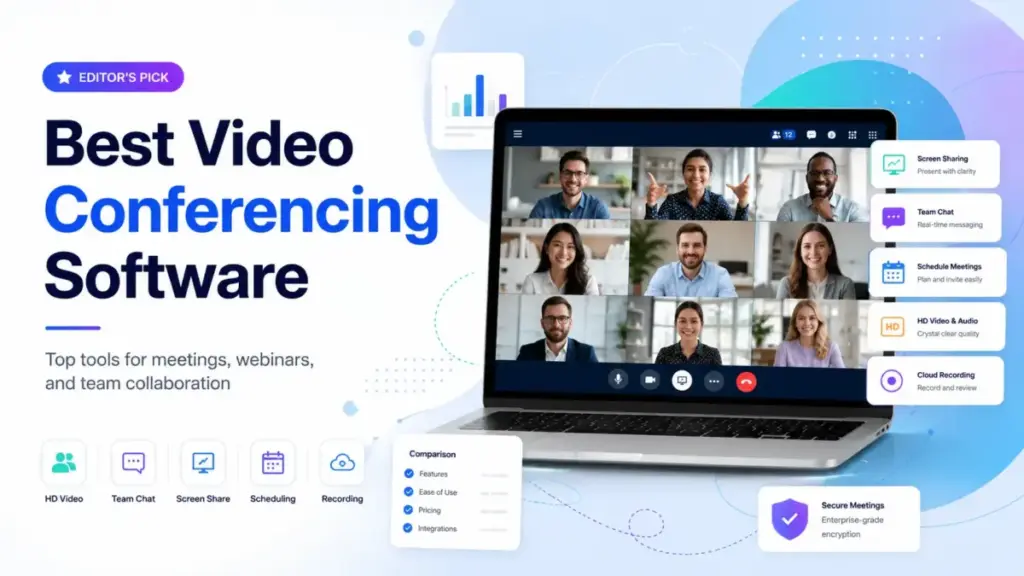
The best video conferencing software for your team depends on who joins your calls, not just who hosts them. Most buyers start by comparing features, but the real friction shows up when a client cannot join without downloading an app, when a free plan cuts off at 40 minutes, or when the “included” recording turns out to be a paid add-on.
I evaluated over 30 video conferencing platforms and SaaS tools to find the 10 that solve real meeting problems for remote teams, hybrid organizations, consultants, and enterprise IT buyers in 2026. Whether your priority is external client calls, internal standups, compliance, or budget, this guide ranks each tool with scores, pricing math, and honest warnings.
TL;DR: The 60-Second Version
Zoom Workplace (9.4/10) is the best overall video conferencing software for teams that host external meetings, client calls, and training sessions. Guests know how to join, and meeting controls are deeper than most alternatives.
Microsoft Teams (9.1/10) is the better choice if your organization already pays for Microsoft 365. Adding another meeting tool wastes money when Teams is already in your subscription.
Google Meet (8.9/10) wins for Google Workspace teams that want browser-first, low-friction meetings tied to Calendar and Gmail.
Cisco Webex (8.7/10) is the strongest pick for enterprises that need compliance documentation, room hardware, and security controls beyond what Zoom or Meet offer.
For budget-conscious teams, RingCentral Video offers a generous free plan with messaging. Zoho Meeting starts around $1 to $3 per host per month. Jitsi Meet is free and open source, but only if your team can run or accept its infrastructure limits.
Livestorm is not a Zoom replacement. It is a webinar and video engagement platform for structured customer education and demand generation.
Rankings reflect editorial evaluation, not sponsorship or affiliate priority.
Best Video Conferencing Software Compared
This comparison table covers all 10 ranked tools at a glance. Use it to shortlist two or three options before reading the full reviews below. Scores reflect the weighted rubric explained in the methodology section.
| Rank | Product | Score | Best For | Starting Price | Free Plan | Key Warning |
|---|---|---|---|---|---|---|
| 1 | Zoom Workplace | 9.4 | External meetings, client calls | ~$13.33/user/mo | Yes | Recording storage and large meetings add cost |
| 2 | Microsoft Teams | 9.1 | Microsoft 365 organizations | $4/user/mo | Yes | Add-ons (Copilot, Premium, phone) raise cost |
| 3 | Google Meet | 8.9 | Google Workspace teams | ~$7/user/mo (Workspace) | Yes | Recording and admin depend on Workspace tier |
| 4 | Cisco Webex | 8.7 | Enterprise security and compliance | ~$14.50/user/mo | Yes | Enterprise bundles require procurement |
| 5 | RingCentral Video | 8.5 | Free business video with messaging | Free / $10/user/mo | Yes | Product packaging shifts with phone/events |
| 6 | GoTo Meeting | 8.2 | Professional client sessions | $12/organizer/mo | No | Webinar, rooms, phone are separate products |
| 7 | Zoho Meeting | 8.0 | Budget video and webinars | ~$1-$3/host/mo | Yes | Participant tiers and add-ons change real cost |
| 8 | Whereby | 7.8 | Browser-based client rooms | ~$13.99/host/mo | Yes | Meetings and Embedded are separate products |
| 9 | Jitsi Meet | 7.6 | Open-source, privacy-first teams | Free (self-host costs) | Yes | DevOps time replaces subscription cost |
| 10 | Livestorm | 7.4 | Webinar-led customer education | ~$109/mo | Yes | Contact/attendee pricing scales quickly |
Best Video Conferencing by Scenario
Not every team has the same meeting workflow. An 8-person marketing agency hosting client calls has different needs than a 150-person healthcare vendor evaluating compliance. This matrix maps common buyer scenarios to the best-fit tool and a runner-up.
| Scenario | Winner | Runner-Up | Why |
|---|---|---|---|
| External client calls (agency, consulting) | Zoom Workplace | Whereby | Guests recognize Zoom; Whereby offers permanent branded rooms |
| Microsoft 365 internal operations (25-100 people) | Microsoft Teams | Zoom Workplace | Teams is already paid for; Zoom adds cost without suite value |
| Google Workspace consulting firm (5-20 people) | Google Meet | Zoom Workplace | Meet ties into Calendar and Gmail; Zoom is better for formal demos |
| Enterprise compliance (healthcare, government, 250+) | Cisco Webex | Microsoft Teams | Webex has deeper compliance documentation; Teams fits Microsoft-first regulated orgs |
| Budget-conscious startup (under 15 people) | RingCentral Video | Zoho Meeting | RingCentral free plan includes messaging; Zoho is cheapest paid option |
| Per-organizer pricing (few hosts, many attendees) | GoTo Meeting | Zoom Workplace | GoTo charges per organizer; Zoom charges per user |
| Browser-only client rooms (no downloads) | Whereby | Google Meet | Whereby has permanent room links; Meet needs Calendar or link generation |
| Privacy-first or open-source requirement | Jitsi Meet | Whereby | Jitsi is self-hostable; Whereby is browser-based but commercial |
| Webinar and customer education (4-8 events/month) | Livestorm | Zoom Workplace | Livestorm has registration, replays, CRM sync; Zoom Webinars is a separate add-on |
| Quick internal huddles (Slack-first team) | Google Meet | Microsoft Teams | Meet launches from chat; Teams is better for Microsoft-native chat |
Best Video Conferencing Software Reviews
Each product below is scored using a weighted rubric covering meeting reliability, collaboration features, ecosystem fit, pricing, security, AI, scalability, and buyer clarity. I spend more depth on the top five tools because they cover the majority of buyer decisions. Reviews for tools ranked six through ten are shorter but specific.
Zoom Workplace – Best Overall
Score: 9.4/10 – Excellent
Best for: 10 to 100 person agencies, sales teams, consultants, training teams, and any organization that hosts frequent external meetings.
Not for: Microsoft-only teams that already pay for Teams, privacy-first open-source teams, or teams that only need internal huddles.
Starting price: Zoom Pro is commonly listed around $13.33 to $14.99 per user per month on an annual plan. Check the official Zoom pricing page for current rates.
Free plan: Yes. Free Basic plan available with a time limit on group meetings.
Why it ranks here: Zoom is still the tool people know how to join without instruction. That recognition matters more for client-facing calls than any admin feature. When an 8-person marketing agency sends a Zoom link to a client, the client clicks and joins. When the same agency sends a less familiar link, the client asks “Do I need to download something?” That friction costs more than the monthly subscription difference.
What stands out: Meeting controls and engagement features (breakout rooms, polls, reactions, whiteboard) are deeper than Google Meet and simpler to operate than Webex for non-technical hosts. Zoom AI Companion provides meeting summaries and action items on eligible paid accounts, which reduces manual note-taking for recurring standups and client debriefs. For a deeper look at external-call workflows, our Zoom Workplace review breaks down meeting controls and AI features.
What holds it back: Free group meetings have a time limit that pushes teams to paid plans quickly. Cloud recording storage is limited per plan, and large meeting capacity (over 300 participants) requires add-ons. The per-user pricing model gets expensive when every person in a 50-person company needs a paid license, even if only 10 people host meetings.
Pricing warning: The headline Pro price looks manageable for a small team, but cloud recording storage, large meeting add-ons, Zoom Rooms, and Zoom Webinars are separate costs. A 25-person team paying ~$13.33 per user per month spends roughly $333 per month before add-ons. At 100 users, that approaches $1,333 per month, and that is before recording storage overages.
As one Zoom customer put it: “Before Zoom, we juggled 10-plus tabs to handle calls. Now, everything is integrated into one clean platform, from CRM connections to video transitions. It is a dream workflow.” (Taylor Nelson, Member Care QA Specialist, Cricut)
- Highest guest recognition and lowest join friction for external meetings
- Deep meeting engagement controls (breakout rooms, polls, whiteboard, reactions)
- AI Companion for meeting summaries on eligible paid plans
- Strong app marketplace and third-party integrations
- Works across desktop, mobile, browser, and room hardware
- Free plan group meeting time limit pushes to paid plans quickly
- Per-user pricing is expensive when many internal users rarely host
- Cloud recording storage is limited and overages cost extra
- Large meeting and webinar features are paid add-ons
- Zoom fatigue is a real brand perception issue for some teams
- Security improvements since 2020 are strong, but some enterprise buyers still carry legacy concerns
Maya Patel’s quick take: Zoom is the default for a reason: guests join without asking questions. But “default” does not mean “best for every team.” If your company already pays for Microsoft 365 or Google Workspace and most meetings are internal, you are paying twice for a capability you already have. Zoom earns its price when external calls, training sessions, and client demos are a weekly occurrence, not when your team only does Monday standups.
Microsoft Teams – Best for Microsoft 365 Teams
Score: 9.1/10 – Excellent
Best for: 25 to 500 person Microsoft 365 companies, internal operations teams, and IT-managed organizations.
Not for: Solo consultants, client-heavy agencies that need low guest friction, Google Workspace companies, or teams wanting a lightweight meeting-only tool.
Starting price: Teams Essentials costs $4 per user per month (paid yearly). Microsoft 365 Business Basic costs $6 per user per month. Microsoft 365 Business Standard costs $12.50 per user per month. See Microsoft Teams pricing for full plan details.
Free plan: Yes.
Why it ranks here: Teams is the rational economic choice when a company already pays for Microsoft 365. A 25-person operations team on Microsoft 365 Business Basic at $6 per user per month gets video meetings, 300-participant capacity, 30-hour meeting duration, team chat, channels, calendar, file storage, and SharePoint. Adding Zoom on top would cost an extra $333 or more per month with no added suite value. For a full breakdown of the platform beyond meetings, our Microsoft Teams review covers chat, channels, and admin controls.
What stands out: Video meetings sit inside chat, files, Outlook calendar, SharePoint, and enterprise identity management. Business plans support 300 participants and 30-hour meetings. For a 25-person Microsoft 365 operations team, Teams is not just a meeting tool; it is the workspace. Guest access, webinars (on Business Standard), and Microsoft’s enterprise security infrastructure add value without separate purchases.
What holds it back: External guests often experience more friction than with Zoom or Google Meet. When a 12-person consulting firm sends a Teams link to a client who does not use Microsoft 365, the client sometimes encounters browser compatibility prompts, app download suggestions, or sign-in confusion. That friction is manageable for internal meetings but costs real goodwill on client calls.
Pricing warning: Teams Essentials at $4 per user per month looks like the cheapest option in this list, but it does not include full Microsoft 365 apps. Teams Premium, Copilot, audio conferencing dial-in, phone system, and advanced compliance features are all add-ons. A 100-person team on Business Basic pays $600 per month for the suite, but adding Premium and Copilot can double or triple the per-user cost.
- Best per-user value when Microsoft 365 is already the workspace
- 300 participants and 30-hour meetings on business plans
- Deep integration with Outlook, SharePoint, OneDrive, and enterprise identity
- Chat, channels, and file collaboration in the same app
- Strong admin controls and security for IT-managed orgs
- External guest friction is higher than Zoom or Google Meet
- Interface complexity can overwhelm small teams or non-Microsoft users
- Teams Premium, Copilot, and phone features are paid add-ons
- Standalone Teams Essentials lacks full Microsoft 365 app suite
- Mobile experience for external guests can be inconsistent
- Switching from Slack or Google Workspace requires real migration effort
Maya Patel’s quick take: Teams is the right video conferencing tool when it is already your operating system for work. If your team lives in Outlook, SharePoint, and OneDrive, adding Zoom is like renting a second office for meetings. But if your clients do not use Microsoft, Teams guest links create friction that Zoom and Meet avoid. The decision is simple: Microsoft-first teams should use Teams; client-first teams should consider Zoom.
Google Meet – Best for Google Workspace Users

Score: 8.9/10 – Very Good
Best for: 5 to 75 person Google Workspace teams, agencies, consultants, and education-adjacent organizations.
Not for: Advanced webinar hosts, formal training teams needing breakout rooms and engagement analytics, or companies requiring deep meeting analytics dashboards.
Starting price: Google Meet is free for personal use with up to 100 participants and 60-minute group meetings. Google Workspace Business Starter costs around $7 per user per month in the US. Business Standard is around $14 per user per month. See Google Workspace pricing for current editions.
Free plan: Yes. 100 participants, up to 60 minutes for group meetings.
Why it ranks here: Meet is the least intimidating video conferencing option for teams already in Google Workspace. A 12-person Google Workspace consulting firm clicks a Calendar event and joins a browser-based meeting without thinking about it. There is no separate app to manage, no additional license to buy, and no client download requirement. For teams evaluating the full Google ecosystem, our Google Workspace review explains how Meet fits into the broader suite.
What stands out: Browser-first joining reduces guest friction to nearly zero. Google Calendar integration means meetings start from the calendar event, not from a separate meeting app. Live captions, noise cancellation, and recording (on paid Workspace plans) cover the basics well. The free plan offers 60-minute group meetings, which is more generous than Zoom’s free group meeting time limit.
What holds it back: Advanced engagement and meeting controls lag behind Zoom and Webex. Breakout rooms, polls, and Q&A exist but feel less developed. Recording, live streaming, attendance tracking, and admin controls depend on which Workspace edition you pay for. A team on Business Starter gets meetings but not recording; upgrading to Business Standard for recording jumps the cost from $7 to $14 per user per month.
Pricing warning: Meet itself is “free” inside Workspace, but recording and admin features gate behind higher Workspace tiers. A 25-person team on Business Starter pays $175 per month but cannot record meetings. Upgrading to Business Standard for recording costs $350 per month, doubling the bill for a single feature.
- Browser-based joining with zero download friction
- Deep Google Calendar and Gmail integration
- Free plan with 60-minute group meetings and 100 participants
- Clean, minimal interface that non-technical guests understand
- Live captions and noise cancellation included
- Recording requires Business Standard or higher Workspace tier
- Breakout rooms and engagement tools are less developed than Zoom
- Meeting analytics and admin controls are limited on lower tiers
- No standalone meeting product outside Google Workspace ecosystem
- Webinar and large event features are not Meet’s strength
Maya Patel’s quick take: Meet’s strength is invisibility. It gets out of the way when participants already live in Gmail and Calendar. For a Google Workspace consulting firm, Meet is not a product you choose; it is a product that is already there. But if you need deep meeting engagement (polls, breakout management, detailed analytics), Zoom does more. Meet wins on simplicity; Zoom wins on control.
Cisco Webex – Best for Enterprise Security

Score: 8.7/10 – Very Good
Best for: 250+ employee enterprises, healthcare organizations, government agencies, regulated industries, and Cisco device environments.
Not for: Small agencies, freelancers, lightweight client call setups, or teams without IT administration resources.
Starting price: Webex Meet is commonly listed at approximately $14.50 per user per month. Webex Suite (Meet + Call) is approximately $25 per user per month. See Webex pricing for current plans.
Free plan: Yes. Free Webex account available with no credit card required.
Why it ranks here: Webex has the strongest enterprise compliance and security positioning among mainstream meeting tools. A 150-person healthcare vendor evaluating HIPAA-aligned video conferencing will find more compliance documentation, trust center detail, and government certification references at Webex Compliance and Certifications than at most competitors’ security pages. That documentation matters when procurement requires a vendor security assessment.
What stands out: Cisco’s security infrastructure, room device ecosystem, and enterprise admin controls are stronger than most SMB-first tools. Real-time translation, noise removal, and Webex Assistant add practical value for global enterprise teams. The combination of meetings, calling, messaging, webinars, polling, and whiteboarding in one platform reduces the number of separate vendors a large organization manages.
What holds it back: Setup and everyday UX feel heavier than Zoom or Meet. A 12-person agency sending a Webex link to a client creates more friction than sending a Zoom or Meet link. The interface has more controls than most casual meeting hosts need, and non-enterprise buyers often feel the product was not designed for them.
Pricing warning: Enterprise features, advanced calling, room device deployments, and compliance bundles often require custom procurement conversations. The headline $14.50 per user per month for Webex Meet is the starting point, not the enterprise total.
- Strongest compliance documentation and security posture among mainstream tools
- Deep room hardware ecosystem for hybrid meeting spaces
- Real-time translation and Webex Assistant for global teams
- Meetings, calling, messaging, and webinars in one platform
- Government and healthcare certification support
- Setup and daily UX feel heavier than Zoom, Meet, or Whereby
- Enterprise pricing often requires custom procurement
- Guest friction is higher than Zoom for non-Webex users
- Overkill for small agencies, freelancers, or lightweight meeting needs
- Room hardware investment adds significant cost beyond software
- Learning curve for meeting hosts is steeper than simpler tools
Maya Patel’s quick take: Webex is usually chosen by IT and security leaders, not by casual meeting hosts. That is exactly the point. If your organization needs to pass a vendor security assessment before video calls can happen, Webex provides the documentation. If your team just needs a link that clients click and join, Webex is not the right starting point.
RingCentral Video – Best Free Business Video

Score: 8.5/10 – Very Good
Best for: Teams wanting free video meetings plus lightweight messaging, startups testing unified communications, and budget-conscious internal teams.
Not for: Enterprises needing deep Microsoft or Google suite integration, webinar marketers, or open-source advocates.
Starting price: RingCentral Video Pro is free. Video Pro+ is listed at $10 per user per month according to RingCentral support documentation.
Free plan: Yes. RingCentral Video Pro includes unlimited meetings (50-minute limit), team messaging, and file sharing at no cost.
Why it ranks here: RingCentral Video Pro is one of the most generous free business video meeting options available. Unlike Zoom’s free plan (which has a tighter group meeting time limit), RingCentral offers 50-minute meetings with team messaging included. For a budget-conscious startup under 15 people, this is a functional video and messaging solution without a subscription.
What stands out: The free plan combines video meetings and team messaging, not just one-off calls. AI transcriptions and post-meeting notes are available on supported plans. The upgrade path to Pro+ at $10 per user per month adds 24-hour meetings and additional features.
What holds it back: RingCentral’s product packaging creates confusion. Video, RingEX, Rooms, Webinar, and Events are separate or bundled products with different pricing structures. A buyer who starts with free Video Pro can end up on a procurement page for RingEX phone plans that cost $20 to $35 per user per month, which is a different product category entirely.
Pricing warning: The free Video Pro plan is genuinely useful, but the moment phone, rooms, or events enter the decision, the pricing conversation shifts to broader RingEX or RingCentral Contact Center products. A 25-person team that starts with free video and later needs phone lines could face $500 to $875 per month in RingEX costs.
- Generous free plan with 50-minute meetings and team messaging
- Pro+ at $10 per user per month is competitive for paid video
- AI transcriptions and meeting notes on supported plans
- Browser, desktop, and mobile access
- Clear upgrade path from free to paid
- Product packaging across Video, RingEX, Rooms, and Events is confusing
- Free plan 50-minute limit pushes longer meetings to paid
- Less ecosystem-native than Teams or Meet for Microsoft/Google shops
- Brand recognition for external guests is lower than Zoom
- Phone system pricing is a separate and higher cost category
Maya Patel’s quick take: RingCentral Video looks simple if you start with the free plan. The product works well for internal standups and small team collaboration. But the buying path gets complicated when phone, events, or room hardware enter the picture. Use it when “free video plus messaging” is the actual need, and be prepared for a pricing conversation if your requirements grow.
GoTo Meeting – Best for Professional Client Calls

Score: 8.2/10 – Very Good
Best for: Consultants, customer success teams, client-training hosts, and teams where a few organizers host most meetings.
Not for: Companies that want chat, docs, and meetings in one workspace.
Starting price: Professional plan costs $12 per organizer per month, billed annually. Business plan costs $16 per organizer per month, billed annually. See GoTo Meeting pricing for current plans.
Free plan: No standard free plan.
Why it ranks here: GoTo Meeting’s per-organizer pricing is useful when only a few people host most meetings. A consulting firm with 3 partners hosting client calls and 12 staff members attending pays for 3 organizer licenses, not 15 user licenses. That pricing structure saves money compared to per-user platforms like Zoom or Teams.
What stands out: Professional plan supports 150 participants. Business plan supports 250. Dial-in conference lines, screen sharing, and breakout rooms cover professional client meeting needs. Smart Assistant on Business provides meeting notes.
What holds it back: GoTo Meeting is not as modern or ecosystem-native as Zoom, Teams, or Meet. Webinar, rooms, phones, and larger events live in separate GoTo products or bundles. The product feels designed for planned professional calls, not for spontaneous team collaboration.
Pricing warning: GoTo Meeting Professional at $12 per organizer per month is competitive when few people host. But GoTo Webinar, GoTo Room, and GoTo Connect (phone) are separate products with separate pricing. A team that needs meetings, webinars, and phone ends up comparing GoTo’s bundled pricing against RingCentral or Teams.
- Per-organizer pricing saves money when few people host
- 150-250 participants depending on plan
- Dial-in conference lines for professional calls
- Predictable pricing for planned client sessions
- No standard free plan
- Less modern than Zoom, Teams, or Meet
- Webinar, phone, and room features are separate products
- Weaker everyday collaboration features than suite-based tools
- Lower brand recognition with external guests than Zoom
Maya Patel’s quick take: GoTo Meeting is less fashionable than Zoom, but predictable for planned professional calls. If your firm has 3 hosts and 20 attendees, per-organizer pricing is smarter than per-user pricing.
Zoho Meeting – Best Budget Pick

Score: 8.0/10 – Very Good
Best for: Price-sensitive teams, Zoho ecosystem users, and trainers with simple webinar needs.
Not for: Enterprise Microsoft or Google environments, complex room deployments, or teams requiring best-in-class AI meeting notes.
Starting price: Zoho Meeting paid plans start around $1 to $3 per host per month depending on participant tier and billing cycle. According to Capterra, Meeting Standard is listed at $2 per month and Meeting Professional at $3 per month. See Zoho Meeting pricing for current tiers.
Free plan: Yes.
Why it ranks here: Zoho Meeting has unusually low entry pricing. For a 10-person team that only needs basic video meetings and occasional webinars, Zoho Meeting Professional at approximately $3 per host per month costs a fraction of Zoom Pro or Webex Meet. The tradeoff is lower polish and less client recognition.
What stands out: Meetings up to 24 hours on paid plans. Up to 250 participants. 5 GB cloud recording storage per host on Professional. Polls, co-branding, and personal room links. Webinar editions available in the same product family.
What holds it back: Less polished and less widely recognized than Zoom, Meet, or Teams for external guests. A client receiving a Zoho Meeting link for the first time will have lower brand trust than with Zoom. The Zoho ecosystem is deep (CRM, Projects, Desk, Mail), but outside that ecosystem, Meeting feels isolated.
Pricing warning: The $1 to $3 headline price is real, but participant tier limits, webinar edition upgrades, storage add-ons, and toll-free numbers can change the actual cost. Compare plans at the Zoho Meeting plan comparison page.
- Lowest entry pricing among ranked tools
- 24-hour meetings and 250 participants on paid plans
- 5 GB cloud recording per host on Professional
- Webinar editions available in same product family
- Zoho ecosystem integration (CRM, Projects, Desk)
- Lower brand recognition for external client calls
- Less polished UX than Zoom, Meet, or Teams
- Participant tier limits affect real cost
- Outside Zoho ecosystem, the product feels isolated
- AI meeting features lag behind Zoom and Teams
Maya Patel’s quick take: Zoho Meeting is best when “good enough and inexpensive” is the real buying criterion. It works well for internal meetings and simple webinars. For client-facing calls where brand trust matters, Zoom or Meet is the safer choice.
Whereby – Fastest Browser Setup

Score: 7.8/10 – Good
Best for: Consultants, coaches, small agencies, customer calls, and branded client rooms.
Not for: Large internal all-hands, Microsoft 365 companies, or enterprise compliance teams.
Starting price: Whereby Meetings Business is listed by G2 at approximately $13.99 per host per month with a 3-license minimum. See Whereby pricing for current plans.
Free plan: Yes.
Why it ranks here: Whereby is one of the fastest ways to get clients into a browser-based video room. No downloads, no accounts for guests, and permanent room links that work every time. For a consultant or coach who sends the same meeting link to every client, Whereby removes scheduling and join friction that other tools create.
What stands out: Permanent room links reduce scheduling confusion. Custom subdomain on business plans adds brand consistency. No download requirement for guests. Whereby also offers an Embedded API for product teams that want to build video into their own applications.
What holds it back: Free and lower tiers have lower participant and room limits than Zoom, Teams, or Meet. Whereby is a meeting room tool, not a collaboration suite. There is no built-in chat workspace, file sharing, or calendar integration comparable to Teams or Google Workspace.
Pricing warning: Whereby Meetings and Whereby Embedded are different products with different pricing models. A team evaluating Whereby for guest meetings and a product team evaluating Whereby for in-app video are looking at separate pricing conversations.
- Browser-based rooms with zero guest downloads
- Permanent room links for recurring client meetings
- Custom subdomain branding on business plans
- Embedded API for product teams
- Clean, minimal guest experience
- Lower participant and room limits on free and lower tiers
- Not a collaboration suite (no chat, files, or calendar)
- $13.99 per host per month with 3-license minimum adds up
- Meetings and Embedded are separate pricing products
- Enterprise admin and compliance features are limited
Maya Patel’s quick take: Whereby wins when the meeting starts with a link and no one asks what app to download. For client-facing consultants and coaches, that simplicity is worth the price. For internal team meetings, Teams or Meet offers more value.
Jitsi Meet – Best Open Source Option

Score: 7.6/10 – Good
Best for: Technical teams, privacy-sensitive organizations, nonprofits with admin skills, and open-source advocates.
Not for: Non-technical SMBs, sales teams, or formal enterprise deployments without dedicated IT ownership.
Starting price: Free and open source. Self-hosting cost depends on infrastructure and admin time. Jitsi as a Service is available for teams that want managed hosting. See Jitsi for project details.
Free plan: Yes. Free browser-based meetings at meet.jit.si with no account required.
Why it ranks here: Jitsi Meet is the most credible open-source video conferencing option for privacy-first teams. A 6-person technical nonprofit that does not want to trust a commercial SaaS vendor with meeting data can self-host Jitsi on its own infrastructure and control every aspect of the deployment.
What stands out: Free browser-based meetings with no account required for basic usage. Full open-source codebase on GitHub. Self-hosting gives complete control over data, security, and infrastructure. Jitsi as a Service offers a managed option for teams that want the open-source base without running servers.
What holds it back: Self-hosting shifts reliability, scaling, updates, and security operations entirely to the buyer’s team. A 6-person nonprofit with one part-time sysadmin faces real operational risk when the Jitsi server goes down during a board meeting. Performance at scale (50+ participants) requires careful server configuration and bandwidth planning.
Pricing warning: The software is free, but DevOps time, server capacity, bandwidth, security patching, and support are real costs. A self-hosted Jitsi deployment for a 25-person team on a cloud server costs $50 to $200 per month in infrastructure, plus ongoing admin hours. “Free” is accurate for the license; it is not accurate for the total cost of operation.
- Free and open-source software
- Self-hosting gives full data control
- No account required for basic browser meetings
- Active open-source community
- Jitsi as a Service for managed hosting
- Self-hosting requires DevOps capacity and ongoing maintenance
- Performance at scale needs careful server configuration
- No built-in enterprise admin controls or compliance documentation
- Guest experience is less polished than Zoom or Meet
- Support is community-based unless using managed service
Maya Patel’s quick take: Jitsi is free only if your team has the technical capacity to run it or accept its limitations on the public instance. For privacy-first technical teams, it is the right choice. For a 20-person marketing agency, self-hosting a video platform is not a productive use of time.
Livestorm – Best for Webinar-Led Teams

Score: 7.4/10 – Good
Best for: Customer education teams, demand generation teams, demo programs, and onboarding webinar workflows running 4 to 8 events per month.
Not for: Teams that only need daily standups or internal client calls.
Starting price: Approximately $109 per month or contact-based regional pricing. See Livestorm pricing for current plans.
Free plan: Yes.
Why it ranks here: Livestorm is not a Zoom replacement for every meeting. It is a video engagement platform for structured sessions where registration, replays, analytics, and CRM sync matter more than ad-hoc calling. A webinar-led customer education team running 4 to 8 events per month needs registration pages, attendee engagement tracking, and replay distribution. Zoom’s basic meeting product does not include those features; Zoom Webinars is a separate add-on.
What stands out: Registration pages, engagement analytics, CRM sync, and replays are built into the platform. No installation required for attendees. The workflow is designed for marketing and education events, not for daily standups.
As one Livestorm customer described: “Engagement on Livestorm is great: our 45-minute event ended up going past the 60-minute mark because the questions just kept coming!” (Laura Parra, Field Marketing Specialist)
Another noted: “The elegance of Livestorm’s UI and its simplicity for creating beautiful landing pages made a big positive impact on the way we communicate with customers at scale.” (Stan Massueras, European Sales Director)
What holds it back: Livestorm is too event-focused for normal internal video calls. The pricing model based on active contacts or attendees can grow faster than per-user meeting tools. A team that uses Livestorm for webinars and Zoom for daily calls pays for two platforms.
Pricing warning: Active-contact and attendee-based pricing scales with event volume and audience size. A team running 8 webinars per month to 200 attendees each pays more than a team running 2 events to 50 people. Compare this to Zoom’s flat per-user pricing to understand total cost.
- Registration pages, replays, and engagement analytics built in
- CRM sync for marketing and sales alignment
- No installation required for attendees
- Designed for structured events, not just meetings
- Too event-focused for daily internal video calls
- Active-contact pricing can scale quickly
- Requires a separate tool for daily meetings
- Higher entry price than most meeting-only tools
- Less familiar to guests than Zoom or Meet
Maya Patel’s quick take: Livestorm is the right tool when your “meeting” is really a marketing, training, or onboarding event. If you need registration, replays, and CRM data, Livestorm does what Zoom’s basic meeting product does not. If you just need a video call, Livestorm is overbuilt for the job. For teams that send asynchronous video updates instead of live meetings, our Loom review covers that workflow.
Video Conferencing Pricing Decoder
Pricing for video conferencing software varies by billing unit, free-plan limits, and hidden upgrade triggers. This decoder helps you compare actual cost structures, not just headline prices. All prices reflect the most recent publicly available data as of May 2026.
| Product | Headline Price | Billing Unit | Free Plan Limit | Hidden Cost or Upgrade Trigger |
|---|---|---|---|---|
| Zoom Workplace | ~$13.33-$14.99/user/mo | Per user, annual | Group meeting time limit | Cloud recording storage, large meeting add-ons, Zoom Rooms |
| Microsoft Teams | $4/user/mo (Essentials) | Per user, annual | Free plan available | Premium, Copilot, phone, audio conferencing are add-ons |
| Google Meet | ~$7/user/mo (Workspace Starter) | Per user, annual | 60-min group meetings, 100 participants | Recording, admin controls require higher Workspace tier |
| Cisco Webex | ~$14.50/user/mo (Meet) | Per host/user, annual | Free account with limits | Calling bundles, room hardware, enterprise compliance |
| RingCentral Video | Free (Pro) / $10/user/mo (Pro+) | Per user | 50-min meetings on free plan | Phone, rooms, and events shift to RingEX pricing |
| GoTo Meeting | $12/organizer/mo | Per organizer, annual | No standard free plan | Webinar, phone, rooms are separate GoTo products |
| Zoho Meeting | ~$1-$3/host/mo | Per host | Free plan available | Participant tier upgrades, webinar edition, storage, toll-free |
| Whereby | ~$13.99/host/mo (Business) | Per host | Free plan with room limits | Meetings and Embedded are separate products |
| Jitsi Meet | Free (open source) | Infrastructure cost | Public instance available | DevOps time, server cost, bandwidth, security patching |
| Livestorm | ~$109/mo | Per workspace/contact/event | Free plan with limits | Contact and attendee pricing scales with event volume |
Cost at scale: A 25-person team on Zoom Pro pays roughly $333 per month. The same team on Microsoft 365 Business Basic (which includes Teams) pays $150 per month. On Google Workspace Business Starter (which includes Meet), the cost is $175 per month. On Zoho Meeting Professional, it is approximately $75 per month. These differences compound at 100 users: Zoom approaches $1,333 per month while Teams on Business Basic is $600.
What Most Video Conferencing Lists Get Wrong
Most “best video conferencing” articles rank tools by feature count, not by buyer fit. That approach leads to three recurring mistakes.
Mistake 1: Treating Zoom as the best choice for every team. Zoom is the best choice for teams that host frequent external meetings with clients, prospects, and partners. For a 25-person Microsoft 365 operations team that rarely meets external guests, Teams is the better and cheaper option because it is already included in their subscription. For a 12-person Google Workspace consulting firm, Meet is already there and guests join through the browser without friction. Zoom earns its price for external calls, not for internal standups.
Mistake 2: Ignoring guest friction. The best video conferencing tool is often the one your guests can join fastest, not the one with the most features. When a client receives a meeting link and needs to download an app, create an account, or troubleshoot browser compatibility, that friction costs goodwill. Zoom and Google Meet have the lowest guest friction for different reasons: Zoom because guests recognize it, Meet because it runs in the browser. Teams has higher guest friction for non-Microsoft users. Webex has higher friction for non-enterprise guests.
Mistake 3: Mixing daily meetings with webinars, events, and phone systems. Livestorm is not a Zoom competitor for daily standups. GoTo Meeting is not a Slack replacement for quick huddles. Jitsi is not an enterprise compliance solution. Many comparison lists treat these tools as interchangeable when they serve different workflows. Daily team calls, client presentations, webinar campaigns, and conference room setups are different buying decisions. If your team needs internal quick calls alongside project work, our Slack review covers that use case separately.
For teams evaluating their full remote work stack beyond video calls, our best team collaboration tools guide covers messaging, file sharing, and project coordination platforms.
How to Choose Secure Video Conferencing
Security and compliance matter most for enterprise IT buyers, healthcare organizations, and government agencies. The four major platforms publish trust and compliance documentation at different levels of detail.
Zoom publishes a Trust Center covering encryption, data handling, and security certifications. Zoom has invested heavily in security since 2020 and offers end-to-end encryption for eligible meetings.
Microsoft Teams inherits Microsoft 365’s enterprise security infrastructure, including identity management, data loss prevention, and compliance tools. For organizations already in Microsoft 365 with existing security policies, Teams fits into the existing governance model.
Google Meet provides security information covering encryption in transit and at rest. Meet benefits from Google’s infrastructure security, but advanced compliance controls depend on the Workspace edition.
Cisco Webex provides the most detailed compliance and certification documentation among the four, with specific references to government, healthcare, and financial services certifications. The Cisco Trust Center for Webex adds additional transparency.
For a 150-person healthcare vendor, Webex and Teams offer the strongest documented compliance posture. For a 25-person startup, Zoom and Meet provide adequate security without enterprise procurement overhead. For teams that want to whiteboard ideas during or after secure video calls, our Miro review covers collaborative whiteboarding that integrates with several meeting platforms.
Feature Comparison Matrix:
| Product | Recording | AI Notes | Breakout Rooms | Browser Join | Admin Controls | Best Ecosystem |
|---|---|---|---|---|---|---|
| Zoom Workplace | Paid plans | AI Companion (paid) | Yes | Yes | Strong | Standalone + integrations |
| Microsoft Teams | Business Standard+ | Copilot (add-on) | Yes | Yes | Strong | Microsoft 365 |
| Google Meet | Business Standard+ | Gemini (add-on) | Yes | Yes (native) | Tier-dependent | Google Workspace |
| Cisco Webex | Yes | Webex Assistant | Yes | Yes | Enterprise-grade | Cisco devices |
| RingCentral Video | Pro+ | Supported plans | Yes | Yes | Moderate | RingCentral suite |
| GoTo Meeting | Yes | Smart Assistant (Business) | Yes | Yes | Moderate | GoTo suite |
| Zoho Meeting | Professional | Limited | Limited | Yes | Basic | Zoho suite |
| Whereby | Business plans | No | No | Yes (native) | Basic | Standalone |
| Jitsi Meet | Self-hosted config | No | Limited | Yes (native) | Self-managed | Open source |
| Livestorm | Yes | No | No | Yes | Event-focused | Standalone |
How We Tested and Ranked
This evaluation started with over 30 candidate video conferencing tools. After filtering for current market availability, business relevance, and product differentiation, 10 tools were ranked. The evaluation used official pricing pages, product documentation, support articles, review directories, and buyer community discussions as primary sources.
| Criteria | Weight | What We Measured |
|---|---|---|
| Meeting reliability and guest access | 22% | Join friction, browser support, external guest experience |
| Collaboration features | 16% | Screen sharing, recording, chat, whiteboard, breakout rooms |
| Ecosystem fit | 14% | Microsoft 365, Google Workspace, CRM, calendar, Slack |
| Pricing and free-plan usefulness | 16% | Headline price, billing unit, free limits, add-ons |
| Admin, security, and compliance | 14% | Trust pages, compliance docs, admin controls |
| AI and automation usefulness | 8% | Transcripts, summaries, action items |
| Scalability and room readiness | 6% | Large meetings, room hardware, webinars |
| Buyer clarity and support | 4% | Transparent pricing, docs, procurement clarity |
Scoring bands:
- 9.0 to 10: Excellent
- 8.0 to 8.9: Very Good
- 7.0 to 7.9: Good
- 6.0 to 6.9: Acceptable with caveats
- Below 6.0: Not recommended for this list
What we penalized: Unclear pricing, sunset or discontinued products, high guest friction for external meetings, missing compliance documentation, and feature claims that require expensive add-ons not reflected in headline pricing.
What we did not test: We did not conduct live network performance benchmarks, latency measurements, or audio quality comparisons. We did not test every mobile device or browser combination. We did not test room hardware setups.
For full details on how SaaSZap evaluates software, see our review methodology.
Rankings reflect editorial evaluation, not sponsorship or affiliate priority.
Products We Evaluated But Did Not Rank
Not every tool we evaluated made the final list. These products were considered and excluded for specific reasons.
- BlueJeans: Verizon shut down the BlueJeans service. Not available for 2026 recommendations.
- Skype: Microsoft retired Skype on May 5, 2025, and moved users toward Teams.
- Join.me: Legacy LogMeIn/GoTo product. Not a current primary recommendation for new buyers.
- Dialpad Meetings: Useful AI features, but video meeting capacity and product packaging are less clear than top 10 alternatives.
- ClickMeeting: Strong webinar platform, but less suited for daily team video conferencing.
- BigBlueButton: Excellent for education and LMS integration, but setup complexity and education focus make it less suitable for general business buyers.
- BigMarker: Stronger for webinars and virtual events than everyday video meetings.
- FreeConferenceCall.com: Useful free option, but weaker fit for business admin, compliance, and scalability needs.
- Discord: Strong for communities, weak for business compliance and professional client-facing meetings.
- Slack Huddles: Great for internal quick calls within Slack, not a standalone video conferencing solution.
- Loom: Asynchronous video messaging, not live video conferencing.
- Amazon Chime: Enterprise and AWS fit, but lower buyer demand and weaker general-market visibility.
Common Buying Mistakes
These mistakes cost teams money and productivity. I see them repeatedly across buyer communities and procurement threads.
Paying for Zoom when Teams or Meet is included. If your company pays for Microsoft 365 Business Basic at $6 per user per month, you already have Teams with 300-participant meetings. Adding Zoom Pro at ~$13.33 per user per month doubles your collaboration spend without adding suite value. The same logic applies to Google Workspace teams adding Zoom instead of using Meet.
Choosing a tool based on features you will never use. Breakout rooms, live translation, and AI meeting summaries are valuable for training teams and global enterprises. A 5-person agency that hosts two client calls per week does not need those features. Paying for them is waste.
Ignoring per-user vs. per-organizer pricing. If 3 people host all your meetings and 20 people attend, GoTo Meeting’s per-organizer pricing ($12 per organizer per month for 3 hosts = $36 per month) is cheaper than Zoom Pro for 23 users (~$306 per month). Billing unit matters as much as headline price.
Treating “free” as truly free. Zoom’s free plan has a group meeting time limit. RingCentral’s free plan has a 50-minute limit. Jitsi is free software, but self-hosting costs $50 to $200 per month in infrastructure. Google Meet’s free plan does not include recording. Free plans work for testing; they often fail when teams need recording, admin controls, or longer meetings.
Buying a webinar platform for daily calls. Livestorm is excellent for customer education events, not for Monday standups. Mixing daily meeting needs with webinar and event needs leads to paying for two tools or misusing one. Teams that share files across meetings and projects can also benefit from dedicated cloud storage; our Dropbox review covers that integration.
Frequently Asked Questions
What is the best video conferencing software in 2026?
Zoom Workplace scores highest overall (9.4/10) for teams hosting external meetings and client calls. Microsoft Teams is better for Microsoft 365 organizations. Google Meet is better for Google Workspace teams. The best choice depends on your ecosystem and who joins your calls.
What is the cheapest video conferencing software?
Zoho Meeting has the lowest paid entry price, starting around $1 to $3 per host per month depending on participant tier. RingCentral Video Pro offers a free plan with team messaging. Jitsi Meet is free open-source software, though self-hosting has infrastructure costs.
Which video conferencing software is best for small teams?
For teams under 15 people, Google Meet (free with 60-minute group meetings), RingCentral Video (free with 50-minute meetings and messaging), and Zoho Meeting (paid plans from ~$1 per host per month) are the most cost-effective options. Zoom is worth the cost only if client-facing calls are frequent.
What is the best free video conferencing software?
RingCentral Video Pro is the most complete free option, combining video meetings, team messaging, and file sharing. Google Meet’s free plan offers 60-minute group meetings with 100 participants. Jitsi Meet is free and open source with no account required.
Is Zoom better than Microsoft Teams?
Zoom is better for external client calls because guests recognize it and join with less friction. Teams is better for Microsoft 365 organizations because video meetings integrate with chat, files, Outlook, and SharePoint at no additional cost. The choice depends on whether meetings are primarily external or internal.
Is Google Meet better than Zoom?
Google Meet is better for Google Workspace teams that want browser-first meetings tied to Calendar and Gmail. Zoom is better for meeting engagement features like breakout rooms, polls, and detailed host controls. Meet wins on simplicity; Zoom wins on meeting control depth.
Which video conferencing app is best for external client meetings?
Zoom Workplace has the highest guest recognition and lowest friction for external calls. Google Meet is the best browser-based alternative. Whereby offers permanent branded room links for consultants and coaches. Teams has higher friction for guests outside the Microsoft ecosystem.
Which video conferencing software is best for enterprise security?
Cisco Webex provides the most detailed compliance and certification documentation for healthcare, government, and financial services. Microsoft Teams inherits Microsoft 365’s enterprise security infrastructure. Both are stronger choices than Zoom or Meet for regulated enterprise procurement.
What features should I look for in video conferencing software?
Prioritize guest join experience, meeting duration limits, recording availability, screen sharing, and calendar integration. For larger teams, evaluate admin controls, breakout rooms, and AI meeting notes. For compliance-sensitive organizations, review trust center documentation and certification references. For teams building project workflows around meetings, our best project management software guide covers complementary tools.
What is the best video conferencing software for webinars?
Livestorm is the best option when webinars are the primary use case, offering registration pages, replays, engagement analytics, and CRM sync. Zoom Webinars is a strong alternative for teams already on Zoom. GoTo Webinar is another option for GoTo Meeting users.
Can I use open-source video conferencing for business?
Yes. Jitsi Meet is free and open source. Teams can self-host for full data control or use the public instance at meet.jit.si. The tradeoff is that self-hosting requires DevOps capacity, server maintenance, and security patching. Jitsi is practical for technical teams; it is not a plug-and-play option for non-technical businesses.
Which video conferencing platform has the least guest friction?
Zoom has the lowest friction because guests recognize the brand and know how to join. Google Meet has the lowest technical friction because it runs natively in the browser with no download. Whereby has the lowest recurring friction because permanent room links mean guests never need a new link or calendar invite.
Final Thoughts
The best video conferencing software in 2026 is the one your guests can join without asking for help. For most teams hosting external meetings, Zoom Workplace remains the safest default. For Microsoft 365 organizations, Teams is already included and reduces cost. For Google Workspace teams, Meet is already there and works from the browser.
Do not choose a tool based on feature lists alone. Choose based on who joins your calls, what ecosystem you already pay for, and what your free plan actually limits. Guest friction, billing unit, and suite lock-in matter more than the difference between one AI summary feature and another.
If your buying decision is still unclear, start with the scenario matrix at the top of this article and match your team type to the recommended tool. Then check the pricing decoder to understand what you will actually pay at 10, 25, or 100 users.