ChatGPT Plus costs $20/month (as of June 2026), and that number looks reasonable until you hit a usage limit mid-conversation or realize the model you need is locked behind a Pro tier. The frustration is not the price.
It is the ambiguity: unclear message caps, plan gates that shift without warning, and a growing ecosystem of custom GPTs that makes switching feel expensive. But the real question is whether you are paying for the best AI assistant for your actual workflow, or just the one you started with.
After tracking AI chatbot pricing changes across 12 tools monthly for 18 months, Daniel Rivera has mapped exactly which ChatGPT alternative solves each specific frustration. The answer depends on your switching trigger, not a generic “best overall” label.
Claude is the strongest all-around ChatGPT alternative for reasoning and coding (more on why in section 4), but if your work lives inside Google Workspace or Microsoft 365, a different tool wins outright.
This guide compares 10 ChatGPT alternatives by switching trigger, pricing at scale, usage-limit transparency, ecosystem fit, and migration difficulty. Every price is verified from official sources.
Here is what the best AI chatbot options list does not always show: the gap between “free tier” and “usable” tier.
Quick Verdict: Best ChatGPT Alternatives by Switching Trigger
| If you are leaving ChatGPT because… | Best alternative | Why |
|---|---|---|
| You need cited, source-backed research | Perplexity | Built around citations and source-forward answers |
| You prefer deeper reasoning and coding collaboration | Claude | Claude Pro and Max tiers with Claude Code and Research |
| Your work lives inside Microsoft 365 | Microsoft Copilot | AI embedded into Word, Excel, Teams, and Outlook |
| Your work lives inside Google Workspace | Google Gemini | Google AI plans with Gmail, Docs, and NotebookLM |
| You want free consumer AI chat | Meta AI | Free assistant with image generation and voice |
| You need the lowest-cost API for dev work | DeepSeek | Free chat app plus low per-token API pricing |
| You want X-linked real-time answers | Grok | xAI models with web and X context |
| You want access to multiple AI models in one app | Poe | Multi-model access starting at $4.99/month |
| You need marketing-specific content workflows | Jasper | Brand voice, campaigns, and 100+ AI agents |
| You want a European AI assistant with coding agents | Mistral Vibe | Chat and coding agent on Mistral models |
What this means: There is no single “best” ChatGPT alternative. The right pick depends on your switching trigger. If you need citations, Perplexity wins. If you need ecosystem integration, Copilot or Gemini wins. If you need free access with zero friction, Meta AI or DeepSeek wins. The rest of this guide breaks down exactly which frustrations each tool solves and which new ones it creates.
The ChatGPT Problem Map
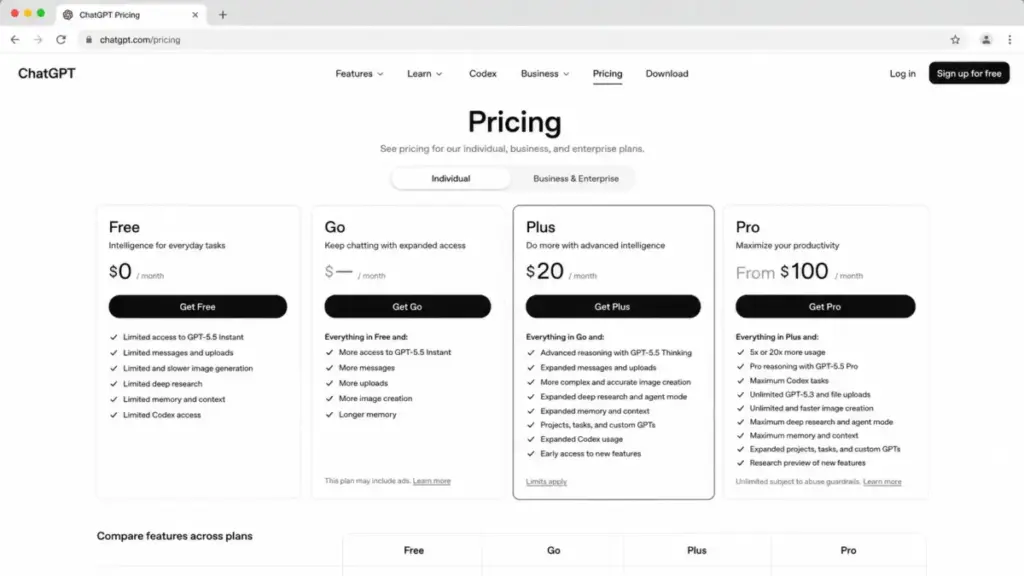
ChatGPT is still the most widely adopted AI chatbot, with GPT-5.5 access on paid plans, deep research features, custom GPTs, Codex access, and strong business controls. It is a good product for a broad set of use cases.
But what an AI chatbot definition does not tell you is where each one breaks. Here are the specific frustrations driving users to look for alternatives.
Frustration 1: Citation and Research Gaps
ChatGPT can run research workflows, but users who primarily need search-backed answers with visible sources find the experience inconsistent. The citations are not always front and center. For analysts, consultants, and students who need every claim traced to a source, this is a daily friction point.
“ChatGPT is not always secure when talking about privacy, it offen knows something you didn’t told it.” — Bill L., Vice President of Sales and Operations, Capterra review
That review captures a broader sentiment: trust gaps. When answers lack visible sources, users have to verify claims manually.
Frustration 2: Ecosystem Lock-In
ChatGPT is a standalone assistant. It does not live natively inside Google Workspace or Microsoft 365. Teams that spend 8 hours a day in Gmail, Docs, Word, or Excel have to context-switch between ChatGPT and their productivity suite. That friction compounds.
Frustration 3: Cost, Usage Limits, and Access Transparency
ChatGPT Plus runs $20/month. The Pro tier costs more. Business and Enterprise plans add per-user costs. But the biggest frustration is not the dollar amount. It is the ambiguity around usage limits: message caps, model access throttling, and unclear boundaries between plan tiers. For a 10-person team paying $200/month on Plus, the question is whether that spend delivers predictable access or unpredictable ceilings.
ChatGPT: What It Does Well and Where It Falls Short
| Strength | Limitation |
|---|---|
| GPT-5.5 model access on paid plans | Usage limits and message caps not always transparent |
| Custom GPTs and assistant marketplace | Standalone app, no native Google/Microsoft integration |
| Deep research and Codex for coding | Pro tier pricing adds cost beyond Plus |
| Broadest multimodal features (image, voice, vision) | Business/Enterprise plans require sales contact |
| Largest third-party ecosystem and community | Citation quality inconsistent for research use |
What this means: ChatGPT is strong as a general-purpose AI assistant with the widest feature set. The frustrations above are not about quality. They are about fit: if your workflow demands citations, ecosystem integration, or transparent usage limits, a specialized alternative may serve you better.
These three frustrations map to three categories of alternatives. The next three sections match each frustration to the tools that fix it.
Alternatives That Fix Reasoning, Coding, and Research Gaps
Claude: Best for Long-Form Reasoning and Coding Collaboration

Claude is the strongest ChatGPT alternative for users who value deep reasoning, extended context, and coding workflows. Anthropic positions Claude Pro at $20/month (as of June 2026), matching ChatGPT Plus in price but differing in model behavior. Claude Max tiers at $100/month and $200/month offer 5x and 20x usage multipliers for heavy users.
Claude bundles Anthropic model access with Claude Code, projects, Research, and Microsoft 365 integrations on supported plans. For a 3-person dev team running Claude Code daily, the Max 5x tier at $100/month per seat delivers meaningfully higher throughput than ChatGPT Plus.
Claude does better than ChatGPT in long-form reasoning depth and coding collaboration. The tradeoff: ChatGPT has broader mainstream adoption, a larger custom GPT ecosystem, and stronger OpenAI-native tool continuity.
Best for:
- Writers and analysts needing extended reasoning on long documents
- Developers using Claude Code for coding agent workflows
- 5-person research teams comparing Claude Pro against ChatGPT Plus
Avoid if: Your team relies heavily on OpenAI-specific integrations or the custom GPT marketplace.
Migration difficulty: Low
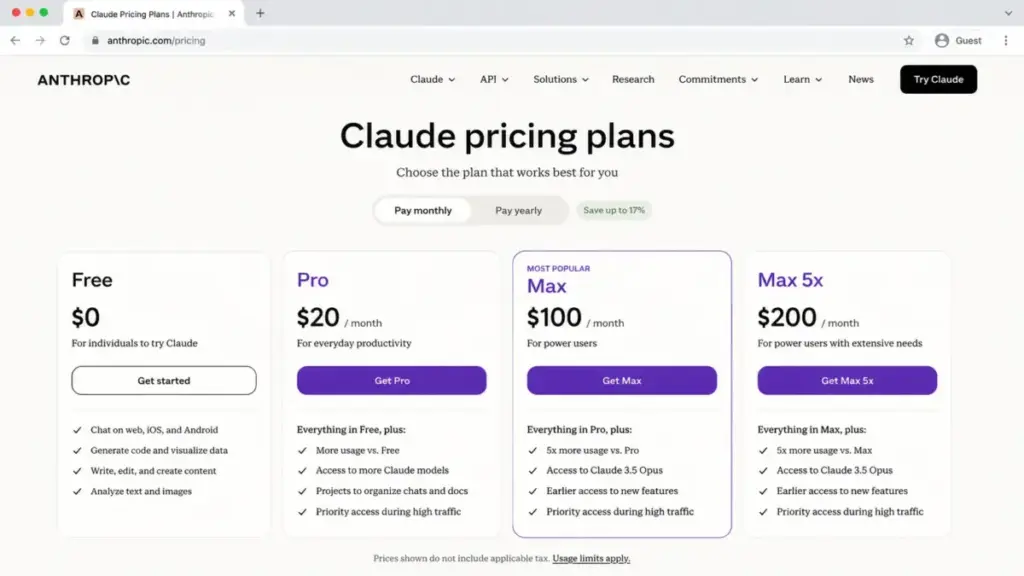
I mapped the Claude pricing breakdown in detail. The jump from Pro to Max 5x is where the real decision happens.
Perplexity: Best for Cited Research

Perplexity is purpose-built around research, citations, and source-first answer workflows. Every response comes with inline citations, and the Pro Search and Research features let users drill into topics with premium data sources. Pro costs $20/month or $200/year (as of June 2026). Enterprise Pro is $40/seat/month, and Enterprise Max is $325/seat/month.
For a solo consultant running $20/month on Perplexity Pro, the citation quality alone justifies switching from ChatGPT. At 10 Enterprise Pro seats, the cost is $400/month, which is double a ChatGPT Plus team but includes enterprise controls and premium data access.
Perplexity does better than ChatGPT in search-backed research and source transparency. ChatGPT is broader for multimodal creation, project workflows, and coding assistant continuity.
Best for:
- Researchers and analysts who need every claim sourced
- Consultants producing client-facing research reports
- Students who need citation-ready answers
Avoid if: You need a general-purpose creative assistant or coding workflows. Perplexity is a research tool first.
Migration difficulty: Low
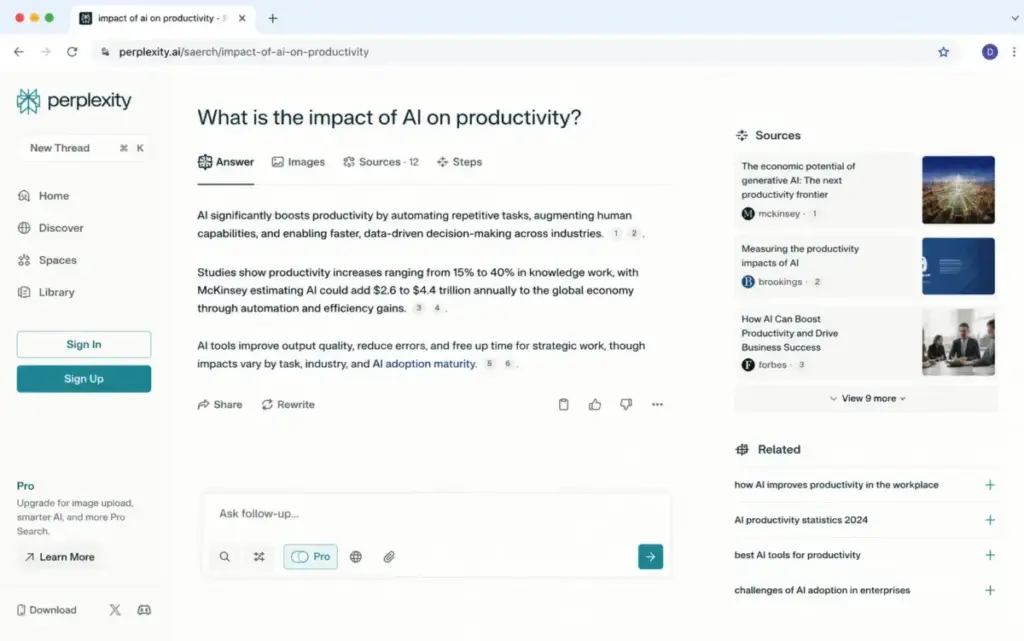
The Perplexity AI evaluation breaks down how Pro Search handles complex queries versus free tier limits.
Alternatives That Fix Ecosystem Lock-In and Workflow Fit
Google Gemini: Best for Google Workspace Users
Google Gemini is the strongest ChatGPT alternative for teams already inside Gmail, Docs, and Google storage. Free access is available. Google AI Pro is commonly positioned at $19.99/month in US plan references (as of June 2026), with higher Ultra tiers available.
Gemini 3 Pro access on paid plans, Deep Research features, NotebookLM access, and Google Workspace storage benefits make Gemini strongest when the buyer values ecosystem integration over standalone chat. For a 10-person team buying individual Google AI Pro plans, the cost is approximately $199.90/month, though individual plans are not a managed team license.
Gemini does better than ChatGPT in Google ecosystem integration and large-context model access. ChatGPT remains cleaner as a standalone assistant with broader cross-platform familiarity.
Best for:
- Teams working daily in Gmail, Google Docs, and Google Sheets
- Users who want NotebookLM for document analysis
- Google Workspace organizations seeking a bundled AI plan
Avoid if: You need a platform-agnostic AI assistant or your team uses Microsoft 365. Gemini’s strength is its ecosystem tie-in, which becomes a limitation if you are not in that ecosystem.
Migration difficulty: Low
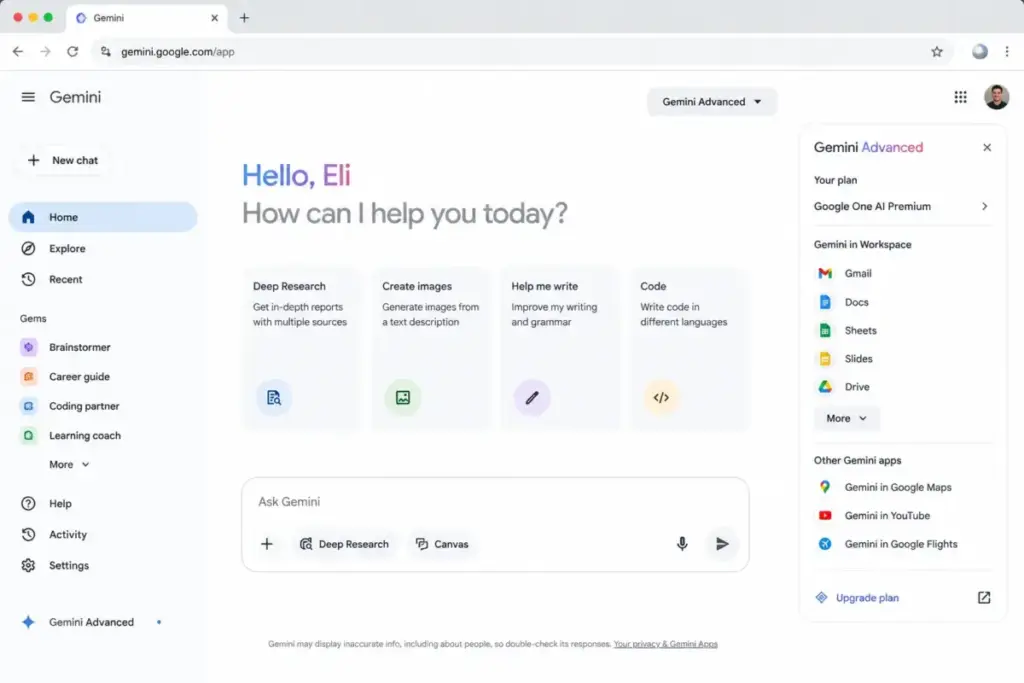
For a side-by-side model comparison, the ChatGPT vs Gemini analysis covers where each model wins by workflow.
Microsoft Copilot: Best for Microsoft 365 Users
Microsoft Copilot is embedded into Word, Excel, PowerPoint, Teams, and Outlook. Copilot Chat is included at no extra cost for eligible Microsoft 365 users. The paid Microsoft 365 Copilot Business runs at a promo price of $18/user/month billed annually through June 2026 (as of June 2026). Standard price may be $21/user/month after the promo ends.
For a 10-person team at the promo price, the cost is $180/month billed annually. That is cheaper than 10 ChatGPT Plus seats at $200/month, and Copilot lives inside the apps the team already uses. But Copilot requires an eligible Microsoft 365 license as a prerequisite, and agent workflows may need an Azure subscription.
Copilot does better than ChatGPT when AI needs to live inside Microsoft 365 work data. It is less flexible as a neutral standalone AI playground.
Best for:
- Organizations standardized on Microsoft 365, Teams, and Outlook
- Enterprises with Entra-managed identities
- 10-person teams already paying for Microsoft 365 Business
Avoid if: You do not already have Microsoft 365 licenses. The prerequisite cost changes the math entirely.
Migration difficulty: Medium
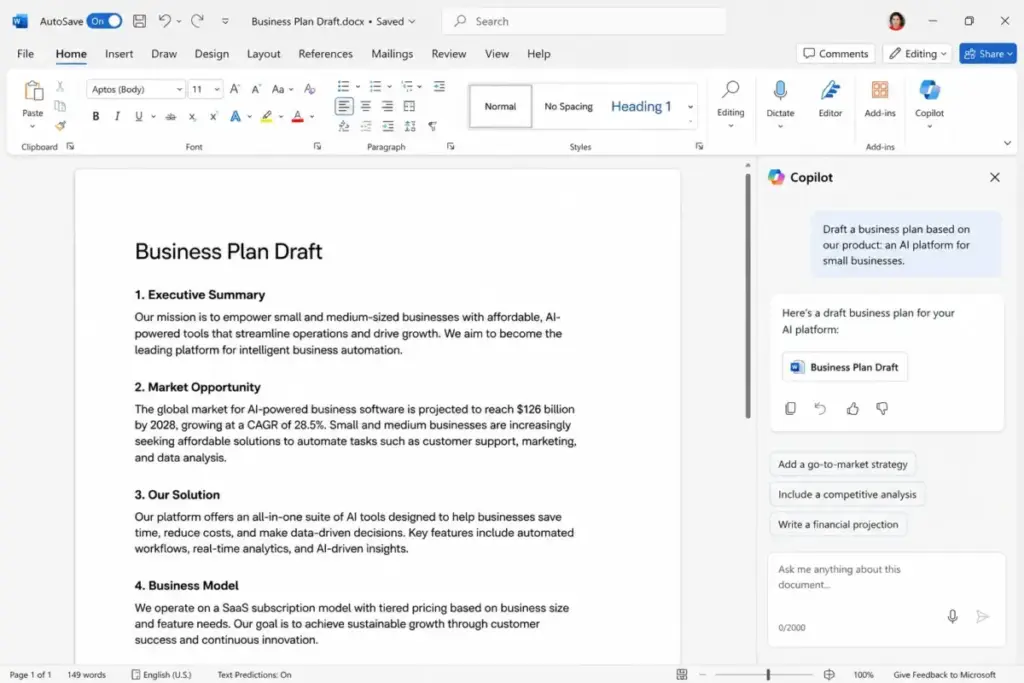
The Microsoft Copilot evaluation maps which Microsoft 365 plans qualify for Copilot Chat versus paid Copilot Business.
Alternatives That Fix Cost, Access, and Flexibility
Meta AI: Best Free Alternative for Casual Use

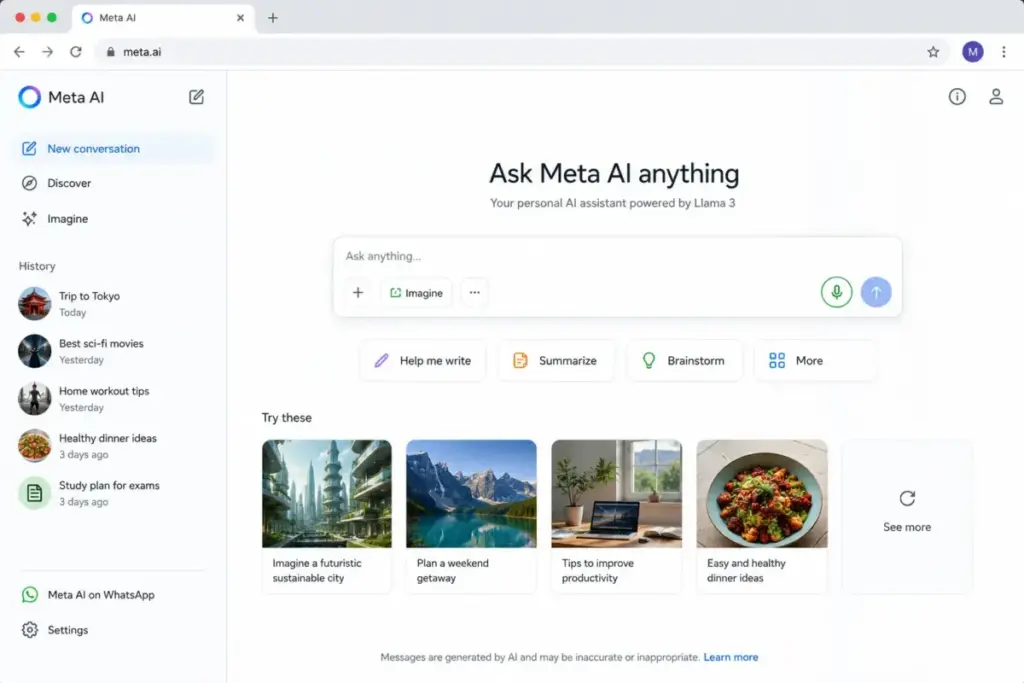
Meta AI is free to use (as of June 2026). No paid consumer plan is publicly verified. It supports chat, image generation, voice, visual understanding, and social context within the Meta ecosystem. For casual users who want a free ChatGPT alternative with zero friction, Meta AI delivers.
The limitation: usage limits are not publicly disclosed. Paid AI plan testing has been reported but is not confirmed as a general public pricing plan. For a 10-person team, Meta AI costs $0 for consumer use, but no managed team pricing is verified. There are no enterprise controls, admin features, or SLA guarantees visible in official product evidence.
Meta AI does better than ChatGPT in free consumer access and social ecosystem integration. It is weaker as a business-grade replacement.
Best for:
- Casual users who want free AI chat and image generation
- Users already in the Meta ecosystem (Instagram, WhatsApp, Facebook)
- Solo users who do not need business controls
Avoid if: You need team admin controls, enterprise pricing, or guaranteed SLA. Meta AI is a consumer tool.
Migration difficulty: Low
DeepSeek: Best Free and API-Priced Alternative for Technical Users

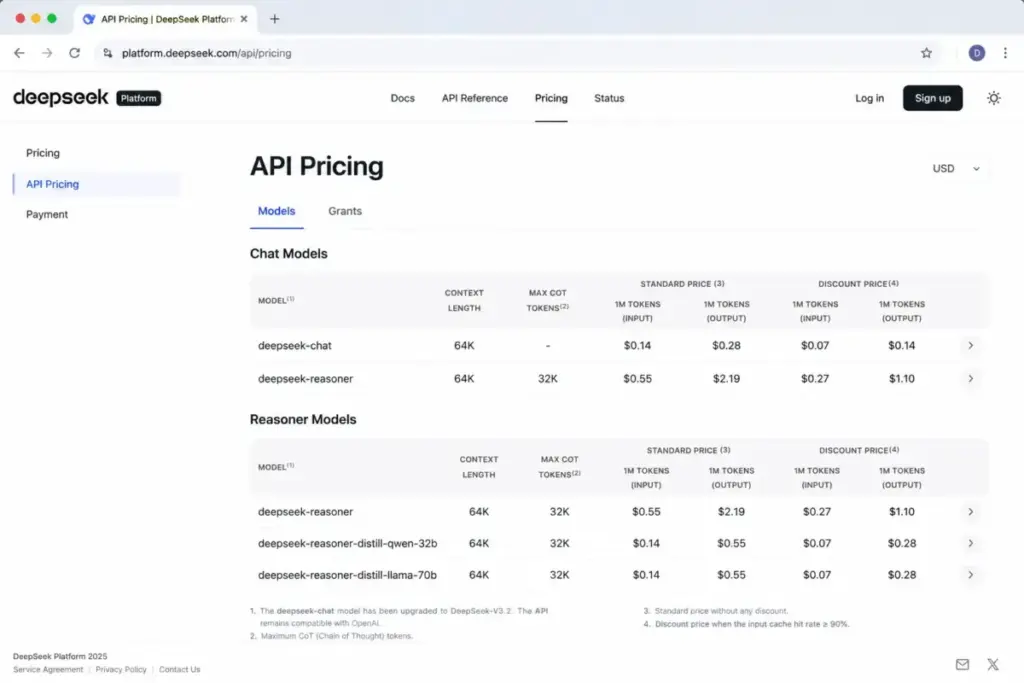
DeepSeek offers a free consumer assistant app and separate usage-based API pricing (as of June 2026). The consumer chat is free with no verified paid plan. The API pricing is low per-token, which attracts developers and budget-conscious technical users.
For a 10-person team, the consumer app costs $0. API costs depend on token usage, model selection, cache hit or miss rates, and throughput needs. Consumer usage limits are not fully public, and API concurrency limits can return HTTP 429 errors, requiring expansion requests for higher throughput.
DeepSeek does better than ChatGPT in offering free chat plus low-cost developer API pricing. ChatGPT has stronger mainstream trust, broader business packaging, and a more mature productivity ecosystem for US organizations.
Best for:
- Developers who want a free chatbot plus low-cost API access
- Budget-conscious technical users comparing per-token costs
- Solo developers building AI-powered applications
Avoid if: Your organization needs US-headquartered vendor trust, enterprise support, or team governance tools.
Migration difficulty: Medium
Grok: Best for X-Linked Real-Time AI Users

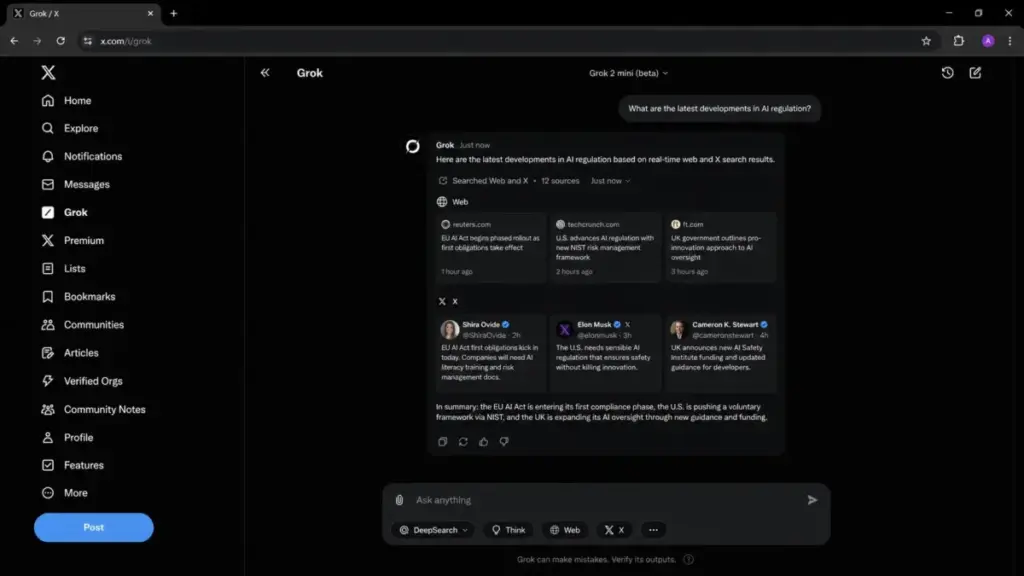
Grok offers free access and SuperGrok at $30/month (as of June 2026). API pricing is usage-based and separate from the consumer subscription. Grok is differentiated by xAI model access and real-time answers from web and X (Twitter) data.
For a 10-person team on SuperGrok, the cost is $300/month. That is $100/month more than 10 ChatGPT Plus seats. The premium buys Grok 4 or frontier model access, connectors, and image and video generation.
Grok does better than ChatGPT in real-time web and X context. It has less established enterprise adoption evidence than OpenAI, Microsoft, Google, or Anthropic in most business procurement contexts.
Best for:
- Users who value real-time answers from web and X
- Content creators and social media analysts
- xAI enthusiasts who want Grok model access
Avoid if: You need enterprise procurement evidence or your organization does not use X as a data source. Grok’s differentiator is X integration, which is irrelevant if you do not use X.
Migration difficulty: Low
Poe: Best for Multi-Model Experimentation

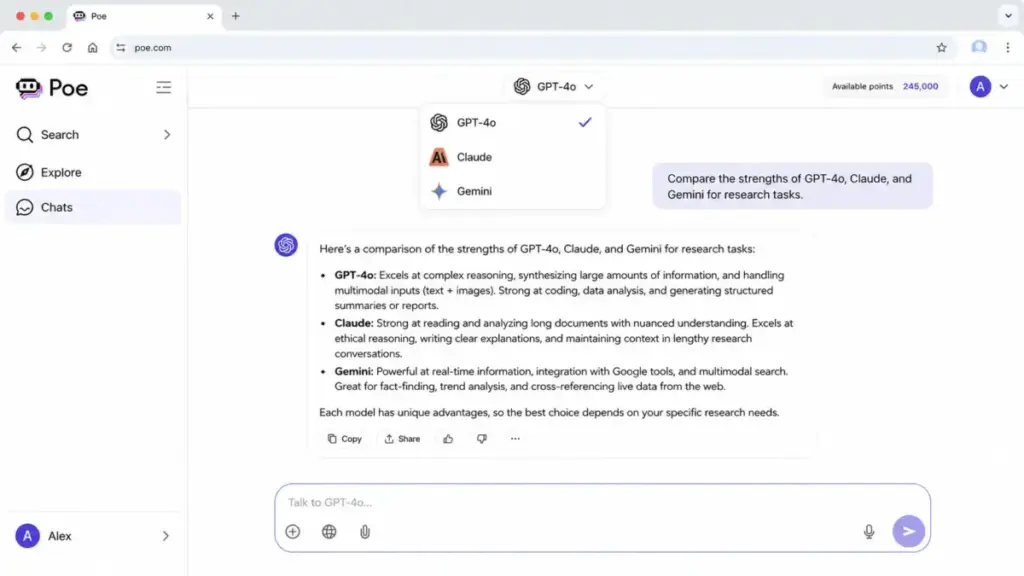
Poe gives access to many AI models (GPT, Claude, Gemini, and others) through one interface with a points-based system. Subscriptions start at $4.99/month (as of June 2026), with free daily points available. Higher tiers and add-on points affect real usage cost.
For a 10-person team at the entry subscription, the cost is $49.90/month. That is the cheapest paid option on this list. But real cost depends on model choice: expensive models consume more points. Add-on points can cost $30 per 1M points, and free daily points reset without rollover.
Here is the thing. Poe is not always the best choice for direct vendor-specific features. If you need Claude’s project features or ChatGPT’s custom GPTs, you lose those when accessing models through Poe’s interface.
Best for:
- Users who want one interface for multiple AI models
- Budget-conscious users comparing model quality across providers
- Experimenters who switch between GPT, Claude, and Gemini regularly
Avoid if: You need deep integration with any single AI vendor’s ecosystem (custom GPTs, Claude projects, Gemini Workspace features).
Migration difficulty: Low
Jasper: Best for Marketing Teams

Jasper is not a raw chatbot replacement. It is a marketing workflow platform with brand voice, campaigns, content pipelines, and team governance. Jasper Pro costs $69/month monthly or $59/month billed yearly (as of June 2026). Business is custom with a 12-month commitment. A 7-day Pro trial is available.
For a 10-person marketing team on Pro, the monthly cost is $690/month (or $590/month equivalent billed yearly). That is 3.5x the cost of 10 ChatGPT Plus seats. The premium buys 100+ AI agents, Jasper IQ, brand voice controls, and campaign workflows that ChatGPT does not offer.
Jasper does better than ChatGPT in marketing-specific workflows and brand voice consistency. It is more expensive than general chat assistants and less suitable for research, casual chat, or coding.
Best for:
- Marketing teams producing brand-consistent content at scale
- 5-person content teams needing campaign workflows and governance
- Agencies managing multiple brand voices
Avoid if: You need a general-purpose AI assistant. Jasper’s price only makes sense if your team produces enough marketing content to justify the per-seat cost.
Migration difficulty: Medium
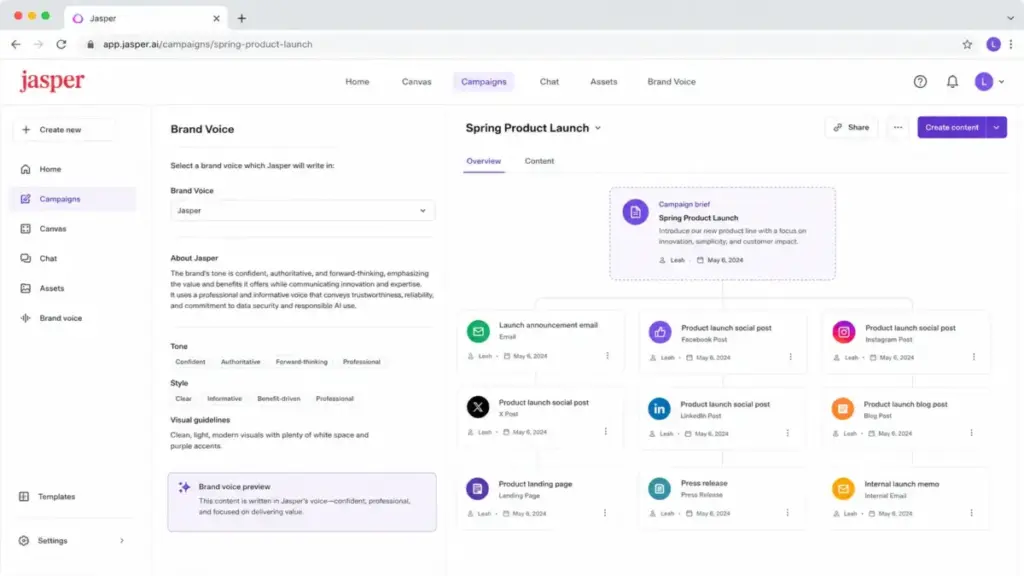
The Jasper AI evaluation covers how Pro plan gates cap brand voices at 2 and Knowledge assets at 5.
Mistral Vibe: Best European AI Assistant for Chat and Coding

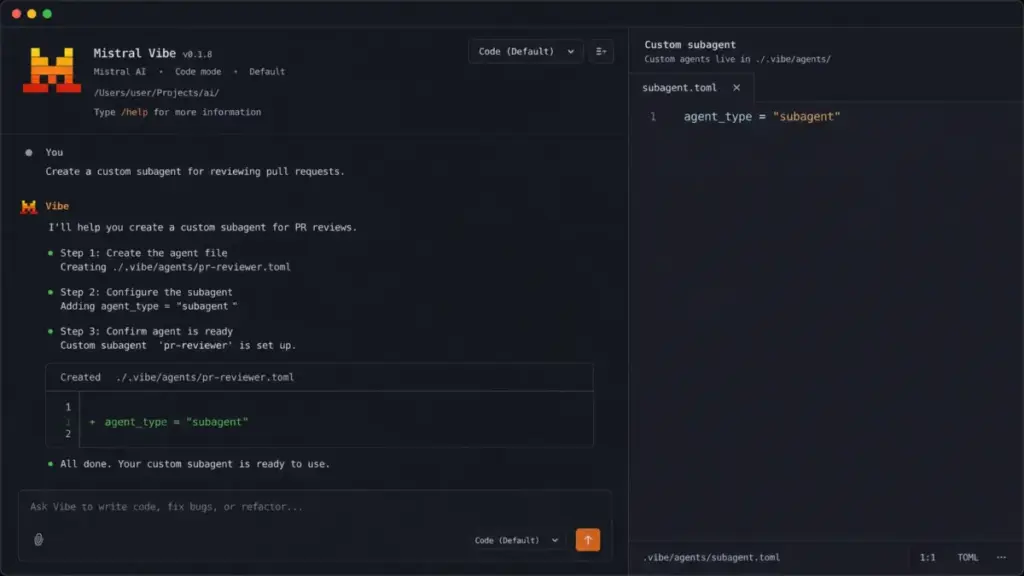
Mistral Vibe (formerly Le Chat) combines a chat assistant and coding agent built on Mistral models. A free plan is available (as of June 2026), with paid Pro, Team, and Enterprise plans. Exact US paid pricing was not reliably visible in the accessible official sources, so check the live Mistral Vibe pricing page before purchasing.
Vibe 2.0 features include custom subagents, slash-command skills, and bring-your-own-key or pay-as-you-go power usage on supported plans. For US buyers, the pricing transparency gap is a real caveat. The tool is differentiated by its European AI posture and coding agent workflows.
Mistral Vibe does better than ChatGPT for users who want a European AI assistant and coding-agent workflow built on Mistral models. ChatGPT has broader mainstream adoption, more mature consumer packaging, and clearer US pricing visibility.
Best for:
- Users who want a European AI assistant with data residency considerations
- Developers who want coding agent workflows on Mistral models
- Teams that prefer bring-your-own-key or pay-as-you-go credit models
Avoid if: You need clear, publicly visible US pricing or a mature consumer app experience. Mistral Vibe is strong technically but less polished on the pricing transparency front.
Migration difficulty: Medium
ChatGPT Alternatives at a Glance
| Alternative | Best for | Starting price | Free plan | Migration difficulty |
|---|---|---|---|---|
| Claude | Reasoning and coding | $20/mo (Pro) | Yes | Low |
| Perplexity | Cited research | $20/mo (Pro) | Yes | Low |
| Google Gemini | Google Workspace users | $19.99/mo (AI Pro) | Yes | Low |
| Microsoft Copilot | Microsoft 365 users | $18/user/mo (promo) | Copilot Chat (eligible) | Medium |
| Meta AI | Free consumer chat | Free | Yes | Low |
| DeepSeek | Free + low-cost API | Free (app) | Yes | Medium |
| Grok | X-linked real-time data | $30/mo (SuperGrok) | Yes | Low |
| Poe | Multi-model access | $4.99/mo | Free daily points | Low |
| Jasper | Marketing workflows | $69/mo (Pro) | 7-day trial | Medium |
| Mistral Vibe | European AI + coding | Free | Yes | Medium |
ChatGPT Alternatives Pricing Comparison
All prices verified from official sources as of June 2026. Check official pricing pages for current rates.
| Product | Starting price | 10-user cost | Free plan | Hidden costs |
|---|---|---|---|---|
| ChatGPT | Free; Plus$20/mo | $200/mo (Plus) | Yes | Pro tiers, Business/Enterprise, API separate, usage limits |
| Claude | Free; Pro$20/mo | $200/mo (Pro) | Yes | Max 5x at $100/mo, Max 20x at $200/mo, Enterprise API costs |
| Google Gemini | Free; AI Pro$19.99/mo | ~$199.90/mo (individual plans) | Yes | Ultra tiers, region limits, compute-based usage refresh |
| Perplexity | Free; Pro$20/mo | $200/mo (Pro); $400/mo (Enterprise Pro) | Yes | Enterprise Max $325/seat/mo, API separate, 50+ seat gates |
| Microsoft Copilot | Included w/ eligible M365; Business$18/user/mo promo | $180/mo (promo Business) | Copilot Chat (eligible) | Requires M365 license, Azure for agents, admin setup |
| Meta AI | Free | $0 | Yes | Usage limits not disclosed, no team pricing verified |
| DeepSeek | Free app; API usage-based | $0 (app); API varies | Yes | API concurrency limits, consumer limits not public |
| Grok | Free; SuperGrok$30/mo | $300/mo (SuperGrok) | Yes | Higher tiers for heavy users, API separate |
| Poe | $4.99/mo entry; free daily points | ~$49.90/mo (entry) | Free daily points | Expensive models drain points fast, add-ons $30/1M points |
| Jasper | $69/mo monthly; $59/mo yearly | $690/mo monthly | 7-day trial | Business is custom, 12-month commitment |
| Mistral Vibe | Free; paid Pro/Team/Enterprise | Free tier; paid cost TBD | Yes | US paid pricing not verified, power use requires credits |
What this means: At 10 users, the cheapest paid option is Poe at ~ $49.90/month. The most expensive is Jasper at $690/month. But price alone is misleading. A 10-person research team gets more value from 10 Perplexity Pro seats at $200/month than from 10 Poe subscriptions at $49.90/month, because Perplexity is built for research. The right comparison is cost per unit of workflow value, not cost per seat.
Here is an original cost calculation: a 10-person team running ChatGPT Plus ($200/month) plus Perplexity Pro ($200/month) for research spends $400/month total. Switching to Claude Max 5x for the entire team costs $1,000/month but consolidates reasoning, coding, and research into one tool. The consolidation only makes sense if the team uses Claude Code and Research daily. If half the team uses AI casually, split the seats: 5 Claude Pro + 5 Perplexity Pro = $200/month and better fit.
Feature Gate Comparison: What Each Tier Unlocks
| Feature | ChatGPT | Claude | Perplexity | Microsoft Copilot | Google Gemini |
|---|---|---|---|---|---|
| Free chat access | Yes | Yes | Yes | Copilot Chat (eligible M365) | Yes |
| Advanced model access | Plus ($20/mo) | Pro ($20/mo) | Pro ($20/mo) | Business ($18/user/mo promo) | AI Pro ($19.99/mo) |
| Extended context / deep research | Plus and above | Pro and above | Pro (Pro Search) | Business | AI Pro (Deep Research) |
| Coding agent / tools | Plus (Codex) | Pro (Claude Code) | Not primary focus | Business (in-app) | AI Pro |
| Team admin controls | Business/Enterprise | Team/Enterprise | Enterprise Pro ($40/seat) | Business (Entra) | Workspace admin |
| API access | Separate (OpenAI API) | Separate (Anthropic API) | Separate (Perplexity API) | Azure (separate) | Vertex AI (separate) |
| Brand voice / marketing | Not available | Not primary focus | Not available | Not primary focus | Not available |
What this means: Free tiers across ChatGPT, Claude, Perplexity, and Gemini all provide basic chat. The real differentiation happens at the $20/month tier, where each tool unlocks its core strength: ChatGPT gets Codex and custom GPTs, Claude gets Claude Code, Perplexity gets Pro Search, and Gemini gets Deep Research. Team controls uniformly require enterprise-grade plans across all providers.
How to Choose the Right ChatGPT Alternative
Here is the decision framework I use when advising on AI chatbot switches. Five questions determine the right tool.
Question 1: What Is Your Primary Workflow?
The right alternative is determined by the failure mode you cannot accept.
- Research and citations: Perplexity
- Coding and reasoning: Claude
- Microsoft 365 integration: Microsoft Copilot
- Google Workspace integration: Google Gemini
- Marketing content production: Jasper
- Multi-model experimentation: Poe
- Free consumer chat: Meta AI or DeepSeek
Question 2: What Is Your Budget per Seat?
- $0/seat: Meta AI, DeepSeek (consumer), ChatGPT Free, Gemini Free
- $5-20/seat: Poe entry, ChatGPT Plus, Claude Pro, Perplexity Pro, Gemini AI Pro
- $20-50/seat: SuperGrok, Perplexity Enterprise Pro
- $50-100/seat: Claude Max 5x, Jasper Pro
- $100+/seat: Claude Max 20x, Jasper Business, Perplexity Enterprise Max
Question 3: Do You Need Team Controls?
If yes, your realistic options narrow to: Claude Team/Enterprise, Perplexity Enterprise Pro, Microsoft Copilot Business, Jasper Business, or Mistral Vibe Team. Free tools (Meta AI, DeepSeek) and consumer subscriptions (Poe, Grok) lack verified enterprise governance.
Question 4: How Important Is Pricing Transparency?
Claude, Perplexity, Poe, and Jasper publish clear per-seat pricing. Microsoft Copilot requires understanding M365 licensing prerequisites. Google Gemini pricing can display regional variations. Meta AI, DeepSeek, and Mistral Vibe have usage limits or pricing that are not fully public.
Question 5: Can You Accept the Migration Cost?
All 10 alternatives on this list have low to medium migration difficulty. There is no data migration in the traditional SaaS sense, since AI chatbot history is typically not portable. The real migration cost is workflow habit: custom GPTs, saved prompts, team templates, and API integrations you have built on OpenAI.
What this means: If your OpenAI API integrations are deep, switching has a real cost. If you only use ChatGPT through the web interface, switching is almost frictionless.
Which ChatGPT Alternative Should You Avoid?
Every tool on this list has a scenario where it is the wrong choice. Here are the specific avoid-if signals.
| Alternative | Avoid if… |
|---|---|
| Claude | You rely heavily on OpenAI-specific integrations or the custom GPT marketplace |
| Google Gemini | You do not use Google Workspace and want a platform-agnostic assistant |
| Perplexity | You need a general-purpose creative assistant or coding workflows |
| Microsoft Copilot | You do not have Microsoft 365 licenses (prerequisite cost changes the math) |
| Meta AI | You need team admin controls, enterprise pricing, or guaranteed SLA |
| DeepSeek | Your organization needs US-headquartered vendor trust or team governance |
| Grok | You need enterprise procurement evidence or your org does not use X |
| Poe | You need deep integration with a single vendor’s ecosystem features |
| Jasper | You need a general-purpose AI assistant, not a marketing-specific tool |
| Mistral Vibe | You need clear, publicly visible US pricing or a mature consumer experience |
What this means: The avoid-if list is more useful than the best-for list. Knowing which tool to eliminate narrows your decision faster than comparing feature lists.
The Alternative Nobody Mentions: Poe for Budget Multi-Model Access
Most ChatGPT alternatives articles rank Poe as an afterthought. But for a specific buyer profile, it is the most cost-effective option on this list: the multi-model experimenter.
A solo founder testing whether Claude, GPT, or Gemini works best for their use case can pay $4.99/month on Poe and access all three. The equivalent direct subscriptions would cost $60/month (ChatGPT Plus + Claude Pro + Gemini AI Pro). Poe saves $55.01/month during the evaluation phase.
The catch: Poe’s points system means heavy use of expensive models drains your allocation fast. It is a discovery tool, not a production tool. Once you identify your preferred model, switch to that vendor’s direct subscription for full feature access.
Migration Risk Assessment
| Alternative | Difficulty | Main risk | What you lose from ChatGPT |
|---|---|---|---|
| Claude | Low | Learning new interface | Custom GPTs, OpenAI API integrations |
| Google Gemini | Low | Ecosystem dependency | Platform-agnostic flexibility |
| Perplexity | Low | Workflow scope narrowing | Multimodal creation, coding workflows |
| Microsoft Copilot | Medium | M365 licensing prerequisite | Standalone AI chat flexibility |
| Meta AI | Low | No enterprise controls | Team governance, business pricing |
| DeepSeek | Medium | US trust and support gaps | Enterprise support, vendor SLA |
| Grok | Low | X-dependency | Broad business adoption evidence |
| Poe | Low | Points-based cost uncertainty | Vendor-specific deep features |
| Jasper | Medium | Higher cost, 12-month commitment | General-purpose chat utility |
| Mistral Vibe | Medium | Pricing transparency gaps | Mature US consumer packaging |
Migration difficulty is an editorial estimate based on workflow rebuild effort, integration requirements, and data portability.
What this means: No ChatGPT alternative requires a heavy data migration. The real risk is workflow habit: the custom GPTs, saved conversations, and API integrations you have built on OpenAI. For users who only access ChatGPT through the web interface, every alternative on this list is a low-friction switch.
When to Stay with ChatGPT
Not every ChatGPT user should switch. Stay with ChatGPT if:
- You rely on custom GPTs. ChatGPT has the largest custom assistant ecosystem. No alternative matches it yet.
- Your team uses OpenAI API integrations. If your product or workflows are built on OpenAI’s API, switching means rebuilding.
- You need the broadest general-purpose assistant. ChatGPT’s GPT-5.5, image workflows, deep research, and Codex access make it the widest single platform.
- You want the largest community and third-party support. Tutorials, prompt libraries, and integrations skew heavily toward ChatGPT.
Consider switching if:
- Your primary need is cited research (Perplexity wins).
- You live inside Google or Microsoft productivity suites (Gemini or Copilot wins).
- You need marketing-specific content workflows (Jasper wins).
- You want to reduce cost for casual AI use (Meta AI, DeepSeek, or Poe wins).
- You want stronger coding collaboration (Claude wins).
How We Evaluated These ChatGPT Alternatives
Daniel Rivera evaluated these 10 ChatGPT alternatives based on official documentation, pricing pages, and product feature evidence. Testing level for all products is official research only. No direct product testing claims are made. Pricing was verified from official sources on June 5, 2026.
Evaluation criteria:
- Pricing transparency and plan structure
- Feature differentiation versus ChatGPT
- Ecosystem fit and integration depth
- Usage limits and access clarity
- Migration difficulty and switching cost
- Enterprise readiness and team controls
This review does not fabricate user testing claims. Where user review evidence exists (G2, Capterra), it is cited with source. Where data is limited, the article uses caveated language.
Final Verdict: Best ChatGPT Alternative for Most Teams
Claude is the best all-around ChatGPT alternative for users who want a direct replacement with comparable or stronger reasoning quality. At the same $20/month price point, Claude Pro matches ChatGPT Plus on cost and differentiates on model behavior, Claude Code, and Research features.
But “best overall” is not “best for everyone.” Here is the split by buyer type:
- Best for research teams: Perplexity Pro at $20/month for citation-first workflows
- Best for Microsoft 365 organizations: Microsoft Copilot Business at $18/user/month promo
- Best for Google Workspace organizations: Google Gemini AI Pro at $19.99/month
- Best free alternative: Meta AI (consumer) or DeepSeek (consumer + API)
- Best for marketing teams: Jasper Pro at $59-69/month
- Best for multi-model access: Poe at $4.99/month entry
- Best for X-linked real-time data: Grok SuperGrok at $30/month
- Best European alternative: Mistral Vibe (free tier available)
The right ChatGPT alternative depends less on raw model quality and more on the workflow trade-off: where your work lives, what your budget tolerates, and which failure mode you cannot accept. Start with the switching trigger table at the top. Find your frustration. The answer follows.
For a deeper model-by-model comparison, the ChatGPT vs Claude comparison covers reasoning, coding, and pricing differences in detail.
FAQ
What is the best free ChatGPT alternative in 2026?
Meta AI and DeepSeek both offer free consumer AI chat. Meta AI includes image generation and voice. DeepSeek offers free chat plus separate low-cost API pricing for developers. Neither discloses consumer usage limits publicly, so the “free” label comes with undocumented ceilings. For free access with the strongest feature set, Meta AI is the easiest starting point. For developers, DeepSeek’s API pricing makes it the better free-plus-API option.
Is Claude better than ChatGPT in 2026?
Claude matches ChatGPT Plus at $20/month and differentiates with Claude Code, projects, Research, and higher-usage Max tiers. Claude is stronger for long-form reasoning, extended context, and coding collaboration. ChatGPT is stronger in mainstream adoption, custom GPTs, and breadth of multimodal features. Neither is better in every scenario. Choose Claude if reasoning depth and coding are your primary use case.
Which ChatGPT alternative gives the best citations?
Perplexity is the strongest ChatGPT alternative for cited research. Every response includes inline citations with source links. Pro Search and premium data sources give paying users deeper research capability. No other tool on this list treats citations as the primary interface design principle the way Perplexity does.
Is Microsoft Copilot better than ChatGPT for work?
Copilot is better than ChatGPT if your work already lives inside Microsoft 365. It integrates into Word, Excel, Teams, and Outlook, which eliminates the context-switching cost. ChatGPT is better as a standalone, platform-agnostic AI assistant. The decision depends on whether you want AI inside your productivity suite or as a separate tool.
Is Perplexity a good ChatGPT alternative for research?
Yes, if your primary need is search-backed answers with visible sources. Perplexity Pro at $20/month delivers citation-first research that ChatGPT does not match in source transparency. It is less suitable for creative content, coding, or general-purpose chat. Treat it as a research tool, not a ChatGPT replacement for all use cases.
What is the cheapest ChatGPT alternative for a 10-person team?
Poe entry subscriptions at $4.99/month per user cost $49.90/month for 10 users. Meta AI and DeepSeek consumer apps cost $0. Among paid options with multi-model access, Poe is the lowest-cost entry. But points-based pricing means heavy use of expensive models increases real cost. The cheapest usable paid option depends on how much AI your team consumes daily.
Should I pay for ChatGPT Plus or Claude Pro?
Both cost $20/month. ChatGPT Plus gives broader multimodal features, custom GPTs, and the largest ecosystem. Claude Pro gives stronger reasoning depth, Claude Code, and Research. If you write code daily, Claude Pro is the better pick. If you need image generation, custom assistants, and the widest tool support, ChatGPT Plus wins. The ChatGPT review covers Plus plan features in depth.
Is Jasper worth switching to from ChatGPT for marketing?
Yes, if your marketing team produces enough content to justify $59-69/seat/month. Jasper’s brand voice, 100+ AI agents, campaigns, and team governance are features ChatGPT does not have. For a solo marketer, ChatGPT Plus at $20/month is sufficient. For a 5-person content team needing brand consistency and workflow governance, Jasper pays for itself in time savings. The breakeven depends on content volume.
Which ChatGPT alternative works best for long documents?
Claude handles the longest context windows among the ChatGPT alternatives on this list. Claude Pro and Max tiers support extended context for analyzing long PDFs, legal documents, and codebases. Google Gemini also offers large-context model access on paid plans. For document-heavy workflows, Claude or Gemini are the strongest picks.
Is DeepSeek safe enough for business use in the US?
DeepSeek offers a free consumer chatbot and low-cost API. The main concern for US organizations is vendor trust: DeepSeek is a Chinese AI company, and data handling policies may not align with every US organization’s compliance requirements. For individual use, DeepSeek works well. For business use with sensitive data, evaluate your organization’s data residency and compliance requirements before committing. The what generative AI means for business decisions is worth understanding first.