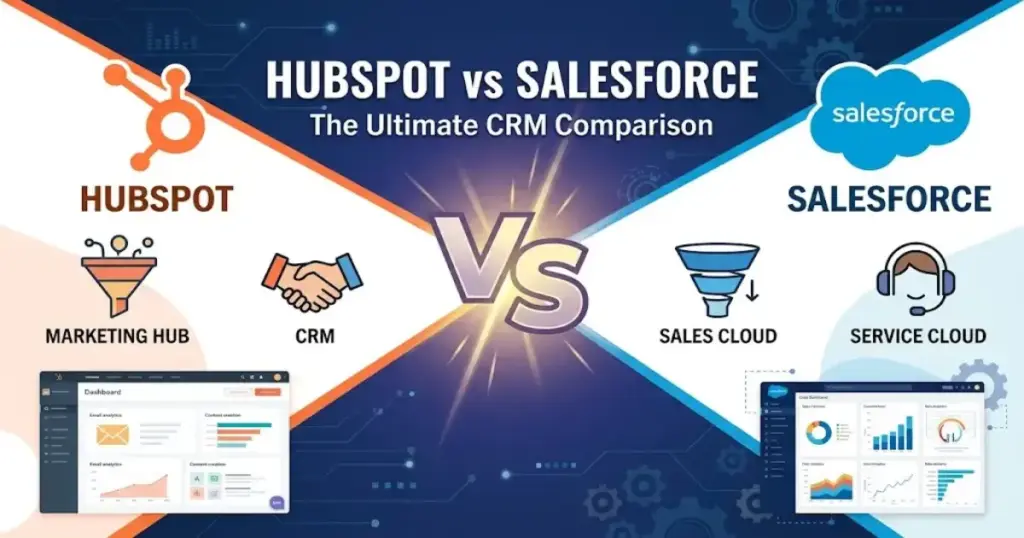
Most buyers comparing HubSpot vs Salesforce in 2026 frame the decision as “simple CRM vs. enterprise CRM.” That framing costs teams months and thousands of dollars. The real question is whether your organization needs faster adoption with lower operating friction or deeper enterprise control with dedicated admin capacity.
I compared official pricing, documentation, product pages, and third-party user sentiment across both platforms to build a decision framework that goes beyond the usual feature checklist. If you are evaluating CRM software for your team, this comparison separates what each platform actually delivers at each price point, who wins by scenario, and where the hidden costs sit, so you can match the right CRM to your best CRM software shortlist.
How This Comparison Works
This comparison draws from HubSpot’s official Product & Services Catalog, Salesforce’s official pricing page, both vendors’ public documentation and security pages, and G2 review sentiment summaries for HubSpot Sales Hub and Agentforce Sales (formerly Sales Cloud). Pricing was verified as of May 2026. I did not score this product based on brand popularity alone. Every verdict below attaches a specific plan, price, or feature gate. Where data was unavailable (exact Salesforce API quotas by edition, for example), I note the gap rather than guess. You can review our evaluation methodology for the full scoring framework.
The quick verdict table below captures the decision at a glance.
| Decision Factor | Winner | Why | Best-Fit Buyer |
|---|---|---|---|
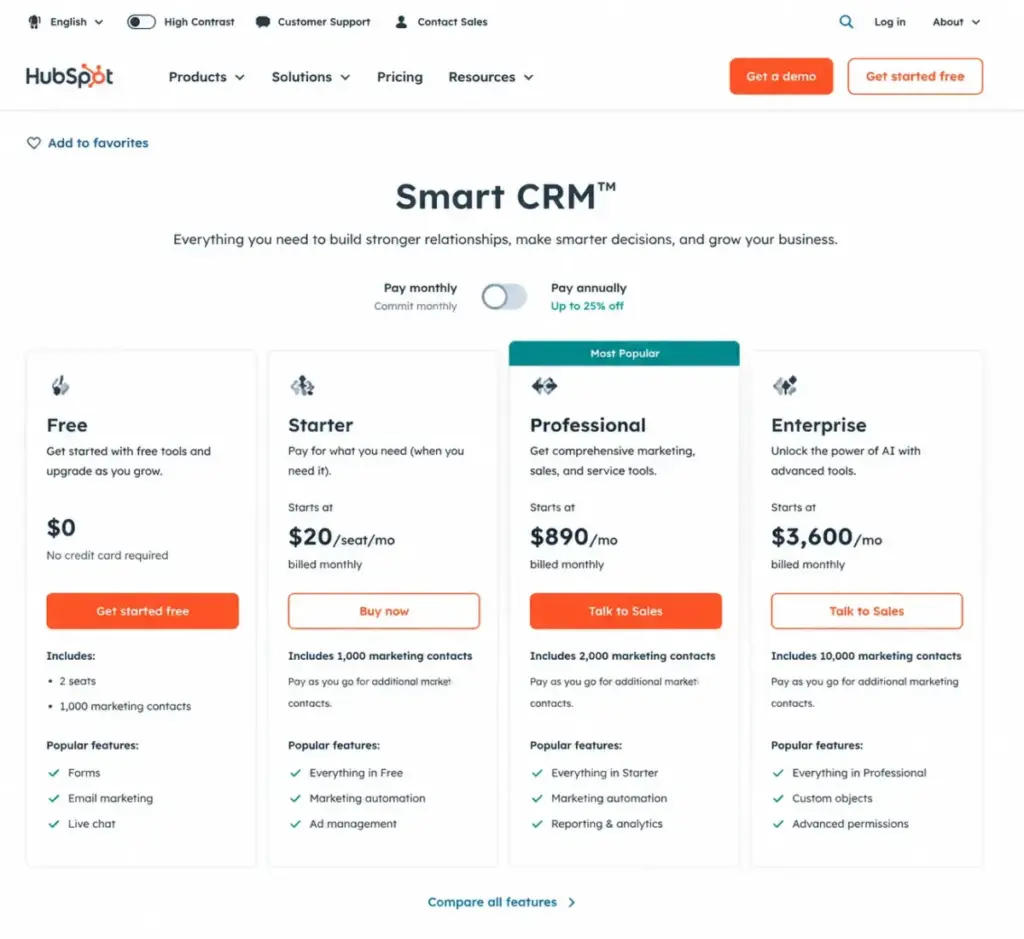
| Starter pricing | HubSpot | Smart CRM Starter at$20/seat/month vs. Salesforce Starter Suite at $25/user/month | Budget-conscious teams under 25 users |
| Ease of use and setup speed | HubSpot | Lower admin overhead, faster time-to-value | Teams without a dedicated CRM admin |
| Customization and enterprise scalability | Salesforce | Deeper pipeline controls, API access, AgentExchange ecosystem | Organizations with RevOps teams and admins |
| Sales automation and forecasting | Salesforce | Advanced forecasting, deal insights, conversation intelligence at Enterprise+ | Complex sales operations with territory rules |
| Marketing and CRM unification | HubSpot | Marketing, sales, service, content, and Smart CRM on one platform | Marketing-led companies running inbound campaigns |
| Support and success services | Tie | HubSpot: phone at Professional+. Salesforce: Premier at 30% of net fees unless bundled | Depends on support budget |
| Security and compliance | Tie | Both have SOC 2, encryption, and enterprise-grade programs | Both pass enterprise security reviews |
Pricing at Scale: The Math Most Comparisons Skip
HubSpot looks cheaper at first glance. It is cheaper at the starter level. The gap narrows, and sometimes reverses, when you add Sales Hub seats, Enterprise onboarding, or HubSpot Credits for AI features.
Starter-Level Cost Comparison
| Users | HubSpot Smart CRM Starter (list price) | Salesforce Starter Suite | Winner |
|---|---|---|---|
| 5 | $100/month | $125/month | HubSpot |
| 10 | $200/month | $250/month | HubSpot |
| 25 | $500/month | $625/month | HubSpot |
| 50 | $1,000/month | $1,250/month | HubSpot |
Pricing sources: HubSpot Product & Services Catalog and Salesforce Sales pricing page (both verified as of May 2026). HubSpot’s public CRM page also advertises a discounted Starter price of $15/seat/month for new customers, but that promotional rate has no guaranteed end date. The calculations above use the catalog list price.
This table only tells part of the story. HubSpot Smart CRM Starter and Salesforce Starter Suite are entry-level plans with limited automation, forecasting, and governance features. The moment a sales team needs sequences, custom reporting, or advanced pipeline controls, the plan requirements diverge significantly.
Where the Starter Comparison Breaks Down
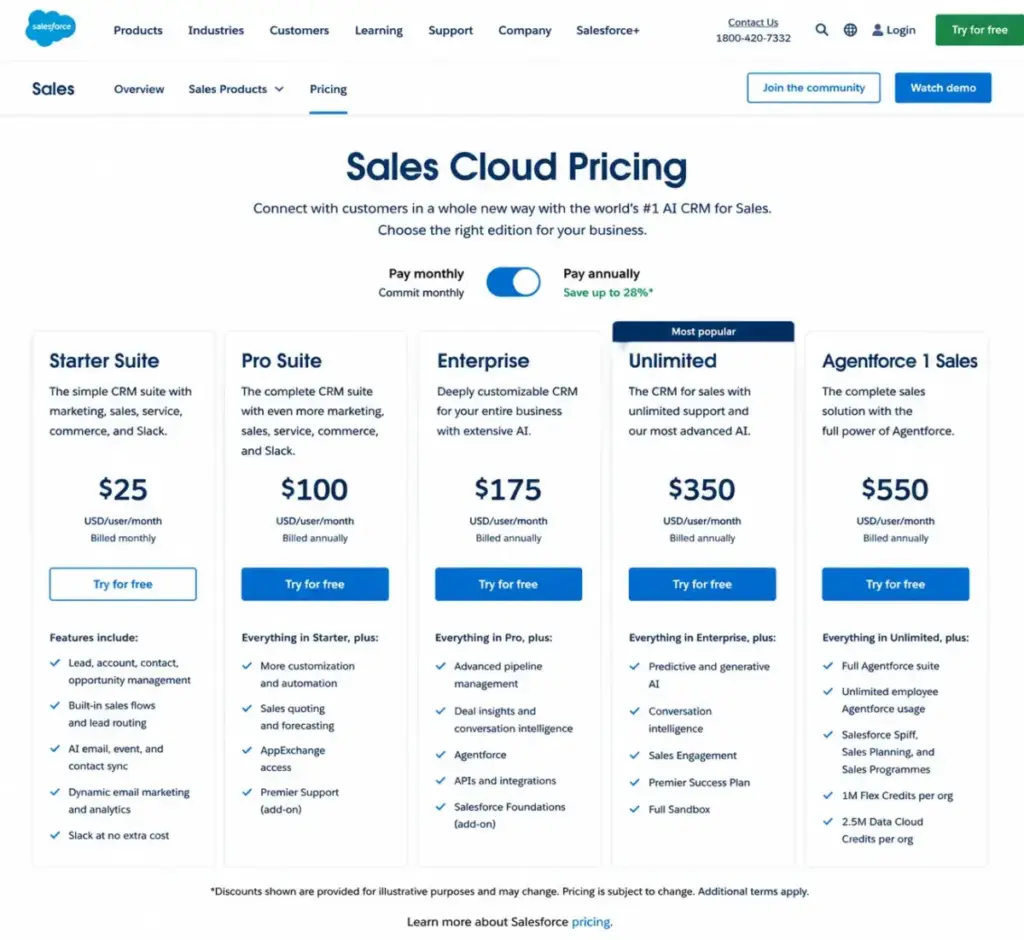
Many comparison articles pit HubSpot’s $20/seat Smart CRM Starter against Salesforce’s $175/user Enterprise edition. That comparison is misleading. Here is what each platform charges when you need serious sales functionality:
| Feature Need | HubSpot Plan Required | HubSpot Cost | Salesforce Plan Required | Salesforce Cost |
|---|---|---|---|---|
| Sales sequences and automation | Sales Hub Professional | $100/seat/month | Pro Suite | $100/user/month |
| Custom objects | Smart CRM Enterprise | $75/seat/month | Enterprise | $175/user/month |
| SSO (SAML) | Smart CRM Enterprise | $75/seat/month | Enterprise | $175/user/month |
| Field-level permissions | Smart CRM Enterprise | $75/seat/month | Enterprise | $175/user/month |
| Advanced forecasting | Sales Hub Enterprise | $150/seat/month | Enterprise | $175/user/month |
| Web Services API | Available (rate-limited) | Included with subscription | Enterprise | $175/user/month |
| Full sandbox | Not available at same level | N/A | Unlimited | $350/user/month |
| Predictive AI and Sales Engagement | Sales Hub Enterprise + Credits | $150/seat/month + credits | Unlimited | $350/user/month |
| Unmetered Agentforce for employees | Not applicable | N/A | Agentforce 1 Sales | $550/user/month |
At the Sales Hub Professional level ($100/seat/month), HubSpot and Salesforce Pro Suite ($100/user/month) cost the same per user. The pricing advantage that HubSpot holds at the Starter level disappears at the professional tier.
For a deeper breakdown of each platform’s pricing tiers, see our HubSpot pricing analysis and Salesforce pricing guide.
Hidden Costs That Change the Total Bill
Neither platform’s list price tells you the real annual cost. Here are the cost drivers most buyers miss:
| Cost Driver | HubSpot Exposure | Salesforce Exposure | How to Evaluate Before Buying |
|---|---|---|---|
| Onboarding fees | Sales Hub Enterprise requires$3,500 one-time onboarding | Partner implementation varies; often $10K-$50K+ for Enterprise | Ask for onboarding scope and timeline before signing |
| Support add-ons | Phone support included at Professional+; no separate fee | Premier Success costs30% of net license fees unless bundled with Unlimited or Agentforce 1 | Calculate Premier as a line item in your TCO model |
| AI usage costs | HubSpot Credits reset monthly; unused credits expire; overages can trigger auto-upgrades | Agentforce for Sales starts at$125/user/month; Agentforce 1 Sales is $550/user/month | Estimate monthly AI action volume before committing |
| Add-on modules | Marketing Hub contact tiers, additional app subscriptions | Revenue Intelligence ($220/user/month), Revenue Cloud ($200/user/month), Sales Programs ($100/user/month) | Map required workflows to plan features before procurement |
| Admin headcount | Lower admin overhead for standard workflows | Often requires dedicated admin or consultant | Factor admin salary or consulting fees into year-one budget |
Ease of Use and Setup: Where HubSpot Wins Clearly
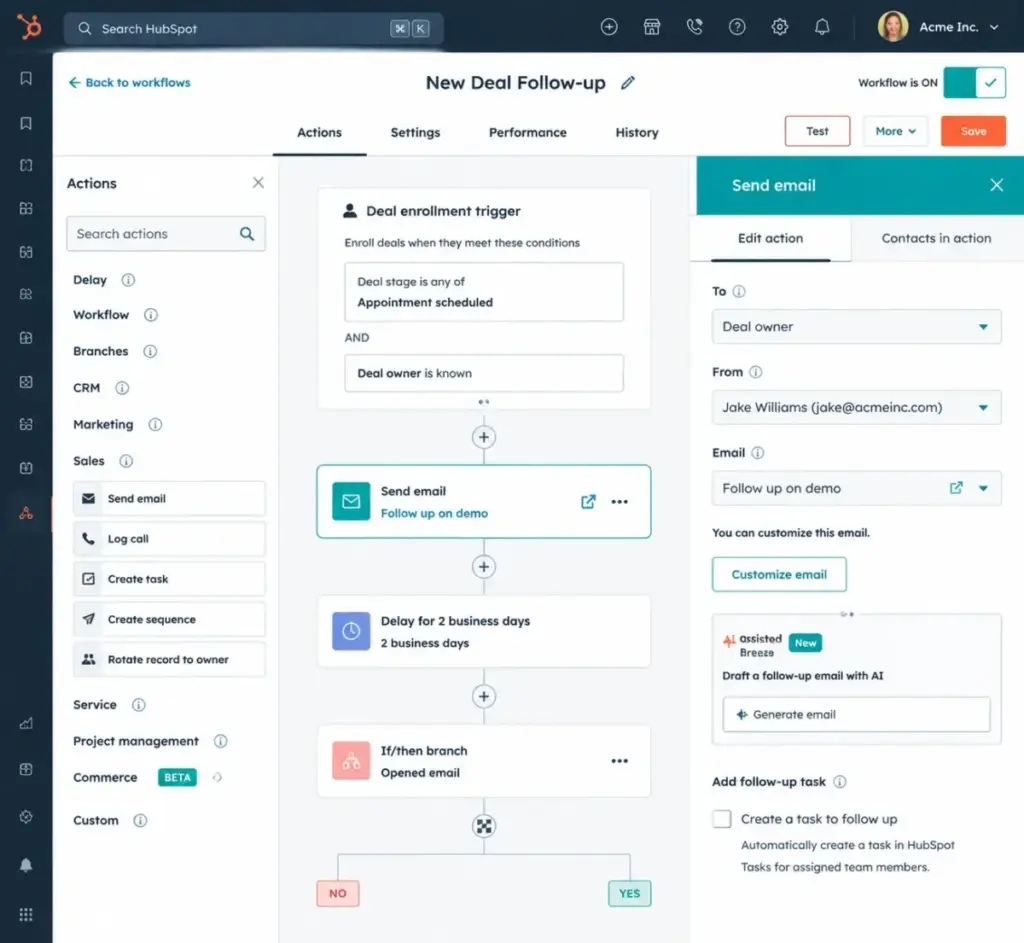
HubSpot wins on setup speed and daily usability. G2 review summaries for HubSpot Sales Hub consistently highlight an intuitive interface, centralized communications, and simplified sales-process management. Teams with no CRM admin can configure pipelines, import contacts, set up email tracking, and start using meeting scheduling within days.
Salesforce requires more configuration upfront. G2 review summaries for Agentforce Sales (formerly Sales Cloud) include recurring feedback that setup, workflow customization, and user onboarding are time-consuming without experienced admins. That friction is the cost of Salesforce’s depth. You can configure virtually any sales process, but someone needs to build it.
Is it worth the setup effort? For a 5-person startup choosing its first CRM, no. For a 100-person sales organization with territory rules, forecasting cadences, and RevOps support, yes.
For a full evaluation of HubSpot’s interface and workflow capabilities, see our HubSpot CRM review.
Customization and Enterprise Governance: Where Salesforce Wins Clearly
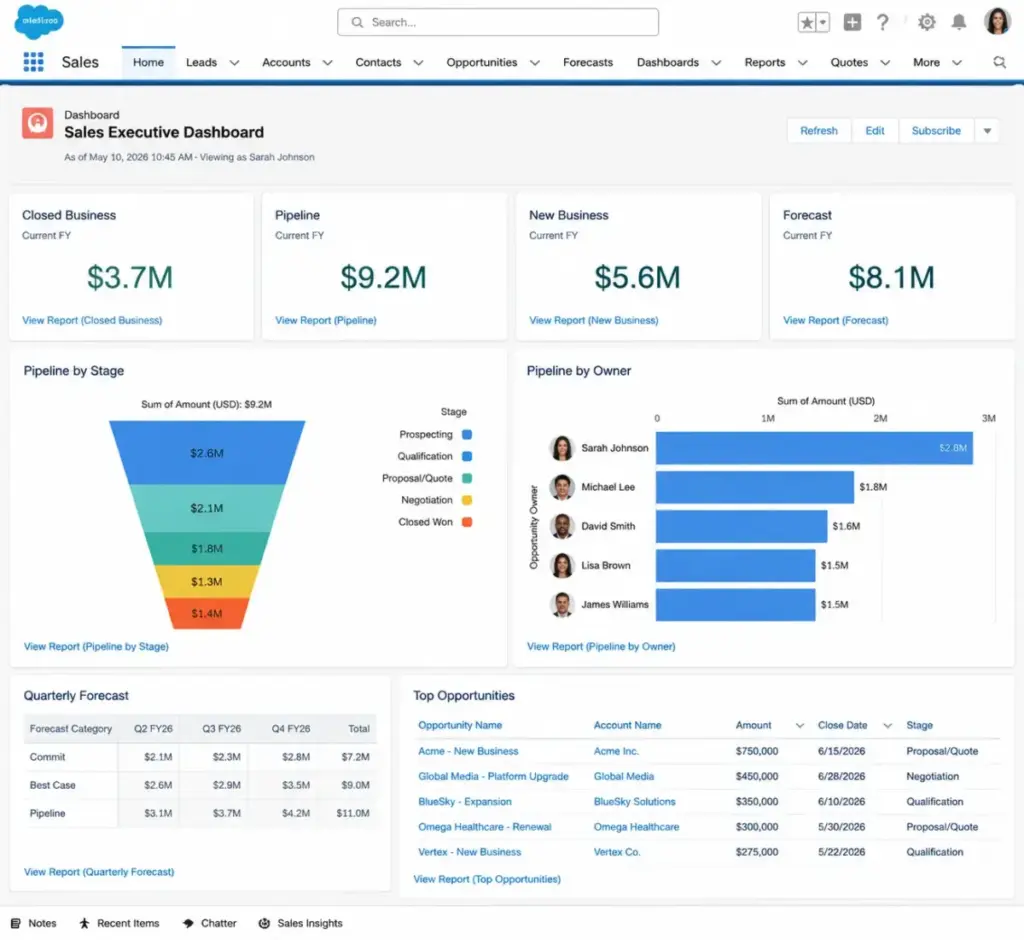
Salesforce Enterprise ($175/user/month) opens advanced pipeline management, deal insights, conversation intelligence, Agentforce, and Web Services API access. Unlimited ($350/user/month) adds predictive AI, Sales Engagement, Premier Success Plan, and a full sandbox environment. These capabilities exist because large sales organizations need them, and HubSpot’s Enterprise tier does not match the same depth.
HubSpot Smart CRM Enterprise ($75/seat/month) adds custom objects, teams, SSO, and field-level permissions. That covers many mid-market governance needs. It does not cover the level of custom data modeling, role hierarchy complexity, or sandbox isolation that Salesforce provides at its upper tiers.
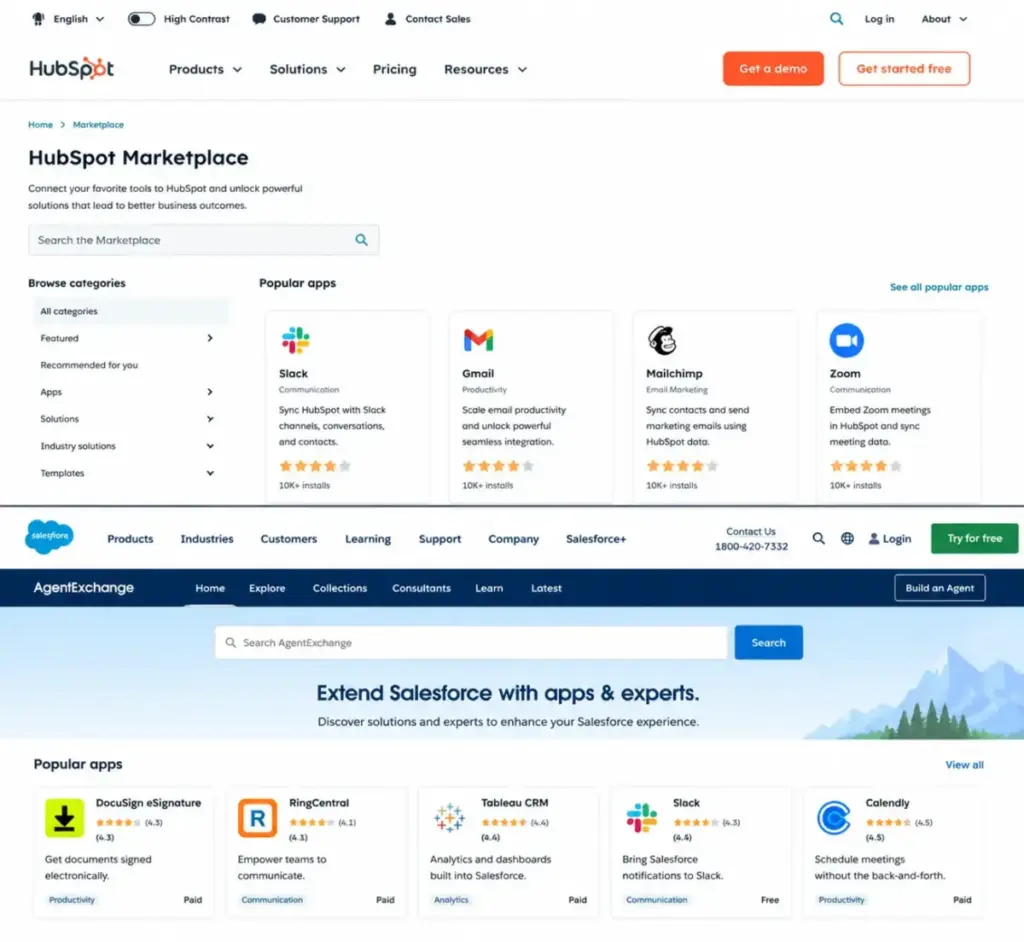
For teams already running Salesforce with trained admins and Trailhead-certified users, the ecosystem dependency alone makes Salesforce the stronger fit. Salesforce’s AgentExchange (formerly AppExchange) provides access to apps, agents, and experts in a large marketplace. HubSpot Marketplace also supports integrations across tools like Slack, Zoom, Gmail, Snowflake, Jira, Shopify, and WhatsApp Business, but the ecosystem is smaller.
Read our Salesforce CRM review for a detailed assessment of enterprise capabilities.
AI and Automation: The Cost Nobody Quantifies
Both platforms now sell AI as a core differentiator. The pricing models differ enough to change your total cost of ownership.
HubSpot’s AI model: Breeze AI powers sales and service workflows across the Smart CRM platform. Some AI features consume HubSpot Credits. According to HubSpot’s official documentation, credits reset monthly, unused credits expire, and credit overages or auto-upgrades can affect billing. If your team uses AI actions heavily, monitor credit consumption to avoid billing surprises.
Salesforce’s AI model: Agentforce is positioned as the AI layer for sales automation. Agentforce for Sales starts at $125/user/month as an add-on. Agentforce 1 Sales ($550/user/month) bundles unmetered employee Agentforce usage, Slack Enterprise+, 1M Flex Credits, and 2.5M Data Cloud Credits per org per year. The cost scales with edition, not just usage.
The practical question: does your team need AI features beyond basic email drafting and meeting summaries? If yes, model the AI cost as a separate line item for both platforms. If no, HubSpot’s included Breeze Assistant covers basic needs without additional spend.
Marketing and CRM Unification: HubSpot’s Structural Advantage
HubSpot positions itself as a customer platform uniting marketing, sales, service, content, data, commerce, Smart CRM, and Breeze AI on one connected system. Campaign data, contact records, deal stages, and service tickets share the same database. A marketing-led company running inbound campaigns gets native alignment between lead generation and pipeline without integration overhead.
Salesforce has broad cloud coverage, but comparable marketing capabilities require separate clouds or add-ons. Teams needing CRM plus inbound marketing in a single purchase will find HubSpot’s architecture simpler to manage. For a broader view of tools that combine sales and marketing software, see our dedicated guide.
API and Integration Limits: What Technical Buyers Need to Know
HubSpot’s developer documentation states that public OAuth apps are limited to 110 requests every 10 seconds per installed account, excluding CRM Search API. Exceeding the limit returns 429 errors. Workflow webhooks do not count toward the rate limit. API limits also depend on account subscription and whether an API limit increase has been purchased.
Salesforce positions Web Services API access at the Enterprise tier ($175/user/month). The feature comparison lists an additional $25/user/month note for certain API connectivity features. Exact API request quotas by edition for 2026 packaging are not fully exposed in the accessible pricing text. Verify quotas with Salesforce during procurement.
For integration-heavy deployments, both platforms connect to major tools. HubSpot Marketplace supports Slack, Zoom, Gmail, Google Calendar, Outlook, Snowflake, OpenAI, Anthropic, Gemini, Jira, and Shopify. Salesforce uses AgentExchange for apps, agents, and ecosystem partners.
Security and Compliance: Both Pass Enterprise Reviews
HubSpot states it has a public SOC 3 report, a confidential SOC 2 Type 2 report available to customers and prospects, uses TLS 1.2 or 1.3 for data in transit, AES-256 encryption at rest, and offers US and EU data hosting options. SAML SSO is available at the Enterprise tier.
Salesforce maintains SOC 2 reports covering security, availability, and confidentiality of customer data, along with a broad Trust and Compliance program.
Both platforms meet the security baseline that enterprise procurement teams expect. Neither has a clear advantage here.
Support Cost Realism
HubSpot’s support tiers: Community for Free and View-Only users. Email and chat for Starter accounts. Phone support for Professional and Enterprise accounts. No separate support fee.
Salesforce’s support tiers: Standard Success Plan included with all licenses (knowledge articles, documentation, Trailhead, Trailblazer community). Premier Success Plan costs 30% of net license fees and adds expert guidance, product education, health checks, and 24/7 support for business-stopping issues. Premier is bundled with Unlimited ($350/user/month) and Agentforce 1 Sales ($550/user/month) editions.
The math matters. A team paying $175/user/month for 25 Salesforce Enterprise users spends $4,375/month on licenses. Premier Success adds $1,312.50/month (30% of $4,375). That is $15,750/year for support alone, on top of $52,500/year in license fees.
Migration: Neither Direction Is Easy
Switching between HubSpot and Salesforce in either direction carries medium-to-high difficulty.
HubSpot to Salesforce requires object mapping, property-to-field mapping, pipeline and lifecycle-stage translation, workflow rebuilds, integration reauthorization, reporting rebuilds, and user retraining. HubSpot documentation confirms users can export records such as contacts and deals, including property values and associations.
Salesforce to HubSpot often requires simplifying Salesforce objects, mapping leads and contacts into HubSpot’s contact-centric model, rebuilding automation, and auditing data quality before import. Salesforce Data Loader supports bulk import and export using CSV files, which helps with data extraction.
Neither migration is a weekend project. Budget 4 to 12 weeks depending on data volume, automation complexity, and integration count.
The Verdict: Who Should Choose Which CRM
There is no universal winner in HubSpot vs Salesforce. The right choice depends on five variables: team size, budget, sales process complexity, admin capacity, and how quickly the CRM must produce value.
| Scenario | Better Choice | Reason | Risk if You Choose Wrong |
|---|---|---|---|
| 5-person startup choosing its first CRM | HubSpot | Lower cost, faster setup, enough pipeline and email capability for early teams | Salesforce: over-engineered, slow to deploy, expensive for basic needs |
| 25-person B2B sales team with moderate automation | HubSpot | Faster adoption, sales-marketing alignment, lower admin overhead | Salesforce: the team may underuse the platform and resent the complexity |
| 100-person sales org with territory rules and RevOps | Salesforce | Advanced forecasting, pipeline controls, API access, and enterprise governance | HubSpot: may hit plan gates on custom objects, field permissions, and reporting depth |
| Marketing-led company needing CRM plus inbound | HubSpot | Unified platform for Smart CRM, marketing, sales, service, and Breeze AI | Salesforce: marketing requires separate cloud or integration |
| Enterprise with existing Salesforce talent base | Salesforce | Admins, consultants, Trailhead-trained users, and ecosystem dependencies already in place | HubSpot: migration cost and talent retraining outweigh potential savings |
Choose HubSpot if your team needs faster CRM adoption, built-in marketing and sales alignment, lower admin overhead, and practical automation without a dedicated Salesforce admin team. The best CRM for small business guide covers additional options at this scale.
Choose Salesforce if your organization needs deep sales operations, complex customization, enterprise reporting, broad app ecosystem access, and has the budget for implementation and administration.
Avoid HubSpot if your CRM requires complex enterprise data architecture, extensive custom objects, strict role and field-level controls across many business units, or Salesforce-native integrations that cannot be replaced.
Avoid Salesforce if the team wants a simple first CRM, has no admin capacity, has a limited budget, or needs a live system in days rather than a structured implementation project.
When Neither Platform Fits
Consider alternatives if HubSpot is too gated at higher tiers and Salesforce is too heavy for your team’s capacity:
- Zoho CRM fits budget-conscious SMBs that want broad CRM features without Salesforce-level cost or HubSpot hub expansion. See our Zoho CRM evaluation.
- Pipedrive fits sales teams that want a visual pipeline-first CRM without heavy marketing automation or enterprise customization. Read our Pipedrive CRM assessment.
- Freshsales fits small and mid-sized teams that want built-in telephony, AI-assisted sales features, and Freshworks ecosystem alignment. See our Freshsales review.
FAQ
Is HubSpot better than Salesforce for small teams?
HubSpot is the better fit for small teams (under 25 users) that need fast setup, built-in marketing tools, and lower admin overhead. Smart CRM Starter starts at $20/seat/month versus Salesforce Starter Suite at $25/user/month (as of May 2026). The cost gap widens when you factor in Salesforce’s implementation complexity and potential need for admin support.
How much does HubSpot cost compared to Salesforce?
At the starter level, HubSpot Smart CRM Starter costs $20/seat/month and Salesforce Starter Suite costs $25/user/month. At the professional level, HubSpot Sales Hub Professional ($100/seat/month) and Salesforce Pro Suite ($100/user/month) are identical in per-user price. At enterprise scale, Salesforce ranges from $175 to $550/user/month depending on edition.
What are the hidden costs of HubSpot?
HubSpot hidden costs include Sales Hub Professional or Enterprise seats for advanced sales features, a $3,500 one-time onboarding fee for Sales Hub Enterprise, Marketing Hub contact-tier pricing, HubSpot Credits for AI features (which reset monthly and can trigger overages), and marketplace app subscriptions.
What are the hidden costs of Salesforce?
Salesforce hidden costs include Premier Success at 30% of net license fees (unless bundled with Unlimited+), partner implementation fees, admin headcount, AgentExchange app subscriptions, Agentforce for Sales from $125/user/month, Revenue Intelligence from $220/user/month, and sandbox or storage expansion.
Can HubSpot replace Salesforce?
HubSpot can replace Salesforce for teams that prioritize ease of use, marketing-sales alignment, and lower admin overhead over deep customization and enterprise governance. Migration requires object mapping, workflow rebuilds, and user retraining. Budget 4 to 12 weeks for the transition.
Do I need a Salesforce admin?
Most Salesforce deployments beyond Starter Suite benefit from a dedicated admin or consultant. Salesforce Pro Suite and Enterprise require configuration for automation, role hierarchies, security settings, and reporting. Without admin capacity, the platform’s depth becomes a liability rather than an advantage.
Is HubSpot easier to use than Salesforce?
Yes. G2 review summaries consistently praise HubSpot for an intuitive interface and simplified sales-process management. Salesforce review summaries acknowledge depth and customization but note that setup and workflow configuration require experienced admins.
Should startups use HubSpot or Salesforce?
Most startups should start with HubSpot. The free Smart CRM tier provides basic contact management, deal pipelines, and reporting. Starter adds required fields and multiple currencies at $20/seat/month. Salesforce Starter Suite at $25/user/month is viable but requires more configuration effort for the same basic workflows.
When should a company switch from HubSpot to Salesforce?
Consider switching when your sales organization outgrows HubSpot’s enterprise feature gates: when you need complex multi-object data architecture, strict governance across many business units, advanced forecasting with territory management, or deep Salesforce-native integrations that HubSpot Marketplace cannot replicate.
What are the best alternatives to both HubSpot and Salesforce?
Zoho CRM offers broad CRM features at a lower price point. Pipedrive excels at visual pipeline management for sales-focused teams. Freshsales provides built-in telephony and AI features. monday CRM fits teams that want project-based sales execution.