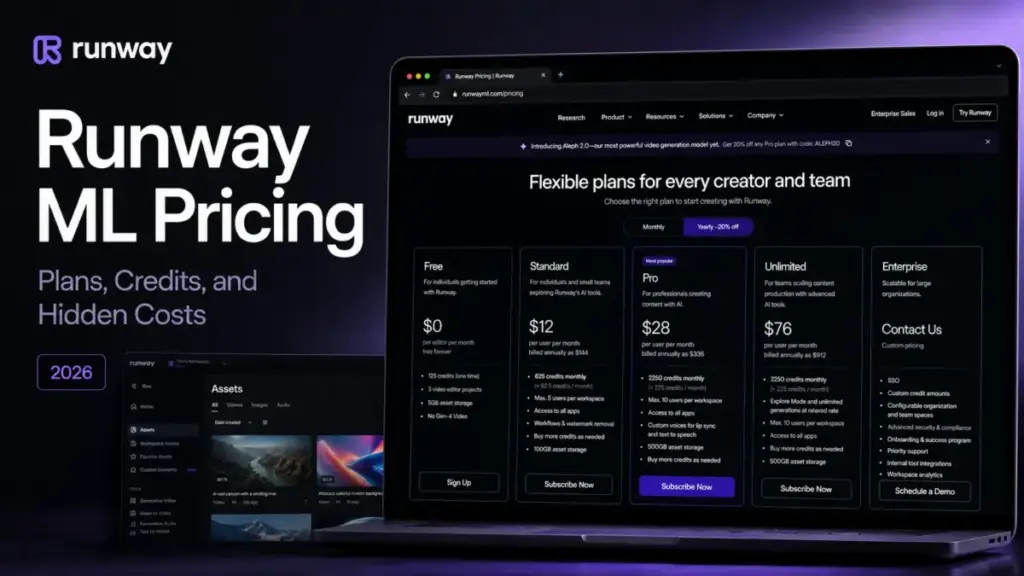
Runway ML pricing starts at $15 per user per month on the Standard tier. However, that entry price does not reflect what creative teams pay to generate video at scale.
The core pricing gotcha is that all workspace editors share a single credit pool. Adding an editor increases your monthly bill by $15, but the credit pool remains the same.
I have tracked emerging technology pricing models for 18 months. This shared-credit pool is a common pitfall when estimating real generation costs.
To choose the right tier, you need to understand how credits translate to video seconds. You also must check which models are gated, and when Pro becomes the practical choice.
When evaluating the best AI video generator options in the market, look closely at the usage limits. You must understand what generative AI is capable of before committing to a paid annual contract.
Quick Pricing Verdict
The Runway ML subscription tiers range from a free test drive to custom enterprise agreements.
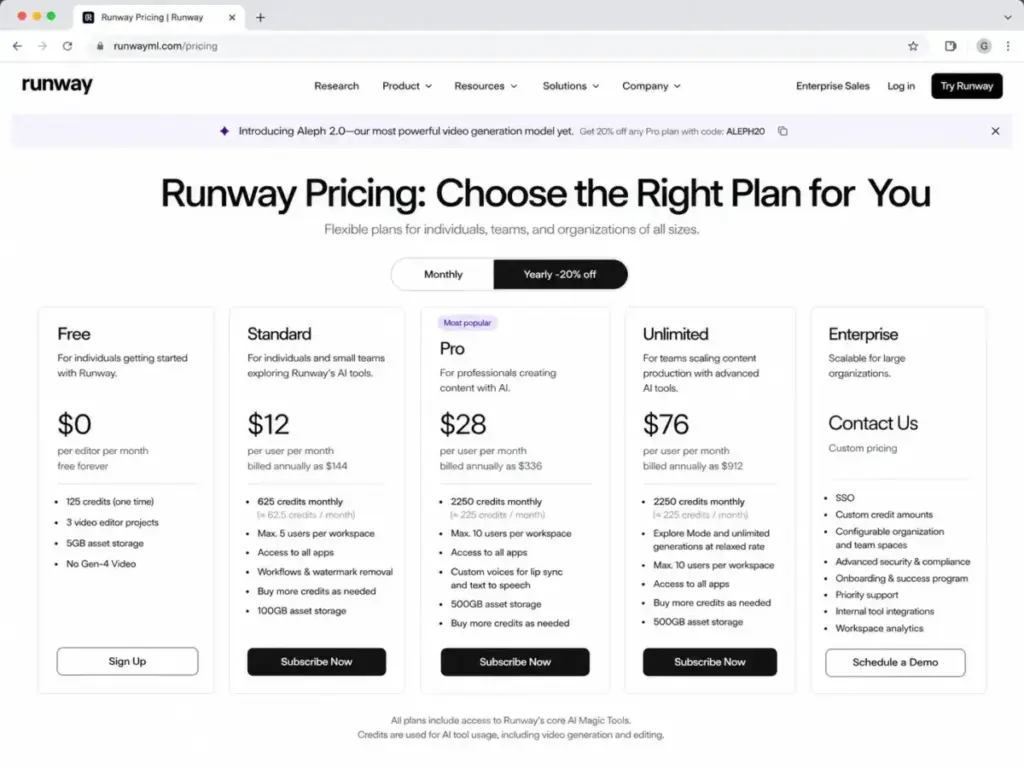
| Plan | Starting Price (Monthly) | Annual Price (Equivalent) | Best For | Plan to Avoid | Biggest Gotcha | Best Alternative | Verified Date |
|---|---|---|---|---|---|---|---|
| Free | $0 | $0 | Initial testing | Paid production | Watermarked output | None | May 26, 2026 |
| Standard | $15/user | $12/user | Light solo projects | Multi-user teams | Shared credit pool | Pika Basic | May 26, 2026 |
| Pro | $35/user | $28/user | Professional creators | Casual experimenters | Seat caps (max 10) | Pika Pro | May 26, 2026 |
| Unlimited | $95/user | $76/user | High-volume animation | Low-volume creators | Explore Mode delays | Luma Web Pro | May 26, 2026 |
| Enterprise | Custom | Custom | Large organizations | Solo users | Custom seat minimums | Synthesia Custom | May 26, 2026 |
What this means: Solo creators can test the waters on Standard. However, teams should skip Standard entirely. The shared credit pool will force early upgrades or frequent credit top-ups.
If You Are a Solo Creator
Solo creators should choose the Pro plan because the Standard plan’s monthly credit limit is too restrictive for professional work.
The Free plan is a one-time test drive rather than a sustainable free tier. It provides 125 credits that do not refresh monthly. You cannot purchase extra credits on the Free plan, and all video exports carry a prominent watermark.
You also cannot access advanced models like Gen-4.5. This creates immediate pressure to upgrade to a paid tier. Many creators evaluate other subscriptions to budget their monthly AI spending. Examples include the Claude pricing guide or the Adobe Firefly pricing plans.
The Standard plan costs $15 per month (billed monthly). It costs $12 per month billed annually at $144 per year. It removes watermarks, increases asset storage to 100GB, and provides 625 credits per month.
However, you must analyze the credit usage math before signing up. According to Runway’s support documents, standard video models consume 10 credits per second. This means your 625 monthly credits buy exactly 62.5 seconds of output.
If you use the Turbo model, the rate drops to 5 credits per second. This yields 125 seconds of video per month.
In a typical creative workflow, you need multiple iterations for one usable shot. If you average 5 retries per final shot, your pool yields 2 or 3 completed 5-second clips. If you run out of credits, you must buy extra credits in $10 increments. These extra credits cost $0.01 per credit.
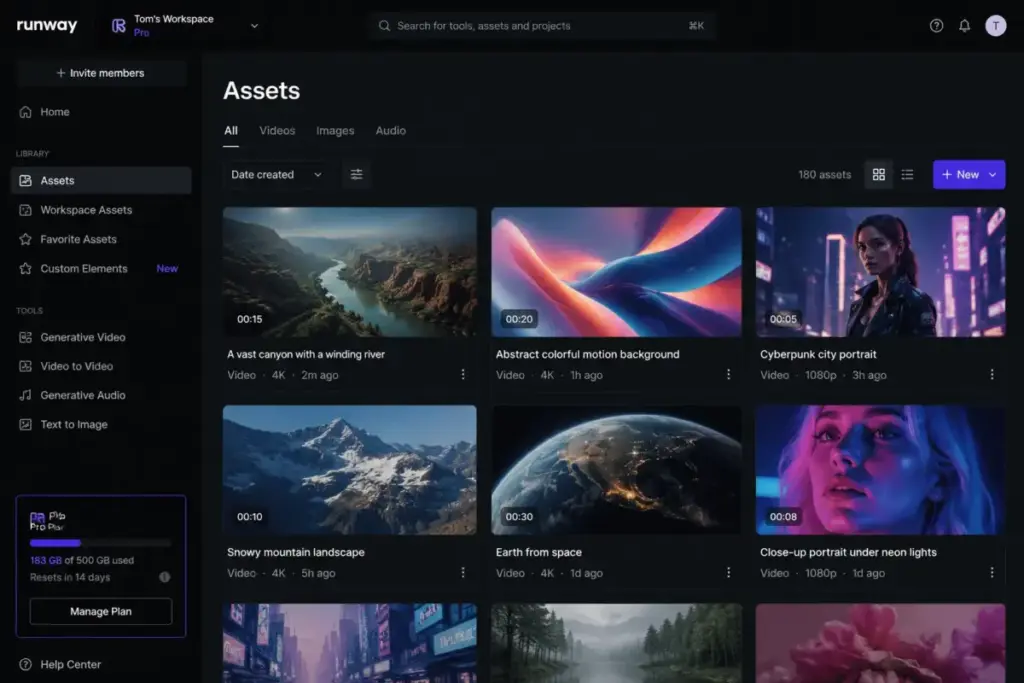
For active creators, the Pro plan at $35 per month (or $28 annually) is the practical starting point. It provides 2,250 monthly credits and increases storage to 500GB. More importantly, it enables custom voice creation for Lip Sync and Text to Speech. The extra storage and credit buffer make it suitable for client delivery.
If You Have a 5-Person Team
A 5-person creative team should use the Pro plan to avoid credit exhaustion on the Standard plan.
The Standard plan supports up to 5 users per workspace. However, the plan pricing is per editor. A 5-user team costs $75 per month billed monthly. It costs $60 per month billed annually.
The hidden catch is that these 5 editors share 625 credits. This leaves each team member with just 125 credits per month. This is equivalent to 12.5 seconds of standard video generation. A single editor can exhaust this shared workspace balance in 20 minutes.
Upgrading a 5-person team to Pro costs $175 per month (or $140 per month billed annually). The team then shares 2,250 monthly credits. This averages 450 credits per editor. This pool gives the team room to run drafts without daily alerts.
If team members need to work independently, do not add them to one workspace. Instead, have each user sign up for a separate subscription. This ensures that each user has their own separate credit pool. They will not draw from a shared bucket.
If You Have 10-20 Users
Teams with 10 to 20 users must choose their self-serve setup carefully.
They must select between multiple Pro workspaces, the Unlimited plan, or an Enterprise transition. A single self-serve workspace caps at 10 users for Pro and Unlimited. If you have 10 users on Pro, your cost is $350 per month (or $280 per month billed annually).
The team shares the 2,250 monthly credits. This leaves only 225 credits per editor. This is highly restrictive for a team of that size.
Upgrading a 10-person team to the Unlimited plan costs $950 per month. Billed annually, it costs $760 per month. The Unlimited plan provides 2,250 monthly credits for priority rendering. It also enables relaxed-rate Explore Mode.
What Unlimited Actually Means
Runway’s Unlimited plan is not truly unlimited. You must understand the distinction between Credits Mode and Explore Mode.
| Feature | Credits Mode | Explore Mode |
|---|---|---|
| Credit Cost | Consumes plan or purchased credits | $0 (free relaxed-rate generations) |
| Generation Speed | Fast priority rendering | Relaxed-rate (queue delays during peak hours) |
| Concurrent Runs | Unrestricted up to credit limits | Gated by concurrent generation limits |
| Model Access | All video models, including Veo 3 and Veo 3.1 | Excludes advanced models like Veo 3 and Veo 3.1 |
| Upscaling | Consumes credits | Consumes credits (cannot upscale for free) |
What this means: Explore Mode is ideal for rough drafts and quick experiments. However, you still need credits for final high-fidelity renders, upscaling, and accessing latest models.
If you have 12 or 15 users, they cannot fit into a single self-serve workspace. You would need to split them across two separate Pro workspaces (paying $420 to $525 per month billed annually) or transition to the Enterprise plan.
If You Have 25+ Users
Teams with 25 or more users should transition to the Enterprise plan.
This helps them manage seat security and centralized billing. At this scale, managing multiple workspaces becomes an administrative burden. The Enterprise plan has custom pricing and seat minimums, replacing the monthly credit model with an annual credit pool. These credits do not expire monthly.
Enterprise features include Single Sign-On, centralized administration, organization spaces, and success programs. It also includes workspace analytics.
However, there is an important Enterprise caveat that most buyers miss. According to Runway’s support documentation, Enterprise workspaces do not include Explore Mode by default. The custom agreement is similar to the Pro plan, focusing on a dedicated annual credit pool. If your team requires relaxed-rate generations, you must negotiate that specific term.
When negotiating an Enterprise contract, ask for a credit rollover clause. Standard contract credits are lost at the end of the annual term. Requesting a rollover option protects your budget if your project schedule shifts.
Full Plan Breakdown
To select the right plan, compare the pricing details and feature gates.
| Plan | Monthly Cost | Annual Cost (Equivalent) | Billing Basis | Best For | Key Limits |
|---|---|---|---|---|---|
| Free | $0 | $0 | Per editor | Basic trials | 125 one-time credits, 5GB storage, watermarked |
| Standard | $15 | $12 | Per editor | Occasional solo use | 625 monthly credits, max 5 users, 100GB storage |
| Pro | $35 | $28 | Per editor | Professional creators | 2250 monthly credits, max 10 users, 500GB storage |
| Unlimited | $95 | $76 | Per editor | High-volume video production | 2250 monthly credits + Explore Mode, max 10 users |
| Enterprise | Custom | Custom | Custom annual | Large organizations | Custom credit pool, annual contract only |
What this means: The price difference between Pro and Unlimited is significant. The decision depends on whether you need relaxed-rate rendering.
What Each Plan Includes
Each subscription tier targets a specific creative workload and has clear boundaries.
Free Plan: The Trial Drive
- Best For: Casual testing and learning the core generation controls.
- Includes: 125 one-time credits, 3 video editor projects, 5GB asset storage, Gen-4 Turbo image-to-video, and Gen-4 text-to-image.
- Missing Features: Watermark removal, upscaling, credit purchases, and Gen-4.5 video models.
- Mini Verdict: A restrictive trial tier that you will exhaust within 10 minutes of rendering.
- Avoid If: You need to deliver clean, watermark-free video assets to clients.
Standard Plan: The Entry Point
- Best For: Solo creators producing a few short clips per month.
- Includes: 625 monthly credits, watermark removal, upscaling, all listed video models, and 100GB asset storage.
- Missing Features: Custom voice creation, Explore Mode, and team admin tools.
- Mini Verdict: Affordable for light solo work, but the shared credit pool makes it a bad choice for teams.
- Avoid If: You plan to add multiple editors to the same workspace.
Pro Plan: The Professional Standard
- Best For: Active solo creators and small agencies delivering commercial work.
- Includes: 2,250 monthly credits, custom voice creation, 500GB asset storage, and team sharing options.
- Missing Features: Explore Mode, SSO, and advanced organization spaces.
- Mini Verdict: The best overall value, providing a generous credit pool and voice tools for a moderate price.
- Avoid If: Your workflow requires hundreds of low-priority experimental renders every week.
Unlimited Plan: The Iteration Engine
- Best For: Heavy video editors who generate hundreds of drafts before final render.
- Includes: Pro features, 2,250 monthly credits for fast generation, and relaxed-rate Explore Mode.
- Missing Features: SSO and custom organization spaces.
- Mini Verdict: Expensive but essential if you must iterate constantly without worrying about credit usage.
- Avoid If: You only need occasional final renders and do not benefit from relaxed-rate generation queues.
Enterprise Plan: The Governed Organization
- Best For: Large production studios and corporate marketing departments.
- Includes: Pro features, SSO, organization team spaces, SOC 2 Type II compliance, onboarding success programs, and workspace analytics.
- Missing Features: Explore Mode (unless specifically negotiated in the sales contract).
- Mini Verdict: The necessary path for teams over 20 users that require security and custom annual credit pools.
- Avoid If: You are a small agency that can manage with separate workspaces.
Feature Gates: What You Actually Get by Plan
The plan you choose gates the models you can access, your storage, and your admin options.
| Feature | Free | Standard | Pro | Unlimited | Enterprise |
|---|---|---|---|---|---|
| One-Time Credits | Yes (125) | No | No | No | No |
| Monthly Credits | No | Yes (625) | Yes (2,250) | Yes (2,250) | Custom |
| Gen-4.5 Video Access | No | Yes | Yes | Yes | Yes |
| Gen-4 Turbo Access | Yes | Yes | Yes | Yes | Yes |
| Watermark Removal | No | Yes | Yes | Yes | Yes |
| Upscaling Video | No | Yes | Yes | Yes | Yes |
| Asset Storage | 5GB | 100GB | 500GB | 500GB | Custom |
| Custom Voices | No | No | Yes | Yes | Yes |
| Explore Mode | No | No | No | Yes | No (Default) |
| SSO & Analytics | No | No | No | No | Yes |
| Separate API Balance | Yes | Yes | Yes | Yes | Yes |
What this means: Custom voice tools are locked behind the Pro tier. SSO and administrative analytics are strictly reserved for Enterprise accounts.
For a complete tool breakdown, read our Runway ML review. There we evaluate visual quality and ease of use.
Hidden Costs and Add-ons
The subscription price is only your baseline cost. You must account for credit resets, add-on editors, and developer API separation.
Credit Expiration Rules
Monthly plan credits do not roll over. If you do not use them, you lose them at the end of each billing cycle.
| Credit Type | Cost | Expiration | Purchase Rules |
|---|---|---|---|
| Free Credits | $0 (one-time) | Never | Cannot purchase more on Free |
| Monthly Plan Credits | Included in plan | Monthly reset (forfeited) | Refreshes on billing date |
| Purchased Web Credits | $0.01 per credit | Never | Requires Standard, Pro, or Unlimited |
| API Credits | $0.01 per credit | Never | Purchased in developer portal |
| Enterprise Credits | Custom | End of contract term | Custom annual allocation |
What this means: Budget your generation volume to consume your monthly plan credits. Do this before the billing reset date to avoid losing paid capacity.
The Extra-Editor Tax
Adding an editor to your workspace does not add credits. If you add a second editor to a Pro workspace, your monthly bill increases by $35. Billed annually, it increases by $28. However, the workspace monthly pool remains exactly 2,250 credits.
Developer API Separation
If you plan to build custom tools, your web app subscription will not help you.
! IMPORTANT
Do not buy Pro expecting API credits.
Web app credits and API credits are completely separate balances. Web credits cannot be used for API calls, and API credits cannot be used in the web interface. You must buy API credits in the developer portal at $0.01 per credit.
Other hidden costs include sales taxes on credit purchases and storage upgrade fees. These apply if you exceed your plan’s asset limits.
Real Cost Scenarios: 5, 10, and 20 Users
To project your annual budget, look at the real cost of adding seats. You also must calculate extra credit purchases.
| User Count | Recommended Plan | Monthly Cost (Billed Monthly) | Annual Cost (Billed Annually) | Shared Workspace Credits | Practical Usage Limits |
|---|---|---|---|---|---|
| Solo | Pro | $35 | $336 | 2,250 | 225 standard seconds or 450 Turbo seconds |
| 5 Users | Pro | $175 | $1,680 | 2,250 | Averages45 seconds of standard video per user |
| 10 Users | Unlimited | $950 | $9,120 | 2,250 + Explore | Unlimited relaxed drafts, shared fast priority pool |
| 20 Users | 2x Unlimited | $1,900 | $18,240 | 4,500 + Explore | Split across two separate workspaces (10 users max each) |
What this means: Scaling past 10 users on self-serve plans requires managing split workspaces and multiple billing accounts.
Monthly vs Annual Billing
Runway ML offers a 20% discount if you commit to an annual subscription.
- Pro Savings: Billed monthly, 10 users cost $4,200 per year on Pro. Billed annually, the cost drops to $3,360 per year, saving you $840.
- Unlimited Savings: Billed monthly, 10 users cost $11,400 per year. Billed annually, the cost drops to $9,120 per year, saving you $2,280.
However, the annual plan requires paying the full amount upfront. If you reduce your team size mid-year, Runway does not offer refunds.
I recommend starting on monthly billing for the first 30 to 60 days. This allows you to audit your team’s credit consumption before committing.
Which Runway ML Plan Should You Choose?
Use this decision tree to match your plan to your output volume and team structure.
- Do you need commercial, watermark-free output?
- No -> Use the Free Plan (limited to 125 one-time credits and selected models).
- Yes -> Continue to step 2.
- Are you working alone or with a team?
- Working Alone -> What is your monthly video output?
- Low Volume (under 60 seconds of standard video, no voice cloning) -> Use the Standard Plan ($15/month).
- High Volume or Client Delivery (requires custom voices and high storage) -> Use the Pro Plan ($35/month).
- Extremely High Iteration (hundreds of drafts, tolerant of rendering delays) -> Use the Unlimited Plan ($95/month).
- Working in a Team -> What is your team size?
- 2 to 10 Users -> Use the Pro Plan with additional seats if you can manage a shared credit pool. If you edit heavily, use the Unlimited Plan.
- More than 10 Users -> Split into multiple Unlimited workspaces or contact sales for the Enterprise Plan.
- More than 25 Users -> Use the Enterprise Plan to secure SSO and organization compliance controls.
Which Runway ML Plan Should You Avoid?
You should avoid the Standard plan if you work in a multi-user team.
As explained, adding editors increases your monthly bill by $15 per editor. However, this does not add credits to the shared pool of 625 credits.
A team of 5 will pay $75 per month and share a tiny pool. A single user can exhaust this pool in one afternoon. If you have a team, skip Standard and choose Pro or run separate subscriptions.
The Standard plan remains viable only for individual hobbyists. It fits those who generate occasional clips and do not require voice cloning tools.
Runway ML Pricing vs Competitors
Runway ML operates in a competitive space against Pika, Luma Dream Machine, Magic Hour, HeyGen, and Synthesia.
| Platform | Starting Price (Monthly) | Practical Tier (Monthly) | 10-User Cost (Monthly) | Billing Model | Best For |
|---|---|---|---|---|---|
| Runway ML | $15 | Pro ($35) | $350 (Pro) | Per user + shared credits | Multi-modal creative video |
| Pika | $10 | Pro ($60) | $80 | Per user + individual credits | Character animation |
| Luma | $9.99 | Web Pro ($65.99) | $99.90 | Per account + credits | Photorealistic camera pans |
| Magic Hour | $10 | Creator ($10) | $100 | Per account + credits | Face swapping |
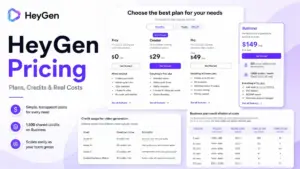
| HeyGen | $29 | Business ($89) | $240 | Per seat + credit pool | AI avatars |
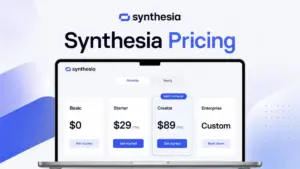
| Synthesia | $29 | Creator ($89) | $290 | Per account + video minutes | Corporate training |
What this means: Runway ML is affordable at the entry level. However, team pricing scales rapidly compared to competitor models that permit separate accounts.
When comparing failure modes, Runway users run out of workspace credits during iteration. Pika users face rendering queue delays on lower plans. Luma Web Lite caps your concurrent generations. If you need a detailed alternative, read our Pika Art review to compare its rendering controls and interface.
Is Runway ML Worth the Price?
Runway ML is worth the price for commercial video editors, creative agencies, and marketing teams. These users can pass the iteration cost to clients.
- It is worth the price if you require the latest models like Gen-4.5. It is worth it if you need watermark-free upscaled exports and custom voice lip-syncing.
- It is not worth the price if you only generate casual videos for personal social media. It is also not worth it if you expect your web app plan to cover API operations.
If you find Runway’s credit model too expensive, Pika is the best budget alternative.
To see how these tools fit your workflow, explore our content creation guide. Read our list of the best AI tools for content creation to build a complete software stack.
How to Avoid Overpaying for Runway ML
You can reduce your Runway ML bill by managing workspace seats, credit consumption, and storage limits.
- Audit workspace members monthly: Remove inactive editors immediately. You pay a seat fee for every editor, even if they do not log in.
- Verify usage before annual commitments: Run a monthly subscription for 30 days to baseline your credit consumption before locking in the annual plan.
- Register separate accounts for small teams: If you have 3 editors who do not need a shared asset library, sign up for 3 separate subscriptions. This gets you 1,875 credits total, compared to sharing 625 credits on one workspace.
- Use Explore Mode for drafts: If you are on the Unlimited plan, run all draft iterations in relaxed-rate Explore Mode. Only switch to Credits Mode for final upscaled renders.
- Separate web and API budgets: Do not upgrade your web plan to run API tests. Keep the API on its own developer portal balance.
- Upscale only final outputs: Upscaling consumes significant credits. Never upscale draft runs.
- Manage storage limits: Clean out failed generations from your asset library to avoid hitting the storage limit and triggering upgrade prompts.
FAQ
How much does Runway ML cost?
Runway ML has four self-serve plans: Free ($0), Standard ($15/user/month or $12 annually), Pro ($35/user/month or $28 annually), and Unlimited ($95/user/month or $76 annually). Enterprise plans require custom pricing agreements.
Is Runway AI free?
Yes, Runway ML has a free plan. It includes 125 one-time credits, 5GB of storage, and basic access to Gen-4 Turbo. However, the Free plan exports are watermarked and do not refresh monthly.
What is included in Runway's Free plan?
The Free plan includes 125 one-time credits, 5GB asset storage, 3 editor projects, and access to Gen-4 Turbo image-to-video. It does not allow credit purchases or access to Gen-4.5 models.
How many credits does Runway Standard include?
The Standard plan includes 625 monthly credits shared across the workspace. It supports up to 5 users, but adding editors does not increase the workspace credit pool.
Does Runway Unlimited have unlimited credits?
The Unlimited plan includes 2,250 monthly credits for priority rendering (Credits Mode) plus Explore Mode for unlimited relaxed-rate generations.
Why does Runway Unlimited still include 2250 credits?
The 2,250 credits are required for priority generations and advanced models like Veo 3 and Veo 3.1. These models are excluded from the relaxed-rate Explore Mode.
Do Runway credits roll over?
No, monthly plan credits do not roll over. Unused monthly credits are forfeited at the end of each billing cycle. However, purchased extra credits and API credits do not expire.
Can I buy more Runway credits?
Yes. Standard, Pro, and Unlimited users can buy extra web credits starting at a $10 minimum ($0.01 per credit). Free users cannot buy extra credits.
Is Runway Pro worth it?
Yes. Pro is the best value plan for professional creators. It costs $35/month but provides 2,250 credits, 500GB storage, and custom voice tools.
Are Runway API credits included in a web subscription?
No. Web subscription credits and API credits are completely separate. API usage requires purchasing credits in the developer portal at $0.01 per credit.