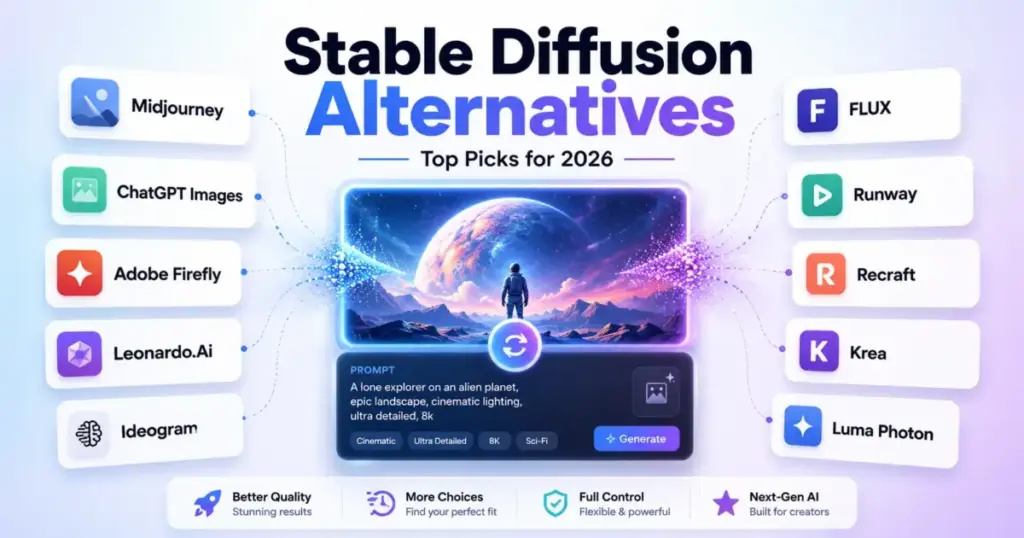
Stable Diffusion changed the way creators think about what text-to-image AI can do. An open model environment, local GPU workflows, LoRA fine-tuning, ComfyUI node graphs, and checkpoint experimentation gave power users control that no hosted tool could match.
But that control comes at a cost. Managing model files, keeping up with checkpoint updates, troubleshooting VRAM errors, configuring ControlNet, and reviewing open-weight licensing terms is work that many teams no longer want to do. If you are comparing the best AI image generator options and wondering whether a managed alternative can replace your local Stable Diffusion setup, you are not alone.
This guide ranks 10 Stable Diffusion alternatives for 2026 based on the actual reasons people switch: simpler workflows, better text rendering, commercial licensing clarity, managed API access, video production, team collaboration, and predictable pricing. Each recommendation maps to a specific switching trigger so you can skip the tools that do not solve your problem.
How we selected these tools. We focused on products that directly address the friction points Stable Diffusion users report most: GPU dependency, prompt complexity, weak typography, unclear commercial rights, and missing team features. Pricing was verified against official sources on June 9, 2026.
Why People Leave Stable Diffusion
Most comparison pages rank image generators by output beauty alone. But when you talk to people who actually left Stable Diffusion, the reasons are more practical:
- Local setup fatigue. Installing Python, downloading multi-gigabyte checkpoints, managing samplers, debugging CUDA, and updating ComfyUI or Automatic1111 extensions eats creative time.
- Weak text and typography. Stable Diffusion can produce stunning images, but rendering legible text, logos, and posters often requires a specialized model or extensive prompt engineering.
- Licensing uncertainty. Open-weight licensing is powerful but complicated. Marketing teams need clear commercial terms, not a legal review of model cards.
- No team workflow. Local pipelines do not support seat management, private generations, brand kits, or enterprise SSO.
- API infrastructure burden. Developers who want image generation inside a product often prefer a managed API endpoint over running Stable Diffusion inference on cloud GPUs.
- Video and multimodal gaps. Stable Diffusion is an image-only model family. Teams moving into video, motion, and multimodal production need more.
The best Stable Diffusion alternative is not simply the most realistic image model — it is the tool that removes the exact friction that made Stable Diffusion hard for your workflow.
Quick Comparison: Stable Diffusion Alternatives at a Glance
| Tool | Best For | Starting Price | Free Plan | Migration Difficulty |
|---|---|---|---|---|
| Midjourney | Cinematic image quality | $10/month | No | Low |
| ChatGPT Images | Conversational image editing | Free (limited); Plus $20/mo | Yes | Low |
| Adobe Firefly | Commercial design workflows | $9.99/month | Varies by plan | Low |
| Leonardo.Ai | SD-style hosted workspace | Free; paid from $12/mo | Yes | Medium |
| Ideogram | Text and logo-style images | API from $0.03/image | Consumer free tier indicated | Low |
| FLUX (Black Forest Labs) | Developer API alternative | Usage-based pay-as-you-go | No | High |
| Runway | Image-to-video production | Free; Standard from $12/user/mo | Yes | Medium |
| Recraft | Vectors and brand assets | Free; API usage-based | Yes | Low |
| Krea | Multi-model creative studio | Free; Basic from $63/year | Yes | Medium |
| Luma Photon | Low-cost photoreal pipeline | Plus from $30/month | Trial credits | Medium |
#1 Midjourney — Best for Cinematic Image Quality

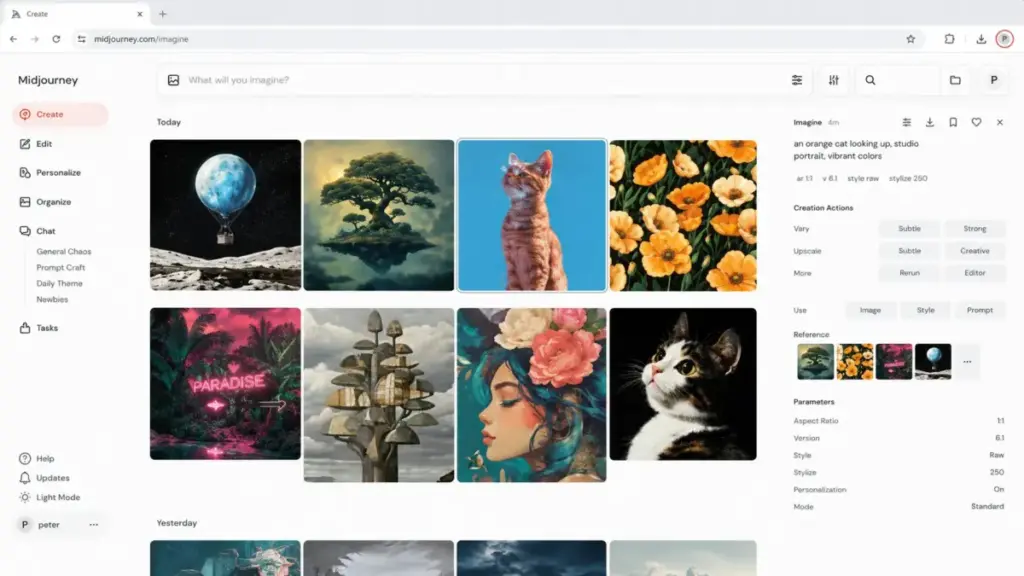
Why switchers choose it: Artists, marketers, and creative teams who want high-quality outputs without managing local GPU workflows consistently point to Midjourney as the managed alternative with the most visual polish.
What it does. Midjourney is a hosted text-to-image service that prioritizes output quality and prompt simplicity over open model experimentation. You type a prompt, the system handles all inference, and results arrive in seconds. Higher-tier plans include Relax Mode for unlimited slow generations and Stealth Mode for private images.
Pricing. Plans start at $10/month for Basic. Standard, Pro, and Mega tiers increase GPU time and add features like Stealth Mode. Annual billing is available. For a team of 10 on Basic, expect roughly $100/month before any upgraded plan requirements.
Key strengths:
- Higher managed-output polish and simpler prompting than local Stable Diffusion setups
- Fast GPU time on all plans
- Relax Mode for cost-effective high-volume generation on higher tiers
What it does worse than Stable Diffusion: You cannot self-host the model, build local pipelines, train LoRAs, or use custom checkpoints. The platform is closed.
Hidden costs: Extra fast GPU time, higher tiers for Stealth Mode, and larger companies may need to review commercial-use terms on upgraded plans.
Migration difficulty: Low. Prompt-and-go workflow means no infrastructure setup.
For a deeper breakdown, read our Midjourney analysis and review.
#2 ChatGPT Images / GPT-Image — Best for Conversational Image Editing

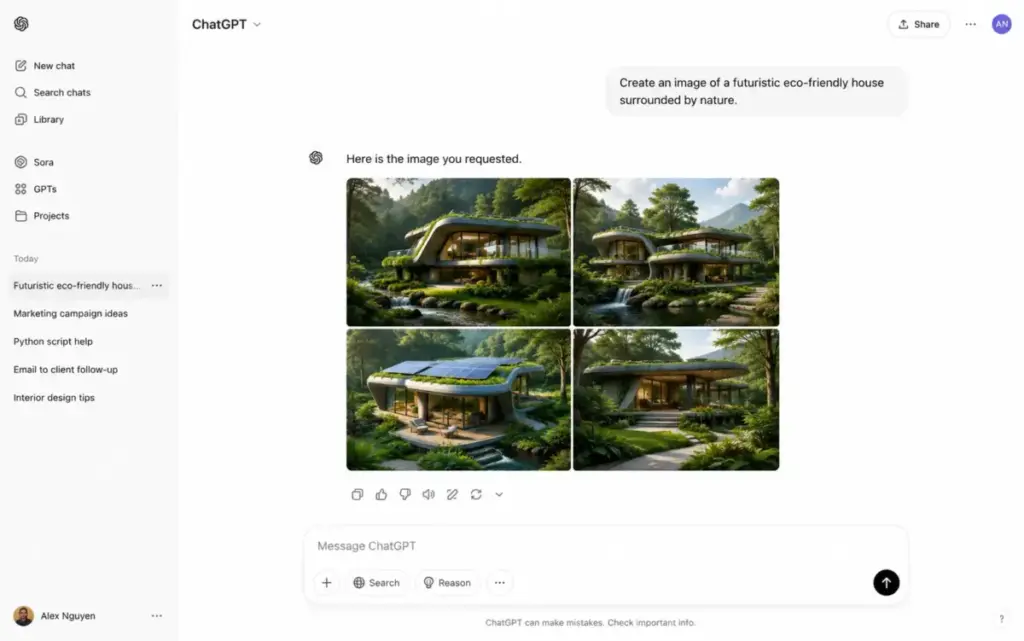
Why switchers choose it: Writers, marketers, and non-technical users who want prompt refinement, image generation, and iterative editing in one chat interface without any model management.
What it does. ChatGPT’s image generation is built directly into the chat interface, powered by OpenAI’s GPT-Image model. You describe what you want in natural language, refine results through conversation, upload reference files for context, and iterate without switching tools. The GPT-Image API provides a separate developer pathway for programmatic access.
Pricing. Free access includes limited image generation. ChatGPT Plus is commonly listed at $20/month with higher usage. Business plans offer team seats. The GPT-Image API is billed separately on a usage basis. For 10 Plus users, budget approximately $200/month; Business monthly seats start around $25/user. See our ChatGPT pricing breakdown for current plan details.
Key strengths:
- Conversational image generation and editing tied to ChatGPT reasoning
- No model files, samplers, or GPU setup
- File and prompt context carry through the conversation
What it does worse than Stable Diffusion: Less transparent control over model internals, samplers, checkpoints, and local inference pipelines.
Hidden costs: Image usage limits vary by plan and may not be fully public. API pricing is separate from consumer ChatGPT plans. Limits are subject to policy and abuse guardrails.
Migration difficulty: Low. If you can type a sentence, you can generate an image.
#3 Adobe Firefly — Best for Commercial Design Workflows
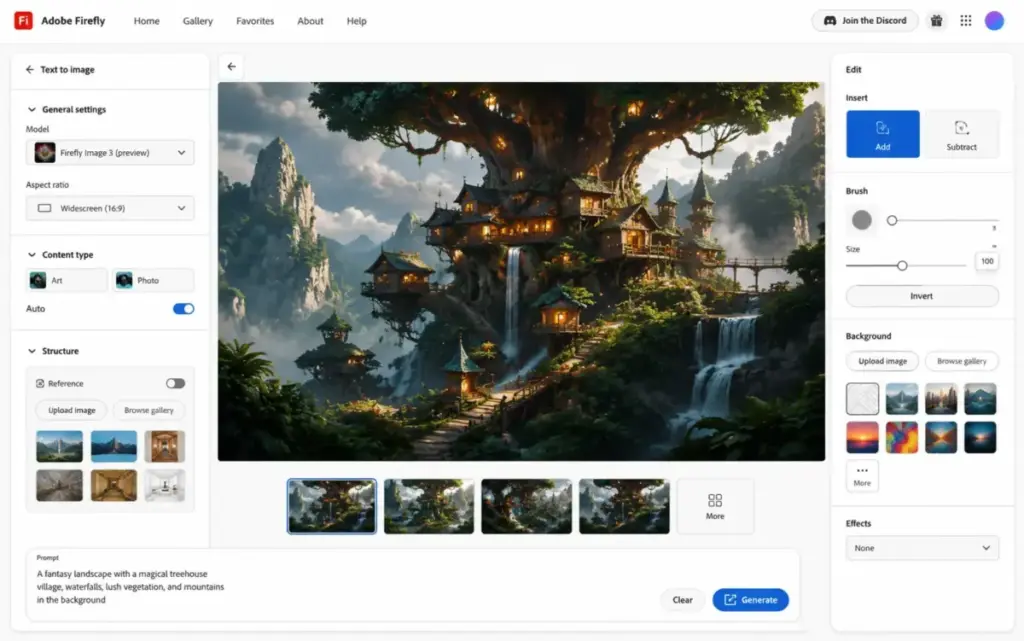
Why switchers choose it: Designers and marketing teams that need commercial image workflows, generative fill, Adobe suite integration, and predictable brand asset creation.
What it does. Adobe Firefly is a platform that shows what generative AI looks like in a design workflow. Integrated into Adobe Creative Cloud, it provides text-to-image generation, generative fill-style workflows, access to multiple AI models, and direct connection to Photoshop, Illustrator, and other Adobe apps. Commercial rights come built into paid plans — no model card review required.
Pricing. Firefly Standard starts at $9.99/month with monthly generative credits. Firefly Pro is $19.99/month with larger credit allowances. Higher tiers exist for heavy users. For 10 individual Standard subscriptions purchased separately, budget approximately $99.90/month.
Key strengths:
- Design-suite integration rather than standalone image generation
- Commercial creative workflows with built-in licensing clarity
- Generative credits provide predictable cost structure
What it does worse than Stable Diffusion: Less open-source flexibility, no local customization, no checkpoint or LoRA training.
Hidden costs: Credit limits differ by plan. Heavy generative users may exhaust monthly credits and need higher tiers.
Migration difficulty: Low. Familiar web interface and Adobe suite integration.
Read our full Adobe Firefly evaluation for feature details.
#4 Leonardo.Ai — Best Stable Diffusion-Style Hosted Workspace
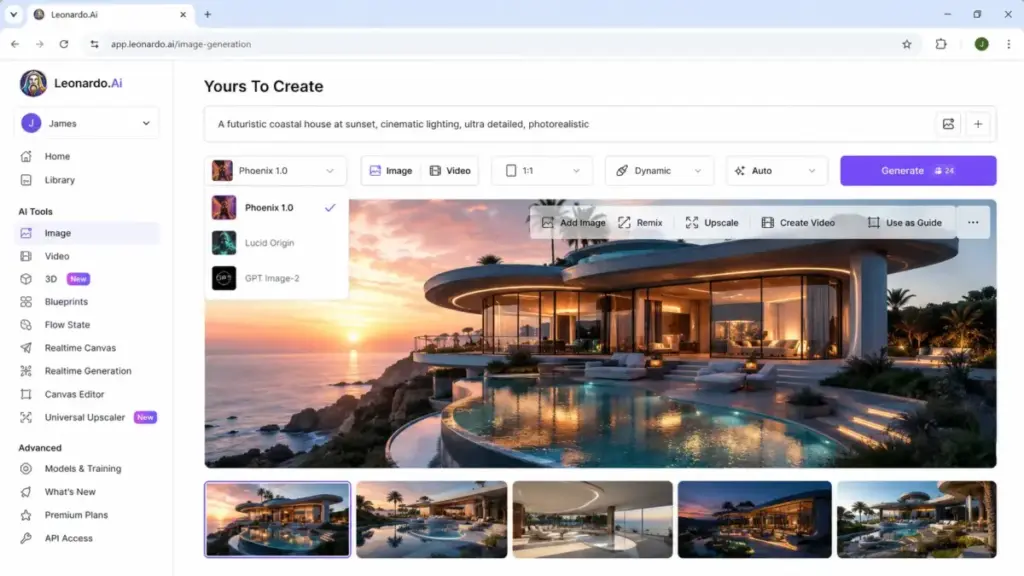
Why switchers choose it: Stable Diffusion users who appreciate creative control but want a hosted interface, private creations, model tools, and team or API options without managing local infrastructure.
What it does. Leonardo.Ai combines a creative AI workspace with fast tokens, multiple generation models, personal AI model training, private creation options on paid plans, relaxed unlimited generation on selected models, and API pay-as-you-go access. It is the closest managed alternative to the Stable Diffusion workflow philosophy.
Pricing. Free plan includes daily fast tokens. Paid individual plans start at $12/month (Essential). Team plans use seat bundles with additional tokens. API is billed separately on a pay-as-you-go basis. For 10 Essential subscriptions, budget $120/month.
Key strengths:
- Creative workspace with model selection, similar to browsing Stable Diffusion checkpoints
- Private creations on paid plans
- Personal AI models for style consistency
- Relaxed unlimited generation on selected plans and models
What it does worse than Stable Diffusion: Token costs vary by action and model. Relaxed unlimited generation only applies to selected models. Less open customization than local Stable Diffusion.
Hidden costs: Fast token consumption rates, API credits, top-ups, and relaxed generation model restrictions.
Migration difficulty: Medium. Familiar creative control, but token economics require learning.
Our Leonardo AI detailed review covers the token system in depth.
#5 Ideogram — Best for Text and Logo-Style Images

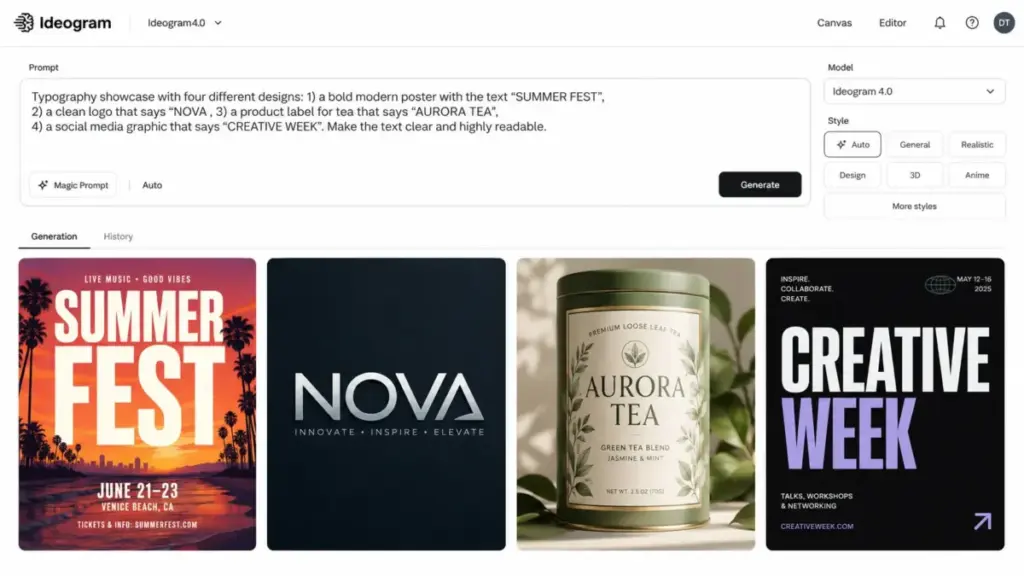
Why switchers choose it: Creators who leave Stable Diffusion because they need more reliable text rendering, posters, typography, brand-style graphics, or logo concepts.
What it does. Ideogram specializes in prompt fidelity and typography. Its models generate images with readable text, styled fonts, and poster-quality compositions that Stable Diffusion struggles with natively. Features include Remix, Edit, Reframe, Replace Background, and custom model options.
Pricing. Ideogram API pricing starts from $0.03/image for Ideogram 4.0 Turbo, scaling up for higher-quality models. Consumer app subscription options exist, though exact consumer plan pricing should be verified on Ideogram’s official site. API pricing is the most transparently documented.
Key strengths:
- Strong typography and text rendering — the primary reason Stable Diffusion users switch
- Editing, reframing, and background replacement tools
- Custom model options for brand consistency
What it does worse than Stable Diffusion: Less local customization and no open checkpoint control.
Hidden costs: Higher-quality models cost more per image. Default API rate limits may require enterprise plan review for scale.
Migration difficulty: Low. Web interface and API both work out of the box.
#6 FLUX by Black Forest Labs — Best Developer Alternative to Stable Diffusion

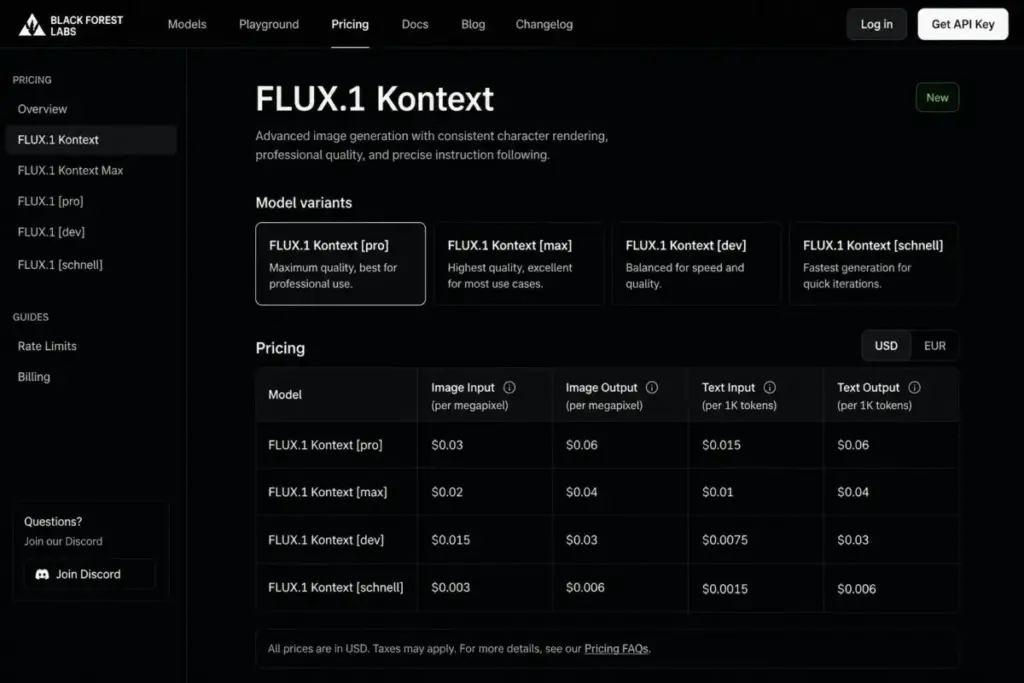
Why switchers choose it: Developers and technical teams who like open model control but want a modern API-first image model path instead of managing Stable Diffusion inference infrastructure.
What it does. Black Forest Labs offers FLUX models through an API-first platform with pay-as-you-go billing. No seat fees, no subscriptions — just usage-based pricing for API calls. Enterprise volume pricing and open-weight licensing tiers are available for teams that need both API convenience and local deployment options.
Pricing. Usage-based pay-as-you-go with no subscription or seat fees on the official pricing page. Enterprise and open-weight licensing may involve custom terms. Cost depends on model selection and generation volume.
Key strengths:
- API-first model access with flexible billing
- Open-weight licensing tiers for teams that want local deployment options
- Modern FLUX models positioned as a technical successor to Stable Diffusion
- No seat fees or subscription lock-in
What it does worse than Stable Diffusion: Less turnkey for non-technical users. No polished web interface like Midjourney, ChatGPT, or Leonardo.
Hidden costs: Model-specific usage rates, enterprise volume pricing negotiations, open-weight commercial rights review, and support or SLA costs.
Migration difficulty: High. Best for developers comfortable with API integration and model selection.
#7 Runway — Best for Image-to-Video Production

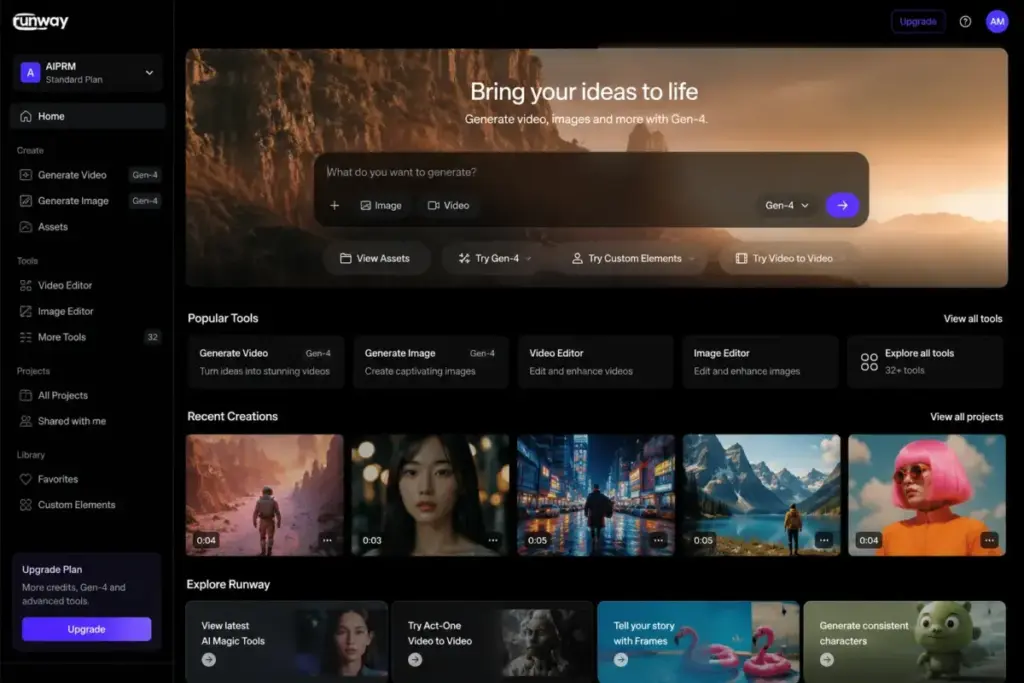
Why switchers choose it: Creators moving from Stable Diffusion still images into video, motion, multimodal editing, and production workflows.
What it does. Runway is a video-first creative suite that also supports text-to-image generation. Gen-4 video tools, editing apps, workflow automation, and enterprise security options make it a production platform rather than just an image generator. If your team’s creative needs have outgrown still images, Runway bridges the gap.
Pricing. Free plan available. Standard starts at $12/user/month billed annually. Pro, Max, and Enterprise tiers add credits, features, and security. Standard workspace has user limits that may affect team setup. For 10 Standard users, budget approximately $120/month equivalent billed annually.
Key strengths:
- Video-first platform with image generation built in
- Gen-4 tools for motion, editing, and multimodal production
- Enterprise security options and workflow apps
- Path from still images to best AI video generator tools
What it does worse than Stable Diffusion: Less focused on local open-model customization. Image generation is not the primary product.
Hidden costs: Credit usage scales with video generation. Standard workspace user limits exist. Heavy production may require Pro, Max, or Enterprise.
Migration difficulty: Medium. Image generation is straightforward, but learning the video workflow adds time.
Read our Runway ML evaluation for a production-focused breakdown.
#8 Recraft — Best for Vectors and Brand Assets

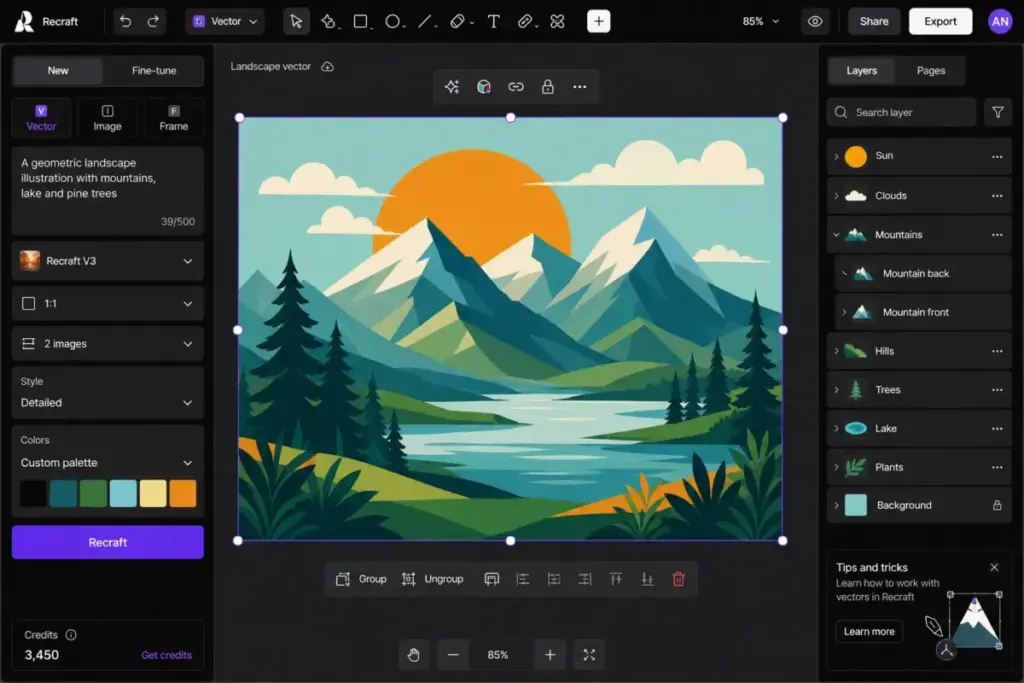
Why switchers choose it: Designers and brand teams that need editable vectors, typography, consistent styles, mockups, upscaling, and design-ready assets rather than general image experimentation.
What it does. Recraft generates AI images and editable SVG vectors, making it unique among image generators. The platform includes a vectorizer, background remover, upscaler, mockup tools, and photo editing features. Consistent style tools help maintain brand identity across assets.
Pricing. Free plan available with different ownership terms than paid plans. App paid plans and API pricing are separate. API is usage-based per image. Credits do not roll over monthly.
Key strengths:
- Vector generation and SVG output — no other tool on this list matches this
- Design-oriented tools: mockups, upscaling, background removal
- Consistent style tools for brand identity
- API access for developers
What it does worse than Stable Diffusion: Not suitable for users who want fully local pipelines, checkpoint training, or deep technical customization.
Hidden costs: Free-plan ownership differs from paid-plan ownership. Credits do not roll over. API usage is billed separately from app subscription.
Migration difficulty: Low. Web interface is designer-friendly with no technical setup.
#9 Krea — Best Multi-Model Creative Studio
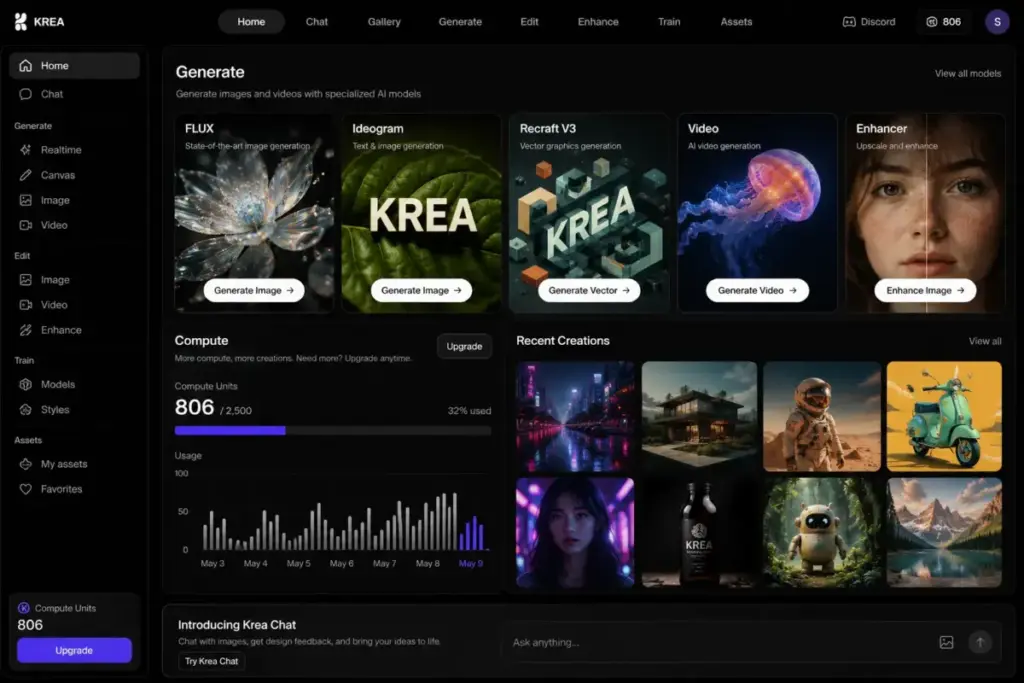
Why switchers choose it: Creators who want a managed multi-model creative studio with image, video, 3D, LoRA, upscaling, and API options without managing separate tools.
What it does. Krea unifies multiple generative models into a single creative studio. Image generation, selected video models, 3D and lipsync tools, LoRA support, upscaling, and API access all live in one platform. Compute units are the billing currency, with commercial licensing available on paid plans.
Pricing. Free plan available. Basic starts at $63/year billed annually (approximately $5.25/month). Pro and Max increase compute units. Business starts from $160/month equivalent billed annually. Enterprise pricing is custom. API usage is billed separately. For 10 Basic annual subscriptions, budget approximately $52.50/month equivalent.
Key strengths:
- Unified studio with multiple models, including image, video, and 3D
- LoRA support for Stable Diffusion users who want style customization
- Low entry price on annual plans
- Commercial licensing on paid plans
What it does worse than Stable Diffusion: Compute unit accounting and top-up expiration may be harder to predict than simple subscriptions or local inference costs.
Hidden costs: Basic, Pro, and Max compute units do not roll over. Top-up compute packs expire after 90 days. API is billed separately from app compute.
Migration difficulty: Medium. LoRA support eases the transition, but compute unit economics need learning.
#10 Luma Photon — Best Low-Cost Photoreal Image and Video Pipeline

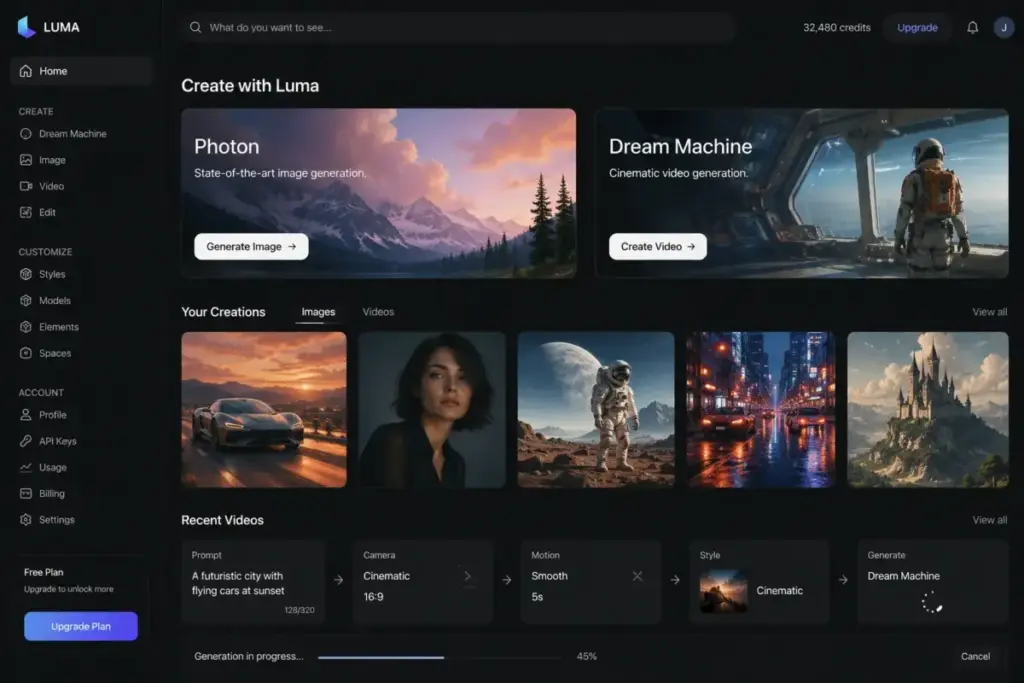
Why switchers choose it: Users who want photoreal image generation and a path into Dream Machine video workflows without managing Stable Diffusion infrastructure.
What it does. Luma offers Photon and Flash image models positioned for fast, low-cost, high-fidelity photoreal generation. The platform connects to Dream Machine for video workflows, creating a pipeline from still images to motion. API access with credit-based pricing is available for developers.
Pricing. Plus plan starts at $30/month. Photon API has separate low per-image pricing. For 10 Plus subscriptions, budget $300/month. API and subscription credits should be treated as separate line items.
Key strengths:
- Photon and Flash models optimized for photoreal quality at low cost
- Direct path from image generation to Luma Dream Machine video
- API credit system for developer integration
- Fast inference speed
What it does worse than Stable Diffusion: Less open and less locally controllable. No checkpoint or LoRA toolchain.
Hidden costs: Unused monthly credits do not roll over. API credits and subscription credits are separate. Higher tiers needed for heavy use.
Migration difficulty: Medium. Simple to start generating, but video workflow integration adds complexity.
Pricing Comparison: Cost for a 10-Person Team
Understanding what each tool actually costs at scale is where most comparison articles fall short. Here is what a 10-person team would pay for each alternative, with hidden costs flagged:
| Tool | Starting Price | ~Cost for 10 Users | Billing Model | Hidden Costs |
|---|---|---|---|---|
| Stable Diffusion | Free self-host; API from $0.01/credit | Infrastructure-dependent | Self-host or API credits | GPU hardware, cloud inference, model hosting, licensing review |
| Midjourney | $10/month | ~$100/month (Basic) | Subscription | Fast GPU time upgrades, Stealth Mode tier, commercial review |
| ChatGPT Images | Free; Plus $20/mo | ~$200/month (Plus) | Subscription + API | Plan-specific limits, API separate, business seat minimums |
| Adobe Firefly | $9.99/month | ~$99.90/month | Subscription + credits | Credit limits, higher tiers, Adobe suite dependencies |
| Leonardo.Ai | Free; $12/month | ~$120/month (Essential) | Subscription + tokens + API | Token consumption, top-ups, relaxed generation restrictions |
| Ideogram | API from $0.03/image | Usage-based | Per-image API | Higher-quality model costs, rate limits, enterprise terms |
| FLUX | Usage-based | Usage-based | Pay-as-you-go API | Model-specific rates, enterprise volume pricing, licensing review |
| Runway | Free; $12/user/mo | ~$120/month (Standard) | Subscription + credits | Credit usage, workspace user limits, video generation costs |
| Recraft | Free; API usage-based | Plan-dependent | Subscription + credits + API | No credit rollover, ownership differs by plan, API billed separately |
| Krea | Free; Basic $63/year | ~$52.50/month (Basic annual) | Subscription + compute units + API | No compute rollover, top-up expiration, API billed separately |
| Luma Photon | Plus $30/month | ~$300/month (Plus) | Subscription + API credits | No credit rollover, API separate, higher tiers for heavy use |
Key takeaway: The cheapest entry point is Krea at ~$5.25/month per user on annual billing, but compute unit limits and rollover restrictions mean actual cost depends on volume. For predictable team budgets, Midjourney and Adobe Firefly offer the simplest subscription math.
Which Alternative Fits Your Switching Trigger?
Instead of ranking by “best overall,” match your reason for leaving Stable Diffusion to the right tool:
You hate ComfyUI and local GPU setup
Go to: Midjourney, ChatGPT Images, Leonardo.Ai, or Krea. All four provide prompt-to-image workflows with zero local infrastructure.
You need reliable text, logos, and typography
Go to: Ideogram, Recraft, or Adobe Firefly. These three consistently outperform Stable Diffusion at rendering readable text and design-ready typography.
You need commercial design workflows and brand-safe production
Go to: Adobe Firefly, Recraft, Leonardo.Ai, or Krea. Built-in commercial licensing, editing tools, brand consistency features, and ownership clarity for marketing teams.
You want a managed API without hosting model infrastructure
Go to: OpenAI GPT-Image API, Ideogram API, Black Forest Labs FLUX API, Recraft API, or Luma Photon API. All provide managed endpoints with pay-per-use or credit-based billing.
You want photorealistic and cinematic image quality
Go to: Midjourney, Luma Photon, ChatGPT Images, or Leonardo.Ai. Optimized for prompt fidelity and visual polish without model tuning.
You need image-to-video and multimodal production
Go to: Runway, Luma Photon, Leonardo.Ai, or Krea. Stable Diffusion is image-only. These tools extend into video, motion, and multimodal workflows.
You need predictable team workflows and collaboration
Go to: Adobe Firefly, Runway, Leonardo.Ai, Krea, or Recraft. Structured subscriptions, seat management, private creation, and enterprise support.
How We Evaluated These Alternatives
Every tool was evaluated against Stable Diffusion across six dimensions:
- Switching trigger fit. Does it solve a specific Stable Diffusion pain point?
- Pricing transparency. Are costs transparently documented, or buried in credit systems?
- Migration difficulty. How hard is it to go from a local SD workflow to this tool?
- Feature differentiation. What can it do that Stable Diffusion cannot?
- Team scalability. Does it support 10+ users with manageable costs?
- Limitation honesty. What does it do worse than Stable Diffusion?
Pricing was verified against official sources on June 9, 2026. We separated consumer app pricing from API pricing where products offer both. Our Stable Diffusion features and limitations review provides the baseline analysis this comparison builds on.
Frequently Asked Questions
What is the best alternative to Stable Diffusion?
It depends on why you are switching. For cinematic image quality without local setup, Midjourney is the strongest option. For text and typography, Ideogram leads. For commercial design workflows, Adobe Firefly integrates with Adobe’s creative suite. For developers who want API access, FLUX by Black Forest Labs offers the most flexible pay-as-you-go model.
Is Midjourney better than Stable Diffusion?
Midjourney produces higher visual polish per prompt with less effort, but Stable Diffusion offers more control, customization, and open-model flexibility. If you value output quality over model control, Midjourney wins. If you need LoRAs, custom checkpoints, or local inference, Stable Diffusion remains stronger.
What is the easiest Stable Diffusion alternative?
ChatGPT Images is the easiest. You type in natural language, refine through conversation, and iterate without any technical setup. No prompts to engineer, no models to choose, no tokens to manage.
Which Stable Diffusion alternative is best for commercial use?
Adobe Firefly offers the clearest commercial licensing. Recraft provides design-ready vectors and brand assets with ownership on paid plans. Both are built for teams that need legal clarity without reviewing open-weight model cards.
What is the best free Stable Diffusion alternative?
Leonardo.Ai, Recraft, Krea, and Runway all offer free plans with limited usage. Leonardo.Ai’s free plan with daily fast tokens is the most generous for image-only workflows.
Which AI image generator has the best text rendering?
Ideogram and Recraft both outperform Stable Diffusion at rendering readable text in images. Ideogram is stronger for poster-style typography. Recraft is better for editable vector text and brand assets.
What is the best Stable Diffusion API alternative?
FLUX by Black Forest Labs offers pay-as-you-go API pricing with no seat fees and open-weight licensing options. Ideogram API starts at $0.03/image. OpenAI’s GPT-Image API provides conversational image generation as a developer endpoint.
Which Stable Diffusion alternative is best for video?
Runway is the strongest video-first platform. Luma Photon connects image generation to Dream Machine for video workflows. Krea includes selected video models inside its multi-model studio.
How much does it cost to replace Stable Diffusion for a team of 10?
From approximately $52.50/month (Krea Basic annual) to $300/month (Luma Photon Plus). Midjourney at $100/month and Adobe Firefly at $99.90/month offer the most predictable per-seat pricing. Self-hosted Stable Diffusion costs vary widely based on GPU infrastructure.
Which Stable Diffusion alternative works best for logos?
Recraft generates editable SVG vectors, making it the strongest option for logo concepts. Ideogram handles text-heavy logo compositions well. Adobe Firefly works for logo ideation within Adobe’s creative suite.
Final Verdict: Best Stable Diffusion Alternative for 2026
The right Stable Diffusion alternative is not the one with the prettiest sample images — it is the one that eliminates the specific workflow friction that is costing you time. Match your switching trigger to the tool that solves it, verify the pricing model works for your team size, and start with a free tier or trial before committing to a paid plan.