Adobe Firefly gives creators what text-to-image AI tools can do: generation, video, and generative fill inside the Creative Cloud family. It is commercially positioned, subscription-priced, and tightly connected to Photoshop, Illustrator, and Adobe Express.
But Firefly is not the right fit for every creator. Credits get deducted even when generations fail. Video outputs burn through allowances fast. Typography and logo workflows lag behind specialized tools. And if you are not already paying for Creative Cloud, Firefly’s value proposition weakens.
If you are comparing the best AI image generators and looking for a tool that solves a specific Firefly pain point, this guide ranks 10 alternatives based on why people actually switch. Each recommendation maps to a switching trigger so you can skip the tools that do not match your workflow.
How we selected these tools. We focused on products that directly address the friction points Firefly users report most: credit waste on failed generations, weak typography, limited video workflows, pricing confusion, and Adobe lock-in. Pricing was verified against official sources on June 9, 2026. Read our editorial policy for methodology details.
Why People Leave Adobe Firefly
Most comparison pages list AI image tools by feature count. But the actual reasons people leave Firefly are more specific:
- Credits charged for unusable output. Firefly deducts generative credits whether the result is usable or not. Video generation is the worst offender — “The video generator can make unusable results as much as it makes magical results and some credits will be missed,” a G2 reviewer noted. Another Adobe Community user wrote in May 2026: “I’ve never been able to get a satisfactory result from Firefly, yet each time I try, credits are deducted from my account.”
- Image quality falls short for art direction. Firefly works inside Adobe workflows, but creators seeking distinctive, stylized, or high-end visual output often find dedicated image models produce stronger results.
- Typography and vector gaps. Text-heavy graphics, logo concepts, icon sets, and SVG-style assets often require tools built specifically for typography and vector generation.
- Video workflows feel limited. Firefly includes video features, but dedicated video-first platforms offer broader generation, editing, and model-access capabilities for motion-heavy creators.
- Marketing teams need simpler design, not deeper generation. Teams that need templates, brand kits, stock assets, social layouts, and approval flows want design simplicity, not generative depth.
- Developers want API control. Product teams and developers prefer API pricing, model selection, and custom integration over a creator-facing Adobe app.
- Adobe lock-in. Some creators want standalone tools that do not assume Creative Cloud workflows, Adobe storage, or Adobe app dependencies. One Reddit user put it bluntly: “I couldn’t even generate something as simple as curtains.”
The best Firefly alternative is not the most powerful image model. It is the tool that removes the specific friction that made you leave.
Quick Comparison: Adobe Firefly Alternatives at a Glance
| Tool | Best For | Starting Price | Free Plan | Migration Difficulty |
|---|---|---|---|---|
| Midjourney | High-end visual aesthetics | $10/month | No | Medium |
| Ideogram | Typography and text-in-image | Free; paid from $20/mo | Yes | Low |
| Leonardo.Ai | Custom models and creative production | Free; paid from $12/mo | Yes | Medium |
| Canva AI | Marketing teams and non-designers | Free; Business $20/person/mo | Yes | Low |
| Runway | AI video workflows | Free; Standard from $12/user/mo | Yes | Medium |
| Recraft | Vectors, mockups, and brand assets | Free; paid from $12/mo | Yes | Low-Medium |
| Krea AI | Real-time iteration and upscaling | Free; Basic from $63/year | Yes | Low |
| ChatGPT Images | Conversational image editing | Free; Plus $20/mo | Yes | Low |
| Stability AI | Developers and open-model workflows | API from $0.01/credit | Not confirmed | High |
| Freepik AI Suite | Stock assets plus AI generation | Free limited; Premium from $14.50/mo | Yes | Low |
#1 Midjourney — Best for High-End Visual Aesthetics

Why switchers choose it: Creators leaving Firefly because they want more distinctive, polished, or stylized image output and do not need Adobe-native editing.
What it does. Midjourney is a dedicated image-generation platform that prioritizes output quality, art-direction culture, and prompt simplicity. You describe what you want, the system handles inference, and results arrive with a level of visual polish that Firefly’s generative outputs often cannot match. Higher-tier plans add Relax Mode for unlimited slow generations and more GPU time.
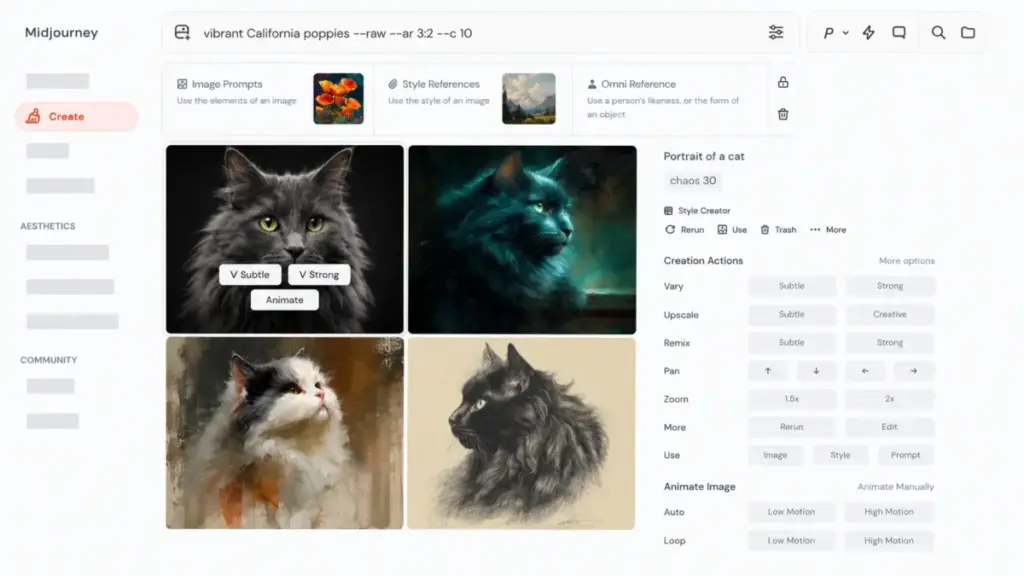
Pricing. Plans start at $10/month for Basic, or $8/month equivalent when billed annually. Standard, Pro, and Mega tiers increase GPU-hour allowances. For a team of 10 on Basic, budget approximately $100/month.
Key strengths:
- Consistently higher aesthetic output quality than Firefly for stylized and cinematic images
- Fast GPU-time tiers with Relax Mode on Standard and higher plans
- Unlimited images and video on Standard and above
- Annual subscription discounts available
What it does worse than Firefly: Firefly remains easier to justify for Adobe-heavy workflows, Photoshop-adjacent editing, and users who want Adobe plan bundling.
Hidden costs: No public free tier verified. Basic has no Relax Mode. Plans depend on GPU-hour allowances, and consistent results may require prompt skill development.
Migration difficulty: Medium. Strong output quality, but no Adobe-native editing integration.
For a deeper breakdown, read our Midjourney analysis and review.
#2 Ideogram — Best for Typography and Text-in-Image

Why switchers choose it: Designers, newsletter creators, logo concept users, and marketers who need readable words inside generated images — the exact area where Firefly struggles most.
What it does. Ideogram positions itself around image generation with accurate text rendering, Magic Prompt, style controls, and creative rendering features. If you have ever burned Firefly credits trying to get a poster with legible text and failed, Ideogram is built for that problem.
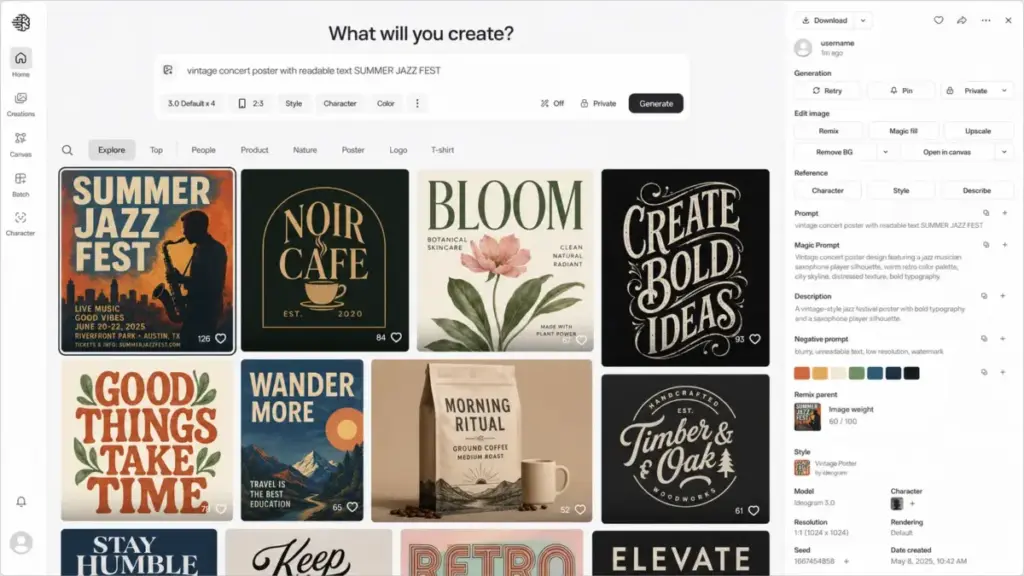
Pricing. Free plan available with weekly slow-credit limits and JPG-only downloads. Current paid plans start at Plus for $20/month with priority credits and unlimited slow credits. Pro and Team plans scale from there. For a 10-person team, Plus subscriptions cost $200/month; the Team plan would be $300/month at $30/member/month.
Key strengths:
- Stronger text-in-image rendering than Firefly
- Magic Prompt for enhanced prompt interpretation
- Free plan for testing before committing
- PNG downloads and advanced editing on paid plans
What it does worse than Firefly: Firefly is stronger for Adobe-native editing and broader Adobe app integration.
Hidden costs: Priority credits expire monthly. Slow credits may involve wait times during high demand. Basic is a legacy plan and should not be expected as an option for new buyers.
Migration difficulty: Low. Web-based, no setup required.
#3 Leonardo.Ai — Best for Custom Models and Creative Production
Why switchers choose it: Concept artists, product visual creators, game asset teams, and creators who need more control over style consistency than Firefly provides.
What it does. Leonardo.Ai offers a production-oriented creative workspace with fast tokens, multiple generation models, personal AI model training on paid tiers, private generations on paid plans, relaxed unlimited generation on selected models, and API options. It feels closer to a creative studio than Firefly’s credit-and-generate approach.
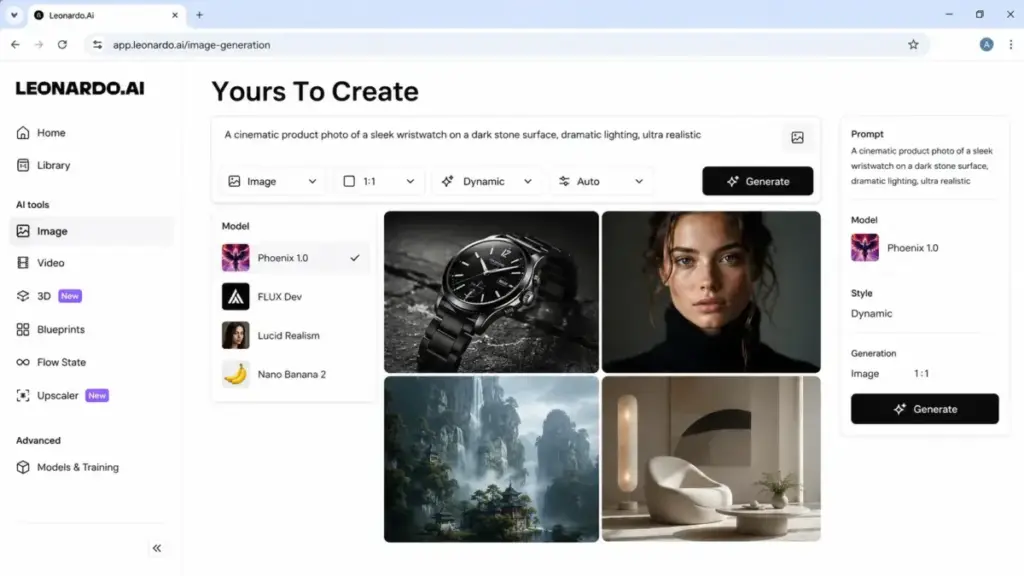
Pricing. Free plan includes daily fast tokens. Paid Essential starts at $12/month excluding tax. Premium and Ultimate tiers increase token allowances and add model training. Team and API plans are separate. For 10 Essential subscriptions, budget $120/month excluding tax.
Key strengths:
- Model selection and training tools for style consistency
- Private generations on paid plans
- Relaxed unlimited generation on selected paid tiers
- Video generation capabilities alongside image tools
What it does worse than Firefly: Firefly can be more convenient for Adobe Creative Cloud users and mainstream commercial workflows.
Hidden costs: Free plan lacks private generation. Relaxed generation can slow during demand spikes. Fast-token consumption rates vary by model and action.
Migration difficulty: Medium. Token economics and model selection require a learning curve.
Our Leonardo AI detailed review covers the workspace and token system in depth.
#4 Canva AI — Best for Marketing Teams and Non-Designers
Why switchers choose it: Social media teams, small businesses, content marketers, educators, and teams that need templates plus AI rather than a standalone image model.
What it does. Canva AI wraps image generation inside a full design workspace with templates, brand kits, stock content, Magic Studio workflows, and team collaboration tools. If your Firefly frustration is less about image quality and more about needing a complete marketing design platform, Canva fills that gap without requiring Adobe apps.
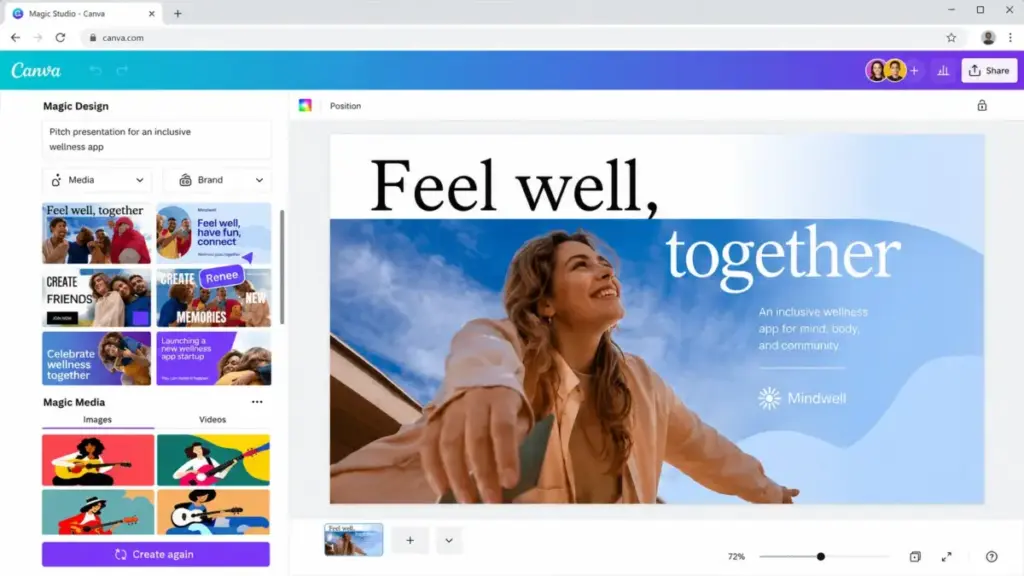
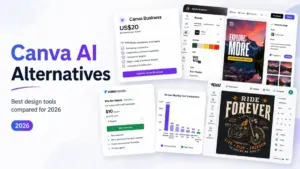
Pricing. Free plan available. Canva Business is officially announced at $20/person/month and includes Leonardo.Ai Essential access. Current Canva Pro pricing was not verified in this data package. For 10 users on Canva Business, budget $200/month.
Key strengths:
- Design workspace with templates, brand controls, and collaboration tools
- AI generation embedded in marketing-ready workflows
- Leonardo.Ai Essential access bundled in Canva Business
- No Adobe app dependency
What it does worse than Firefly: Firefly and dedicated generators offer more specialized generative-image workflows. Canva AI is strongest when paired with templates and brand production.
Hidden costs: AI usage allowances and premium content access vary by plan. Current Pro pricing should be verified before purchasing.
Migration difficulty: Low. Familiar drag-and-drop design interface.
Read our Canva AI evaluation for workflow details.
#5 Runway — Best for AI Video Workflows

Why switchers choose it: Video creators, agencies, production teams, and social video teams that need AI video generation and editing more than Adobe image-fill workflows.
What it does. Runway is a video-first AI platform with Gen-4 and Gen-4.5 model access, text-to-video and image-to-video workflows, third-party model access on paid plans, and enterprise security options. If Firefly’s video features feel limited and credit-intensive, Runway provides a deeper video production path.
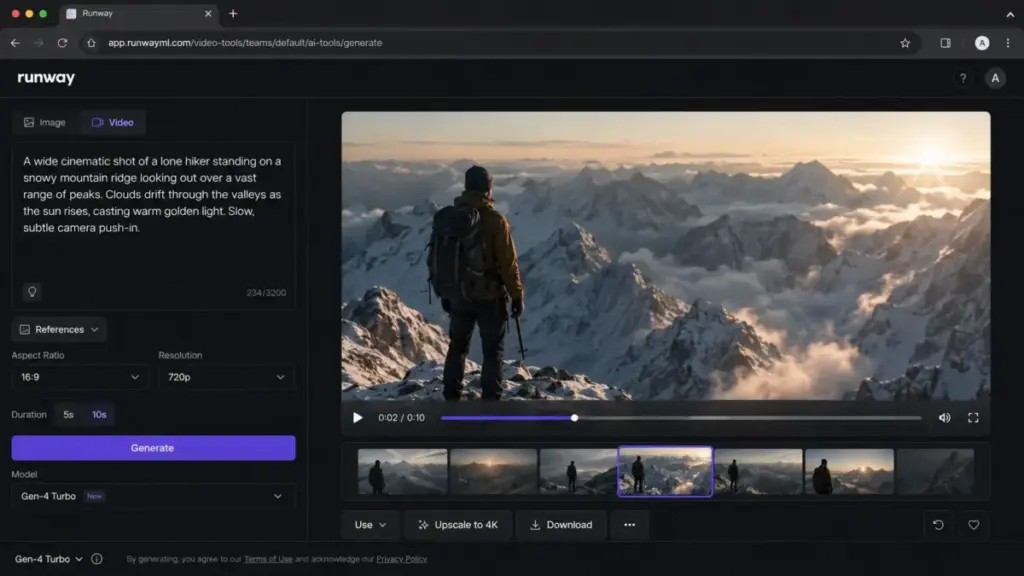
Pricing. Free plan available. Standard starts at $12/user/month billed annually. Pro, Max, and Enterprise tiers add credits, features, and workspace capacity. Standard workspace has a lower user cap than Pro — 10-user teams may need Pro at approximately $280/month annualized. For Standard, budget $120/month annualized. See our Runway ML pricing analysis for credit details.
Key strengths:
- Video-first platform with serious production tools
- Gen-4 and Gen-4.5 model access by plan tier
- Third-party model access on paid plans
- Enterprise security and support options
What it does worse than Firefly: Firefly remains simpler for Adobe image-editing users and creators already inside Photoshop or Express.
Hidden costs: Video generation is credit-intensive across all tiers. Standard workspace user caps may force 10-user teams into Pro pricing.
Migration difficulty: Medium. Image generation is straightforward; learning the video workflow adds time.
For production-focused details, read our Runway ML evaluation.
#6 Recraft — Best for Vectors, Mockups, and Brand Assets

Why switchers choose it: Brand designers, logo concept creators, vector asset creators, mockup users, and teams that need design-system consistency rather than general image generation.
What it does. Recraft is a design-oriented AI platform with image generation, AI vector generation, mockups, background removal, upscaling, custom styles, editing tools, and API options. The vector generation capability is particularly strong — if you need SVG-style outputs for logos, icons, or brand assets, Recraft handles what Firefly cannot.
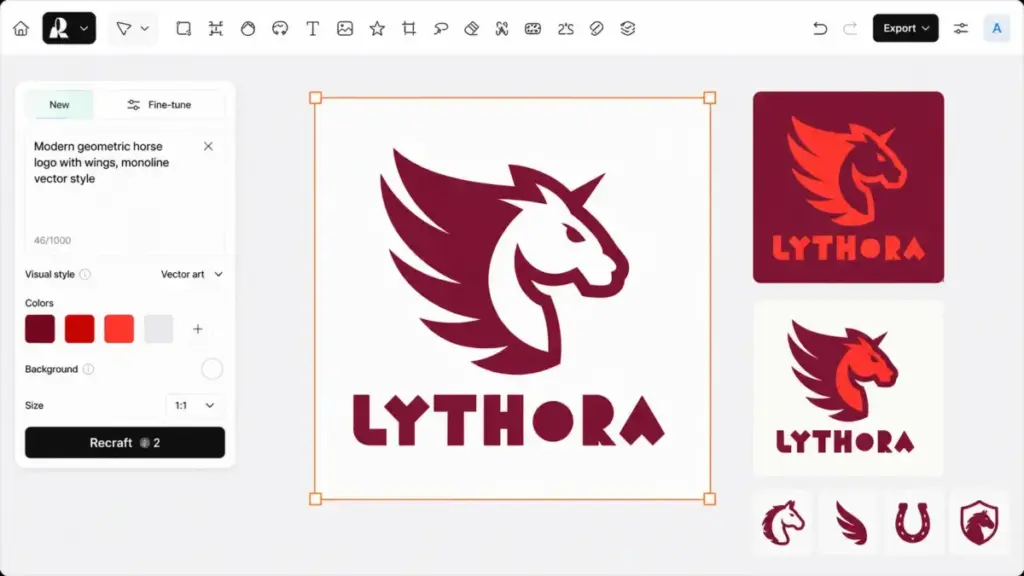
Pricing. Free daily credits available. Paid Basic starts at $12/month or $10/month equivalent billed annually. Pro and Team plans scale up. For 10 Basic subscriptions, budget $120/month. Team pricing starts around $220/month at $22/user/month for 2,000 credits.
Key strengths:
- AI vector generation and SVG-style outputs — no other tool on this list matches this
- Mockups, upscaler, and background remover in one platform
- Private generation and commercial rights on paid plans
- API access for developer integration
What it does worse than Firefly: Firefly is more deeply integrated with Adobe creative apps and may feel safer for committed Adobe workflow users.
Hidden costs: Subscription credits do not roll over. Top-up credits are available only for paid users. Commercial usage rights are tied to paid subscription language.
Migration difficulty: Low to Medium. Web-based, designer-friendly, but credit economics need review.
#7 Krea AI — Best for Real-Time Iteration and Upscaling

Why switchers choose it: Creators who want a fast playground for iterating image prompts, comparing models, upscaling assets, and exploring video or 3D tools — without Adobe’s credit anxiety.
What it does. Krea AI unifies multiple image and video models into a single creative studio with real-time generation, compute-unit pricing, high-resolution upscaling, and access to multiple generation models. Daily free compute units let you experiment before paying. The platform also includes video, 3D, and lipsync capabilities on higher plans.
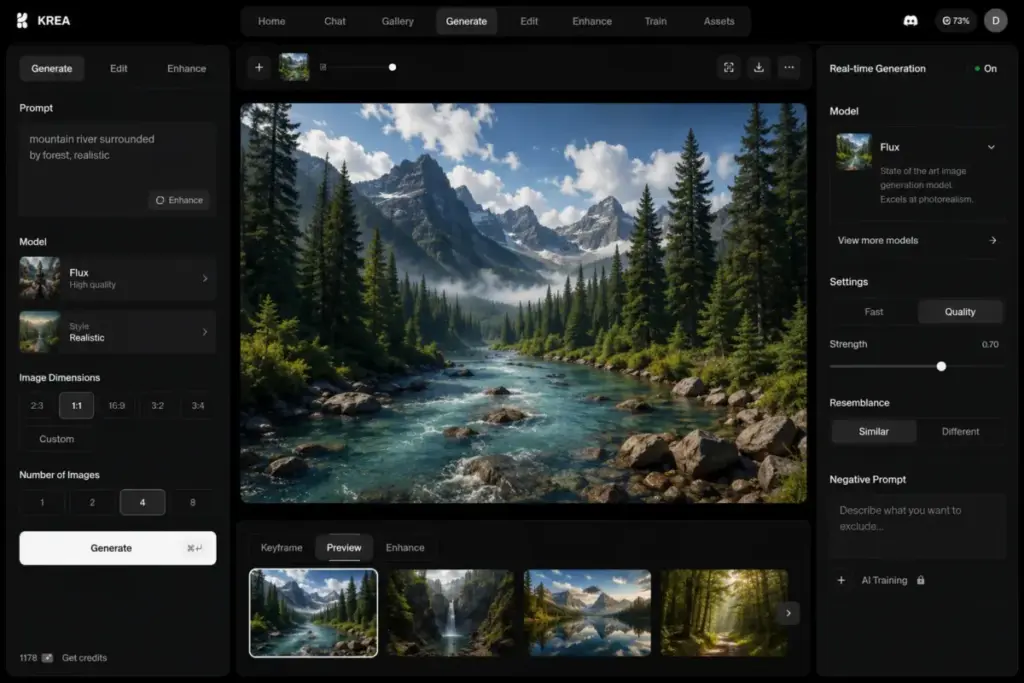
Pricing. Free plan available with daily compute units. Basic was verified at $63 billed yearly (approximately $5.25/month effective annualized cost). Pro and Max increase compute allowances. For 10 Basic annual subscriptions, budget approximately $52.50/month effective annualized cost.
Key strengths:
- Real-time creative generation with instant visual feedback
- Daily free compute units for risk-free experimentation
- Access to multiple image and video models in one studio
- Commercial license on paid plans
What it does worse than Firefly: Firefly is more enterprise-recognized and Adobe-native. Krea requires users to understand compute units and model differences.
Hidden costs: Compute-unit consumption varies by model and resolution. Monthly paid pricing was not fully verified in this package. Advanced models and workflows require higher plans.
Migration difficulty: Low. Minimal setup, but compute-unit economics differ from Firefly credits.
#8 ChatGPT Images — Best for Conversational Image Editing

Why switchers choose it: Writers, marketers, educators, and solo creators who want to describe edits in natural language instead of learning a specialized design interface or burning Firefly credits on prompt experiments.
What it does. ChatGPT’s image generation lets you create and edit images through conversation. Describe what you want, refine through back-and-forth dialogue, select regions for targeted edits, request transparent backgrounds, and iterate without switching tools. The conversational approach removes the prompt-engineering friction that makes Firefly outputs unpredictable.
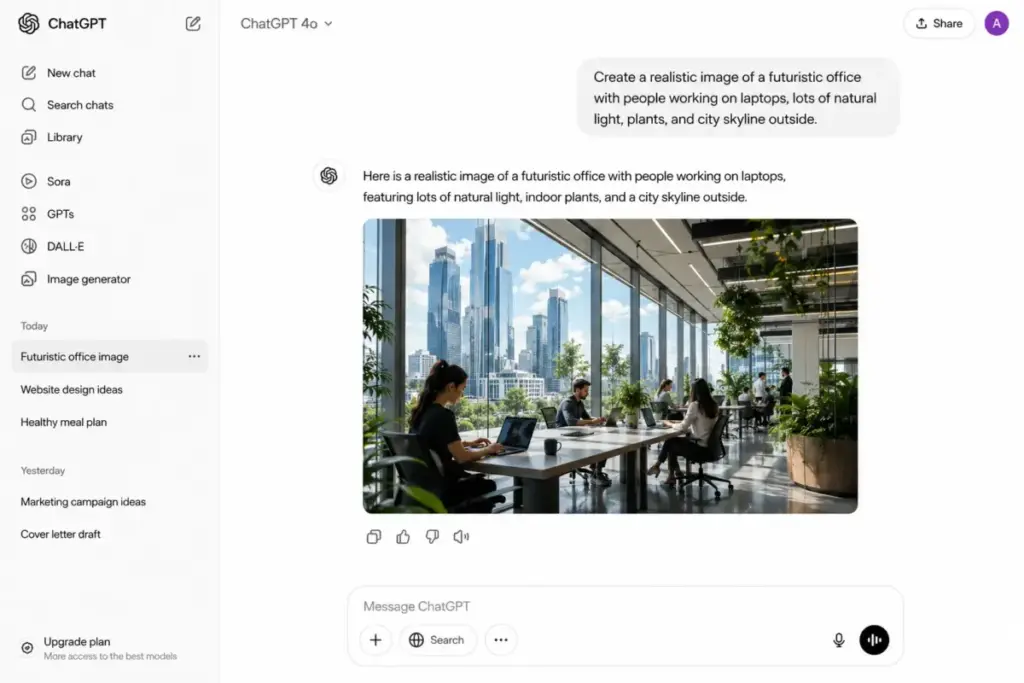
Pricing. Free access tier available with limited image generation. ChatGPT Plus is $20/month with higher usage limits. API image generation is billed separately and should not be treated as consumer pricing. For 10 individual Plus subscriptions, budget $200/month. See our ChatGPT pricing breakdown for plan details.
Key strengths:
- Conversational prompt refinement — describe edits in plain language
- Image creation and editing in one chat interface
- No design interface to learn, no credits to track
- Selection-based editing for targeted changes
What it does worse than Firefly: Firefly is more directly connected to Adobe creative tooling and better for designers who need Photoshop-style production workflows.
Hidden costs: Usage limits vary by plan and system conditions. Selection-based edits may not always be precise. API pricing is entirely separate from subscription.
Migration difficulty: Low. If you can type a sentence, you can generate an image.
#9 Stability AI — Best for Developers and Open-Model Workflows

Why switchers choose it: Developers, product teams, and technical creators who want model access, API control, and more customization than a closed creative app provides.
What it does. Stability AI offers Platform API access with credit-based pricing, DreamStudio in-app generation, and Stable Assistant as a separate product. It is the developer-first option on this list — built for teams that want to integrate image generation into products rather than use a design interface.
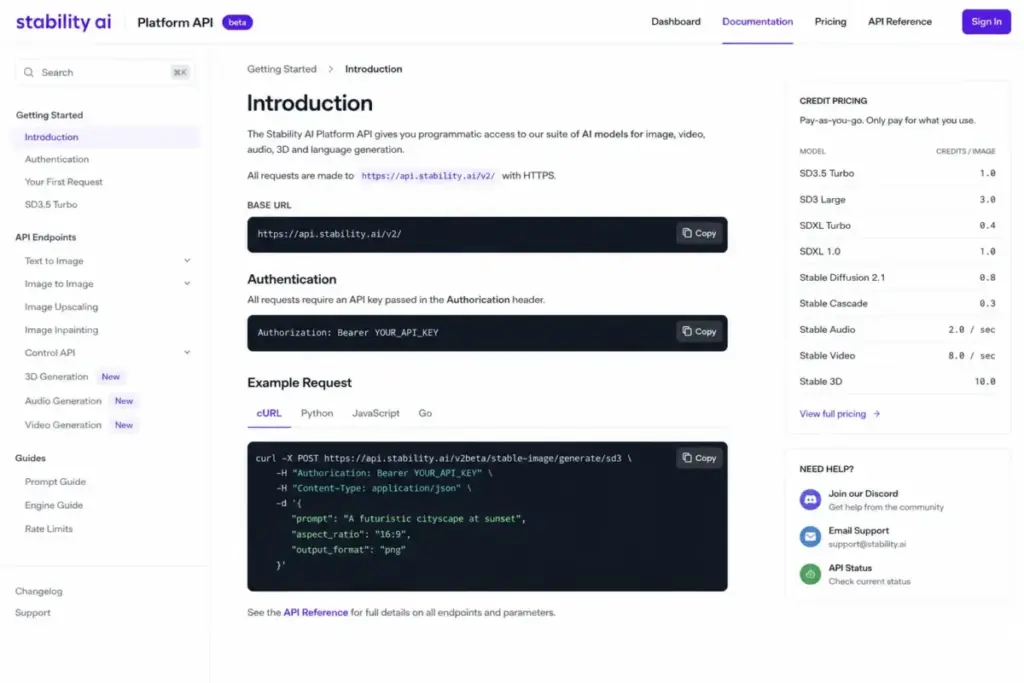
Pricing. API usage-based: 1 credit equals $0.01 on the Platform API. DreamStudio and Stable Assistant have separate credit systems. No simple per-user SaaS subscription exists. Cost at 10 users is not meaningful without usage assumptions.
Key strengths:
- Developer-first API access with granular credit pricing
- Model access for custom technical image workflows
- Multiple product pathways (Platform API, DreamStudio, Stable Assistant)
- Open-model philosophy for teams that want deployment flexibility
What it does worse than Firefly: Firefly is easier for non-technical creators and Adobe users. Stability workflows require developer setup, product decisions, and model-cost planning.
Hidden costs: Platform API, DreamStudio, and Stable Assistant credits are separate systems. Developer implementation is required. Cost varies based on model selection and usage volume.
Migration difficulty: High. Requires developer integration and infrastructure planning.
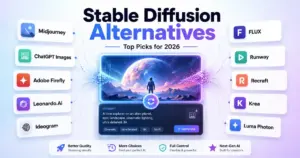
For background on open AI models, our Stable Diffusion coverage provides additional context on how API-first platforms compare to open-weight model workflows.
#10 Freepik AI Suite — Best for Stock Assets Plus AI Generation

Why switchers choose it: Marketers and designers who want AI generation, stock photos, vectors, icons, mockups, music, voice tools, and commercial creative assets in one subscription — rather than paying Adobe for generation and stock separately.
What it does. Freepik combines AI image and video generation with a large stock library, Magnific upscaling, editing tools, Spaces for organizing assets, access to multiple AI models, and commercial AI licensing on paid plans. It is the broadest content platform on this list, covering stock plus generation in one package.
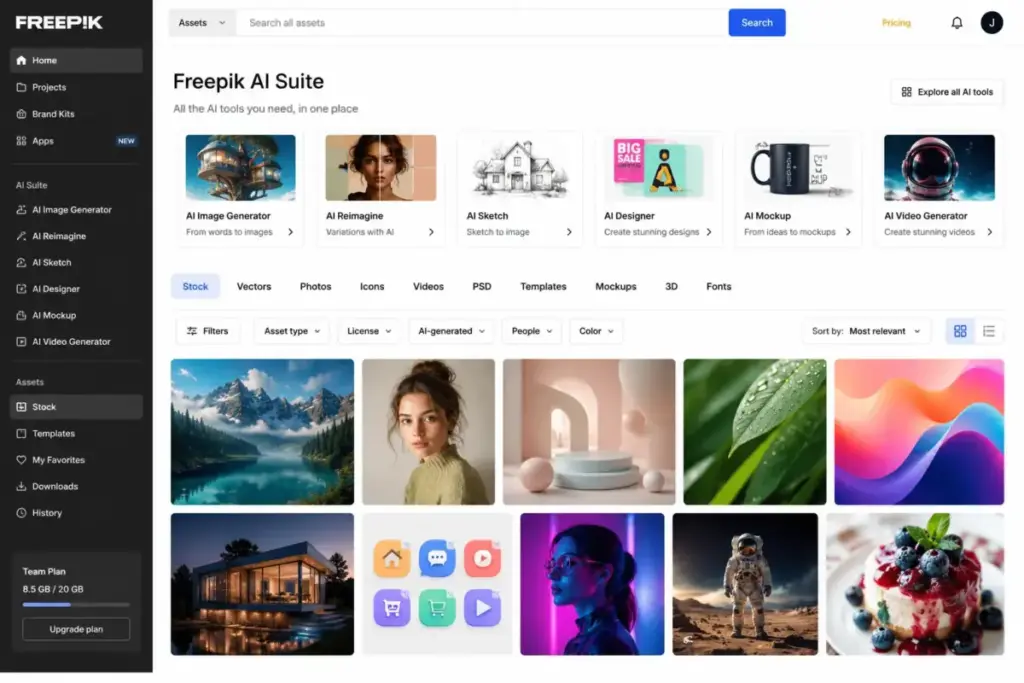
Pricing. Free limited plan exists. Premium starts at $14.50/month billed annually, or $20/month on monthly billing, with AI credits, stock access, and commercial AI license included. Premium Plus adds more credits and Magnific upscalers. For 10 Premium annual subscriptions, budget $145/month.
Key strengths:
- Stock library plus AI generation in one subscription
- Magnific upscaling tools on higher plans
- AI video, audio, and editing capabilities
- Commercial AI license on paid plans
What it does worse than Firefly: Firefly is more Adobe-native. Freepik is broader but may feel less focused than a specialized image or video generator.
Hidden costs: Credit costs can change by AI model and tool. Extra credits are limited to higher paid plans. Annual and monthly credit handling and reset rules need careful reading.
Migration difficulty: Low. Familiar stock-library interface with AI tools layered on top.
Pricing Comparison: Cost for a 10-Person Team
Understanding what each tool costs at team scale is where most comparison articles stop short. Here is what a 10-person team would pay for each alternative, with billing model and hidden costs flagged:
| Tool | Starting Price | ~Cost for 10 Users | Billing Model | Hidden Costs |
|---|---|---|---|---|
| Adobe Firefly | Free limited; paid from $9.99/mo | ~$99.90/mo (10 Standard) | Subscription + credits | Credit waste on failed outputs, premium features gated, add-on credit costs |
| Midjourney | $10/mo | ~$100/mo (10 Basic) | Subscription + GPU hours | No Relax Mode on Basic, auto-renewing, no free tier |
| Ideogram | Free; Plus $20/mo | ~$200/mo (10 Plus) or $300/mo (Team) | Subscription + credits | Priority credits expire monthly, slow credits have wait times |
| Leonardo.Ai | Free; $12/mo | ~$120/mo ex. tax (10 Essential) | Subscription + fast tokens | Token quotas, private gen gated, relaxed gen slows at peak |
| Canva AI | Free; Business $20/person/mo | ~$200/mo (10 Business) | Per-person subscription | Pro pricing unverified, AI usage varies by plan |
| Runway | Free; $12/user/mo annual | ~$120/mo (Standard) to $280/mo (Pro) | Per-user + credits | Video burns credits fast, workspace user caps on Standard |
| Recraft | Free; $12/mo | ~$120/mo (10 Basic) or $220/mo (Team) | Subscription + credits | No credit rollover, top-ups paid-only, commercial terms by plan |
| Krea AI | Free; Basic $63/year | ~$52.50/mo (10 Basic annual) | Subscription + compute units | Compute varies by model, monthly price unverified |
| ChatGPT Images | Free; Plus $20/mo | ~$200/mo (10 Plus) | Consumer subscription; API separate | Usage limits vary, API billed separately |
| Stability AI | API $0.01/credit | Usage-dependent | API credits | Split credit systems, developer setup required |
| Freepik AI Suite | Free limited; Premium $14.50/mo annual | ~$145/mo (10 Premium annual) | Subscription + AI credits | Credit costs change by tool/model, extra credits on higher plans only |
Key takeaway: The lowest effective entry point is Krea AI at approximately $5.25/month per user on annual billing, but compute-unit limits mean actual cost depends on volume. For the most predictable team budgets, Midjourney at $100/month and Adobe Firefly at $99.90/month offer the simplest per-seat subscription math. Canva AI at $200/month is the strongest option if your team needs design templates alongside generation.
Which Alternative Fits Your Switching Trigger?
Instead of ranking by “best overall,” match your reason for leaving Firefly to the right tool:
Credits feel expensive when outputs fail
Go to: ChatGPT Images, Krea AI, Ideogram, or Midjourney. ChatGPT uses conversational refinement without per-generation credit anxiety. Krea provides daily free compute units. Ideogram offers a free plan with slow credits. Midjourney’s Relax Mode on Standard+ gives unlimited slow generations.
You need stronger image aesthetics
Go to: Midjourney, Leonardo.Ai, or Freepik AI Suite. All three produce more striking visual output than Firefly for art direction and stylized creative work.
You need better typography, logos, and vector output
Go to: Ideogram, Recraft, Freepik AI Suite, or Canva AI. Ideogram leads in text-in-image accuracy. Recraft generates editable SVG vectors for logos and icons. Freepik combines AI generation with stock vectors. Canva provides template-driven brand graphics.
You need a serious AI video workflow
Go to: Runway, Krea AI, Leonardo.Ai, or Freepik AI Suite. Runway is the video-first platform. Krea includes multiple video models. Leonardo.Ai adds video to its creative workspace. Freepik includes AI video in its content suite. All offer deeper video generation capabilities than Firefly. See our best AI video generator options for full coverage.
You need simpler team marketing design
Go to: Canva AI, Freepik AI Suite, or Recraft. Canva wraps AI inside a design workspace with brand kits, templates, and approvals. Freepik bundles stock assets with generation. Recraft provides brand-consistent design tools.
You need developer control or API-first workflows
Go to: Stability AI, ChatGPT Images (API), Recraft API, or Leonardo.Ai API. Stability offers platform API credits. OpenAI provides GPT-Image API endpoints. Recraft and Leonardo both offer separate API billing for integration.
You want to avoid Adobe lock-in entirely
Go to: Canva AI, ChatGPT Images, Krea AI, Runway, or Ideogram. All five operate as standalone platforms with no Adobe dependency, no Creative Cloud assumptions, and no Adobe storage requirements.
How We Evaluated These Alternatives
Every tool was evaluated against Adobe Firefly across six dimensions:
- Switching trigger fit. Does it solve a specific Firefly pain point — credit waste, image quality, typography, video, team design, API access, or lock-in?
- Pricing transparency. Are costs documented with enough detail for a 10-user budget? Or are credits, tokens, and compute units hiding the real cost?
- Migration difficulty. How hard is it to move from Firefly workflows to this tool?
- Feature differentiation. What can it do that Firefly cannot?
- Team scalability. Does it support 10+ users with manageable costs and workspace tools?
- Limitation honesty. What does it do worse than Firefly?
Pricing was verified against official sources on June 9, 2026. We separated consumer pricing from API pricing where products offer both. Our Adobe Firefly evaluation provides the baseline feature analysis this comparison builds on.
For credit system details, see our Adobe Firefly pricing guide on the Adobe Firefly pricing and cost breakdown page.
Frequently Asked Questions
What is the best alternative to Adobe Firefly?
It depends on why you are switching. For image quality, Midjourney produces the most polished output. For typography and text-in-image, Ideogram leads. For marketing teams, Canva AI wraps AI generation inside a design workspace. For video, Runway is the strongest video-first platform. For developers, Stability AI offers API-first model access.
Is Midjourney better than Adobe Firefly?
Midjourney produces higher visual polish per prompt with less creative friction, but Firefly integrates with Photoshop, Illustrator, and Adobe Express. If you value output quality over Adobe app integration, Midjourney wins. If your workflow depends on Creative Cloud, Firefly remains easier to justify.
What is the best free Adobe Firefly alternative?
Ideogram, Leonardo.Ai, Krea AI, Recraft, and Canva AI all offer free plans with limited usage. Leonardo.Ai’s free plan with daily fast tokens is the most generous for image-only workflows. Krea AI’s free daily compute units are the most flexible for multi-model experimentation.
Which Adobe Firefly alternative is best for text in images?
Ideogram and Recraft both outperform Firefly at rendering readable text. Ideogram is strongest for poster-style typography and Magic Prompt text accuracy. Recraft is better for editable vector text, logo concepts, and brand assets.
Is Runway better than Adobe Firefly for video?
Runway is a video-first platform with Gen-4 and Gen-4.5 model access, making it stronger for dedicated video production. Firefly includes video features, but Runway offers deeper workflows, more model options, and production-oriented tools for teams that create motion content regularly.
Which Firefly alternative is best for marketing teams?
Canva AI at $20/person/month offers templates, brand kits, stock content, AI tools, and team collaboration in one platform. Freepik AI Suite combines stock assets with AI generation and commercial licensing. Both are built for marketing workflows rather than deep generative experimentation.
What AI tool is best for logos and vectors?
Recraft generates editable SVG vectors, making it the strongest option for logo concepts and brand assets. Ideogram handles text-heavy logo compositions well. Freepik AI Suite provides vector stock plus AI generation in one package.
How much does it cost to replace Adobe Firefly for a team of 10?
From approximately $52.50/month (Krea AI Basic annual) to $300/month (Ideogram Team plan). Midjourney at $100/month and Firefly Standard at $99.90/month offer the most predictable per-seat pricing. Canva AI Business at $200/month adds design templates and brand tools on top of AI generation.
Which Firefly alternative works best for developers?
Stability AI offers platform API credits at $0.01/credit for maximum model control. OpenAI’s GPT-Image API provides conversational image generation as a developer endpoint. Recraft API and Leonardo.Ai API offer design-oriented generation with separate developer billing.
Is there a free Firefly alternative that allows commercial use?
Recraft and Krea AI offer commercial licensing on paid plans starting from $12/month and $63/year respectively. Canva AI Business includes commercial use. Free plans may have different commercial terms — always verify ownership and usage rights before publishing commercial work.
Bottom Line
The right Adobe Firefly alternative is not the one with the most impressive demo reel. It is the tool that eliminates the specific workflow friction that is costing you time and credits. Match your switching trigger to the tool that solves it, verify the pricing model works for your team size, and start with a free tier before committing to a paid plan.
For a broader view of how generative AI tools are reshaping creative workflows beyond Firefly, explore our AI image and photo editing coverage.