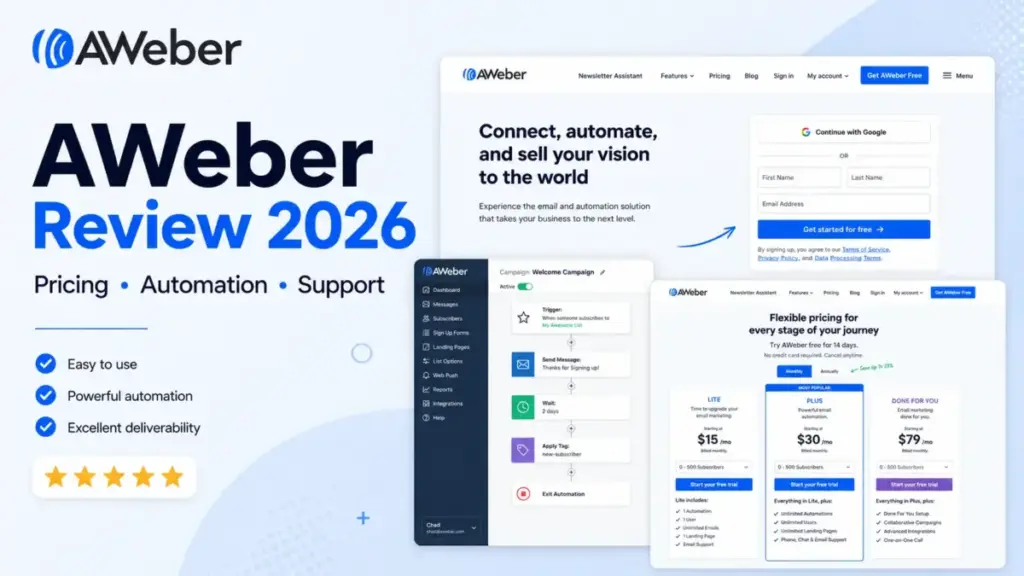
AWeber works best for a specific type of email sender: someone with fewer than 5,000 contacts, a straightforward welcome sequence, and a strong preference for picking up the phone when something breaks. If that describes you, this platform delivers. If it does not, keep reading before you commit.
I say that because AWeber’s 2026 value depends less on its feature list and more on billing rules, plan gates, and operational tradeoffs that most competing reviews skip entirely.
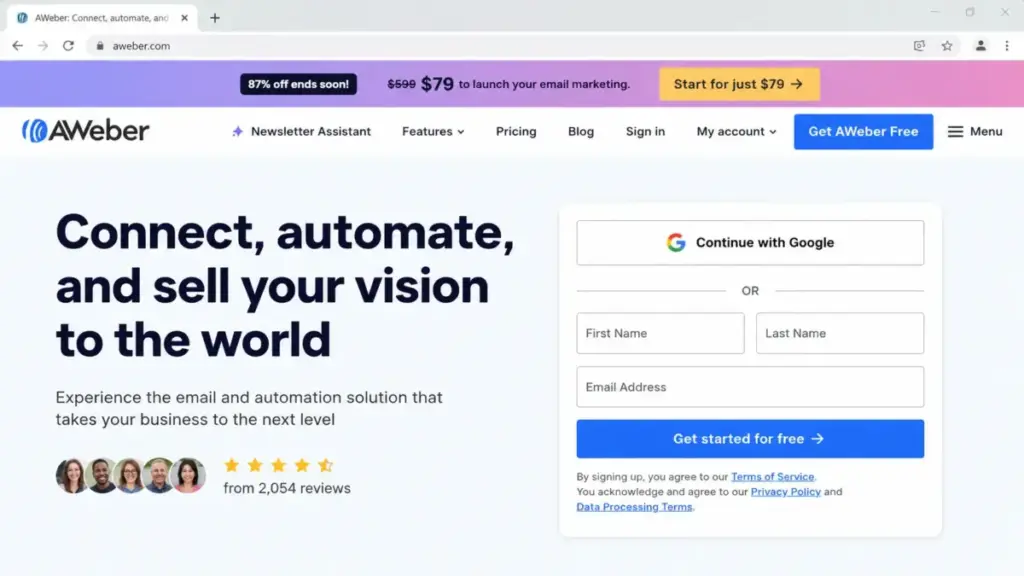
The pricing page has changed. The free plan is gone. The mobile apps are gone. And native two-factor authentication still does not exist. Those details shape the buying decision more than any drag-and-drop editor comparison.
Here is what I found after cross-referencing AWeber’s official documentation, live pricing page, community responses, and verified reviews across G2, Capterra, and TrustRadius. For context on how AWeber compares within the category, see our guide to the best email marketing platforms.
Quick Verdict: AWeber at a Glance
| Category | Details |
|---|---|
| Best for | Solo creators, coaches, newsletter publishers, and small digital-product sellers with 500 to 5,000 contacts who value 24/7 human support |
| Not ideal for | Ecommerce lifecycle teams, security-sensitive organizations needing native MFA, multilingual admin teams, and lists above 25,000 contacts |
| Starting price | $15/month (Lite, up to 500 subscribers) |
| Practical plan | Plus at $30/month (up to 500 subscribers) for unlimited lists, automations, segments, branding removal, and priority support |
| Free plan or trial | 14-day trial only. No permanent free plan on the current pricing page |
| Setup difficulty | Low to medium |
| Main strength | 24/7 human support (chat, email, phone on weekdays) plus free migration assistance |
| Main limitation | Automatic billing upgrades on overages, manual downgrades only, no native MFA |
| Best alternative | Brevo for sends-based pricing; Kit (formerly ConvertKit) for creator-focused workflows |
What this means: AWeber is a conditional recommendation. It earns its price for small, simple email operations backed by real human support. It loses ground fast when list size grows, automation complexity increases, or account security requirements tighten.
How We Reviewed AWeber
This review uses third-party validated research. I did not run my own AWeber account for this evaluation. Instead, I cross-referenced AWeber’s live US pricing page, official help documentation, the AWeber community forum, and verified user reviews across three platforms.
Sarah Chen has evaluated 35+ email marketing and automation platforms since 2022.
This review follows the SaaSZap review methodology.
Data sources:
- AWeber official pricing page, verified June 19, 2026
- AWeber help center and knowledge base documentation
- AWeber community forum (official staff responses, February 2026)
- G2 verified reviews (named reviewer quotes)
- Capterra and TrustRadius aggregate review patterns
Limitation: This is not a first-party product test. Claims about interface speed, deliverability rates, and real-time workflow behavior come from official documentation and third-party user reports, not from my own account.
Setup and Onboarding
AWeber’s onboarding targets people who want to send their first email fast, not people who want to architect a multi-branch lifecycle system.
The platform offers a drag-and-drop email builder, pre-built templates, signup forms, and a landing page builder. According to user reports on Capterra, the initial setup process is generally straightforward. Importing a list, choosing a template, and sending a broadcast can happen within the first session.
For teams migrating from another platform, AWeber advertises free account migration. That includes list imports and campaign recreation handled by AWeber’s team. For buyers who want the setup done entirely for them, the Done For You plan bundles expert implementation, branded email assets, landing page setup, a signup form, a welcome series or newsletter, a one-on-one call, and 30 days of edits. The current promotional setup fee is $79 against a struck-through regular fee of $599.
Setup difficulty: Low to medium. Basic campaigns are approachable. Domain authentication (DKIM, SPF), automation logic, integration configuration, and list architecture still require planning.
One thing worth noting early: AWeber retired its native iOS and Android apps before May 1, 2023. There is no dedicated mobile app. AWeber directs users to its responsive mobile website instead. If you manage campaigns from your phone regularly, this is a workflow change, not a temporary gap. For a primer on what email marketing platforms typically include, that context helps frame where AWeber sits.
Core Email and Automation Workflows
Email Builder and Campaigns
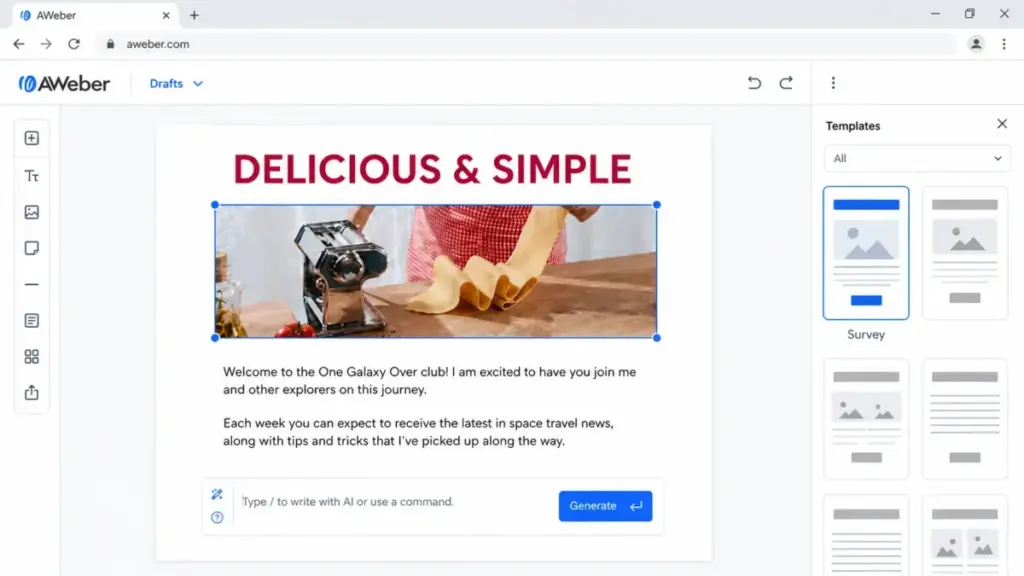
AWeber’s core email tools include a drag-and-drop editor, a newsletter assistant with AI writing support, broadcast and automated campaigns, and RSS-to-email functionality. The editor handles standard newsletter layouts well. According to TrustRadius aggregate reviewer patterns, the editor and standard reporting rate favorably, while landing pages and dynamic content are weaker areas.
The platform supports subscriber tagging and segmentation. On Lite, you get 1 saved custom segment. On Plus, segments are unlimited. That single-segment cap on Lite is a practical ceiling most reviews overlook: if you sell two products to two audiences, you cannot save both segments without upgrading.
Automation
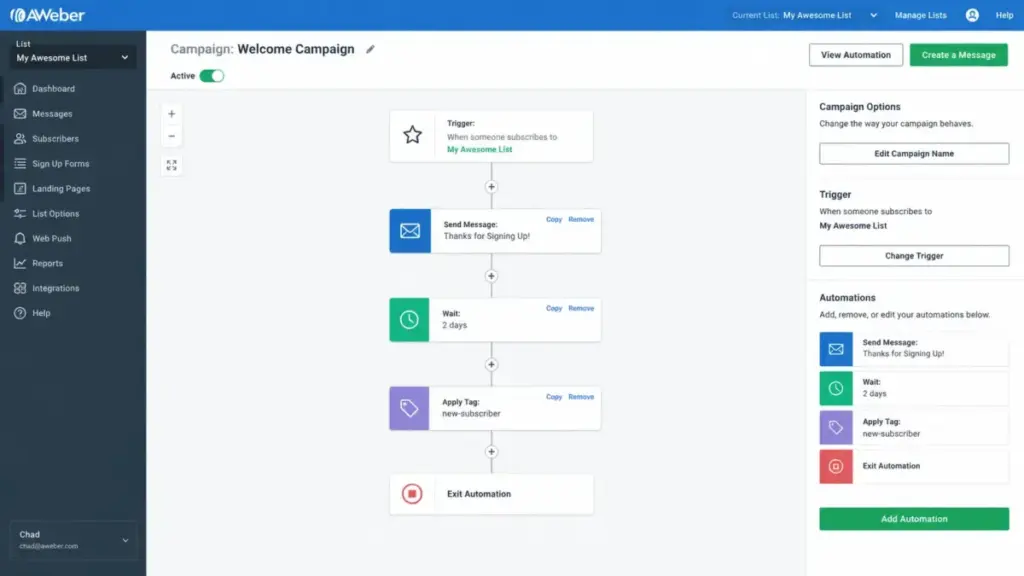
AWeber offers campaign automations with subscriber tagging and triggering. On Lite, you are limited to 3 automations. Plus opens unlimited automations and adds behavioral automation.
Here is the thing. AWeber is better suited to linear sequences than to the more complex branching available in automation-focused platforms. If your workflow is “someone signs up, gets a 5-email welcome series, then gets tagged based on link clicks,” AWeber handles that. If your workflow is “trigger different paths based on purchase history, cart abandonment, browsing behavior, and engagement scoring,” you are likely to reach AWeber’s automation limits as those workflows become more complex. For that level of branching, the ActiveCampaign review covers a platform built specifically for complex automation.
Integrations
AWeber lists hundreds of integrations. Key connections include Facebook Lead Ads, PayPal, WordPress, Shopify, WooCommerce, Stripe, Canva, Google Analytics, Zapier, and Pabbly.
There is a constraint worth knowing: the direct Facebook Lead Ads integration supports one Meta Lead Ads account per AWeber account. If you manage multiple ad accounts, you need Zapier or another connector for the additional ones. Custom field mapping from Lead Ads also requires a third-party bridge in some configurations.
AWeber provides a REST API using OAuth 2.0 with a documented rate limit of 120 requests per minute per account. That is adequate for most small integrations. High-volume API consumers or teams building custom sync workflows should test against that limit early.
Web Push Notifications
Beyond email, AWeber includes web push notifications. This is a feature that several competitors in the same price range do not bundle natively. For creators running a blog alongside their newsletter, this adds a secondary engagement channel without a separate tool.
What Happens as Your List Grows
This is where most AWeber reviews fall short. They describe what the platform does. They do not describe what happens when your list grows past the first pricing tier.
The Pricing Documentation Conflict
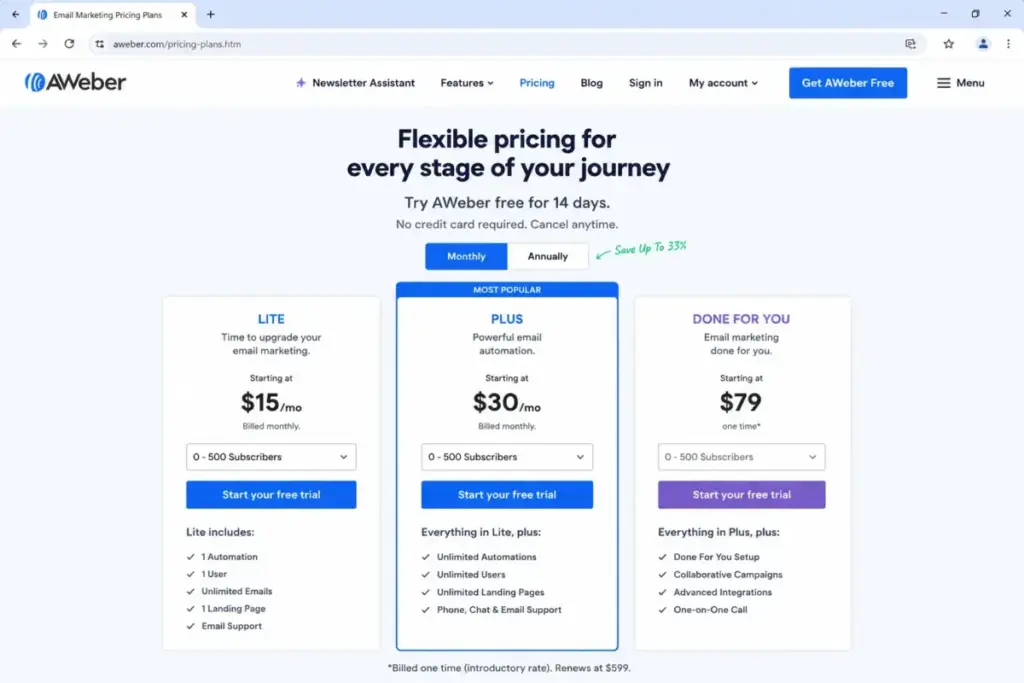
The live AWeber pricing page currently shows three plans: Lite, Plus, and Done For You, with a 14-day trial. Older official AWeber help center pages still reference a “Free” plan and an “Unlimited” plan. Those references are stale unless the pricing page changes again.
I mention this because at least four of the top-ranking 2026 AWeber reviews still list a permanent free plan. If you are making a buying decision based on that, you may sign up expecting free access and find a 14-day trial instead. Trust the live pricing page, not the help center archives.
The Billing Mechanics Nobody Mentions
Here is where AWeber’s simplicity has a cost:
- Automatic tier upgrades. If your subscriber count or send volume exceeds your current tier limits, AWeber can automatically upgrade your account to the next billing tier.
- Manual downgrades only. If you clean your list and drop below a tier threshold, the system does not automatically reduce your bill. You need to contact AWeber’s Customer Solutions team to request a downgrade.
- Deleting subscribers does not auto-lower billing. Removing contacts from your list is not the same as requesting a tier reduction. You must take the separate step of contacting support.
This creates a ratchet effect. Growing is automatic. Shrinking requires action. For a solo creator running seasonal promotions or building and cleaning a list aggressively, this billing behavior can mean paying for a higher tier longer than necessary.
A named G2 reviewer (Div S., Chief Marketing Officer) noted: “They count subs as 2 even if 2 different lists have the same subs.” I cannot confirm this as official policy, but buyers on Plus (which allows unlimited lists) should check whether the same email address across multiple lists is counted once or multiple times at their subscriber tier.
The Security Gap
An official AWeber community response from February 2026 confirmed that native multi-factor authentication (MFA) is in the product backlog but not yet available. This is a gap that none of the top 10 ranking reviews mention.
AWeber supports Google One Tap login, which can inherit Google account security controls including MFA. But this is a workaround, not a native feature. If your organization mandates MFA for all vendor accounts and cannot require Google logins, AWeber does not meet that requirement today.
The Language Limitation
The AWeber control panel is English-only. You can write and send emails in any language, but the dashboard, navigation, settings, and support interface are in English. For multilingual admin teams, this is a practical limitation.
The Pricing Math That Shapes Your Decision
AWeber charges by subscriber count. The pricing model is straightforward, but the numbers at scale are what determine whether AWeber is the right pick or an expensive one.
AWeber Pricing Table (Verified June 19, 2026)
| Subscribers | Lite Monthly | Lite Annual | Plus Monthly | Plus Annual |
|---|---|---|---|---|
| 500 | $15 | $150/yr | $30 | $240/yr |
| 1,000 | $25 | $250/yr | $45 | $450/yr |
| 2,500 | $35 | $350/yr | $55 | $550/yr |
| 5,000 | $60 | $600/yr | $90 | $900/yr |
| 10,000 | $100 | $1,000/yr | $135 | $1,350/yr |
| 25,000 | $210 | $2,100/yr | $250 | $2,500/yr |
| 50,000 | $375 | $3,750/yr | $400 | $4,000/yr |
| 100,000 | $600 | $6,000/yr | $750 | $7,500/yr |
What this means: At 500 subscribers, the gap between Lite and Plus is $15/month. At 25,000 subscribers, the gap narrows to $40/month, and Plus becomes the obvious value. The real question is not “Lite or Plus?” It is “At what list size does AWeber cost more than an alternative with better automation?”
Send volume caps: Lite allows 10x your subscriber count per month. Plus allows 12x. At 5,000 subscribers on Lite, you can send 50,000 emails monthly. That is roughly 10 campaigns to your full list per month, which is more than most solo creators need.
Done For You: Priced at the Plus subscriber tiers plus a promotional $79 setup fee (regular $599). Includes expert implementation within approximately seven days, branded email assets, landing page and form setup, welcome series or newsletter assistance, a one-on-one call, and 30 days of edits. The exact deliverable count has minor conflicts within the pricing page itself, so confirm details before purchase.
Additional costs:
- AWeber ecommerce transaction fee: 1.0% on Lite, 0.6% on Plus and Done For You (on top of Stripe or payment processor fees)
- Hold Package: $4.99/month to pause an account and retain data without an active subscription
- Nonprofit and student discounts may be available after eligibility verification
Feature Gate Comparison: Lite vs. Plus
| Feature | Lite | Plus |
|---|---|---|
| Monthly sends | 10x subscribers | 12x subscribers |
| Lists | 1 | Unlimited |
| Landing pages | 3 | Unlimited |
| Automations | 3 | Unlimited |
| Users | 3 | Unlimited |
| Saved custom segments | 1 | Unlimited |
| AWeber branding | Included (cannot remove) | Removed |
| Behavioral automation | No | Yes |
| Email split testing | No | Yes |
| Advanced reporting | No | Yes |
| Sales tracking | No | Yes |
| Priority support | No | Yes |
| Ecommerce fee | 1.0% | 0.6% |
What this means: Lite works for a single-product creator with one list and simple automation needs. The moment you need a second list, a fourth automation, or branding removal, you are on Plus. That gate is sharp and it is early.
AWeber Pros and Cons
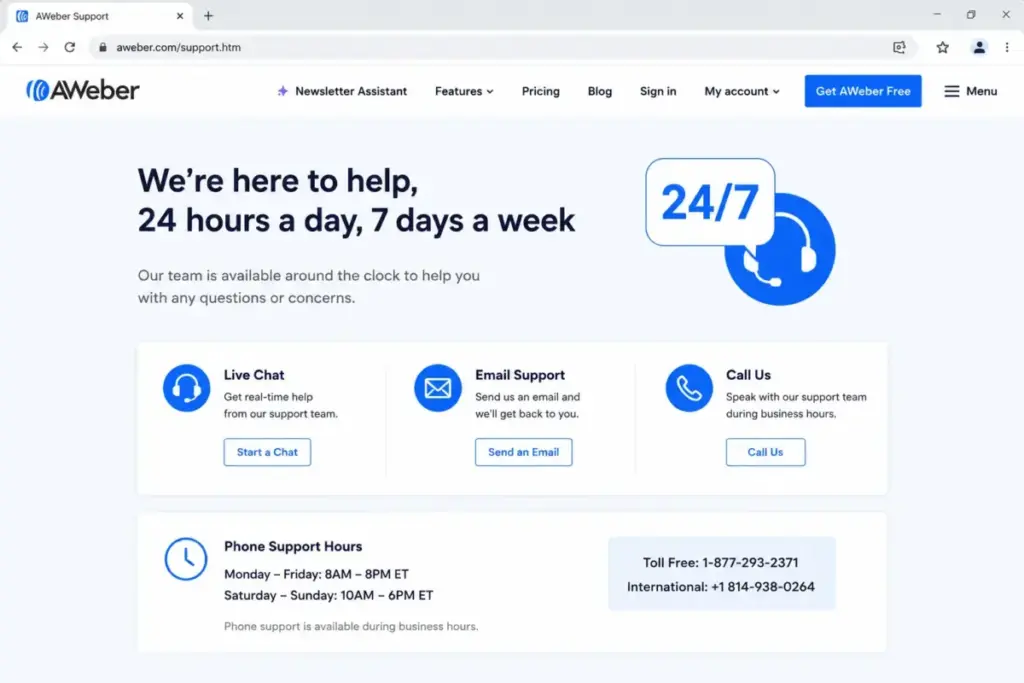
- 24/7 human support across chat, email, and phone. Phone support is available Monday through Friday, 8 a.m. to 8 p.m. Eastern. Plus and Done For You customers receive priority support. This is a real differentiator against competitors that limit live support to higher tiers.
- Free account migration. AWeber’s team handles list imports and campaign recreation at no additional cost.
- Simple campaign setup for beginners. The drag-and-drop builder, template library, and AI-assisted newsletter creation lower the entry barrier for first-time email senders.
- Web push notifications included. A natively bundled feature that competitors often charge separately for or omit entirely.
- RSS-to-email for bloggers and content creators. Automatic email campaigns from blog feeds, a workflow that creators specifically need and that not all competitors include at Lite pricing.
- Automatic billing upgrades, manual downgrades. Overage-triggered tier changes happen automatically. Reducing your tier after cleaning your list requires contacting support. Deleted subscribers do not auto-reduce billing.
- No native MFA. Two-factor authentication is not available as a built-in feature. The Google One Tap workaround does not solve the requirement for teams that cannot mandate Google accounts.
- No native mobile app. Retired before May 2023. The mobile web experience replaces it, but push notification management, quick campaign checks, and on-the-go list management lack a dedicated app experience.
- Lite plan gates are aggressive. One list, three automations, one saved segment, and retained AWeber branding push most growing creators to Plus quickly.
- English-only admin interface. Dashboard and settings are English-only. Email content can be multilingual, but the platform itself is not.
- Basic automation branching. AWeber handles drip sequences well. Multi-branch conditional journeys based on purchase behavior, engagement scores, or event triggers are limited compared to ActiveCampaign or Klaviyo.
Who Should Use AWeber?
- Solo coaches and creators with one lead magnet and under 1,000 contacts. Lite at $15/month covers the basics. The support safety net is worth the price for non-technical senders.
- Newsletter publishers sending weekly broadcasts. AWeber’s editor, RSS-to-email, and deliverability track record serve this workflow directly.
- Small digital-product sellers using Stripe. Built-in ecommerce through Stripe plus landing pages and signup forms create a simple sales funnel without additional tools.
- Teams that value phone support. Monday through Friday phone access from 8 a.m. to 8 p.m. Eastern is uncommon at this price range.
- Creator businesses with 2,000 to 5,000 contacts and multiple products. Plus at $55 to $90/month (2,500 to 5,000 subscribers) provides unlimited lists, automations, segments, and branding removal.
Who Should Avoid AWeber?
- Shopify or WooCommerce stores needing abandoned-cart, post-purchase, and lifecycle automation. AWeber supports Shopify integration but its automation depth is designed for sequences, not multi-branch ecommerce journeys. Consider the Klaviyo review for that workflow.
- Organizations requiring native MFA for all vendor accounts. AWeber does not offer built-in two-factor authentication. The Google One Tap workaround is not a substitute for teams with strict security policies.
- Growing lists above 25,000 contacts. At this scale, AWeber Plus costs $250/month. Competitors with sends-based pricing or more advanced automation may deliver better value per dollar. See the Brevo analysis for sends-based alternatives.
- Multilingual teams needing non-English administration. The dashboard is English-only.
- Teams building complex conditional automation. If your marketing requires branching based on website events, purchase history, dynamic content blocks, and engagement scoring, AWeber’s automation builder will feel limiting. ActiveCampaign is the standard upgrade for that use case.
AWeber Alternatives
| Alternative | Choose if you need | Starting price | Key difference |
|---|---|---|---|
| Mailchimp | Broader multi-channel marketing with larger template library | $13/month (500 contacts) | Stronger multi-channel tools, but charges by contacts and counts unsubscribed contacts toward billing |
| Brevo | Sends-based pricing that does not penalize list size | $9/month (500 emails/day) | Pay by sends, not contacts. Better value for large lists with low sending frequency |
| Kit (ConvertKit) | Creator-focused workflows with visual automation | $29/month (up to 1,000 subscribers) | Visual automation builder, creator commerce, and paid newsletter support |
| ActiveCampaign | Advanced automation branching and CRM integration | $15/month (1,000 contacts) | The deepest automation builder in this price range, but steeper learning curve |
| MailerLite | Budget alternative with a generous free plan | Free up to 1,000 subscribers | Includes automation and landing pages on free plan. Less support depth than AWeber |
What this means: If you are leaving AWeber because of pricing at scale, Brevo’s sends-based model is the most direct solve. If you are leaving because automation is too basic, ActiveCampaign is the upgrade. If you are a creator who wants to stay in a simple ecosystem, Kit is the closest alternative in philosophy. For a deeper look at AWeber’s most direct competitor, see the Mailchimp review and analysis.
Verdict: Keep It or Kill It?
AWeber is worth keeping if you are a solo creator or small team with under 5,000 contacts, straightforward email sequences, and a genuine need for human support you can reach by phone. The support experience is AWeber’s strongest competitive edge, and for non-technical senders, that alone can justify the price.
AWeber is worth dropping if your list is growing past 10,000 contacts, your automation needs are evolving beyond linear sequences, or your organization requires native MFA. At that scale and complexity, the billing mechanics (automatic upgrades, manual downgrades) and feature gates create friction that competitors handle more gracefully.
My recommendation by segment:
- Solo creator, under 1,000 contacts, one product: AWeber Lite. Budget $15 to $25/month. The support and simplicity are the product.
- Creator business, 2,000 to 5,000 contacts, multiple products: AWeber Plus. Budget $55 to $90/month. Unlimited lists and automations make it functional. Compare against Kit at this tier.
- Growing team, 10,000+ contacts, needs automation branching: Skip AWeber. The ConvertKit evaluation or ActiveCampaign will serve you better.
- Ecommerce team needing lifecycle flows: Skip AWeber. AWeber’s ecommerce support exists but is not built for multi-branch purchase-triggered campaigns.
AWeber is not the most powerful email platform. It is not the cheapest. It is the one where you can call someone when your campaign breaks, and a human answers. For the right buyer, that is exactly enough.
Frequently Asked Questions
Does AWeber have a free plan in 2026?
No. The current AWeber pricing page displays a 14-day trial, not a permanent free plan. Older AWeber help center documentation still references “AWeber Free,” but the live pricing page shows Lite, Plus, and Done For You as the only current options. The trial converts to a paid subscription unless canceled and can end early if trial limits are exceeded.
How much does AWeber cost for 5,000 subscribers?
AWeber Lite costs $60/month or $600/year for up to 5,000 subscribers. AWeber Plus costs $90/month or $900/year for the same tier. Annual billing reduces the effective monthly cost.
Does AWeber count the same subscriber twice across lists?
A named G2 reviewer reported that the same subscriber on two different lists was counted twice toward their subscriber total. I cannot confirm this as official AWeber policy, but it is a billing behavior worth verifying with AWeber support before creating multiple lists on Plus.
Does AWeber have a mobile app?
No. AWeber retired its native iOS and Android apps before May 1, 2023. Users are directed to the responsive mobile website, which AWeber states provides more functionality than the retired apps offered.
Can I downgrade my AWeber plan after deleting subscribers?
Deleting subscribers does not automatically lower your billing tier. You must contact AWeber’s Customer Solutions team to request a manual downgrade. This is a billing behavior that is distinct from most competitors, where tier adjustments align with subscriber count changes automatically.
Does AWeber support two-factor authentication?
Native MFA is not available. An AWeber community team response from February 2026 confirmed that two-factor authentication remains in the product backlog. Logging in through Google One Tap can inherit Google account security controls, but this requires users to have and use Google accounts.
Which is better, AWeber Lite or Plus?
Lite is sufficient only if you need one list, three or fewer automations, one saved segment, and do not mind AWeber branding on your emails. The moment you need a second list or a fourth automation, Plus is the required upgrade. At the 500-subscriber tier, the gap is $15/month. At 5,000 subscribers, it is $30/month. Plus also unlocks behavioral automation, split testing, and priority support.
Does AWeber support languages other than English?
You can write and send emails in any language. The AWeber admin dashboard, navigation, and settings interface are English-only. AWeber support is available in English.
What is AWeber's API rate limit?
AWeber’s REST API uses OAuth 2.0 and documents a rate limit of 120 requests per minute per account. For standard integrations, this is sufficient. High-volume sync workflows or real-time data consumers should test against this ceiling.
Is AWeber good for ecommerce?
AWeber supports ecommerce through Stripe integration, product sales on landing pages, and subscription management. The ecommerce transaction fee is 1.0% on Lite and 0.6% on Plus. For simple digital-product sales, this works. For Shopify abandoned-cart flows, multi-branch lifecycle campaigns, or transactional email, a specialized ecommerce email platform will serve you better.