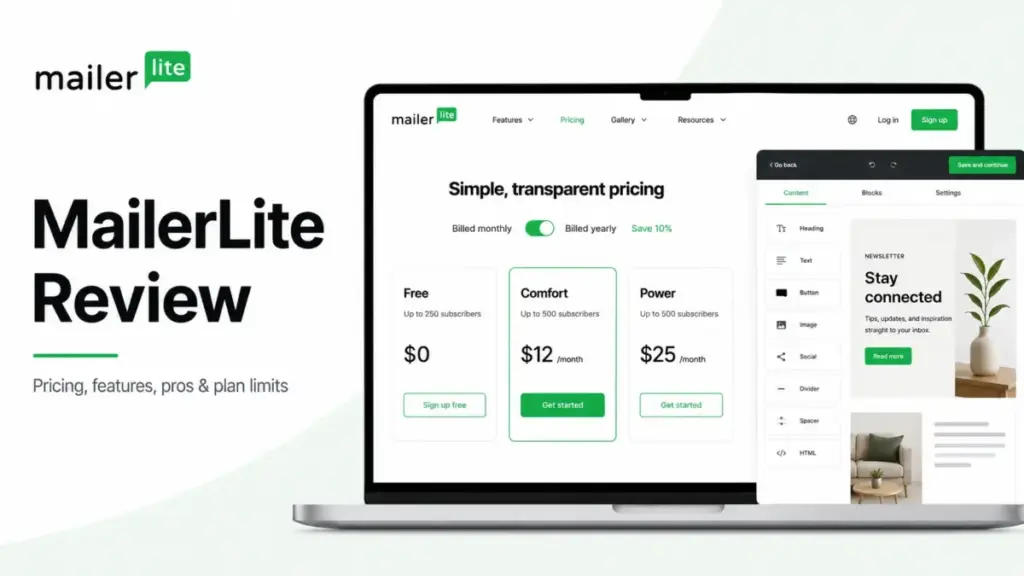
If your email marketing program is a weekly broadcast to a list under 5,000 subscribers, MailerLite should be at the top of your consideration list. The platform combines campaign builders, landing pages, and monetization features in a package that starts at $12/month (as of June 2026).
However, if you are an ecommerce team that needs complex sales pipelines, deep behavioral analytics, or native phone support, you should skip MailerLite entirely.
The decision to adopt MailerLite in 2026 comes down to how you balance ease and affordability against automation depth and scaling control. This balance shifted after the platform updated its plans on June 16, 2026.
Many online comparison reviews still display outdated pricing and free limits. This MailerLite review corrects those stale details, mapping the latest limits, feature gates, support tradeoffs, and hidden costs to help you decide if it fits your workflow.
The core tension for buyers is that MailerLite has restricted its free plan to 250 subscribers and 2,500 monthly emails. Furthermore, paid plans now feature strict gates on user seats, websites, forms, and automation steps.
This review explains these gates and reveals a specific billing auto-upgrade caveat that could surprise you as your audience grows.
| Category | Verdict |
|---|---|
| Best for | Creators, authors, newsletter publishers, and small teams needing clean campaigns without CRM complexity |
| Not ideal for | Teams requiring deep sales CRMs, complex attribution reporting, or native phone support |
| Starting price | $12/month (Comfort plan, scales by subscriber count) |
| Best practical plan | Power plan (starts at $25/month) if you need live chat support and unlimited automation steps |
| Free plan/trial | Yes (limits: 250 subscribers, 2,500 monthly emails, 1 website, 1 landing page) |
| Setup difficulty | Low (takes under 15 minutes to build a basic campaign) |
| Main strength | Visual drag-and-drop editor and Stripe-based monetization in a clean interface |
| Main limitation | Basic reporting dashboards and strict account approval processes for imported lists |
| Best alternative | ConvertKit review for professional newsletter operators |
What this means: While MailerLite is still one of the most budget-friendly systems on the market, the June 2026 limits mean you will migrate off the free tier much earlier than in previous years.
How We Reviewed MailerLite
I evaluated MailerLite by analyzing official documentation, verifying pricing structures directly from the official MailerLite pricing page, and audit testing features against competitor platforms like Mailchimp and ConvertKit. I did not perform hands-on platform testing for this review. Instead, the limitations and user experience notes in this article are derived from official resource sheets, contracting terms, compliance declarations, and verified reviewer patterns from third-party platforms.
As a marketing technology strategist at SaaSZap, I, Sarah Chen, analyzed hundreds of user reports on G2, Capterra, and TrustRadius to identify what breaks at scale. This analysis relies on data verified on June 22, 2026, ensuring all plan specifications reflect the post-June 2026 system updates.
The Three Operational Problems MailerLite Solves
MailerLite is built to bypass the complexity of enterprise marketing hubs. For teams that want to start sending campaigns quickly, the software solves three operational bottlenecks.
1. Simplifying Creator Newsletter Monetization
Most email tools require you to integrate third-party payment gateways, cart plugins, and member databases to sell content. MailerLite resolves this by embedding digital product sales, booking calendars, and paid newsletter subscriptions natively.
By connecting your Stripe account, you can sell ebooks, consulting sessions, or paid email tiers directly on MailerLite landing pages. This setup bypasses the need for external tools, though Stripe payment processing fees still apply.
For creators selling a digital download, this native setup reduces cart abandonment. Subscribers enter their card details directly on the landing page, and MailerLite instantly delivers the file via automated email. This removes the need for webhooks or complex integrations, keeping transaction costs low for small operations.
2. Deploying Welcome Sequences Without High Costs
Building automated sequences is essential for lead nurturing, but competitors often lock visual automation editors behind expensive tiers. MailerLite solves this cost barrier by providing its visual workflow builder on all plans, including the free tier.
This enables creators to build multi-step email sequences that trigger when a subscriber joins a group or completes a form. For example, a Klaviyo review highlights deep ecommerce flow logic, but MailerLite provides standard welcome and abandoned cart sequences at a fraction of the cost.
A welcome sequence can include conditional splits based on whether a link was clicked. You can delay subsequent messages by specific hours or days to avoid overwhelming new subscribers. This builder is visual, showing your entire sequence map clearly on a single dashboard screen.
3. Building Landing Pages and Signup Forms Under One Login
Many small businesses struggle with design silos, paying for a landing page builder, a pop-up plugin, and an email delivery tool separately. MailerLite consolidates these tools.
You can build custom signup forms, promotional pop-ups, and full landing pages within the same dashboard. This consolidation speeds up campaign launches since new leads flow instantly into your subscriber segments without relying on external sync APIs.
The landing page editor includes templates that match the formatting of the email campaign builder. This ensures that your brand colors and typography remain consistent from the first signup form to the weekly newsletter broadcast, preventing a fragmented experience for your audience.
The Two Key Problems MailerLite Creates
While MailerLite is simple and affordable, the platform introduces specific operational challenges that can disrupt growing teams.
1. Severe Feature Restrictions on the Free Plan
The June 2026 update transformed MailerLite’s free tier from a generous starting point into a restricted trial. The plan caps your list at 250 subscribers and restricts sends to 2,500 monthly emails.
Additionally, you are restricted to 2 user seats, 3 active automations, 5 automation steps, 1 website, 1 landing page, and 3 signup forms. If you need to build a fourth form or add a sixth step to your welcome campaign, you must upgrade to a paid tier, making it difficult to run a free marketing program long-term.
For a creator building a list from scratch, these limits are reached quickly. The 250-subscriber cap means a single successful promotional campaign can force an upgrade. The 5-step automation limit also means you cannot build a comprehensive welcome sequence that introduces multiple products over several weeks.
2. Billing Friction and Support Plan Gates
MailerLite gates support and scale options behind its Comfort and Power tiers. If you run into deliverability issues or account setup bugs on the Comfort plan, you only have access to email support, which can delay critical campaign launches.
Furthermore, MailerLite paid accounts are subject to automatic billing upgrades. If your subscriber list grows or your monthly sending volume exceeds your plan limit, MailerLite automatically upgrades your account to the next pricing tier. While this prevents campaign interruption, it can lead to unexpected billing increases. For comparison, a detailed Omnisend review shows that some tools freeze sending rather than force billing upgrades, offering more control over monthly SaaS budgets.
This auto-upgrade behavior is especially risky if you import an uncleaned list. If you upload a file with old contacts, you might cross a billing threshold instantly, triggering an automated billing upgrade before you verify the deliverability of those imported email addresses.
MailerLite Pricing and Plan Gates
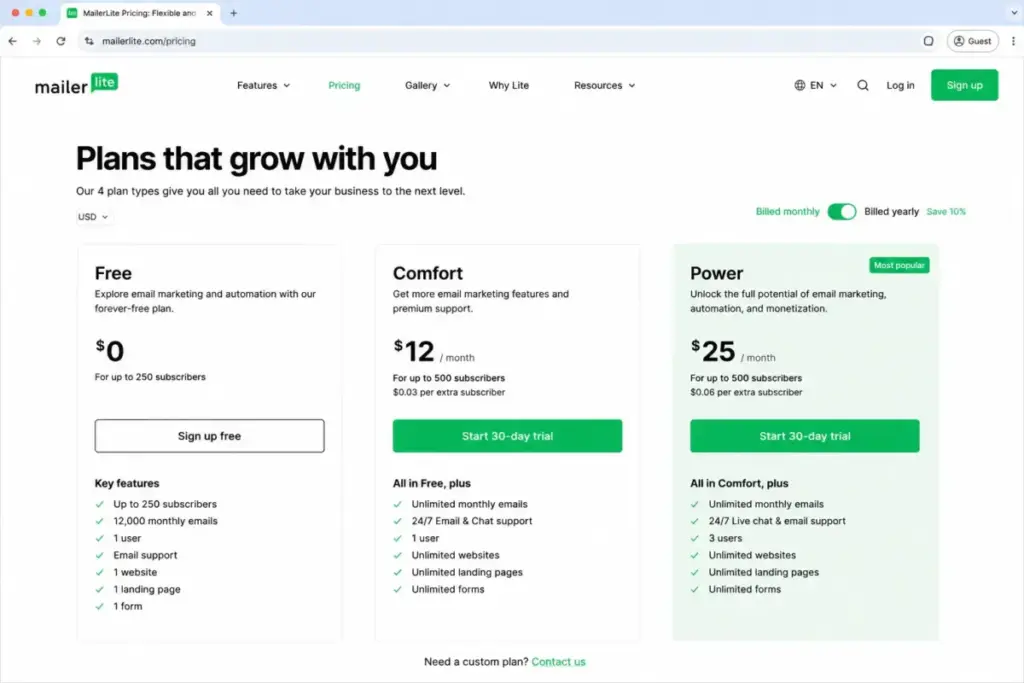
MailerLite pricing is based on active subscribers and plan features. The platform offers four main plans: Free, Comfort, Power, and Enterprise.
| Plan | Price (Billed Monthly) | Subscriber Limit | Key Feature Limits | Worth It? |
|---|---|---|---|---|
| Free | $0/month | 250 | 2,500 monthly emails, 3 automations, 5 steps, 2 seats | Best for small hobby newsletters and initial setup testing. |
| Comfort | From $12/month | Scales by subscriber count | 3 seats, 50 active automations, 100 steps, 10 websites | Yes, the best practical plan for growing creators who do not need live chat. |
| Power | From $25/month | Scales by subscriber count | Unlimited seats, unlimited emails, unlimited automations | Yes, if you require live chat support and multiple automation triggers. |
| Enterprise | Custom / contact sales | Over 200,000 | Custom sending volume, priority support, onboarding manager | Yes, for large email-first organizations needing custom deliverability. |
The Real Cost of MailerLite at Scale
MailerLite billing adjusts dynamically as your audience grows. A 10% discount is available for annual commitments, and nonprofit organizations can apply for a 30% discount.
To help you budget, here is how the monthly cost scales across subscriber tiers:
- 1,000 subscribers: Comfort costs $17/month, while Power costs $32/month.
- 5,000 subscribers: Comfort costs $39/month, while Power costs $49/month.
- 10,000 subscribers: Comfort costs $73/month, while Power costs $89/month.
This subscriber-based model means you are billed for unsubscribed or unengaged contacts unless you actively clean your list. For comparison, analyzing Mailchimp pricing plans reveals that Mailchimp is generally more expensive at these scales, making MailerLite a strong budget alternative.
If you scale to 50,000 subscribers, Comfort costs $239/month, and Power costs $289/month. The cost differences are narrow, meaning the decision between Comfort and Power should depend on feature needs, not just starting prices.
Feature Gates: What Each Plan Unlocks
MailerLite features are gated by tier, forcing upgrades even if your subscriber count remains low.
| Feature Category | Free | Comfort | Power | Enterprise |
|---|---|---|---|---|
| User Seats | 2 | 3 | Unlimited | Unlimited |
| Monthly Emails | 2,500 | Scales by list size | Unlimited | Custom |
| Active Automations | 3 | 50 | Unlimited | Unlimited |
| Automation Steps | 5 | 100 | Unlimited | Unlimited |
| Landing Pages & Sites | 1 | 10 | Unlimited | Unlimited |
| Branding Removal | No | Yes | Yes | Yes |
| Live Chat Support | No (14-day trial only) | No | Yes | Yes (Priority) |
| AI Content Assistant | No | Yes | Yes | Yes |
| Deliverability Onboarding | No | No | No | Yes |
What this means: If you have 200 subscribers but need to build 12 landing pages, you cannot stay on the Free or Comfort plans. You must upgrade to the Power tier at $25/month just to bypass the website limit.
Key Features and Niche Workflows
MailerLite includes editors for campaigns, automation, pages, and sales. The utility of these features depends on the plan you select.
The Visual Automation Builder
MailerLite’s visual workflow editor helps you build welcome campaigns, lead magnet deliveries, and purchase follow-ups. You drag and drop triggers, delays, email actions, and conditions onto a visual map.
The Free plan restricts workflows to 3 active automations and 5 steps per workflow. The Comfort plan increases this to 50 active automations and 100 steps. If you require multiple automation triggers (e.g., triggering a sequence when a user clicks a link OR fills a form), you must pay for the Power plan.
The builder includes ecommerce triggers like abandoned carts or product purchases. However, setting up these triggers requires connecting an active integration. If you need complex branching logic based on purchase history across multiple years, MailerLite’s basic rules may feel too limited compared to advanced CRM tools.
Drag-and-Drop Email Editor and AI Assistant
The drag-and-drop campaign editor lets you build responsive newsletters without editing HTML code. It features pre-built blocks for text, images, buttons, surveys, and product cards.
Comfort and Power users gain access to an AI writing assistant and subject line generator. The editor is clean and loads quickly, but advanced dynamic content (customizing blocks based on subscriber tags) is restricted on the Free tier.
You can save custom templates to speed up weekly sending. The block builder handles responsive design automatically, so campaigns render cleanly on both mobile screens and desktop clients.
Landing Page and Website Builder
MailerLite lets you build full promotional websites and single landing pages. The builder features templates for lead generation, product launches, and event registrations.
On the Free tier, you can only publish 1 website and 1 landing page. The Comfort tier increases this to 10 pages, while the Power tier offers unlimited pages. Custom domain mapping is gated behind paid plans.
The builder supports basic SEO settings, including meta titles and descriptions. You can also embed signup forms directly on these pages, but building complex multi-page sites with blog search functionality is not supported.
Digital Products, Paid Newsletters, and Bookings
For creators monetizing their lists, MailerLite lets you sell digital files, manage paid subscriptions, and schedule appointments.
The Free tier restricts you to 1 active product or booking. The Comfort plan expands this to 5 active products. The Power plan offers unlimited products. These transactional features integrate with Stripe, creating a simple storefront within your newsletter dashboard.
Stripe billing setup is native, enabling you to configure weekly, monthly, or yearly recurring billing for digital newsletters. This makes it a direct competitor to Substack, though MailerLite charges no platform commission fees beyond Stripe’s standard transaction costs.
Ease of Use and the Mobile Editing Constraint
MailerLite is popular because it has a clean dashboard and low setup friction. Setting up your account and building your first signup form takes under 15 minutes.
However, there is an official mobile application constraint you should consider. While MailerLite offers an iOS app, its functionality is limited:
- The iOS app only supports rich-text email creation.
- Visual drag-and-drop editing and HTML code creation require a desktop web browser.
- There is no verified native campaign editor app for Android devices.
For creators who edit campaigns from an iPad or smartphone, this mobile editing restriction can introduce friction into your weekly workflow. If you travel frequently and expect to design complex newsletter layouts on a mobile device, this limitation requires keeping a laptop nearby.
Integrations and API Capabilities
MailerLite offers 100+ native integrations with popular SaaS systems. These integrations connect the platform with Stripe, WooCommerce, WordPress, Shopify, Canva, and ChatGPT.
For custom development, MailerLite provides:
- API access and developer documentation.
- Webhooks to trigger external systems when emails are opened or forms are submitted.
- IP allowlisting for API tokens to secure your data.
- MCP (Model Context Protocol) server support for AI integrations.
On G2, founder Manish C. commented on these technical options:
“I really like Mailerlite’s MCP server because it lets me use it with my internal team’s AI agent.”
— Manish C., Founder, Small-Business (from G2 MailerLite reviews)
While these developer tools are flexible, MailerLite specifies that official support for custom API setups and third-party integrations is limited. If you need help connecting a custom CRM, you may need to use Zapier review paths or Make review automation steps to bridge the data gap.
Support, Security, and Compliance Standards
MailerLite structures its support tiers strictly by plan. If you are on the Free plan, you only get premium support for your first 14 days. After that, you must rely on self-service help guides and community forums.
Comfort users receive 24/7 email support, while Power users gain 24/7 live chat. On TrustRadius, reviewer Mark Hedley noted his support experience:
“It’s great, does everything we need it to, is easy to use, and provides a lot of value for us.”
— Mark Hedley (from TrustRadius MailerLite reviews)
On the security side, MailerLite is compliant with ISO/IEC 27001:2022 and supports GDPR controls for European users. The company uses EU data centers in Germany and the Netherlands, and participates in the EU-US Data Privacy Framework. Corporate devices are encrypted, and the company enforces least-privilege access and multi-factor authentication (MFA).
The Ireland-based contracting entity, MailerLite Limited, manages accounts for users inside the EEA, UK, and Switzerland, ensuring full adherence to local data protection laws. US and international users contract with MailerLite, Inc., which adheres to standard security compliance metrics.
Who Wins and Who Loses with MailerLite
MailerLite is a targeted tool. It fits specific workflows while failing on others.
Who Wins
Solo creators and authors: If you want to sell ebooks or run a paid subscription newsletter, MailerLite’s Stripe integration and welcome automations give you everything you need in one dashboard.
Budget-conscious marketers: If you are migrating away from expensive contact-based platforms, MailerLite’s Comfort plan offers a affordable alternative. A Brevo review shows similar value, but MailerLite’s editors are generally easier to use.
Lightweight ecommerce shops: For Shopify and WooCommerce stores that only need welcome sequences, abandoned cart triggers, and basic discount pop-ups, MailerLite’s integrations work well.
Who Loses
Agencies and multi-brand teams: MailerLite lacks advanced client management dashboards and multi-account permissions, making it difficult to run complex agency operations.
Complex B2B marketing teams: If you require deep sales CRM pipelines, lead scoring, and advanced marketing attribution, you will quickly outgrow MailerLite’s basic reporting.
– Mobile-first publishers: If you expect to edit custom drag-and-drop newsletters on your phone, the iOS-only app constraints will frustrate you.
Better Alternatives for the Losers
If MailerLite’s limitations or June 2026 plan updates are dealbreakers for your business, consider these three alternatives.
1. ConvertKit
If you are a professional creator or publisher who has outgrown MailerLite’s limited monetization tools, check out our ConvertKit review. ConvertKit offers deeper paid newsletter options, robust subscriber tagging, and creator recommendation networks to help you grow your audience.
2. Mailchimp
If your team needs multichannel marketing campaigns, detailed reporting dashboards, and thousands of native integrations, look at our Mailchimp review. While Mailchimp is more expensive, it offers advanced behavioral segmentation that MailerLite lacks.
3. ActiveCampaign
If you need deep sales CRM pipelines, predictive lead scoring, and complex marketing automation logic, check out our ActiveCampaign review. ActiveCampaign is built for mid-market teams that need enterprise-grade workflow control.
Final Verdict: Is MailerLite Worth It?
MailerLite is worth it if you are a creator or small team under 5,000 subscribers who wants a simple platform to publish newsletters and build basic landing pages. The platform balances affordability with a clean, drag-and-drop experience.
However, MailerLite is not worth it if you require advanced automation triggers, deep analytics reporting, or live chat support without paying for the premium Power tier.
Choose MailerLite Comfort if you want to send standard marketing campaigns to a clean list and do not need live chat support. Choose ConvertKit if your business model relies on creator network recommendations and advanced subscriber segmentation.
MailerLite FAQ
Is MailerLite really free in 2026?
Yes, MailerLite offers a free plan, but it is restricted to 250 subscribers and 2,500 monthly emails (as of June 2026). It includes 2 user seats, 3 active automations, 5 automation steps, 1 website, and 3 signup forms. Premium support is only included for the first 14 days.
What is the difference between MailerLite Comfort and Power?
The main difference is support access and limit caps. Comfort starts at $12/month (as of June 2026) and includes 3 seats, 50 automations, and email support. Power starts at $25/month (as of June 2026) and unlocks unlimited seats, unlimited emails, unlimited automations, and 24/7 live chat support.
Can I sell digital products on MailerLite?
Yes, you can sell digital products, booking appointments, and paid newsletter subscriptions natively on MailerLite landing pages. This system integrates with Stripe, though you must pay Stripe’s standard payment processing fees. The Free plan limits you to 1 active product, while Comfort gates you to 5 products.
Does MailerLite have live chat support?
Yes, but live chat support is gated behind the Power plan (starting at $25/month) or the custom Enterprise plan. Free plan users only receive chat support during their initial 14-day trial, while Comfort plan users are limited to 24/7 email support.
Is MailerLite GDPR compliant?
Yes, MailerLite is fully compliant with GDPR regulations. The platform hosts data in European union servers located in Germany and the Netherlands. The contracting entity for EU users is MailerLite Limited in Ireland, and the company participates in the EU-US Data Privacy Framework.
Why was my MailerLite account rejected?
MailerLite enforces a strict manual account approval process to maintain high deliverability rates. If your account was rejected, it is likely because your domain authentication was incomplete, your signup form lacked clear permission language, or your list source did not comply with anti-spam terms.
Can I build a full website with MailerLite?
Yes, MailerLite includes a website builder that supports custom domains and responsive templates. However, the plan gates apply: Free plan users are limited to 1 website, Comfort users can build up to 10 websites, and Power users get unlimited websites.
Does MailerLite have an Android app?
No, there is no verified native MailerLite campaign management app for Android devices. While MailerLite offers an iOS app for campaign and subscriber analytics, visual drag-and-drop campaign editing is not supported on mobile and must be performed on a desktop browser.