Email marketing is one of the few marketing channels where your audience belongs to you, not to a platform algorithm. Most businesses that struggle with email marketing do not have a reach problem; they have a permission problem.
Social platforms can cut your visibility overnight, but a consent-based subscriber list stays yours. It is the core of every customer lifecycle strategy, whether you run a local bakery, an ecommerce store, or a SaaS product. This guide explains how the channel works in practice, when it fails, and which tools fit your business. If you want to compare platforms right away, see our breakdown of the best email marketing platforms for 2026.
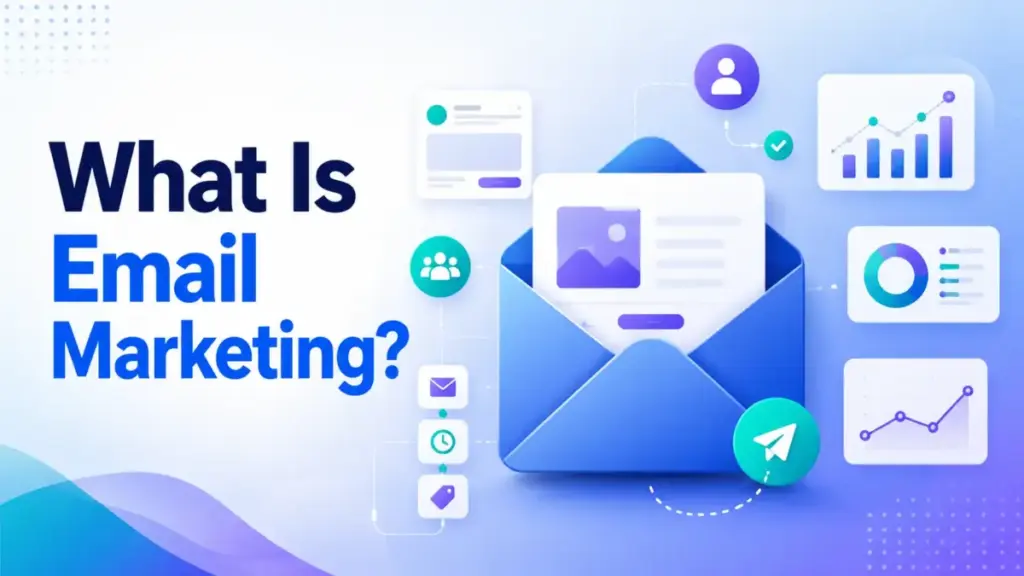
What Is Email Marketing?
Email marketing is a direct digital marketing channel where businesses send messages to subscribers who have given permission to be contacted. It covers everything from weekly newsletters and product announcements to automated welcome sequences, abandoned cart reminders, and re-engagement campaigns.
The key word is permission. Unlike paid ads or social posts, email marketing works because someone opted in. That subscriber said, “Yes, I want to hear from you.” That consent creates a direct line between your business and a person’s inbox, with no algorithm deciding who sees what.
Here is a simple example. A yoga studio adds a signup form to its website offering a free 7-day stretching plan. A visitor enters their email. The studio sends the plan over 7 days, then follows up with a class schedule and a 15% first-visit discount. That is email marketing: permission, value, then a clear offer.
Email marketing is not limited to selling. It includes onboarding new SaaS users, educating subscribers about a product category, or sending a monthly community update. The channel works because it puts the sender in control of timing, content, and audience, without paying per impression.
Many businesses pair email with SMS marketing to reach subscribers through both inbox and mobile text, especially for time-sensitive offers and transactional updates where open-rate speed matters. For a side-by-side tool comparison, see our ranking of the best SMS marketing platforms.
How Email Marketing Works
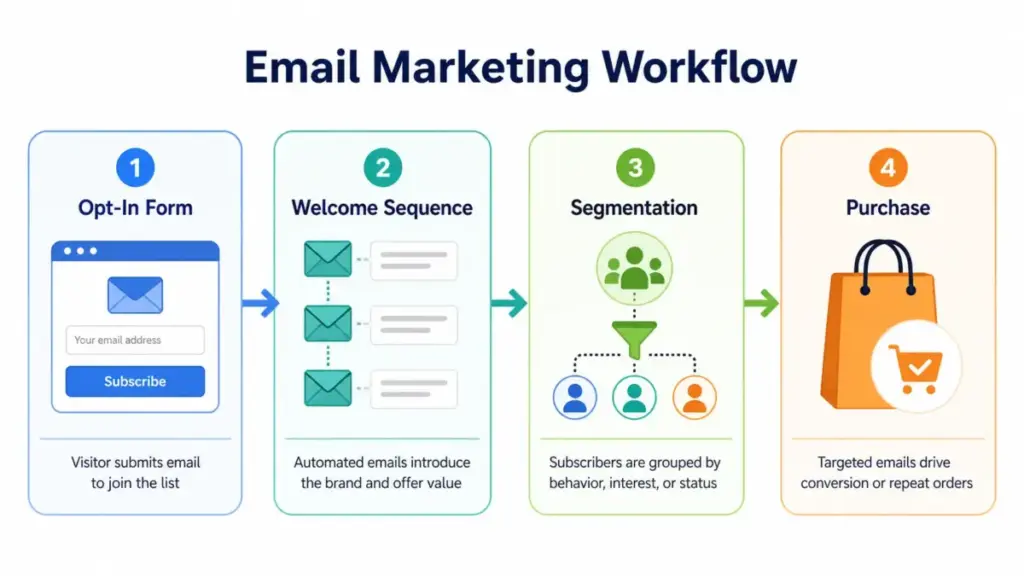
Email marketing follows a repeatable loop: build a list, get consent, segment subscribers, create campaigns, send, measure, and optimize. Every step depends on the one before it. Skip consent, and you damage deliverability. Skip measurement, and you waste budget.
Here is how each stage connects:
| Stage | What Happens | Example |
|---|---|---|
| List building | Visitors subscribe through opt-in forms | A popup offers a free shipping code for first-time buyers |
| Consent | Subscriber confirms permission (single or double opt-in) | A confirmation email asks the subscriber to click “Yes, subscribe me” |
| Segmentation | Subscribers are grouped by behavior, interest, or status | New subscribers go into a “Welcome” segment; repeat buyers go into “VIP” |
| Campaign creation | You write content, design the email, and set the subject line | A product launch email with 3 product images and a single CTA button |
| Sending | The email platform delivers your message at a scheduled time | Tuesday at 10 AM, sent to 1,200 subscribers in the “Active” segment |
| Tracking | The platform records opens, clicks, bounces, and unsubscribes | 38% open rate, 4.2% click rate, 0.3% unsubscribe rate |
| Optimization | You adjust content, timing, or segments based on results | Subject line A/B test shows question-style lines get 12% more opens |
How Segmentation Works in Practice
Segmentation is where most beginners stop too early. Sending the same email to every subscriber ignores the fact that a first-time visitor and a repeat buyer are in completely different stages. Here are six practical segments you can set up in any email tool:
New subscriber. Someone who signed up in the last 7 days. Send a welcome sequence (3 to 5 emails) introducing your brand, best content, or a first-purchase offer. Track whether they open at least one email.
First-time buyer. A subscriber who made one purchase. Send a post-purchase follow-up asking for feedback, then a product recommendation email 7 days later. Track repeat purchase rate.
Repeat buyer. A subscriber with 2 or more purchases. Send early access to new products or a loyalty reward. Track average order value over time.
Inactive subscriber. Someone who has not opened or clicked in 60 to 90 days. Send a re-engagement email with a clear subject line like “Still want to hear from us?” Track whether they re-engage or unsubscribe.
High-intent lead. A subscriber who visited your pricing page, downloaded a case study, or started a trial. Send a comparison guide or a limited-time offer. Track conversion to paid.
Product-interest segment. A subscriber who clicked on a specific product category. Send related product content or a curated recommendation. Track click-through rate by product category.
These segments work in tools like Mailchimp, Brevo, Klaviyo, and Kit. The logic is the same: group people by what they did, then send content that matches where they are.
Types of Email Marketing
Email marketing is not one thing. It is a collection of formats, each designed for a different moment in the subscriber relationship. Knowing the difference helps you avoid the common mistake of treating every email like a sales pitch.
Newsletters
A newsletter is a recurring email sent on a schedule (weekly, biweekly, or monthly) to your full subscriber list or a defined segment. Newsletters work best for creators, media brands, and businesses that want to stay visible between purchases. A SaaS company might send a monthly product update. A local restaurant might send a weekly menu preview.
Promotional Campaigns
Promotional emails announce a sale, a new product, a seasonal offer, or a limited-time deal. They are the most common type, but also the easiest to overdo. If every email is a promotion, open rates drop fast. A 300-person list can send 4 monthly newsletters and 1 promotional campaign before subscriber fatigue starts.
Welcome Sequences
A welcome sequence is an automated series of 3 to 5 emails sent when someone subscribes. This is where you set expectations, deliver a lead magnet, and introduce your brand. Welcome emails typically have the highest open rates of any email type because the subscriber just opted in.
Lead Nurturing Emails
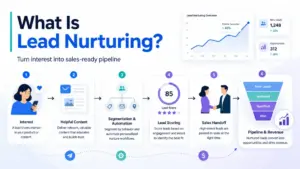
Lead nurturing targets subscribers who are interested but not ready to buy. SaaS companies use this for trial users who have not activated a key feature. B2B companies send case studies or comparison guides over 2 to 4 weeks. The goal is education, not pressure.
Ecommerce Lifecycle Emails
Ecommerce lifecycle emails follow the buyer journey: browse abandonment, cart abandonment, post-purchase, review request, replenishment reminder, and win-back. A free Klaviyo account can run a basic abandoned cart flow for stores with up to 250 active profiles and 500 monthly email sends.
Re-Engagement Emails
Re-engagement emails target subscribers who have gone quiet. The typical trigger is 60 to 90 days of no opens or clicks. A good re-engagement email gives the subscriber a clear choice: stay subscribed with a reason to re-engage, or unsubscribe. Cleaning inactive contacts protects your sender reputation and keeps deliverability high.
Email Marketing vs Spam
Email marketing and spam are not the same thing, but the difference is not just about content quality. It is about permission, identity, and legal compliance.
Spam is any unsolicited commercial email sent without the recipient’s consent. Email marketing is a permission-based channel where subscribers choose to receive messages and can leave at any time. The FTC’s CAN-SPAM compliance guide states: “Don’t use deceptive subject lines.” Each separate email violating CAN-SPAM can face penalties up to $53,088.
In the UK and EU, the rules are stricter. The ICO’s guidance on electronic mail marketing says: “You must not send marketing emails or texts to individuals without specific consent.” The only exception is the soft opt-in, which applies when you collected the address during a sale and the messages relate to similar products.
Here is a direct comparison:
| Factor | Email Marketing | Spam |
|---|---|---|
| Permission | Subscriber opted in | No consent given |
| Sender identity | Clear “From” name and real address | Hidden or fake sender details |
| Unsubscribe | Working unsubscribe link in every email | No opt-out or broken link |
| Content relevance | Matched to subscriber interest or behavior | Generic, irrelevant, or misleading |
| Legal compliance | Follows CAN-SPAM, GDPR, or PECR rules | Ignores regulations |
| Physical address | Included in email footer | Missing |
For legal risk, confirm requirements in your market. CAN-SPAM applies to commercial email sent in or to the United States. GDPR and PECR apply when you handle data from individuals in the EU or UK, depending on jurisdiction and targeting. These are not optional footnotes; they are the foundation that separates a real email program from junk.
Benefits of Email Marketing for Businesses
Email marketing delivers measurable business results when the list is built on consent and the content matches subscriber intent. Here are six specific benefits with real examples.
Direct ownership of your audience. Your email list belongs to you, not a platform. If Instagram changes its algorithm tomorrow, your reach drops. Your subscriber list stays the same regardless of what social platforms do.
Measurable return on investment. According to Litmus, 35% of marketing leaders reported a $10 to $36 return per $1 spent on email in 2025, and 30% reported $36 to $50. Few owned channels can match that level of trackable ROI consistently.
Low barrier to entry. Brevo’s free plan includes 300 daily email sends and storage for 100,000 contacts. A new business can run a weekly newsletter and a welcome sequence for months without spending anything.
Automation saves time. A 5-email welcome sequence runs itself after setup. An ecommerce store can automate abandoned cart emails, post-purchase follow-ups, and review requests without touching them again. Tools like marketing automation CRM tools connect email to your broader workflow.
Segmentation improves relevance. Sending a product recommendation to a repeat buyer performs differently than sending the same email to a new subscriber. Even basic segmentation (active vs. inactive, buyer vs. browser) increases click-through rates.
Supports every business model. A SaaS company uses email for trial onboarding and feature activation. A creator uses it for newsletter monetization and digital product launches. An ecommerce store uses it for lifecycle revenue. A local business uses it for appointment reminders and seasonal offers. The channel adapts to the model, not the other way around.
When Email Marketing Does Not Work
Email marketing fails in predictable ways. Understanding these failure modes saves you from wasting time and damaging your sender reputation.
Bought or scraped lists. Purchasing an email list is the fastest way to destroy deliverability. The contacts never opted in. Bounce rates spike, spam complaints rise, and email providers flag your domain. A 200-person list built from genuine opt-ins is more likely to outperform a 10,000-person purchased list in engagement, complaints, and deliverability.
No clear value in the emails. If every email is “Buy now” with no educational or entertaining content, subscribers stop opening. A subscriber who gets a useful tip, a relevant case study, or a genuine update stays engaged longer than one who gets constant promotions.
Poor deliverability from day one. Sending 5,000 emails from a brand-new domain without warming up triggers spam filters. Deliverability depends on sender reputation, which builds over weeks of consistent, low-complaint sending.
No measurement at all. According to Litmus, 21% of marketing leaders do not measure email ROI. If you do not track open rates, click rates, or revenue per subscriber, you cannot tell whether your program is working or slowly dying.
Sending without permission in regulated markets. Ignoring CAN-SPAM, GDPR, or PECR is not just a compliance risk. It erodes trust. A subscriber who did not ask for your email is more likely to mark it as spam, which hurts your inbox placement for everyone else on your list.
Over-designed emails that break on mobile. Many subscribers open email on mobile devices, so complex multi-column layouts can break the reading experience. A clean, text-forward design with one clear call to action usually outperforms a graphic-heavy layout.
Sarah Chen’s Quick Take
Email marketing works best when you treat it like a relationship system, not a broadcast tool. A small, permission-based list with 500 engaged subscribers is more valuable than a cold list with 20,000 contacts. The first goal is not to send more emails. The first goal is to earn the right to keep showing up.
Email Marketing Metrics That Matter
Tracking the right metrics tells you whether your email program is healthy, growing, or quietly failing. Here are the metrics that matter, what they signal, and what to fix when they go wrong.
| Metric | What It Tells You | Bad Signal | What to Fix |
|---|---|---|---|
| Open rate | Subject line and sender trust | Below 15% consistently | Test subject lines, check sender name, verify deliverability |
| Click-through rate | Content relevance and CTA clarity | Below 1.5% | Improve CTA placement, match content to segment interest |
| Conversion rate | Business impact of the email | Clicks but no conversions | Align landing page with email promise, simplify the next step |
| Unsubscribe rate | Content-audience mismatch | Above 0.5% per send | Review send frequency and content relevance |
| Bounce rate | List hygiene quality | Above 3% | Remove invalid addresses, use double opt-in |
| Spam complaint rate | Permission and trust failure | Above 0.1% | Re-confirm consent, add clear unsubscribe link, review subject lines |
| Revenue per subscriber | Financial efficiency of the list | Declining month over month | Segment by buyer stage, test offers, reactivate dormant segments |
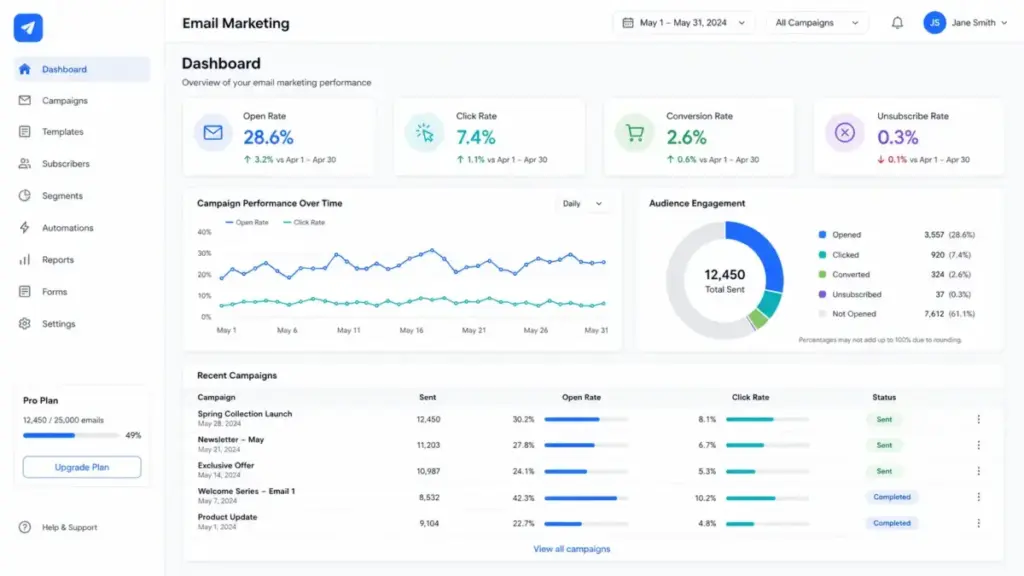
Open rate is the most watched metric, but it is also the least reliable since Apple’s Mail Privacy Protection inflates open rates for many iOS users. Click-through rate and conversion rate give you a clearer picture of actual engagement.
How to Start Email Marketing
Starting an email program does not require months of planning. A focused 30-day plan gets you from zero to a working system with real subscribers and measurable results. Here is the week-by-week breakdown.
Week 1: Define your audience and set up your tools.
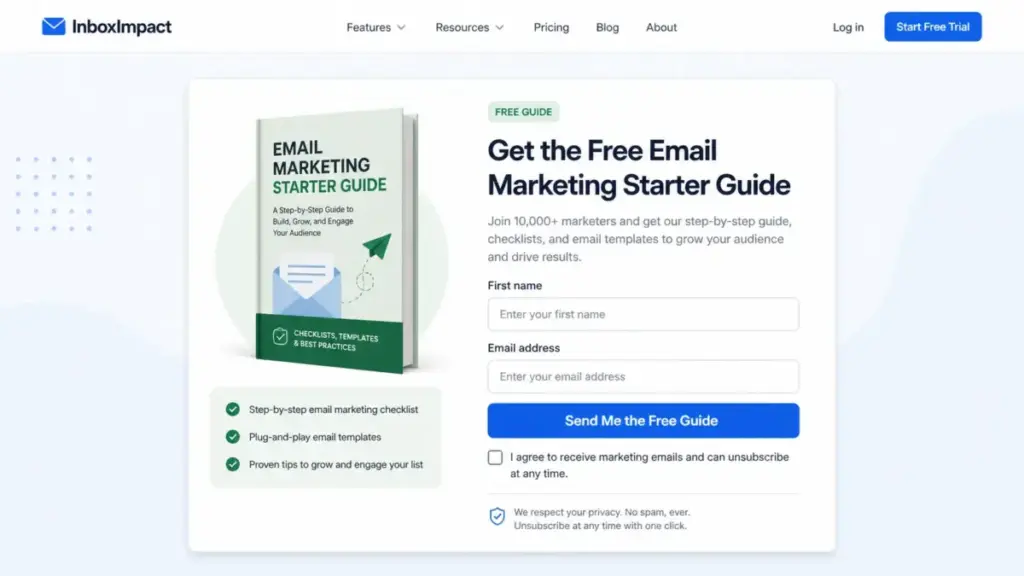
Pick one audience segment to start with (for example, first-time website visitors or existing customers). Choose a platform based on your business type (more on tools below). Create one opt-in form with a clear value proposition. If you sell products, offer a discount code. If you publish content, offer a free guide or checklist. Set up double opt-in to protect list quality from day one.
Week 2: Write and activate your welcome sequence.
Create 3 to 5 emails that introduce your brand, deliver the promised lead magnet, and set expectations for future emails. Email 1 delivers the lead magnet immediately. Email 2 (day 2) tells your brand story or shares your most popular content. Email 3 (day 4) introduces your product or service with a soft offer. Keep each email under 300 words. Set the sequence to trigger automatically when someone subscribes.
Week 3: Send your first newsletter or campaign.
Write one email to your active subscribers. If you are a creator, share original content. If you are an ecommerce store, highlight a product with a specific offer. If you are a SaaS company, share a tip that helps users get value from your product. Send on a Tuesday or Thursday morning. Watch your open and click rates within 48 hours.
Week 4: Review metrics and clean your list.
Check your open rate, click-through rate, bounce rate, and unsubscribe rate. Remove any hard bounces. Look at which subject lines performed best. If your unsubscribe rate is above 0.5%, review your content frequency and relevance. Decide on a regular sending schedule going forward: weekly, biweekly, or monthly.
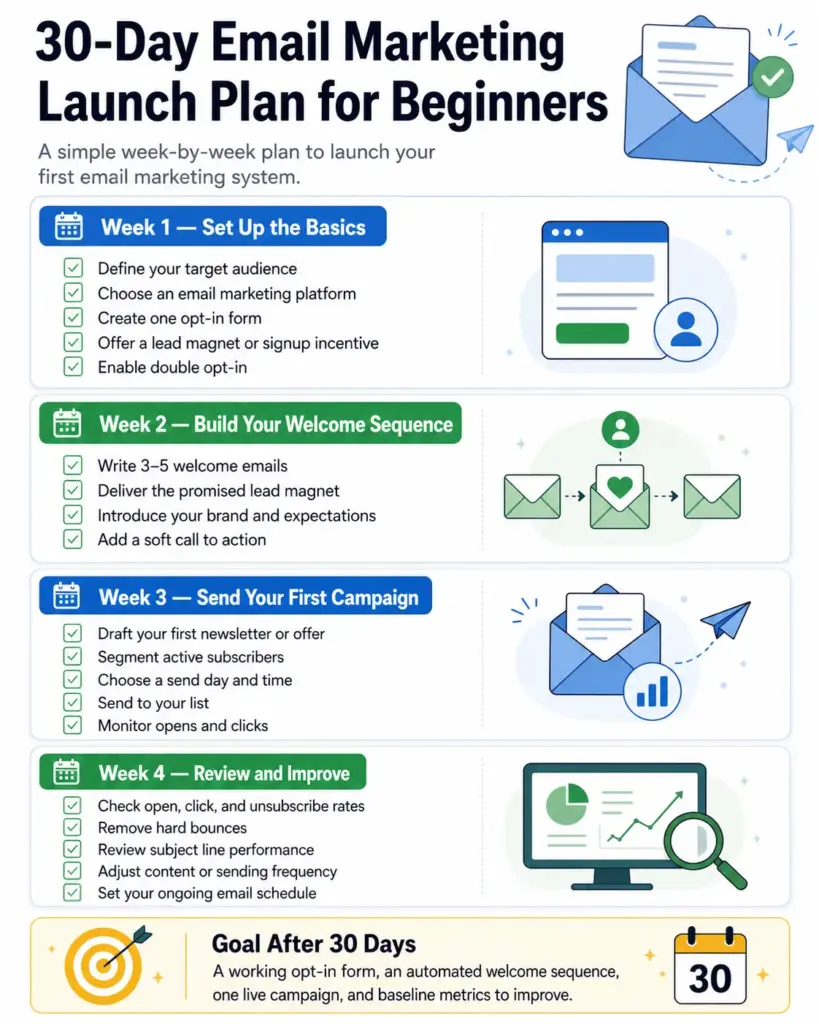
After 30 days, you will have a working opt-in form, an automated welcome sequence, at least one sent campaign, and baseline metrics to improve from.
Best Email Marketing Tools
The right email tool depends on your business model, list size, and budget, not on which platform has the longest feature list. Here is how the major platforms break down by use case and pricing logic.
| Tool | Best For | Pricing Model | Watch-Out |
|---|---|---|---|
| Mailchimp | Small business, templates, general marketing | Per-contact tiers | Free plan caps at 250 contacts and 500 sends per month |
| Brevo | Budget teams, high-volume senders | Per-send volume (not per contact) | Free plan limited to 300 sends per day |
| Kit (ConvertKit) | Creators, newsletters, digital products | Per-subscriber, creator-focused | Free plan limited to 10,000 subscribers with basic features |
| Klaviyo | Ecommerce, behavioral segmentation | Per-profile tiers | Free plan stops after 250 profiles or 500 monthly sends |
| ActiveCampaign | Advanced automation, CRM-connected workflows | Per-contact, tiered by features | No free plan; starts at paid tier |
Mailchimp is the most recognized name in email marketing. Its template library and drag-and-drop editor make it a fast starting point for small businesses. The free Marketing plan includes up to 250 contacts and 500 sends per month with a daily send limit of 250. For a deeper look at what you get at each tier, see our Mailchimp review and Mailchimp pricing breakdown.
Brevo uses send-volume pricing instead of contact-based pricing. That means you can store 100,000 contacts on the free plan and pay only when you need more than 300 daily sends. This model works well for businesses with large lists but low sending frequency. Read our full Brevo review for setup details.
Kit (formerly ConvertKit) is built for creators who monetize through newsletters, courses, and digital products. Its landing pages, subscriber tagging, and automation tools are designed for audience building rather than ecommerce. See our ConvertKit review for a walkthrough.
Klaviyo is the default choice for ecommerce brands using Shopify, WooCommerce, or BigCommerce. Its behavioral triggers, product recommendation blocks, and revenue attribution reporting are built for online stores. The free plan supports up to 250 active profiles and 500 monthly email sends. Our Klaviyo review covers the full pricing curve.
ActiveCampaign is for teams that need deeper automation logic: conditional splits, lead scoring, CRM pipeline tracking, and multi-channel sequences. It does not offer a free plan, but its automation builder is more flexible than most competitors at similar price points.
A note on outbound prospecting tools: platforms like Hunter are designed for finding and verifying email addresses, not for permission-based newsletter sending. If you need to find contact information for outreach, our Hunter review explains what it does. But outbound prospecting and email marketing are different disciplines. Do not use a prospecting tool to build a subscriber list.
The tool comparison above reflects publicly available pricing and plan limits. We follow our editorial policy and verify pricing data against official sources before publishing. If your list integrates with a CRM, see our guide to CRM software and contact management to understand how subscriber data connects to your broader customer records.
Common Email Marketing Mistakes
These mistakes are specific, common, and fixable. Each one costs you subscribers, revenue, or sender reputation.
Skipping the welcome email. A subscriber who signs up and hears nothing for two weeks forgets who you are. When your first campaign arrives, they mark it as spam. Fix: activate a welcome email that sends within 5 minutes of signup.
Sending to your entire list every time. A one-size-fits-all approach ignores that a new subscriber and a 6-month buyer need different messages. Fix: start with at least two segments (new vs. active) and write separate content for each.
Using a no-reply sender address. A “noreply@” address signals that you do not want to hear from subscribers. It also prevents delivery notifications and direct replies. Fix: use a real address like hello@ or your name.
Ignoring mobile rendering. Many subscribers open email on mobile devices, so complex multi-column layouts can break the reading experience. Fix: use a single-column design, keep subject lines under 50 characters, and test on mobile before sending.
Not cleaning your list. Hard bounces and permanently inactive contacts drag down your sender reputation. If 15% of your list has not opened an email in 6 months, your deliverability is suffering. Fix: run a re-engagement campaign quarterly, then remove non-responders.
Writing subject lines that sound like spam. “HUGE SALE!!!” with all caps and multiple exclamation marks triggers spam filters. Fix: write clear, specific subject lines. “Your 15% first-order code expires Friday” outperforms “DON’T MISS THIS DEAL!!!”
Forgetting the unsubscribe link. Every commercial email must include a working unsubscribe link. This is not optional; it is a legal requirement under CAN-SPAM and PECR. Fix: every email template should have a visible, one-click unsubscribe link in the footer.
Measuring opens but not revenue. Open rate tells you about subject lines. It does not tell you whether email drives business results. Fix: connect your email platform to your ecommerce or CRM system and track revenue per subscriber.
Email Marketing FAQ
What is email marketing in simple terms?
Email marketing is sending commercial or educational messages to people who gave you permission to contact them. It includes newsletters, product offers, automated welcome series, and lifecycle campaigns. The channel works because subscribers chose to receive your messages.
What is an example of email marketing?
A clothing brand sends a 3-email welcome sequence to new subscribers: email 1 delivers a 10% discount code, email 2 highlights bestselling products, and email 3 shares the brand’s sustainability story. That sequence runs automatically every time someone subscribes.
How does email marketing work?
You build a subscriber list through opt-in forms, segment subscribers by behavior or interest, create campaigns with targeted content, and send them through an email platform. The platform tracks opens, clicks, bounces, and conversions so you can optimize future sends.
Is email marketing still effective in 2026?
Yes. Litmus data shows 35% of marketing leaders reported $10 to $36 return per $1 spent, and 30% reported $36 to $50 return. No other owned media channel produces that range consistently. Email also gives you direct audience access without depending on platform algorithms.
What are the main types of email marketing?
The six main types are newsletters, promotional campaigns, welcome sequences, lead nurturing emails, ecommerce lifecycle emails (abandoned cart, post-purchase, replenishment), and re-engagement emails. Each type serves a different stage in the subscriber relationship.
What is the difference between email marketing and spam?
Email marketing is permission-based: subscribers opted in and can unsubscribe at any time. Spam is unsolicited, often uses deceptive subject lines, and does not include a working opt-out. CAN-SPAM penalties can reach $53,088 per violating email.
What is the difference between email marketing and a newsletter?
A newsletter is one type of email marketing. Email marketing also includes automated sequences, promotional campaigns, lifecycle emails, and transactional-adjacent messages. A newsletter is recurring content; email marketing is the full system.
What tools do you need for email marketing?
At minimum, you need an email platform (Mailchimp, Brevo, Kit, Klaviyo, or ActiveCampaign), an opt-in form, and a way to track results. As you scale, you may add a CRM for subscriber data, an automation builder for sequences, and analytics for revenue tracking.
How do beginners start email marketing?
Start with one opt-in form, one lead magnet, and a 3-email welcome sequence. Choose a free plan from Mailchimp (250 contacts) or Brevo (300 daily sends). Send your first newsletter in week 3. Review metrics in week 4. That is enough to build a working system in 30 days.
How much does email marketing cost?
It depends on your list size and sending volume. Mailchimp’s free plan supports 250 contacts and 500 monthly sends. Brevo’s free plan supports 300 daily sends with 100,000 stored contacts. Paid plans start between $10 and $30 per month for most platforms. Cost scales with list growth, not with the decision to start.
What metrics matter in email marketing?
Open rate, click-through rate, conversion rate, unsubscribe rate, bounce rate, spam complaint rate, and revenue per subscriber. Click-through and conversion rates matter most because they measure actual engagement and business impact. Open rate is less reliable due to privacy features that inflate the number.
Do you need consent for email marketing?
Yes. CAN-SPAM requires an opt-out mechanism and honest sender identification. GDPR and PECR require specific consent before sending marketing emails to individuals, unless the soft opt-in exception applies. Building your list on explicit permission is not just a legal requirement; it is the foundation of deliverability and subscriber trust.
Key Takeaways
- Email marketing is a consent-based direct channel, not a broadcasting tool. Permission is the foundation.
- The right email platform depends on your pricing model needs (per-contact, per-send, or per-subscriber), not on feature count alone.
- A 200-person list built on genuine opt-ins outperforms a 10,000-person purchased list in every metric that matters.
- Segmentation does not need to be complex. Start with new vs. active vs. inactive subscribers, then add buyer behavior segments as your list grows.
- Compliance with CAN-SPAM, GDPR, and PECR is not a footnote; it directly affects whether your emails reach the inbox.
- Measure click-through rate and revenue per subscriber, not just open rate. Open rate alone does not tell you if email is driving results.
- Start within 30 days: one opt-in form, one welcome sequence, one newsletter, and one metrics review. That is enough to build a working email program from scratch.