Sprout Social charges $199 per seat per month on Standard. Zoho Social starts at $10. Sprinklr does not publish a price at all. That range tells you something most comparison pages skip: the social media CRM market is not one market. It is three or four markets wearing the same label, and buying the wrong tier costs more than buying the wrong tool.
I evaluated 25 social media CRM platforms and ranked 10 based on pricing transparency, CRM software depth, social inbox quality, integration breadth, team scalability, and buyer fit. The products below are ordered by overall score, then grouped by pricing tier so you can compare within your budget first.
For most marketing and social care teams, Sprout Social is the strongest overall pick. If your team already runs on HubSpot, the Marketing Hub social tools connect social conversations to contact management records and revenue attribution better than any standalone social scheduler. If budget is the priority, Zoho Social gives you a free plan, CRM handoff, and paid tiers starting at $10 per month.
Quick Verdict: Best Social Media CRM by Use Case
| Use case | Best pick | Why it fits |
|---|---|---|
| Best overall for social care and marketing teams | Sprout Social | Polished inbox, review management, customer care reporting, collaboration |
| Best CRM-native attribution | HubSpot Marketing Hub | Social activity connected to CRM contacts, campaigns, and revenue |
| Best value for small businesses | Zoho Social | Free plan, $10/mo paid tier, Zoho CRM and Desk handoff |
| Best for agencies needing inbox and ROI reporting | Agorapulse | Unified inbox, ROI tracking, UTM workflows, asset library |
| Best mature multi-network command center | Hootsuite | Unlimited scheduling, benchmarking, AI assistant, enterprise add-ons |
| Best agency client workspace value | Sendible | Bundled pricing, client workspaces, white-label options |
| Best social relationship CRM | Nimble | Contact enrichment, prospecting, relationship context at $24.90/seat |
| Best for B2B revenue teams | Oktopost | Social-to-marketing-automation attribution, employee advocacy |
| Best enterprise social CRM and listening suite | Brandwatch | Centralized inbox, social listening, benchmarking, Salesforce integration |
| Best enterprise CX governance platform | Sprinklr Social | Governed social publishing, listening, commerce, AI-native CX workflows |
What this means: If you need social scheduling with light CRM features, tools in the $10 to $99 range will work. If you need social conversations to flow into customer profiles, tickets, pipelines, or revenue reports, expect to pay $79 or more per user, or invest in a CRM-native platform like HubSpot or Zoho where social is one module inside a larger system.
How We Chose and Ranked These Tools
We evaluated 25 social media CRM candidates based on a detailed analysis of official product documentation, feature specifications, pricing pages, and verified customer sentiment. Pricing was verified in May 2026. We did not rank tools by brand popularity or affiliate payout.
Ranking criteria:
| Criterion | Weight | What we checked |
|---|---|---|
| Pricing value | 20% | Starting price, free plan, minimum seats, add-ons, hidden costs |
| Core feature depth | 20% | Social inbox, publishing, monitoring, analytics, CRM-style engagement |
| Ease of use | 15% | Onboarding, UI clarity, setup time, learning curve |
| Integrations | 15% | Native CRM, helpdesk, API, marketing automation, social networks |
| Scalability | 15% | Team controls, permissions, approval workflows, enterprise features |
| User fit | 15% | Best for, not best for, limitation severity, buyer-role fit |
Testing level: This article is based on official research only. We reviewed official product pages, pricing pages, help centers, feature documentation, and verified customer review patterns across G2 and Capterra. We did not conduct hands-on testing for this ranking. Any claims are based on publicly available vendor documentation as of May 2026.
Review limitation: Pricing, plan tiers, and feature availability change frequently. Always confirm current pricing on the vendor’s official pricing page before purchasing. Custom and enterprise pricing is not publicly disclosed for Oktopost, Brandwatch, and Sprinklr.
Free Tier: Zoho Social and Agorapulse
Zoho Social: Best Value Social Media CRM

Badge: Best Value Social Media CRM
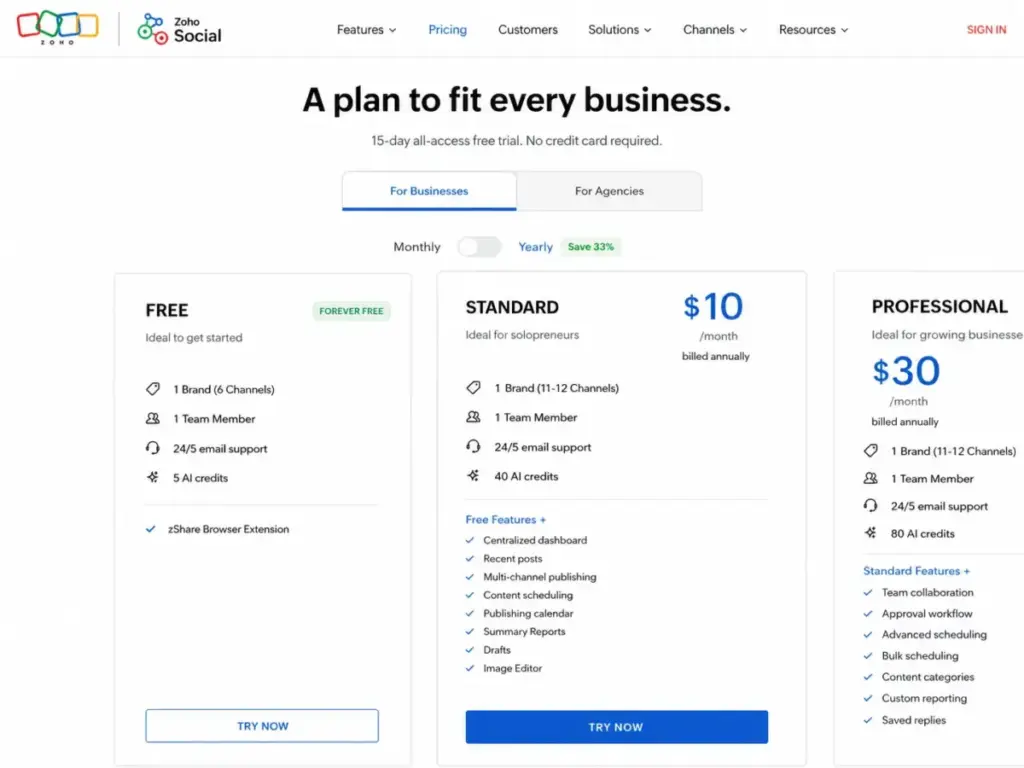
Zoho Social starts free and scales to paid tiers at $10 per month billed annually. That makes it the most accessible entry point in this ranking for small businesses that want social publishing, inbox management, and monitoring without paying per seat.
The free plan includes 1 brand, 6 channels, 1 team member, and 5 Zia AI credits. It is limited, but it is functional enough for a solo operator or a two-person team where one person handles social.
Pricing (as of May 2026):
- Free: 1 brand, 6 channels, 1 team member, 5 AI credits
- Standard: $10/month billed annually ($15/month billed monthly)
- Higher tiers available for additional brands, users, channels, and advanced workflows
What it does well:
- Centralized dashboard for multi-channel publishing and scheduling
- Monitoring dashboard for tracking brand mentions and keywords
- Social inbox for handling messages across channels
- Native integration with Zoho CRM and Zoho Desk for customer context handoff
Where it falls short:
- Free and lower tiers are limited by brand, team member, channel, and AI credit caps
- Deeper CRM or Desk workflows depend on Zoho ecosystem fit
- Enterprise social care teams will find governance and advanced listening lacking compared to Sprout Social or Brandwatch
Avoid if: Your team needs advanced social listening, high-volume service workflows, or deep governance controls. Zoho Social is built for small to mid-size teams inside the Zoho ecosystem, not for standalone enterprise social care.
Setup difficulty: Low. If you already use Zoho CRM, the connection is straightforward.
Verdict: Choose Zoho Social if you want the lowest credible entry price for social CRM with real CRM handoff. The value equation changes if you are not a Zoho user, because the CRM and Desk integrations are the strongest differentiator.
Agorapulse: Best for Agencies Needing Inbox and ROI Reporting

Badge: Best for Agencies Needing Inbox and ROI Reporting
Agorapulse offers a free plan for individuals and paid Standard plans starting at $79 per user per month billed annually ($99 billed monthly). The free tier is useful for solo consultants, but the real value starts at Standard, where unified inbox, publishing, reporting, and ROI tracking come together.
Pricing (as of May 2026):
- Free: Available for individuals (publicly referenced)
- Standard: $79/user/month billed annually; $99/user/month billed monthly
- Higher tiers available with advanced ROI and reporting workflows
What it does well:
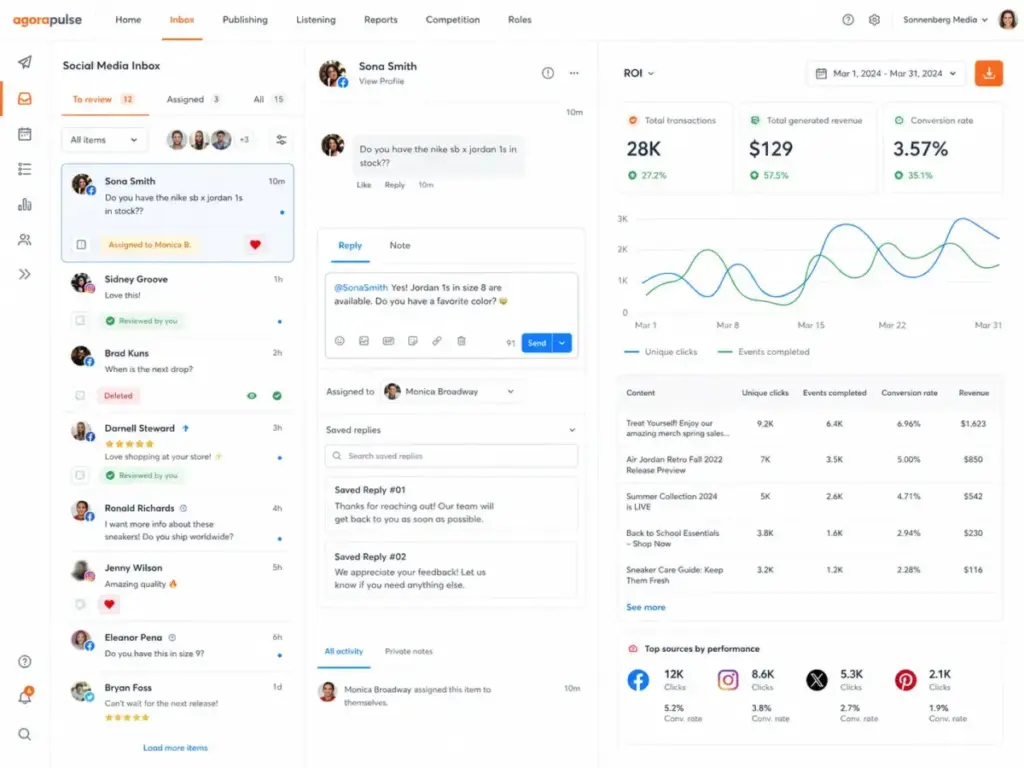
- Unified social inbox across networks with message tagging and user activity profiles
- ROI reporting with UTM and Google Analytics tracking
- Asset library for managing creative across campaigns
- 30-day free trial to evaluate before committing
Where it falls short:
- Per-user pricing adds up fast for agencies managing multiple client accounts
- Advanced ROI and reporting workflows may require higher tiers
- Exact plan limits for social profiles and users should be checked on the live pricing page
Avoid if: You run a large agency with 10 or more team members and per-user pricing will make the total cost prohibitive. Calculate the team cost before committing.
Setup difficulty: Low to Medium. The inbox and publishing setup is quick, but ROI tracking requires Google Analytics configuration.
Verdict: Agorapulse is the agency pick when you need inbox workflows, publishing, and ROI reporting in one tool. The per-user cost is the main tradeoff. A 5-person agency team pays $395 per month on Standard annual billing.
Best Under $100 per Month: Sendible and Nimble
Sendible: Best Agency Client Workspace Value

Badge: Best Agency Client Workspace Value
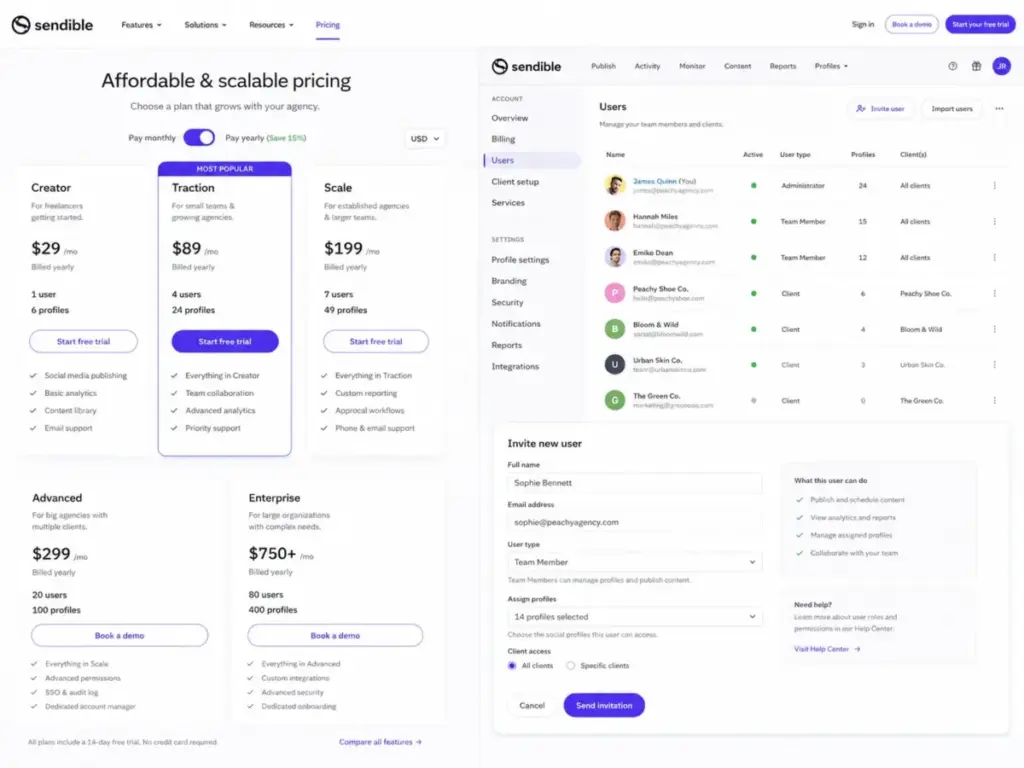
Sendible starts at $29 per month for Creator, which includes 1 user and 6 social profiles. That is the lowest starting price in this ranking for a paid-only tool with client workspace capabilities.
Pricing (as of May 2026):
| Plan | Monthly price | Users | Social profiles |
|---|---|---|---|
| Creator | $29/mo | 1 | 6 |
| Traction | $89/mo | 4 | 24 |
| Scale | $199/mo | 7 | 49 |
| Advanced | $299/mo | More | More |
| Enterprise | $750/mo | Custom | Custom |
What it does well:
- Bundled pricing (flat rate, not per-user) is easier to model for agencies
- Client workspaces with collaboration and permission controls
- Live reports and white-label options for agency branding
- 14-day free trial to test workflows
Where it falls short:
- Less CRM-native than HubSpot or Zoho Social. Social engagement does not flow into a contact record or pipeline.
- White label and advanced permissions may push teams to higher tiers
- Integration depth is narrower than Sprout Social or Hootsuite
Avoid if: You need CRM-native revenue attribution or deep social listening. Sendible is a publishing and reporting tool with agency-friendly pricing, not a full social CRM.
Setup difficulty: Low. Dashboard, scheduling, and content management are ready quickly.
Verdict: Sendible is the best value for agencies that need bundled pricing, client workspaces, and branded reports. A 4-person agency team on Traction pays $89 total, compared to $316 on Agorapulse Standard (4 x $79).
Nimble: Best Social Relationship CRM

Badge: Best Social Relationship CRM
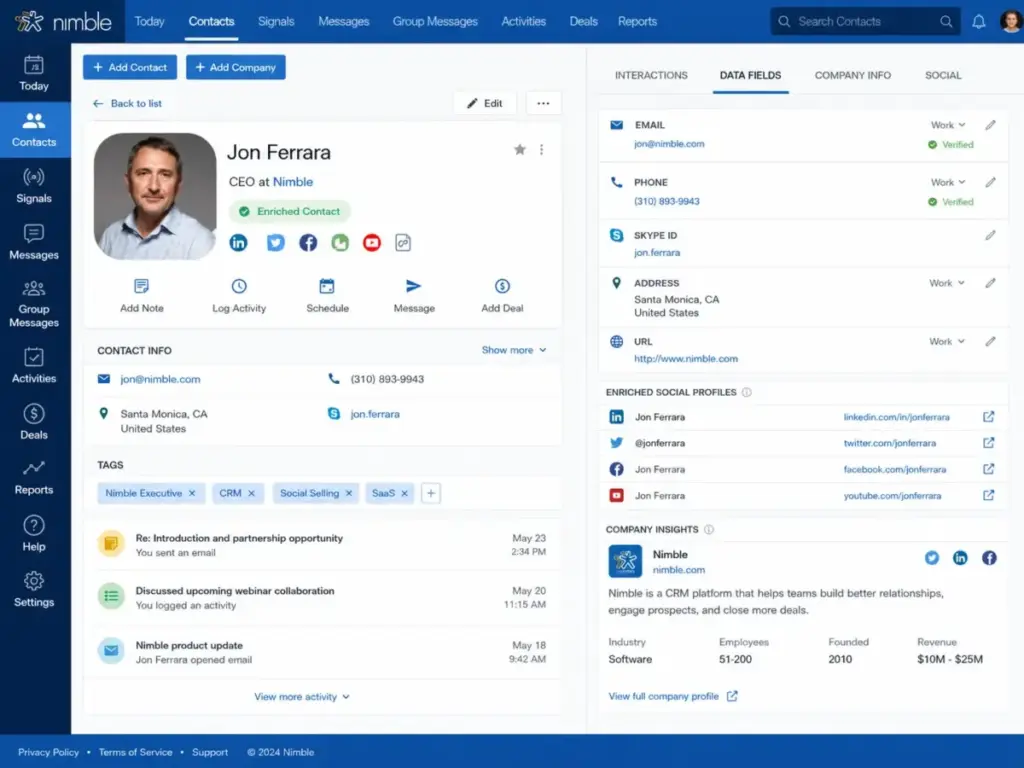
Nimble is the only tool in this ranking that is CRM-first rather than social-first. It starts at $24.90 per seat per month billed annually ($29.90 monthly). The value proposition is contact enrichment, prospecting, and relationship tracking across email and social, not social publishing.
Pricing (as of May 2026):
- $24.90/seat/month billed annually
- $29.90/seat/month billed monthly
- 25,000 contact records and 2 GB storage per seat
- 14-day free trial (up to 5 licenses)
What it does well:
- Relationship management with social profile enrichment and context
- Nimble Prospector browser extension for finding contacts across the web
- Sales pipelines and email sequences for outbound prospecting
- Integrations with Microsoft 365, Google Workspace, and 100 or more partners via Zapier and API
Where it falls short:
- Not a social media publishing suite. No scheduling calendar, no social inbox automation, no social care reporting.
- Email Marketing, Web Forms/Web Chat, data enrichment credits, extra messages, and storage expansion cost extra
- 1,000 messages per license per month in group messaging contexts
Avoid if: You need a social media management platform with publishing calendars, social inbox workflows, or social care dashboards. Nimble is for sellers who prospect and maintain relationships, not for social media managers.
Setup difficulty: Low. Browser extension and CRM setup are simple.
Verdict: Choose Nimble if social CRM means “I need to see a contact’s social context when I sell to them.” Skip it if social CRM means “I need to manage my brand’s social inbox.”
Best for $100 to $299 per Seat: Sprout Social and Hootsuite
Sprout Social: Best Overall Social Media CRM

Badge: Best Overall Social Media CRM
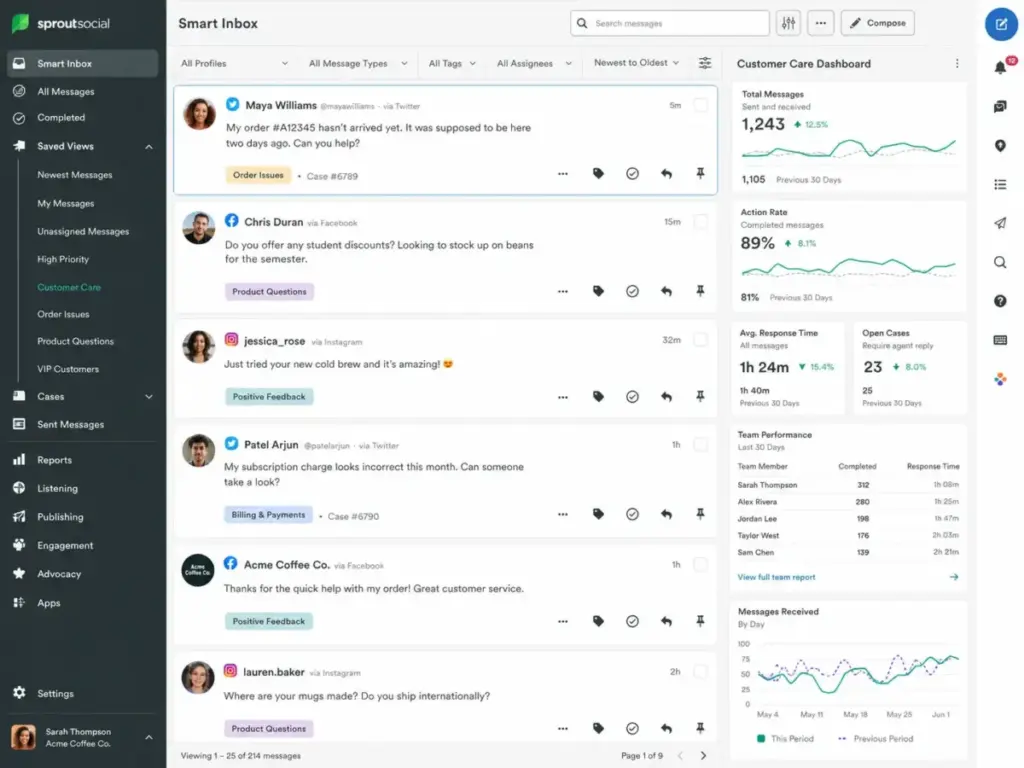
Sprout Social earns the top rank because it combines social inbox, review management, customer retention workflows, customer care reporting, collaboration, and higher-tier CRM-style support in one platform. The tradeoff is price: Standard starts at $199 per seat per month billed annually.
Pricing (as of May 2026):
| Plan | Annual price (per seat/month) | Key additions |
|---|---|---|
| Standard | $199 | 5 social profiles, publishing, monitoring, inbox |
| Professional | $299 | Additional profiles, competitive reports, workflows |
| Advanced | $399 | Premium Analytics, Listening, AI-powered features |
| Enterprise | Custom | Custom solutions, enterprise SSO |
A lower Essentials tier may appear on the live pricing page. Check the official pricing before purchasing.
What it does well:
- Consolidated inbox with message tagging, keyword monitoring, and location monitoring
- Review management across multiple channels
- Sentiment analysis and social customer care reports
- AI reply assistance for faster inbox responses
- Helpdesk integrations and Sprout API for enterprise workflows
Where it falls short:
- Listening and Premium Analytics are add-ons or require Advanced tier ($399/seat)
- Per-seat pricing compounds fast. A 5-person social care team on Standard pays $995 per month.
- No permanent free plan. The 30-day trial is the only free evaluation window.
Hidden costs: Premium Analytics, Listening, Employee Advocacy, and some enterprise services are add-ons or gated behind higher tiers. The gap between Standard and Advanced is $200 per seat per month.
Avoid if: You are a solo marketer or very small team that only needs low-cost scheduling. Sprout Social is built for teams with dedicated social care responsibilities and budget to match.
Setup difficulty: Medium. The inbox and publishing are intuitive. Configuring monitoring keywords, review channels, and helpdesk integrations takes more time.
Verdict: Sprout Social is the best overall social media CRM for teams that treat social as a customer care and marketing channel, not just a publishing queue. The price is justified if your team uses the inbox, reporting, and collaboration daily.
HubSpot Marketing Hub: Best CRM-Native Social Media CRM

Badge: Best CRM-Native Social Media CRM
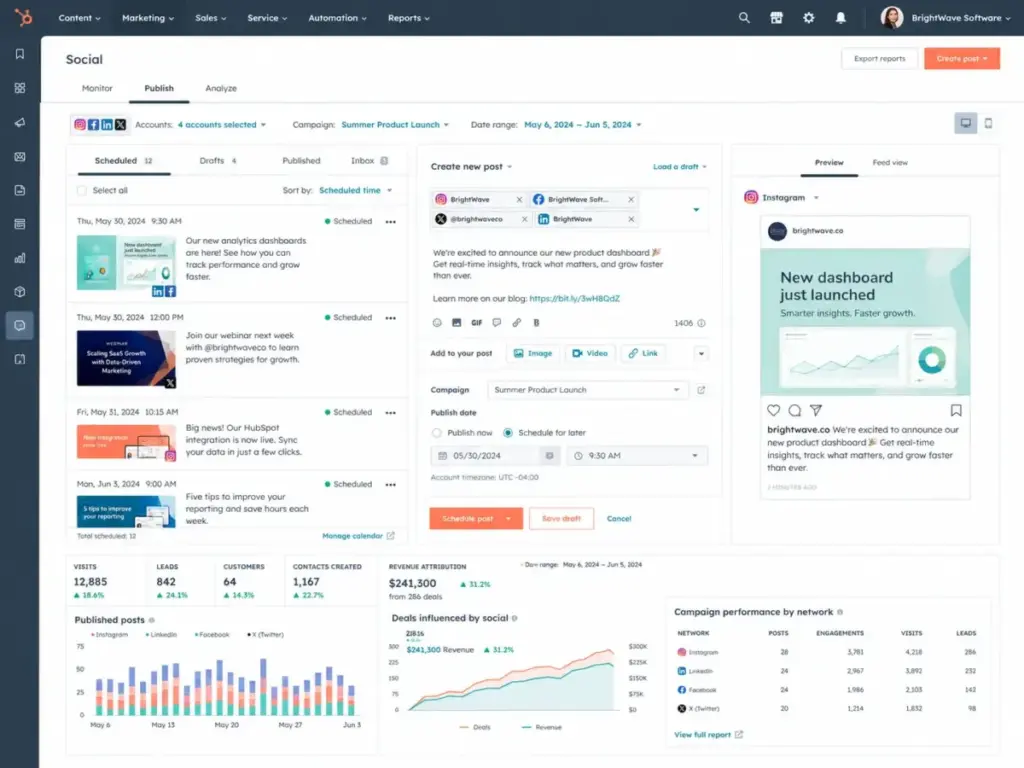
HubSpot is not a standalone social media tool. It is a CRM platform where social is one of several marketing channels, and that distinction matters. Social posts, keyword monitoring, and campaign attribution all connect to CRM contacts, deals, and marketing automation workflows. If your team already lives in HubSpot CRM, adding social tools keeps everything in one system.
Pricing (as of May 2026):
| Tier | Price | Notes |
|---|---|---|
| Marketing Hub Starter | $20/seat/month | Social publishing basics |
| Marketing Hub Professional | $890/month | Full social CRM, 3 Core Seats included, 2,000 marketing contacts |
| Marketing Hub Enterprise | Custom | 5 seats included, advanced governance |
What it does well:
- AI social post generation and multi-network publishing (LinkedIn, Facebook, Instagram, TikTok, Reddit, X)
- Keyword streams and social monitoring connected to CRM contact records
- Campaign attribution that ties social activity to website visits, leads, and customers
- Brand sentiment tools and CRM-connected reporting
Where it falls short:
- Professional starts at $890 per month (not per seat). That includes 3 Core Seats, but additional seats and marketing contact overages add up.
- Required onboarding for Professional or Enterprise adds to first-year cost
- Social feature entitlement varies by plan. Verify which social features your tier includes before purchasing.
Hidden costs: Marketing contact overages, required onboarding ($3,000 or more for Professional), extra Core Seats, and ad purchases. The jump from Starter ($20/seat) to Professional ($890/month) is one of the steepest tier jumps in any social CRM category.
Avoid if: You want a standalone, low-cost social inbox without committing to HubSpot’s broader marketing platform and contact-tier pricing model.
Setup difficulty: Medium to High. Starter is quick. Professional requires onboarding, marketing contact setup, and campaign configuration.
Verdict: HubSpot Marketing Hub is the best social media CRM for teams that want social activity connected to CRM revenue attribution. The cost is justified when social conversations directly feed your sales pipeline and reporting. It is not justified if you only need scheduling and inbox.
Hootsuite: Best Mature Multi-Network Command Center

Badge: Best Mature Multi-Network Command Center
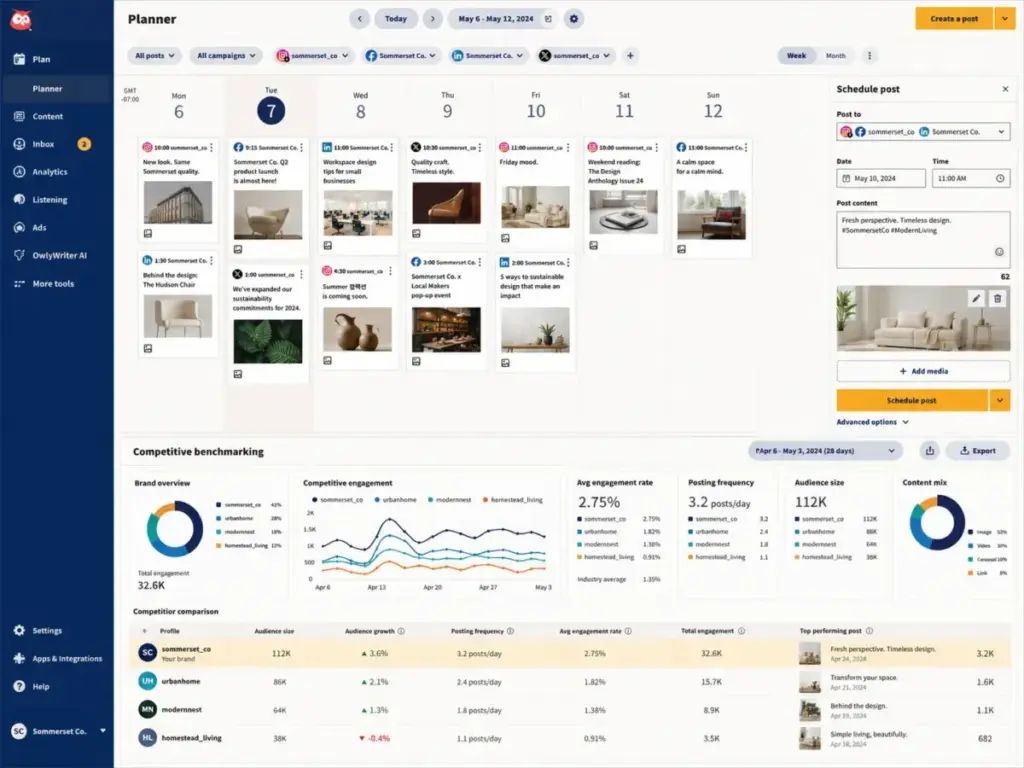
Hootsuite starts at $99 per user per month billed annually on Standard. It supports up to 10 social accounts on Standard and scales to unlimited on higher tiers. The platform has been in the market longer than most competitors, and the feature set reflects that maturity: unlimited scheduling, best-time recommendations, AI assistant, social inbox, DM automations, sentiment analysis, competitor benchmarking, and scheduled reports.
Pricing (as of May 2026):
- Standard: $99/user/month billed annually; up to 10 social accounts
- Advanced: Higher tiers with broader account and feature access
- Enterprise: 5 or more users; custom pricing; Salesforce integration, Talkwalker listening
What it does well:
- Unlimited scheduling with best-time posting recommendations
- AI assistant for content creation and optimization
- Social inbox with DM automations and sentiment analysis
- Competitor benchmarking and scheduled reports
- Canva and Adobe Express integrations for content creation
Where it falls short:
- Standard has a 10-account limit and restricted search windows
- Social CRM depth (customer profiles, service workflows) is stronger at higher tiers
- Review management, Talkwalker listening, and Salesforce integration require Advanced or Enterprise
Avoid if: You need deep CRM contact records at the lowest possible price. Hootsuite is a social command center, not a contact database. For CRM-native social workflows, HubSpot or Zoho CRM are better fits.
Setup difficulty: Low to Medium. Scheduling and inbox are straightforward. Enterprise add-ons and Salesforce integration require more configuration.
Verdict: Hootsuite is the right choice for teams managing many social networks who need mature scheduling, monitoring, and reporting. The social CRM features improve at higher tiers, so price the tier you actually need.
Enterprise and Custom Pricing: Oktopost, Brandwatch, Sprinklr
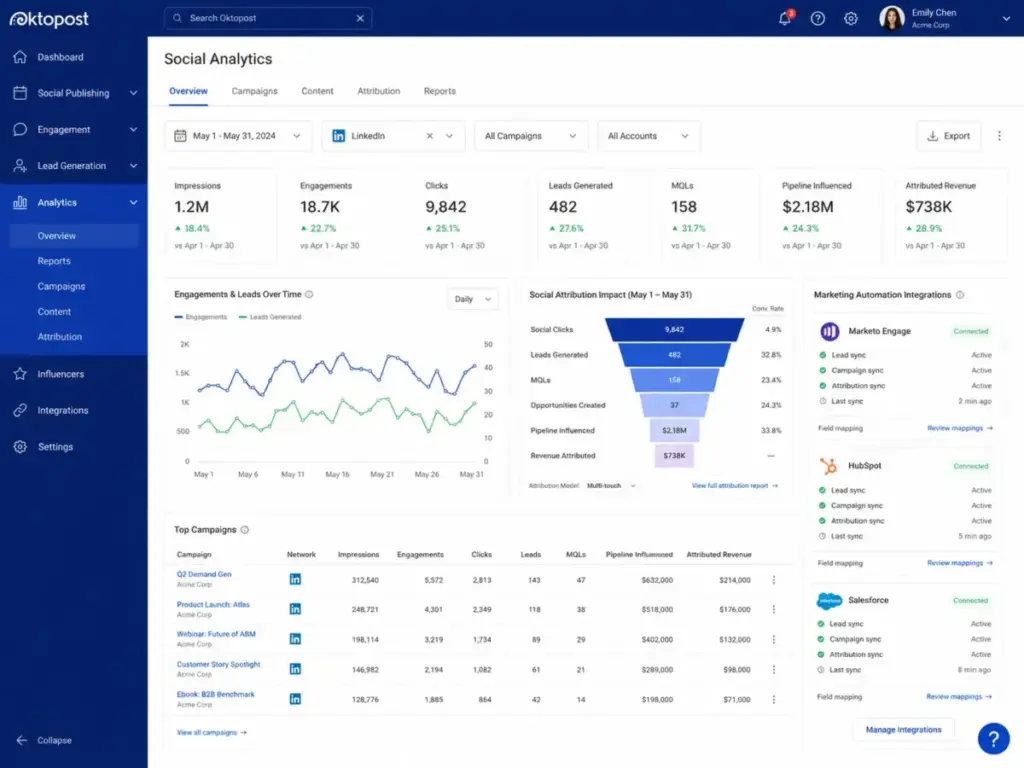
Oktopost: Best for B2B Revenue Teams

Badge: Best for B2B Revenue Teams
Oktopost does not publish pricing. You contact sales. That is a signal: this tool is built for B2B marketing teams with budget authority, not for self-serve SMB buyers.
The value proposition is connecting social engagement to marketing automation platforms (Marketo, HubSpot, Eloqua, Act-On) and attributing social activity to buyer journeys, leads, and revenue influence.
Pricing (as of May 2026): Custom. Contact sales.
What it does well:
- Social media management, publishing, and approval workflows
- Employee advocacy for amplifying brand content through team members
- Social listening and marketing intelligence
- Social analytics that tie engagement to marketing automation and revenue attribution
- LinkedIn and Facebook partner ecosystem references
Where it falls short:
- No public self-serve pricing. Budget-conscious teams cannot evaluate cost without a sales conversation.
- Best fit is B2B organizations, not general social media managers or B2C brands
- Subscription requirement and enterprise setup should be expected
Avoid if: You are a small team that needs transparent, self-serve pricing and quick setup. Oktopost is designed for B2B revenue teams with marketing automation stacks, not for social media managers who need a scheduling calendar.
Setup difficulty: High. Requires marketing automation integration, employee advocacy rollout, and attribution configuration.
Verdict: Oktopost earns the B2B badge because its social-to-pipeline attribution is stronger than any generic social scheduler. If your team measures social ROI through marketing automation and pipeline influence, Oktopost belongs on the shortlist.
Brandwatch Social Media Management: Best Enterprise Social CRM and Listening Suite
Badge: Best Enterprise Social CRM and Listening Suite
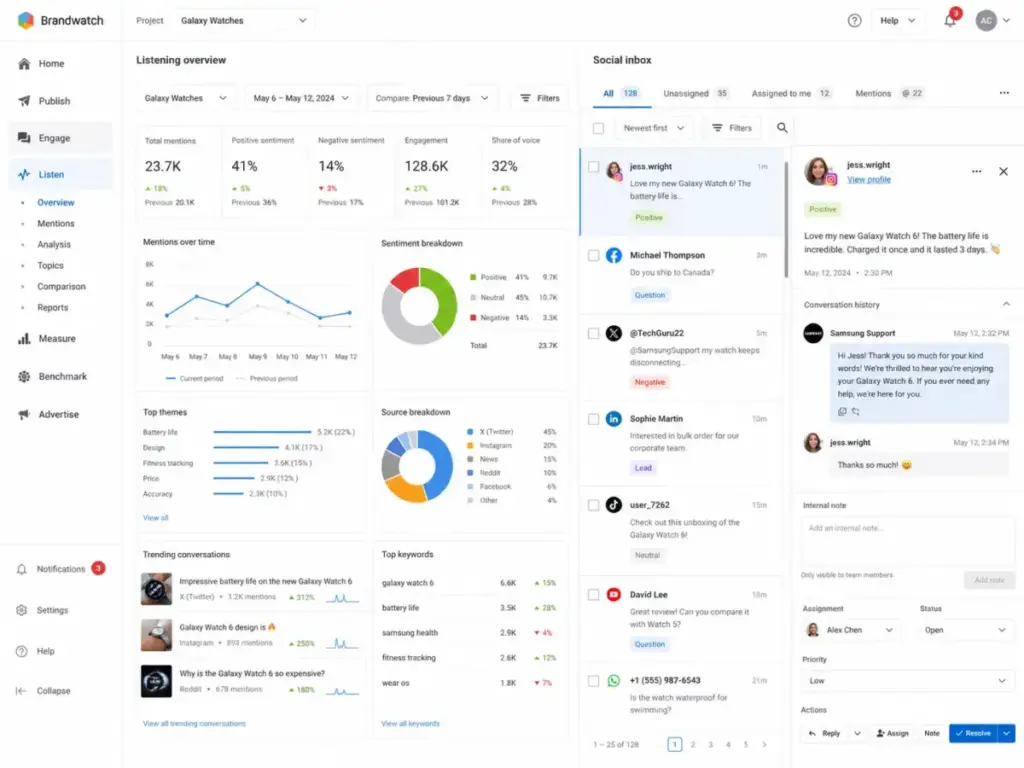
Brandwatch does not publish pricing either. The platform covers social CRM inbox, publishing, calendar collaboration, social listening, benchmarking, analytics dashboards, AI writing assistance, sentiment analysis, and automations. Module and feature access varies by package and permissions.
Pricing (as of May 2026): Custom. Contact sales.
What it does well:
- Centralized social CRM inbox across Facebook, Instagram, YouTube, X, Reddit, LinkedIn, WhatsApp
- Social listening with benchmark comparisons and trend analysis
- Publishing calendar with team collaboration and approval workflows
- Salesforce Service Cloud integration and case management workflows
- AI writing assistance and sentiment analysis across channels
Where it falls short:
- Feature and module access varies by package. Not all features are available on all plans.
- No public pricing. SMBs cannot self-evaluate.
- Complex platform that requires onboarding and team training
Avoid if: You are an SMB that needs transparent pricing and a quick self-serve setup. Brandwatch is built for enterprise social teams with dedicated budgets and multi-department requirements.
Setup difficulty: High. Enterprise onboarding, module configuration, and permission setup.
Verdict: Brandwatch is the enterprise pick for teams that need social CRM, listening, publishing, and analytics in one governed platform. The Salesforce Service Cloud integration makes it particularly strong for enterprise social care teams.
Sprinklr Social: Best Enterprise CX Governance Platform

Badge: Best Enterprise CX Governance Platform
Sprinklr has discontinued its self-serve products and focuses exclusively on enterprise platform offerings. There is no public pricing, no self-serve trial, and no SMB tier.
Pricing (as of May 2026): Custom enterprise pricing. Contact sales.
What it does well:
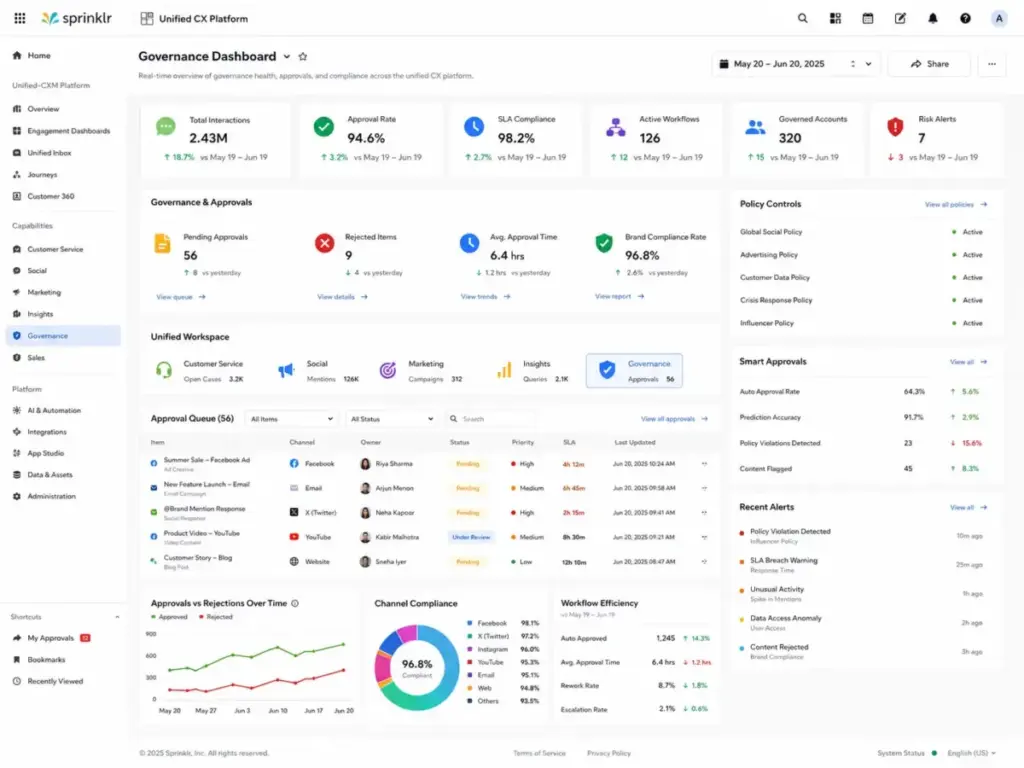
- Unified social listening, publishing, engagement, and advertising across channels
- Social commerce and customer service modules
- Employee advocacy and AI-assisted CX workflows
- Approval governance for regulated industries and global enterprises
- Omnichannel service integration beyond social
Where it falls short:
- Self-serve plans have been discontinued. There is no way to evaluate without a sales process.
- Social listening outputs can be affected by noise, language nuance, and sarcasm, requiring configuration and review
- Implementation, governance setup, and AI module configuration affect total cost
Avoid if: You are an SMB, mid-market team, or anyone who wants to sign up and start using a tool today. Sprinklr is for global enterprises with dedicated CX teams.
Setup difficulty: Very High. Enterprise implementation, governance configuration, AI workflow setup, and multi-department rollout.
Verdict: Sprinklr is the right choice for global enterprises that need governed social CRM as part of a broader customer experience platform. For everyone else, start with Sprout Social, Hootsuite, or a CRM-native option.
Pricing Comparison: Starting Price vs Practical Tier
| Tool | Starting price | Practical tier | 5-user monthly cost | Free plan | Trial | Billing model |
|---|---|---|---|---|---|---|
| Zoho Social | Free / $10/mo | $10/mo Standard | $10/mo (1 user included) | Yes | 15 days | Flat rate |
| Nimble | $24.90/seat/mo | $24.90/seat/mo | $124.50/mo | No | 14 days | Per user |
| Sendible | $29/mo | $89/mo Traction | $89/mo (4 users included) | No | 14 days | Flat rate |
| Agorapulse | Free / $79/user/mo | $79/user/mo Standard | $395/mo | Yes (individual) | 30 days | Per user |
| Hootsuite | $99/user/mo | $99/user/mo Standard | $495/mo | No | 30 days | Per user |
| Sprout Social | $199/seat/mo | $199/seat/mo Standard | $995/mo | No | 30 days | Per user |
| HubSpot Marketing Hub | $20/seat/mo | $890/mo Professional | $890/mo (3 seats included) | Free CRM tools | 14 days | Mixed |
| Oktopost | Custom | Custom | Contact sales | No | Not verified | Custom |
| Brandwatch | Custom | Custom | Contact sales | No | Not verified | Custom |
| Sprinklr Social | Custom | Custom | Contact sales | No | No | Custom |
Pricing verified May 2026. All prices reflect annual billing where available. Check official pricing pages for current rates.
What this means: The cheapest plan is not always the right comparison point. Zoho Social’s free plan is usable but limited to 1 brand and 1 team member. Sendible’s $29 Creator plan gives you 1 user and 6 profiles. The practical tier for most teams starts at $79 per user (Agorapulse) or $89 flat (Sendible Traction). HubSpot’s starting price ($20/seat) is misleading if you need full social CRM attribution, which requires Professional at $890 per month.
Feature Gate Comparison
| Feature | Zoho Social | Nimble | Sendible | Agorapulse | Hootsuite | Sprout Social | HubSpot | Oktopost | Brandwatch | Sprinklr |
|---|---|---|---|---|---|---|---|---|---|---|
| Social inbox | Standard | N/A | Traction | Standard | Standard | Standard | Professional | Custom | Custom | Custom |
| Publishing/scheduling | Free | N/A | Creator | Free/Standard | Standard | Standard | Starter | Custom | Custom | Custom |
| Social listening | Higher tiers | N/A | Limited | Standard | Enterprise | Advanced (add-on) | Professional | Custom | Custom | Custom |
| CRM integration | Free (Zoho CRM) | Built-in | N/A | N/A | Enterprise (Salesforce) | Higher tiers | Built-in | Custom | Custom (Salesforce) | Custom |
| Analytics/reporting | Standard | Basic | Traction | Standard | Standard | Standard | Professional | Custom | Custom | Custom |
| AI features | Free (5 credits) | Yes | Limited | Higher tiers | Standard | Advanced | Professional | Custom | Custom | Custom |
| Employee advocacy | N/A | N/A | N/A | N/A | Enterprise | Add-on | N/A | Custom | N/A | Custom |
| Review management | N/A | N/A | N/A | N/A | Higher tiers | Standard | N/A | N/A | N/A | N/A |
| Approval workflows | Higher tiers | N/A | Advanced | Higher tiers | Advanced | Professional | Professional | Custom | Custom | Custom |
What this means: Social inbox, publishing, and basic reporting are available on lower tiers for most tools. Social listening, CRM integration, employee advocacy, and approval workflows are consistently gated behind higher tiers or enterprise plans. If your buying decision depends on one of these gated features, price the tier that includes it, not the starting tier.
Setup and Migration Difficulty
| Tool | Setup difficulty | Why |
|---|---|---|
| Zoho Social | Low | Simple onboarding, connects to Zoho CRM/Desk quickly |
| Nimble | Low | Browser extension install, CRM import, minimal configuration |
| Sendible | Low | Dashboard and scheduling ready in minutes |
| Agorapulse | Low-Medium | Inbox and publishing fast; ROI tracking requires Analytics setup |
| Hootsuite | Low-Medium | Scheduling simple; enterprise integrations take longer |
| Sprout Social | Medium | Inbox intuitive; monitoring, review channels, helpdesk integrations need configuration |
| HubSpot Marketing Hub | Medium-High | Starter quick; Professional needs onboarding, contact setup, campaign config |
| Oktopost | High | Marketing automation integration, advocacy rollout, attribution setup |
| Brandwatch | High | Enterprise onboarding, module configuration, permissions |
| Sprinklr Social | Very High | Enterprise implementation, governance, AI workflows, multi-department rollout |
Which Social Media CRM Should You Avoid?
No tool on this list is bad. But several are wrong for specific buyer types:
- Avoid Sprout Social if your total social budget is under $200 per month. The per-seat pricing makes it expensive for teams that only need scheduling and light monitoring.
- Avoid HubSpot Marketing Hub if you want a standalone social tool. The social features are part of a larger marketing platform, and the Professional tier ($890/month) includes costs for the entire Marketing Hub, not just social.
- Avoid Nimble if you need social media publishing, scheduling, or social care inbox. Nimble CRM is a relationship CRM with social context, not a social media management platform. Teams that need more than relationship context should compare Nimble alternatives by social workflow coverage, CRM depth, publishing needs, and total add-on cost.
- Avoid Oktopost, Brandwatch, or Sprinklr if you need transparent pricing and self-serve signup. These are enterprise tools that require a sales process.
- Avoid Zoho Social if you are not in the Zoho ecosystem. The CRM and Desk integrations are the strongest differentiators. Without them, Zoho Social is a competent but unremarkable scheduler.
How to Choose the Right Social Media CRM
Start with these questions:
- What does “social CRM” mean for your team? Is it publishing and inbox management? Customer profile enrichment? Revenue attribution? Social care ticketing? The answer determines the product category you actually need.
- How many users need access today and in 12 months? Per-user pricing at $79 to $199 per seat changes the math dramatically at 5, 10, or 20 users.
- Do you already use a CRM? If you run HubSpot, Zoho, or Salesforce, the native social tools inside those platforms may deliver more value than a standalone social tool.
- Which social networks are mandatory? Most tools cover Facebook, Instagram, X, and LinkedIn. TikTok, YouTube, Pinterest, Reddit, and WhatsApp support varies by tool and tier.
- Do you need social listening or just inbox? Listening (brand monitoring, competitor tracking, sentiment analysis) is consistently gated behind higher tiers or enterprise plans. Budget accordingly.
- What reporting do you need? Basic post performance is available everywhere. Campaign attribution, ROI reporting, and competitive benchmarking require Sprout Social Professional, HubSpot Professional, or enterprise tools.
- What is the total cost at your team size? Calculate the practical tier price multiplied by your user count, plus any add-ons for features you need. Compare that number, not the starting price.
Common Mistakes When Choosing Social Media CRM Software
Mistake 1: Confusing a social scheduler with a social CRM. Tools like Buffer and SocialPilot are strong for publishing. They are not social CRMs because they do not connect social conversations to customer records, tickets, or revenue.
Mistake 2: Choosing by starting price. Zoho Social starts free. HubSpot starts at $20 per seat. But the tier that includes the social CRM features most teams actually need is $10 (Zoho Standard), $890 (HubSpot Professional), or $199 per seat (Sprout Standard). Compare practical tiers.
Mistake 3: Ignoring per-user math. A tool at $99 per user per month costs $990 per month for a 10-person team. A flat-rate tool at $199 per month for the same team is five times cheaper. Per-user pricing is not inherently bad, but model your actual team size.
Mistake 4: Assuming CRM integration is included. Salesforce integration on Hootsuite requires Enterprise. Zoho CRM integration works best if you already pay for Zoho CRM. HubSpot social CRM requires Marketing Hub Professional. Check which tier unlocks the integration you need.
Mistake 5: Overlooking add-on costs. Sprout Social’s Listening and Premium Analytics are add-ons. HubSpot charges for marketing contact overages and onboarding. Nimble charges for email marketing, web forms, and data enrichment credits. The subscription price is the starting point, not the total cost.
Mistake 6: Buying enterprise tools for SMB needs. Oktopost, Brandwatch, and Sprinklr are built for large organizations. If your team is under 10 people and your budget is under $500 per month, these tools are not designed for you.
Mistake 7: Not testing with your actual workflow. A 30-day trial with real social conversations, real team members, and real reporting needs reveals more than any feature comparison. Use the trial period to test what matters to your team.
Final Verdict
For most social care and marketing teams, Sprout Social is the best overall social media CRM. The inbox, reporting, review management, and collaboration features justify the $199 per seat price for teams that use social as a customer engagement channel.
For CRM-first marketing teams, HubSpot Marketing Hub connects social activity to contacts, campaigns, and revenue more directly than any standalone social tool. The cost is justified if you already run HubSpot and need attribution.
For budget-conscious small businesses, Zoho Social offers the best value with a free plan and paid tiers starting at $10 per month. The Zoho CRM and Desk integrations make it particularly strong for Zoho ecosystem users.
For agencies, Agorapulse (inbox and ROI) or Sendible (client workspaces and flat-rate pricing) are the two strongest options. Compare per-user cost against bundled pricing for your team size.
For B2B revenue teams, Oktopost’s social-to-marketing-automation attribution is the strongest in this category. Budget for a sales conversation and custom pricing.
For enterprise CX teams, Brandwatch and Sprinklr are the leading platforms. Both require sales processes, enterprise implementation, and dedicated budgets. Start with Brandwatch if you need help desk and social care integration with Salesforce. Start with Sprinklr if you need governed CX across social, commerce, and service.
FAQ
What is the best social media CRM overall?
Sprout Social is the best overall social media CRM for teams that need a polished inbox, review management, customer care reporting, and collaboration features. It scored 8.66 out of 10 in our evaluation. The main limitation is per-seat pricing starting at $199 per month, which makes it expensive for very small teams.
What is the best free social media CRM?
Zoho Social offers the most functional free plan: 1 brand, 6 channels, 1 team member, and 5 AI credits. Agorapulse also has a free plan for individuals. Neither free plan is suitable for teams, but Zoho Social’s free tier is usable for solo operators who want basic publishing and monitoring with CRM handoff.
What is the cheapest social media CRM?
Zoho Social Standard at $10 per month billed annually is the cheapest paid option. Nimble at $24.90 per seat per month is the cheapest CRM-first option. Sendible Creator at $29 per month is the cheapest agency-oriented option. Compare against the features you actually need, not just the starting price.
Which social media CRM is best for small businesses?
For small businesses with 1 to 5 people, Zoho Social is the strongest fit because it offers a free plan, affordable paid tiers, and native Zoho CRM integration. If you are not in the Zoho ecosystem, Agorapulse’s free individual plan or Sendible Creator at $29 per month are solid alternatives.
Which social media CRM is best for enterprise teams?
Brandwatch and Sprinklr are the two leading enterprise social CRM platforms. Both offer social listening, publishing, engagement, analytics, and governance features. Brandwatch integrates with Salesforce Service Cloud for case management. Sprinklr covers social commerce, advertising, and AI-native CX workflows. Both require custom pricing and enterprise sales processes.
How much does social media CRM software cost?
Pricing ranges from free (Zoho Social, Agorapulse individual plan) to $199 per seat per month (Sprout Social Standard) to custom enterprise pricing (Oktopost, Brandwatch, Sprinklr). Most teams should budget $79 to $199 per user per month for tools with social inbox and reporting capabilities. Flat-rate options like Sendible start at $29 per month for smaller teams.
Can I use HubSpot as a social media CRM?
Yes, if you use HubSpot Marketing Hub Professional ($890/month). The social tools connect publishing, monitoring, and email marketing campaigns to CRM contacts and revenue attribution. Starter ($20/seat) includes basic social publishing but lacks the campaign attribution and monitoring depth that makes HubSpot’s social CRM valuable.
What is the difference between a social media CRM and a social media scheduler?
A social media scheduler (Buffer, SocialPilot, Later) handles publishing and content planning. A social media CRM connects social conversations to customer records, tickets, pipelines, or revenue reports. Sprout Social, HubSpot, and Zoho Social are CRMs. Sendible and Hootsuite sit in between, with strong publishing and inbox features but less native CRM depth.
Do I need a separate social media CRM if I already have a CRM?
No, unless your current CRM lacks social engagement features. If you use HubSpot, the Marketing Hub social tools may be sufficient. If you use Zoho CRM, Zoho Social connects natively. If you use Salesforce, Hootsuite Enterprise or Brandwatch offer Salesforce integration. Adding a standalone social CRM on top of an existing CRM can create duplicate data and fragmented workflows.
Is Sprout Social worth the price?
Sprout Social is worth the price for teams with 3 or more dedicated social care or marketing team members who use the inbox, reporting, and review management daily. A 5-person team on Standard pays $995 per month. If your team only uses scheduling and occasional monitoring, a tool like Hootsuite ($99/user) or Zoho Social ($10/month) delivers better value per dollar.
Pricing verified May 2026. Check each vendor’s official pricing page for current rates. Rankings are based on our evaluation methodology and do not reflect affiliate compensation.