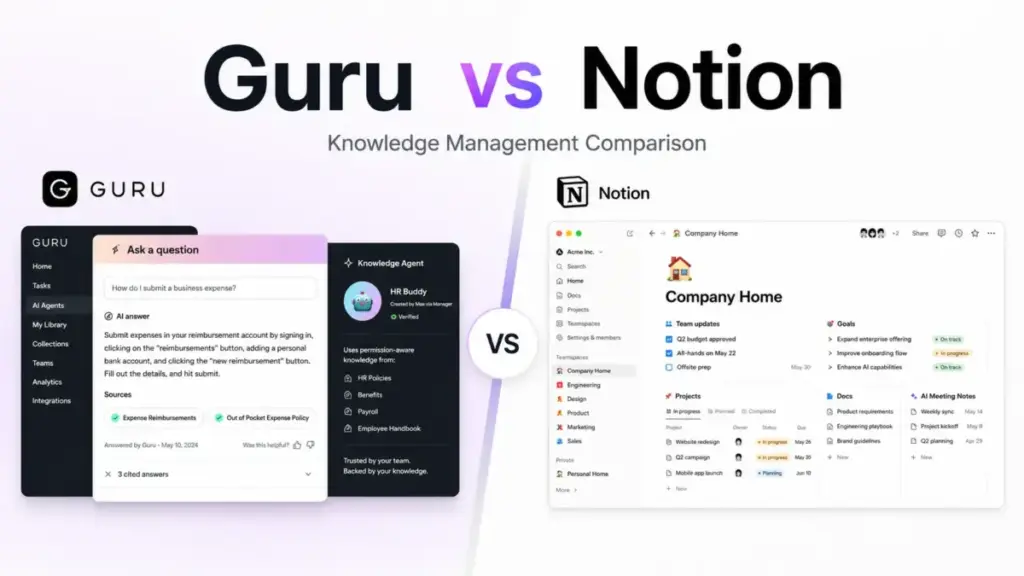
Guru does not publish a self-serve price. Notion starts at $0/month. That gap tells you more about these two products than any feature matrix will.
Guru is a governed knowledge layer built for teams where a wrong answer costs real money: support agents quoting expired policies, sales reps sharing outdated pricing, compliance teams referencing old procedures. Notion is a flexible workspace that handles docs, databases, projects, wikis, and AI features under one login, at a price you can see before talking to anyone.
Choose Guru if stale or inaccurate internal answers create business risk and your team needs verified, cited, permission-aware knowledge delivered inside Slack, Teams, and AI tools. Choose Notion if you want a cheaper, broader workspace for documentation, project tracking, and lightweight internal wikis, but understand what knowledge management governance you are giving up.
After analyzing pricing for 45+ business tools, I can confirm: the real cost question here is not “which is cheaper” but “which hidden costs will surprise you at scale.” Guru’s entire pricing model is sales-scoped, so you cannot calculate your bill without a call. Notion’s entry pricing is public, but the AI features and governance controls that would make it a Guru competitor live behind Business and Enterprise tiers.
I based this comparison on official documentation, pricing pages, published security information, integration directories, and user review signals from G2, PeerSpot, and Software Advice. Both products were evaluated at the official_research_only level (as of May 2026). I did not fabricate testing claims.
This article breaks the comparison into three real-world workflows: finding verified answers, building an internal knowledge base from scratch, and connecting knowledge into AI tools. Then I cover pricing, governance, migration, and buyer fit. If you are comparing best knowledge base software options, this comparison covers the two tools buyers ask about most.
Quick Verdict: Guru vs Notion
| Category | Winner | Why |
|---|---|---|
| Pricing transparency | Notion | Free plan, public USD pricing for Plus and Business. Guru is sales-scoped only. |
| Verified knowledge governance | Guru | Built-in verification workflows, SME ownership, citations, and audit trails. |
| All-in-one workspace breadth | Notion | Combines docs, databases, projects, forms, sites, mail, calendar, and AI agents. |
| AI search and answer trust | Guru | Permission-aware, cited answers across 100+ integrations and MCP-compatible AI tools. |
| Integrations and workflow delivery | Guru | 100+ sources including Slack, Teams, Salesforce, Zendesk, ChatGPT, Claude, Copilot, and MCP. |
| Security and compliance | Tie | Both have SOC 2 Type II, HIPAA support, SSO, SCIM, audit logs, and encryption. |
| Ease of setup for small teams | Notion | Free plan, templates, self-serve onboarding. Guru requires sales scoping. |
What this means: Guru wins on knowledge accuracy and governance. Notion wins on cost, breadth, and accessibility. The right pick depends on whether your team’s pain is “we cannot trust our internal answers” or “we need one tool for everything.”
Guru vs Notion at a Glance
| Dimension | Guru | Notion |
|---|---|---|
| Best for | Support, sales, IT, HR teams needing verified answers | Startups, product teams, marketing teams needing flexible workspace |
| Starting price | Custom / contact sales | $0/month (Free plan) |
| Practical tier | Custom package (sales-scoped) | $20/user/month annual (Business) |
| Free plan | Not confirmed on current pricing page | Yes, for individuals |
| Setup difficulty | Medium to High | Low to Medium |
| Main strength | Verified, cited, permission-aware knowledge delivery | Flexible docs, databases, projects, AI workspace under one roof |
| Main limitation | No public pricing, not built for public documentation portals | Full AI and governance features gated to Business and Enterprise |
| Testing level | Official research only | Official research only |


How We Compared Guru and Notion
I evaluated both products across pricing, AI search, knowledge governance, integrations, security, setup, and buyer fit. Data sources include official pricing pages, product documentation, security and compliance pages, integration directories, API documentation, and user review signals from G2, PeerSpot, and Software Advice.
Pricing verified: May 2026. Guru pricing from getguru.com/pricing. Notion pricing from notion.com/pricing.
Limitation: Neither product was hands-on tested for this comparison. All claims are based on official published documentation and verified third-party review signals. Guru’s exact public pricing is not available, so cost-at-scale calculations for Guru require a sales quote.
Workflow 1: Finding Verified Answers Across Tools
This is where the comparison gets real. A 50-person support team with rapidly changing policies needs answers that are correct, current, and cited. A wrong answer to a customer costs more than any subscription.
Guru is built for this workflow. Knowledge Agents deliver permission-aware, cited answers inside Slack, Microsoft Teams, browser extensions, and AI tools like ChatGPT, Claude, Microsoft Copilot, and Cursor through MCP. Every answer traces back to a source Card. Every Card has a named owner and a verification cycle. If a policy changes, the system flags stale content for the assigned subject-matter expert to review. Audit trails track who accessed what and when.
“Guru’s content verification process ensures the reliability and accuracy of knowledge, a crucial aspect for organizations in industries with compliance or accuracy requirements.” (G2 reviewer, via Guru pricing page)
Notion has AI search and Notion Agent on Business and Enterprise plans. Enterprise Search (beta) can pull answers from connected tools. But Notion does not enforce verification cycles, named article ownership, or citation lineage the way Guru does. You can verify any page on Business, but that is a manual toggle, not an automated governance system. Notion’s AI also requires Business ($20/user/month annual) or Enterprise for full access. Free and Plus users get limited trial AI.
Winner: Guru. If answer accuracy is the workflow that matters, Guru’s verification, ownership, and citation model is purpose-built. Notion can store knowledge, but it does not govern it.
Workflow 2: Building an Internal Knowledge Base from Scratch
A 5-person startup wants to document processes, onboarding guides, and team decisions in one place. Speed and cost matter more than compliance.
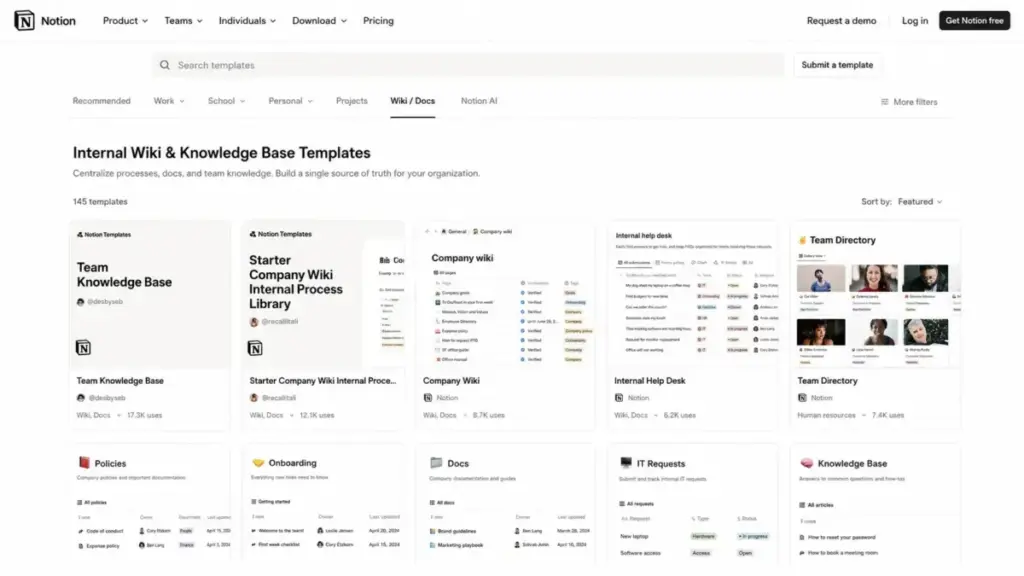
Notion wins this workflow on day one. The free plan supports unlimited pages and blocks for individual workspaces. Templates cover meeting notes, project wikis, product roadmaps, and team directories. A new hire can start contributing within an hour. The page-and-database model lets teams build custom knowledge structures without schema constraints.
But here is the catch. Notion’s flexibility becomes a liability at scale. Without strict governance, pages multiply, naming conventions drift, and the workspace becomes a search problem instead of a knowledge solution. Third-party reviews consistently mention that Notion can feel overwhelming when content volume grows past a few hundred pages.
Guru takes a different approach. Knowledge lives in Cards organized into Collections, with folders, role-based access, and verification assignments. The structure is more opinionated, which prevents sprawl but slows initial setup. The current pricing model includes solution-engineering support, knowledge architecture design, and rollout planning, which implies more implementation work than a self-serve wiki.
For a detailed Notion analysis, I broke down the flexibility-versus-governance tradeoff in depth.
Winner: Notion. For building a first internal wiki quickly and cheaply, Notion’s free plan and templates get teams started faster. Guru’s governed model adds value later, when knowledge accuracy becomes the bottleneck.
Workflow 3: Connecting Knowledge into AI Tools and Workflows
Enterprise IT teams want internal knowledge accessible inside AI assistants, search tools, and developer workflows, not locked in a standalone app.
Guru positions this as a core capability. The integration directory lists 100+ sources: Slack, Microsoft Teams, Salesforce, Zendesk, Confluence, SharePoint, Google Drive, GitHub, and more. The MCP Server connects Guru knowledge into ChatGPT, Claude, Microsoft Copilot, and Cursor. Answers are permission-aware, meaning the AI tool only surfaces knowledge the user is authorized to see. DLP masking adds another layer.
Notion connects to Slack, Google Drive, Jira, GitHub, Asana, Microsoft Teams, Box, OneDrive, and Salesforce. The public API supports database queries, page creation, and webhooks. Custom Agents (beta) can automate workflows using Notion data. Enterprise Search (beta) pulls context from connected tools.
There is a caveat, though. Notion’s API rate limit is 3 requests per second per connection, with a 500KB payload limit and 1,000 block cap per payload. Large-scale sync jobs need retry logic and batching. Guru’s API rate limits are not publicly documented, which means you will not know the ceiling until you hit it.
Custom Agents on Notion run on credits: $10 per 1,000 monthly Notion credits. Workers Beta starts using credits on August 11, 2026. That is an add-on cost most buyers do not see on the pricing page.
Winner: Guru. For governed, permission-aware knowledge delivery into external AI tools and existing workflows, Guru’s integration density and MCP support give it the edge. Notion’s API is strong but workspace-centered, and the credit model adds unpredictable cost for AI-heavy usage.
Pricing and Value per Dollar
This is the section that usually decides the purchase. And it is the section where Guru makes the comparison hardest, because there is no public price to compare against.
Guru Pricing (as of May 2026)
| Plan | Price | What is included |
|---|---|---|
| Custom package | Contact sales | Platform access, AI Knowledge Agents, verification workflows, SSO, SCIM, DLP masking, audit trails, solution-engineering support, knowledge architecture design, rollout planning, ongoing optimization. Exact seat price, AI credit pool, and overage rates are not disclosed. |
Guru’s official pricing page frames the investment as tailored to organization scale, knowledge complexity, and AI maturity. Older third-party sources cite $25-$30/seat with a 10-seat minimum, but those figures are not confirmed by the current official page.
Notion Pricing (as of May 2026)
| Plan | Annual rate | What is included |
|---|---|---|
| Free | $0/month | Unlimited individual pages, limited team blocks, 5MB uploads, 7-day history, trial AI |
| Plus | $10/user/month | Unlimited blocks, file uploads, 30-day history, custom forms, sites, charts |
| Business | $20/user/month | Notion Agent, AI Meeting Notes, Enterprise Search beta, SAML SSO, page verification, private teamspaces |
| Enterprise | Contact sales | Zero data retention with LLM providers, SCIM, audit log, DLP/SIEM, advanced controls, CSM |
| Custom Agents credits | $10/1,000 credits | Add-on for Custom Agents and Workers Beta |
Monthly pricing runs higher: Plus at $12/user/month and Business at $24/user/month.
For a full Notion pricing breakdown, I mapped every plan gate and hidden cost.
Cost at Scale
| Team size | Guru | Notion Plus (annual) | Notion Business (annual) | Winner |
|---|---|---|---|---|
| 5 users | Custom quote | $50/month | $100/month | Notion (public pricing) |
| 10 users | Custom quote | $100/month | $200/month | Notion (unless governed answers justify Guru’s quote) |
| 25 users | Custom quote | $250/month | $500/month | Notion (predictable cost) |
| 50 users | Custom quote | $500/month | $1,000/month | Depends on whether knowledge governance is the real requirement |
What this means: You cannot run a side-by-side cost comparison when one product hides its price. Notion wins on pricing transparency at every team size. Guru’s value proposition is that governed knowledge accuracy saves more money than the subscription costs, but you will need a quote to prove that math.
Hidden Costs to Watch
Guru: Sales-scoped pricing with undisclosed minimums. Integration and knowledge architecture setup is part of the package, but the time investment is real. Migration out requires Collection ZIP exports, Card CSV exports with HTML content, or API-based sync, all of which need cleanup.
Notion: Business tier required for full AI. Custom Agents burn credits at $10/1,000. Custom domains cost $8/month/domain annually. Enterprise required for zero data retention, SCIM, audit log, and DLP/SIEM. API rate limits (3 req/sec) affect large migrations.
Governance and Security Comparison
| Control | Guru | Notion | Winner |
|---|---|---|---|
| SOC 2 Type II | Yes | Yes | Tie |
| ISO 27001 | Not confirmed | Yes | Notion |
| HIPAA support | Yes (BAA available) | Yes (Enterprise, with BAA) | Tie |
| SSO (SAML) | Yes (sales-scoped) | Business and above | Tie |
| SCIM provisioning | Yes (sales-scoped) | Enterprise only | Tie |
| Audit logs | Yes | Enterprise only | Guru (available in custom package) |
| DLP masking | Yes | Enterprise (DLP/SIEM connections) | Guru (native masking) |
| Zero data retention (AI) | Positioned as zero retention | Enterprise only | Guru (not plan-gated) |
| Verification workflows | Automated with SME ownership | Manual page verification on Business | Guru |
| Permission-aware AI answers | Yes, inherits source permissions | Not confirmed at same granularity | Guru |
What this means: For teams where audit trails, DLP masking, and verification workflows are requirements (not nice-to-haves), Guru includes them in the custom package. Notion gates most governance controls behind Enterprise, which also requires a sales call. If you need both products at enterprise governance level, you are talking to sales either way.
“Guru prioritizes data security, offering features like access controls, encryption, and audit logs to safeguard sensitive information and provide peace of mind.” (Sathish K., G2 reviewer, via Guru pricing page)
Setup and Migration Difficulty
| Dimension | Guru | Notion |
|---|---|---|
| Initial setup | Medium to High. Sales scoping, knowledge architecture design, agent configuration, rollout planning. | Low to Medium. Free plan, templates, self-serve. Complex setups need admin work. |
| Guru to Notion migration | N/A | Medium. Export Collections as ZIP, Cards as CSV (HTML content). Formatting, verification metadata, and permissions need cleanup on import. |
| Notion to Guru migration | Medium to High. Restructure flexible pages and databases into controlled Cards, Collections, owners, and verification workflows. | N/A |
| Data export | Collection ZIP, Card CSV with HTML, PDF folders, API sync | Page/database export as HTML, Markdown, CSV. PDF export is plan-dependent. API has rate limits. |
What this means: Notion is easier to start with. Guru is harder to leave, because the governance structure (owners, verification, permissions) does not have a one-to-one equivalent in a flexible workspace tool.
For teams evaluating knowledge base tools for customer support, the what is help desk software guide covers the support-side workflow in more detail.
Where Guru Wins
- Verified knowledge with named owners. Every Card has an assigned SME and a verification cycle. Stale content gets flagged automatically.
- Permission-aware AI answers. Guru’s Knowledge Agents respect source permissions, so a sales rep and an HR manager get different answers from the same query.
- Cross-tool knowledge delivery. Answers surface inside Slack, Teams, browsers, Salesforce, Zendesk, and AI tools through MCP, not just inside the Guru app.
- Audit trails and DLP masking. Included in the custom package without requiring an “Enterprise” tier label.
- Compliance-heavy environments. HIPAA support, zero data retention positioning, and SOC 2 Type II provide a governance baseline for regulated industries.
Where Notion Wins
- Self-serve pricing starting at $0. A team can evaluate Notion fully before spending a dollar. Guru requires a sales conversation.
- All-in-one workspace. Docs, databases, projects, forms, sites, dashboards, AI agents, meeting notes, mail, and calendar. Guru is knowledge-only.
- Speed to first value. A 5-person team can have a working wiki in under an hour. Guru’s current package includes implementation scoping.
- Template ecosystem. Notion’s template gallery covers onboarding, project planning, wikis, and team processes. Guru’s structure is more manual.
- Public API with clear rate limits. Notion documents its API limits (3 req/sec, 500KB payload). Guru’s API rate limits are not published.
Who Should Choose Guru
- 50+ person support or sales teams where wrong answers create customer-facing risk and compliance exposure.
- Enterprises connecting internal knowledge into Slack, Teams, and AI tools (ChatGPT, Claude, Copilot, Cursor) with permission-aware governance.
- Regulated industries (healthcare, finance, legal) where verification workflows, audit trails, and DLP masking are non-negotiable.
- Operations and IT teams maintaining policies, procedures, and internal processes that change frequently and need named ownership.
If you are evaluating Guru specifically, the Guru review covers the full feature set, governance model, and limitations.
Who Should Choose Notion
- Startups and small teams (under 20 people) building their first internal wiki or knowledge base on a budget.
- Product and marketing teams that need docs, databases, project tracking, templates, and AI workspace features in one tool.
- Teams that prioritize flexibility over governance and prefer to build custom knowledge structures without verification constraints.
- Buyers who need to see pricing before talking to sales. Notion’s public pricing removes procurement friction.
For teams comparing Notion against another popular wiki tool, the Notion vs Confluence comparison covers the workspace-versus-documentation tradeoff.
Who Should Avoid Both
Not every team should pick Guru or Notion. Skip both if:
- You need a customer-facing help center or public documentation portal. Guru is internal-only. Notion Sites exist but are not a dedicated help center product. Look at the Document360 review or Zendesk Guide for better options.
- You need support-ticket-integrated knowledge. If knowledge needs to live inside a ticketing workflow, tools like Zendesk Guide, Freshdesk, or Help Scout have tighter integration. The Slite review covers a lighter-weight option for internal knowledge.
- You need LMS-style documentation or multi-brand support. Neither Guru nor Notion is built for training-course delivery or multi-brand documentation management.
Alternatives If Neither Fits
| Tool | Best for | Why consider |
|---|---|---|
| Confluence | Atlassian-heavy engineering teams | Deep Jira integration, technical documentation, change history |
| Document360 | Customer-facing documentation and public portals | SEO, branding, categories, analytics, multi-channel self-service |
| Slite | Lightweight internal KB with simpler governance | Cleaner wiki experience without enterprise AI overhead |
| Tettra | Small team internal knowledge with Slack-native search | Low setup friction, Slack integration, wiki-focused |
Teams evaluating broader Notion alternative options will find tools mapped to specific switching triggers.
For teams drafting requirements before vendor selection, the knowledge base RFP template provides a structured evaluation framework.
Final Verdict: Guru vs Notion in 2026
This is not a “which is better” question. It is a “what problem are you solving” question.
Choose Guru if your team’s pain is answer accuracy: stale policies, unverified procedures, compliance risk, and knowledge scattered across Slack, email, and shared drives. Guru’s verification workflows, permission-aware AI, and cross-tool delivery address that pain directly. The tradeoff is opaque pricing and a heavier implementation process.
Choose Notion if your team’s pain is workspace fragmentation: too many tools for docs, tasks, databases, and wikis. Notion consolidates those at a price you can see upfront. The tradeoff is that full AI and governance features require Business ($20/user/month annual) or Enterprise, and the flexible structure can create its own kind of chaos at scale.
For budget-conscious teams under 20 people, Notion is the clearer fit. The free plan and public Plus pricing make evaluation and adoption frictionless.
For compliance-heavy teams above 50 people, Guru is worth the sales call. The governance layer (verification, ownership, citations, DLP, audit trails) is not something you can bolt onto Notion.
For everyone in between, compare Notion Business at $20/user/month annual against a Guru custom quote. Test whether Notion’s page verification and Enterprise Search beta meet your governance bar. If they do not, Guru closes that gap, at a price you will only learn by asking.
For related reading on what makes a knowledge management system effective, the what is a knowledge base guide covers the fundamentals.
For teams evaluating what is internal documentation approaches, the framework applies to both Guru and Notion buyers.
FAQ
Is Guru better than Notion for a knowledge base?
Guru is better if you need verified answers with named ownership, citations, and audit trails. Notion is better if you need a flexible, affordable workspace that includes wiki functionality. The right pick depends on whether answer accuracy or workspace breadth is your priority.
Does Notion have knowledge verification like Guru?
Notion Business includes a “Verify any page” feature, but it is a manual toggle, not an automated verification workflow with SME ownership, expiration reminders, and citation lineage. Guru’s verification system is more structured and enforced.
How much does Guru cost compared to Notion?
Guru does not publish self-serve pricing. The current official pricing page frames the investment as a custom package based on scale and knowledge complexity. Notion starts at $0/month (Free), with Plus at $10/user/month and Business at $20/user/month billed annually.
Can Notion replace Guru for support teams?
For small support teams without strict compliance needs, Notion Business can serve as a knowledge base with AI search. For teams above 20-30 agents where answer accuracy, verification cycles, and cross-tool delivery matter, Notion does not match Guru’s governance model.
Is Guru too expensive for a small team?
Guru’s current pricing model is custom and sales-scoped, with no confirmed public self-serve pricing. For a team under 10 people, the sales process and implementation scoping add friction that Notion’s free plan eliminates entirely.
Does Notion AI replace Guru Knowledge Agents?
Notion AI (on Business and Enterprise) provides AI search and Notion Agent for workspace content. Guru Knowledge Agents are permission-aware, cited, and deliver answers across 100+ integrations and MCP-compatible AI tools. They serve different use cases: workspace AI versus governed cross-tool knowledge delivery.
How hard is it to migrate from Guru to Notion?
Medium difficulty. Guru exports Collections as ZIP files and Cards as CSV with HTML content. Notion imports Markdown, text, CSV, and Word files. Verification metadata, named ownership, internal links, and permission logic will need manual cleanup after import.
How hard is it to migrate from Notion to Guru?
Medium to High difficulty. Notion’s flexible pages and databases need to be restructured into Guru’s Card, Collection, and verification framework. Owners, verification workflows, and access rules must be configured from scratch.
Which tool is better for customer-facing documentation?
Neither is ideal. Guru is built for internal knowledge only. Notion Sites can publish pages publicly, but it is not a dedicated help center. Consider Document360, Zendesk Guide, or Help Scout for customer-facing portals.
Should I switch from Notion to Guru?
Switch if your team has outgrown Notion’s governance capabilities: knowledge is going stale, wrong answers are reaching customers, and you need verification workflows, audit trails, and cross-tool AI delivery. Stay with Notion if flexibility and workspace breadth still outweigh governance needs.