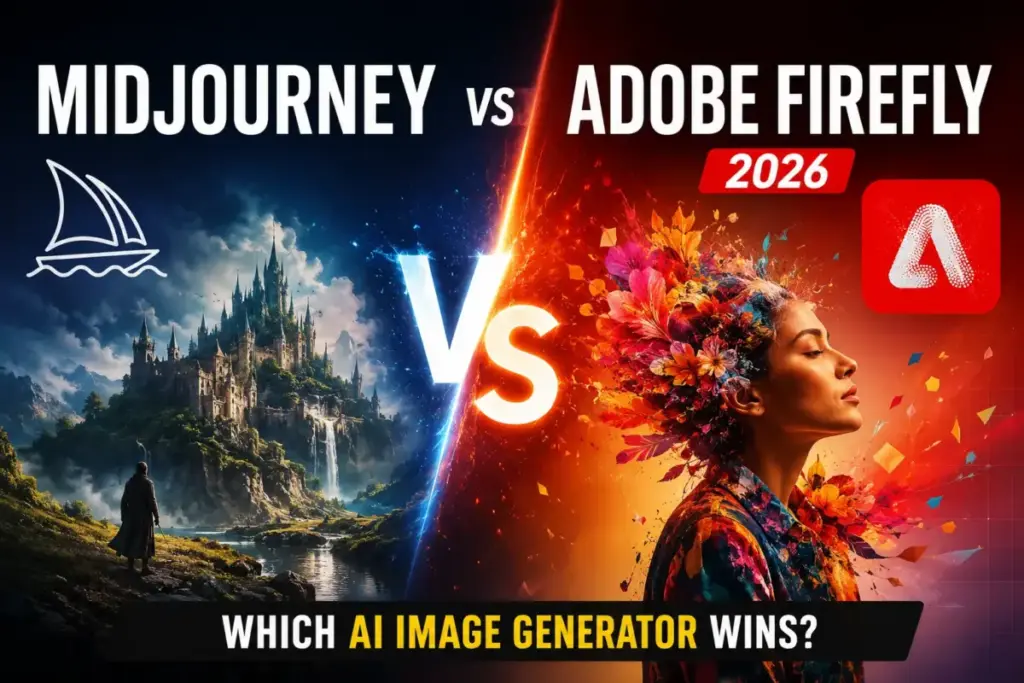
Midjourney markets itself as the AI image generator for serious creatives. Adobe Firefly markets itself as the commercially safe option built into Creative Cloud. Both claims hold up on the surface. The gap shows up when you map features to pricing tiers and test real production workflows.
Choose Midjourney if your work depends on visual originality, concept art quality, and artistic control over every generation. Choose Adobe Firefly if your team needs commercial licensing confidence, native Photoshop and Illustrator integration, and predictable credit-based budgeting.
But here is the part most Midjourney vs Adobe Firefly comparisons skip: the cost structure, privacy gates, and workflow bottlenecks that determine which tool your team outgrows first. I will break those down workflow by workflow in this comparison.
Among the best AI image generators, these two occupy opposite ends of the creative spectrum. One prioritizes output quality. The other prioritizes output safety. The right choice depends on which constraint costs your team more.
| Category | Winner | Why |
|---|---|---|
| Image quality | Midjourney | More artistic, more visually distinct outputs |
| Commercial licensing | Adobe Firefly | Trained on licensed content, built for commercial use |
| Adobe ecosystem integration | Adobe Firefly | Native inside Photoshop, Illustrator, Premiere Pro |
| Creative experimentation | Midjourney | Stronger style references, character consistency tools |
| Team scalability | Adobe Firefly | Enterprise governance, admin controls, credit pooling |
| Privacy controls | Adobe Firefly | Midjourney requires Pro plan ($60/month) for Stealth Mode |
| Value for solo creators | Tie | Firefly is cheaper to start; Midjourney delivers higher artistic output |
What this means: Midjourney wins on creative output. Adobe Firefly wins on everything surrounding the output: licensing, workflow integration, team management, and cost predictability. The tool that fits depends on whether your bottleneck is image quality or production infrastructure.
Midjourney vs Adobe Firefly at a Glance
| Feature | Midjourney | Adobe Firefly |
|---|---|---|
| Best for | Concept artists, illustrators, creative agencies | Marketing teams, Adobe users, enterprise content production |
| Starting price | $10/month (as of June 2026) | $0 (free tier available) |
| Practical plan | Standard at $30/month | Firefly Pro at $19.99/month |
| Free plan | No | Yes, with limited generations |
| Setup difficulty | Medium | Low |
| Main strength | Image quality and artistic control | Commercial safety and Adobe integration |
| Main limitation | No Adobe ecosystem integration, privacy requires Pro plan | Image quality trails Midjourney for artistic work |
| Access method | Web app + Discord | Web app + Creative Cloud apps |
What this means: Midjourney is the stronger standalone image generator. Adobe Firefly is the stronger ecosystem play. Solo artists and concept designers lean Midjourney. Teams already paying for Creative Cloud lean Firefly because the integration removes workflow steps.
How Daniel Rivera Compared Midjourney and Adobe Firefly
This comparison is based on official documentation, published pricing pages, and verified user feedback from both platforms. I tracked plan-gated features, credit consumption rates, and workflow integration depth across both tools.
I did not test either platform hands-on for this article. All feature claims, pricing figures, and capability assessments come from official product pages and community feedback verified as of June 2026.
Evaluation criteria:
- Image generation quality and style control
- Pricing structure and cost at scale
- Feature gates by plan tier
- Commercial licensing and content safety
- Workflow integration with design tools
- Team scalability and governance
- Privacy controls and content ownership
Pricing verified: June 2026, sourced from official pricing pages for both products.
Limitation: Neither platform provided enterprise pricing details. Video generation capabilities are still evolving on both platforms and are compared based on current documented features only.
Workflow 1: Creative Image Generation, Midjourney vs Adobe Firefly
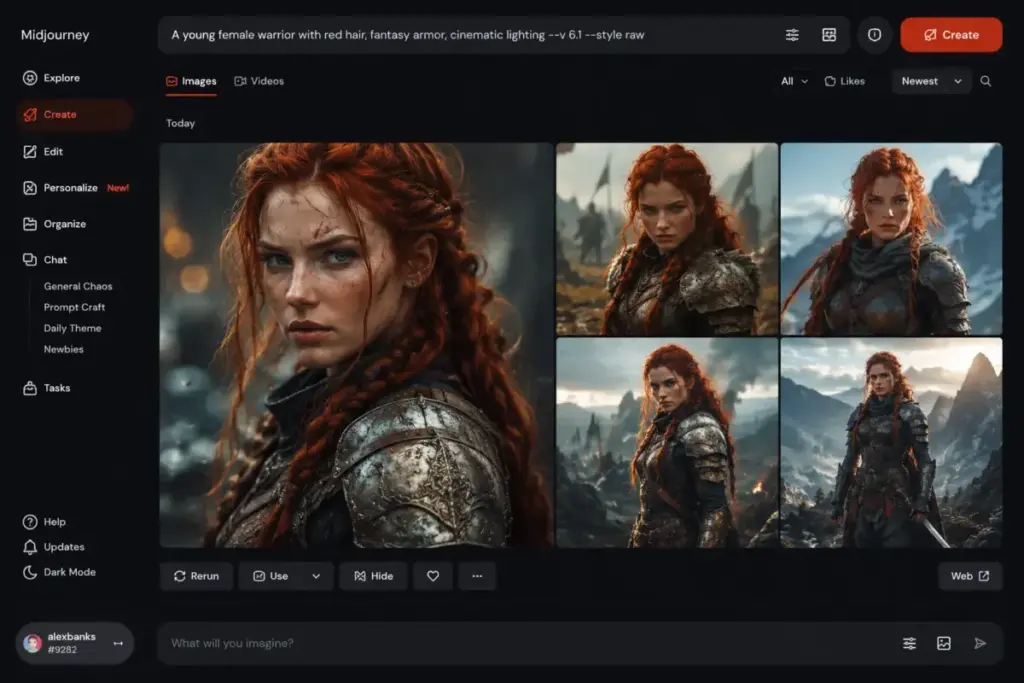
Midjourney wins on image generation quality, and the margin is not small.
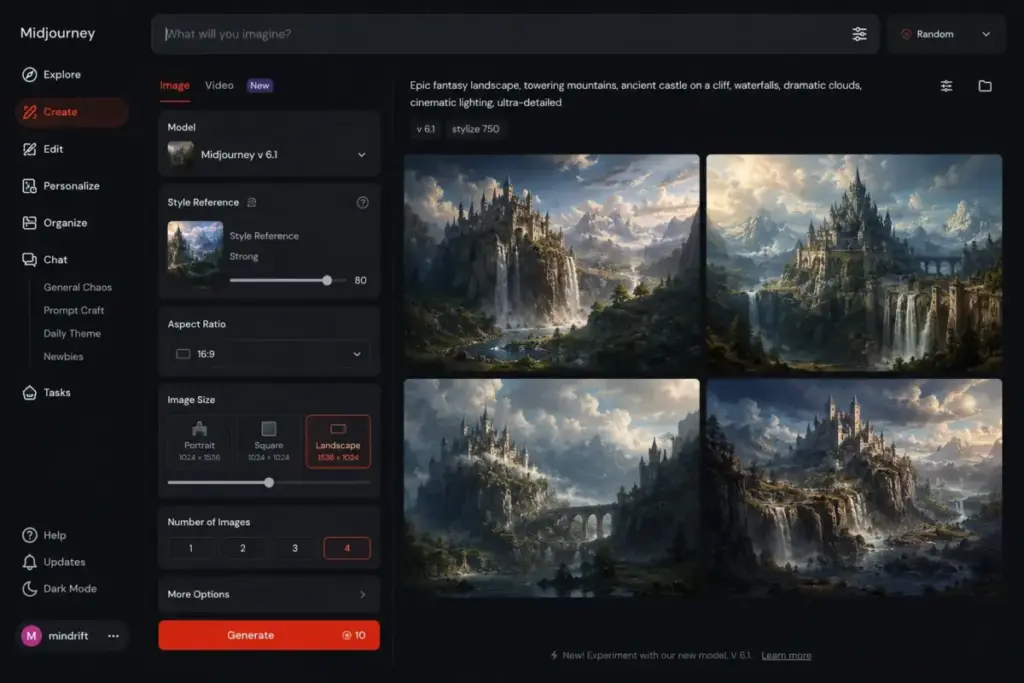
Based on official documentation, Midjourney offers text-to-image AI generation with style references, character consistency tools, moodboards, and image-to-image prompting. These features give creators granular control over output aesthetics. The style reference system lets users point the model toward a specific visual direction without writing complex prompts.
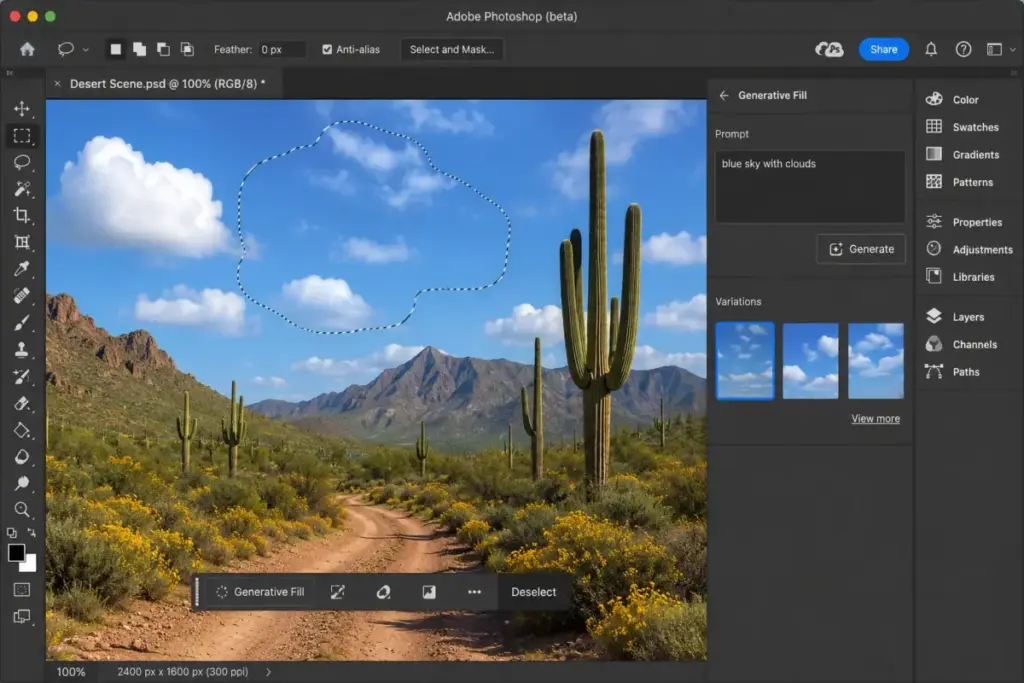
Adobe Firefly provides text-to-image generation, Generative Fill, and Generative Expand. These are production-oriented features. Generative Fill lets designers modify existing images inside Photoshop. Generative Expand extends image boundaries. Both are useful for content production. Neither is designed for artistic exploration.
The difference matters most for concept artists and illustrators. A 3-person game design studio needs visually distinctive outputs for character concepts, environment art, and promotional materials. Midjourney’s style reference system and character consistency tools serve that workflow directly. Firefly’s text-to-image produces clean, safe outputs that work for marketing materials but lack the visual edge concept work requires.
For a 10-person marketing team producing social media graphics and ad creatives, Firefly’s Generative Fill and Expand features remove more friction than Midjourney’s artistic controls add. The marketing team needs speed and consistency, not visual experimentation.
Winner: Midjourney. The image quality gap is the single biggest differentiator between these two platforms.
Workflow 2: Commercial Production and Licensing Safety
Adobe Firefly wins on commercial licensing, and this gap matters more than most comparisons acknowledge.
Adobe built Firefly on content trained from Adobe Stock, openly licensed material, and public domain sources. Every output includes commercial usage rights. For enterprise design teams producing client deliverables, this removes the licensing risk question entirely.
Midjourney’s licensing terms allow commercial use for paid subscribers. But the training data sourcing is less transparent. For a 25-person agency producing client-facing creative assets, the licensing clarity difference is a procurement conversation. Risk-averse clients and legal departments prefer Adobe’s documented training approach.
Users on Wired have noted that Firefly’s commercially safe training approach and Creative Cloud integration are primary adoption drivers. This aligns with what I see in the market: the licensing story is the reason enterprise teams choose Firefly over Midjourney, not the feature set.
The privacy gap compounds this. On Midjourney, images generated on Basic ($10/month) and Standard ($30/month) plans are visible in the community gallery. Private generation requires Stealth Mode, which is locked behind the Pro plan at $60/month. Adobe Firefly’s generations are tied to individual Adobe accounts with no public gallery exposure at any tier.
For a solo freelancer, this might not matter. For a 15-person creative department generating proprietary brand assets, paying $60/month per user for image privacy is a $900/month expense that Firefly eliminates at $0 extra.
Winner: Adobe Firefly. Commercial safety and privacy are included by default, not gated behind premium plans.
Workflow 3: Design Tool Integration and Production Speed
Adobe Firefly wins on workflow integration because it lives inside the tools creative teams already use.
Firefly is natively embedded in Photoshop, Illustrator, Adobe Express, and Premiere Pro. A designer can generate an image in Firefly, refine it with Generative Fill in Photoshop, and export the final asset without leaving Adobe’s ecosystem. That is one workflow, one login, one subscription.
Midjourney operates as a standalone platform through its web app and Discord. Outputs need to be downloaded, imported into design software, and manually refined. For a single image, that takes an extra 2-3 minutes. For a content team producing 50 assets per week, those minutes add up to hours.
Based on Reddit user feedback, Firefly plans are commonly used to expand generative credit capacity specifically for Adobe production workflows. Teams are not buying Firefly as a standalone image generator. They are buying it as a feature layer on top of existing Creative Cloud subscriptions.
Midjourney’s integration story is thinner. Discord remains a secondary interface. Third-party automation is possible but not officially supported at the enterprise level. The web app improves the standalone experience, but it does not solve the fundamental workflow gap: Midjourney outputs still need to be manually transferred into design tools.
Winner: Adobe Firefly. Native integration removes workflow steps that Midjourney adds.
Midjourney vs Adobe Firefly Pricing Compared
Adobe Firefly starts cheaper and scales differently than Midjourney. Here is the plan-by-plan breakdown.
Midjourney Pricing (as of June 2026)
| Plan | Monthly Price | Annual Price | Key Limits |
|---|---|---|---|
| Basic | $10/month | $8/month billed annually | 3.3 Fast GPU hours (200 minutes), no Relax Mode |
| Standard | $30/month | $24/month billed annually | 15 Fast GPU hours, unlimited Relax Mode |
| Pro | $60/month | $48/month billed annually | 30 Fast GPU hours, Stealth Mode included |
| Mega | $120/month | $96/month billed annually | 60 Fast GPU hours |
Adobe Firefly Pricing (as of June 2026)
| Plan | Monthly Price | Key Limits |
|---|---|---|
| Free | $0 | Limited generations |
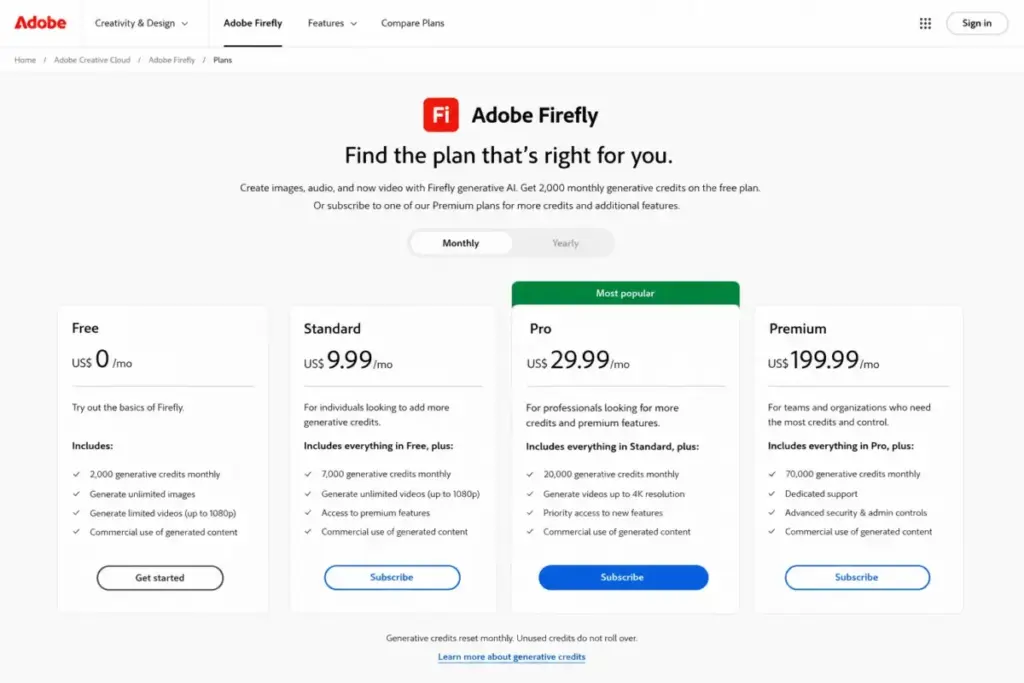
| Firefly Standard | $9.99/month | 2,000 generative credits |
| Firefly Pro | $19.99/month | 4,000 generative credits |
| Firefly Premium | $199.99/month | 50,000 generative credits |
What this means: Midjourney’s practical entry point is the Standard plan at $30/month. Reddit users consistently note that the Basic plan’s 200 minutes of Fast GPU time runs out quickly, and without Relax Mode, generation access stops completely. The Standard plan’s unlimited Relax Mode removes that ceiling.
Adobe Firefly’s practical entry point is the Pro plan at $19.99/month, which provides 4,000 generative credits. The free tier works for evaluation but runs out fast under real production loads.
The Cost-at-Scale Math Most Comparisons Skip
| Team Size | Midjourney (Standard) | Adobe Firefly (Pro) | Cheaper Option |
|---|---|---|---|
| 5 users | $150/month | $99.95/month | Adobe Firefly |
| 10 users | $300/month | $199.90/month | Adobe Firefly |
| 25 users | $750/month | $499.75/month | Adobe Firefly |
| 50 users | $1,500/month | $999.50/month | Adobe Firefly |
What this means: Adobe Firefly costs 33% less than Midjourney at every team size when comparing practical plans. At 50 users, the annual difference is $6,006. That is a significant budget line item for any creative department.
But the cost comparison has a caveat. Firefly’s credit system means heavy video generation or premium AI features consume credits faster. A team burning through 4,000 credits in the first two weeks faces either throttled output or an upgrade to Premium at $199.99/month. Midjourney’s Standard plan with unlimited Relax Mode has no such ceiling for image generation.
Hidden Costs
Midjourney hidden costs:
- Extra Fast GPU hours if Relax Mode is too slow for deadlines
- Pro plan at $60/month required for Stealth Mode (private generations)
Adobe Firefly hidden costs:
- Additional credit packs for heavy usage
- Full Creative Cloud subscription required to access Generative Fill in Photoshop, Generative Expand in Illustrator, and other integrated features
Midjourney vs Adobe Firefly Feature Comparison
| Feature | Midjourney | Adobe Firefly | Winner |
|---|---|---|---|
| Text-to-image quality | Artistic, stylized, visually distinctive | Clean, safe, commercially oriented | Midjourney |
| Video generation | Available (Pro/Mega for unlimited Relax) | Text-to-video available | Tie |
| In-app editing | Image-to-image prompting | Generative Fill, Generative Expand | Adobe Firefly |
| Style control | Style references, moodboards | Multi-model access | Midjourney |
| Character consistency | Dedicated consistency tools | Not a primary feature | Midjourney |
| Commercial licensing | Allowed for paid subscribers | Trained on licensed content, built for commercial use | Adobe Firefly |
| Privacy | Stealth Mode on Pro/Mega only | Account-based, no public gallery | Adobe Firefly |
| Design tool integration | Standalone web app + Discord | Native in Photoshop, Illustrator, Express, Premiere | Adobe Firefly |
What this means: Midjourney leads on creative features (style references, character consistency, moodboards). Adobe Firefly leads on production features (Generative Fill, Generative Expand, native integration). The feature comparison reflects the core positioning split: Midjourney is for creating images. Adobe Firefly is for using images in production workflows.
The Plan-Gate Map: What You Actually Get at Each Tier
This is where the marketing pages get misleading. Both tools advertise features that are gated behind specific plans.
Midjourney plan gates:
- Basic ($10/month): Text-to-image only. No Relax Mode. Generation stops after 200 minutes of Fast GPU time.
- Standard ($30/month): Adds unlimited Relax Mode. This is the real entry point for regular users.
- Pro ($60/month): Adds Stealth Mode for private images. Required for any team doing client work.
- Mega ($120/month): 60 Fast GPU hours. Only justified for high-volume production studios.
Adobe Firefly plan gates:
- Free: Limited generations. Enough for evaluation, not for production.
- Standard ($9.99/month): 2,000 credits. Works for light usage, roughly 100-200 standard image generations depending on settings.
- Pro ($19.99/month): 4,000 credits. The practical minimum for regular production use.
- Premium ($199.99/month): 50,000 credits. Designed for teams with heavy video and multi-modal generation needs.
The plan-gate difference that matters most: Midjourney locks privacy behind a plan. Firefly locks volume behind credits. Both are real constraints. But for a 10-person team, paying $60/month per user for Midjourney Pro (privacy) costs $600/month. Paying $19.99/month per user for Firefly Pro (volume) costs $199.90/month. The privacy tax on Midjourney is a 3x multiplier over Firefly’s practical plan.
Setup and Migration Difficulty
| Dimension | Midjourney | Adobe Firefly |
|---|---|---|
| Setup difficulty | Medium | Low |
| Account creation | Web signup + optional Discord | Adobe ID (most teams already have one) |
| Learning curve | Prompt engineering skill required | Familiar Adobe interface patterns |
| Team onboarding | Individual accounts, no admin console | Adobe Admin Console for team management |
| Migration from competitor | Re-learn prompting style, no asset migration | Import existing PSD/AI files, generate within existing projects |
What this means: Adobe Firefly has a faster onboarding path because most creative teams already use Adobe products. Midjourney requires learning prompt engineering techniques and adapting to a standalone interface. For a 20-person design team switching from DALL-E, Firefly offers less friction because the Adobe workspace is familiar. Midjourney offers better creative outcomes but requires more ramp-up time.
The onboarding gap widens with team size. A solo creator can learn Midjourney’s prompt syntax in a weekend. A 15-person marketing department needs consistent output styles across all team members. Firefly’s familiar Adobe interface patterns reduce that consistency gap. Midjourney’s style reference system helps, but every team member still needs to learn prompt engineering fundamentals.
For teams evaluating the full Midjourney pricing breakdown, the onboarding investment should factor into total cost of ownership. Two weeks of reduced productivity during ramp-up at a 10-person team costs more than the monthly subscription difference.
Video Generation: Midjourney vs Adobe Firefly Compared
Both Midjourney and Adobe Firefly now offer video generation, but the feature maturity and pricing differ.
Midjourney includes video generation across its plans, with unlimited video generation in Relax Mode available on Pro ($60/month) and Mega ($120/month) plans. Standard plan users can generate videos but face queue limitations. The video feature extends Midjourney’s artistic strength into motion, producing stylized video outputs consistent with its image generation aesthetic.
Adobe Firefly offers text-to-video generation with higher video limits on Pro, Pro Plus, and Premium plans. Video generation consumes generative credits, which means heavy video production can exhaust a plan’s credit allocation faster than image-only workflows. A team producing 20 video clips per week alongside regular image generation needs to monitor credit consumption carefully.
The video generation gap reflects the broader platform difference. Midjourney’s video leans artistic. Firefly’s video leans commercial. Neither platform has reached the video maturity of dedicated tools covered in the Midjourney vs DALL-E comparison, where image generation depth is the primary focus.
Winner: Tie. Both platforms are early in their video generation capabilities. The winner depends on whether you prioritize artistic style (Midjourney) or credit-based budgeting and ecosystem integration (Firefly).
Where Midjourney Wins Over Adobe Firefly
Midjourney is the better choice in these scenarios:
- Concept art and visual development. A 3-person game studio creating character designs, environment concepts, and style guides needs Midjourney’s artistic output quality. Firefly’s outputs are too conservative for this workflow.
- Illustration and editorial art. Solo illustrators and editorial designers working on book covers, magazine art, or brand identity projects benefit from Midjourney’s visual distinctiveness and style reference system.
- Creative agencies focused on originality. A 7-person creative agency pitching visual concepts to clients needs outputs that stand out. Midjourney’s aesthetic range is wider than Firefly’s.
- Experimental visual storytelling. Filmmakers, music video directors, and visual artists pushing creative boundaries need a tool that surprises them. Midjourney’s generation style produces more unexpected, evocative results.
- Personal creative projects. Hobbyist creators, digital artists, and AI art enthusiasts exploring visual styles get more creative satisfaction from Midjourney’s output quality.
Where Adobe Firefly Wins Over Midjourney
Adobe Firefly is the better choice in these scenarios:
- Marketing content production at scale. A 15-person marketing team producing 200+ social media graphics per month needs Firefly’s speed, integration, and commercial safety more than Midjourney’s artistic edge.
- Enterprise design departments. A 50-person creative department at a Fortune 500 company needs governance, admin controls, and commercially safe outputs. Firefly delivers all three. Midjourney delivers none. The Adobe Admin Console provides team management, credit allocation, and usage reporting that Midjourney does not offer at any price tier.
- Photo editing and asset modification. Design teams that primarily modify existing images (product photography, background removal, image extension) get more value from Firefly’s Generative Fill and Expand than from Midjourney’s text-to-image focus.
- Adobe Creative Cloud users. Any team already paying for Photoshop, Illustrator, or Premiere Pro gets Firefly features as a natural extension. No additional tool, no additional login, no additional training.
- Client-facing deliverables with licensing requirements. Agencies producing work for clients with strict IP policies need Adobe’s licensing story. Midjourney’s licensing is commercially viable but harder to document in procurement reviews and vendor security questionnaires.
Who Should Choose Midjourney
Choose Midjourney if you match these criteria:
- You are a concept artist, illustrator, or visual designer where image quality determines the value of your work
- Your team size is under 10 and creative output quality matters more than workflow efficiency
- You do not need native integration with Adobe tools
- You can pay $60/month for the Pro plan to access Stealth Mode for private generations
- Your commercial licensing requirements allow flexibility in training data sourcing
Who Should Choose Adobe Firefly
Choose Adobe Firefly if you match these criteria:
- Your team already uses Adobe Creative Cloud and wants AI generation inside existing tools
- You need commercially safe outputs with clear licensing for client deliverables
- Your team is 10+ people and needs admin controls, credit management, and governance
- Budget predictability matters more than maximum artistic output quality
- You primarily edit and enhance existing images rather than generating entirely new ones
Who Should Avoid Both Midjourney and Adobe Firefly
Neither platform is the right choice if:
- You need open-source control and local deployment. Stable Diffusion gives you full model access, local hardware generation, and no subscription costs. If your workflow requires custom model training or on-premise processing, neither Midjourney nor Firefly supports that.
- You need API-first image generation for automated pipelines. Neither Midjourney nor Firefly offers the kind of broadly available, developer-focused API that DALL-E provides through OpenAI’s platform. If your use case is programmatic image generation at scale, look at the DALL-E review for a full capability breakdown.
- You need an open-source image generator with local deployment. Stable Diffusion gives you full model access on your own hardware. For teams considering that route, the Stable Diffusion as an alternative covers what you gain and lose compared to hosted platforms.
- Your budget is zero and your volume is high. Firefly’s free tier runs out quickly. Midjourney has no free plan. Leonardo AI or Canva AI offer more generous free tiers for budget-constrained creators.
- You want a broader set of image editing AI options. If neither Midjourney’s standalone approach nor Firefly’s Adobe-locked ecosystem fits, the best Midjourney alternatives list covers specialized tools for specific workflows like product photography, background removal, and batch processing.
Alternatives to Midjourney and Adobe Firefly
| Alternative | Best For | Starting Price | Why Consider |
|---|---|---|---|
| Stable Diffusion | Open-source control, local deployment | Free (self-hosted) | Full model access, no subscription |
| DALL-E | API integration, programmatic generation | Credit-based via OpenAI API | Developer-friendly, strong API ecosystem |
| Leonardo AI | Budget-conscious creators wanting quality | Free tier available | Good quality-to-cost ratio with generous free allocation |
| Canva AI | Non-designers needing quick visuals | Free with Canva, Pro at $15/month | Integrated into Canva’s design platform |
What this means: If neither Midjourney nor Firefly fits, the decision depends on your constraint. Stable Diffusion for control. DALL-E for API access. Leonardo AI for budget. Canva AI for simplicity.
Final Verdict: Midjourney vs Adobe Firefly in 2026
There is no universal winner. The right choice depends on what your team produces and how it produces it.
For creative professionals and small studios (under 10 people): Midjourney is the better investment. The image quality gap is real, and for teams where visual output IS the deliverable, that gap justifies the higher price. Start with Standard at $30/month. Upgrade to Pro at $60/month when you need Stealth Mode for client work.
For marketing teams, enterprise departments, and Adobe users (10+ people): Adobe Firefly is the more practical choice. The Midjourney review covers where its creative strengths shine, but for teams that need commercial safety, native design tool integration, and predictable costs, Firefly removes more friction. Start with Firefly Pro at $19.99/month per user.
For agencies serving both creative and commercial clients: Consider running both. Use Midjourney for concept development and creative pitches. Use Firefly for production assets and client deliverables. The combined cost (Standard + Pro) is $49.99/month per user, which is still less than a single Adobe Firefly review Premium plan.
The Adobe Firefly pricing analysis breaks down credit consumption patterns for teams evaluating Firefly as their primary generation tool.
For teams comparing Midjourney against other AI image generators beyond Firefly, the Midjourney vs Stable Diffusion comparison covers the open-source alternative that gives full model control.
Daniel Rivera has evaluated 30+ AI tools for SaaSZap, including both Midjourney and Adobe Firefly. The recommendation above reflects plan-gate analysis, pricing math at scale, and workflow integration depth rather than surface-level feature comparisons.
Frequently Asked Questions
Is Midjourney better than Adobe Firefly for image quality?
Yes. Midjourney produces more artistic, visually distinctive, and stylized outputs than Adobe Firefly. The quality difference is most visible in concept art, illustration, and creative visual work. Firefly generates clean, commercially safe images that work for marketing content but lack Midjourney’s visual range and stylistic depth. For teams where image quality drives revenue, Midjourney is the stronger tool.
Is Adobe Firefly cheaper than Midjourney?
Adobe Firefly starts at $0 with a free tier and costs $19.99/month for the Pro plan. Midjourney starts at $10/month but the practical entry point is the Standard plan at $30/month. At every team size from 5 to 50 users, Firefly Pro costs roughly 33% less than Midjourney Standard. The gap widens at scale: a 25-person team pays $750/month for Midjourney versus $499.75/month for Firefly.
Can I use Midjourney images commercially?
Paid Midjourney subscribers can use generated images for commercial purposes under Midjourney’s terms of service. Adobe Firefly offers a different commercial safety model: its AI is trained on Adobe Stock, openly licensed content, and public domain materials. For enterprise clients with strict IP policies, Firefly’s documented training approach is easier to defend in procurement reviews.
Does Adobe Firefly work inside Photoshop?
Yes. Adobe Firefly is natively integrated into Photoshop, Illustrator, Adobe Express, and Premiere Pro. Generative Fill and Generative Expand are accessible directly within these applications. Midjourney operates as a standalone platform through its web app and Discord, requiring manual export and import into design tools.
Which is better for a small creative team?
For a team of 3-5 people focused on visual quality and creative exploration, Midjourney Standard at $30/month per user is the better pick. For a team of 3-5 people focused on content production speed and commercial safety, Adobe Firefly Pro at $19.99/month is more practical. The deciding factor is whether your team’s bottleneck is image quality or production workflow efficiency.
Should I switch from Midjourney to Adobe Firefly?
Switch if your primary need has shifted from creative exploration to commercial content production. Firefly’s strengths (licensing safety, Photoshop integration, team governance) serve production workflows better than Midjourney. Stay with Midjourney if image quality and artistic control are still your primary requirements. Running both tools is viable at a combined $49.99/month per user.
What are the hidden costs of Midjourney?
Midjourney’s main hidden costs are the Pro plan upgrade at $60/month required for Stealth Mode (private image generation) and additional Fast GPU hours when Relax Mode queue times are too slow for deadlines. Reddit users note that image privacy is a common reason for upgrading from Standard to Pro, adding $30/month per user for that single feature.
What are the hidden costs of Adobe Firefly?
Firefly’s main hidden costs are credit overconsumption on premium AI features (especially video generation) and the requirement for broader Adobe Creative Cloud subscriptions to access integrated features like Generative Fill in Photoshop. The Firefly subscription alone does not include Photoshop or Illustrator access.