Toggling between Slack, email, and spreadsheets to track one project gets messy. You have likely looked at Asana to consolidate. The platform is popular for managing team collaboration. It ranks among the best project management software options available. But understanding Asana pricing before you upgrade can prevent a surprise bill.
The advertised per-user rate looks simple. However, the actual cost changes once you add seat minimums and billing rules. Selecting the right plan requires looking past the entry rates. You must see how features are locked behind higher tiers. This guide breaks down every cost, plan gate, and billing scenario to help your team choose.
First, check the quick verdict table below for a high-level summary of the options.
| Metric | Detail |
|---|---|
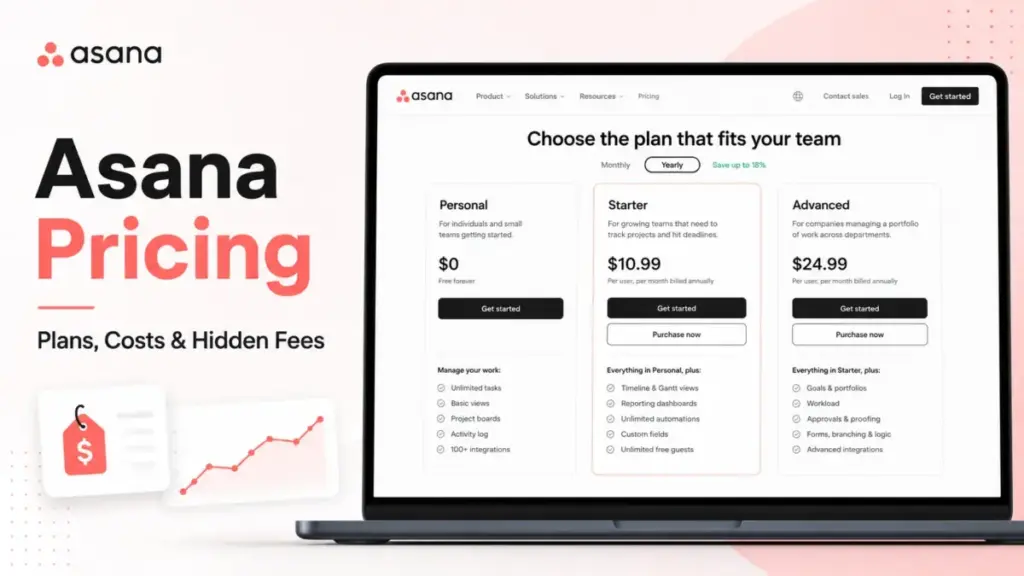
| Starting Price | $10.99/user/month (billed annually) |
| Free Plan / Trial | Personal plan (free forever up to 2 users) / 30-day trial |
| Best Plan for Most Teams | Starter plan |
| Plan to Avoid | Advanced plan (if you do not use portfolios or workload) |
| Biggest Hidden Cost | Two-seat paid minimum and seat increments |
| Best Alternative if Too Expensive | ClickUp or monday.com |
| Pricing Verified Date | May 22, 2026 |
Teams with more than 2 users cannot use the free plan. They must pay a minimum of $21.98 per month. If you need portfolio views or advanced time tracking, your per-user cost more than doubles on the Advanced tier. Budget-conscious teams should evaluate alternatives like ClickUp if they need advanced features on a lower budget.
How Did I Evaluate Asana Pricing?
I evaluated Asana pricing by analyzing official documentation, plan feature gates, and hidden fee structures. I verified all costs in May 2026 using public pricing cards, help center databases, and API documentation. I then compared these figures against five competitor tools to assess total value.
This evaluation relies on independent editorial research, analyzing official product documentation, feature specifications, and verified customer feedback. I do not score products based on brand popularity alone.
Asana does not publicly disclose Enterprise, Enterprise+, and AI Studio prices. These tiers require direct contact with sales.
What Is the Difference Between Asana’s Advertised and Real Price?
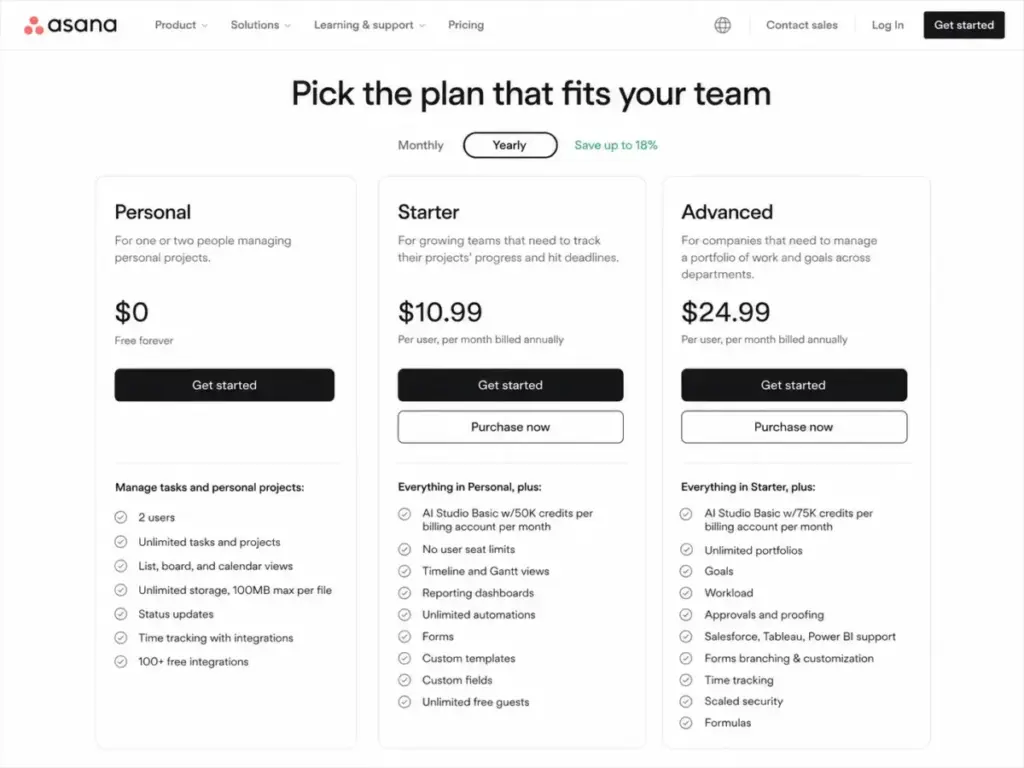
Asana pricing starts at $10.99/user/month on annual billing, but the real price scales based on cycles and minimums. A team of 5 paying monthly on Starter pays $67.45/month instead of the annual equivalent of $54.95/month. The price gap expands as you add seats or upgrade plans.
The per-user cost is only one part of the equation. To calculate your actual budget, you must factor in the billing basis and user minimums. Below is the master plans table.
| Plan | Monthly Price | Annual Price | Billing Basis | Best For | Key Limits | Verified Source |
|---|---|---|---|---|---|---|
| Personal | $0 | $0 | Per user | Solo users and duos | Max 2 users, no Gantt or forms | Official pricing page |
| Starter | $13.49/user/month | $10.99/user/month | Per user | Small teams needing Gantt and forms | 50,000 AI credits/month per account | Official pricing page |
| Advanced | $30.49/user/month | $24.99/user/month | Per user | Growing teams needing portfolio reporting | 75,000 AI credits/month per account | Official pricing page |
| Enterprise | Custom | Custom | Per user | Large organizations needing SAML/SCIM | 200,000 AI credits/month, contact sales | Official pricing page |
| Enterprise+ | Custom | Custom | Per user | Regulated industries needing SIEM/compliance | Increased security and data residency, contact sales | Official pricing page |
I verified this pricing against the official Asana pricing page in May 2026.
The price difference between monthly and annual billing is roughly 18% for both paid tiers. Opting for annual billing saves $300/year for 10 Starter users and $660/year for 10 Advanced users. However, annual billing requires an upfront commitment, which might not fit teams with fluctuating headcounts.
Paying monthly on Starter costs $13.49/user/month, while annual billing drops the rate to $10.99/user/month. This difference represents an 18.5% discount for annual billing. For the Advanced tier, monthly billing costs $30.49/user/month, compared to $24.99/user/month annually. This represents an 18.0% discount.
Check Asana’s current billing policy before committing annually, because annual plans may limit mid-term refund flexibility. You retain access until the end of the term. Your funds are committed. I recommend starting with a monthly plan for the first 3 months to verify adoption.
What Are the Hidden Costs of Asana Pricing?
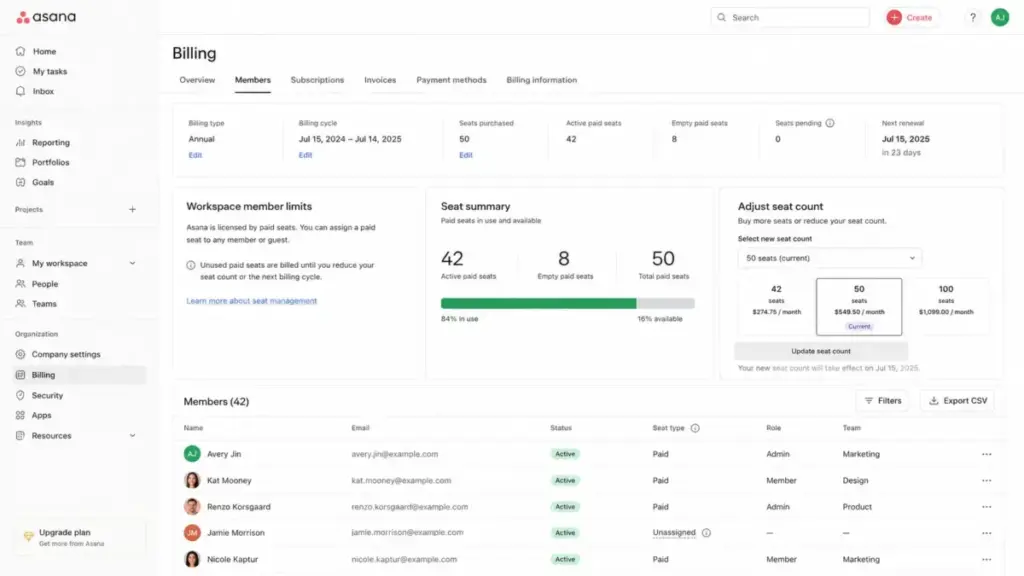
Asana pricing hides true costs behind seat minimums, increment tiers, and add-on modules. A team of 6 must buy 10 seats on paid plans, creating paid but unused capacity. Additionally, native budgeting tools and AI expansions cost extra or require custom enterprise quotes.
Understanding these friction points can save you from unexpected billing spikes as your team grows.
1. The Two-Seat Paid Minimum Upgrade Cliff
When a solo user or duo on the Personal plan wants to upgrade, they hit the two-seat paid minimum. Asana does not sell single-user paid plans. Upgrading a single workspace to Starter costs a minimum of $21.98/month on annual billing. This occurs even if only one person uses the account. This creates a steep upgrade cliff for freelancers or solo founders.
2. Scaling Inefficiencies and Large Seat Bins
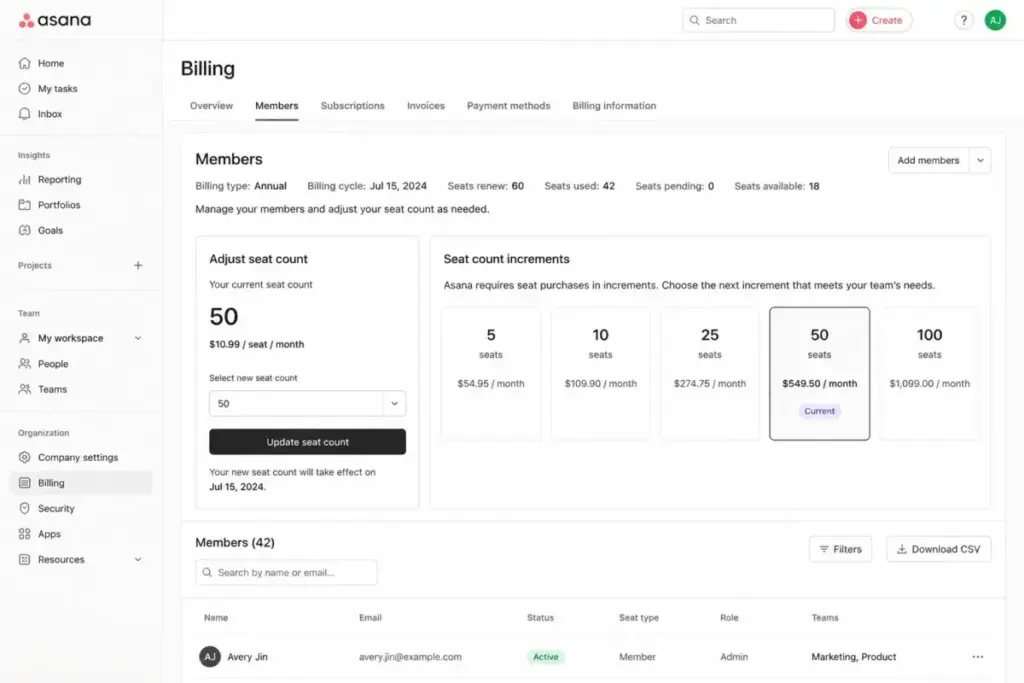
As you scale, you cannot buy exactly the number of seats you need. Asana sells seats in specific increments.
- Groups of 5 seats up to 30 seats
- Groups of 10 seats up to 100 seats
- Groups of 25 seats up to 500 seats
- Groups of 50 seats above 500 seats
If you have 6 users, you must pay for 10 seats. On Starter annual billing, this pushes your monthly bill from a theoretical $65.94 to $109.90. You pay for 4 empty seats.
3. The Timesheets and Budgets Add-on Fee
Basic time tracking is included on Advanced, but native timesheets and budgets require the Timesheets and Budgets add-on. This add-on costs $5.99/user/month billed annually. If you are on Starter and want budget controls, you must upgrade to Advanced first. Then you pay the add-on fee. This brings your total cost to $30.98/user/month, which is higher than the base Advanced price.
4. Paid AI Studio Capacity and AI Teammates
Every paid plan includes Asana AI Studio Basic, but this comes with strict credit caps. Starter accounts get 50,000 credits/month, while Advanced accounts get 75,000 credits/month. If your team uses AI actions frequently, you will run out of credits. To get more capacity, you must buy AI Studio Plus, AI Studio Pro, or AI Teammates. Asana does not publish prices for these AI add-ons, requiring you to contact sales for a custom quote.
5. The Enterprise Security Gate
If your organization requires Single Sign-On (SSO), SAML authentication, or SCIM user provisioning, you cannot use Starter or Advanced. Asana locks these security features behind the custom Enterprise tier. This gate forces mid-sized teams with strict compliance policies to negotiate enterprise contracts. They must do this even if they do not need advanced workload features.
| Hidden Cost / Add-on | Price / Rate | Trigger / Occurrence | Verified Source |
|---|---|---|---|
| Two-Seat Paid Minimum | 2 paid seats minimum | Upgrading from Personal to paid plans | Official pricing page |
| Seat Bucket Increments | Varies (5 to 50 seat bins) | Adding users beyond 5, 30, or 100 seats | Official pricing page |
| Timesheets & Budgets | $5.99/user/month (billed annually) | Requiring native timesheet entry and cost rates | Official pricing page |
| AI Teammates & Studio | Custom pricing | Exceeding monthly credits or using advanced AI | Official pricing page |
| Enterprise Security Gate | Custom pricing | Requiring SAML, SSO, or SCIM provisioning | Official pricing page |
| Sales Tax | Variable by location | Collected on invoice based on billing address | Official pricing page |
| API Rate Limits | 1,500 requests/minute (paid) | Running custom integrations under heavy load | API documentation |
I cross-referenced these hidden costs and limits against the Asana pricing page and the Asana developers portal.
These add-ons and seat rules mean your actual monthly spend will likely exceed the advertised per-user cost. For example, a team of 6 needing timesheets on Starter must pay for 10 seats and the add-on. This turns a nominal $65.94/month bill into $169.80/month on annual billing.
Which Asana Plan Fits Your Team?
Asana structures its features across five plans ranging from $0 to custom enterprise contracts. The Personal plan limits collaboration to 2 users, while Starter unlocks Gantt charts and automations. Advanced adds portfolios and workload management, while Enterprise handles advanced administration and compliance.
I evaluated the unique value proposition of each tier below.
Asana Personal
- Best for: Solo professionals, freelancers, and duos tracking basic tasks.
- Includes: Unlimited tasks, unlimited projects, unlimited messages, 100MB per file storage, list view, board view, and calendar view.
- Missing features: Timeline, Gantt chart, custom fields, forms, dashboards, portfolios, goals, workload, and automations.
- Mini verdict: A capable free task manager for individuals, but unusable for teams due to the strict user cap.
- Avoid if: You have more than 2 team members or need to share projects with clients.
Asana Starter
- Best for: Small teams needing timeline planning and task collaboration.
- Includes: Unlimited users (subject to paid seat increments), 50,000 AI Studio credits/month, Gantt and timeline views, dashboards, unlimited automations, forms, custom templates, custom fields, and unlimited free guests.
- Missing features: Portfolios, goals, workload management, approvals, Salesforce integration, and advanced time tracking.
- Mini verdict: The best overall value for small teams that need structured project planning without corporate governance.
- Avoid if: Your leadership needs cross-project portfolio reporting or you require Single Sign-On (SSO).
Asana Advanced
- Best for: Growing teams managing multiple concurrent projects.
- Includes: 75,000 AI Studio credits/month, portfolios, goals, workload, approvals, proofing, Salesforce integration, Tableau/Power BI integrations, form branching, time tracking, and formulas.
- Missing features: SAML, SCIM provisioning, service accounts, project admin controls, admin announcements, and workflow bundles.
- Mini verdict: A powerful mid-tier plan that provides cross-team visibility, but the cost increase is steep compared to Starter.
- Avoid if: You do not actively manage resource capacity or portfolios, as you will pay a high premium for unused reporting tools.
Asana Enterprise & Enterprise+
- Best for: Large organizations requiring advanced security, administrative controls, and compliance.
- Includes: 200,000 AI Studio credits/month, SAML authentication, SCIM provisioning, Universal workload, capacity planning, service accounts, view-only licenses, guest invite permissions, and project admin controls. Enterprise+ adds SIEM integrations, data residency, audit logs, and managed workspaces.
- Missing features: Public pricing, requiring direct contract negotiation.
- Mini verdict: Necessary for enterprise IT compliance, but comes with significant pricing overhead.
- Avoid if: You are a small or mid-sized team with flexible IT requirements, as custom quotes can be high.
When Does the Asana Free Plan Stop Working?
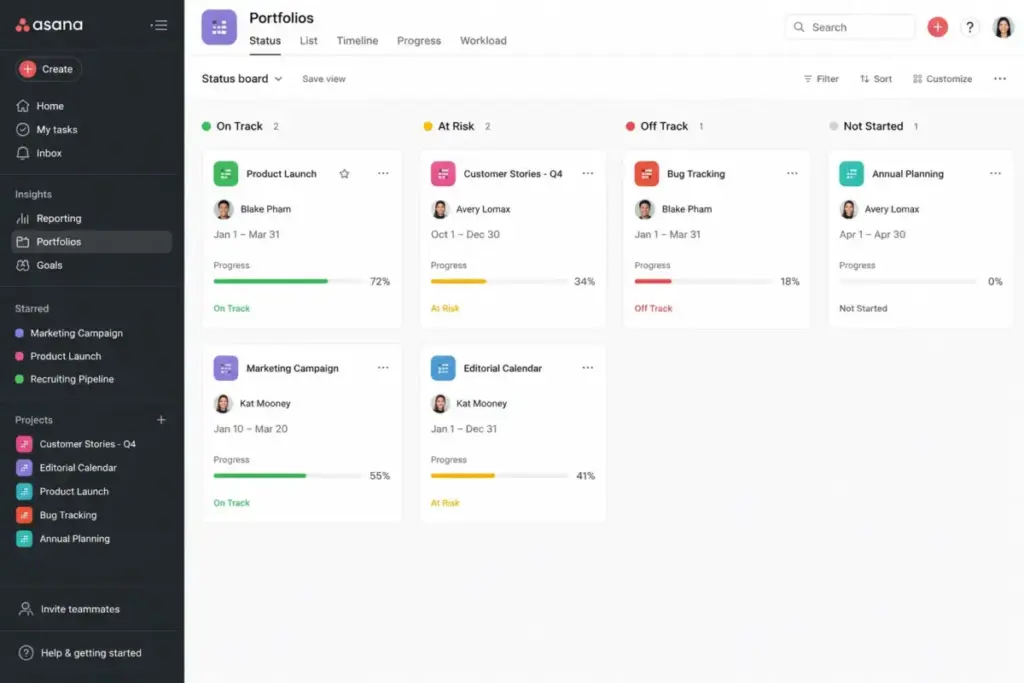
The Asana Personal plan is the platform’s free-forever subscription designed for individual professionals and teams of up to two users. It includes basic task, board, and calendar views. However, it locks advanced tools like Gantt charts and automated workflows.
The Personal plan is free forever, but the 2-user limit is the most immediate constraint. Older free plans allowed 10 users. Today, the current Personal plan restricts collaboration to just two people. Adding a third team member automatically triggers a block, requiring you to upgrade to a paid tier.
If your projects have dependent tasks that require a Gantt chart or timeline view, you must upgrade. Without forms, you cannot automate task creation from user inputs. Additionally, while free guest access is unlimited on paid plans, the free plan does not allow guest permissions management.
Understanding what project management actually is can help you decide if these advanced features are worth the upgrade. Project management requires tracking dependencies and resource allocation, which the free plan simply cannot support.
Which Features Are Locked Behind Each Asana Plan?
Asana gates key collaboration and reporting capabilities behind its plan tiers. As of May 2026, automations and forms are available on Starter. Advanced integrations, formulas, and native time tracking require Advanced. Administrative security controls are locked on the Enterprise tier.
I summarized the distribution of features across the plans below.
| Feature | Personal | Starter | Advanced | Enterprise / Enterprise+ |
|---|---|---|---|---|
| User Limit | Up to 2 users | Unlimited | Unlimited | Unlimited |
| Gantt & Timeline | No | Yes | Yes | Yes |
| Dashboards | No | Yes | Yes | Yes |
| Forms | No | Yes | Yes (with branching) | Yes (with branching) |
| Custom Fields | No | Yes | Yes | Yes |
| Automations | No | Yes (unlimited) | Yes (unlimited) | Yes (unlimited) |
| Portfolios & Goals | No | No | Yes | Yes |
| Workload Tracking | No | No | Yes | Yes (Universal workload) |
| Approvals & Proofing | No | No | Yes | Yes |
| Native Time Tracking | No | No | Yes | Yes |
| SAML & SCIM | No | No | No | Yes |
| Audit Logs & SIEM | No | No | No | Yes (Enterprise+ / compliance) |
Starter unlocks almost all execution-level features, including automations and forms. The Advanced plan is primarily a reporting upgrade, adding portfolios, goals, and workload management. Organizations requiring SSO or user provisioning must bypass both tiers and choose Enterprise.
How Much Does Asana Cost for 5, 10, 25, 50, and 100 Users?
Asana real costs at scale range from $54.95/month for a small team to $29,988/year for 100 users. Asana sells seats in specific increments. Teams must pay for empty seats as headcount increases, making careful seat planning essential.
I calculated the total cost of ownership across different team sizes below.
| Team Size | Monthly Cost (Annual Billing) | Monthly Cost (Monthly Billing) | Recommended Plan | Annual Spend (Annual Billing) | Notes |
|---|---|---|---|---|---|
| 5 Users | $54.95 | $67.45 | Starter | $659.40 | Perfect for small teams; Starter covers all basic Gantt views. |
| 10 Users | $249.90 | $304.90 | Advanced | $2,998.80 | Advanced recommended for cross-project reporting; saves $660/year. |
| 25 Users | $274.75 | $337.25 | Starter | $3,297.00 | Starter chosen to optimize budget; Advanced would cost $7,497/year. |
| 50 Users | $1,249.50 | $1,524.50 | Advanced | $14,994.00 | Advanced needed for resource planning; Enterprise evaluation starts. |
| 100 Users | $2,499.00 | $3,049.00 | Advanced | $29,988.00 | Advanced tier cost before custom Enterprise quotes or compliance add-ons. |
At 10 users, choosing Advanced instead of Starter adds $1,680/year to your bill. For 25 users, upgrading to Advanced increases the cost by $4,200/year. Teams should only upgrade if the reporting value of portfolios and workload management offsets these cost increases.
If you have 6 users, you must buy the 10-seat package. Instead of letting those 4 seats sit empty, use them to invite external contractors. You can also invite them as free guests if they only need basic access, which does not count against seats.
Which Asana Plan Should You Choose and Which Should You Avoid?
The best Asana plan for most teams is Starter. Avoid Advanced unless portfolio reporting is necessary. Paid plans should be avoided entirely by solo users because the two-seat minimum removes the cost benefit.
I compiled the decision rules by buyer type below.
- Solo/Freelancer: Use the Personal plan. If you need timeline views or custom fields, do not buy Asana. The two-seat minimum makes it too expensive.
- Small Teams (3-15 users): Choose Starter. It includes Gantt charts, forms, and custom fields, which cover most daily operational needs.
- Growing Teams (15-50 users): Choose Advanced only if project managers require portfolio roll-ups or need to balance team capacity using workload views. If task execution is your main focus, stay on Starter to save up to 50% on subscription costs.
- Large Teams (50+ users): Evaluate Enterprise if your security team requires SAML SSO or SCIM user provisioning.
I recommend that solo users avoid paid Asana because the lack of a single-user paid tier makes it poor value. Additionally, Starter should be avoided if you need native time tracking with budgets, as Starter lacks these tools. The add-on is unavailable on this tier.
Is Asana More Expensive Than Competitors?
Asana pricing sits at the premium end of the project management market. A team of 10 pays $109.90/month on Asana Starter. ClickUp Unlimited costs $70/month, while monday.com Basic costs $90/month.
I compared Asana against key competitors in the table below.
| Competitor | Starting Price (Annual) | Practical Tier (Annual) | 10-User Cost (Annual) | Best For | Verified Source |
|---|---|---|---|---|---|
| Asana | $10.99/user/month | $10.99/user/month (Starter) | $109.90/month | Structured team collaboration and automations | Official pricing page |
| monday.com | $9.00/seat/month | $12.00/seat/month (Standard) | $120.00/month | Customizable database views and dashboards | Official pricing page |
| ClickUp | $7.00/user/month | $7.00/user/month (Unlimited) | $70.00/month | Feature-rich workspaces on a budget | Official pricing page |
| Trello | $5.00/user/month | $10.00/user/month (Premium) | $100.00/month | Simple Kanban-first task tracking | Official pricing page |
| Smartsheet | $9.00/member/month | $19.00/member/month (Business) | $190.00/month | Spreadsheet-centric project management | Official pricing page |
| Wrike | $9.80/user/month | $24.80/user/month (Business) | $248.00/month | Enterprise resource allocation | Official pricing page |
This comparison relies on official pricing pages for Asana and monday.com. It also uses ClickUp, Trello, Smartsheet, and Wrike.
Asana is more expensive than ClickUp and Smartsheet Pro. It is cheaper than Wrike and Smartsheet Business. While ClickUp offers a lower starting price, it has a steeper learning curve. For a detailed comparison, read the asana vs monday.com comparison to see which tool fits your workflow.
For teams looking at budget options, the detailed ClickUp pricing analysis shows how it compares at scale. Alternatively, the Trello pricing and plan breakdown details its simpler Kanban billing model.
Is Asana Worth Paying For in 2026?
Asana scores 8.4/10 in my pricing and value evaluation. While the per-user cost is high, the platform delivers strong collaboration value for structured teams. However, seat increments reduce value for very small teams.
Worth it if:
- You manage cross-functional projects with complex task dependencies.
- You collaborate frequently with external clients who need free guest access.
- Your team requires automated workflows to handle repetitive task updates.
Not worth it if:
- You are a solo user who only needs a basic task list.
- You need Single Sign-On (SSO) but cannot afford enterprise rates.
- You are budget-sensitive and need advanced reporting without upgrading to the $24.99 tier.
If Asana feels too expensive, I recommend checking our in-depth Asana review to understand the feature limits before deciding.
How Can You Avoid Overpaying for Asana?
You can avoid overpaying on Asana pricing by auditing seats and choosing annual billing to save up to 18.5%. Trimming unengaged users and managing seat increments helps teams stay within their budget while accessing paid features.
I listed the top strategies to control your Asana subscription costs below.
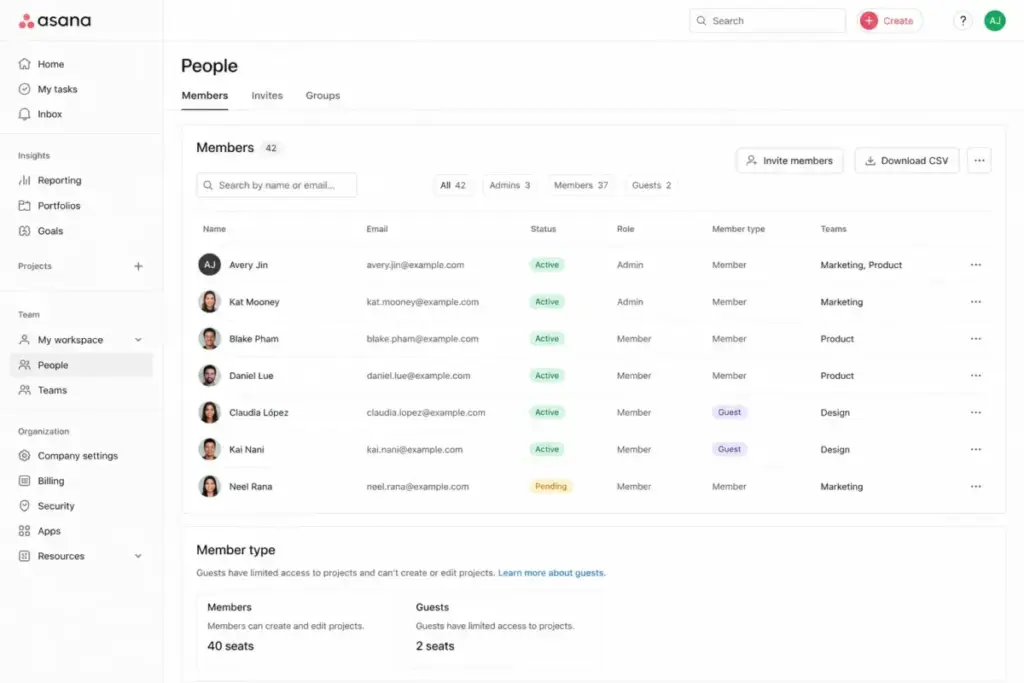
- Leverage Free Guest Access: Paid plans allow you to invite unlimited free guests. Guests can view and edit tasks, but they do not count against your paid seat quota. Use guest seats for clients, contractors, or team members who only need basic interaction.
- Audit Seats Before Upgrading: Because Asana sells seats in increments, adding one user can push you into a higher seat bin. Always audit your user list and deactivate inactive accounts before buying more seats.
- Choose Annual Billing: If your team size is stable, annual billing saves up to 18.5% on Starter and 18.0% on Advanced.
- Skip Advanced for Small Teams: Do not upgrade to Advanced just for time tracking. You can use free third-party integrations on the Starter plan instead.
- Manage Workspace Divisions: Instead of upgrading your entire organization, you can create a paid division for only the teams that need Gantt charts. This keeps other users on the free Personal tier.
- Monitor AI Credit Usage: Keep track of your monthly AI credits. If you exceed the cap, optimize your rules to avoid purchasing custom AI add-on capacity. Alternatively, check the Slack pricing guide to see if managing communication there can reduce your project software costs.
FAQ
How much does Asana cost in 2026?
Asana pricing starts at $10.99/user/month billed annually or $13.49/user/month billed monthly for the Starter plan. The Advanced tier costs $24.99/user/month billed annually or $30.49/user/month billed monthly. Enterprise pricing requires a custom sales quote.
Is Asana free for teams?
If your team has 2 users or fewer, you can use Asana’s free Personal plan. For larger teams, you must upgrade to a paid tier. The free plan includes unlimited tasks and projects but locks advanced views like Gantt charts, forms, and custom fields.
What is the difference between Asana Starter and Advanced?
If you choose Starter, you get timeline views, Gantt charts, forms, and custom fields. Upgrading to Advanced adds portfolios, goals, workload capacity planning, approvals, Salesforce integration, and native time tracking. Advanced costs more than double the price of Starter.
Can I buy Asana for just one user?
You cannot purchase a paid plan for a single user because Asana enforces a two-seat paid minimum. A solo user upgrading to Starter must pay $21.98/month on annual billing, which covers two seats.
What are Asana's hidden costs?
Asana pricing has several hidden costs. These include the two-seat paid minimum and seat increment bins (where you must buy seats in groups of 5 or 10). The Timesheets and Budgets add-on costs $5.99/user/month. Sales tax and custom AI capacity charges also add to the final invoice.
Is Asana cheaper than monday.com or ClickUp?
If you compare starting prices, Asana is more expensive. Asana Starter costs $10.99/user/month billed annually, compared to $7.00/user/month for ClickUp Unlimited and $9.00/seat/month for monday.com Basic. Note that monday.com also offers sales tools, which I evaluate in the monday.com CRM pricing breakdown. Teams comparing those entry prices should evaluate Asana alternatives by practical tier, billing minimums, required views, automation depth, and the total monthly cost for their actual team size.
Are Asana AI features included?
If you are on a paid plan, Asana AI Studio Basic is included. Starter plans get 50,000 credits/month per account, while Advanced gets 75,000 credits/month. Larger AI capacities or AI Teammates require purchasing paid add-ons with custom pricing.
Does Asana charge for guests?
If you invite guests who do not share your company’s email domain, Asana does not charge for them. Paid plans allow unlimited free guest collaboration on projects. This helps teams work with external clients without increasing their seat count.