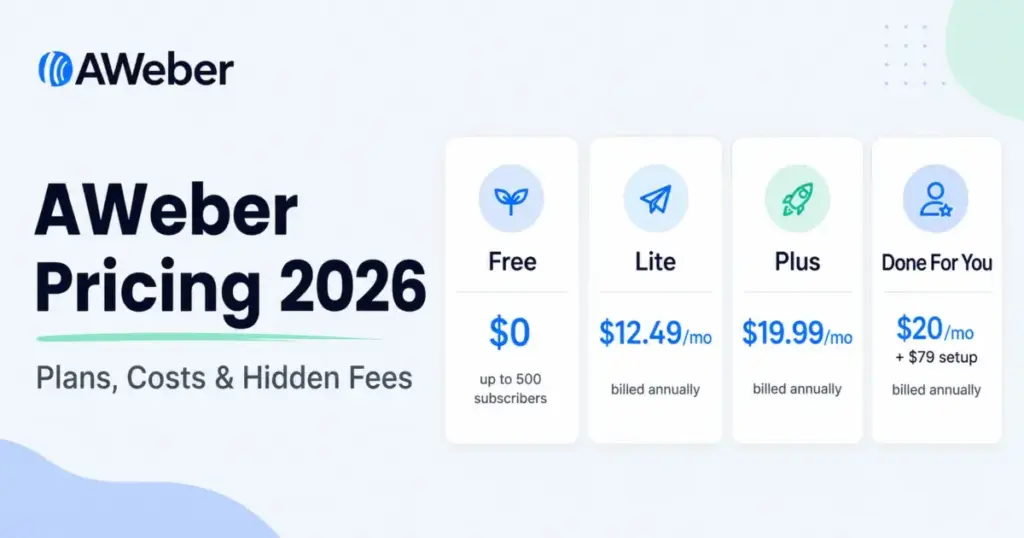
AWeber pricing starts at $0 for a genuine free plan and $12.50 per month (billed annually) for the paid Lite plan, but that entry number is not what most growing senders will actually pay.
AWeber charges by how many subscribers you store, so your bill steps up every time your list crosses a tier, and the plan that removes the real friction (branding removal, unlimited automations, lower ecommerce fees) is Plus at $20 per month billed annually.
This guide breaks down every AWeber plan, the subscriber-tier jumps, the send caps, the hidden fees, the Done For You setup service, and which plan fits which kind of sender in 2026.
The short version: if you send to a small, engaged list and only run one newsletter, AWeber Free or Lite is enough. If you need branding control, deeper segmentation, and unlimited automations, you are really shopping for Plus.
If you are brand new to the channel, it helps to be clear on what email marketing is before comparing plans, then look at where AWeber sits among the best email marketing platforms. All prices below were checked against AWeber’s official pricing page and help documentation on June 30, 2026.
Quick Pricing Verdict
| Question | Answer |
|---|---|
| Starting price | $0 (Free) or $12.50/mo for Lite, billed annually |
| Free plan or trial | Free plan up to 500 subscribers and 3,000 emails/month; 14-day trial on paid plans |
| Best plan for most senders | Plus ($20/mo billed annually at 0-500 subscribers) |
| Plan to be careful with | Lite, if you need branding removal, multiple lists, or more than 3 automations |
| Biggest hidden cost | Automatic upgrade to a higher tier when you cross a subscriber or send limit; downgrades are not automatic |
| Pricing verified | June 30, 2026, against AWeber’s official pricing page and help docs |
| Cheaper alternative if AWeber scales out of budget | Send-volume-priced or budget-first tools (covered in the alternatives section below) |
What this means: Lite looks cheap at the entry tier, but the moment you want AWeber’s branding off your emails or more than one automation, you are paying Plus pricing anyway. For most senders the honest comparison point is Plus, not the $12.50 headline.
How AWeber Pricing Actually Works
AWeber’s pricing model is the part of this decision most articles skip, and it is the part that decides whether AWeber is cheap or expensive for you. The pricing model is the review.
Public pricing pages show AWeber charging by subscriber tier, not by email volume. Your monthly cost is set by the number of subscribers stored on your account, and that count includes people who have not opened an email in months. A bloated, unengaged list costs the same as an active one of the same size, which punishes anyone who never cleans their list.
Send volume is then capped relative to your subscriber count. Official sources describe Lite as allowing roughly 10 times your subscriber maximum in monthly sends, and Plus and Done For You as allowing about 12 times.
So a 5,000-subscriber Lite account can send around 50,000 emails a month before it hits the cap. That ceiling is generous for a normal newsletter cadence, but high-frequency senders and anyone running heavy automation flows should check it before committing.
Two timing rules matter here. First, paid plans have separate monthly and annual prices, and the annual route is the one quoted on the pricing cards. Second, if you exceed your subscriber or send limit, AWeber may automatically move your account up a tier, so list growth can raise your bill without a manual upgrade. I would treat the tier table below as your real price list, not the entry sticker.
AWeber Free
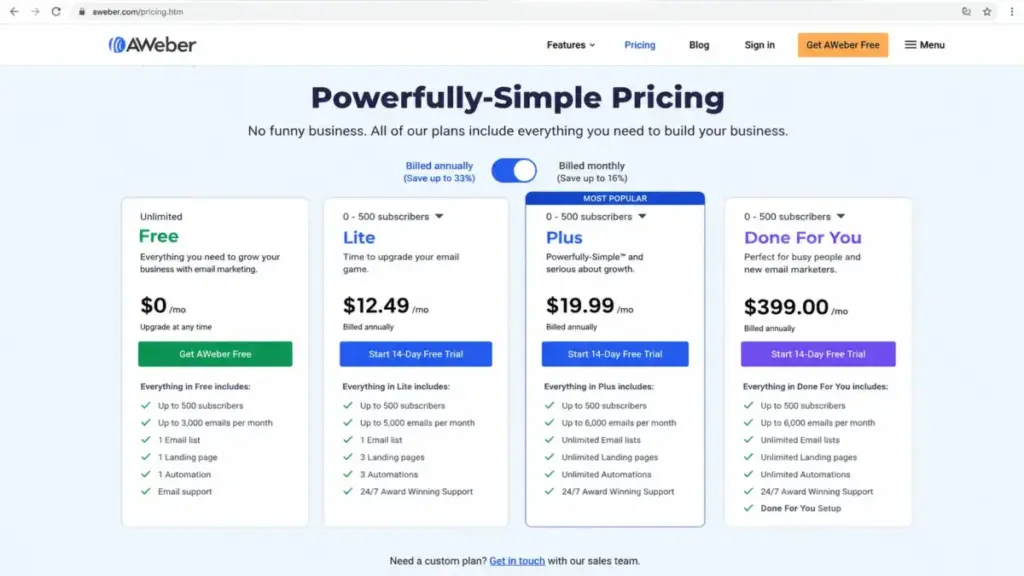
AWeber Free is a permanent plan, not a countdown trial. Official sources list it as supporting up to 500 subscribers and 3,000 emails per month, with design tools, signup forms, landing pages, integrations, and 24/7 support. Help docs also describe Free as limited to one list profile and one workflow automation.
No credit card is required to start on Free, which makes it the natural place to validate the channel before paying.
Best for: new creators, bloggers, coaches, and small businesses testing email marketing with a tiny list and a single signup flow.
Watch out for: the 3,000-emails-per-month ceiling is easy to hit if you mail a 500-person list more than six times a month, and one automation will not cover a welcome flow plus a separate nurture or win-back flow. Free is a starting point, not a growth plan.
AWeber Lite
The pricing page shows Lite at $12.50 per month billed annually for 0-500 subscribers. Official help docs describe the same plan as $15 per month on monthly billing, or $150 per year, which works out to about $12.50 per month. Either way, this is AWeber’s true entry paid tier.
Lite includes roughly 10 times your subscriber volume in monthly sends, advanced message analytics, and 24/7 support, but it keeps hard caps that growing senders run into: 1 email list, 3 landing pages, 3 automations, 3 users, and 1 custom segment. Lite also keeps AWeber branding on your emails and carries the higher 1.0% AWeber Ecommerce transaction fee.
Best for: a single engaged newsletter, one-list creators, and early-stage marketers who need more headroom than Free but do not yet need branding removal or unlimited automations.
Watch out for: the single-list and single-segment caps are the real limit here, not the price. If you want to separate buyers from prospects, or run more than three automations, you have outgrown Lite. The 1.0% ecommerce fee also matters if you sell through AWeber.
AWeber Plus
The pricing page shows Plus at $20 per month billed annually for 0-500 subscribers. Help docs describe Plus as $30 per month on monthly billing, or $240 per year, which equals $20 per month. Plus is the plan I would point most serious senders to.
Plus raises monthly sends to about 12 times your subscriber volume and removes the caps that make Lite feel tight: unlimited email lists, landing pages, email automations, custom segments, and users.
It adds priority 24/7 support, advanced reporting and analytics, sales tracking, AWeber branding removal, and the lower 0.6% AWeber Ecommerce transaction fee. If automation depth is the reason you are upgrading, it is worth understanding email automation before you pay for the unlimited tier, because the value of Plus is mostly in the caps it lifts.
Best for: growing creators, coaches, ecommerce sellers, and small businesses that need branding removal, unlimited automations, real segmentation, and reporting.
Watch out for: Plus is not expensive at 500 subscribers, but the subscriber-tier model means the same plan costs far more as your list grows. Check the tier table before assuming the $20 figure is your long-term cost.
Done For You
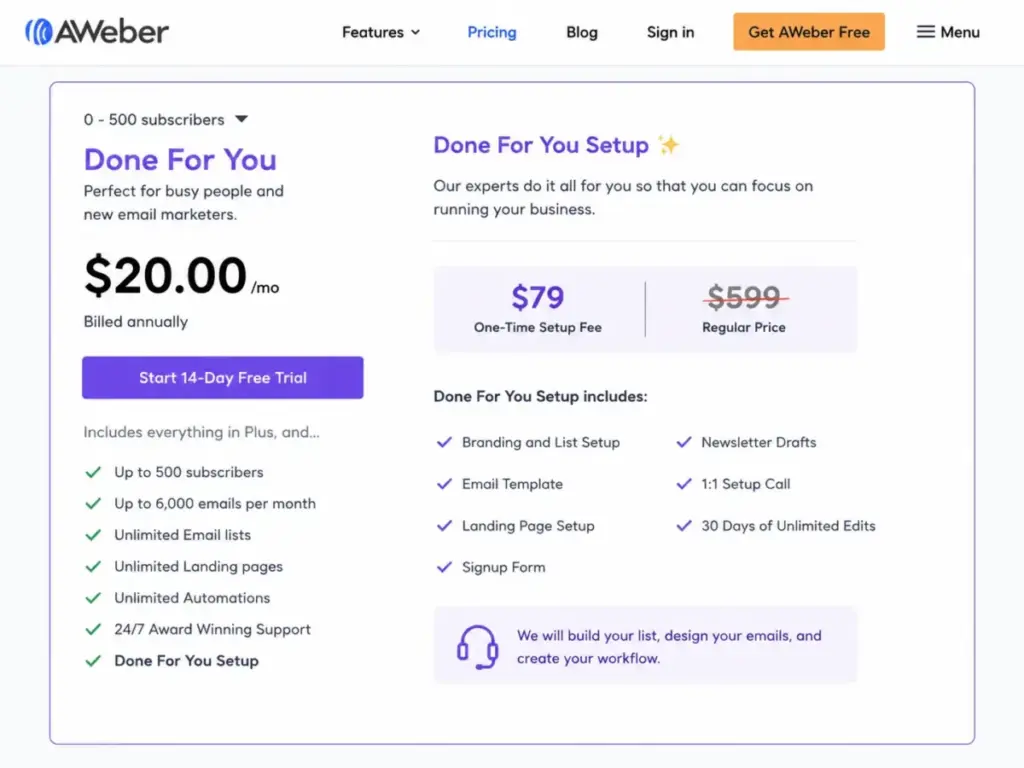
Done For You is AWeber’s setup service, not an ongoing agency retainer. The pricing page shows it at $20 per month billed annually for 0-500 subscribers, plus a discounted $79 setup fee shown as reduced from $599. It uses Plus as the base plan.
The setup fee covers a one-time build: branding and list setup, an email template, landing page setup, a signup form, newsletter drafts, a 1:1 setup call, and 30 days of unlimited edits. After that 30-day window, you are running a normal Plus account yourself. Because the setup discount is a promotion, confirm the current setup price with AWeber before you count on $79.
Best for: beginners, busy founders, and small businesses that want AWeber configured quickly and do not want to build the first template, form, and flow themselves.
Watch out for: do not treat Done For You as a managed marketing service. The expert involvement ends with the build and the 30-day edit period. If you already know how to set up a list and a welcome flow, the setup fee buys you convenience, not ongoing strategy.
AWeber Lite vs Plus: Cost by Subscriber Tier
This is the table that decides your real budget. The figures below are the annual-billing monthly equivalents shown on AWeber’s pricing page on June 30, 2026.
| Subscribers | Lite (annual, per month) | Plus (annual, per month) |
|---|---|---|
| 0-500 | $12.50 | $20.00 |
| 1,000 | $25 | $45 |
| 2,500 | $35 | $55 |
| 5,000 | $60 | $90 |
| 10,000 | $100 | $135 |
| 25,000 | $210 | $250 |
| 50,000 | Verify with AWeber | $400 |
| 100,000 | $600 | $750 |
| 150,000 | $920 | $1,050 |
What this means: the Lite discount is widest at the bottom and narrows as you scale. At 500 subscribers Plus costs about $7.50 more a month than Lite, but at 25,000 the gap is only $40 a month for unlimited lists, automations, segments, and branding removal. The larger your list, the weaker the case for staying on Lite. (AWeber’s pricing page did not surface a clean Lite figure at the exact 50,000 tier during this check, so confirm that one directly before budgeting.)
AWeber Feature Gates by Plan
| Feature | Free | Lite | Plus |
|---|---|---|---|
| Subscribers | Up to 500 | Tiered | Tiered |
| Monthly send cap | 3,000 emails | ~10x subscribers | ~12x subscribers |
| Email lists | 1 | 1 | Unlimited |
| Automations | 1 | 3 | Unlimited |
| Landing pages | Included | 3 | Unlimited |
| Custom segments | Not specified | 1 | Unlimited |
| Users | Not specified | 3 | Unlimited |
| Remove AWeber branding | No | No | Yes |
| Advanced reporting and sales tracking | No | Limited | Yes |
| AWeber Ecommerce transaction fee | Applies | 1.0% | 0.6% |
| Support | 24/7 | 24/7 | Priority 24/7 |
What this means: the jump from Lite to Plus is not about volume, it is about caps. Branding removal, unlimited lists, unlimited automations, and the lower ecommerce fee are the four gates that push most growing senders off Lite.
Hidden Costs and Add-ons
The monthly plan price is not the whole bill. These are the AWeber costs that do not show up on the headline card.
| Cost | Detail |
|---|---|
| Done For You setup fee | $79, shown as discounted from $599; one-time, separate from the plan |
| AWeber Ecommerce transaction fee | 1.0% on Lite, 0.6% on Plus and Done For You, on top of payment processor fees |
| Hold Package | Help docs list $4.99/month to pause an account and preserve data; contact Customer Solutions to switch |
| Automatic tier upgrade | Crossing a subscriber or send limit can move you to a higher-priced tier automatically |
| Downgrade friction | Deleting subscribers does not lower your tier automatically; you must contact Customer Solutions to drop down |
What this means: the downgrade rule is the trap. If your list shrinks after a cleanup, AWeber keeps billing the old tier until you ask. Clean your list before you cross a tier upward, and contact support to move down when your subscriber count falls enough to qualify.
Real Cost by List Size
Because AWeber bills by subscribers, the useful scenario is list size, not seat count. These figures use the annual-billing monthly equivalents from the pricing page, before any ecommerce transaction fees.
| Your situation | Subscribers | Lite per month | Plus per month |
|---|---|---|---|
| Solo creator, first list | 500 | $12.50 | $20 |
| Established newsletter | 2,500 | $35 | $55 |
| Growing small business | 10,000 | $100 | $135 |
| Scaling brand or publisher | 25,000 | $210 | $250 |
What this means: a solo creator on Lite pays under $13 a month, which is fair for a single newsletter. A 25,000-subscriber brand pays $210 to $250 a month depending on plan, and at that size the unlimited automations and branding removal in Plus are usually worth the extra $40. If your list is mostly inactive at that point, the subscriber-based model is quietly overcharging you for people who never open.
Monthly vs Annual Billing
Annual billing is the cheaper route, and it is the price AWeber leads with.
My recommendation: pay annually once you are confident AWeber fits, because the Plus annual discount is large enough to matter. Stay on monthly only while you are still deciding, since you give up that one-third saving for the flexibility.
Discounts, Trials, and the Credit Card Rule
AWeber’s pricing FAQ lists two standing discounts. Nonprofits can receive three months free followed by a 25% discount after providing proof of status, and students can receive 20% off with a qualifying .edu or .ac email and proof. Both require verification, so confirm eligibility with AWeber before you buy.
On trials and cards: the Free plan needs no credit card, while paid Lite, Plus, and Unlimited packages require card details. The pricing page also promotes a 14-day trial on paid plans, which is separate from the permanent Free plan. If you only want to test without entering a card, start on Free rather than the trial.
AWeber vs Alternatives: The Pricing Model Comparison
The most useful comparison is not which tool is cheapest this week, it is which pricing model matches your sending behavior. Exact competitor prices change often, so check the linked guides for current figures rather than trusting any single snapshot.
| Tool | How it prices | Best fit |
|---|---|---|
| AWeber | Per subscriber, tiered, send cap tied to list size | Small to mid lists that want simple, predictable per-subscriber pricing |
| Mailchimp | Per contact, with feature tiers | Brands wanting a mainstream platform with broad integrations |
| ActiveCampaign | Per contact, automation-heavy tiers | Senders who live in advanced lifecycle automation |
| Kit | Per subscriber, creator-focused | Newsletter operators and creators |
| Brevo | Priced more around email volume than stored contacts | Senders with large lists but lower send frequency |
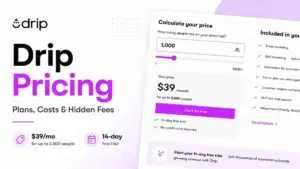
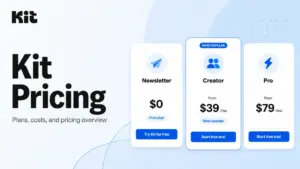
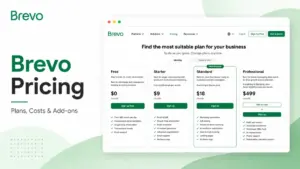
What this means: if you store a big list but mail it occasionally, a volume-priced model can beat AWeber’s per-subscriber model, which is why Brevo pricing is worth a look for low-frequency senders. If you want mainstream familiarity, compare Mailchimp pricing. If automation depth is the whole reason you are upgrading, ActiveCampaign pricing usually goes deeper than AWeber Plus. Creators weighing a newsletter-first tool should check Kit pricing, and budget-focused beginners should read the MailerLite review before settling on Lite.
Which AWeber Plan Should You Avoid?
Avoid Lite if you sell products, run more than one audience, or care about branding. The single-list cap, single custom segment, retained AWeber branding, and the higher 1.0% ecommerce fee turn Lite into a false economy for anyone past the hobby stage. The extra spend for Plus is small at low tiers and buys the four things most growing senders need.
Lite still makes sense in one case: a single, simple newsletter to one engaged list, with no selling and no need to remove AWeber branding. If that is you, Lite is the right call and Plus is overkill.
Is AWeber Worth It in 2026?
AWeber is worth it if you want a stable, beginner-friendly platform with strong support and predictable per-subscriber pricing, and your list is engaged enough that you are not paying for dead contacts. Third-party reviews commonly praise AWeber’s support and its ease for newcomers, which lines up with its long history as an SMB email tool.
It is not the right pick if your list is large and unengaged, since the subscriber-based model bills you for inactivity, or if your editing and template workflow expectations are high. Some third-party reviewers describe the interface and template editing as dated or clunky, so treat that as buyer sentiment to test during the trial, not a dealbreaker on its own. Deliverability also depends on list hygiene and sender setup more than on the logo on the box, so if inbox placement is your worry, read up on email deliverability and plan your list cleaning regardless of vendor.
For a deeper look at features, support, and day-to-day use beyond price, the AWeber review covers the parts of the decision a pricing guide does not.
Best AWeber Plan by Buyer Type
- Solo creator or blogger under 500 subscribers: start on Free, move to Lite only when the 3,000-email cap or the single-automation limit gets in your way.
- Small business running one newsletter, no selling: Lite is enough, and the cost stays reasonable until your list grows past a few thousand.
- Growing brand, coach, or ecommerce seller: Plus, for branding removal, unlimited automations, real segmentation, and the lower 0.6% ecommerce fee.
- Beginner who wants it built for them: Done For You, but only if the one-time setup is worth the fee, since the help ends after the 30-day edit window.
- Very large list (100,000+ subscribers): the pricing page routes you to contact AWeber, and help docs list an AWeber Unlimited plan at $899 per month with higher send multipliers. Public sources are not perfectly aligned on large-list positioning, so verify the current price and terms directly with AWeber before committing.
How to Avoid Overpaying for AWeber
- Clean your list before you cross a subscriber tier, since AWeber bills by stored subscribers, including unengaged ones.
- Pay annually once you are sure, because the Plus annual discount (about one third) is the largest saving on the table.
- Watch the automatic upgrade rule, and contact Customer Solutions to downgrade after a cleanup, because that drop is never automatic.
- Skip Lite if you sell, since the 1.0% ecommerce fee and single-list cap usually cost more than the Plus upgrade.
- Use Free, not the 14-day trial, if you only want to test without entering a card.
- Confirm the Done For You setup price before relying on the $79 promotion, since that discount can change.
- If you store a large but low-frequency list, price a volume-based tool against AWeber’s per-subscriber model before renewing.
AWeber Pricing FAQ
How much does AWeber cost in 2026?
AWeber is $0 on the Free plan and starts at $12.50 per month (billed annually) for Lite at 0-500 subscribers. Plus is $20 per month billed annually at the same tier. Both scale up by subscriber count.
Is AWeber really free?
Yes. AWeber Free is a permanent plan for up to 500 subscribers and 3,000 emails per month, with no credit card required. It is capped, so it is not unlimited contacts or unlimited sends.
Does AWeber charge by subscribers or by email sends?
By subscribers. Your tier is set by how many subscribers you store, and your monthly send cap is then tied to that number (about 10x on Lite and 12x on Plus).
Is AWeber Plus worth it over Lite?
For most growing senders, yes. Plus removes the single-list, three-automation, and one-segment caps, removes AWeber branding, and lowers the ecommerce fee to 0.6%. The price gap is small at low tiers.
What happens if I go over my AWeber limit?
Crossing a subscriber or send limit can automatically upgrade your account to a higher tier. Dropping back down after deleting subscribers is not automatic; you must contact Customer Solutions.
Is AWeber Done For You an ongoing managed service?
No. It is a one-time setup service on top of Plus, with a setup fee and 30 days of edits. After that window you run a standard Plus account yourself.
Are there hidden AWeber fees?
The main extras are the Done For You setup fee, AWeber Ecommerce transaction fees (1.0% on Lite, 0.6% on Plus), the $4.99 Hold Package in the help docs, and automatic tier upgrades from list growth.
Is AWeber cheaper than Mailchimp or Brevo?
It depends on your list shape. AWeber’s per-subscriber model can beat contact-based tools for engaged lists, but a volume-priced option like Brevo can be cheaper if you store a large list and mail it infrequently. Check each tool’s current pricing guide before deciding.
Pricing verified June 30, 2026 against AWeber’s official pricing page and help documentation. Plan prices, discounts, and promotions change, so confirm current figures with AWeber before purchase. See our review methodology for how SaaSZap audits pricing and total cost.