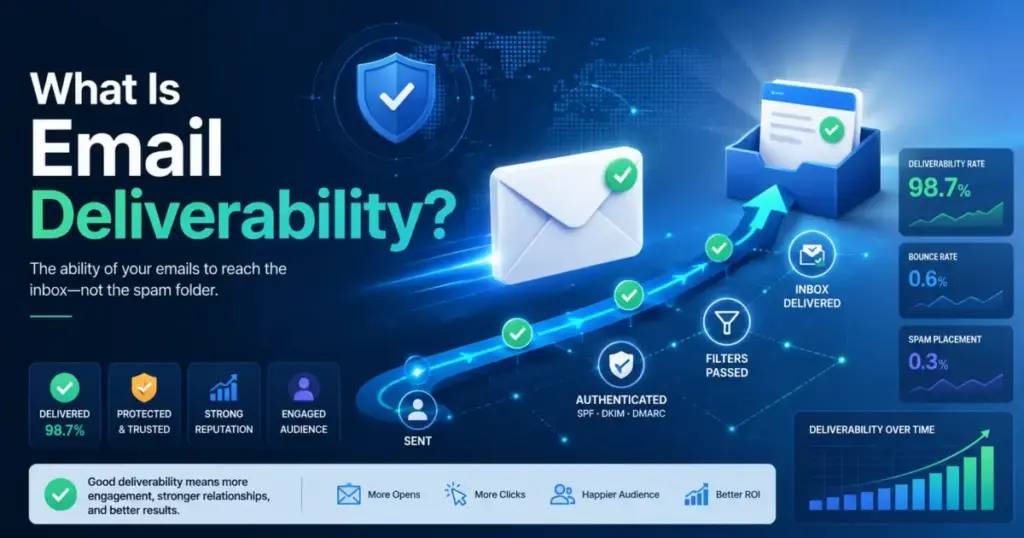
If your open rates dropped below 15% and you already rewrote the subject line twice, the problem is probably not your copy. It is your deliverability. Email deliverability is the ability of an email program to get accepted messages placed where recipients can actually see them, usually the inbox or a primary tab, instead of being blocked, bounced, or filtered to spam.
Most articles and vendor pages define the term, list SPF, DKIM, and DMARC, and stop there. That approach misses how mailbox providers actually evaluate email in 2026, why authenticated messages still land in spam, and what operational discipline separates teams that reach the inbox from teams that wonder where their emails went.
This guide covers the full system: definitions, authentication, reputation, metrics, email marketing stream separation, monitoring tools, and the best email marketing platforms that help manage deliverability from day one.
This evaluation draws on official documentation from Gmail, Yahoo, Microsoft, and five sending platforms, cross-referenced with published deliverability guidance and mailbox-provider sender requirements as of May 2026.
Quick Answer: Email deliverability measures whether an accepted email reaches the inbox rather than spam. It depends on authentication (SPF, DKIM, DMARC), sender reputation, recipient engagement, complaint rates, and content signals. Delivery means the server accepted the message. Deliverability asks whether the recipient actually sees it.
The 60-Second Explanation of Email Deliverability
Email deliverability is the operating discipline that determines whether authenticated, wanted emails earn inbox placement over time. It is not a single metric, a one-time DNS setup, or a vanity delivery rate.
Three layers help clarify the concept:
Simple: Deliverability is whether your email lands in the inbox instead of spam. A message can be “delivered” (accepted by the server) and still end up in a junk folder no one checks.
Technical: Mailbox providers evaluate incoming email against authentication records (SPF, DKIM, DMARC alignment), sending IP and domain reputation, historical complaint and bounce rates, engagement patterns, content and link signals, and volume behavior. The result determines whether the message enters the inbox, a tab like Promotions, the spam folder, or gets rejected entirely.
Business: For SaaS companies, deliverability directly affects signup verification, password resets, onboarding sequences, billing notices, lifecycle campaigns, and expansion revenue. A failed password reset email costs a support ticket. A spam-foldered trial nudge costs a conversion. A blocked invoice notification costs trust.
I keep returning to one distinction that most educational content glosses over: delivery and deliverability are not the same outcome, and confusing them leads teams to misdiagnose performance problems for months.
How Email Deliverability Actually Works
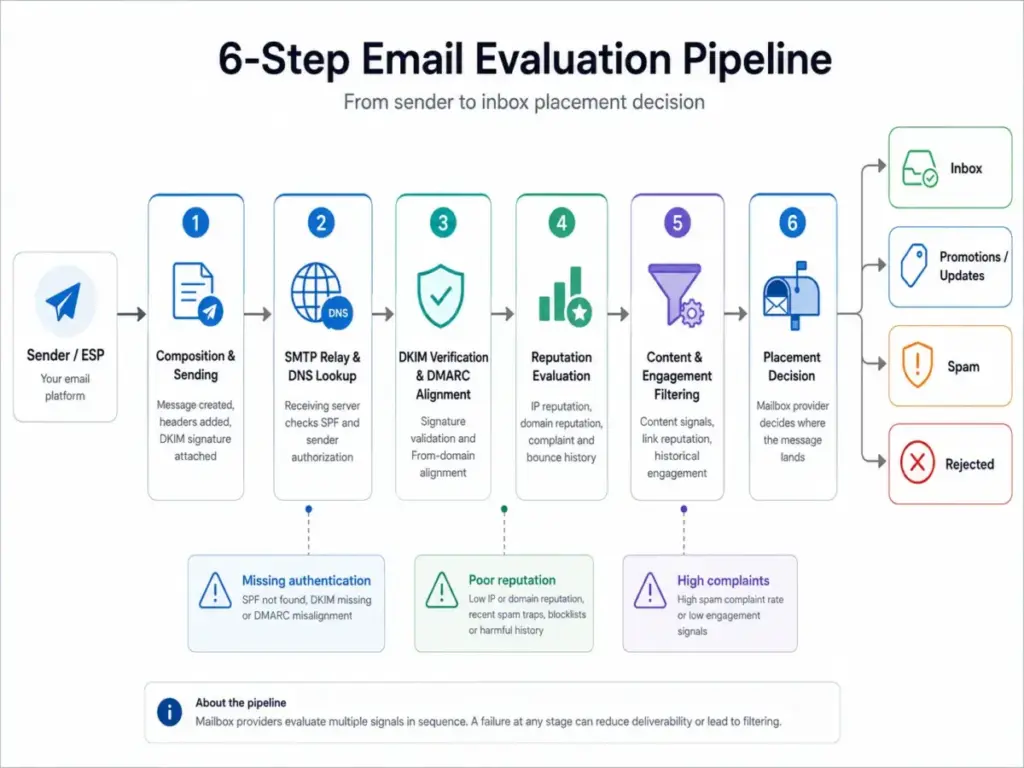
An email moves through a multi-stage evaluation pipeline before it reaches (or fails to reach) a recipient’s inbox. Each stage introduces a potential failure point.
Step 1: Composition and sending. The email originates in a sending application or ESP. The platform attaches headers, DKIM signatures, and routing information. Failure point: misconfigured From address, missing authentication headers, or broken DKIM keys.
Step 2: SMTP relay and DNS lookup. The sending MTA connects to the recipient’s mail server. The receiver checks SPF records to verify whether the sending IP is authorized. Failure point: SPF record exceeds 10 DNS lookups, or the sending IP is not listed.
Step 3: DKIM verification and DMARC alignment. The receiving server validates the DKIM signature and checks whether the visible From domain aligns with the authenticated domain under the DMARC policy. Failure point: DKIM signature fails validation, or DMARC alignment mode (strict vs. relaxed) rejects a misaligned subdomain.
Step 4: Reputation evaluation. The mailbox provider checks sending IP reputation, domain reputation, historical spam complaint rates, bounce rates, and spam-trap exposure. Failure point: a domain with a complaint rate above 0.10% triggers filtering at Gmail. Microsoft and Yahoo apply their own thresholds.
Step 5: Content and engagement filtering. The provider evaluates message content, link reputation, image-to-text ratio, and historical recipient engagement with the sender. Failure point: a link to a blocklisted domain or a pattern of low engagement triggers spam classification.
Step 6: Placement decision. Based on all signals, the mailbox provider places the message in the inbox, a category tab (Promotions, Updates), the spam folder, or rejects it outright.
Here is the part that surprises most teams: you cannot observe step 6 directly from your ESP dashboard. Your delivery logs confirm step 2 succeeded. They do not confirm inbox placement. This is why seed testing, Google Postmaster Tools, and Microsoft SNDS exist as supplementary signals.
Delivery vs. Deliverability vs. Inbox Placement
This distinction is the most confused concept in email operations. Treating these terms as interchangeable causes teams to misread dashboards and celebrate metrics that hide real problems.
| Term | What it measures | What your ESP shows | What it does NOT prove |
|---|---|---|---|
| Delivery | Server accepted the message | Delivery rate (typically 95-99%) | Whether the recipient saw it |
| Deliverability | Message avoids spam/junk | Not directly visible in most ESPs | Exact folder placement per recipient |
| Inbox placement | Message lands in inbox or primary tab | Estimated via seed tests, reputation tools | Perfect per-recipient accuracy |
What this means: A 98% delivery rate sounds healthy, but if 30% of those accepted messages route to spam, your effective reach is 68%. I have seen SaaS teams celebrate delivery rates while their trial activation emails sat in spam folders for weeks.
According to Validity’s deliverability framework, the distinction matters because delivery metrics create a false sense of success. Deliverability requires measuring inbox placement through seed tests, reputation dashboards, engagement signals, and conversion data, not just accepted-message counts.
Email Deliverability vs. Related Concepts
| Concept | When to use | Key difference from email deliverability |
|---|---|---|
| Email delivery | Measuring whether the server accepted the message | Delivery is binary (accepted or rejected). Deliverability asks where the accepted message lands. |
| Sender reputation | Evaluating IP and domain trust signals | Reputation is one input to deliverability, not the full outcome. High reputation does not guarantee inbox placement if content or engagement signals are poor. |
| Email authentication | Configuring SPF, DKIM, DMARC, BIMI | Authentication proves authorization. It does not prove relevance, engagement, or inbox worthiness. |
| Open rate | Tracking recipient engagement at the campaign level | Open rate is affected by privacy features, image blocking, and inbox tabs. It is a downstream signal, not a deliverability metric. |
| Bounce rate | Measuring rejected messages | Bounces affect reputation and deliverability but measure the opposite outcome: messages that never arrive. |
What this means: Deliverability sits at the intersection of all these concepts. No single metric captures it fully, which is why monitoring requires combining delivery logs, bounce and block data, complaint rates, reputation dashboards, seed tests, and engagement signals.
Step-by-Step Implementation
Step 1: Separate your message streams before optimizing anything else
Transactional emails (password resets, invoices, account alerts), product lifecycle messages (onboarding, trial nudges), marketing campaigns (newsletters, promotions), and outbound sales prospecting carry different risk profiles. Mixing them on the same sending domain and IP means a promotional campaign with high complaints can delay your password reset emails.
Postmark’s deliverability documentation explicitly addresses this: transactional messages need speed and reliability, while marketing messages need consent management and engagement monitoring. Postmark separates message streams by design, routing transactional and broadcast email through independent infrastructure.
I recommend starting with at least two streams: transactional and marketing. Teams running outbound prospecting should use a separate subdomain entirely.
Step 2: Authenticate your sending domain
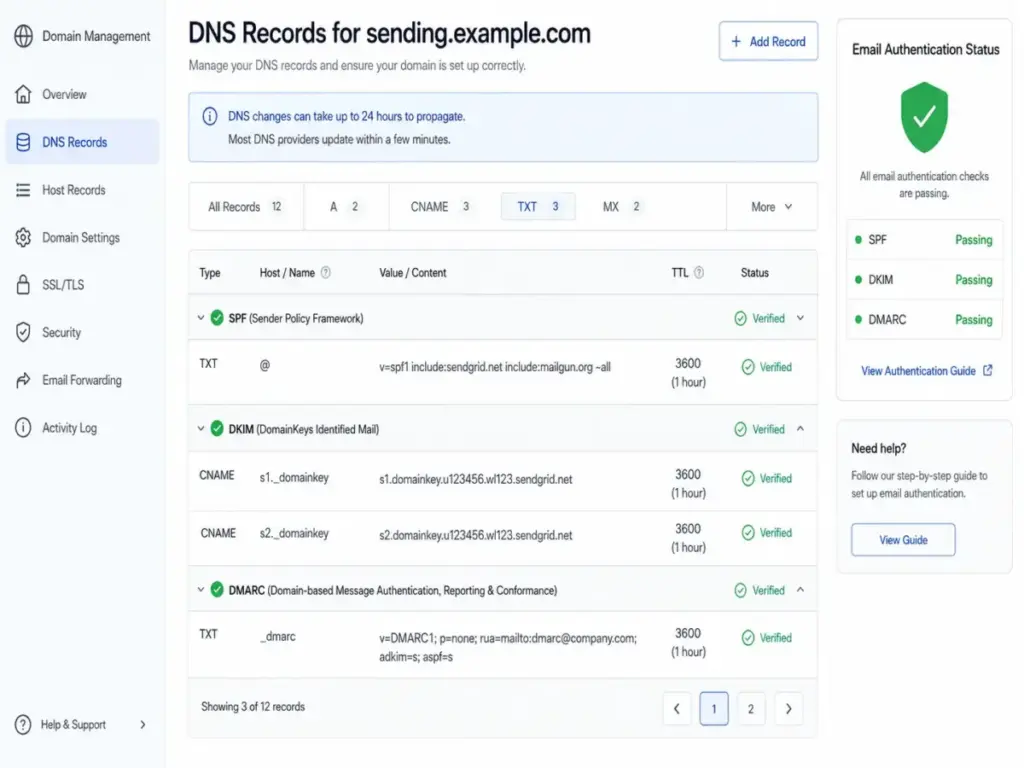
Configure SPF to authorize your sending IPs, sign outgoing messages with DKIM, and publish a DMARC policy. For bulk sending (over 5,000 messages per day to Gmail or Yahoo recipients), align the visible From domain with the authenticated domain.
Gmail, Yahoo, and Microsoft all require authentication for bulk senders as of 2026. The table below summarizes the baseline requirements:
| Requirement | Gmail (bulk) | Yahoo (bulk) | Microsoft (bulk, as of May 2025) |
|---|---|---|---|
| SPF | Required | Required | Required |
| DKIM | Required | Required | Required |
| DMARC | Required (p=none minimum) | Required (p=none minimum) | Required (p=none minimum, enforcement recommended) |
| One-click unsubscribe | Required (RFC 8058) | Required | Recommended |
| Spam complaint rate | Below 0.10% (warning), below 0.30% (enforcement) | Below thresholds | Below thresholds |
| From alignment | Required | Required | Required |
What this means: Authentication is now the minimum bar, not a competitive advantage. Passing SPF, DKIM, and DMARC does not guarantee inbox placement. It prevents rejection.
Step 3: Configure visible unsubscribe paths
Add a one-click List-Unsubscribe header (RFC 8058) and a visible unsubscribe link in every marketing and bulk message. Honor unsubscribe requests within 2 days. Gmail and Yahoo enforce this for bulk senders, and slow processing increases complaint risk.
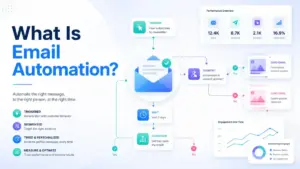
This surprised me when I evaluated platforms for email automation: most ESPs handle List-Unsubscribe automatically on marketing messages, but some require manual configuration for transactional streams that include promotional content.
Step 4: Warm new sending infrastructure gradually
New domains, subdomains, or dedicated IPs start with no reputation. Moving full volume immediately triggers suspicion at mailbox providers. Start with 50-200 messages per day to your most engaged recipients, then increase volume by 20-30% daily over 2-4 weeks.
Step 5: Use consent-based list acquisition only
Purchased, rented, scraped, or unverified lists increase bounce rates, spam-trap exposure, and complaint rates. Every list quality problem compounds over time, degrading domain reputation faster than any sending practice can repair it.
Step 6: Maintain active suppression rules
Suppress hard bounces permanently. Remove spam complainers immediately. Suppress unsubscribes within 2 days. Segment and re-evaluate inactive contacts (no opens in 90+ days) before sending to them. Role-based addresses (info@, support@) and invalid addresses should be cleaned proactively.
The Mistakes That Waste Your First Month
The most common deliverability mistakes fall into a pattern: teams invest in the wrong layer while ignoring the foundation.
Mistake 1: Treating authentication as the complete strategy. SPF, DKIM, and DMARC are necessary but not sufficient. Authenticated mail with high complaint rates, low engagement, or spam-trap hits still goes to spam.
Mistake 2: Using a dedicated IP before volume justifies it. Dedicated IPs help high-volume senders (100,000+ messages/month) control their reputation. Low-volume senders on a dedicated IP struggle to build enough sending history, and inconsistent volume patterns look suspicious. Reputable shared infrastructure from established ESPs often performs better below that threshold.
Mistake 3: Tracking only aggregate campaign metrics. Gmail, Yahoo, Outlook, and corporate mail servers behave differently. A campaign with 95% delivery overall might have 80% spam placement at Gmail specifically. Monitor deliverability by mailbox provider domain, not just campaign averages.
Mistake 4: Confusing delivered with inboxed. This is the foundational error. A 98% delivery rate means 98% of messages were accepted by the receiving server. It does not mean 98% reached the inbox.
Mistake 5: Ignoring complaints until they spike. Gmail recommends keeping spam complaint rates below 0.10%. By the time complaints reach 0.30%, enforcement actions (bulk spam filtering, sending throttling) may already be in progress. I have seen teams lose months of reputation building because they did not monitor Google Postmaster Tools weekly.
Mistake 6: Sending marketing and transactional email through the same risky stream. A promotional campaign that triggers complaints can drag down delivery speed for password resets and invoices on the same domain.
Mistake 7: Relying on a single spam-score tester as proof of inbox placement. Pre-send spam checkers evaluate content patterns and authentication. They do not simulate the full reputation, engagement, and volume signals that mailbox providers use. A passing spam score does not prove inbox placement.
Common Misconceptions
Misconception: If an email is delivered, it reached the inbox. Reality: “Delivered” means the receiving server accepted the message. It can still route to spam, junk, or a low-visibility folder. Delivery rate and inbox placement rate measure different outcomes.
Misconception: Passing SPF, DKIM, and DMARC guarantees inbox placement. Reality: Authentication proves the sender is authorized. Mailbox providers also evaluate domain reputation, complaint history, engagement patterns, bounce rates, content signals, and volume behavior. Authenticated spam is still spam.
Misconception: A dedicated IP automatically improves deliverability. Reality: Dedicated IPs give high-volume senders reputation control. Low-volume or inconsistent senders may perform better on reputable shared infrastructure because they cannot generate enough positive sending signals on their own.
Misconception: Open rate is the best deliverability metric. Reality: Apple Mail Privacy Protection, email clients that block tracking pixels, and inbox tab placement all distort open rates. Deliverability monitoring requires combining delivery data, bounce and block signals, complaint rates, reputation dashboards, seed tests, and conversion metrics.
Misconception: Deliverability is only a marketing problem. Reality: Password resets, invoices, account alerts, onboarding sequences, support notifications, and security codes all rely on email. Deliverability failures in any of these streams create support tickets, churn risk, and revenue loss.
When to Invest in Deliverability and When to Wait
Invest in deliverability when:
- Email affects signup activation, password resets, onboarding, billing, or revenue
- Send volume exceeds 10,000 messages per month
- Spam complaints, bounces, or blocks are rising
- Gmail, Yahoo, or Outlook recipients show different engagement patterns than your overall averages
- You send both transactional and marketing email from the same domain
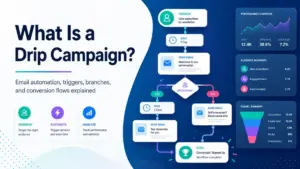
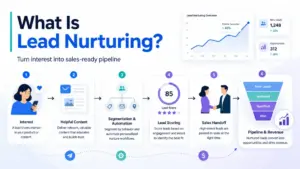
- You run drip campaigns or lead nurturing sequences where deliverability directly affects conversion
Wait before investing in advanced tooling when:
- Basic authentication (SPF, DKIM, DMARC) is not yet configured
- You have no suppression rules for bounces, complaints, or unsubscribes
- Your email list is small, clean, and consent-based
- You send fewer than 1,000 messages per month with no deliverability symptoms
Do not use your primary brand domain for cold outreach experiments. The complaint and engagement patterns from prospecting differ from opted-in marketing, and reputation damage crosses over.
How to Measure Deliverability Success
No single metric captures deliverability. Monitor these signals together:
| Metric | What it measures | Why it matters | Target |
|---|---|---|---|
| Delivery rate | Percentage of messages accepted by receiving servers | Baseline signal; does not prove inbox placement | Above 95% |
| Hard bounce rate | Permanently undeliverable addresses | High rates damage domain reputation | Below 2% |
| Spam complaint rate | Recipients marking messages as spam | The strongest negative signal for mailbox providers | Below 0.10% |
| Inbox placement rate | Percentage landing in inbox (via seed tests or platform tools) | The core deliverability outcome | Above 80% for marketing; above 95% for transactional |
| Unsubscribe rate | Opt-out requests per campaign | High rates signal relevance problems | Below 0.50% per campaign |
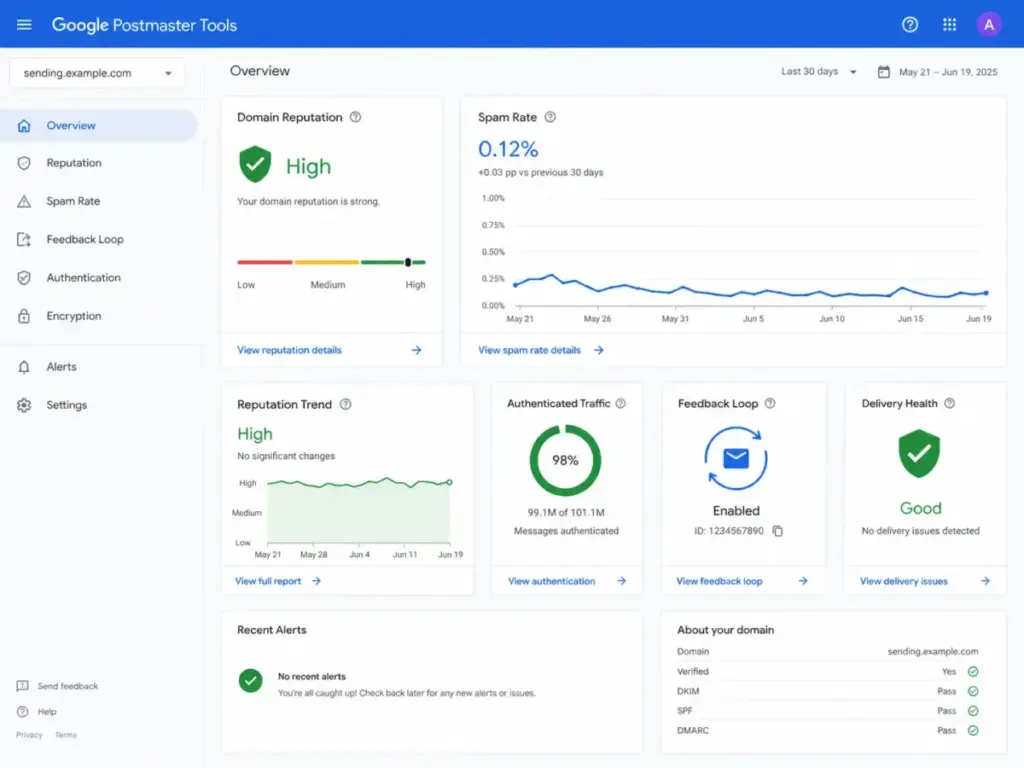
| Domain reputation | Mailbox-provider-assigned trust level | Determines default filtering behavior | “High” in Google Postmaster Tools |
| Engagement rate | Opens, clicks, replies relative to delivered | Positive signals that reinforce inbox placement | Track trends, not absolute numbers |
What this means: Teams that monitor only delivery rate miss the most important signal: whether recipients can find and interact with the messages. Combine ESP analytics with Google Postmaster Tools, Microsoft SNDS, seed-list testing, and conversion data for a complete picture.
What Good Deliverability Looks Like: Real-World Examples
Five sending platforms illustrate different approaches to email deliverability. Each serves a different use case, and each carries pricing or capability caveats that educational articles typically omit.
Twilio SendGrid provides email API infrastructure, domain authentication tools, analytics, suppression management, and Deliverability Insights for monitoring performance. According to SendGrid’s official documentation, the free plan supports 100 emails per day. Paid plans start at 19.95/monthfor50,000emails(Essentials,asofMay2026).DeliverabilityInsights,whichincludesinboxplacementdataandreputationmonitoring,requirestheProplan(89.95/month for 100,000 emails).
Mailgun combines sending infrastructure with Mailgun Optimize, which adds inbox placement testing, email validations, spam trap monitoring, blocklist monitoring, and Google Postmaster Tools integration. According to Mailgun’s pricing page, the Foundation plan starts at $35/month for 50,000 emails. Optimize features (inbox placement tests, validations) require additional credits or higher plans. The free trial includes 5,000 emails for the first month.
Postmark focuses on reliable transactional and broadcast delivery with separated message streams and candid documentation about complaint rates and measurement limitations. As noted in Postmark’s deliverability glossary, delivery logs alone cannot prove inbox placement. Postmark’s pricing starts at $15/month for 10,000 emails (as of May 2026).
Klaviyo supports ecommerce lifecycle deliverability through branded sending domains, DMARC alignment guidance, one-click unsubscribe handling, and performance monitoring by engagement metric. Klaviyo’s free plan supports up to 500 monthly email sends to 250 profiles. Paid plans start at $20/month for up to 500 profiles (as of May 2026), scaling by active profile count.
Brevo (reviewed in our Brevo evaluation) combines marketing and transactional email with deliverability education and free and paid plans. The free plan allows 300 emails per day. Paid plans start at $9/month for 5,000 emails per month (as of May 2026). The free plan’s daily send limit is the primary constraint for growing teams.
| Platform | Category | Starting price | Free tier | Key deliverability feature | Primary caveat |
|---|---|---|---|---|---|
| Twilio SendGrid | Sending API | $19.95/month (50K emails) | 100 emails/day | Deliverability Insights (Pro+) | Inbox placement data requires Pro plan |
| Mailgun | Sending API + testing | $35/month (50K emails) | 5,000 emails (trial) | Inbox placement testing via Optimize | Optimize features require credits or higher tier |
| Postmark | Transactional-first | $15/month (10K emails) | None | Message stream separation | Broadcast (marketing) added later; not a full marketing platform |
| Klaviyo | Ecommerce lifecycle | $20/month (500 profiles) | 500 emails/month | Branded domains + DMARC guidance | Charges by active profiles; unengaged contacts increase cost |
| Brevo | Marketing + transactional | $9/month (5K emails) | 300 emails/day | Combined marketing + transactional | Daily send limit on free plan constrains growth |
What this means: The right tool depends on your stream type. Transactional-heavy teams benefit from Postmark’s focus. High-volume API senders use SendGrid or Mailgun. Ecommerce lifecycle teams use Klaviyo. Budget-conscious teams starting with marketing email use Brevo. No platform guarantees inbox placement because mailbox providers apply their own filtering systems.
Carin Slater, Manager of Lifecycle Email Marketing at Litmus, frames it clearly: “When I think about email deliverability, I’m really thinking about whether my email reaches my subscribers.” (Litmus deliverability guide)
That framing matters because it shifts the conversation from technical checklists to operational outcomes. Authentication and reputation are inputs. Reaching subscribers is the result teams care about.
Deliverability Tools by Category
Most articles list tools without explaining which category solves which problem. This taxonomy helps:
| Tool category | What it solves | Examples |
|---|---|---|
| Sending infrastructure (API) | Reliable message transmission, authentication, delivery logs | Twilio SendGrid, Mailgun, Postmark, Amazon SES |
| Marketing automation | Lifecycle campaigns, segmentation, consent management | Klaviyo, Brevo, Mailchimp, ActiveCampaign |
| Inbox placement testing | Estimating where messages land across providers | Mailgun Optimize, Validity Everest, GlockApps |
| Email validation | Cleaning lists before sending to reduce bounces | Mailgun Validate, ZeroBounce, NeverBounce |
| Reputation monitoring | Tracking domain and IP reputation over time | Google Postmaster Tools, Microsoft SNDS, Sender Score |
| DMARC reporting | Monitoring authentication pass/fail across receivers | Valimail, dmarcian, Postmark DMARC |
What this means: A sending API does not include inbox placement testing. A marketing platform does not include reputation monitoring. Teams serious about deliverability typically use at least two categories: a sending platform plus a monitoring or testing tool. The gap between what marketing platforms report (delivery rate) and what specialized tools reveal (inbox placement) is where deliverability problems hide.
Symptom-Based Remediation Checklist
When deliverability problems appear, the symptom determines where to investigate first:
| Symptom | Likely cause | First action |
|---|---|---|
| Gmail spam placement, other providers fine | Gmail domain reputation dropped | Check Google Postmaster Tools for reputation status and complaint trends |
| Outlook/Hotmail blocks or deferrals | IP or domain on Microsoft blocklist | Check Microsoft SNDS and submit mitigation request |
| Rising bounce rate (above 5%) | List hygiene failure or stale addresses | Run email validation on the list; remove hard bounces permanently |
| Complaint rate above 0.10% | Irrelevant content, poor consent, or high frequency | Reduce frequency; verify consent source; segment by engagement |
| Low engagement despite good delivery rate | Messages landing in spam or Promotions tab | Run seed test; check inbox placement by provider |
| Transactional emails delayed or missing | Marketing stream reputation affecting transactional | Separate transactional and marketing on different subdomains/IPs |
| Sudden volume rejection | Volume spike without warming | Reduce to previous volume; warm back up gradually |
Beginner Checklist
Use this checklist to establish deliverability fundamentals before optimizing:
- SPF record published and passing for all sending IPs
- DKIM signing enabled and validated
- DMARC record published (p=none minimum; move toward p=quarantine)
- From domain aligned with authenticated domain
- One-click List-Unsubscribe header configured for marketing messages
- Hard bounces suppressed permanently
- Spam complainers removed immediately
- Unsubscribes honored within 2 days
- Google Postmaster Tools configured and monitored weekly
- Transactional and marketing emails on separate streams or subdomains
- New domain or IP warmed gradually before full volume
- Consent source verified for every list segment
When You Need Deliverability Software
Deliverability software becomes necessary when:
- You send more than 10,000 emails per month and need per-provider monitoring
- Your customer retention workflows depend on email reaching the inbox
- You run both transactional and marketing streams on the same infrastructure
- Gmail or Outlook recipients show significantly different engagement patterns
- Complaint rates exceed 0.05% and you need root-cause analysis
- You are migrating to a new ESP or domain and need to track reputation during transition
- You run workflow automation that triggers high-volume email
You do not need dedicated deliverability software when:
- You send fewer than 1,000 emails per month to a clean, consent-based list
- Your ESP handles authentication, bounces, and complaints automatically
- You have no deliverability symptoms (high delivery rate, strong engagement, low complaints)
How to Choose a Deliverability Tool
Consider these criteria:
- Stream type: Transactional-first? Marketing-first? Both? Match the platform’s strength to your primary stream.
- Volume and pricing model: Charges per email, per contact, per API call, or flat rate? Calculate cost at your actual volume, not the starting tier.
- Inbox placement testing: Built-in or requires a separate tool? How many seed tests per month?
- Reputation monitoring: Google Postmaster Tools integration? Microsoft SNDS? Blocklist monitoring?
- Authentication support: Does the platform handle SPF, DKIM, and DMARC alignment automatically, or require manual DNS configuration?
- Suppression management: Automatic hard-bounce, complaint, and unsubscribe suppression? Or manual?
- Reporting granularity: Per-provider breakdown (Gmail, Yahoo, Outlook separately) or aggregate only?
FAQ
What is the difference between email delivery and email deliverability?
Delivery means the receiving mail server accepted the message. Deliverability measures whether that accepted message landed in the inbox rather than spam. A 98% delivery rate does not mean 98% of recipients saw the email. The gap between delivery and inbox placement is where deliverability problems live.
Can SPF, DKIM, and DMARC guarantee my emails reach the inbox?
No. Authentication proves you are authorized to send from your domain. It prevents spoofing and meets bulk-sender requirements. Mailbox providers also evaluate reputation, engagement, complaints, bounce history, content, and volume patterns before deciding inbox placement.
Do I need a dedicated IP for email deliverability?
Not unless you send more than 100,000 emails per month consistently. Low-volume senders on a dedicated IP cannot build enough sending history to establish reputation. Reputable shared infrastructure from established ESPs often produces better results for small and mid-volume senders.
What is a good spam complaint rate?
Gmail recommends staying below 0.10% and treats 0.30% as an enforcement threshold. I recommend treating 0.05% as your internal warning level. Once complaints rise, reputation damage has already started, and recovery takes weeks.
Why are my emails going to spam even though authentication passes?
Authentication is necessary but not sufficient. If recipients rarely open or click your messages, if complaint rates are elevated, if your domain reputation dropped after a bad campaign, or if you recently changed sending volume or infrastructure, mailbox providers may filter authenticated mail to spam.
How do I check my inbox placement rate?
Your ESP delivery logs do not show inbox placement directly. Use seed-list testing tools (Mailgun Optimize, Validity Everest, GlockApps), monitor Google Postmaster Tools for domain reputation and spam rate, check Microsoft SNDS for Outlook-specific signals, and track engagement and conversion rates as indirect indicators.
Should I separate transactional and marketing email?
Yes, if you send both types. Marketing campaigns with high complaints or low engagement can damage the reputation shared by transactional messages like password resets and invoices. Separate subdomains, separate sending infrastructure, or platforms with built-in stream separation (like Postmark) reduce cross-contamination risk.
How long does it take to warm up a new sending domain?
Plan for 2-4 weeks of gradual volume increases. Start with 50-200 messages per day to your most engaged recipients. Increase volume by 20-30% daily. Monitor bounce rates, complaints, and reputation signals throughout the process. Rushing the warmup triggers filtering.
Is email deliverability different for marketing and transactional emails?
Yes. Transactional emails (password resets, receipts, alerts) need speed and near-perfect reliability. Marketing emails need consent, segmentation, and engagement management. The KPIs, infrastructure choices, and risk profiles differ. Mixing both streams on the same domain creates unnecessary risk.
What tools help monitor email deliverability?
Combine at least two categories: a sending platform (SendGrid, Mailgun, Postmark, Brevo, Klaviyo) for delivery logs and suppression, plus a monitoring or testing tool (Google Postmaster Tools, Microsoft SNDS, Mailgun Optimize, Validity Everest) for reputation and inbox placement signals.