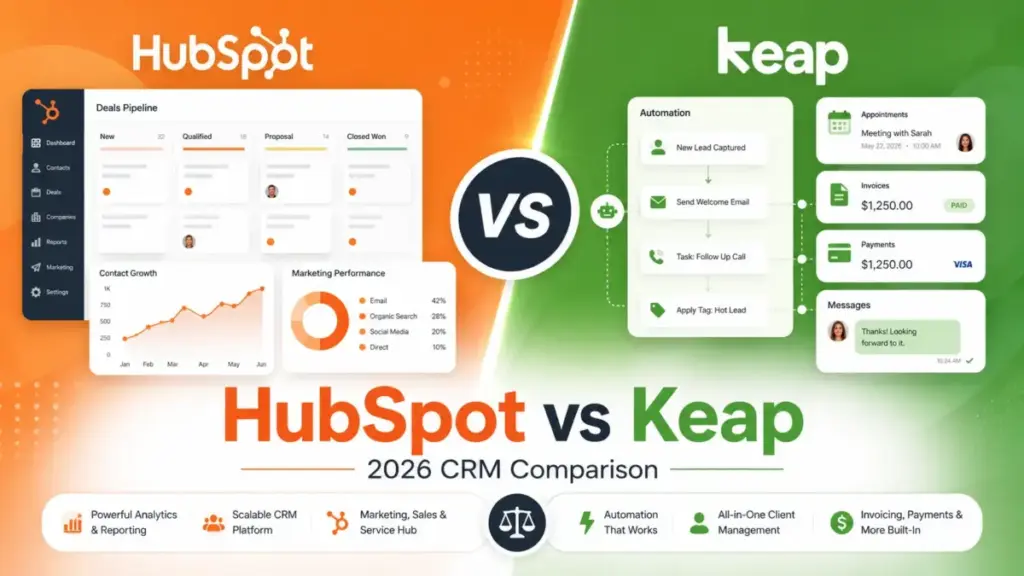
HubSpot’s Starter Customer Platform costs $10/seat/month. Keap starts at $299/month with two users included. On paper, this comparison should be over before it starts. It is not.
The pricing gap narrows, and sometimes reverses, the moment you factor in what each platform bundles. HubSpot gives you a low-cost CRM entry point that grows into a multi-hub customer platform. Keap gives you a single-price automation system with appointments, invoices, payments, and SMS built in. The right pick depends on whether your team needs a scalable CRM platform or a guided small-business automation package.
Choose HubSpot if your team needs CRM scalability, sales-and-marketing alignment, reporting dashboards, and lower per-seat entry pricing.
Choose Keap if your business sells services, relies on automated follow-up, appointment booking, SMS, invoicing, and wants guided setup rather than assembling a stack.
This comparison breaks the decision into the three workflows that separate these platforms: lead-to-deal automation, client follow-up and payments, and cost-at-scale modeling. Pricing was verified against official sources on June 4, 2026.
| Category | Winner | Why |
|---|---|---|
| Entry pricing and user scaling | HubSpot | Starter Customer Platform is cheaper at 5, 10, 25, and 50 users on per-seat cost |
| Bundled small-business automation | Keap | CRM, appointments, invoices, payments, SMS, and guided setup in one price |
| Advanced CRM scalability | HubSpot | Multi-hub architecture, deeper reporting, and enterprise governance path |
| Ease of adoption | Tie | HubSpot is easier to start self-serve; Keap reduces setup uncertainty with guided implementation |
| Support and onboarding | Keap | Dedicated customer success manager, US-based phone support, 24/7 chat included |
| Security and compliance evidence | HubSpot | Public SOC 2 Type II references and Trust Center documentation |
| API and technical extensibility | HubSpot | Broader developer ecosystem and app marketplace |
What this means: HubSpot wins more categories on raw platform depth. Keap wins on bundled workflow value for service businesses. The deciding factor is whether your business needs a CRM with add-on flexibility or an all-in-one automation system.
HubSpot vs Keap at a Glance
| HubSpot | Keap | |
|---|---|---|
| Best for | Growing B2B teams, multi-department orgs, RevOps | Service businesses, coaches, consultants, local businesses |
| Starting price | Free CRM tools; Starter at $10/seat/month (promotional) | $299/month (2 users included) |
| Practical tier | Starter Customer Platform at $20/seat/month (normal baseline) | $299/month + $39/user for each additional user |
| Free plan/trial | Free CRM tools available | Free trial (excludes payments and SMS; 25-email cap) |
| Setup difficulty | Low (Free/Starter); Medium-High (Professional/Enterprise) | Medium (guided implementation required) |
| Main strength | CRM scalability, reporting, integrations, enterprise path | Bundled automation, invoicing, payments, SMS, guided onboarding |
| Main limitation | Advanced automation locked behind Professional hubs; costs scale with contacts, seats, and hubs | Higher starting price; SMS regional limits; contact-tier scaling |
| Parent company | HubSpot, Inc. | Thryv, Inc. |
How We Compared HubSpot and Keap
I evaluated both platforms using official pricing pages, product documentation, third-party review signals from Capterra and TechRadar, and API documentation. After evaluating 40+ CRM platforms, I focused this comparison on the dimensions that drive real buying decisions: cost modeling at multiple team sizes, feature gates by plan, automation depth, and bundled versus modular architecture.
Both products were assessed at third_party_validated testing level. I did not run hands-on product tests for this comparison. All pricing claims come from official HubSpot and Keap pricing pages verified on June 4, 2026.
Review limitation: HubSpot promotional pricing may change. Keap contact-tier pricing is dynamic and depends on the buyer’s quote. Implementation fees, usage add-ons, and exact overage tiers were documented where official sources confirmed them, but your actual bill may vary.
Understanding what CRM software does helps frame why these two platforms serve different buyer needs despite occupying the same category.
Workflow 1: Lead-to-Deal Automation — HubSpot vs Keap
This is where the platform architecture difference matters most.
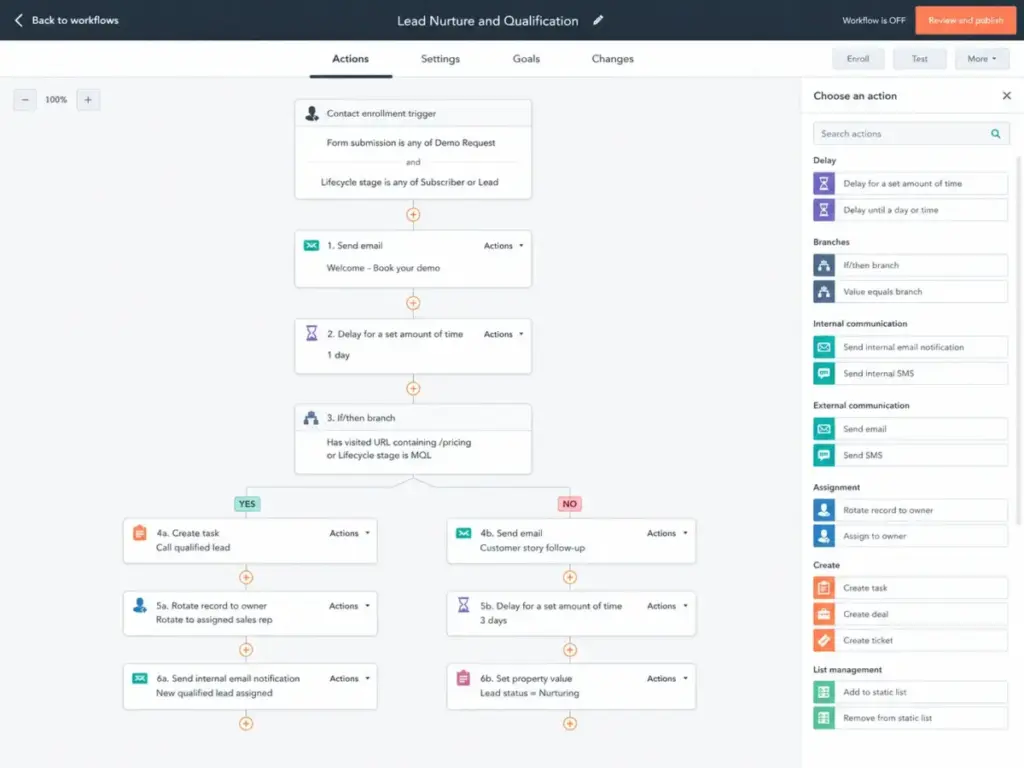
HubSpot organizes automation across hubs. Marketing Hub handles email sequences and lead scoring. Sales Hub handles pipeline automation and deal tracking. The free CRM gives you contact management and basic pipeline views. Starter unlocks basic cross-hub capabilities. But the automation that most sales teams need, like multi-step workflows with branching logic, custom reporting dashboards, and omni-channel marketing automation, lives in Professional hubs.
Marketing Hub Professional costs $890/month and includes 3 Core Seats and 2,000 marketing contacts. Sales Hub Professional costs $100/seat/month. A 10-person team running both hits $1,890/month minimum before adding marketing contacts or onboarding fees. HubSpot lists $3,000 onboarding for Marketing Hub Professional.
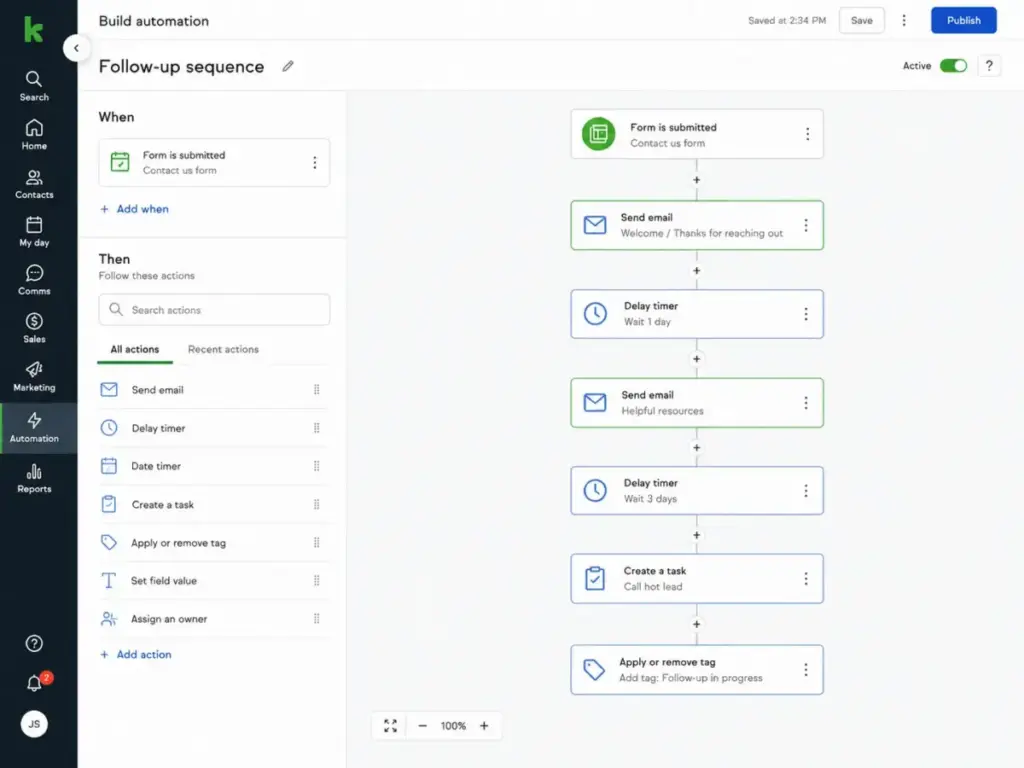
Keap handles this differently. The $299/month platform includes CRM, automation builder, pipeline management, lead scoring, email marketing, and landing pages in one package. You do not choose between marketing and sales hubs. The tradeoff: Keap’s automation is built for service-business follow-up sequences, not enterprise-grade multi-team workflows.
Winner: Depends on automation complexity. For a 5-person service business running follow-up sequences, Keap bundles what HubSpot splits across hubs. For a 15-person B2B team needing marketing-to-sales handoff, reporting, and governance, HubSpot’s architecture provides a clearer growth path. Read our full HubSpot CRM analysis for a deeper look at the hub structure.
Workflow 2: Client Follow-Up, Payments, and SMS — HubSpot vs Keap
This workflow exposes the biggest gap between the two platforms.
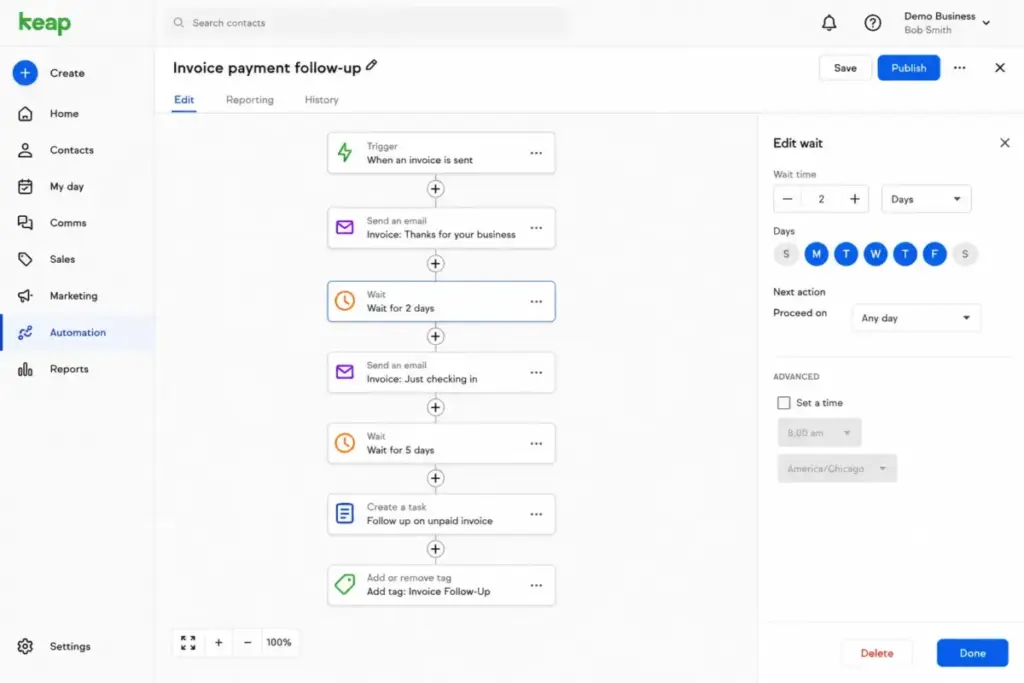
Keap bundles appointments, quotes, invoices, checkout forms, and text marketing into the base platform. A service business selling $5,000 consulting packages can capture a lead, send an automated follow-up sequence, book an appointment, send a quote, collect payment, and trigger a post-sale onboarding sequence without leaving Keap.
Text marketing on Keap includes a Tier 1 allocation in the base price. Upgrade tiers run $24, $39, $79, $139, and $279/month with increasing message and minute allotments. Overages cost $0.015/message and $0.01/minute. A local number add-on costs $10/month. There is a caveat: SMS availability has regional restrictions. Buyers relying on text follow-up need to verify coverage before committing.
HubSpot does not bundle invoicing, appointment scheduling, or SMS at the same depth in Starter. Commerce Hub exists, but payment processing, quoting, and invoicing at scale typically require Professional or Enterprise tiers, third-party integrations, or both. SMS capabilities depend on HubSpot’s add-on structure and are not bundled in the same way Keap bundles them.
Winner: Keap. For client-facing follow-up workflows that include booking, invoicing, payments, and SMS, Keap delivers these as built-in features. HubSpot requires assembling these from separate hubs, add-ons, and integrations. Our detailed Keap CRM evaluation covers the bundled workflow experience in depth.
Workflow 3: Cost-at-Scale Modeling — The Real Math
This is where the comparison shifts. Starting price comparisons are misleading for both platforms.
Entry Cost Comparison (Verified June 4, 2026)
| Users | HubSpot Starter (promotional) | HubSpot Starter (normal baseline) | Keap (estimated) | Entry winner |
|---|---|---|---|---|
| 5 users | $50/month | $100/month | $416/month ($299 + 3 users × $39) | HubSpot |
| 10 users | $100/month | $200/month | $611/month ($299 + 8 users × $39) | HubSpot |
| 25 users | $250/month | $500/month | $1,196/month ($299 + 23 users × $39) | HubSpot |
| 50 users | $500/month | $1,000/month | $2,171/month ($299 + 48 users × $39) | HubSpot |
HubSpot promotional Starter pricing: $10/seat/month monthly, $7/seat/month annually. Normal Starter baseline: $20/seat/month. Keap: $299/month with 2 users included, $39/month per additional user. Sources: HubSpot product catalog, Keap pricing page.
But here is the catch. HubSpot Starter and Keap’s $299 platform are not feature-equivalent. HubSpot Starter gives you CRM and basic cross-hub tools. Keap’s $299 includes CRM plus appointments, invoicing, payments, SMS, and guided implementation. If a HubSpot Starter team needs those capabilities, they move to Professional hubs or third-party tools, which changes the math entirely.
A 10-person team on HubSpot Marketing Hub Professional ($890/month) plus Sales Hub Professional (10 seats × $100 = $1,000/month) pays $1,890/month. Add $3,000 onboarding. That same team on Keap pays $611/month plus a one-time implementation fee (promotional pricing shows $500, marked down from $1,500).
The cost-at-scale winner depends on what the team needs. For pure CRM at any user count, HubSpot wins. For bundled service-business automation, Keap’s $299 base can be cheaper than assembling the equivalent stack across HubSpot hubs.
Hidden Costs Comparison
| Hidden cost | HubSpot | Keap | Why it matters |
|---|---|---|---|
| Additional users | Per-seat pricing across all tiers | $39/month per user after 2 included | Keap’s per-user add-on cost is transparent but adds up |
| Contact scaling | Marketing contact tiers drive cost on Marketing Hub | Contact-tier pricing can change total cost | Both platforms penalize large contact databases |
| Onboarding | $3,000 for Marketing Hub Professional; varies by hub | $500 promotional (one-time); implementation required | Both charge for setup, but in different ways |
| Automation gates | Multi-step workflows locked at Professional ($890+/month) | Automation included in base; SMS tiers scale separately | HubSpot’s biggest hidden cost is the Starter-to-Professional jump |
| SMS/text | Not bundled at Starter level | Tier 1 included; upgrades $24-$279/month; overages apply | Keap bundles basic SMS; scaling costs are incremental |
| Contract terms | Annual commitments common for Professional/Enterprise | Annual cancellation can trigger early termination fee | Both have lock-in risk at higher commitments |
For a closer look at HubSpot’s tiered pricing structure, see our HubSpot pricing breakdown.
Feature-to-Plan Gate Comparison
| Feature | HubSpot plan/gate | Keap plan/gate | Buyer impact |
|---|---|---|---|
| CRM and contact management | Free tools available | Included in $299 base | HubSpot wins on entry; both deliver core CRM |
| Email marketing | Starter (basic); Professional for advanced automation | Included in base | Keap includes more email automation at base price |
| Multi-step automation workflows | Professional hubs ($890+ for Marketing) | Included in base automation builder | Biggest gate difference: HubSpot locks this behind Professional |
| Landing pages and forms | Starter (basic); Professional (advanced) | Included in base | Keap bundles what HubSpot gates by tier |
| Invoicing and payments | Commerce Hub; depends on tier and setup | Included (quotes, invoices, checkout forms) | Keap wins for service businesses needing native payments |
| SMS/text marketing | Add-on dependent; not in Starter | Tier 1 included; scalable with paid tiers | Keap bundles basic SMS; HubSpot requires add-ons |
| Appointment scheduling | Meeting links available on Starter | Included natively | Both offer scheduling; Keap ties it to automation |
| Custom reporting dashboards | Professional and Enterprise hubs | Limited compared to HubSpot | HubSpot wins on reporting depth at Professional+ tiers |
| Lead scoring | Available at Starter (basic); advanced at Professional | Included in base | Both offer lead scoring; HubSpot gates advanced scoring |
| API and marketplace | Public APIs; App Marketplace; broad ecosystem | OAuth2 API (1,500 queries/minute); Zapier; narrower ecosystem | HubSpot wins on extensibility and marketplace size |
| SOC 2 compliance evidence | SOC 2 Type II publicly referenced | No publicly verified SOC 2 evidence found | HubSpot wins for compliance-sensitive buyers |
| Support channels | Email/chat (Starter); phone (Professional+) | Dedicated CSM, US phone, 24/7 chat, academy | Keap offers better support from day one |
Setup, Onboarding, and Migration Difficulty
| Factor | HubSpot | Keap |
|---|---|---|
| Self-serve setup | Yes (Free and Starter) | Free trial available, but implementation required for full use |
| Required onboarding | No (Starter); Yes (some Professional/Enterprise hubs) | Yes (implementation services required) |
| Onboarding cost | $3,000 for Marketing Hub Professional; varies by hub | $500 promotional (one-time); normally $1,500 |
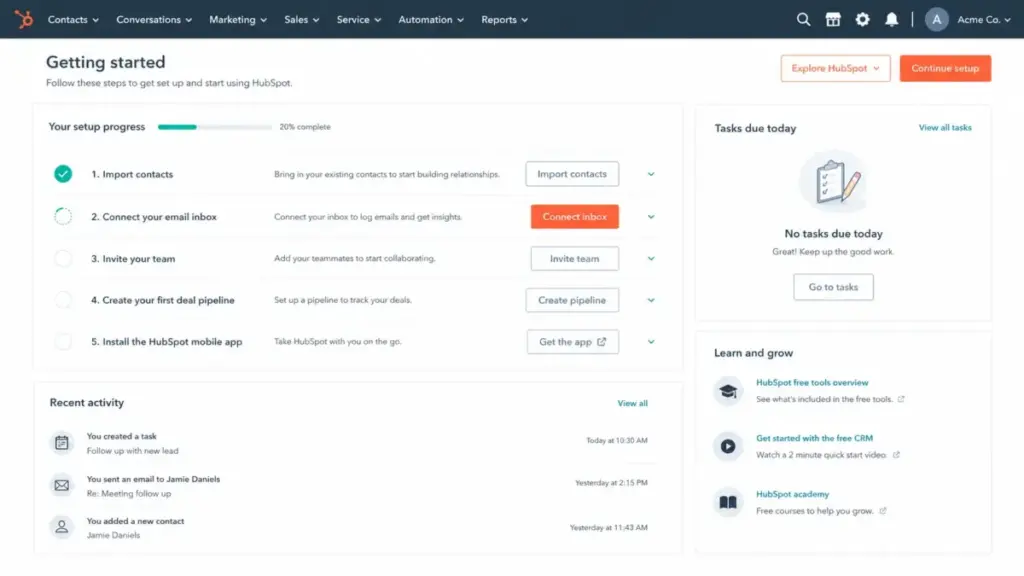
| Time to first value | Fast for Free/Starter; weeks for Professional with onboarding | Medium; guided implementation reduces DIY guesswork |
| Migration difficulty (into) | Medium: contact/deal import supported; automation rebuild needed | Medium: contact import and setup services help, but automation mapping takes time |
| Migration difficulty (out) | Medium: HubSpot supports record export from CRM objects | High: Keap campaigns, tags, invoices, SMS flows, and payment workflows must be rebuilt |
Teams moving from HubSpot to alternative platforms should budget for automation and integration rebuild time. Teams considering alternatives to Keap need to account for rebuilding invoicing, SMS, and payment workflows.
Where HubSpot Wins
- Entry CRM pricing at any team size. HubSpot Starter is cheaper per user at 5, 10, 25, and 50 seats. If the team only needs CRM, this is not close.
- Reporting and dashboard depth. Professional and Enterprise hubs unlock custom dashboards, attribution reporting, and forecasting tools that Keap does not match.
- Multi-department scalability. Sales, marketing, service, and content teams can operate within one platform with shared data. Keap is built for smaller, flatter teams.
- App ecosystem and integrations. HubSpot’s App Marketplace and public APIs support more third-party connections than Keap’s integration library.
- Public compliance evidence. HubSpot’s SOC 2 Type II references and Trust Center give compliance-sensitive buyers verifiable documentation.
Where Keap Wins
- Bundled service-business automation. CRM, appointments, invoicing, payments, SMS, and automation in one platform at one price. HubSpot requires multiple hubs or add-ons to match this.
- SMS and text marketing included. Tier 1 text marketing is bundled. HubSpot does not include comparable SMS at Starter level.
- Guided implementation and support. Dedicated customer success manager, US-based phone support, and 24/7 chat from day one. HubSpot gates phone support behind Professional.
- Payment collection built in. Quotes, invoices, and checkout forms are native. Service businesses that invoice clients get this without third-party integrations.
- Lower total cost for specific workflows. A solo consultant or 3-person service team that needs follow-up automation, booking, invoicing, and SMS may spend less on Keap than on assembling the equivalent from HubSpot hubs plus add-ons.
Who Should Choose HubSpot
- B2B sales teams that need CRM-first, marketing later. Start on Free or Starter CRM, add hubs as the team grows.
- Multi-department organizations. Sales, marketing, and service teams sharing one platform with governance and reporting.
- RevOps teams planning for enterprise scale. HubSpot’s Professional and Enterprise tiers support the reporting, security, and admin controls that Keap does not offer.
- Budget-constrained teams that only need contact and pipeline tracking. Free CRM tools cover the basics at $0.
- Compliance-sensitive organizations. SOC 2 Type II evidence and Trust Center documentation matter for procurement.
Who Should Choose Keap
- Owner-led service businesses selling high-ticket services. Coaches, consultants, agencies, and local businesses that need follow-up automation tied to appointments, invoices, and payments.
- Small teams relying on text message follow-up. Keap bundles SMS tiers that HubSpot does not match at entry level. Verify regional availability first.
- Businesses that want guided setup, not DIY CRM configuration. Keap’s required implementation includes business mapping, automation launch help, and migration support.
- Teams that need invoicing and payments inside their CRM. If client billing is a core workflow, Keap handles it natively.
Who Should Avoid Both
Not every buyer fits HubSpot or Keap. Consider alternatives if:
- You need deep email automation without full CRM complexity. Our ActiveCampaign evaluation covers a platform built for marketing automation depth at a lower entry point than HubSpot Professional.
- You need agency-style client subaccounts with funnels and SMS. GoHighLevel fits agency workflows that neither HubSpot Starter nor Keap’s single-business model serves well.
- You need a budget CRM that is more modular than Keap and cheaper than HubSpot Professional. Our Zoho CRM analysis covers a configurable alternative with lower per-user costs.
- You need a simple sales CRM without marketing automation. Pipedrive delivers pipeline management without the hub complexity of HubSpot or the bundled pricing of Keap.
Alternatives to HubSpot and Keap
| Alternative | Best for | Why consider | Starting price |
|---|---|---|---|
| ActiveCampaign | Email automation depth without full CRM platform complexity | Strong marketing automation at a lower entry point than HubSpot Professional | See current pricing on official site |
| GoHighLevel | Agencies and local marketers needing funnels, SMS, booking, and client subaccounts | Fits the Keap automation angle with agency account structures | See current pricing on official site |
| Zoho CRM | Budget-conscious teams needing a configurable CRM | More modular and cheaper than Keap for teams that do not need guided implementation | See current pricing on official site |
Final Verdict: HubSpot vs Keap in 2026
There is no universal winner. The decision maps to your team structure and workflow needs.
Choose HubSpot if your team is CRM-first. You need scalable contact management, sales pipeline tracking, reporting, and the option to add marketing, service, and content hubs as the business grows. HubSpot wins on entry pricing, platform depth, integrations, and compliance evidence.
Choose Keap if your business is automation-first. You sell services, need automated follow-up tied to appointments, invoicing, payments, and SMS, and prefer guided setup over building a CRM stack from separate tools. Keap wins on bundled workflow value for service businesses.
The breakeven question: If a HubSpot Starter team needs to add invoicing, SMS, appointment automation, and payment collection through third-party tools or Professional hubs, the cost advantage over Keap’s $299 base narrows or disappears. Model both platforms with your actual feature needs and team size before committing. Teams already invested in the broader email and marketing automation category should evaluate whether their existing stack already covers what Keap bundles.
FAQ
Is Keap better than HubSpot for small businesses?
It depends on the type of small business. Keap is the better fit for service businesses that need bundled appointments, invoicing, payments, and SMS automation. HubSpot is better for small teams that primarily need CRM and pipeline tracking at a lower per-seat cost. Choose based on workflow needs, not company size alone.
How much does HubSpot cost for a 10-person team in 2026?
On Starter Customer Platform, a 10-person team pays $100/month at promotional pricing ($10/seat) or $200/month at the normal $20/seat baseline. If that team needs Professional-level automation, Marketing Hub Professional starts at $890/month plus Sales Hub Professional at $100/seat, bringing the total well above $1,000/month before onboarding.
How much does Keap cost for a 10-person team?
Approximately $611/month. Keap starts at $299/month with 2 users included. Each additional user costs $39/month. Eight additional users add $312 to the base price. Implementation services are a separate one-time cost.
Does Keap include SMS and text marketing?
Yes, if you are in a supported region. Keap includes a Tier 1 text marketing allocation in the base price. Higher tiers with more messages and minutes cost $24 to $279/month. Overages apply. Verify regional availability before relying on SMS as a primary follow-up channel.
Can HubSpot replace Keap for a service business?
HubSpot can replicate most Keap workflows, but it requires assembling features across multiple hubs, add-ons, and potentially third-party integrations for invoicing, payments, and SMS. The total cost and setup effort are higher than Keap’s bundled approach for service-business workflows.
Should I switch from Keap to HubSpot?
Consider switching if your team has outgrown Keap’s reporting capabilities, needs multi-department CRM governance, or requires publicly verified SOC 2 compliance evidence. Do not switch if your core workflows depend on Keap’s bundled invoicing, payments, and SMS, as rebuilding these across HubSpot hubs adds cost and complexity. Migration difficulty from Keap to HubSpot is high when campaigns, tags, invoices, and payment workflows need to be rebuilt.
Which CRM has better support for small businesses?
Keap offers dedicated customer success, US-based phone support, and 24/7 chat from day one. HubSpot Starter limits support to email and in-app chat. Phone support on HubSpot requires Professional or Enterprise tiers.
What are the best alternatives if neither HubSpot nor Keap fits?
ActiveCampaign for email automation depth. GoHighLevel for agency subaccounts with funnels and SMS. Zoho CRM for budget-conscious teams needing modular CRM. Pipedrive for teams that only need sales pipeline management.
Is Keap the same as Infusionsoft?
Keap was formerly known as Infusionsoft. Thryv, Inc. now owns the product. The current platform and pricing structure differ from older Infusionsoft plans, so comparisons referencing Infusionsoft pricing are likely outdated.
What happens when I outgrow HubSpot Starter?
HubSpot Starter has limits on automation actions, reporting, and cross-hub capabilities. When those limits are exceeded, the next step is Professional Customer Platform or individual Professional hubs, which start at $890/month for Marketing Hub Professional. The jump from Starter to Professional is the steepest cost increase in the HubSpot pricing model.