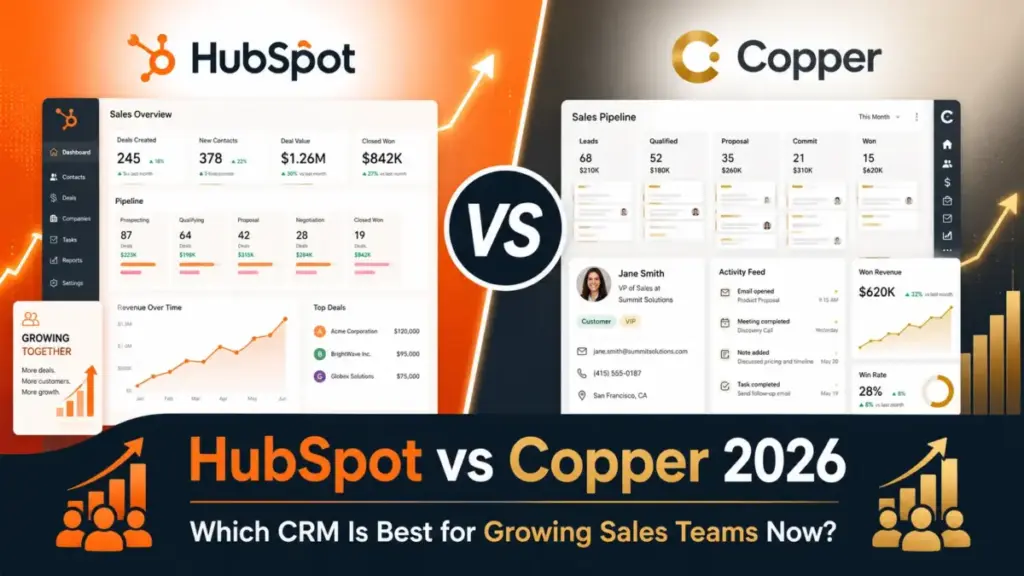
HubSpot CRM starts at $0/month with a free tier. Copper CRM starts at $23/user/month, billed annually. On entry price alone, this comparison looks settled before it begins.
It is not.
The real decision between HubSpot and Copper is not free versus paid, or big versus small. It is whether your team needs a CRM that expands into marketing, sales, service, and reporting under one platform, or a CRM that lives inside Gmail, Google Calendar, and Google Drive with minimal setup. Those are different products solving different problems, and entry price tells you almost nothing about which one fits your workflow at 10, 25, or 50 users.
Choose HubSpot if your team needs a CRM plus marketing automation, sales workflows, custom reporting, and enterprise controls under one expanding platform. Choose Copper if your team operates inside Google Workspace daily and wants a lighter CRM that reduces context switching between inbox and pipeline. After evaluating 40+ CRM platforms, I can tell you the pricing page alone will mislead you here. The tier gates, contact limits, API constraints, and onboarding complexity change the math at every team size.
This comparison covers pricing at scale, feature gates by plan, Google Workspace workflow depth, automation, reporting, API limits, migration risk, and buyer-fit verdicts backed by insights from our full best CRM software ranking.
Quick Verdict: HubSpot vs Copper
| Category | Winner | Why |
|---|---|---|
| Pricing and total cost | HubSpot | Free CRM tier and lower entry paid price at 15/user/monthversusCopperBasicat23/user/month billed annually |
| Google Workspace workflow | Copper | Built around Gmail, Calendar, Contacts, and Drive from the ground up |
| Platform breadth | HubSpot | Extends into marketing, sales, service, content, commerce, and AI workflows |
| Ease of adoption for Google teams | Copper | Lower admin overhead for teams already in Google Workspace |
| Automation and email depth | HubSpot | Broader automation and AI-assisted capabilities across tiers |
| Reporting and enterprise controls | HubSpot | Custom objects, teams, SSO, and field-level permissions on Enterprise |
| API and integration extensibility | HubSpot | Broad marketplace, documented API capacity options versus Copper’s 180 req/min limit |
What this means: HubSpot wins five of seven categories. But two of Copper’s wins, Google Workspace workflow and ease of adoption, are the exact reasons teams choose Copper in the first place. If your team lives in Gmail and needs nothing beyond CRM, those two categories carry more weight than the other five combined.
HubSpot vs Copper at a Glance
| Attribute | HubSpot CRM | Copper CRM |
|---|---|---|
| Best for | Growing teams wanting free CRM entry and future platform expansion | Google Workspace teams wanting inbox-native CRM simplicity |
| Starting price | $0/month (Free CRM, up to 2 users, 1,000 contacts) | 23/user/monthbilledannually(29 monthly) |
| Practical tier | Professional at $50/user/month starting price | Professional at $59/user/month billed annually |
| Free plan | Yes, up to 2 users, 1,000 contacts | No (free trial available) |
| Setup difficulty | Low for Free/Starter; medium-high for multi-hub expansion | Low for Google Workspace teams; medium for automation/API |
| Main strength | All-in-one customer platform with marketing, sales, service, and reporting | Gmail-native CRM with minimal context switching |
| Main limitation | Complexity and cost escalation as teams scale into multiple hubs | Contact limits, feature gates on Basic, and narrower platform scope |
To understand what CRM software does at a structural level, the key difference here is architectural. HubSpot is a platform of interconnected hubs that share a common data layer. Copper is a CRM layer built on top of Google Workspace APIs.
How We Compared HubSpot and Copper
This comparison uses official pricing pages, product documentation, feature specifications, developer API documentation, and third-party review platforms including G2, Capterra, and SelectHub. Both products are evaluated at the third_party_validated level, meaning this analysis relies on official vendor materials and verified third-party review signals rather than direct hands-on testing.
Pricing verified: June 10, 2026. HubSpot pricing uses official CRM product page starting prices (the dedicated pricing interface is dynamic, so exact bundle variations are caveated). Copper pricing uses the official pricing page with published USD rates.
Comparison dimensions: Pricing at scale, feature gates, Google Workspace integration, automation, reporting, API and integrations, setup and migration, and buyer-fit scenarios.
Limitation: This review does not include hands-on product testing. Copper’s Trust Center returned restricted access during research, so specific SOC 2 or GDPR certifications for Copper are not claimed unless separately verified.
Workflow 1: Daily CRM Inside Gmail, Copper vs HubSpot
Copper wins this workflow. It is not close for teams that spend most of their day inside Gmail.
Copper was built for Google Workspace. Contact management, pipeline updates, task tracking, and activity logging happen inside Gmail, Google Calendar, Google Contacts, and Google Drive. A sales rep adds a new lead from an email, updates an opportunity without leaving the inbox, and logs activity automatically. The CRM does not feel like a separate application. It feels like a Gmail feature.
HubSpot supports Gmail as one integration inside a broader platform. You get email tracking, templates, and CRM sidebar access through the Gmail extension. But the full CRM experience, deal pipelines, reporting dashboards, automation workflows, lives inside HubSpot’s own interface. You are switching between tabs, not working inside your inbox.
“Gmail integration is my favorite feature of Copper. It makes it easy to add new leads.” (Atira R., Copper pricing page testimonial)
The real difference: For a 10-person agency or consulting team that opens Gmail 50+ times per day, Copper eliminates the context switch. HubSpot gives you more power, but that power lives in a different tab.
Winner: Copper. If your team’s workflow starts and ends in Gmail, Copper reduces friction at every step.
Workflow 2: Scaling from CRM to Marketing and Sales Automation, HubSpot vs Copper
HubSpot wins this workflow because Copper was not built to solve it.
HubSpot positions its CRM as the Smart CRM inside a broader customer platform. A 25-person SaaS team that starts with contact management and deal pipelines can add Marketing Hub for email campaigns, Sales Hub for sequences and forecasting, Service Hub for ticketing, and Operations Hub for data sync. The CRM, marketing, sales, and service data share the same contact record.
Copper includes task automation on Basic and workflow automation on Professional and Business plans. Bulk email and email automation are available on Professional and Business. Email series requires Business. But Copper does not extend into marketing automation, service ticketing, or multi-hub reporting the way HubSpot does. If your team outgrows CRM-only workflows, Copper requires integration with third-party tools.
The architecture gap: HubSpot is a platform of interconnected modules sharing one data layer. Copper is a CRM that connects to other tools through integrations and Zapier. That distinction does not matter at 5 users doing pipeline management. It matters at 25 users running marketing campaigns, sales sequences, and customer support from the same data.
Winner: HubSpot. For teams that need CRM today and will need marketing automation, sales automation, or customer service within 12-18 months.
Workflow 3: Enterprise Governance and Reporting, HubSpot vs Copper
HubSpot wins, but the features that win are gated behind Enterprise pricing.
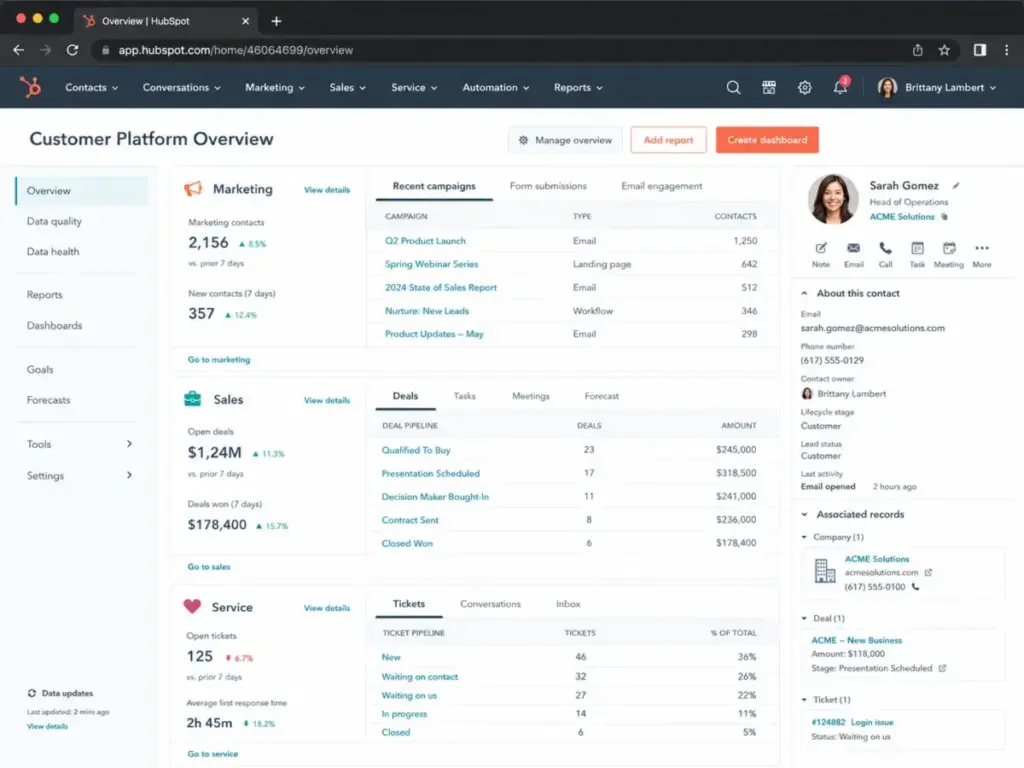
HubSpot Enterprise includes custom objects, teams, single sign-on (SSO), and field-level permissions. Custom reporting and AI customer agent features are available on Professional. For a 50-user mid-market team that needs role-based access, data segmentation, and audit-ready controls, HubSpot’s platform architecture supports it.
Copper Business includes custom reports, Okta SSO, multi-currency, and premium support. But Copper’s governance architecture is narrower. It does not offer custom objects or field-level permissions. Copper Professional still has a 15,000 contact limit. Unlimited contacts require Business at $99/user/month billed annually.
The contact limit problem: A 50-user team doing outbound sales can burn through 15,000 contacts in months. On Copper Professional at 59/user/month,thatteampays2,950/month and still hits a contact ceiling. Upgrading to Business adds another 2,000/month.Thatisa4,950/month CRM bill for a product that does not include marketing automation.
Winner: HubSpot. For teams needing SSO, custom objects, field-level permissions, and scalable reporting, HubSpot Enterprise is the stronger architecture.
Pricing: What 5, 10, 25, and 50 Users Actually Cost
Here is the cost-at-scale comparison using entry paid annual-equivalent seat pricing only. HubSpot Starter at 15/user/monthstartingpriceversusCopperBasicat23/user/month billed annually. This excludes taxes, fees, onboarding, add-ons, implementation, and higher-tier feature needs.
| Team Size | HubSpot Starter (monthly) | Copper Basic Annual (monthly) | Winner | Caveat |
|---|---|---|---|---|
| 5 users | $75/month | $115/month | HubSpot | Copper Basic has 2,500 contact limit and no workflow automation |
| 10 users | $150/month | $230/month | HubSpot | HubSpot Starter lacks custom reporting; Copper Basic lacks API access |
| 25 users | $375/month | $575/month | HubSpot | Both require upgrades for real automation; gap widens at scale |
| 50 users | $750/month | $1,150/month | HubSpot | Entry-price comparison; real costs depend on feature needs |
Official pricing page for HubSpot CRM (verified June 2026).
Official pricing page for Copper CRM (verified June 2026).
What this means: HubSpot is cheaper at every team size when comparing entry paid tiers. But these are starting prices, not real costs. HubSpot Starter at 15/user/monthlackscustomreporting,duplicatemanagement,standardcontactscoring,andcalculatedproperties.ThosefeaturesrequireProfessionalat50/user/month. Copper Basic at 23/user/monthlacksworkflowautomation,bulkemail,reporting,mostintegrations,andAPIaccess.ThosefeaturesrequireProfessionalat59/user/month.
The real comparison is Professional vs Professional. At 10 users: HubSpot Professional starts at 500/month.CopperProfessionalstartsat590/month billed annually. The gap narrows, and the feature sets diverge.
HubSpot Full Plan Breakdown
| Plan | Starting Price | Key Features Unlocked |
|---|---|---|
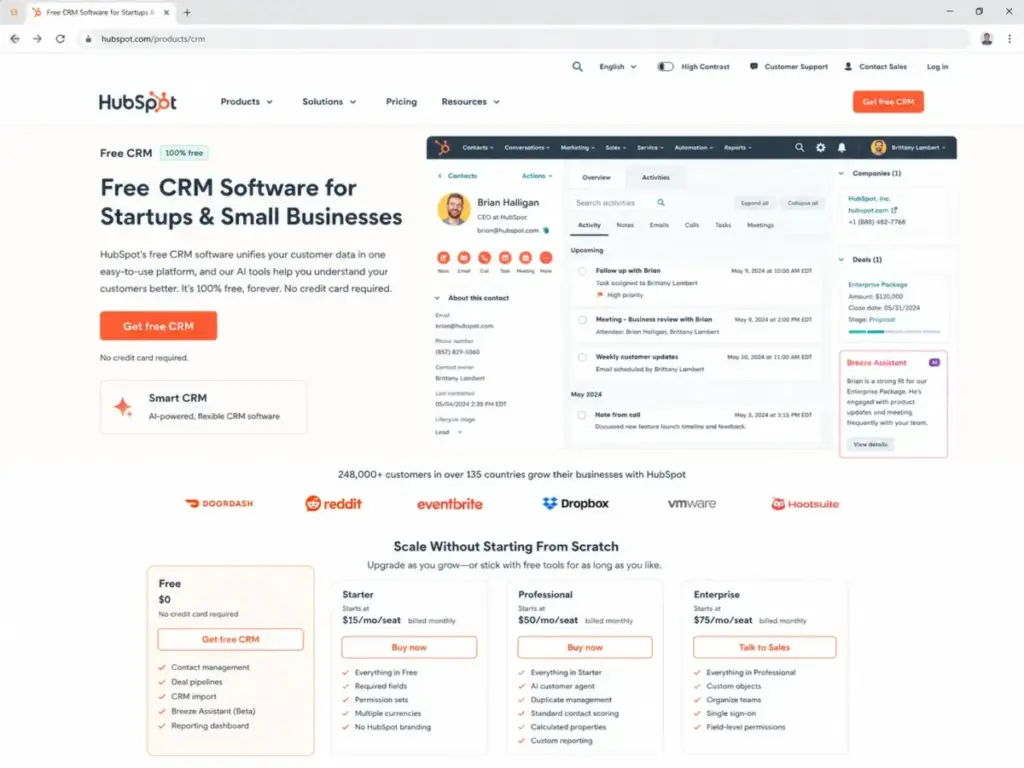
| Free CRM | $0/month (2 users, 1,000 contacts) | Contact management, deal pipelines, CRM import, Breeze Assistant beta, reporting dashboard |
| Starter | $15/user/month | Required fields, permission sets, multiple currencies, no HubSpot branding |
| Professional | $50/user/month | AI customer agent, duplicate management, standard contact scoring, calculated properties, custom reporting |
| Enterprise | $75/user/month | Custom objects, teams, SSO, field-level permissions |
Copper Full Plan Breakdown
| Plan | Monthly Price | Annual Price | Key Features Unlocked |
|---|---|---|---|
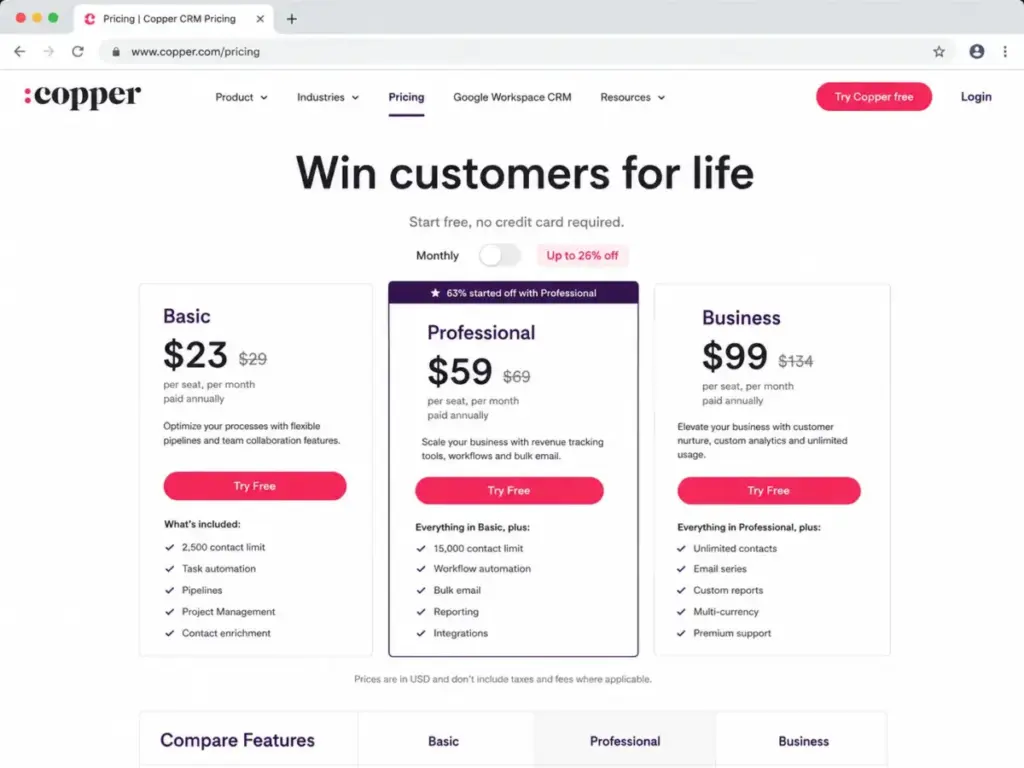
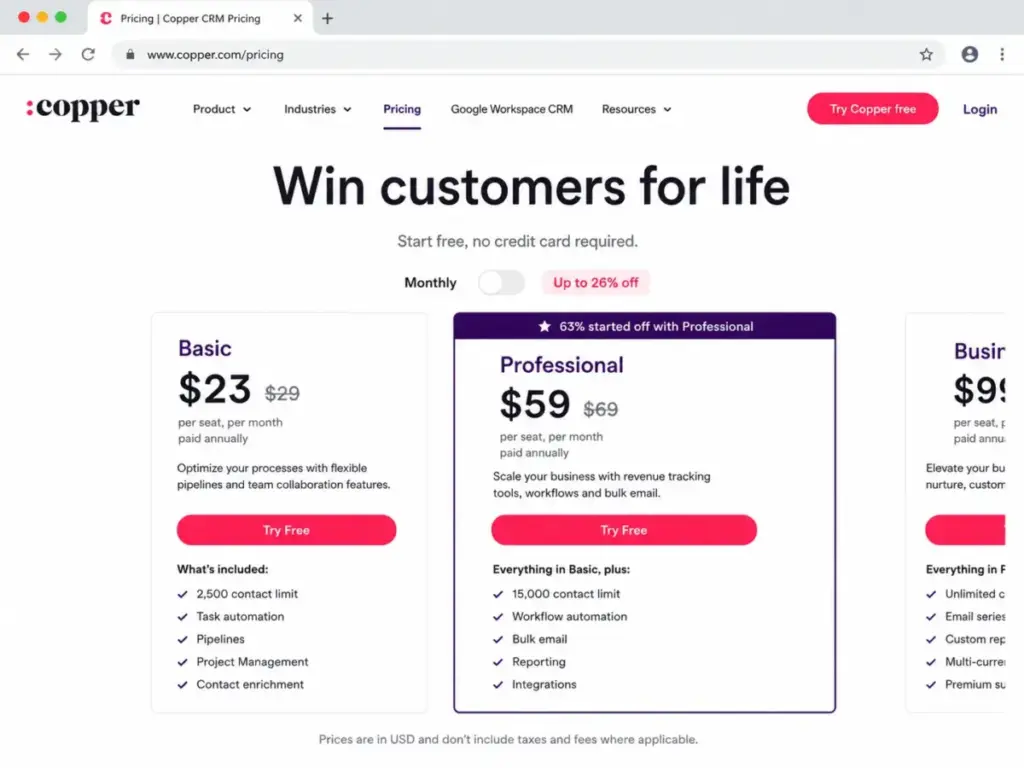
| Basic | $29/user/month | $23/user/month | 2,500 contacts, task automation, pipelines, project management, contact enrichment |
| Professional | $69/user/month | $59/user/month | 15,000 contacts, workflow automation, bulk email, reporting, integrations, API access |
| Business | $134/user/month | $99/user/month | Unlimited contacts, email series, custom reports, Okta SSO, multi-currency, premium support |
Hidden Cost Analysis
HubSpot hidden costs: Multi-hub expansion (Marketing Hub, Service Hub, Operations Hub), advanced automation and reporting requiring Professional or Enterprise, API capacity packs, mandatory onboarding for higher tiers, and custom objects requiring Enterprise. The gap between entry price and actual bill is where most buyers get surprised. For a deeper look at the full pricing structure, see our HubSpot pricing breakdown.
Copper hidden costs: Upgrading from Basic to Professional for workflow automation, reporting, most integrations, API access, and bulk email. Upgrading to Business for unlimited contacts, email series, custom reports, Okta SSO, multi-currency, and premium support. Taxes and fees excluded from published prices.
Feature Gates: What Each Plan Actually Unlocks
| Feature | HubSpot Plan Gate | Copper Plan Gate | Buyer Impact |
|---|---|---|---|
| Contact management | Free (1,000 contacts, 2 users) | Basic (2,500 contacts) | HubSpot offers free entry; Copper starts paid |
| Deal/opportunity pipelines | Free | Basic | Both include on entry plans |
| Workflow automation | Professional ($50/user/month) | Professional ($59/user/month) | Similar gate level; HubSpot slightly cheaper |
| Custom reporting | Professional ($50/user/month) | Business ($99/user/month) | HubSpot unlocks reporting one tier earlier |
| Bulk email | Starter ($15/user/month) | Professional ($59/user/month) | HubSpot unlocks email tools much earlier |
| API access | Free (with limits) | Professional ($59/user/month) | Copper gates API behind Professional |
| SSO | Enterprise ($75/user/month) | Business ($99/user/month, Okta) | Both gate behind top tiers |
| Custom objects | Enterprise ($75/user/month) | Not available | HubSpot exclusive |
| Field-level permissions | Enterprise ($75/user/month) | Not available | HubSpot exclusive |
| Contact enrichment | Not native on CRM page | Basic | Copper includes on entry plan |
| Google Workspace-native CRM | Integration (Gmail extension) | Core architecture (all plans) | Copper’s defining advantage |
| Unlimited contacts | Not specified per CRM page | Business ($99/user/month) | Copper gates unlimited contacts behind Business |
What this means: HubSpot unlocks automation, reporting, and bulk email at lower tier gates than Copper. Copper unlocks Google Workspace-native CRM and contact enrichment at its entry tier. The feature gate comparison favors HubSpot for breadth and Copper for Google-specific depth.
API and Integration Comparison
Both products offer APIs and integrations, but the access model and limits differ.
HubSpot supports a broad app marketplace with documented official integrations including Asana, Gmail, Intercom, Mailchimp, Google Ads, Shopify, Slack, Stripe, Zapier, WordPress, and Zoom. Developer APIs include account and app limits with capacity packs, daily limits, burst limits, and CRM Search API constraints. API access is available across plans with varying limits.
Copper includes Gmail, Google Calendar, Google Contacts, and Google Drive across all plans. Most CRM integrations and API access require Professional or Business. Integrations include Mailchimp, DocuSign, QuickBooks, RingCentral, Slack, Zendesk, Zapier, LinkedIn, Dropbox, Calendly, and PandaDoc. The REST API and Embedded SDK on Professional and Business have a 180 requests per minute rolling-window limit with additional bulk API and webhook limits.
The API gap: A team building custom sync workflows between CRM and other business tools will hit Copper’s 180 req/min ceiling faster than HubSpot’s documented capacity system. If your CRM needs to sync data with ERP, marketing automation, or custom internal tools at volume, HubSpot’s API architecture gives you more room. This matters less for a 10-person team and more for a 50-person team running multiple integrations.
Setup and Migration Difficulty
| Factor | HubSpot | Copper |
|---|---|---|
| Initial setup | Low (Free/Starter: self-serve, fast) | Low (Google Workspace teams: fast, inbox-native) |
| Advanced configuration | Medium-high (multi-hub, custom reporting, automation, permissions, integrations, enterprise governance) | Medium (automation, integrations, API sync, Business-tier governance) |
| Migration from other CRM | Medium (supports imports/exports for CRM records with documented import limits) | Medium (supports import/export for People, Companies, Opportunities, Projects, Tasks, Leads via CSV) |
| HubSpot to Copper | Medium: easier for contacts, companies, deals, tasks, Gmail workflows; harder if using multiple hubs, custom objects, complex workflows, calculated properties, custom reports, or service/marketing assets | Destination |
| Copper to HubSpot | Destination | Medium: manageable for core CRM records; mapping Copper projects, Google-centric activities, custom fields, and automations into HubSpot may require cleanup |
What this means: Both platforms are easy to set up at entry level. Complexity increases with advanced features. The migration risk is not the data transfer itself. It is the workflow rebuild. A team moving from HubSpot to Copper loses multi-hub workflows. A team moving from Copper to HubSpot loses Google-native CRM behavior. The switching cost is workflow, not data. For a full guide on CRM data moves, see our CRM migration guide.
Where HubSpot Wins
- Free CRM entry point. HubSpot offers genuine free CRM access with up to 2 users and 1,000 contacts. Copper has no free plan.
- Platform expansion. Teams that need CRM, marketing, sales, service, reporting, and commerce under one platform have no equivalent path on Copper.
- Lower entry paid seat cost. HubSpot Starter at 15/user/monthischeaperthanCopperBasicat23/user/month billed annually at every team size.
- Earlier feature gate unlocks. Custom reporting, bulk email, and automation unlock at lower tiers on HubSpot than on Copper.
- API and integration breadth. Broader marketplace, documented capacity options, and more extensibility for teams building custom workflows.
Where Copper Wins
- Google Workspace-native CRM. Copper is the better pick for teams that open Gmail 50+ times per day and want CRM inside the inbox, not in a separate tab.
- Lower onboarding friction for Google teams. Setup for a Google Workspace team is faster on Copper because the CRM operates inside tools the team already uses.
- Contact enrichment on entry plan. Copper Basic includes contact enrichment. HubSpot does not list native contact enrichment as a core CRM page feature.
- Project management built in. Copper includes project management across all plans, connecting deals to deliverables without a separate tool.
- Transparent annual versus monthly pricing. Copper publishes exact monthly and annual per-seat USD pricing. HubSpot’s pricing interface is partially dynamic with variable hub, billing-term, and add-on configurations.
Who Should Choose HubSpot CRM
Choose HubSpot if:
- Your team wants a free CRM starting point with room to grow into paid tiers.
- You need CRM plus marketing automation, sales automation, or customer service under one platform within 12-18 months.
- Your team is 10+ users and needs custom reporting, duplicate management, or contact scoring (Professional tier).
- You need enterprise governance: custom objects, SSO, field-level permissions, teams (Enterprise tier).
- You need broad API access and integration marketplace for custom sync workflows.
For a full evaluation of HubSpot’s strengths and limitations across all features, see our HubSpot CRM analysis.
Who Should Choose Copper CRM
Choose Copper if:
- Your team lives in Google Workspace and wants CRM inside Gmail, Calendar, and Drive.
- You are a small agency, consulting firm, or relationship-led team (10-20 users) that values inbox-native workflows over platform breadth.
- You need a CRM for relationship management, pipelines, tasks, and projects without marketing automation requirements.
- You want lower onboarding complexity and faster setup for a Google-first team.
- Your team is in real estate, advisory, or professional services where Gmail-based relationship tracking is the core workflow.
For a detailed look at Copper’s full feature set and plan-specific capabilities, see our Copper CRM evaluation.
Who Should Avoid Both
Avoid both HubSpot and Copper if:
- You are a Microsoft 365-led company. Copper is built for Google Workspace. HubSpot works with Outlook but is not Microsoft-native. Consider Salesforce CRM’s enterprise architecture or Microsoft Dynamics 365.
- You need sales pipeline simplicity without Google dependence or platform overhead. Both products have tradeoffs: HubSpot’s complexity at scale and Copper’s Google-first architecture. Consider our Pipedrive CRM analysis for pipeline-focused simplicity.
- You need deep enterprise CRM customization beyond both platforms. Salesforce Sales Cloud offers deeper governance, ecosystem, and architecture than either HubSpot Enterprise or Copper Business.
- You want low-cost suite breadth with more bundled apps. Consider our Zoho CRM evaluation for a wider business-app ecosystem at lower platform costs.
Alternatives to HubSpot and Copper
| Alternative | Best for | Why Consider | Starting Price |
|---|---|---|---|
| Pipedrive | Sales teams wanting pipeline-first CRM simplicity | Pipeline adoption, activity tracking, simple forecasting without platform complexity | $14/user/month billed annually |
| Zoho CRM | Budget-sensitive teams wanting CRM plus wider business ecosystem | Customization and suite breadth without HubSpot-level platform costs | $14/user/month billed annually |
| Salesforce Sales Cloud | Enterprises needing deep governance, customization, and ecosystem | Enterprise customization and governance beyond both HubSpot and Copper | $25/user/month billed annually |
What this means: If HubSpot feels too complex and Copper feels too narrow, Pipedrive splits the difference for pipeline-focused teams. Zoho CRM competes on value. Salesforce competes on enterprise depth. For a direct comparison of these options, see our HubSpot vs Pipedrive comparison.
Final Verdict: HubSpot vs Copper in 2026
There is no universal winner. The right pick depends on your team’s primary workflow, growth trajectory, and Google Workspace dependence.
For a 5-person startup choosing its first CRM: HubSpot. The free CRM entry point and lower visible entry paid seat cost make it stronger for budget-constrained early-stage teams.
For a 10-person agency or consulting team working from Gmail: Copper. The Gmail-native CRM reduces context switching for teams already operating inside Google Workspace daily.
For a 25-person SaaS team needing CRM plus marketing automation: HubSpot. The platform extends into marketing, sales, service, and reporting workflows that Copper does not cover.
For a 50-user mid-market team needing SSO, field controls, and scalable reporting: HubSpot. Enterprise includes custom objects, teams, SSO, and field-level permissions. Copper Business covers some governance but remains more CRM-focused and Google-centric.
For a relationship-led real estate or advisory team with Google Workspace: Copper. The Gmail-native workflow, contact enrichment, pipelines, project management, and Google integration fit relationship-heavy workflows better than an all-in-one platform.
After building pricing models for 15+ CRM tools at team sizes of 5, 10, 25, and 50, I can tell you the decision is not about which CRM has more features. It is about whether your team’s growth path leads toward platform expansion (HubSpot) or inbox-native simplicity (Copper). Get that question right, and the tool picks itself. Alex Morrison, CRM analyst at SaaSZap, has evaluated these platforms extensively for US buyers making this exact decision.
FAQ
Is HubSpot better than Copper CRM?
HubSpot is better for teams that need CRM plus marketing automation, sales workflows, custom reporting, and enterprise controls. Copper is better for Google Workspace teams that want CRM inside Gmail without platform complexity. HubSpot wins on breadth. Copper wins on Google-native simplicity.
Which is cheaper, HubSpot or Copper?
HubSpot is cheaper at entry level. Free CRM costs 0/monthforupto2users.HubSpotStarterstartsat15/user/month versus Copper Basic at 23/user/monthbilledannually.Atprofessionaltiers,HubSpotProfessionalstartsat50/user/month versus Copper Professional at $59/user/month billed annually. Both have hidden costs at scale.
Does Copper work better than HubSpot inside Gmail?
Yes. Copper is built around Gmail, Calendar, Contacts, and Drive as a Google Workspace-native CRM. HubSpot supports Gmail through an extension, but the full CRM experience lives in HubSpot’s own interface. For teams that spend most of their day in Gmail, Copper reduces context switching.
Is HubSpot CRM really free?
Yes, HubSpot offers a free CRM tier with up to 2 users and 1,000 contacts. It includes core contact management, deal pipelines, CRM import, Breeze Assistant beta, and a reporting dashboard. The free plan has functional limits: no required fields, limited permission sets, and HubSpot branding included.
Can I migrate from HubSpot to Copper?
Yes, but difficulty is medium. Migration is easier for teams using contacts, companies, deals, tasks, and Gmail workflows. It gets harder if the HubSpot account uses multiple hubs, custom objects, complex workflows, calculated properties, custom reports, or service/marketing assets.
Can I migrate from Copper to HubSpot?
Yes, difficulty is medium. Core CRM records transfer manageably. Mapping Copper projects, Google-centric activities, custom fields, and automations into HubSpot may require cleanup and workflow rebuilding.
Does Copper have marketing automation?
No. Copper includes task automation on Basic and workflow automation on Professional and Business, but it does not offer a marketing automation platform. Email series require Business. For email marketing platform options with automation, you need a separate tool or a CRM like HubSpot that includes Marketing Hub.
Is Copper too limited on the Basic plan?
For many teams, yes. Copper Basic does not include workflow automation, bulk email, email open tracking, reporting, most third-party CRM integrations, or API access. The contact limit is 2,500. Teams that need automation or integration capabilities must upgrade to Professional at $59/user/month billed annually.
Should a startup begin with free HubSpot CRM or paid Copper Basic?
Start with HubSpot if budget is the primary constraint and you want a free entry point. Start with Copper if your entire team operates in Google Workspace and values Gmail-native CRM from day one. HubSpot Free has more feature restrictions (2 users, 1,000 contacts) but costs nothing. Copper Basic costs $23/user/month but includes pipelines, project management, and contact enrichment.
Is HubSpot harder to set up than Copper?
For initial setup, both are easy. HubSpot Free and Starter setup is self-serve and fast. Copper setup for Google Workspace teams is fast because the CRM works inside Gmail and Calendar. Complexity increases on both platforms: HubSpot gets harder with multi-hub expansion, automation, permissions, and enterprise governance. Copper gets harder with automation, integrations, and API sync configurations.