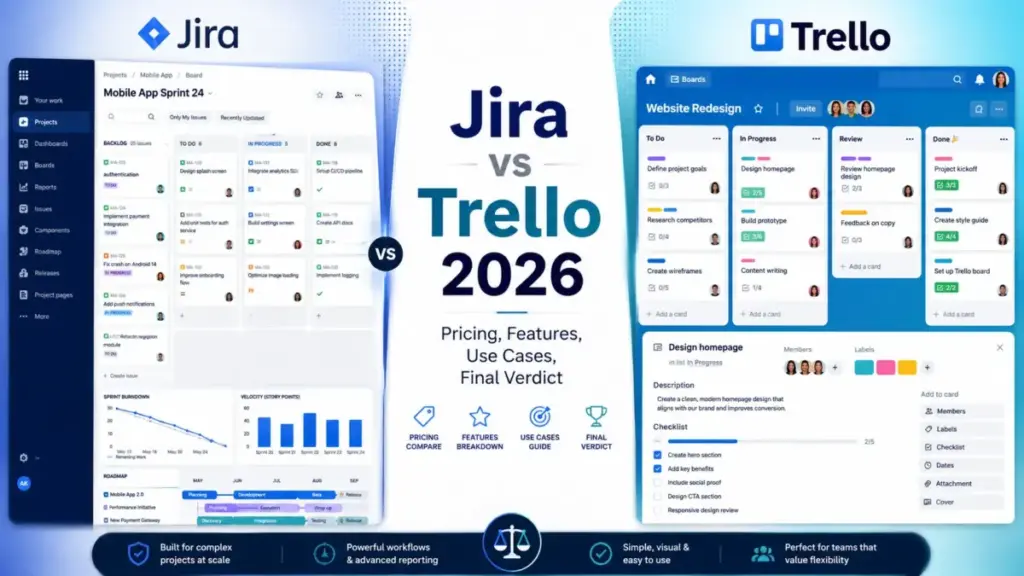
Your team just spent 20 minutes debating where to track a three-step task. Half the group wants a Kanban card. The other half wants a sprint ticket with custom fields and a workflow. That tension is the Jira vs Trello decision in one sentence.
Jira is better for engineering and operations teams that need sprint planning, backlog control, issue tracking, custom workflows, and reporting. Trello is better for marketing, content, and startup teams that need a fast visual board with low setup overhead. If you are comparing best project management software options, the split between these two Atlassian products is the most common fork in the road.
The right choice depends on whether your team needs structured agile governance or lightweight visual execution. This comparison breaks down pricing, feature gates, automation limits, API constraints, migration risk, and buyer fit so you can stop debating and start shipping.
But here is the detail most comparison articles skip: both tools are Atlassian products, and the plan gates, automation ceilings, and guest billing rules create hidden cost traps that change the math at 10, 25, and 50 users. I cover all of those below.
| Decision Factor | Winner | Why | Caveat |
|---|---|---|---|
| Lower starting price | Trello | Standard starts at 5/user/monthbilledannuallyvsJiraat7.91/user/month | Both have free plans with 10-user caps |
| Ease of use and onboarding | Trello | Board-card model needs near-zero training | Trello lacks native Scrum structure |
| Agile and sprint planning | Jira | Native Scrum boards, backlogs, sprints, velocity charts | Requires workflow configuration time |
| Workflow customization | Jira | Custom statuses, fields, permissions, and issue types | Overkill for teams that need a task board |
| Automation limits | Tie | Both have plan-gated automation ceilings | Jira caps at 100 runs/month on Free. Trello caps at 250 |
| Reporting and analytics | Jira | Built-in burndown, velocity, and sprint reports | Trello needs Power-Ups for advanced reporting |
| Security and governance | Jira | Deeper permission, audit, IP allowlisting, and sandbox controls | Both include Atlassian Guard on Enterprise |
| Migration and data portability | Jira | Official Trello-to-Jira importer exists | Jira-to-Trello migration is manual |
What this means: Trello wins on speed and cost. Jira wins on depth and control. The tie on automation reflects different strengths. Jira automates structured workflows. Trello automates board-level actions. If your team runs Scrum, Jira is the clearer fit. If your team tracks visual tasks, Trello is the clearer fit.
How We Compared Jira and Trello
James Carter has reviewed 35+ project management and collaboration tools since 2023, evaluating each inside team workflow scenarios at 3-person, 10-person, and 25-person scales. Understanding what project management workflows require is the foundation of every comparison on this site.
This Jira vs Trello comparison uses official Atlassian pricing pages, published feature documentation, plan-gated feature lists, and third-party user reviews from G2 and Capterra. Pricing was verified on the official Jira and Trello pricing pages on June 17, 2026. Both tools were evaluated using third-party validated research, not hands-on testing for this article.
What we compared
We evaluated Jira and Trello across seven dimensions:
- Agile workflow depth (Scrum, Kanban, backlogs, sprints)
- Automation rules and API rate limits
- Reporting and analytics
- Pricing and total cost at 5, 10, 25, and 50 users
- Security, admin controls, and enterprise governance
- Migration difficulty and data portability
- Buyer fit by team type and size
What this comparison does not cover
This article does not cover Jira Service Management, Jira Product Discovery, or Confluence. It focuses on Jira (project management) and Trello (visual task management) as standalone tools.
Sprint Planning and Backlog Control: Jira vs Trello
Jira wins sprint planning. That is the short answer.
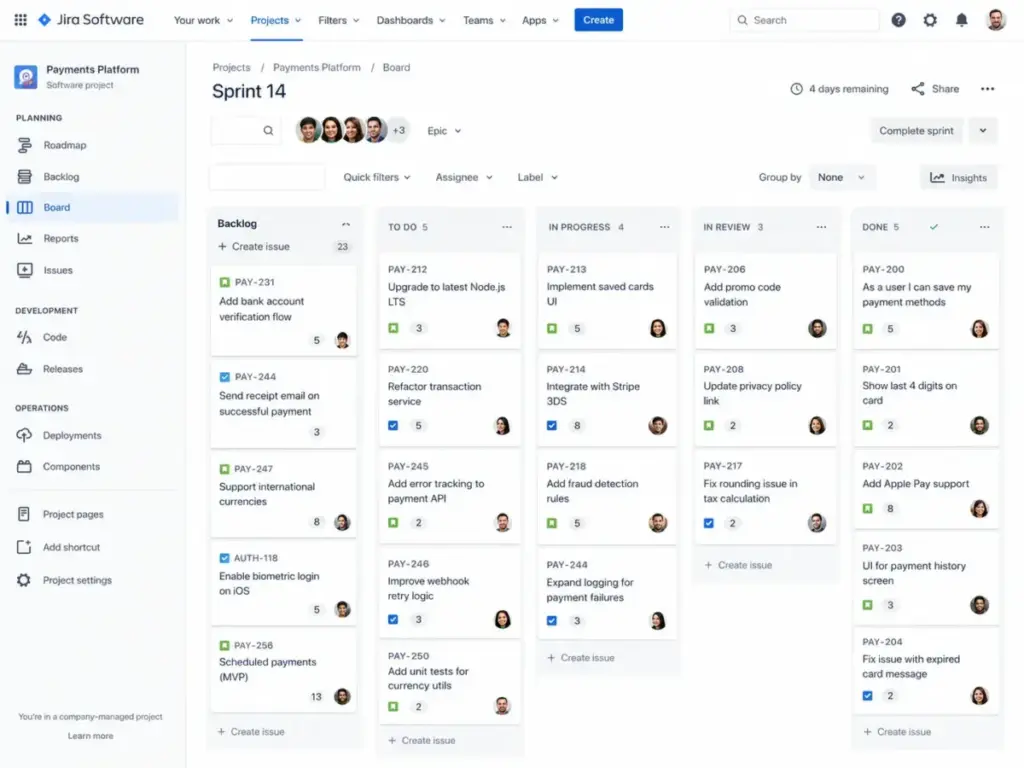
Jira has native Scrum boards, Kanban boards, backlog grooming, sprint planning, story point estimation, velocity charts, and burndown reports. A 25-person engineering team can run two-week sprints with backlog prioritization, issue linking, and dependency tracking without leaving Jira.
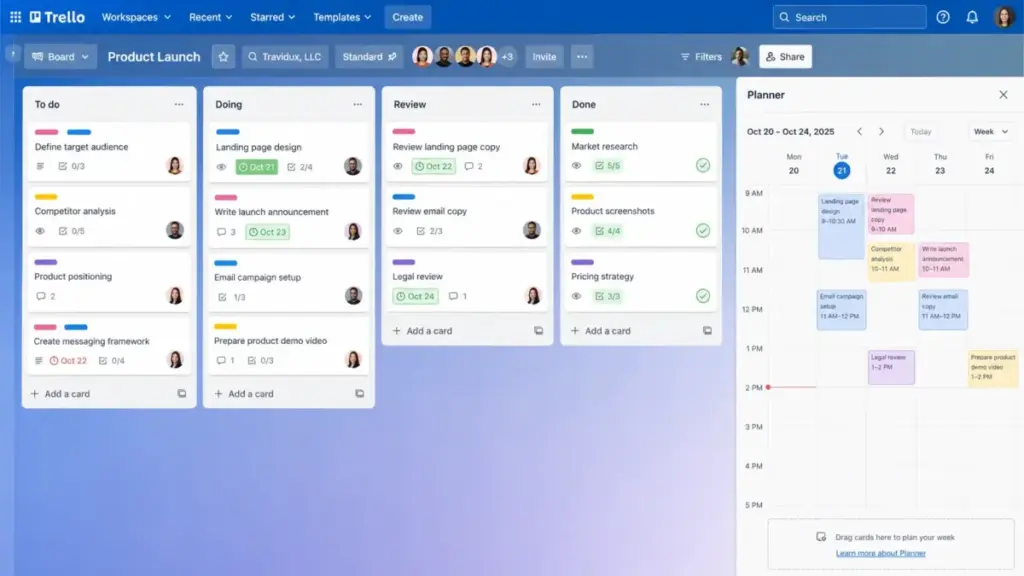
Trello has what Kanban methodology offers at its core: drag-and-drop cards across columns. That works for task tracking. It does not work for sprint planning.
Trello added a Planner feature on Standard plans and above. It helps with scheduling cards across dates. But Planner is not a sprint. It has no backlog queue, no velocity tracking, no sprint retrospective data, and no story point fields built in.
The workflow test
Picture a 10-person product team running two-week sprints. In Jira, the PM opens the backlog, drags items into Sprint 12, assigns story points, and starts the sprint. Two weeks later, the burndown chart shows exactly where the team fell behind.
In Trello, the PM creates a board with columns: To Do, In Progress, Done. Cards move left to right. There is no built-in way to track how many story points the team completed this sprint versus last sprint. The PM exports a CSV (Premium-only) and builds a chart in Google Sheets.
That extra step adds 30-60 minutes per sprint for a team running bi-weekly cycles.
Feature gates for Jira vs Trello agile workflows
| Feature | Jira Plan Gate | Trello Plan Gate | Buyer Impact |
|---|---|---|---|
| Kanban boards | Free | Free | Both tools cover basic Kanban |
| Scrum boards with backlog | Free | Not available natively | Trello users need workarounds |
| Sprint planning | Free | Not available natively | Major gap for agile teams |
| Custom fields | Free | Standard ($5/user/month) | Trello gates custom fields behind paid plan |
| Timeline/Gantt view | Premium ($14.54/user/month) | Premium ($10/user/month) | Trello is cheaper for timeline view |
| Advanced planning and dependencies | Premium ($14.54/user/month) | Not available natively | Jira-only feature |
| Atlassian Intelligence (AI) | Premium ($14.54/user/month) | Not specified by plan | Jira gates AI behind Premium |
What this means: Jira gives agile teams sprint planning on the Free plan. Trello gates even custom fields behind Standard. For a 25-person engineering team, Jira Free covers more agile workflow needs than Trello Standard at $125/month.
Automation Rules and API Limits: Jira vs Trello
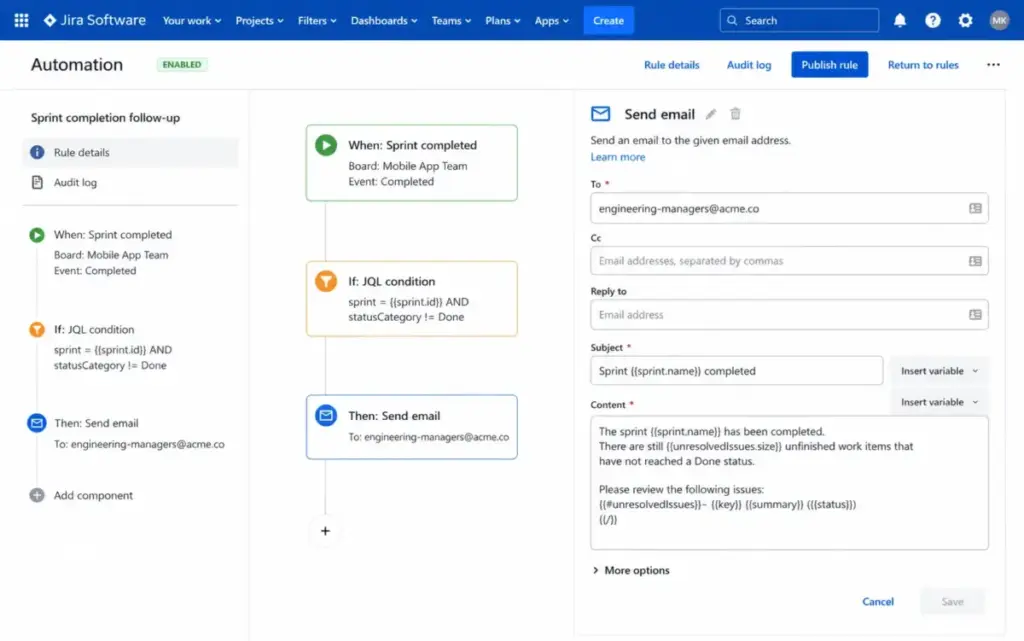
This is a tie, but the limits hit differently. Jira is stronger for structured workflow automation. Trello is easier for lightweight board automation and removes the ceiling entirely on Premium.
Both tools gate automation by plan. The ceilings matter more than most comparison articles acknowledge.
The automation ceiling comparison
| Limit Type | Jira | Trello | Why It Matters |
|---|---|---|---|
| Free plan automation | 100 rule runs/month | 250 Workspace command runs/month | Trello gives 2.5x more free automation |
| Standard plan automation | 1,700 rule runs/month | 1,000 Workspace command runs/month | Jira gives 1.7x more on Standard |
| Premium plan automation | Calculated per paid user | Unlimited command runs | Trello removes the ceiling on Premium |
| Enterprise plan automation | Unlimited | Unlimited | Parity at Enterprise |
| API rate limit (REST) | Burst and per-issue write limits, 429 responses | 300 requests/10s per API key, 100 requests/10s per token | Both have documented ceilings |
What this means: A 10-person team on Jira Standard gets 1,700 automation runs per month. The same team on Trello Standard gets 1,000 command runs. If your team relies on automation, Jira Standard gives more headroom. If your team upgrades to Premium, Trello removes the automation cap entirely.
The friction point: automation ceiling math
Here is a calculation most Jira vs Trello articles skip.
A 10-person team running 5 automation rules per user per day burns through 1,500 runs per month (10 users x 5 rules x 30 days). On Jira Standard, that leaves 200 runs of headroom. On Trello Standard, that exceeds the 1,000 command run limit by 500 runs.
That team either upgrades to Trello Premium at 100/month,basedon10usersx10/user/month billed annually, or lives with automation failures mid-month.
On Jira Standard, the same team pays $79.10/month and stays within limits.
One tip worth knowing: review your automation rules quarterly. Teams pile them up and forget, which burns through action limits faster than anyone expects.
API limits for developer teams
Jira Cloud REST API enforces burst and per-issue write limits. When limits are exceeded, Jira returns 429 responses. Trello REST API allows 300 requests per 10 seconds per API key and 100 requests per 10 seconds per token.
For a 5-person dev team building internal integrations, both APIs are functional. The limits become relevant at scale when your team runs automated syncs, bulk imports, or third-party middleware.
Reporting, Security, and Enterprise Governance: Jira vs Trello
Jira wins governance. Both products sit inside the Atlassian ecosystem. But Jira has deeper project-level permissions, workflow controls, audit logs, and enterprise administration tools.
Reporting depth
Jira includes native burndown charts, velocity charts, sprint reports, and control charts. On Premium, Jira adds admin insights, advanced planning with cross-project dependency views, and Atlassian Intelligence for data summarization.
Trello includes Dashboard view on Premium. That shows card counts, due dates, and member activity across boards. For anything deeper (time tracking, velocity, resource allocation), Trello teams add Power-Ups or export data to external tools.
The reporting gap is structural. Jira was built for software teams that need sprint metrics. Trello was built for visual teams that need card-level status.
Paraphrased user sentiment from G2 and Capterra: Jira users frequently praise the tool for flexible workflows, integrations, issue tracking, and software-team fit, while reviewers also report a steep learning curve and interface complexity for new or nontechnical users (G2 Jira reviews).
Paraphrased user sentiment from Capterra and G2: Trello users frequently praise the tool for ease of use, visual boards, collaboration, and quick setup, while reviewers note that advanced reporting, Gantt-style planning, dependencies, and complex workflows may require add-ons or another platform (Capterra Trello reviews).
Security and admin controls
| Security Feature | Jira Plan Gate | Trello Plan Gate | Buyer Impact |
|---|---|---|---|
| SAML SSO | Enterprise or Atlassian Guard | Enterprise or Atlassian Guard | Both gate SSO behind top tier |
| SCIM user provisioning | Enterprise | Enterprise | Parity |
| Audit logs | Standard | Not specified on lower tiers | Jira adds audit logs earlier |
| Data residency | Standard | Not specified | Jira advantage for compliance teams |
| IP allowlisting | Premium | Not specified | Jira-only on Premium |
| Sandbox environment | Premium | Not available | Jira-only for staging |
| Atlassian Guard Standard | Enterprise (included) | Enterprise (included) | Parity at Enterprise |
| 99.9% SLA | Premium | Not specified | Jira guarantees uptime at Premium |
What this means: A 50-person operations team with compliance requirements gets audit logs, data residency, and IP allowlisting on Jira Premium at 14.54/user/month.TrellodoesnotoffercomparableadmincontrolsuntilEnterpriseat17.50/user/month billed annually. For regulated industries, Jira Premium covers more security needs at a lower price point than Trello Enterprise.
The hidden governance cost
Atlassian Guard may require a separate subscription unless your organization is on Jira Enterprise or Trello Enterprise. If your 50-person team needs SSO and SCIM but does not want to pay Enterprise pricing, model the Atlassian Guard add-on cost separately.
This is a detail most comparison articles skip entirely.
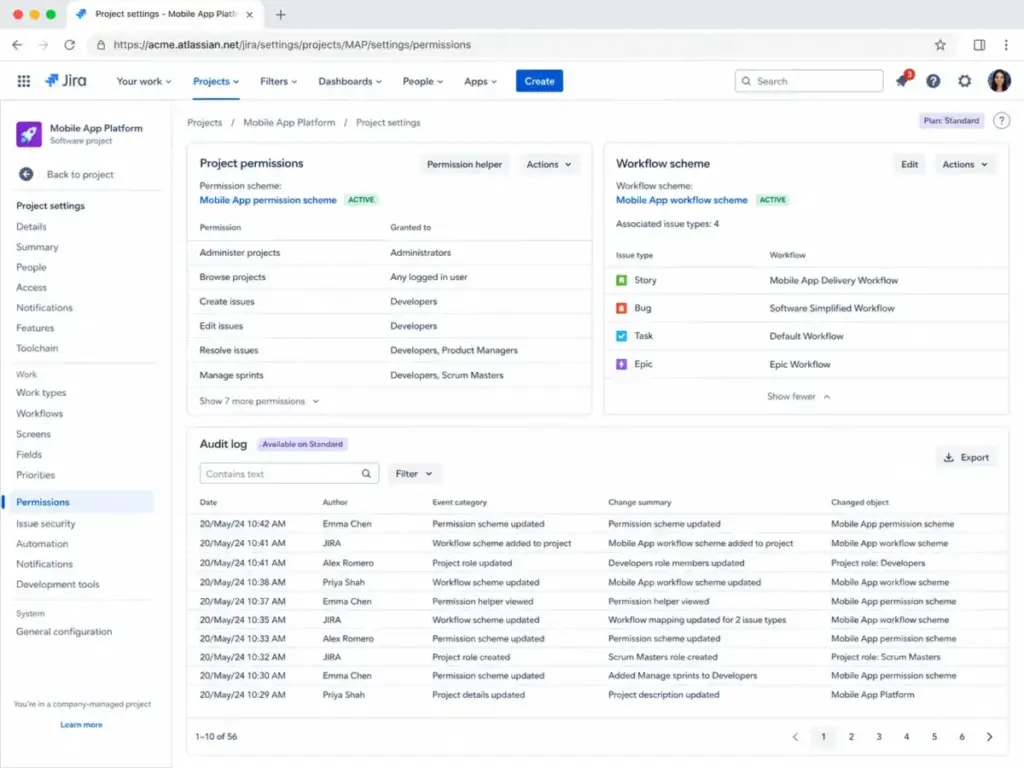
Jira vs Trello Pricing and Value per Dollar
Trello costs less per user at every paid tier. But lower per-user pricing does not always mean lower total cost. For a full breakdown, see our Jira pricing guide.
Plan-by-plan pricing
Jira pricing (as of June 2026):
- Free: $0/month, up to 10 users, 2GB storage, 100 automation runs/month
- Standard: $7.91/user/month, up to 35,000 users, 250GB storage, 1,700 automation runs
- Premium: $14.54/user/month, unlimited storage, advanced planning, AI, 99.9% SLA
- Enterprise: Contact sales, multiple sites, unlimited automation, 99.95% SLA
Starting price: $7.91/user/month (Standard). Official pricing page
Note: Jira pricing can be tiered or calculator-driven. Final billing may depend on user tier and billing settings. Verify using the official pricing calculator before purchase.
Trello pricing (as of June 2026):
- Free: $0/month, up to 10 collaborators per Workspace, 10 boards per Workspace, 250 command runs/month
- Standard: 6/user/month(5/user/month billed annually), unlimited boards, 1,000 command runs
- Premium: 12.50/user/month(10/user/month billed annually), unlimited command runs, priority support
- Enterprise: 17.50/user/monthbilledannually(210/user/year), Atlassian Guard, SSO, 24/7 support
Starting price: $5/user/month (Standard, billed annually). Official pricing page
For a deeper look at Trello plan features and limitations, read our Trello pricing breakdown.
Cost at scale
| Team Size | Jira Standard (Monthly) | Trello Standard (Annual Rate) | Winner | Free Plan Caveat |
|---|---|---|---|---|
| 5 users | $39.55/month | $25/month | Trello | Both have free plans if constraints fit |
| 10 users | $79.10/month | $50/month | Trello | Both free plans cap at 10 users |
| 25 users | $197.75/month | $125/month | Trello | Free plans not viable at this size |
| 50 users | $395.50/month | $250/month | Trello | Jira costs $145.50 more per month |
What this means: At 50 users on Standard plans, Trello saves 1,746/yearcomparedtoJira.ThatgapwidensonPremium:JiraPremiumat50userscosts727/month vs Trello Premium at 500/month,adifferenceof2,724/year.
But cost alone is misleading. A 50-person engineering team on Trello Standard still lacks sprint planning, backlog management, and dependency tracking. Adding those capabilities through Power-Ups and external tools closes or exceeds the pricing gap.
Hidden costs that change the math
Jira hidden costs:
- Atlassian Guard subscription (if not on Enterprise)
- Advanced planning, AI, sandbox, and IP allowlisting require Premium
- Admin setup time for workflows, permissions, and custom fields
- API and automation limit overages at scale
Trello hidden costs:
- Partner Power-Ups with separate subscription fees
- Multi-board guests can become billable on paid Workspaces
- CSV export requires Premium ($10/user/month billed annually)
- Comments are not included in CSV exports
- Complex reporting and dependency tracking require add-ons or a second tool
The Trello guest billing rule catches agencies off guard. If your team invites clients as multi-board guests on a paid Workspace, those guests can count as billable users. Model this before committing.
Setup Difficulty and Migration Risk
Setup difficulty
| Factor | Jira | Trello |
|---|---|---|
| Onboarding complexity | Medium to High | Low |
| Time to first project | 30-60 minutes with configuration | Under 10 minutes |
| Admin training needed | Yes (workflows, permissions, fields) | Minimal |
| Team adoption curve | Steeper for nontechnical users | Near-flat |
What this means: A 5-person startup can start using Trello in under 10 minutes. The same team needs 30-60 minutes on Jira to configure a project, set up workflows, and assign permissions. That gap grows at 25 or 50 users, where Jira admin overhead becomes a recurring time cost.
Does Jira work the same way at 50 users as it does at 5? Yes. But the admin burden at 50 users is a part-time job.
Migration and switching risk
| Migration Path | What Transfers | What May Break | Risk Level |
|---|---|---|---|
| Trello to Jira | Board data via official importer | User mapping, email visibility, tag/user fields | Medium |
| Jira to Trello | Requires export, API, or manual migration | Structured workflows, custom fields, sprint history | Medium to High |
What this means: Moving from Trello to Jira is officially supported. Atlassian provides a Trello importer inside Jira that brings board data across. User mapping and email visibility require admin review.
Moving from Jira to Trello is harder. Jira’s structured workflows, custom issue types, and sprint history do not map cleanly to Trello cards. Teams migrating from Jira to Trello lose workflow governance and sprint data.
Data portability warning
Trello supports JSON board export for board members and CSV export for Premium users. But comments are not included in CSV exports. JSON and CSV exports cannot currently recreate a Trello board.
If your team is evaluating Trello and data portability matters, test the export before committing to a 50-person rollout.
Where Jira Wins
Jira is the stronger choice in five scenarios. For a complete breakdown, read our full Jira review.
- 25-person engineering team running Scrum. Native backlogs, sprint planning, agile reports, and issue tracking make Jira the clearer fit. Trello cannot replicate this workflow natively.
- 50-person cross-functional team with governance requirements. Jira’s permission system, audit logs, data residency, and workflow controls give operations and compliance teams the admin depth they need.
- Teams that need reporting without add-ons. Jira includes burndown, velocity, and sprint reports on every plan. Trello Dashboard view on Premium covers card-level metrics only.
- Organizations scaling past 100 users. Jira Enterprise supports multiple sites, Atlassian Guard, and advanced analytics. Trello Enterprise adds SSO and org-wide permissions but lacks portfolio-level planning.
- Teams migrating from Trello. The official Trello-to-Jira importer makes migration straightforward. The reverse path is harder.
Where Trello Wins
Trello is the stronger choice in five scenarios. For a complete breakdown, read our full Trello review.
- 5-person startup choosing a first project tool. Lower cost, faster setup, and easier adoption outweigh Jira’s workflow depth for simple task tracking.
- 10-person content or marketing team managing calendars. Boards, cards, Calendar view on Premium, and Power-Ups fit nontechnical workflows without admin overhead.
- Freelancers and solo operators. Trello Free supports unlimited cards and Power-Ups for one user. Jira Free is more than most solo users need.
- Client-facing teams with external collaborators. Trello’s board-sharing model gives clients visual project status without requiring Jira training. Watch the guest billing rules on paid plans.
- Teams that value adoption speed over feature depth. If your team will not maintain Jira workflows, boards, permissions, and fields, Trello avoids that overhead entirely.
Choose Jira If Your Team Needs Structured Agile Workflows
Choose Jira if your team checks three or more of these boxes:
- You run Scrum sprints with backlog grooming and story points
- You need sprint reports, velocity charts, or burndown data
- You manage 25+ users and need project-level permissions
- Your organization requires audit logs, data residency, or IP allowlisting
- You integrate with Bitbucket, GitHub, GitLab, or CI/CD pipelines
- You plan to scale past 50 users with multiple project types
Jira’s admin overhead is real. Budget 2-4 hours per month for workflow maintenance, permission updates, and automation rule reviews on a 25-person team. If nobody on your team will own that admin work, Jira becomes expensive shelf-ware.
Choose Trello If Your Team Needs Speed Over Structure
Choose Trello if your team checks three or more of these boxes:
- You need a visual task board with under 10 minutes of setup
- Your workflows are simple: To Do, In Progress, Done
- Your team is nontechnical and resists complex tools
- You work with external clients who need board-level visibility
- You want low per-user cost at the Standard tier
- You do not need native sprint planning or agile reports
Trello’s limitation is not simplicity. It is what happens when your team outgrows the board-card model. If you start needing dependencies, portfolio views, or workflow governance, you add Power-Ups (which add cost and fragmentation) or migrate to Jira (which adds switching cost).
When to Skip Both Jira and Trello
Skip both tools if your team needs a middle ground between Trello simplicity and Jira complexity. Three scenarios where neither Atlassian tool fits:
- Cross-functional teams that need moderate structure without heavy admin. Both Jira and Trello sit at opposite ends of the complexity spectrum. Some teams need the middle. Consider exploring Trello alternatives worth considering or the Jira alternatives page for broader options.
- Teams that need native time tracking, resource management, and reporting in one tool. Jira requires add-ons for time tracking. Trello requires Power-Ups. If those features are table stakes, look elsewhere.
- Organizations that already run Google Workspace or Microsoft 365 heavily. An Atlassian-native tool may add integration complexity rather than reduce it.
Alternatives to Jira and Trello
If neither Jira nor Trello fits, consider these three options. For teams comparing Jira against another structured PM tool, the Jira vs Asana comparison covers that decision in detail.
| Alternative | Best For | Why Consider It |
|---|---|---|
| Asana | Teams that want more structure than Trello but less admin than Jira | Fits cross-functional planning, marketing, operations, and moderate PM use cases |
| monday work management | Teams that want visual workflows, dashboards, forms, and automations | Easier than Jira for nontechnical operations, more structured than Trello |
| Linear | Product and engineering teams that want a lighter issue tracker than Jira | Strong fit for software teams that dislike Jira overhead but need more than Trello |
What this means: Asana is the most common middle-ground pick. It gives project views, timeline, reporting, and workflow rules without Jira’s admin weight. Read the Asana review and analysis for a full evaluation. Linear is the pick for dev teams that want speed and simplicity with issue tracking built in.
Final Verdict: Jira vs Trello in 2026
The Jira vs Trello decision is not power versus simplicity. It is whether your team needs structured agile governance or lightweight visual execution.
Choose Jira for engineering, product, IT, and operations teams that run sprints, manage backlogs, track issues, and need reporting and permissions. Budget for admin overhead and plan-gated features.
Choose Trello for marketing, content, events, freelance, and startup teams that need fast visual task management with low training cost. Budget for Power-Up subscriptions and export limitations if your needs grow.
Skip both if your team needs moderate structure without Jira admin weight or Trello feature ceiling. Asana, monday work management, and Linear each cover that middle ground.
After reviewing 35+ project management tools, James Carter’s view is that the tool your team will use every day matters more than the tool with the longest feature list. For most 5-person nontechnical teams, that tool is Trello. For most 25-person engineering teams, that tool is Jira.
FAQ
Is Jira better than Trello for software teams?
Yes, for most software teams. Jira has native Scrum boards, backlog management, sprint planning, story points, and built-in agile reports like burndown and velocity charts. Trello supports Kanban boards but does not have native sprint planning or agile reporting. A 25-person engineering team running two-week sprints gets more value from Jira built-in workflows than from Trello plus Power-Up workarounds.
Is Trello too simple for Scrum?
Yes, if your team runs formal Scrum. Trello does not have native backlog queues, sprint boundaries, velocity tracking, or burndown charts. Teams using Trello for Scrum create manual workarounds with lists and labels, which adds overhead. For Kanban-only teams, Trello simplicity is a strength, not a weakness.
Which is cheaper for 25 users, Jira or Trello?
Trello is cheaper at every paid tier. At 25 users on Standard plans, Jira costs $197.75/month, while Trello costs $125/month when billed annually. That is a $72.75/month difference, or about $873/year.
On Premium plans, Jira costs $363.50/month, compared with Trello at $250/month, saving $113.50/month, or $1,362/year. If Trello teams add paid Power-Ups for reporting or dependencies, the gap narrows.
Can I import Trello boards into Jira?
Yes. Jira has an official Trello importer that brings board data into Jira projects. Cards become issues. Lists become statuses. Labels and members transfer. User mapping and email visibility require admin review. The importer handles most basic migrations. Complex Trello setups with heavy Power-Up data may need manual cleanup.
Do Trello guests cost extra on paid plans?
They can. Single-board guests on Standard and Premium plans are free. Multi-board guests are available on Enterprise. On paid Workspaces, guest billing rules apply, and multi-board guests can count as billable users. Agencies and client-facing teams should model guest usage before choosing a paid Trello plan.
Does Jira include SSO on all plans?
No. SAML SSO on Jira requires Enterprise or a separate Atlassian Guard subscription. Jira Free and Standard do not include SSO. Trello also gates SSO behind Enterprise or Atlassian Guard. For a 25-person team that needs SSO, both tools require either Enterprise pricing or the Guard add-on.
Can Trello replace Jira for a product team?
For lightweight product management, yes. Trello boards can track feature requests, roadmap items, and release checklists. For sprint-based product development with backlog prioritization, dependency mapping, and velocity tracking, Trello falls short. Product teams that run Scrum or need cross-project planning should use Jira or consider Linear as a lighter alternative.
Is it hard to migrate from Jira to Trello?
Yes, it is harder than the reverse. Jira structured workflows, custom issue types, sprint history, and field configurations do not map cleanly to Trello cards. Migration requires export, API scripting, or manual recreation. Teams moving from Jira to Trello should expect workflow simplification and data loss in sprint history and custom field data.