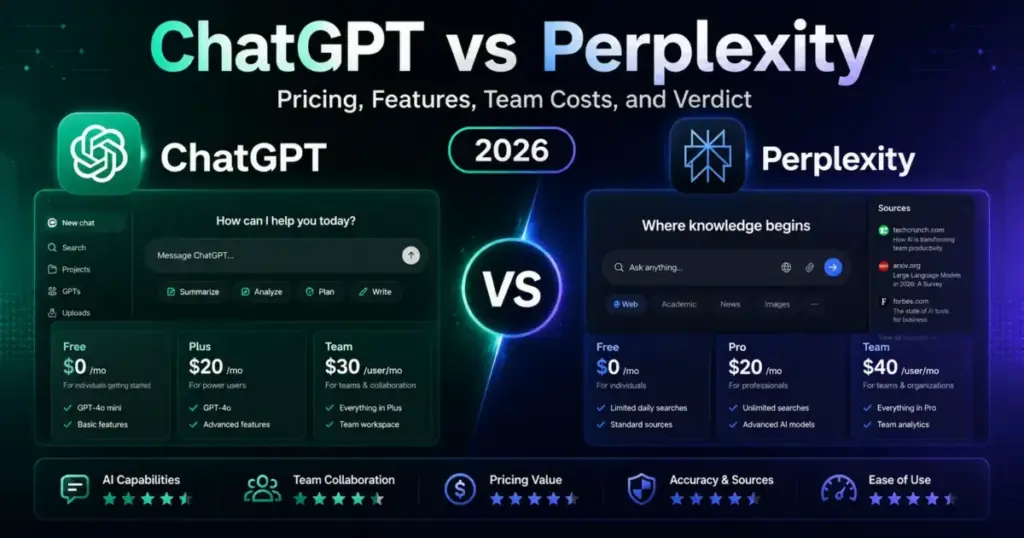
Both products charge 20/monthfortheirmid−tierplans.TheChatGPTvsPerplexitygapin2026isnotthepricetag.Itiswhatthat20 actually unlocks.
ChatGPT bundles writing, coding, image generation, voice, agents, and web search into one subscription. Perplexity returns sourced answers with inline citations on every response. One is a workbench. The other is a research engine.
The common advice says Perplexity is “better for search” and ChatGPT is “better for writing.” That framing misses three things that change team buying decisions: governance gates, plan-tier feature access, and per-seat cost at scale. If your team is evaluating the best AI chatbot options right now, those details matter more than headline model comparisons.
This article maps both tools across three real workflows and breaks down the cost math at 5, 10, 25, and 50 seats. It also flags the governance gaps most comparisons never mention.
Quick Verdict: ChatGPT vs Perplexity at a Glance
| Category | Winner | Why |
|---|---|---|
| Source-backed research | Perplexity | Inline citations on every answer by default |
| Writing and content creation | ChatGPT | Canvas, custom GPTs, longer outputs |
| Coding assistance | ChatGPT | Codex, file uploads, code execution |
| Team pricing per seat | ChatGPT | Business at 20−25/seatvs40/seat |
| Enterprise governance | Tie | Both offer SSO and SCIM at different gates |
| API and developer tools | Tie | Both separate API billing from subscriptions |
| Transparency and verification | Perplexity | Citations visible without extra prompting |
What this means: Perplexity leads in one specific area: showing where its answers come from. ChatGPT leads in every workflow that does not center on source verification. For teams with mixed needs, the decision often comes down to which failure mode is more acceptable: missing citations or narrower task coverage.
How We Compared
This comparison uses three evaluation methods. Each method targets a blind spot that feature-list comparisons miss.
Plan-gate mapping. Every feature claim is checked against the exact plan tier that unlocks it. A feature that exists only on Enterprise is irrelevant to a 5-person team on Business. Understanding what artificial intelligence means in practice requires looking at what each plan delivers, not what each model benchmarks.
Third-party user reviews. Capterra reviews for ChatGPT and G2 reviews for Perplexity surface the failure modes each product’s marketing page avoids. These are unfiltered, paid-user perspectives.
Cost modeling. Annual costs are calculated at 5, 10, 25, and 50 seats using published pricing only. Enterprise “contact sales” quotes are excluded because a phone call is not a price.
Workflow 1: Source-Backed Research and Fact-Checking
This is Perplexity’s home turf. The product was designed as an answer engine with citations attached to every response.
How Perplexity handles research. Every answer includes inline source links by default. Pro Search runs multi-step queries across academic databases, news outlets, and web sources. Deep Research generates longer reports with structured citations. On the Pro plan, users get 200 Pro queries per week and 20 Deep Research reports per month.
How ChatGPT handles research. ChatGPT added web search and a “sources” toggle in 2025. The feature works, but citations are not the default interface pattern. Users need to enable web search mode or trigger Deep Research to get sourced answers. On Plus, Deep Research is available with plan-specific usage caps.
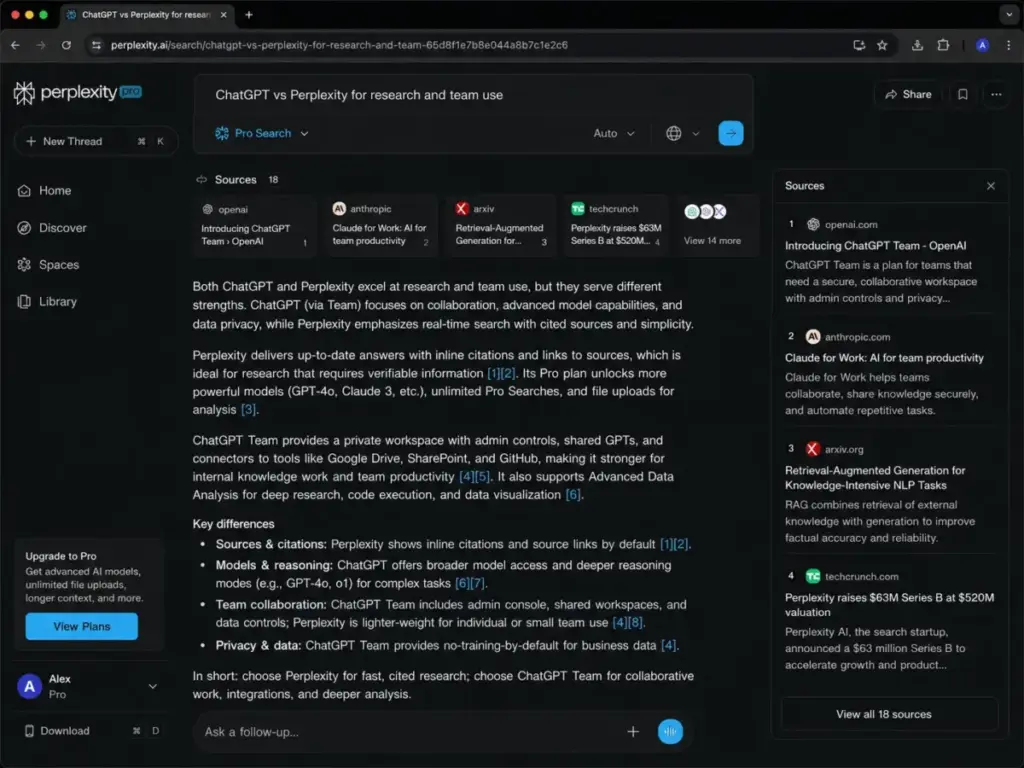
What third-party reviewers report. G2 reviewers praise Perplexity for “concise, referenced answers” but note that citations still need manual verification. Capterra reviewers say ChatGPT’s web search is useful but flag inconsistent source quality across queries. The full Perplexity review and analysis covers these patterns in depth.
The failure mode difference. Perplexity fails by giving you a well-cited answer from a bad source. ChatGPT fails by giving you a confident answer with no source at all. For research-heavy workflows, Perplexity’s failure mode is easier to catch because the citation is right there to check.
Verdict for this workflow: Perplexity wins. The citation-first design is not a bolt-on feature. It is the product architecture itself.
Workflow 2: Content Creation, Coding, and Multi-Task Productivity
This is ChatGPT’s strongest territory. The product has grown into a general-purpose AI workbench over the past two years.
How ChatGPT handles content and code. Canvas mode provides a side-by-side editing workspace for long-form writing and code. Custom GPTs let teams build task-specific assistants. Codex handles code generation, debugging, and execution. File uploads support PDFs, spreadsheets, and images for analysis. Image generation and voice mode are included. On Plus at $20/month, most features are accessible with usage limits.
How Perplexity handles content and code. Perplexity can generate text and answer coding questions. But it was not built as a writing platform or a code editor. There is no canvas mode, no custom assistants builder, and no native image generation. Spaces organizes research into projects, but it is not a productivity workspace. Read the ChatGPT review and analysis to see how the workbench model compares in practice.
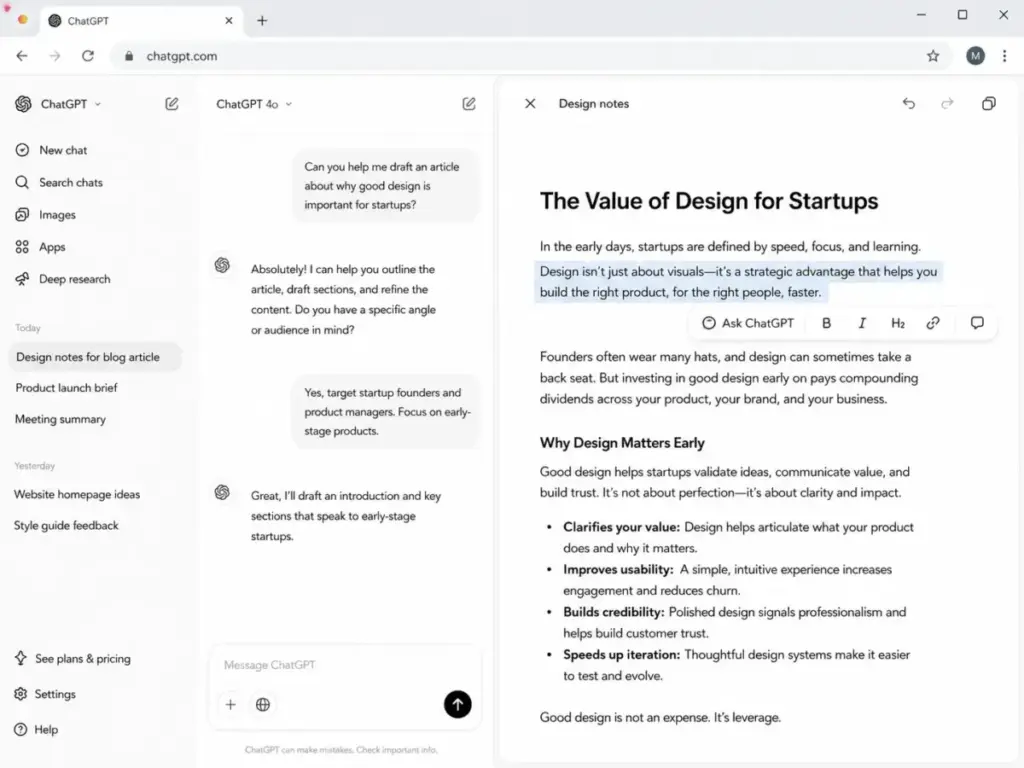
What third-party reviewers report. Capterra users highlight ChatGPT’s flexibility across task types. G2 reviewers note that Perplexity is “not ideal for long-form content” and that complex coding queries produce shallow results.
The plan-gate reality. ChatGPT gates its most capable models behind Pro 100 (100/month)andPro200(200/month). The Plus tier at 20/monthgivesaccesstoadvancedreasoningandDeepResearch,butwithlowerusagecaps.PerplexityProat 20/month focuses on research depth, not content production breadth.
Verdict for this workflow: ChatGPT wins. Perplexity is not trying to compete here, and the product reflects that.
Workflow 3: Team Deployment, Governance, and Cost at Scale
This is where pricing and admin controls intersect. Both products offer enterprise tiers, but the plan-gate lines are drawn in different places.
Feature-to-Plan Gate Comparison
| Feature | ChatGPT Plan Gate | Perplexity Plan Gate | Buyer Impact |
|---|---|---|---|
| SSO/SAML | Business ($25/seat) | Enterprise Pro ($40/seat) | ChatGPT cheaper for SSO |
| SCIM provisioning | Enterprise (custom) | Enterprise Pro ($40/seat) | Perplexity offers SCIM at lower tier |
| Audit logs | Enterprise (custom) | Enterprise Max ($325/seat) | Both gate behind top tier |
| Data retention controls | Enterprise (custom) | Enterprise Max ($325/seat) | Both require top-tier pricing |
| App connectors | Business (60+ integrations) | Enterprise Pro | Different connector ecosystems |
| Admin console | Business | Enterprise Pro | ChatGPT accessible at lower cost |
| No training on data | Business+ | All paid plans | Perplexity offers broader commitment |
| Encryption key management | Enterprise (custom) | Not listed | ChatGPT exclusive at enterprise level |
| Role-based access | Enterprise (custom) | Enterprise Max ($325/seat) | Both gate behind top tier |
What this means: ChatGPT gives teams SSO and admin controls at 25/seat/monthonBusiness.Perplexityrequires 40/seat/month for comparable admin access on Enterprise Pro. But Perplexity bundles SCIM at that $40 tier, while ChatGPT pushes SCIM to custom Enterprise pricing. For teams under 50 seats that need SSO but not SCIM, ChatGPT is the cheaper path.
Enterprise Security and Admin Controls
| Control | ChatGPT | Perplexity | Caveat |
|---|---|---|---|
| SOC 2 compliance | Yes | Yes | Both maintain SOC 2 |
| Data encryption at rest | Yes | Yes | Standard for both |
| SSO/SAML | Business+ | Enterprise Pro+ | ChatGPT at lower price point |
| SCIM | Enterprise | Enterprise Pro+ | Perplexity at lower tier |
| Audit logs | Enterprise | Enterprise Max | Both gate behind top pricing |
| Custom data retention | Enterprise | Enterprise Max | Both require premium tier |
| No training on user data | Business+ | All paid plans | Perplexity offers broader scope |
What this means: Security parity is close at the top tiers. The real difference is where each vendor draws the plan-gate line. ChatGPT gives more admin controls at Business pricing. Perplexity gives the “no training” guarantee to all paid users, which matters for privacy-focused teams.
Here is something most comparisons miss entirely: both products separate API pricing from subscription pricing. A team paying 25/seat/month forChatGPTBusinessgetszeroAPIcredits.Ateampaying 40/seat/month for Perplexity Enterprise Pro gets zero programmatic access. If your workflow requires API calls, budget for that cost separately from the subscription.
Original limitation discovery. Perplexity gates certain governance features to organizations with 50+ members. A 20-person team on Enterprise Pro may not access every admin control listed on the pricing page. This detail is buried in Perplexity’s enterprise documentation and rarely shows up in product reviews.
Verdict for this workflow: ChatGPT wins on cost. Perplexity wins on default data privacy posture. Top-tier governance is a tie.
Pricing and Value per Dollar
This is where the ChatGPT vs Perplexity comparison gets concrete. Published pricing as of June 2026.
Individual Plans Side by Side
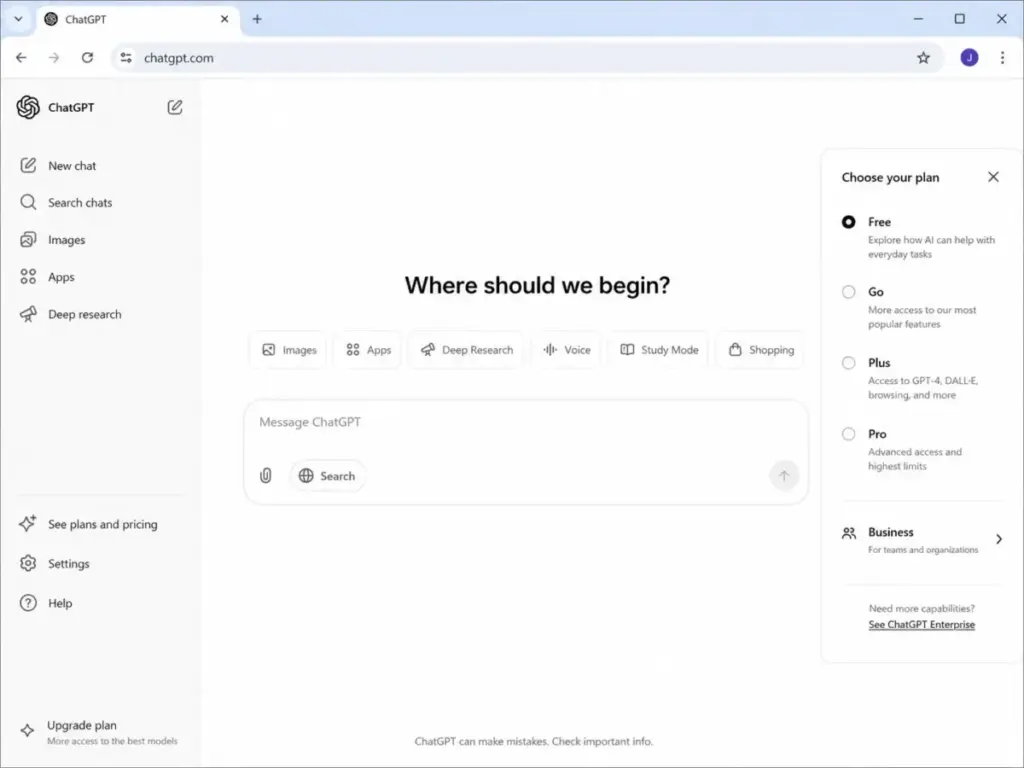
ChatGPT offers five individual tiers: Free, Go (8/month),Plus(20/month), Pro 100 (100/month),andPro200( 200/month). Each tier increases usage limits and model access. The ChatGPT pricing breakdown covers what each tier unlocks in detail.
Perplexity offers two individual tiers: Free and Pro (20/month or 200/year). The annual option brings the effective monthly cost to roughly $17/month. Fewer tiers means fewer decisions, but also fewer options for scaling up within a single-user plan.
Team Cost at Scale (Annual Billing)
| Team Size | ChatGPT Business (Annual) | Perplexity Enterprise Pro (Annual) | Annual Difference |
|---|---|---|---|
| 5 users | $1,200/year | $2,000/year | ChatGPT saves $800 |
| 10 users | $2,400/year | $4,000/year | ChatGPT saves $1,600 |
| 25 users | $6,000/year | $10,000/year | ChatGPT saves $4,000 |
| 50 users | $12,000/year | $20,000/year | ChatGPT saves $8,000 |
What this means: ChatGPT Business costs less per seat than Perplexity Enterprise Pro at every team size tested. A 50-person team saves 8,000peryearbychoosingChatGPTBusinessoverPerplexityEnterprisePro.ThatgapwidensfurtherifyoucompareagainstPerplexityEnterpriseMaxat325/seat/month.
Original cost calculation for hybrid teams. A 25-person team that needs both citation-backed research and broad AI tools faces a combined cost of 6,000(ChatGPTBusiness)plus10,000 (Perplexity Enterprise Pro), totaling 16,000/year.Ahybridapproachworksbetter:giveall25seatsChatGPTBusiness(6,000/year) and put 10 researchers on Perplexity Pro individual plans (200/yeareach,totaling2,000). That brings the combined cost to 8,000/year,saving8,000 annually versus full enterprise subscriptions for both tools.
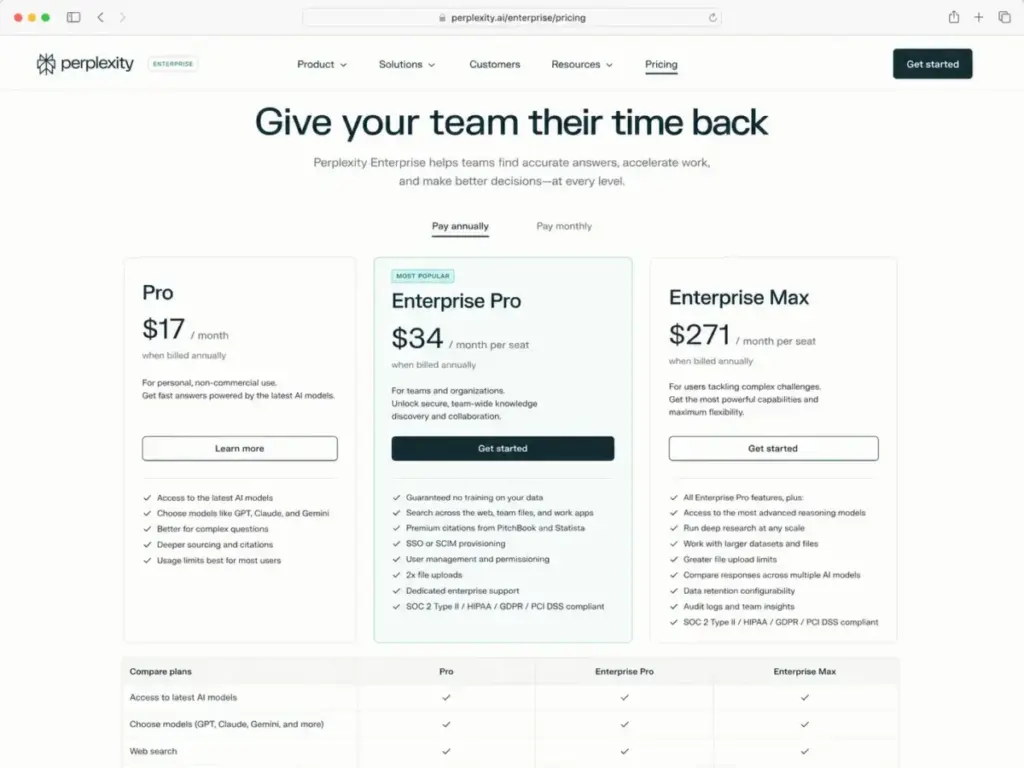
For official pricing details, check the ChatGPT pricing page and the Perplexity enterprise pricing page.
Setup and Migration Difficulty
Neither tool requires technical deployment for individual use. Team setup is where the differences appear.
| Factor | ChatGPT | Perplexity | Notes |
|---|---|---|---|
| Individual signup | Minutes | Minutes | Both are instant with email |
| Team workspace creation | Business plan, 2-seat minimum | Enterprise Pro, contact sales required | ChatGPT is self-serve |
| SSO configuration | Business admin console | Enterprise Pro managed setup | Similar effort once provisioned |
| Data connector setup | 60+ listed integrations | App connectors available | ChatGPT lists more options |
| Custom assistant creation | Custom GPTs on Plus+ | Spaces on Pro+ | Different design models |
| Migration from other tool | No import path exists | No import path exists | Rebuild workflows from scratch |
What this means: ChatGPT is faster to deploy for teams because Business is self-serve with a 2-seat minimum and no sales call required. Perplexity Enterprise Pro requires contacting the sales team. Neither product offers any migration path from the other, so switching means starting workflows over.
Where ChatGPT Wins and Where Perplexity Wins
ChatGPT wins when:
- The team needs writing, coding, images, and agents in one tool.
- Budget is the top constraint for team-wide deployment.
- Custom assistants (GPTs) are needed for repeated internal workflows.
- File uploads and data analysis are regular tasks.
- Self-serve team provisioning matters more than contacting sales.
Perplexity wins when:
- Every answer must display its sources without extra prompting.
- The primary daily workflow is research and fact-checking.
- Premium source access to academic, financial, or news databases matters.
- Source verification is a compliance or editorial requirement.
- A “no training on data” commitment across all paid plans is needed.
Who Should Choose What
Choose ChatGPT if your team’s work spans writing, coding, analysis, and creative tasks. One subscription covers multiple workflow types. At $20/user/month on annual Business billing, the per-seat cost is the lowest among full-featured AI workbench options.
Choose Perplexity if your team’s work is research-first and citation quality is non-negotiable. Every query returns sources by default. At 20/monthforindividualProor34/seat/month on annual Enterprise Pro, the pricing matches the research specialization.
Avoid ChatGPT if your compliance team requires visible source citations on every AI-generated output. ChatGPT can surface sources, but the default interaction pattern does not foreground them.
Avoid Perplexity if your primary workflows are content production, code generation, or agentic automation. Perplexity was not built for those tasks and the user experience reflects that gap.
Buyer Scenarios
5-person startup needing general AI tools. Choose ChatGPT Business at 100/monthonannualbilling.Onesubscriptioncoversbrainstorming,writing,codereview,anddataanalysis.PerplexityEnterpriseProwouldcost167/month for the same team and lacks the workflow breadth.
Solo research analyst tracking industry trends. Choose Perplexity Pro at $20/month. The citation-first interface matches the research workflow natively. 200 Pro queries per week covers daily monitoring and deep-dive sessions.
25-person enterprise research team with compliance requirements. Consider Perplexity Enterprise Pro at 40/seat/monthforcitation−backedresearch.LayerChatGPTBusinessat20/seat/month for content production. Budget 16,000/yearforbothatfullscale,orusethehybridapproachDanielRiveraoutlinedinthepricingsectiontocutcoststo8,000/year.
Developer and content team of 10. Choose ChatGPT Business at $200/month on annual billing. Codex, Canvas, and custom GPTs cover the daily mix of code and content. Add 2-3 individual Perplexity Pro seats for team members doing heavy source research.
Alternatives Worth Considering
If neither ChatGPT nor Perplexity fits the primary workflow, three alternatives serve different ecosystem needs. For a deeper look at the reasoning-focused option, see the Claude review and analysis.
| Alternative | Best For | Starting Price | Why Consider It |
|---|---|---|---|
| Claude | Long documents, extended reasoning | $20/month (Pro) | Handles 200K+ token contexts for document analysis |
| Google Gemini | Google Workspace teams | $19/month (individual) | Native integration with Gmail, Docs, and Drive |
| Microsoft Copilot | Microsoft 365 teams | $30/user/month | Built into Word, Excel, Teams, and Outlook |
What this means: Claude is the pick for teams processing long documents that need extended reasoning windows. Google Gemini fits teams already running on Google Workspace. Microsoft Copilot fits teams embedded in the Microsoft 365 stack. Each alternative serves a specific ecosystem dependency, not a direct replacement for ChatGPT or Perplexity.
For teams considering the Google ecosystem path, the Gemini review and analysis covers integration depth.
The Microsoft Copilot review covers the M365 integration in detail.
Final Verdict
The ChatGPT vs Perplexity decision is not about which AI is “smarter.” Both products use top-tier models. Both produce errors. Both require human verification on anything that matters.
The decision is about workflow architecture. ChatGPT is a broad AI workbench that covers writing, coding, images, voice, and agentic tasks. Perplexity is a focused research engine that shows its sources on every answer. Trying to use Perplexity as a general assistant or ChatGPT as a citation engine produces friction in both directions.
For most teams buying one AI tool in 2026, ChatGPT offers more workflow coverage at a lower per-seat cost. For teams where source verification is the core requirement, Perplexity is the better tool. For teams that need both research citations and production workflows, the hybrid pricing model saves real money without forcing a compromise on either front.
Frequently Asked Questions
Is Perplexity more accurate than ChatGPT?
Not necessarily. Perplexity shows its sources by default, which makes answers easier to verify. ChatGPT can also provide sourced answers when web search is enabled. G2 reviewers note that Perplexity citations still need manual checking. Accuracy depends on query type and the user’s willingness to verify outputs. Neither tool should be treated as a definitive, error-free source.
Can ChatGPT replace Perplexity for research?
ChatGPT has web search and Deep Research features that produce sourced answers. But the citation-first interface is not ChatGPT’s default interaction pattern. For teams that need every answer to display sources automatically, Perplexity’s design is built for that workflow. ChatGPT works for occasional research tasks within a broader productivity context.
Which is cheaper for teams?
ChatGPT Business starts at 20/user/monthonannualbilling.PerplexityEnterpriseProstartsatroughly34/seat/month on annual billing. At every team size from 5 to 50 seats, ChatGPT Business costs less per seat. The price gap grows proportionally as team size increases.
Does Perplexity train on my data?
Perplexity states it does not train on user data for all paid plans. ChatGPT Business and Enterprise also commit to not training on user data. Both products exclude free-tier users from this commitment in their standard terms. Check each product’s current data policy before signing an enterprise agreement.
Can I use both ChatGPT and Perplexity together?
Yes. Many teams use Perplexity for research and source gathering, then ChatGPT for drafting, editing, and coding. The hybrid approach works when each tool handles its strongest workflow type. Budget both subscriptions separately because there is no cross-product bundle discount available.
What about ChatGPT vs Perplexity for coding?
ChatGPT is the clear choice for coding workflows. It offers Codex for code generation, Canvas for code editing, file uploads, and execution environments. Perplexity can answer coding questions but has no dedicated development tools. For a separate coding-focused comparison, the ChatGPT vs Claude comparison covers that angle.
Is Perplexity Enterprise Max worth the cost?
At 325/seat/month,EnterpriseMaxisaheavycommitment.Itunlocksauditlogs,customdataretention,and20xProqueriesversusthebaseProplan.Forteamsunder50seats,thecostmayoutweighthegovernancebenefits.TeamsthatneedModelCouncilaccessandfullaudittrailsshouldweighwhetherthosefeaturesjustifyaroughly271/seat/month annual rate.
How do ChatGPT and Perplexity compare to Google Gemini?
Both ChatGPT and Perplexity outperform Gemini as standalone AI tools. Gemini’s strength is its native Google Workspace integration, not its independent capabilities. Teams already using Gmail, Docs, and Drive may find Gemini fits their existing stack better. For a direct comparison, the ChatGPT vs Gemini comparison breaks down the differences by workflow.