Dynamics 365 Sales Professional costs $65/user/month (as of May 2026). At 10 users, that is $650/month before you add Sales Premium features, Copilot Studio credits, or any Azure-dependent AI agents. The actual cost of running Dynamics 365 for a mid-market sales team is almost never the number on Microsoft’s pricing page.
After evaluating 40+ best CRM software options for SaaSZap, I (Alex Morrison) can tell you that Dynamics 365 is one of the more capable enterprise CRMs on the market. The Microsoft 365 interoperability is real. The sales automation is deep. The reporting works once it is configured. But “once it is configured” is doing a lot of heavy lifting in that sentence. Teams leave Dynamics not because it lacks features, but because the licensing complexity, implementation weight, and day-to-day friction outpace the value they extract.
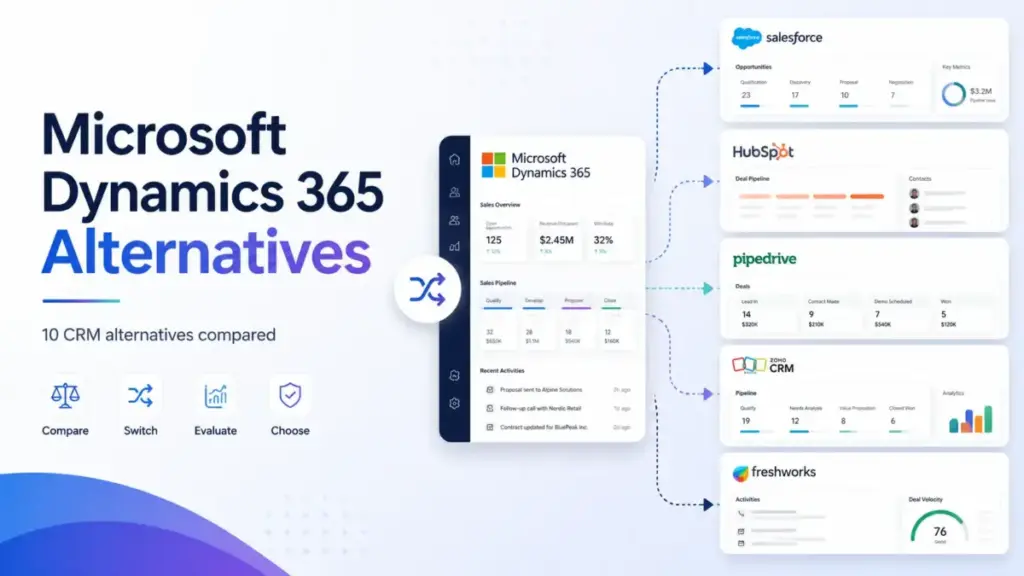
This article maps 10 Dynamics 365 alternatives to the specific frustration driving your switch. Not every CRM on this list is cheaper. Not every one is simpler. But each one fixes a specific Dynamics problem, and I will tell you which one matches your exit reason. The SugarCRM entry below will surprise most buyers, and not for the reason you expect.
If you are still sorting out whether CRM is even the right category for your team, start with this primer on what CRM software does.
Quick Verdict: Best Dynamics 365 Alternatives by Switching Trigger
| If you are leaving because… | Best alternative | Why |
|---|---|---|
| Licensing and add-on complexity | HubSpot Sales Hub | Simpler per-seat pricing, free tools to start, no Azure caveats |
| Implementation is too heavy | Pipedrive | Pipeline-first CRM, setup in minutes, minimal admin dependency |
| Small-team budget pressure | Freshsales | $9/user/month on Growth, free plan for up to 3 users |
| Sales reps will not adopt it | Pipedrive | Cleaner interface, fewer menus, higher rep adoption rates |
| Need marketing-sales alignment | HubSpot Sales Hub | Native marketing hub, shared contact records, unified reporting |
| Want no-code workflow depth | Creatio | Agentic no-code CRM with full process automation |
| Need CRM plus ERP scope | Odoo CRM | Modular CRM, invoicing, inventory, operations in one suite |
| Need enterprise feature parity | Salesforce Sales Cloud | Broadest ecosystem, deepest customization, AppExchange marketplace |
| Need CRM with project handoff | Insightly CRM | Built-in project management after deal close |
| Need complex B2B process control | SugarCRM | Mature quote management, guided selling, process automation |
What this means: Most 10-person sales teams leaving Dynamics are triggered by cost, complexity, or both. If cost is the driver, start with Freshsales, Zoho CRM, or Pipedrive. If complexity is the driver, start with Pipedrive or monday CRM. If you need Dynamics-level depth without Microsoft, Salesforce or Creatio are the only realistic options.
The Dynamics 365 Problem Map
Every team leaving Dynamics 365 has a trigger. The alternatives that fix one frustration can create a different one. Here is the honest breakdown of what pushes teams out, based on official Dynamics 365 pricing, user reviews, and the licensing structure itself.
The Licensing Maze
Dynamics 365 Sales has four tiers: Professional at $65/user/month, Enterprise at $105/user/month, Sales Premium at $150/user/month, and Microsoft Relationship Sales with variable pricing and a 10-seat minimum. On paper, that looks like a normal tiered CRM. In practice, the gaps between tiers are wide.
Sales Professional lacks several automation and AI features that come standard in cheaper competitors. Sales Enterprise adds them but jumps $40/user/month. Copilot-assisted selling sounds valuable until you discover that Copilot Studio agents require a separate Azure subscription or credits. That is not a per-seat upgrade. That is a new billing relationship.
“There are too many options, and it’s hard to connect everything between modules.” (G2, Verified User, Mid-Market)
At 10 users on Sales Enterprise, the base cost is $1,050/month. Add Copilot features and partner implementation support, and the real number moves further from the pricing page.
The Implementation Drag
Dynamics is an enterprise platform. It acts like one. Role hierarchy setup, Power Automate workflows, custom entities, and module configuration all take time. In most cases, they require a partner or dedicated admin. Teams that wanted a CRM and got a platform project instead are the ones most likely to switch.
“I disliked how complex and overly-complicated Dynamics 365 was.” (Capterra, K.D., reviewer)
The Adoption Gap
A CRM only works if reps use it. Dynamics 365’s depth becomes a liability when sales reps see too many tabs, too many options, and workflows that require training to follow. The gap between what the platform can do and what a 10-person sales team needs daily is where adoption breaks down.
Here is my framework for deciding whether to switch or simplify: The 3-Question Exit Test. (1) Is your primary frustration the Microsoft license structure, or the CRM workflows? If license, switch. If workflows, consider reconfiguring first. (2) Do you have more than 3 Microsoft 365 integrations that depend on Dynamics data? If yes, migration cost will be high. (3) Has your team’s CRM adoption dropped below 60% daily active use? If yes, the product has already failed regardless of features.
How We Evaluated These Dynamics 365 Alternatives
Every alternative on this list was evaluated using publicly available pricing pages, official documentation, G2 and Capterra user reviews, and hands-on experience with free trials where available. Testing level for this article: official_research_only. That means I did not test every product firsthand for this specific comparison, and I will not claim otherwise.
Pricing was verified from official vendor pages as of May 2026. 10-user cost calculations assume the lowest tier that includes pipeline management and basic automation. Feature gate data comes from official plan comparison pages. Migration difficulty ratings are editorial estimates based on data model complexity, integration depth, and workflow rebuild requirements.
This review limitation matters: Dynamics 365 alternatives span a wide range, and some products (Creatio, SugarCRM) have enterprise pricing models that are not fully transparent on public pages. Where pricing is confirmed, I cite the source. Where it is not, I flag the gap.
Alternatives That Fix the Cost and Complexity Problem
These Dynamics 365 alternatives solve the most common exit: pricing confusion, licensing layers, and too many add-on dependencies.
Salesforce Sales Cloud: Best Enterprise Feature Parity

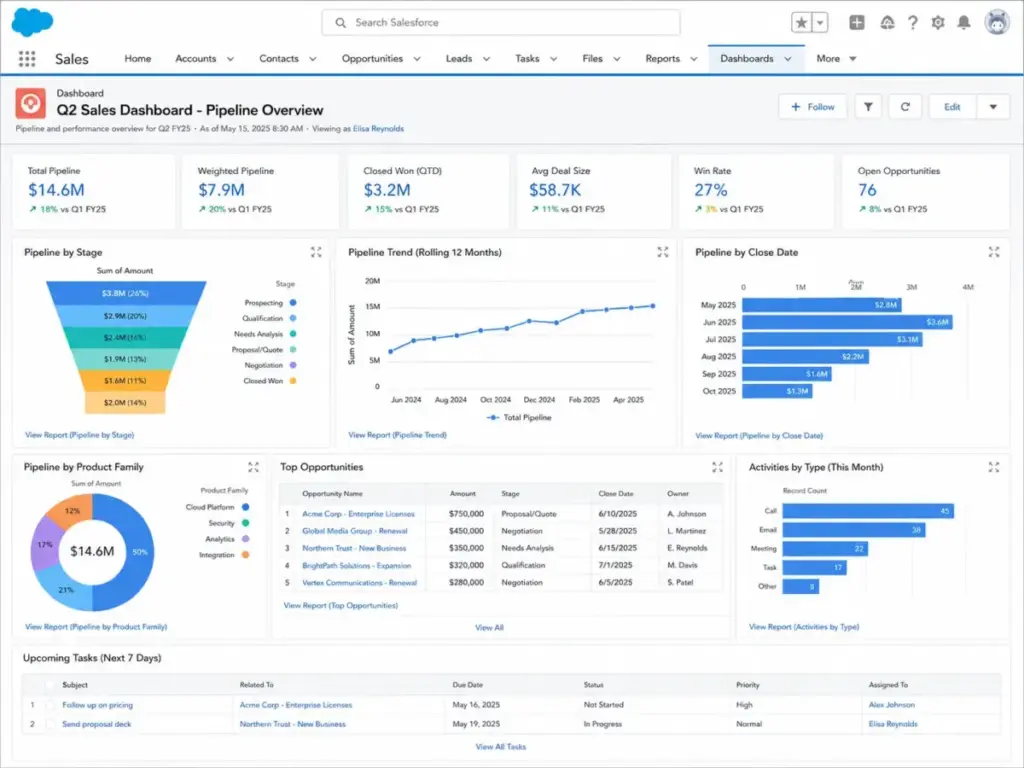
Salesforce is the obvious Dynamics 365 comparison, and I need to be direct: switching from Dynamics to Salesforce can repeat the same problem. Both are enterprise-grade. Both require admin work. Both have add-on ecosystems that inflate cost.
But Salesforce does one thing differently. Its Starter Suite begins at $25/user/month with a 30-day free trial. At 10 users, that is $250/month before add-ons. The ecosystem (AppExchange, partner network, training resources) is larger than Dynamics, which means more self-serve options exist.
The real trade-off: Salesforce wins if your team needs deep CRM customization and has outgrown Microsoft-native workflows. It loses if you are leaving Dynamics because enterprise CRM complexity is the problem, not the vendor. For a closer look at how the platform performs in practice, see the Salesforce CRM review.
Best for: 25+ person enterprise sales teams that need ecosystem breadth and can manage implementation complexity.
Avoid if: You want radically simpler CRM. Salesforce does not deliver that.
Migration difficulty: High
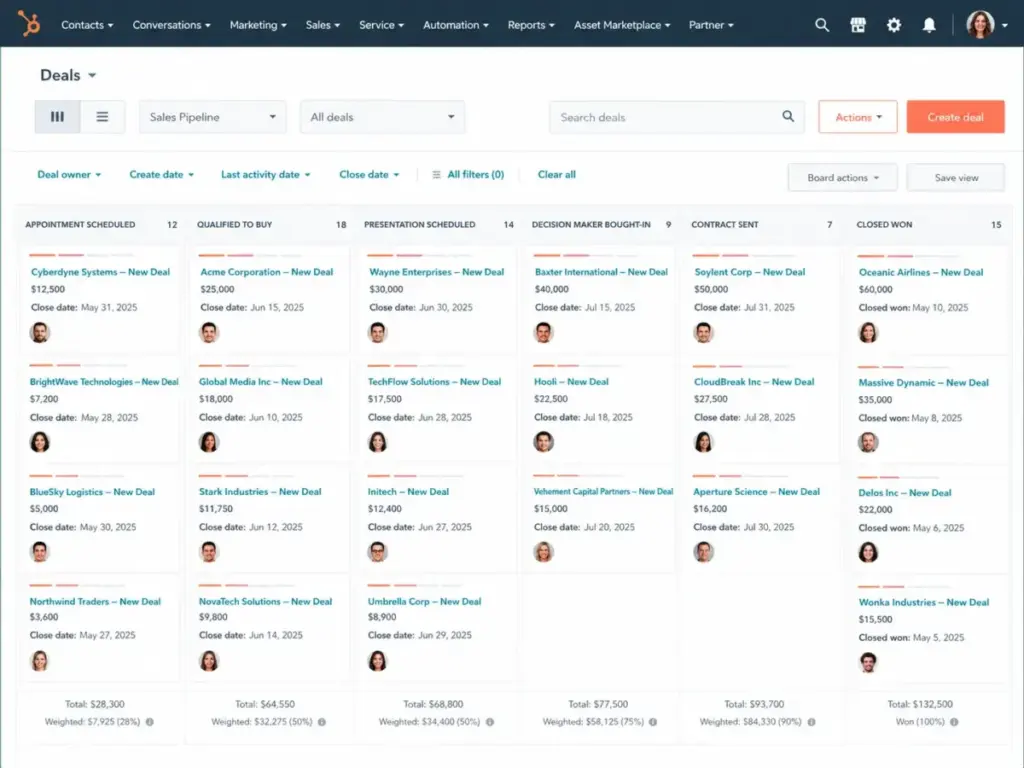
HubSpot Sales Hub: Best for Adoption and Marketing-Sales Alignment

HubSpot is the most common Dynamics 365 replacement for teams that want their reps to actually open the CRM. The free tools cover contact and deal management, email tracking, and meeting scheduling at $0. Paid Sales Hub Starter begins at $20/month per seat.
At 10 users on Starter, the cost is $200/month. That is a $450/month savings compared to Dynamics Professional, and HubSpot includes marketing alignment that Dynamics charges separately for.
Here is the catch. HubSpot Professional at $100/seat/month is where sequences, forecasting, and custom reports live. A 10-person team that needs those features pays $1,000/month, which narrows the gap with Dynamics. The onboarding fee for Professional can add to first-year cost.
HubSpot is not a Dynamics-style ERP or Microsoft-native data platform. If your team ran Dynamics for operations beyond sales CRM, HubSpot will feel like a narrower tool. If your team ran Dynamics primarily as a sales pipeline, HubSpot is a cleaner replacement. Read the HubSpot CRM analysis for the feature-by-feature breakdown.
Best for: 5-20 person sales and marketing teams that need a shared system reps will adopt on day one.
Avoid if: You need ERP-adjacent operations or native Microsoft 365 data integration.
Migration difficulty: Medium
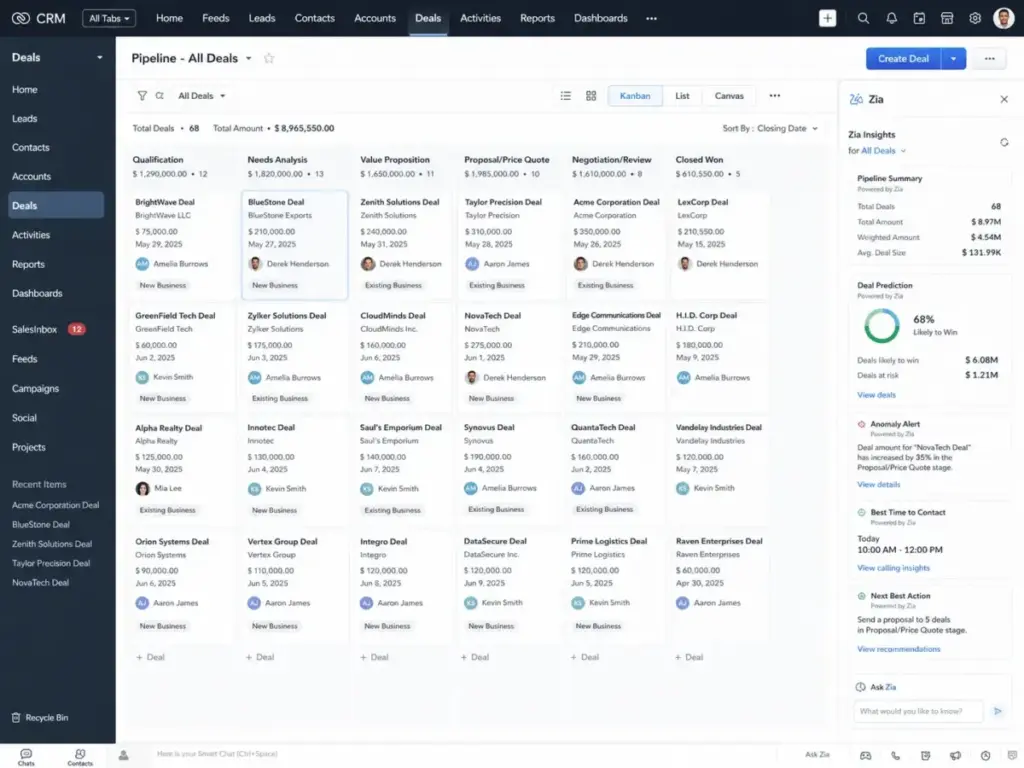
Zoho CRM: Best Value CRM Suite

Zoho CRM starts at $14/user/month billed annually. At 10 users, that is $140/month, less than a quarter of Dynamics Professional. Zoho also offers a free edition for up to 3 users.
The pricing gap is real, and so is the feature set. Zoho Enterprise at $40/user/month includes workflows, reports, sales forecasting, territory management, and Zia AI. At 10 users on Enterprise, you pay $400/month, still $250/month less than Dynamics Sales Professional.
The trade-off: Zoho’s suite breadth (CRM, Desk, Projects, Books, Campaigns) can create its own complexity. Teams replacing a complex Dynamics deployment should plan data cleanup before migration. Advanced AI features and orchestration tools are gated behind higher tiers. For pricing details across all tiers, see the Zoho CRM pricing breakdown.
Best for: Budget-conscious 5-15 person teams that still need broad CRM features, automation, and AI-assisted selling.
Avoid if: You need Microsoft-native ecosystem depth or need enterprise-grade support on day one.
Migration difficulty: Medium
Alternatives That Fix the Adoption and Workflow Problem
These Dynamics 365 alternatives solve the second most common exit: reps do not use it, workflows feel clunky, and the CRM acts like a chore rather than a tool.
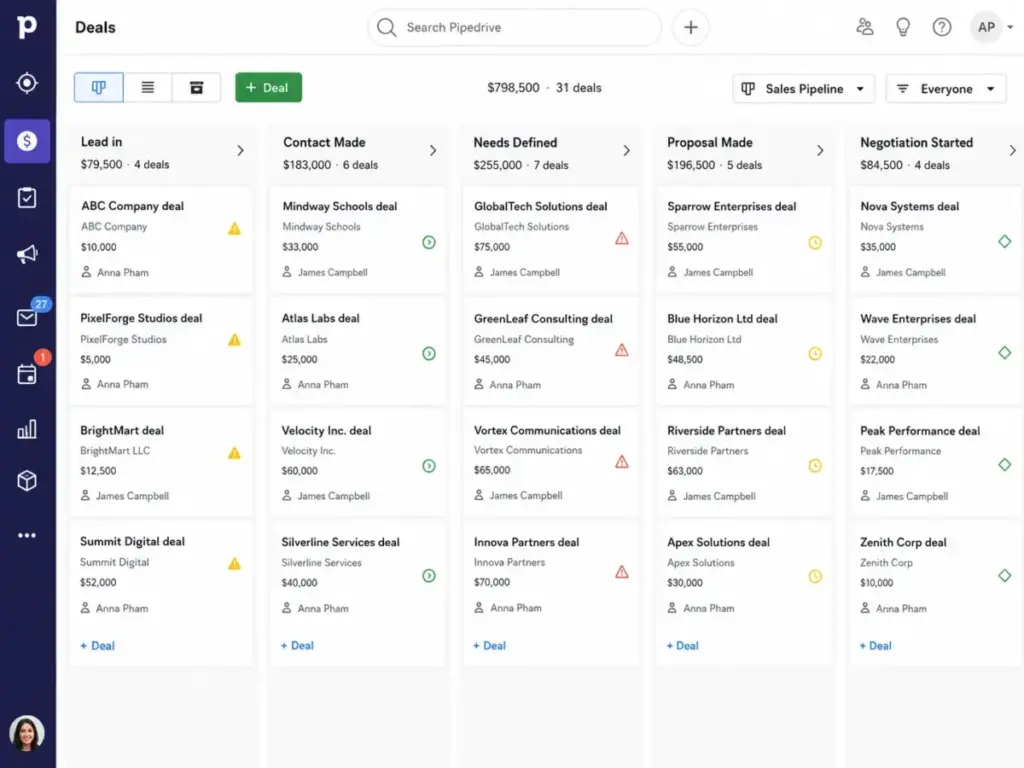
Pipedrive: Best for Pipeline Simplicity

Pipedrive is what happens when a CRM is built around the pipeline instead of an enterprise application suite. The Lite plan starts at $14/seat/month billed annually. At 10 users, that is $140/month with a 14-day free trial.
What Pipedrive does better than Dynamics 365 is straightforward: reps open it, see their deals, and move them forward. There is no module-switching, no role hierarchy complexity, and no admin bottleneck for basic pipeline changes.
The limitation is equally clear. Pipedrive does not match Dynamics for Microsoft-native integration, ERP-adjacent operations, or cross-department customization. LeadBooster, Projects, Campaigns, and Web Visitors are paid add-ons. Complex enterprise workflows will outgrow the simpler model.
For a 10-person outbound sales team leaving Dynamics because adoption is low, Pipedrive is the clearest downshift. For the full feature-gate breakdown, check the Pipedrive CRM review.
Best for: 3-15 person sales teams that want a cleaner pipeline, faster onboarding, and fewer enterprise controls.
Avoid if: You need cross-department workflows, advanced governance, or deep reporting.
Migration difficulty: Low to Medium
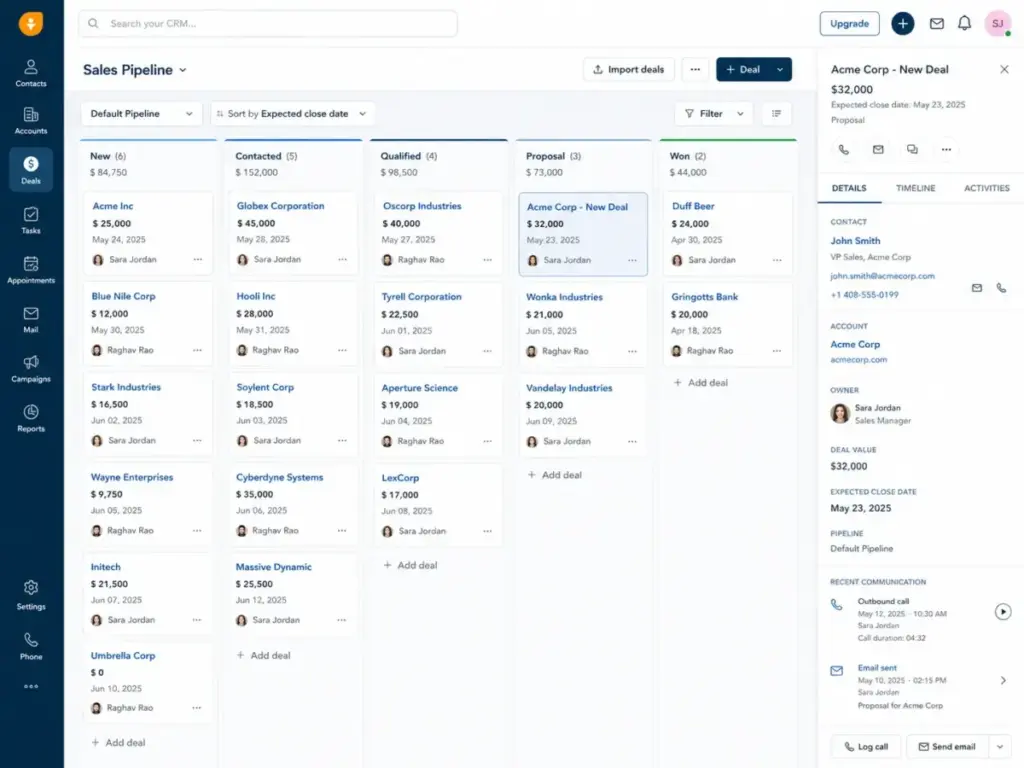
Freshsales: Best Budget AI Sales CRM

Freshsales has a free plan for up to 3 users and a Growth plan starting at $9/user/month billed annually. At 10 users on Growth, you pay $90/month. That is $560/month less than Dynamics Professional.
What makes Freshsales interesting for Dynamics 365 switchers is the built-in communication layer. Phone, email, and chat are inside the CRM, not bolted on through integrations. The Kanban contact lifecycle, email templates, workflows, product catalog, and Slack integration cover most mid-market sales needs.
Freddy AI add-ons can increase cost at higher tiers. CPQ capacity and advanced functionality require Pro ($39/user/month) or Enterprise ($59/user/month). But even at Enterprise with 10 users, you pay $590/month, still below Dynamics Professional. For more detail on how pricing scales, read the Freshsales pricing analysis.
Best for: Small 3-10 person sales teams that want low cost, built-in phone and email, and simpler AI features.
Avoid if: You need enterprise Microsoft ecosystem integration or Dynamics-style operational extensibility.
Migration difficulty: Medium
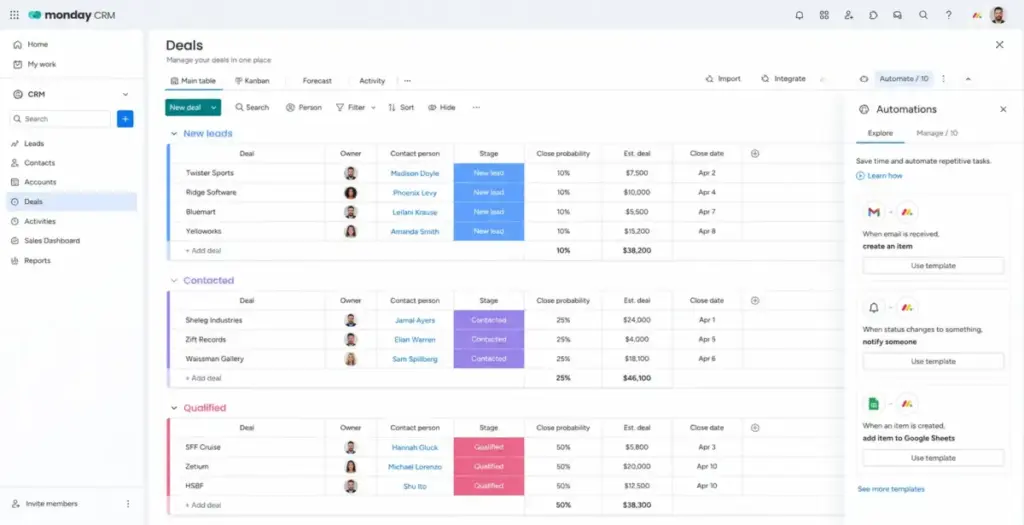
monday CRM: Best Visual Workflow CRM

monday CRM starts at $10/user/month with a 3-user minimum and a 14-day free trial. At 10 users, that is $100/month baseline.
The pitch is different from traditional CRM. monday CRM is a visual workspace with CRM capabilities layered in. You get unlimited pipelines, boards, dashboards, quotes, invoices, and workflow automation. The interface is closer to a project management tool than an enterprise CRM, which is either a strength or a weakness depending on your team’s needs.
Teams leaving Dynamics 365 because they want no-code workflow control without the enterprise CRM overhead will prefer monday CRM. Teams that need CRM governance, deep enterprise reporting, or native Microsoft process integration will not. Automation, integration, contact, deal, and dashboard limits depend on the tier.
Best for: 5-20 person teams that want CRM and collaboration in a visual, drag-and-drop workspace.
Avoid if: You need deep CRM governance, complex role hierarchies, or Dynamics-style enterprise controls.
Migration difficulty: Low
Alternatives That Fix the Scope Problem
These Dynamics 365 alternatives solve a different exit: teams that need more than a simple CRM but do not want to stay inside the Microsoft ecosystem for operations, projects, or workflow depth.
Insightly CRM: Best for CRM Plus Project Handoff

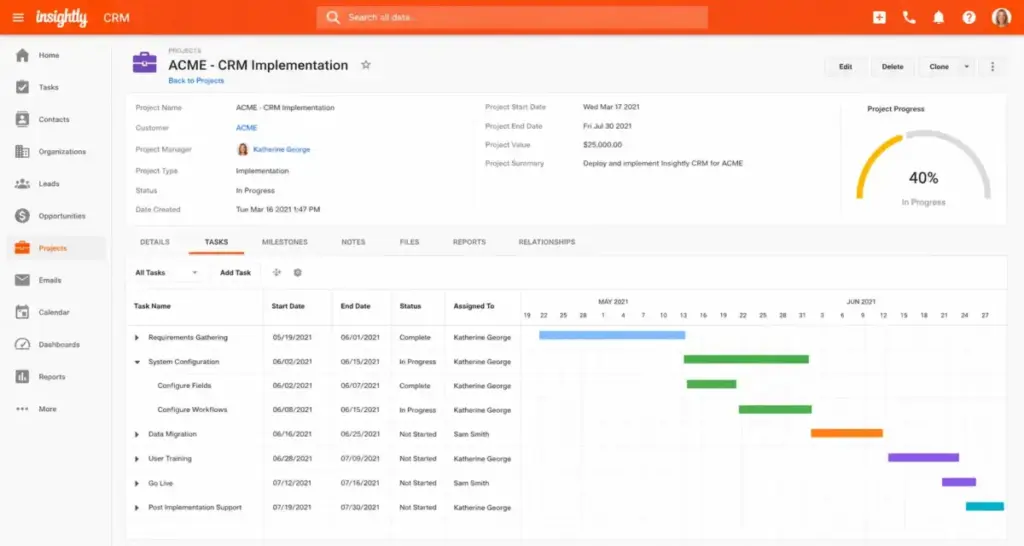
Insightly starts at $29/user/month billed annually with a 14-day free trial. At 10 users on Plus, that is $290/month.
The differentiator is the CRM-to-project bridge. After a deal closes, Insightly converts opportunities into project records with milestones, tasks, and relationship mapping. Teams leaving Dynamics 365 because their sales-to-delivery handoff is broken get a native solution here.
Professional at $49/user/month adds lead routing and advanced workflow automation. Enterprise at $99/user/month adds products, price books, quotes, sandboxes, and audit logging. The gap between Plus and Enterprise is wide enough to matter. Read the full Insightly CRM review for the complete tier breakdown.
Best for: 10-30 person teams that need CRM plus post-sale project management in one platform.
Avoid if: You need a free tier, deep ERP capabilities, or the broader Microsoft enterprise ecosystem.
Migration difficulty: Medium
Creatio: Best No-Code Enterprise Workflow Replacement

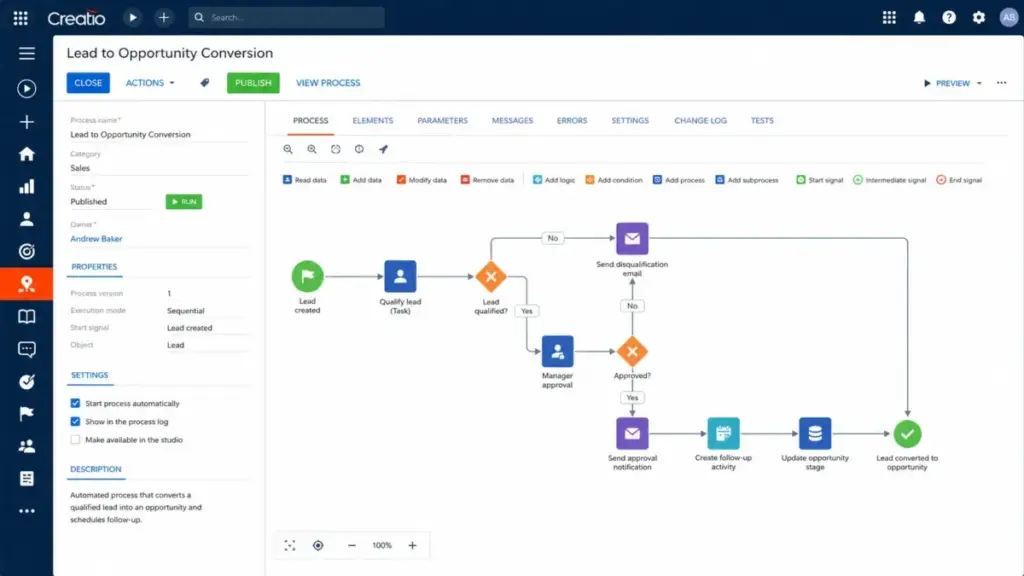
Creatio is the Dynamics 365 alternative for teams that liked Dynamics’ workflow depth but want more no-code control. Growth starts at $40/user/month and Enterprise at $55/user/month. Unlimited pricing is custom. At 10 users on Growth, the baseline is $400/month.
Creatio positions itself as an agentic no-code platform across sales, marketing, and service. You get process automation, workflow design, and CRM capabilities without the Microsoft partner dependency. But this is not a lightweight CRM escape. Buyers still need process design, implementation planning, and governance.
AI action packages and implementation needs should be confirmed with Creatio’s sales team for complex deployments. The Unlimited plan pricing is not public.
Best for: 15+ person teams that need Dynamics-level workflow depth in a no-code, process-driven environment.
Avoid if: You want a simple pipeline CRM. Creatio is an enterprise platform, not a quick fix.
Migration difficulty: High
SugarCRM: Best for Complex B2B Sales Processes

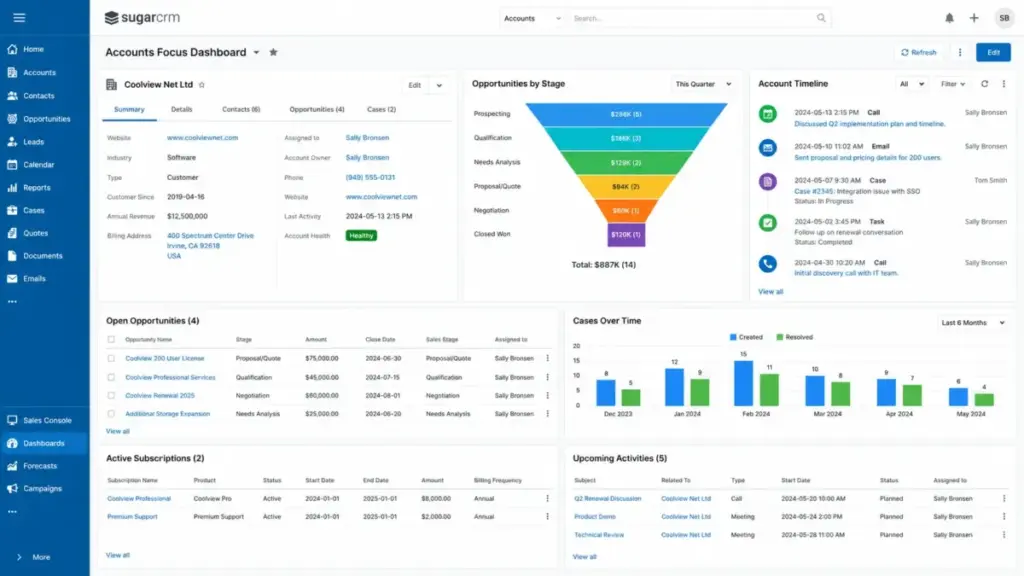
Wait, this one is counterintuitive. SugarCRM Standard starts at $59/user/month billed annually with a 15-user minimum . That minimum changes the math completely. At 15 users (the floor), the cost is $885/month . You cannot buy SugarCRM for a 10-person team at the published per-user price. The entry floor is $885/month , period. If that pricing floor creates the same budget problem you are trying to escape from Dynamics, compare SugarCRM alternatives by minimum contract size, CRM administration load, and fit for midmarket B2B sales workflows.
What SugarCRM delivers at that price: account and contact management, lead and opportunity management, quote management, activity and pipeline management, reporting, and business process management. Advanced at $85/user/month adds intelligence features. Premier at $135/user/month adds enhanced support. For a full breakdown, see the SugarCRM review.
Best for: Mid-market and enterprise B2B teams with 15+ users that need mature CRM operations and guided selling.
Avoid if: You have fewer than 15 users, want a quick setup, or need a low entry cost.
Migration difficulty: High
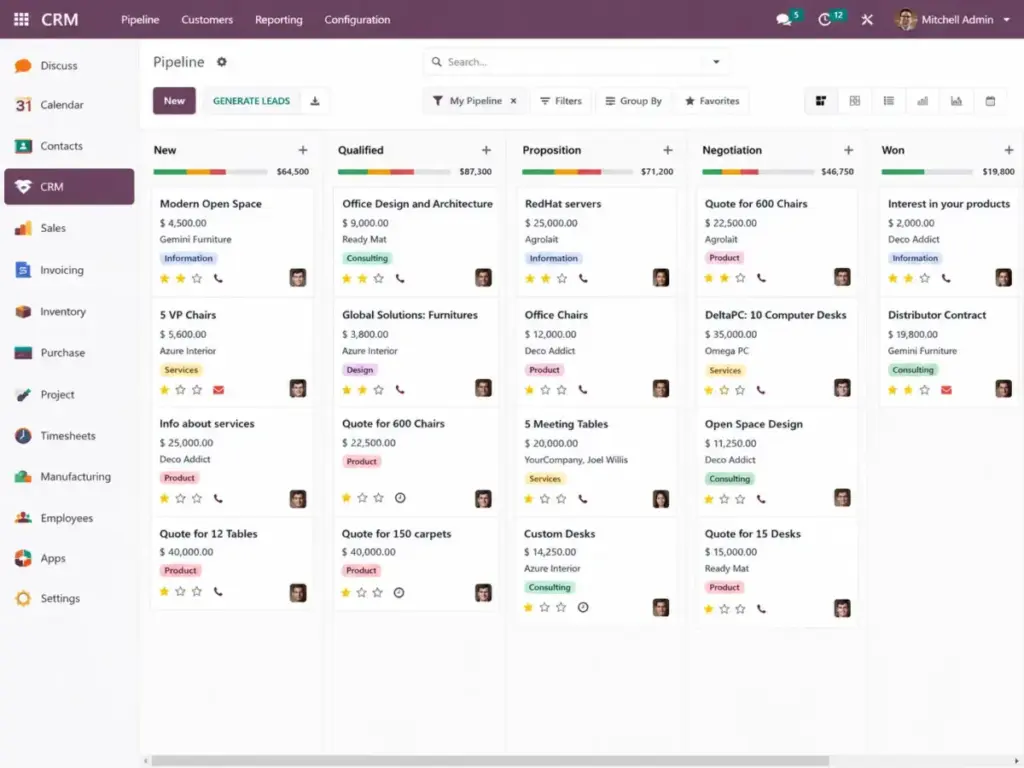
Odoo CRM: Best CRM Plus ERP on a Budget

Odoo’s pricing model is unlike any other CRM on this list. One App Free covers unlimited users for a single app, including CRM. Standard at $16.90/user/month unlocks all Odoo apps. Custom at $25.50/user/month adds Studio, multi-company, external API, and Odoo.sh/on-premise options.
At 10 users on Standard, the all-app cost is $169/month. For teams replacing Dynamics 365 beyond just CRM (invoicing, inventory, operations, HR), that number is hard to beat. On One App Free, a CRM-only team pays $0/month for unlimited users.
The trade-off: Odoo requires more implementation thinking than a pure CRM. External API, Studio, and on-premise options are locked behind Custom. Implementation services, expert services, in-app credits, and custom-code maintenance can add cost. For teams that want CRM plus business operations, Odoo is the closest budget alternative to the full CRM vs ERP scope that Dynamics covers.
Best for: Teams of any size replacing Dynamics across CRM, invoicing, inventory, and operations who want a modular, lower-cost suite.
Avoid if: You want a plug-and-play sales CRM with no implementation planning.
Migration difficulty: Medium to High
Pricing Comparison: 10-User Cost Across All Dynamics 365 Alternatives
The starting price is never the full story. Here is what 10 users actually costs on each platform, with the hidden costs that inflate the number. All pricing verified as of May 2026 from official vendor pages.
| Product | Starting price | 10-user monthly cost | Free plan or trial | Hidden costs |
|---|---|---|---|---|
| Microsoft Dynamics 365 Sales | $65/user/month | $650/month | No | Sales Premium, Copilot/Azure credits, partner services |
| Salesforce Sales Cloud | $25/user/month | $250/month | 30-day trial | Add-ons, apps, implementation, admin overhead |
| HubSpot Sales Hub | $20/seat/month | $200/month (Starter) | Free tools | Professional plan, onboarding, extra hub costs |
| Zoho CRM | $14/user/month | $140/month | Free for 3 users | Higher-tier AI, territory management, support |
| Pipedrive | $14/seat/month | $140/month | 14-day trial | LeadBooster, Projects, Campaigns add-ons |
| Freshsales | $9/user/month | $90/month (Growth) | Free for 3 users | Freddy AI sessions, CPQ capacity, higher tiers |
| monday CRM | $10/user/month | $100/month | 14-day trial | 3-user minimum, tier-based limits |
| Insightly CRM | $29/user/month | $290/month | 14-day trial | Enterprise tier for quotes, sandboxes, audit |
| Creatio | $40/user/month | $400/month | Not confirmed | Unlimited plan custom, AI action packages |
| SugarCRM | $59/user/month | $885/month (15-user min) | None confirmed | 15-user floor, services, higher-tier support |
| Odoo CRM | $0 (One App Free) | $0 (CRM only) or $169 (all apps) | One App Free | Custom plan for API/Studio, implementation services |
What this means: Six of these 10 alternatives cost less than half of Dynamics Professional at 10 users. But cheap entry does not mean cheap at scale. HubSpot Professional, Salesforce Enterprise, and SugarCRM’s 15-user minimum can all push costs past Dynamics levels once you factor in the features your team needs.
The real comparison is not starting price versus starting price. It is the tier where your team gets the features they currently use in Dynamics versus what that tier costs on the alternative. If your Dynamics team runs on Enterprise-level automation, compare against HubSpot Professional, Zoho Enterprise, or Salesforce Pro, not against starter plans.
Feature Gate Comparison: What Each Tier Unlocks
Feature gates are where Dynamics 365 alternatives differ most. The table below shows which plan unlocks key sales capabilities on each platform.
| Feature | Dynamics 365 | Salesforce | HubSpot | Zoho CRM | Pipedrive | Freshsales | monday CRM | Insightly | Creatio | SugarCRM | Odoo |
|---|---|---|---|---|---|---|---|---|---|---|---|
| Pipeline management | Professional | Starter | Free | Standard | Lite | Free | Basic | Plus | Growth | Standard | Free |
| Workflow automation | Enterprise | Pro | Professional | Professional | Growth | Growth | Standard | Professional | Growth | Standard | Standard |
| Custom reports | Enterprise | Pro | Professional | Professional | Premium | Pro | Pro | Professional | Growth | Standard | Standard |
| AI features | Premium + Azure | Enterprise (add-on) | Professional | Enterprise (Zia) | Ultimate | Growth (Freddy) | Enterprise | Enterprise | Enterprise | Advanced | N/A |
| Quote/CPQ | Enterprise | CPQ add-on | Professional | Enterprise | N/A | Pro | Standard | Enterprise | Growth | Standard | Standard |
| API access | All plans | All plans | All plans | All plans | All plans | All plans | Pro | Professional | Growth | Standard | Custom |
| Role permissions | Professional | All plans | Free (basic) | Standard | Growth | Growth | Standard | Plus | Growth | Standard | Standard |
| Audit logging | Enterprise | Enterprise | Enterprise | Ultimate | Enterprise | Enterprise | Enterprise | Enterprise | Enterprise | Premier | Custom |
What this means: Dynamics 365 gates its most valuable sales features (AI, custom reports, workflow automation) behind Enterprise at $105/user/month. Several alternatives include the same capabilities at lower tiers. Zoho CRM Professional at $23/user/month and Freshsales Growth at $9/user/month both include workflow automation that Dynamics reserves for Enterprise. The question is whether your team needs the specific Microsoft integrations that come with the higher Dynamics tier, or whether the feature itself is what matters.
Migration Difficulty: What to Expect When Leaving Dynamics 365
Leaving the Microsoft ecosystem is harder than switching between two standalone CRMs. If your team uses Dynamics plus Outlook, Teams, SharePoint, and Power Automate together, migration means rebuilding integration workflows, not just importing contacts. For a step-by-step process, see the CRM migration guide.
| Alternative | Migration difficulty | Main risk | Typical timeline |
|---|---|---|---|
| Salesforce Sales Cloud | High | Workflow rebuild, admin setup, training | 4-12 weeks |
| HubSpot Sales Hub | Medium | Feature gap at lower tiers, marketing hub scope | 2-6 weeks |
| Zoho CRM | Medium | Data cleanup, tier selection, suite complexity | 2-6 weeks |
| Pipedrive | Low to Medium | Limited enterprise controls after migration | 1-3 weeks |
| Freshsales | Medium | AI/CPQ feature gates on higher tiers | 2-4 weeks |
| monday CRM | Low | Limited deep CRM governance features | 1-2 weeks |
| Insightly CRM | Medium | Feature gaps between Plus and Enterprise | 2-4 weeks |
| Creatio | High | Process design required, implementation planning | 4-10 weeks |
| SugarCRM | High | 15-user minimum, learning curve, layered pricing | 4-8 weeks |
| Odoo CRM | Medium to High | Implementation scope if using multiple apps | 3-8 weeks |
What this means: The fastest migrations are to Pipedrive and monday CRM (1-3 weeks for a 10-person team). The slowest are Salesforce and Creatio (up to 12 weeks for enterprise deployments). Budget for data export, field mapping, workflow rebuilding, and team retraining on top of the subscription cost.
How to Choose the Right Dynamics 365 Alternative
The wrong way to choose: sort by price, pick the cheapest, and hope the features match. Here is a framework that accounts for the variables most buyers miss.
Step 1: Name your exit reason. Is it cost, complexity, adoption, scope, or all four? The answer determines which half of this list to consider.
Step 2: Compare at the right tier. If your Dynamics team uses Enterprise-level automation and reporting, compare against the tier of each alternative that includes equivalent features, not the entry plan. A 10-person team on Dynamics Enterprise at $1,050/month should compare against HubSpot Professional at $1,000/month, not HubSpot Free.
Step 3: Count your users and check minimums. SugarCRM requires 15 users minimum. monday CRM starts at 3 users. Odoo One App Free has no user limit but restricts you to one app. Your team size narrows the list fast.
Step 4: Audit your Microsoft integration depth. If you use Dynamics plus Outlook plus Teams plus SharePoint, switching to any non-Microsoft CRM means rebuilding those connections. HubSpot, Salesforce, and Zoho all have Outlook integrations, but none match the native depth of Dynamics inside Microsoft 365.
Step 5: Test before committing. Seven of these 10 alternatives offer free plans or free trials. Use them with real sales data, not demo scenarios. The CRM implementation guide covers what to expect during the transition.
Which Dynamics 365 Alternative Should You Avoid?
Not every switch is an upgrade. Here is where to be careful.
| Alternative | Avoid if… | Why |
|---|---|---|
| Salesforce Sales Cloud | Enterprise CRM complexity is your core frustration | Salesforce repeats the same admin dependency and add-on sprawl |
| SugarCRM | You have fewer than 15 users | The 15-user minimum creates an$885/month floor |
| Creatio | You want a quick, lightweight CRM | Creatio is an enterprise process-automation platform |
| Odoo CRM | You only need a sales pipeline CRM | Odoo’s value comes from its multi-app suite, not standalone CRM |
| monday CRM | You need deep CRM governance or complex role hierarchies | monday CRM is a visual workspace first and a CRM second |
What this means: The avoid list is not about bad products. It is about bad fits. Every tool on this list works for the right team. The danger is picking one that solves a different problem than the one you are actually facing.
The Alternative Nobody Mentions: Staying and Simplifying
Here is the part most Dynamics 365 alternatives articles skip. If your deployment uses Sales Professional and your team’s frustration is configuration complexity, the problem might be the implementation, not the product. A reset of your Dynamics setup (stripping unused modules, simplifying views, reducing custom entities) can cost less than a full migration and avoid the 3-6 month productivity dip that comes with switching platforms.
This is worth considering if your team already uses Microsoft 365, Outlook, and Teams extensively; if your data model in Dynamics is mature and clean; if your frustration is UI clutter, not missing features; or if migration would require rebuilding Power Automate workflows.
The wrong time to stay: if your licensing cost is the core issue, if you need marketing-sales alignment Dynamics does not provide natively, or if your team’s adoption has already collapsed below daily use.
When to Stay with Dynamics 365
Dynamics 365 is still the right CRM for teams that meet these conditions:
- Deep Microsoft 365 integration is non-negotiable. No alternative matches Dynamics for native Outlook, Teams, and SharePoint data flow.
- Your organization already has a Dynamics admin or partner. The implementation complexity is a sunk cost that is already managed.
- You use Dynamics beyond sales. If your deployment includes Customer Service, Field Service, Finance, or Supply Chain Management, no CRM-only alternative replaces the full Dynamics 365 ecosystem.
- Enterprise-grade compliance and governance are required. Dynamics 365’s role hierarchy, audit logging, and Azure security posture meet requirements that lighter CRMs cannot match.
- Your team is larger than 50 users. At scale, the per-user cost gap narrows, and the integration depth advantage widens.
Final Verdict: Best Dynamics 365 Alternative for Most Teams
For most teams leaving Dynamics 365 Sales, the best alternative depends on which problem you are solving.
Best overall replacement for adoption and marketing-sales alignment: HubSpot Sales Hub. The free tools get your team started today. Starter at $200/month for 10 users covers most mid-market needs. The risk is cost escalation at Professional tier.
Best value if budget is the primary driver: Zoho CRM at $140/month for 10 users delivers the broadest feature set at the lowest cost. Freshsales at $90/month is even cheaper if your team is smaller and needs built-in communication tools.
Best if you need Dynamics-level depth without Microsoft: Salesforce Sales Cloud or Creatio. Both carry enterprise implementation weight, but both deliver the workflow and customization depth that lighter CRMs cannot.
Best if you want simplicity above everything: Pipedrive. It does one thing (pipeline CRM) and does it well. Your team will use it. The trade-off is everything it does not do.
Best if you are replacing more than sales CRM: Odoo CRM. No other alternative on this list offers CRM plus invoicing, inventory, and operations at $169/month for 10 users on the Standard all-app plan.
Alex Morrison has built pricing models for 15+ CRM tools at team sizes of 5, 10, 25, and 50. If none of these fit, revisit the original Dynamics 365 deployment with a simplified configuration before evaluating further CRM alternatives in the same market.
FAQ
What is the best free alternative to Dynamics 365?
HubSpot free CRM tools and Freshsales free plan (up to 3 users) are the strongest free Dynamics 365 alternatives. HubSpot covers contact management, deal tracking, email, and meetings at no cost for unlimited users. Freshsales includes a Kanban pipeline, built-in phone, and email for small teams. Odoo One App Free offers CRM for unlimited users but limits you to a single app with no multi-app access.
How much does Dynamics 365 Sales cost for 10 users?
Dynamics 365 Sales Professional costs $650/month for 10 users billed annually. Sales Enterprise costs $1,050/month. Sales Premium costs $1,500/month. These are base license costs only. Copilot Studio agents, Azure credits, and partner implementation services add to the total. Most 10-person teams I model for end up paying 15-30% above the published per-seat price once add-ons are included.
Is Salesforce easier than Dynamics 365?
Not necessarily. Salesforce offers deeper ecosystem support (AppExchange, Trailhead, larger partner network) that can ease implementation, but the platform itself is equally complex for enterprise deployments. Salesforce Starter Suite at $25/user/month is a simpler entry point than Dynamics Professional. Enterprise-grade Salesforce configurations require similar admin investment and ongoing maintenance as Dynamics.
Can Zoho CRM replace Microsoft Dynamics for small business?
Yes, for sales CRM use cases. Zoho CRM Enterprise at $40/user/month covers sales automation, forecasting, territory management, and AI features at less than half the cost of Dynamics Professional. The gap appears in Microsoft-native integrations (Outlook, Teams, SharePoint), where Dynamics has deeper connectivity. Zoho has its own Outlook plugin, but it does not match Dynamics’ native depth.
Which Dynamics 365 competitor has the easiest onboarding?
Pipedrive and monday CRM have the lowest onboarding friction among Dynamics 365 alternatives. Pipedrive’s pipeline-first design requires minimal training for sales reps. monday CRM’s visual board interface is intuitive for teams familiar with project management tools. Both can be operational within 1-2 weeks, compared to 4-12 weeks for enterprise alternatives like Salesforce or Creatio. Teams choosing monday for low onboarding friction should still compare monday CRM alternatives if governance, reporting depth, or Microsoft-adjacent workflows remain important after migration.
What hidden costs should I expect when leaving Dynamics 365?
Migration costs include data export and field mapping, workflow rebuilding (especially Power Automate automations), team retraining, and temporary productivity loss during the transition. If your Microsoft 365 integration is deep, expect additional time configuring Outlook and calendar connections on the new platform. Budget 2-8 weeks of internal resources for the switch, plus any professional services the new vendor recommends.
Is Odoo a good Dynamics 365 alternative?
Odoo is the best Dynamics 365 alternative if you are replacing more than sales CRM. Its modular suite covers CRM, invoicing, inventory, HR, and operations at $16.90/user/month on Standard. For pure sales CRM, dedicated tools like Pipedrive or HubSpot are simpler choices. Odoo’s value shows when you need three or more business apps under one system at a fraction of the Dynamics price.
Which Dynamics 365 alternative works best for Microsoft-heavy teams?
Salesforce has the strongest Outlook and Microsoft 365 integration among non-Microsoft CRMs. HubSpot offers a solid Outlook extension and Teams integration. No alternative fully replaces the native Dynamics-to-Microsoft 365 data layer. If Microsoft integration is your top priority and your frustration is limited to CRM-specific issues, simplifying your current Dynamics setup may be more practical than switching platforms entirely.
How hard is it to migrate contacts and deals out of Dynamics 365?
Dynamics 365 supports data export through Excel exports, CSV downloads, and the Dataverse API. Contact and deal records transfer to most CRMs within a few days. The harder migration is workflow logic (Power Automate flows, business process flows, custom plugins) and relationship hierarchies. Plan for a parallel run period where both systems operate before cutting over completely.
Are Dynamics 365 Copilot costs worth it compared with other CRM AI tools?
Dynamics 365 Copilot features are included in Sales Enterprise and Premium tiers, but Copilot Studio agents require Azure credits on top of the license. At $105-$150/user/month plus Azure costs, the AI price point is higher than competitors. HubSpot includes AI in Professional tiers. Zoho Zia is available on Enterprise at $40/user/month. Freshsales Freddy AI starts on Growth at $9/user/month. The real question is whether Copilot’s Microsoft 365 integration depth justifies the premium.
Pricing verified as of May 27, 2026. All prices are in USD. Pricing is sourced from official vendor pricing pages. Plans, features, and pricing are subject to change. Check each vendor’s website for the most current information.