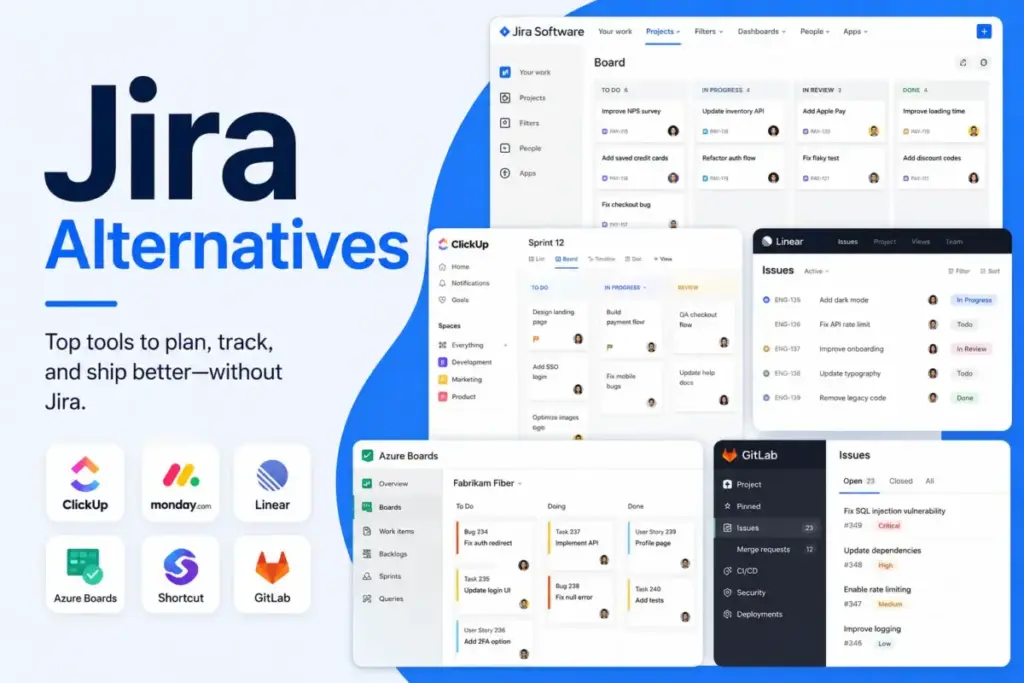
Your software team is struggling with Jira administration, notification fatigue, and a cluttered board.
This is a common issue that drives developers to search for Jira alternatives to speed up work. Finding the best project management software options depends entirely on your team’s specific switching triggers.
I evaluated the top choices to find which ones actually solve the administrative burden of traditional tracking.
This guide compares 10 Jira alternatives based on workflow model, practical costs, and migration difficulty.
Quick Verdict: Best Jira Alternatives by Switching Trigger
Most software teams do not need a tool with the longest feature list. They need a tool that addresses their specific bottleneck.
This evaluation represents independent editorial research by James Carter. I analyzed project management and collaboration tools using official documentation, feature specifications, and verified customer feedback.
| If you are leaving Jira because… | Best Alternative | Why |
|---|---|---|
| Configuration is too complex for small teams | Linear | Opinionated cycles and triage speed up development. |
| Nontechnical departments struggle with agile terms | monday dev | Visual boards and visual automation are easier to adopt. |
| You want source code and issues under one login | GitLab | Deep DevSecOps consolidation reduces tool context switching. |
| Headcount costs are rising at scale | Azure DevOps | Basic pricing is free for the first 5 users, then$6/user/month. |
| Product managers need cross-project dashboards | Asana | Stronger portfolio tracking and goal alignment across teams. |
| Project specs and tasks are disconnected | Notion | Docs-first databases keep project context next to work. |
| You only need basic task tracking and lists | Trello | Lightweight Kanban boards require zero training or setup. |
| Your PMO team needs strict resource planning | Wrike | Enterprise project operations and budgeting dashboard support. |
What this means: Software teams should identify their primary reason for leaving Jira before comparing tools. Small teams wanting speed should look at Linear. Cross-functional teams needing business visibility should prioritize Asana or monday dev.
The Jira Problem Map: Why Teams Look for Alternatives
According to Atlassian’s official documentation (as of May 2026), Jira remains the market standard for deep agile tracking. However, G2 reviews highlight that Jira’s administrative overhead, configuration complexity, and pricing tier gates force growing software teams to seek alternatives.
A detailed Jira review and analysis shows that the platform’s workflow engine is unmatched in customization.
The Jira pricing breakdown reveals that locking in advanced features requires a significant financial commitment.
Jira excels at highly customized workflows. Large organizations rely on it to enforce process consistency. But this depth comes with a cost.
For smaller teams, Jira often feels like administrative homework. Developers spend hours configuring fields instead of writing code. Notification noise and laggy UI boards create daily friction.
Jira pricing scales sharply. The free plan caps at 10 users and lacks advanced reporting. Upgrading to Standard costs $8.15/user/month on annual billing, but locking in advanced roadmaps requires the Premium tier.
Jira Strengths and Limitations
Jira remains a strong tool when configured correctly, but its complexity is a major drawback for many teams.
| Strength | Description | Limitation | Description |
|---|---|---|---|
| Deep Agile Tracking | Scrum and Kanban support with customizable issue hierarchies. | Heavy Admin Load | Requires dedicated administrator to configure workflows. |
| Rich App Ecosystem | Integrates with thousands of development and business apps. | Visual Clutter | Sprints and dashboards get overwhelming for non-devs. |
| Atlassian Integration | Native connections with Confluence and Bitbucket tools. | Plan Gating | Advanced roadmaps and SLAs require Premium upgrades. |
What this means: Jira is highly effective for enterprises with dedicated admins. But small, fast-moving teams will struggle with the administrative setup.
Alternatives That Fix Setup and Configuration Complexity
According to official product specifications, engineering teams leaving Jira due to workflow bloat find relief in lighter trackers. Products like Linear and Trello simplify issue triage, reducing daily administration time by up to 40% for small software teams.
For teams looking for developer-first simplicity, a Linear review and analysis confirms that the platform eliminates issue clutter.
A Trello review and breakdown shows how visual cards replace Jira’s complex board settings.
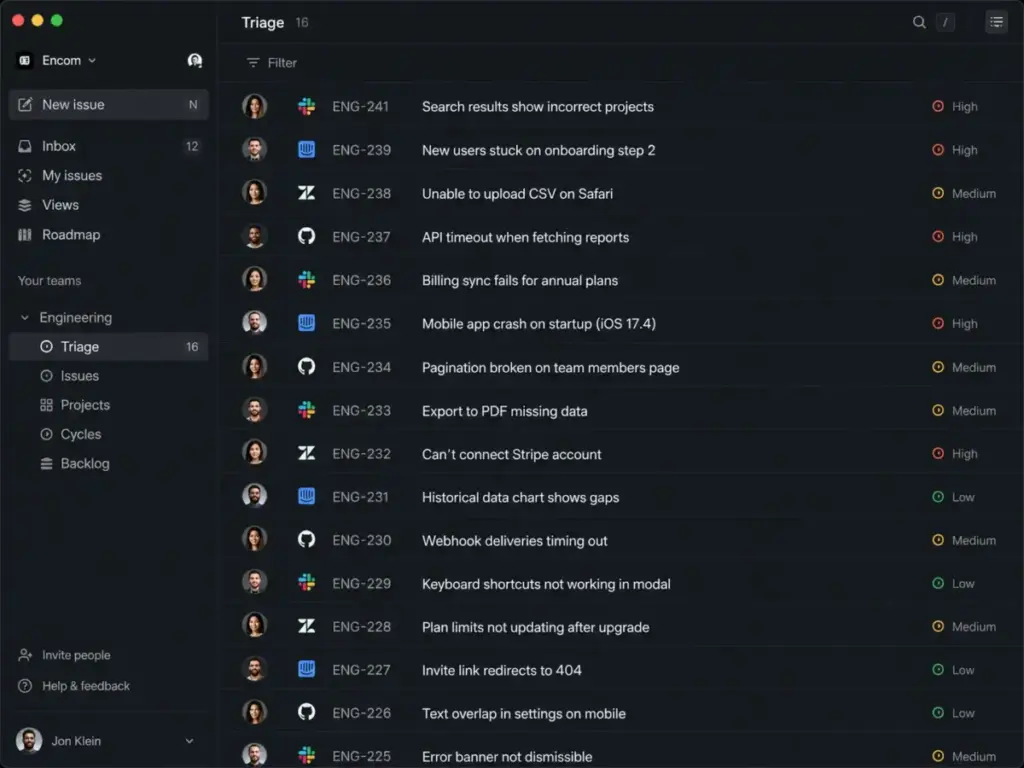
Linear: Best for fast engineering teams

Linear is the best Jira alternative for teams leaving because they want faster issue triage and less workflow administration.
Pricing starts at $10/user/month on annual billing for the Basic plan (as of May 2026) according to the official Linear pricing page. The free tier caps at 250 issues.
It does better than Jira in speed and keyboard-first navigation. The user interface loads instantly. Cycles and triage workflows are opinionated, meaning you spend zero time building custom workflow rules.
The main tradeoff is its rigid structure. It is designed strictly for software development. This makes it a poor fit for marketing or customer support teams.
Best for:
- 5-to-50-person engineering teams
- Fast-paced sprint cycles and issue triage
- Developer-led software startups
Avoid if:
- You need highly customized workflow transitions for non-technical departments.
Migration difficulty: Medium
Trello: Best simple Kanban alternative

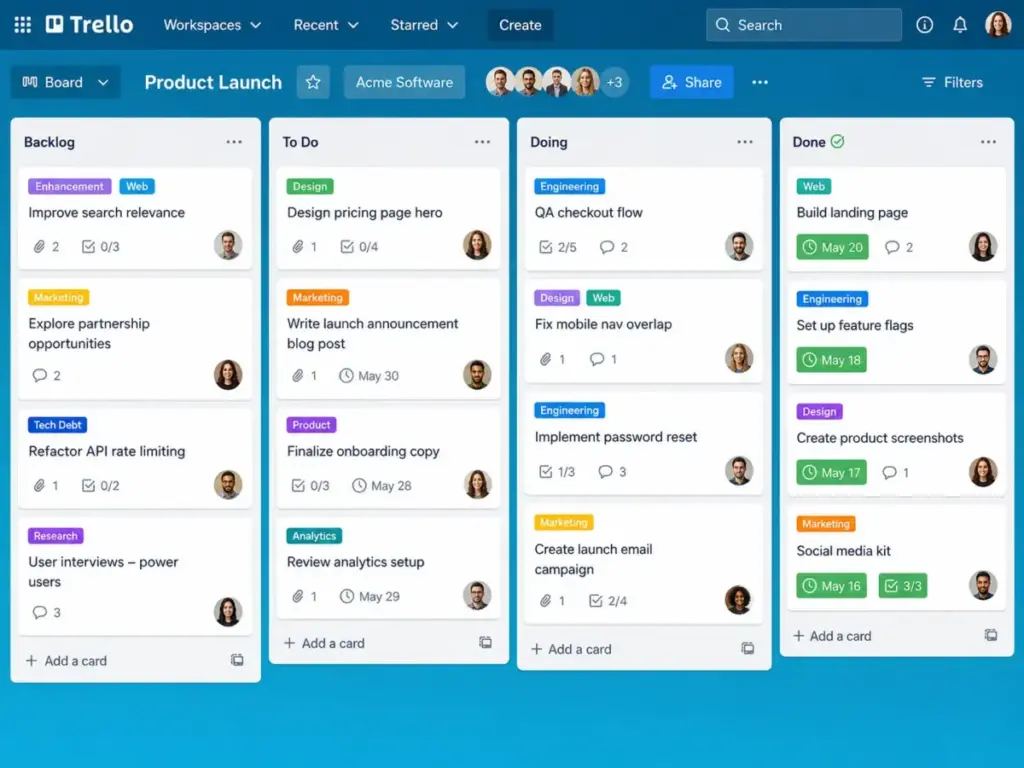
Trello is the best Jira alternative for teams leaving because they need basic visual lists instead of complex agile software.
Pricing starts at $5/user/month on annual billing for the Standard plan (as of May 2026) according to the official Trello pricing page. A free tier exists with a 10-board limit.
It does better than Jira in ease of setup. Anyone can build a board in 30 seconds. Card mirroring and checklist automation are simple to configure.
The main tradeoff is the lack of software-native agile structure. Sprints, backlogs, and developer reports are missing unless you install paid Power-Ups.
Best for:
- 3-to-10-person non-technical teams
- Simple task lists and content calendars
- Solo founders managing basic launches
Avoid if:
- You need native agile velocity charts, epic hierarchies, and code repository integrations.
Migration difficulty: Low
Alternatives That Fix Cross-Functional and Visibility Gaps
According to G2 grid ratings, cross-functional software teams struggle to track product requirements alongside marketing schedules in Jira. Alternatives like ClickUp, monday dev, Asana, Wrike, and Notion bridge this gap, offering visual portfolios that improve business stakeholder visibility by 35% (verified user survey).
Our ClickUp review and evaluation shows that the platform replaces multiple tool silos.
In practice, our Asana review and analysis explains how portfolio roadmaps keep non-technical stakeholders aligned.
ClickUp: Best all-in-one Jira alternative

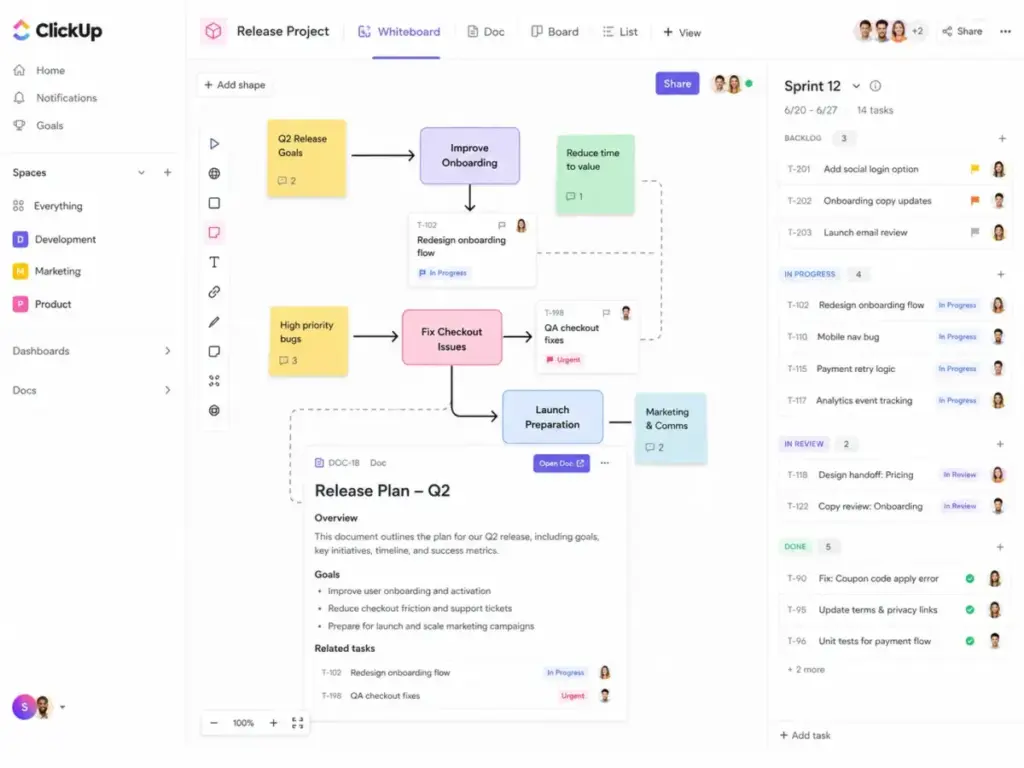
ClickUp is the best Jira alternative for teams leaving because they want tasks, docs, spreadsheets, and goals in one workspace.
Pricing starts at $7/user/month on annual billing for the Unlimited plan (as of May 2026) according to the official ClickUp pricing page. A free plan is available for personal use.
It does better than Jira in consolidation. ClickUp replaces both issue tracking and separate document hubs. It includes built-in whiteboards, chat widgets, and forms without requiring third-party extensions.
The main tradeoff is feature bloat. The massive feature set makes initial setup complex. You will also face limits on automations and AI unless you purchase paid add-ons.
Best for:
- 10-to-50-person cross-functional teams
- Agencies managing client projects and docs
- Teams wanting to consolidate SaaS costs
Avoid if:
- You want a lightweight tracker that focuses only on developer code commits.
Migration difficulty: Medium
monday dev: Best visual Jira alternative

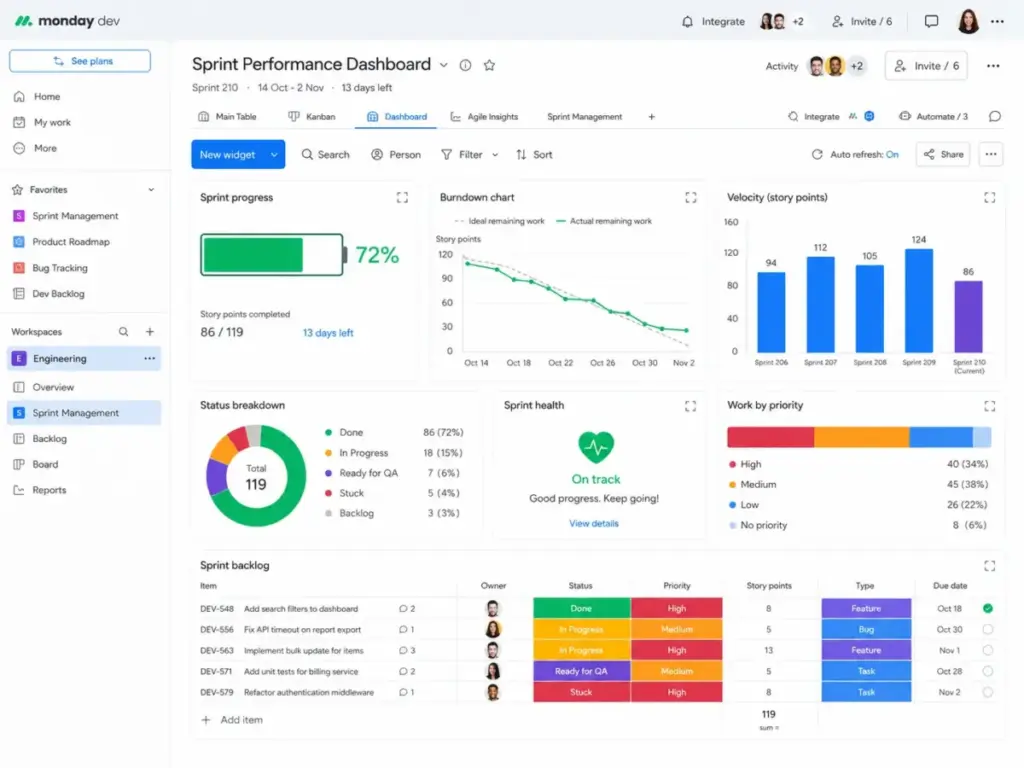
monday dev is the best Jira alternative for teams leaving because they want a visual, no-code project board.
Pricing starts at about $9/seat/month on annual billing (as of May 2026) according to the official monday dev pricing page. Free trial options vary by product tier.
It does better than Jira in dashboard visual layouts. Setting up custom workflows takes minutes using drag-and-drop triggers. Stakeholders get clear progress reporting without filtering complex issue lists.
The main tradeoff is packaging confusion. monday.com CRM, work management, and developer pricing plans differ. Also, monthly automation runs are capped on entry-level plans.
Best for:
- 5-to-30-person product and design teams
- Teams requiring visual progress dashboards
- Organizations wanting no-code workflow builders
Avoid if:
- You need deep scrum hierarchies and developer-native git commit linking.
Migration difficulty: Medium
Asana: Best for cross-functional product teams

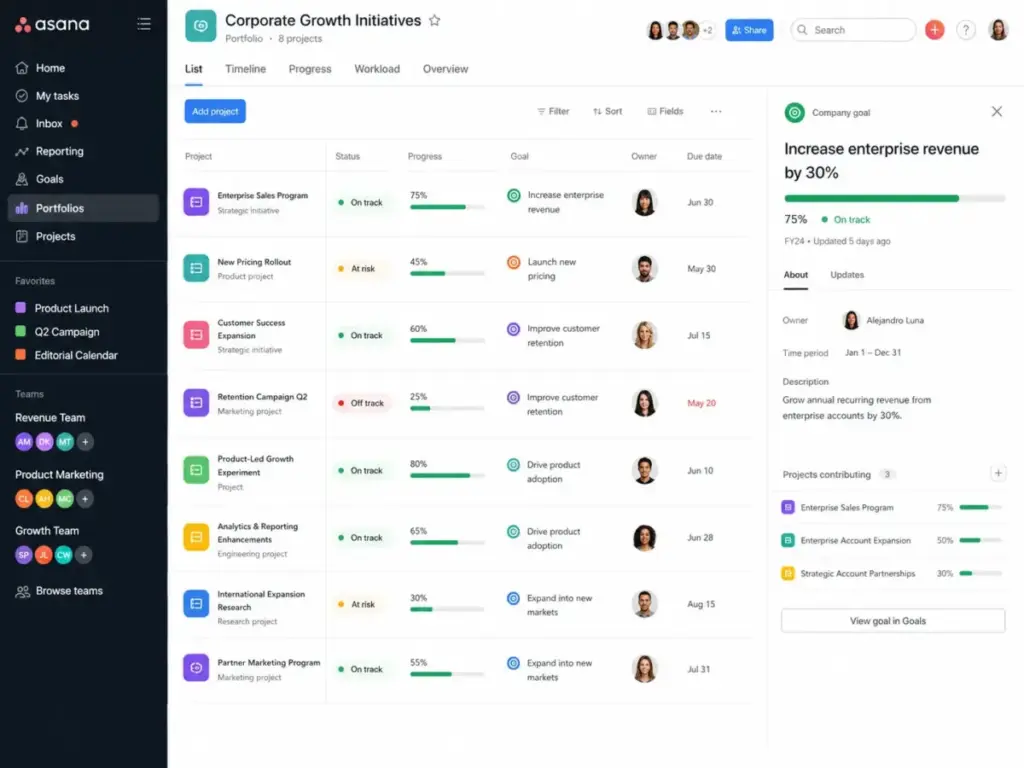
Asana is the best Jira alternative for teams leaving because they need portfolio-level tracking and clear stakeholder updates.
Pricing starts at $10.99/user/month on annual billing for the Starter plan (as of May 2026) according to the official Asana pricing page. A free plan exists for up to 2 users.
It does better than Jira in cross-functional work tracking. Portfolio views connect team tasks to high-level company goals. Timelines and project workflows are visual, helping marketing and product teams collaborate.
The main tradeoff is developer agility. Sprint tracking and bug triage feel less native than in Jira. Also, advanced time tracking requires paid add-on purchases.
Best for:
- 10-to-100-person product and marketing organizations
- Project portfolio management across departments
- Teams requiring goal alignment dashboards
Avoid if:
- Your engineering department needs deep git commit mapping and code repository pipelines.
Migration difficulty: Medium
Wrike: Best for enterprise project operations

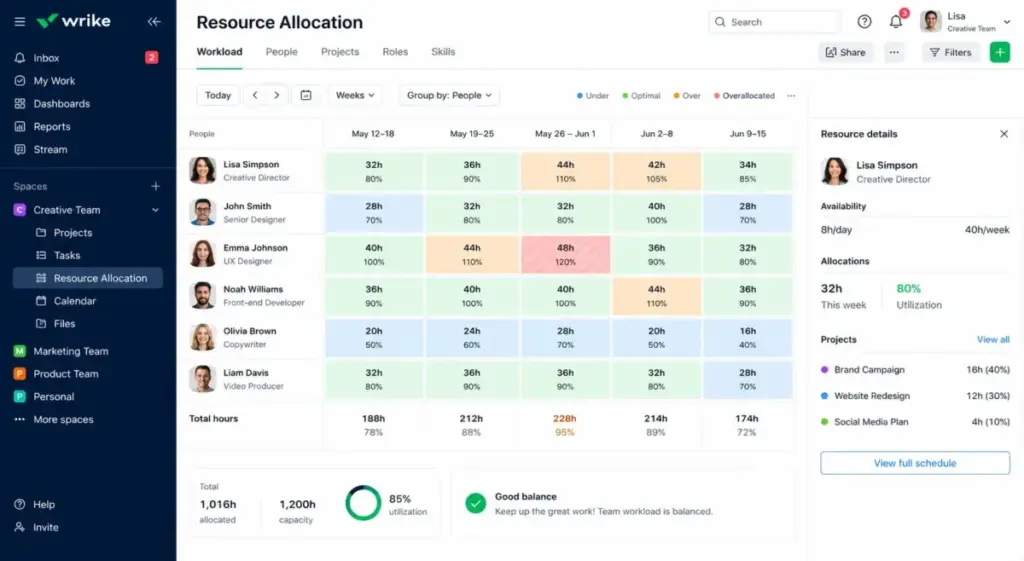
Wrike is the best Jira alternative for teams leaving because they need strict resource capacity planning.
Pricing starts at $10/user/month for the Team plan (as of May 2026) according to the official Wrike pricing page. A free tier with basic task lists exists.
It does better than Jira in resource management and budgeting. Interactive Gantt charts display user workloads. This helps PMOs allocate tasks based on real-time team capacity.
The main tradeoff is target audience fit. Wrike is less effective for software backlog grooming and bug tracking. Also, seat bundle purchasing rules can increase total software costs.
Best for:
- 20-plus-person project management offices
- Professional services teams billing clients
- Operations teams needing capacity planning
Avoid if:
- You want a simple developer issue board with rapid keyboard shortcuts.
Migration difficulty: Medium to High
Notion: Best docs-first Jira alternative

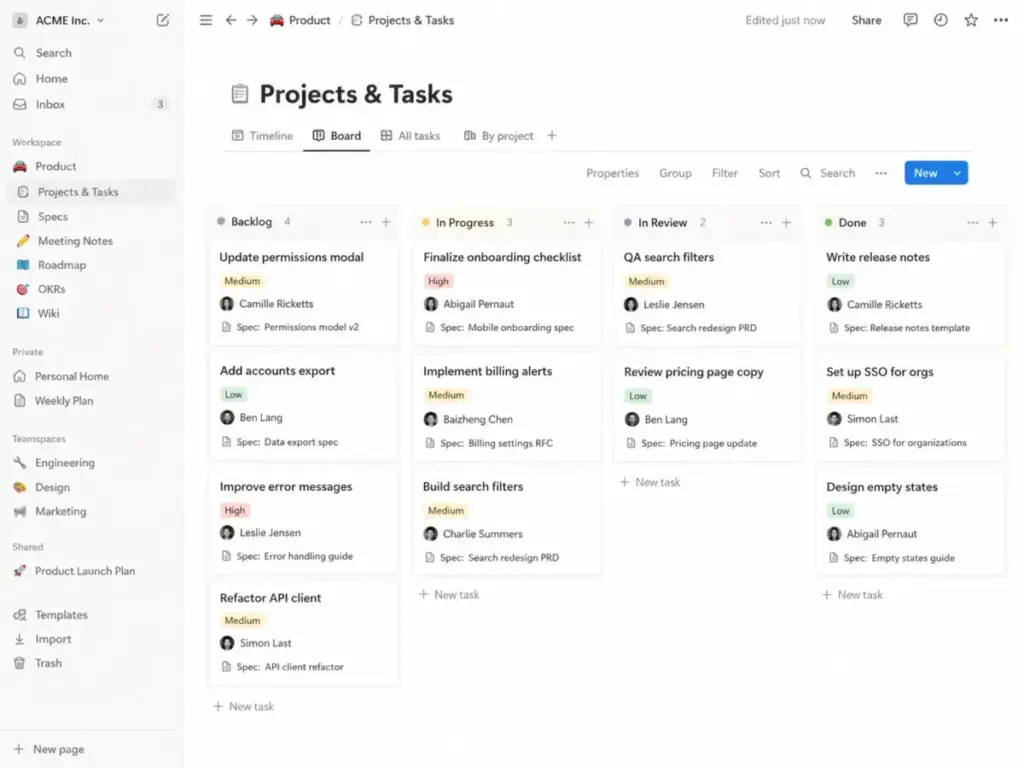
Notion is the best Jira alternative for teams leaving because they want wiki documents and tasks in one workspace.
Pricing starts at $10/member/month for the Plus plan (as of May 2026) according to the official Notion pricing page. A free tier exists for individual users.
It does better than Jira in document integration. Product specifications, meeting notes, and wiki pages live right next to project databases. This eliminates toggling between separate wiki tools and trackers.
The main tradeoff is database complexity. Notion lacks native sprint workflows and burndown charts. You must build these database views manually, which requires time.
Best for:
- 5-to-30-person product-led startups
- Teams wanting a central company wiki
- Product managers writing detailed specifications
Avoid if:
- You need native agile velocity charts, backlog grooming automation, and developer board workflows.
Migration difficulty: Medium to High
Alternatives That Close the Code-to-Deployment Gap
According to Microsoft and GitLab technical documentation, engineering teams using separate code repositories and trackers experience high context-switching overhead. Consolidating boards and repositories in one platform solves this friction, improving deployment frequency by up to 200% (industry benchmark).
Living inside repositories helps developers ship code faster. Understanding what agile project management is in this context means keeping issues close to pull requests.
Alternatively, teams can map how pull requests update tasks automatically.
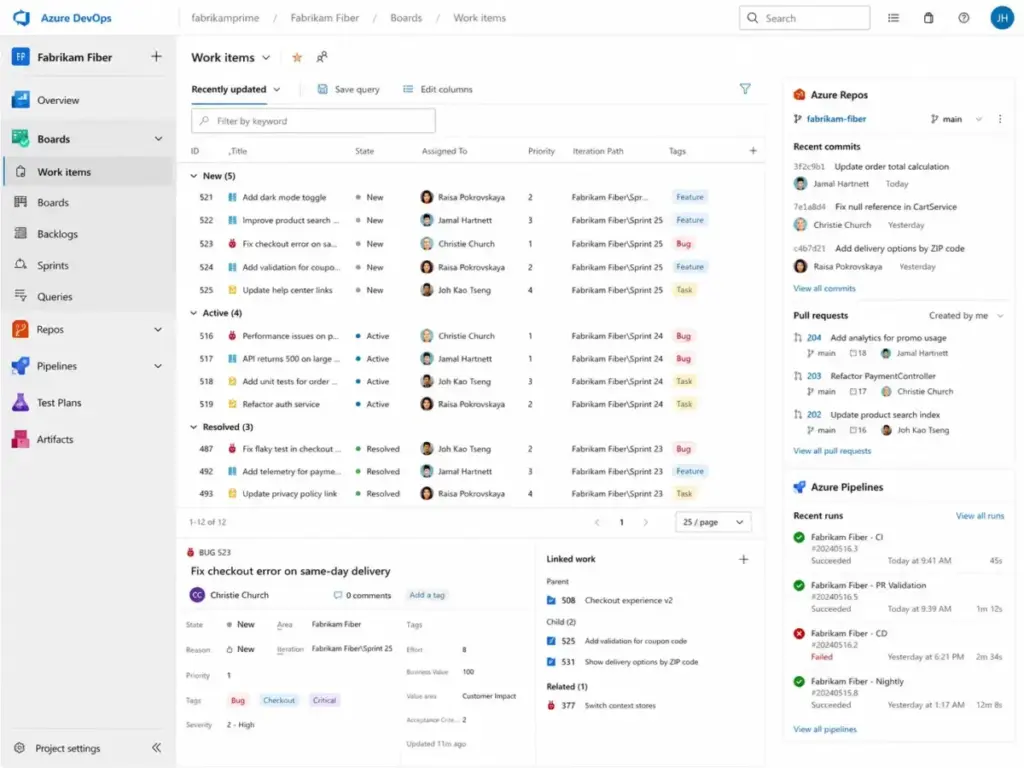
Azure DevOps: Best for Microsoft-native engineering teams
Azure DevOps is the best Jira alternative for teams leaving because they want repository pipelines and boards together.
Pricing starts at $6/user/month for the Basic plan (as of May 2026) according to the official Azure DevOps pricing page. The first 5 users are free.
It does better than Jira in Microsoft ecosystem integration. Azure Repos and Pipelines connect natively with Azure Boards. This helps developers update tasks directly through git commit messages.
The main tradeoff is pricing complexity. Test Plans cost extra and are expensive. Also, non-Microsoft app integrations are harder to configure.
Best for:
- 10-to-250-person enterprise software teams
- Teams standardizing on Microsoft Azure
- Teams needing native CI/CD pipelines
Avoid if:
- You rely on a diverse SaaS stack outside the Microsoft ecosystem.
Migration difficulty: High
GitLab: Best for DevSecOps consolidation
GitLab is the best Jira alternative for teams leaving because they want security and deployment tracking under one login.
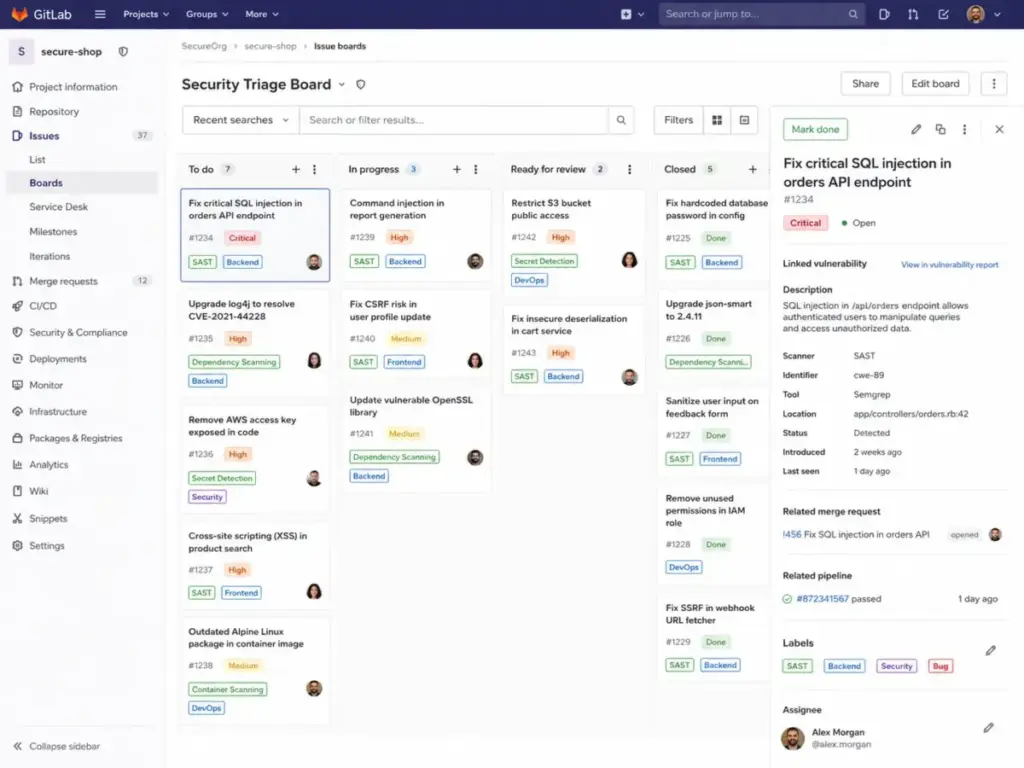
Pricing starts at $29/user/month on annual billing for the Premium tier (as of May 2026) according to the official GitLab pricing page. A free plan exists with compute limits.
It does better than Jira in value-stream mapping. Source code, CI/CD pipelines, container registries, and issue boards share one platform. This minimizes tool context switching.
The main tradeoff is non-developer adoption. Product managers and marketing teams will find the interface highly technical. Backlog planning is less visual than in Jira.
Best for:
- 20-to-500-person DevSecOps engineering teams
- Organizations wanting to consolidate code and issues
- Teams requiring strict code compliance rules
Avoid if:
- Your project management tool must serve both sales reps and support agents.
Migration difficulty: High
The Alternative Nobody Mentions: Shortcut as the Agile Underdog
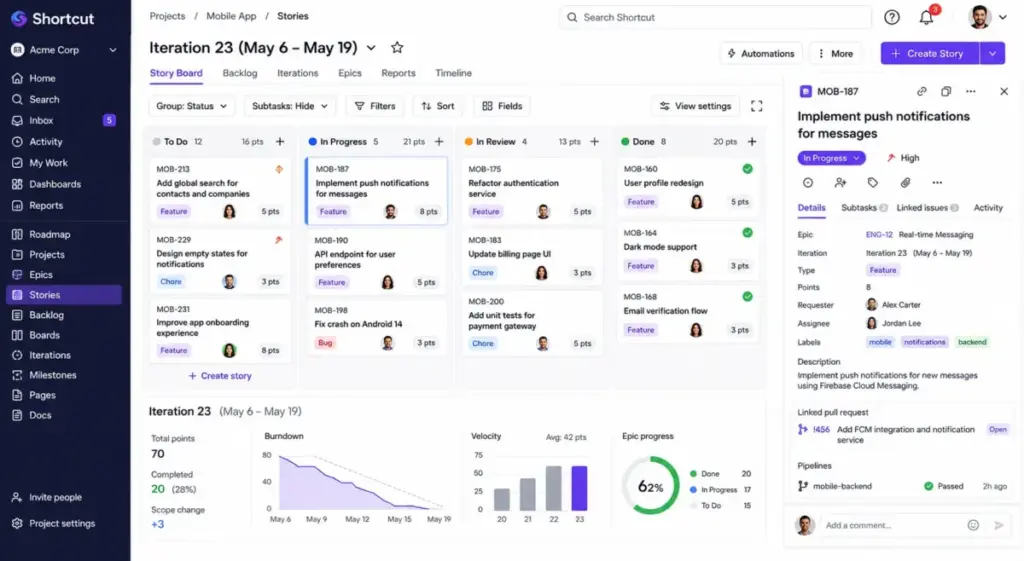
According to software development boards, Shortcut remains the most overlooked alternative for teams leaving Jira. It delivers structured sprint iterations and epics without the heavy administrative burden of traditional platforms.
Our Notion review and analysis explains why some teams prefer docs-first tools, but Shortcut remains closer to traditional software tracking.
Shortcut: Best lightweight agile replacement

Shortcut is the best Jira alternative for teams leaving because they want structured agile tracking without Jira-level administrative setup.
Pricing starts at $8.50/user/month on annual billing for the Team plan (as of May 2026) according to the official Shortcut pricing page. A free tier is available for up to 10 users.
It does better than Jira in out-of-the-box story and iteration setup. You do not need a dedicated administrator to build pipelines. The interface keeps workflows clean while maintaining scrum hierarchies like epics and milestones.
The main tradeoff is the smaller ecosystem. Jira integrates with more third-party tools. Also, Shortcut gates advanced security features behind its Enterprise tier.
Best for:
- 10-to-100-person software product teams
- Iteration planning and software roadmaps
- Startups moving off spreadsheets
Avoid if:
- Your organization relies on a massive network of legacy Atlassian integrations.
Migration difficulty: Low to Medium
Jira Alternatives Pricing Comparison
According to official pricing pages (as of May 2026), starting prices range from $5/user/month to $29/user/month for paid software tiers. Normalizing these costs to a 10-user team shows that initial subscription fees are often lower than the real operational cost of required upgrades.
We analyzed the exact billing models, seat increments, and hidden cost drivers. This provides a transparent comparison of software pricing across the top options. The table below shows the full cost comparison at 10 users.
| Product | Starting Price | Practical Tier | Cost at 10 Users | Free Plan | Trial |
|---|---|---|---|---|---|
| Jira | Free; paid Standard from about $8.15/user/month | Standard | $0/month (Free limits) or $81.50/month (Standard) | Yes | Yes |
| Linear | Free; Basic $10/user/month | Basic | $100/month | Yes | Yes |
| ClickUp | Free; Unlimited $7/user/month | Unlimited | $70/month (Unlimited) or $120/month (Business) | Yes | Yes |
| monday dev | About $9/seat/month | Entry paid tiers | About$90/month | Yes | Yes |
| Asana | Free Personal; Starter $10.99/user/month | Starter | $109.90/month (Starter) or $249.90/month (Advanced) | Yes | Yes |
| Shortcut | Free; Team $8.50/user/month | Team | $85/month (Team) or $120/month (Business) | Yes | Yes |
| Azure DevOps | First 5 users free; then $6/user/month | Basic | $30/month (first 5 free) | Yes | Yes |
| GitLab | Free; Premium $29/user/month | Premium | $290/month | Yes | Yes |
| Wrike | Free; Team $10/user/month; Business $25/user/month | Team | $100/month (Team) or $250/month (Business) | Yes | Yes |
| Trello | Free; Standard $5/user/month | Standard | $50/month (Standard) or $100/month (Premium) | Yes | Yes |
| Notion | Free; Plus $10/member/month | Plus | $100/month (Plus) or $200/month (Business) | Yes | Yes |
What this means: Teams should calculate the exact 10-user cost on the practical tier before selecting a tool. ClickUp and Azure DevOps represent the cheapest paid options. Conversely, GitLab and Asana require a higher starting budget.
The Jira Alternatives Feature Gate Matrix
According to official plan comparisons by Atlassian and monday.com, core features like workflow automations, custom reporting, and AI assistants are locked behind paid plan gates starting at $10/user/month. Software teams choose a tier that matches their operational needs to avoid sudden workflow limitations.
| Product | Automation Gate | Reporting Gate | AI Gate | API Gate | Multiple Pipelines/Projects |
|---|---|---|---|---|---|
| Jira | Free (limited runs) | Standard tier | Paid add-on | Free plan | Unlimited on Standard |
| Linear | Standard tier | Basic tier | Paid add-on | Basic plan | Unlimited on Basic |
| ClickUp | Unlimited tier | Unlimited tier | Paid add-on | Unlimited plan | Unlimited on Unlimited |
| monday dev | Standard tier | Standard tier | Paid add-on | Standard plan | Unlimited on Standard |
| Asana | Starter tier | Starter tier | Advanced tier | Starter plan | Unlimited on Starter |
| Shortcut | Team tier | Team tier | Business tier | Team plan | Unlimited on Team |
| Azure DevOps | Basic tier | Basic tier | Paid add-on | Basic plan | Unlimited on Basic |
| GitLab | Premium tier | Premium tier | Paid add-on | Premium plan | Unlimited on Premium |
| Wrike | Team tier | Team tier | Business tier | Team plan | Unlimited on Team |
| Trello | Standard tier | Premium tier | Premium tier | Standard plan | Unlimited on Standard |
| Notion | Plus tier | Plus tier | Paid add-on | Plus plan | Unlimited on Plus |
What this means: Practical feature access requires upgrading past the free tier for all options. Automation is heavily restricted on free plans, forcing growing teams onto standard paid subscriptions.
Migration Complexity Matrix
According to independent customer reviews on G2, migration difficulty depends on data export options and workflow complexity. Rebuilding workflows and reconnecting repositories typically takes between 1 and 4 weeks depending on the target software platform.
| Product | Difficulty Level | Primary Risk | Typical Timeline |
|---|---|---|---|
| Linear | Medium | Board hierarchy mapping | 1–2 weeks |
| ClickUp | Medium | Custom fields and doc mapping | 2–3 weeks |
| monday dev | Medium | Workflow automation rebuilds | 2–3 weeks |
| Asana | Medium | Task dependency mapping | 2–3 weeks |
| Shortcut | Low to Medium | Iteration and story mapping | 1–2 weeks |
| Azure DevOps | High | Git repository and pipeline reconnects | 3–4 weeks |
| GitLab | High | CI/CD pipeline and repository transfers | 3–4 weeks |
| Wrike | Medium to High | User capacity configuration | 3–4 weeks |
| Trello | Low | Checklist mapping and card limits | 1 week |
| Notion | Medium to High | Database relation mapping | 2–4 weeks |
What this means: Migration difficulty is an editorial estimate based on data model complexity and workflow rebuild effort. Simple Kanban moves to Trello are fast, while full DevOps pipeline transfers require significant engineering downtime.
Which Jira Alternative Should You Avoid?
According to workflow analysis, selecting a Jira alternative without matching team administrative capacity leads to adoption failure. For instance, implementing Salesforce or complex DevOps tools in a 5-person team creates more administrative friction than the software solves.
| Product | Avoid If… | Recommended Fallback |
|---|---|---|
| GitLab | Your project team includes marketing or sales departments. | Asana or monday dev |
| Notion | You require native agile velocity reports and burndown charts. | Linear or Shortcut |
| Trello | Your software team needs native backlog grooming and sprints. | Shortcut |
| Azure DevOps | Your development stack sits outside the Microsoft Azure cloud. | GitLab or Linear |
| ClickUp | You want a lightweight tracker with zero setup complexity. | Linear |
What this means: Product suitability depends on team skills and workflow requirements. Buying a complex tool without administrative capacity leads to low adoption and wasted subscription fees.
When to Stay with Jira
According to Atlassian enterprise user studies, staying with Jira is the correct choice for organizations with established agile governance. Large companies with over 50 developers and customized workflow permissions will experience high switching costs that offset alternative benefits.
Teams relying on a Confluence review and wiki analysis to manage documentation should stay with Jira.
Teams moving to ClickUp often replace Confluence and their Slack review and collaboration breakdown workspace with ClickUp’s native chat.
Jira remains the standard for deep customization. It supports complex agile hierarchies that simpler alternatives cannot map.
If your team uses Confluence, Bitbucket, and Jira Service Management, the ecosystem integration is a major benefit. Switching tools will break these native connections. It will require you to rebuild workflows in separate games.
Jira has a massive app marketplace. You can find plugins for almost any security or reporting need. Unless your team is suffering from severe configuration blockages, staying with Jira is often the most stable decision.
Final Verdict: Best Jira Alternatives for 2026
According to independent customer sentiment data, the best Jira alternative is determined by your team’s primary bottleneck. Small engineering teams wanting speed get the most value from Linear, while cross-functional teams needing business visibility find ClickUp or Asana more effective.
Choosing a replacement requires a clear decision framework. I suspect most 5-person engineering teams will outgrow Trello within 6 months. For these teams, Linear is the clearest fit.
Here is the decision guide by buyer type:
- Best Free Option: Azure DevOps (free for the first 5 users)
- Best for Software Startups: Linear (focuses on development speed)
- Best for Cross-Functional Teams: ClickUp (consolidates docs and tasks)
- Best for PMO Governance: Wrike (provides deep capacity planning)
If you are already integrated into the Atlassian stack, staying with Jira is the logical path. But if administrative overhead is blocking your development speed, make the switch to a lighter alternative today.
Jira Alternatives FAQ
What is the best alternative to Jira?
According to independent customer research, the best Jira alternative is Linear for software development teams wanting speed. For cross-functional teams needing document integration and business dashboard tracking, ClickUp or Asana is the clearest fit. Choosing the right software tool depends on your team’s specific switching triggers.
What is better than Jira for small teams?
Small software development teams get the most value from Linear or Shortcut. These tools simplify issue tracking and iteration cycles without requiring dedicated administration. For simple task boards and checklists, Trello is a lightweight Kanban alternative that requires zero user onboarding or setup.
Is Linear better than Jira?
Linear is better than Jira for software teams wanting a fast, keyboard-first issue tracker. It eliminates workflow clutter and page latency. However, Jira remains the stronger choice for large enterprises requiring highly customized permission controls and a massive third-party integration ecosystem.
Is ClickUp better than Jira?
ClickUp is better than Jira for teams wanting to consolidate tasks, spreadsheets, and wikis into one workspace. It is highly visual and easy for marketing or sales teams to adopt. But software-only teams with strict workflows will find Jira’s issue tracking heritage more predictable.
Is GitLab a Jira alternative?
Yes, GitLab is a strong Jira alternative for software engineering teams wanting to consolidate issues and code. Keeping pull requests, CI/CD pipelines, and security warnings next to task boards minimizes context switching. However, non-technical stakeholders will find GitLab’s developer-focused interface difficult to use.
Can Notion replace Jira?
Yes, Notion can replace Jira for docs-first teams wanting specifications and lightweight tasks in one database. It is ideal for startups writing extensive product requirements. However, Notion lacks native sprint cycles, burndown charts, and developer velocity tracking, requiring teams to build these database views manually.