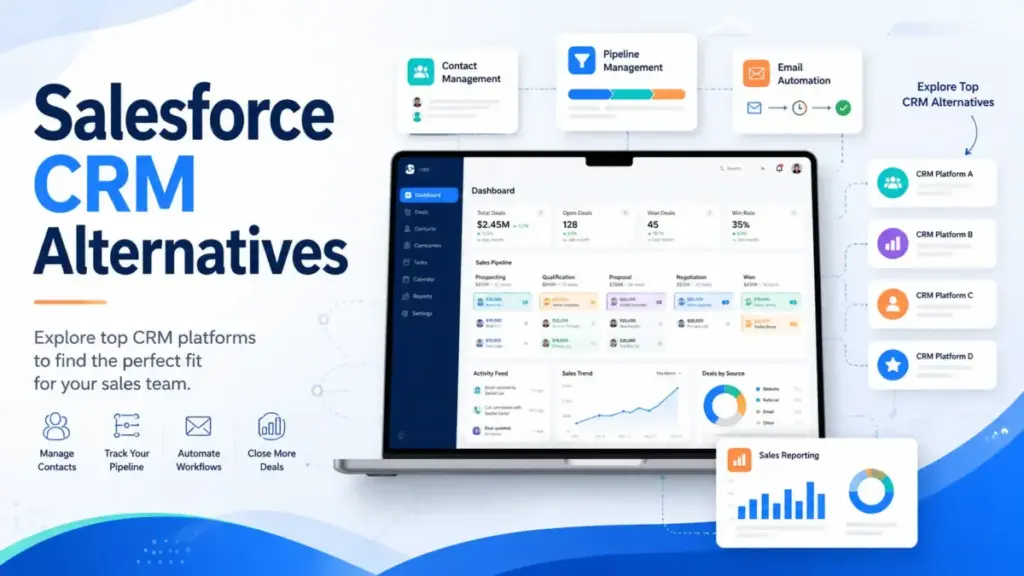
Salesforce CRM Alternatives are worth evaluating when the platform you are paying for no longer matches the team using it. Salesforce remains the most capable CRM software for enterprise sales operations, but many teams discover they are paying Enterprise prices for Starter-level usage.
I reviewed pricing, migration paths, and feature parity across 10 alternatives to help you find the right fit based on your specific exit reason. If you want broader context, I covered the full category in my best CRM software guide.
Quick Verdict: Best Salesforce CRM Alternatives
The best Salesforce alternative depends on why you are leaving, not just what you are switching to. These 10 options cover everything from full-platform replacements to focused sales tools that do one job better than Salesforce does at a fraction of the cost.
| Rank | Alternative | Best For | Starting Price | Salesforce Exit Reason Solved | Migration Difficulty | Score |
|---|---|---|---|---|---|---|
| 1 | HubSpot CRM | All-in-one replacement | Free; paid from ~$20/user/mo | Too complex for marketing-led teams | Medium | 9.2/10 |
| 2 | Pipedrive | Pipeline simplicity | From $14/user/mo | Reps hate admin work | Easy-Medium | 9.0/10 |
| 3 | Zoho CRM | Budget CRM suite | Free for 3 users; paid from $14/user/mo | Cost too high for broad functionality | Medium | 8.8/10 |
| 4 | Freshsales | Low-cost AI CRM | Free for 3 users; paid from $9/user/mo | Too expensive for AI and comms | Medium | 8.6/10 |
| 5 | Dynamics 365 Sales | Microsoft enterprise fit | $65/user/mo | Want Salesforce depth on Microsoft stack | Hard | 8.5/10 |
| 6 | monday CRM | Visual sales workflow | $12/seat/mo | Rigid CRM for collaborative teams | Medium | 8.3/10 |
| 7 | Close | Outbound calling | $35/seat/mo | Too many add-ons for outbound | Medium | 8.2/10 |
| 8 | Copper | Google Workspace CRM | $9/seat/mo | CRM detached from Gmail | Medium | 8.0/10 |
| 9 | Insightly | Sales-to-project handoff | $29/user/mo | Post-sale handoff is messy | Medium-Hard | 7.9/10 |
| 10 | Less Annoying CRM | Simple SMB CRM | $15/user/mo flat | Salesforce is overkill | Easy | 7.8/10 |
Why Are Users Leaving Salesforce?
Salesforce is not losing customers because the product is weak. It is losing them because the gap between what teams pay and what they actually use keeps growing. Our Salesforce CRM review covers the platform’s strengths in detail. Here is why teams still walk away.
Pricing escalation. Salesforce Starter Suite costs $25/user/month. But the moment a team needs custom automation, role-based permissions, or advanced reporting, they land on Pro Suite at $100/user/month or Enterprise at $175/user/month. For a 20-person sales team, that is $3,500/month before add-ons. Check current numbers on our Salesforce pricing breakdown.
Admin and consultant dependency. Salesforce rewards specialization. Custom objects, validation rules, process builders, and permission sets require a trained admin or a paid consultant. Small teams without that resource end up with a CRM that nobody can configure.
Slow implementation. Full Salesforce deployments can take weeks or months. Teams that need to sell today cannot wait 90 days for a CRM rollout.
Low rep adoption. As one verified G2 reviewer noted: “Some parts of the interface also feel a little complex for small teams, especially when trying to customize things.” When reps avoid the CRM, pipeline data degrades fast.
Add-on sprawl. Calling, email sequences, territory management, CPQ, and advanced analytics all cost extra. Salesforce Agentforce 1 Sales reaches $550/user/month. The total cost of ownership surprises teams that budgeted only for the license.
Overbuilt CRM architecture. After years of custom fields, unused workflows, and inherited objects, many Salesforce orgs carry technical debt that makes every change harder.
Exit Reason Decoder
Match your Salesforce frustration to the right alternative.
| Your Salesforce Pain Point | Best Alternative | Why |
|---|---|---|
| Total cost too high for what we use | Zoho CRM | Broadest feature set at lowest price per user |
| Reps refuse to log activity | Pipedrive | Visual pipeline built for daily rep workflow |
| Need marketing + sales in one place | HubSpot CRM | Unified CRM, marketing, and service hubs |
| Want AI without Agentforce pricing | Freshsales | Freddy AI included at lower tiers |
| Microsoft stack, need enterprise CRM | Dynamics 365 Sales | Native Microsoft 365, Teams, and Azure fit |
| Sales + project delivery in one tool | Insightly | CRM with built-in project management |
| Outbound team buried in add-ons | Close | Built-in calling, SMS, and email sequences |
| Gmail-first team, CRM feels separate | Copper | Designed to live inside Google Workspace |
| Need visual boards, not rigid CRM | monday CRM | Workflow-first boards with CRM features |
| Small team, Salesforce is overkill | Less Annoying CRM | $15/user/month, no tiers, no admin overhead |
Best Salesforce CRM Alternatives Ranked
Each alternative below is mapped to a specific Salesforce exit reason, team size, and migration difficulty. I scored these based on pricing transparency, feature parity, migration practicality, and real-world adoption fit. Generic “best for everyone” labels do not help when you are migrating off one of the most complex CRM platforms on the market.
HubSpot CRM – Best All-in-One Replacement

Score: 9.2/10 – Excellent
HubSpot CRM is the strongest Salesforce alternative for teams that want sales, marketing, and service in one platform without hiring a dedicated CRM admin. It solves the exit reason of Salesforce feeling too complex for marketing-led sales organizations. The free CRM covers contacts, deals, and basic pipeline management. Paid Sales Hub tiers unlock automation, sequences, and custom reporting. Check current pricing on HubSpot’s sales pricing page.
Best for: 10-100 person teams that want sales plus inbound marketing alignment.
Why switch from Salesforce: HubSpot’s onboarding takes days, not months. Marketing and sales share one database. Reps start logging activity faster because the interface has less friction than Salesforce’s object-heavy navigation.
Where it beats Salesforce: Faster adoption. Simpler automation builder. Built-in marketing tools (email, landing pages, forms) without buying a separate cloud. Breeze AI features are expanding across the platform.
Where Salesforce still wins: Custom object depth. Territory management. Advanced role hierarchy and permission sets. AppExchange ecosystem. CPQ and revenue lifecycle management.
Migration difficulty: Medium. Contacts and deals transfer well. But Salesforce workflows, custom objects, and validation rules require careful mapping. Do not try to recreate every Salesforce field inside HubSpot. Simplify first.
Pricing comparison: HubSpot’s free tier beats Salesforce Starter for basic CRM needs. But advanced HubSpot bundles with multiple hubs and enterprise automation can approach or exceed Salesforce Enterprise costs. Budget the tier you actually need, not the free plan.
Not for: Enterprise teams needing deep custom objects, territory complexity, or Salesforce-grade governance.
For the full breakdown, read our HubSpot CRM review and the detailed HubSpot vs Salesforce comparison.
Alex Morrison’s Quick Take: HubSpot is the most common Salesforce exit destination for a reason. It covers more ground than any other alternative. But I have seen teams overspend on HubSpot by bundling hubs they do not need. Define your use case before you price it out.
Pipedrive – Best for Pipeline Simplicity

Score: 9.0/10 – Excellent
Pipedrive exists for sales teams that want to move deals forward without wrestling with CRM admin work. It solves the exit reason of reps hating Salesforce because the daily workflow is buried under configuration screens and object navigation. Pricing starts at $14/user/month for Essential. Most teams land on Advanced ($29/user/month) or Professional ($49/user/month) for automation and email sync. See current tiers on Pipedrive’s pricing page.
Best for: 2-50 person sales teams with straightforward pipeline stages.
Why switch from Salesforce: Pipedrive’s visual pipeline is designed for reps, not admins. Deal cards move across stages with drag-and-drop. Activity tracking is built into the daily workflow instead of being a separate reporting exercise.
Where it beats Salesforce: Cleaner deal movement. Faster daily rep adoption. Less training required. Lower total cost for sales-only use cases. The marketplace offers add-ons for calling, lead generation, and web forms.
Where Salesforce still wins: Complex reporting. Multi-department CRM operations. Enterprise permissions. Quote and order management. CPQ logic. Any workflow that spans sales, service, and operations.
Migration difficulty: Easy to medium. Deals, contacts, companies, and activities migrate cleanly from Salesforce. Custom automation and complex Salesforce workflows do not translate. Teams must accept a simpler process.
Pricing comparison: Pipedrive Professional at $49/user/month gives a 20-person team solid pipeline management for $980/month. The same team on Salesforce Enterprise pays $3,500/month. The savings are significant for teams that only need pipeline execution.
Not for: Teams that need complex quote/order objects, advanced permissions, or Salesforce CPQ-like logic.
Read the full Pipedrive CRM review for detailed scoring.
Alex Morrison’s Quick Take: Pipedrive works best when the team accepts a simpler sales process instead of forcing Salesforce-level complexity into it. If your reps only used 20% of Salesforce, Pipedrive covers that 20% better and cheaper.
Zoho CRM – Best Budget CRM Suite

Score: 8.8/10 – Very Good
Zoho CRM delivers the broadest feature set per dollar among Salesforce competitors. It solves the exit reason of Salesforce costing too much for teams that still need leads, deals, workflows, reports, and a mobile app. The free edition supports 3 users. Paid tiers start at $14/user/month (Standard) and scale to $52/user/month (Ultimate). See the full tier breakdown on Zoho’s CRM pricing page.
Best for: 3-100 person teams that want CRM plus adjacent business apps (Zoho Books, Zoho Desk, Zoho Projects) on one ecosystem.
Why switch from Salesforce: Zoho covers similar CRM ground at a fraction of the cost. A 20-person team on Zoho Enterprise ($40/user/month) pays $800/month versus $3,500/month on Salesforce Enterprise. That is $32,400/year in savings.
Where it beats Salesforce: Price-to-feature ratio for SMBs. Zia AI is included in higher tiers without a separate Agentforce-style add-on. The Zoho ecosystem (40+ apps) offers adjacent tools without third-party licensing.
Where Salesforce still wins: Interface polish. Support responsiveness. AppExchange depth. Enterprise-grade governance. Salesforce’s ecosystem has more third-party integrations and certified consultants.
Migration difficulty: Medium. Zoho supports migration paths from Salesforce, including field mapping tools. But automation cleanup matters. Salesforce Process Builder and Flow logic must be rebuilt in Zoho’s workflow engine.
Pricing comparison: Zoho CRM Enterprise at $40/user/month versus Salesforce Enterprise at $175/user/month. For comparable mid-market workflows, Zoho costs 77% less per user.
Not for: Teams that want the cleanest UX or a best-in-class single-purpose sales CRM. Zoho’s interface can feel inconsistent across its app ecosystem.
Full analysis in our Zoho CRM review.
Alex Morrison’s Quick Take: Zoho is a value play, not a “simpler Salesforce clone.” It rewards teams that standardize workflows before switching. Import clean data, map only the fields you actually use, and Zoho delivers real ROI.
Freshsales – Best Low-Cost AI CRM

Score: 8.6/10 – Very Good
Freshsales gives small teams AI scoring, built-in phone, live chat, and email in one CRM without the Salesforce price tag. It solves the exit reason of Salesforce being too expensive for teams that still want AI-assisted selling and multichannel communication. The free plan supports 3 users. Growth starts at $9/user/month. Enterprise tops out at $59/user/month billed annually. Confirm current pricing on Freshworks’ CRM pricing page.
Best for: SMB sales teams already using Freshworks products or needing fast CRM setup with built-in communications.
Why switch from Salesforce: Freshsales includes Freddy AI (lead scoring, deal insights, forecasting) at mid-tier pricing. Salesforce charges $550/user/month for Agentforce 1 Sales. A 10-person team on Freshsales Enterprise pays $590/month. That same team on Salesforce Enterprise pays $1,750/month, without AI agents.
Where it beats Salesforce: Better value for teams that need CRM, phone, chat, and AI in one workspace. Faster setup. Lower training burden. Kanban views and email templates are ready out of the box.
Where Salesforce still wins: Enterprise customization depth. Complex reporting. Multi-department operations. AppExchange integrations. Salesforce’s data model handles more object relationships.
Migration difficulty: Medium. Core CRM data (contacts, leads, deals, accounts) transfers well. Salesforce automation, advanced reports, and custom objects must be rebuilt from scratch in Freshsales.
Pricing comparison: Freshsales Enterprise at $59/user/month versus Salesforce Enterprise at $175/user/month. Freshsales costs 66% less per user for teams that do not need Salesforce’s object architecture.
Not for: Companies with deep custom Salesforce architecture, complex CPQ needs, or advanced role-based permissions.
See our Freshsales review for detailed scoring.
Alex Morrison’s Quick Take: Freshsales feels practical when Salesforce was mostly used for lead tracking and follow-up reminders. If your team never touched custom objects or Process Builder, Freshsales covers what you actually used at a third of the cost.
Microsoft Dynamics 365 Sales – Best Microsoft Enterprise Fit

Score: 8.5/10 – Very Good
Dynamics 365 Sales is the enterprise-grade Salesforce alternative for organizations already invested in Microsoft 365, Teams, Outlook, and Azure. It solves the exit reason of wanting Salesforce-level depth while staying inside the Microsoft stack. Sales Professional starts at $65/user/month. Sales Enterprise is $105/user/month. Sales Premium with Copilot AI reaches $150/user/month. Verify current pricing on Microsoft’s Dynamics 365 Sales pricing page.
Best for: Microsoft-heavy enterprises with IT resources and structured sales operations (50-500+ users).
Why switch from Salesforce: Native integration with Outlook, Teams, SharePoint, Power BI, Power Automate, and LinkedIn Sales Navigator. No middleware needed for Microsoft stack connectivity. Copilot AI is built into the sales workflow. Organizations that already pay for Microsoft 365 E3 or E5 avoid duplicate ecosystem costs.
Where it beats Salesforce: Microsoft 365 and Azure ecosystem fit. Power Platform extensibility (Power Automate, Power Apps, Power BI). LinkedIn Sales Navigator integration. Licensing can be lower than Salesforce Enterprise for equivalent capabilities.
Where Salesforce still wins: Larger third-party app ecosystem (AppExchange vs. AppSource). More certified independent consultants. Stronger community resources. Salesforce’s admin tooling is more mature for non-developer CRM managers.
Migration difficulty: Hard. Salesforce-to-Dynamics migration requires object mapping, data model decisions, and technical implementation resources. Custom Salesforce fields, workflows, validation rules, and reports all need re-engineering. Plan for 60-120 days for a mid-size org.
Pricing comparison: Dynamics 365 Sales Enterprise at $105/user/month versus Salesforce Enterprise at $175/user/month. A 50-person team saves $42,000/year on license costs alone. But implementation costs for Dynamics can offset first-year savings.
Not for: Small teams seeking simplicity. Dynamics 365 is a different kind of complex, not a simpler alternative.
Alex Morrison’s Quick Take: Dynamics is not the “easy” Salesforce alternative. It is the enterprise alternative for Microsoft-first companies. If your IT team already manages Azure AD and Power Platform, Dynamics fits naturally. If not, the learning curve is real. If that learning curve is the blocker rather than Microsoft fit itself, compare Dynamics 365 alternatives guide by admin burden, ecosystem lock-in, implementation timeline, and first-year switching economics.
monday CRM – Best Visual Sales Workflow

Score: 8.3/10 – Very Good
monday CRM fits teams that think in boards, tasks, and visual workflows rather than traditional CRM objects. It solves the exit reason of Salesforce feeling rigid and overly admin-heavy for collaborative sales teams. Basic starts at $12/seat/month. Standard is $17/seat/month. Pro is $28/seat/month. All billed annually. See current tiers on monday CRM’s pricing page.
Best for: Sales teams that already run work in boards and need cross-functional workflows between sales, implementation, and project handoff (5-100 users).
Why switch from Salesforce: monday CRM treats sales as one workflow among many. Teams that sell, onboard, and deliver can manage all three in one workspace. The visual board layout requires almost zero CRM training.
Where it beats Salesforce: Visual workflow management across departments. Lower cost for SMBs. Faster onboarding. AI credits for automations and content generation included in Pro tier. Email sequences and activity tracking built in.
Where Salesforce still wins: Advanced CRM governance. Deep sales forecasting. Complex object relationships. Territory management. Anything that requires traditional CRM data modeling.
Migration difficulty: Medium. Pipeline data and contacts are manageable. But Salesforce reports, custom automations, and complex deal structures need simplification before import.
Pricing comparison: monday CRM Pro at $28/seat/month versus Salesforce Enterprise at $175/user/month. A 15-person team saves over $26,000/year. The trade-off is less CRM depth.
Not for: Teams that need traditional CRM depth with complex object relationships, custom quote logic, or multi-level permissions.
Read our full monday.com review for detailed scoring.
Alex Morrison’s Quick Take: monday CRM works best when sales and delivery need one shared operating board. If your team already uses monday.com for project management, adding CRM to the same workspace removes the tool-switching friction that killed Salesforce adoption.
Close – Best for Outbound Calling

Score: 8.2/10 – Very Good
Close is built for inside sales teams that spend their day on calls, emails, and SMS. It solves the exit reason of Salesforce requiring too many add-ons for outbound execution. Essentials starts at $35/seat/month. Growth is $99/seat/month. Scale is $139/seat/month. All billed annually. See current pricing on Close’s pricing page .
If Salesforce is too heavy but Close still feels narrow or expensive, compare alternatives to Close CRM by outbound depth, implementation effort, and total cost before migrating twice.
Best for: SDR, AE, and inside sales teams (5-50 users) that live in calls and emails.
Why switch from Salesforce: Close includes built-in calling, power dialer, predictive dialer, SMS, and email sequences without third-party add-ons. Salesforce requires separate telephony integrations (RingCentral, Aircall, Dialpad) that add $30-80/user/month on top of the CRM license.
Where it beats Salesforce: Native calling and SMS. Centralized inbox for all communication channels. Rep activity tracking happens automatically during outreach. Less data entry friction.
Where Salesforce still wins: Non-sales departments. Complex enterprise CRM architecture. Custom reporting depth. Account management workflows. Multi-department visibility.
Migration difficulty: Medium. Leads, contacts, and opportunities migrate well. But telephony workflows and call disposition logic need QA after migration.
Pricing comparison: Close Growth at $99/seat/month versus Salesforce Enterprise at $175/user/month plus telephony add-on. Close is cheaper when you factor in the cost of calling tools that Salesforce needs separately.
Not for: Account management organizations needing broad customer lifecycle operations. Close is designed for selling, not service.
Full analysis in our Close CRM review.
Alex Morrison’s Quick Take: Close is strongest when Salesforce became a database instead of a selling workspace. If your reps make 50+ calls a day and Salesforce is just where they log notes afterward, Close puts the CRM where the selling actually happens.
Copper – Best Google Workspace CRM

Score: 8.0/10 – Good
Copper is built to live inside Gmail and Google Workspace. It solves the exit reason of Salesforce feeling disconnected from the inbox and calendar where relationship-driven teams actually work.Basic is $23/seat/month. Professional is $59/seat/month. Business is $99/seat/month. All billed annually. Check current pricing on Copper’s pricing page.
Best for: Google Workspace-first agencies, consultancies, and relationship-led B2B teams (3-50 users).
Why switch from Salesforce: Copper auto-captures contacts and interaction history from Gmail. No alt-tabbing between CRM and inbox. Calendar events, email threads, and deal context live in one view. Teams that ignored Salesforce because it felt like a separate app find Copper fits their actual workflow.
Where it beats Salesforce: Google Workspace integration depth. Lower adoption friction for Gmail-native teams. Simpler pipeline and project management in one tool. Faster setup for small teams.
Where Salesforce still wins: Enterprise-grade CRM features. Complex automation. Advanced reporting. Custom object architecture. Any team larger than 50 users with multi-department CRM needs.
Migration difficulty: Medium. Contact migration from Salesforce is simple. But Salesforce custom objects, reports, and automation do not map cleanly to Copper’s simpler data model.
Pricing comparison: Copper Professional at $59/seat/month versus Salesforce Enterprise at $175/user/month. A 10-person Google Workspace team saves $13,920/year. Meaningful CRM use typically requires Professional tier.
Not for: Teams outside Google Workspace or teams needing deep sales automation, advanced forecasting, or enterprise permissions.
See our Copper CRM review for full details.
Alex Morrison’s Quick Take: Copper is not a universal Salesforce replacement. It is a Google-first relationship CRM. If your team already lives in Gmail and Google Drive, Copper reduces CRM friction to near zero. If you use Outlook, look elsewhere.
Insightly – Best Sales-to-Project Handoff

Score: 7.9/10 – Good
Insightly combines CRM with project management for businesses where closing a deal triggers a delivery workflow. It solves the exit reason of Salesforce handling sales well but making post-sale project handoff messy. Plus is $29/user/month. Professional is $49/user/month. Enterprise is $99/user/month. All billed annually. See current pricing on Insightly’s pricing page.
Best for: Agencies, consultancies, and service firms that sell projects (10-100 users).
Why switch from Salesforce: Insightly converts won deals into project records. Task assignments, milestones, and delivery tracking live in the same platform as the sales pipeline. Salesforce requires custom objects or third-party tools (Asana, Monday, Jira) to manage post-sale work.
Where it beats Salesforce: CRM plus project management in one platform. AppConnect integration builder. Lower cost for combined sales and delivery workflows. AI Copilot for data insights at higher tiers.
Where Salesforce still wins: Pure sales CRM depth. Enterprise governance. Advanced forecasting. Large-scale automation. AppExchange ecosystem.
Migration difficulty: Medium to hard. CRM data (contacts, leads, opportunities) migrates well. But project data design must be planned before import. Salesforce workflows and reports need full rebuild.
Pricing comparison: Insightly Professional at $49/user/month versus Salesforce Enterprise at $175/user/month. A 20-person agency team saves $30,240/year. The savings increase if you also eliminate a separate project management subscription.
Not for: Pure high-velocity sales teams that only need pipeline execution. Insightly adds project management value that pipeline-only teams will not use.
Read our Insightly CRM review for detailed scoring.
Alex Morrison’s Quick Take: Insightly shines when the “deal won” moment starts a delivery process. If your team closes a sale and then scrambles to set up the project in a different tool, Insightly removes that gap.
Less Annoying CRM – Best Simple SMB CRM

Score: 7.8/10 – Good
Less Annoying CRM is the honest answer for small teams that never needed Salesforce in the first place. It solves the exit reason of Salesforce being overkill. One price: $15/user/month plus tax. No tiers. No feature gates. No annual contracts. See current pricing on Less Annoying CRM’s pricing page.
Best for: 1-20 person teams that want contacts, tasks, follow-ups, and pipeline without admin overhead.
Why switch from Salesforce: Less Annoying CRM takes minutes to set up, not months. Every feature is available to every user at $15/month. There are no upgrade prompts, no add-on upsells, and no hidden costs. For a 10-person team, that is $150/month versus $1,750/month on Salesforce Enterprise.
Where it beats Salesforce: Simplicity. Price transparency. Zero training burden. The UI shows contacts, tasks, calendar, and pipeline in a layout anyone can understand on day one.
Where Salesforce still wins: Everything beyond basic CRM. Advanced automation. AI. Complex reporting. Multi-department operations. Custom objects. Integrations. Enterprise governance.
Migration difficulty: Easy. Basic contacts and pipeline data migrate cleanly. Salesforce custom logic, automation, and validation rules should be retired, not rebuilt. That is the point.
Pricing comparison: $15/user/month versus $175/user/month. For a 10-person team, Less Annoying CRM costs $1,800/year. Salesforce Enterprise costs $21,000/year. The question is whether you need the $19,200 worth of features you are dropping. If the savings are attractive but the feature loss is too large, compare Less Annoying CRM replacement options by admin overhead, reporting depth, automation, and total yearly cost.
Not for: Teams needing AI, CPQ, advanced automation, complex integrations, or multi-department CRM operations.
Full scoring in our Less Annoying CRM review.
Alex Morrison’s Quick Take: Less Annoying CRM is for teams that admit Salesforce was purchased for a small team that never needed Salesforce. There is no shame in that. Downshift to a CRM that matches your real workflow, and put the savings toward pipeline-generating activity.
Salesforce vs Top Alternatives
This matrix compares Salesforce Enterprise ($175/user/month) against each alternative at the tier most teams actually need. Do not compare Salesforce Enterprise against free plans. Compare it against the paid tier that delivers equivalent functionality for your workflow.
| CRM | Best Fit | Equivalent Paid Tier | AI Strength | Automation Depth | Reporting Depth | Admin Burden | Migration Risk | Cost Predictability |
|---|---|---|---|---|---|---|---|---|
| Salesforce | Enterprise sales ops | Enterprise $175/user/mo | Very Strong (Agentforce) | Very Deep | Very Deep | High | N/A | Low (add-ons, consultants) |
| HubSpot CRM | Marketing-led sales | Professional ~$100/user/mo | Good (Breeze) | Deep | Good | Medium | Medium | Medium (hub bundling) |
| Pipedrive | Pipeline-only teams | Professional $49/user/mo | Basic | Moderate | Basic | Low | Low | High |
| Zoho CRM | Budget full-suite | Enterprise $40/user/mo | Good (Zia) | Deep | Good | Medium | Medium | High |
| Freshsales | SMB with AI needs | Enterprise $59/user/mo | Good (Freddy) | Moderate | Moderate | Low | Medium | High |
| Dynamics 365 | Microsoft enterprise | Sales Enterprise $105/user/mo | Strong (Copilot) | Deep | Deep | High | High | Medium |
| monday CRM | Visual workflow teams | Pro $28/seat/mo | Basic | Moderate | Basic | Low | Medium | High |
| Close | Outbound calling | Growth $99/seat/mo | Basic | Moderate | Basic | Low | Medium | High |
| Copper | Google Workspace | Professional $59/seat/mo | Basic | Light | Basic | Low | Medium | Medium |
| Insightly | Sales + project | Professional $49/user/mo | Good (Copilot) | Moderate | Good | Medium | Medium-High | High |
| Less Annoying | Simple SMB | $15/user/mo (only tier) | None | None | Basic | Very Low | Low | Very High |
Real Salesforce Switching Costs
License savings are only part of the math. The real cost of leaving Salesforce includes six categories most teams underestimate. As one Reddit user from r/salesforce put it: “Moving off Salesforce in a fast way would be unrealistic after 15 years of custom logic, screens and technical debt.”
Here is what a realistic switching cost matrix looks like for a 20-person sales team migrating from Salesforce Enterprise.
Real Switching Cost Matrix
| Cost Category | Salesforce (Current) | HubSpot | Pipedrive | Zoho CRM | Freshsales | Dynamics 365 | Less Annoying |
|---|---|---|---|---|---|---|---|
| Annual license | $42,000 | $24,000-$36,000 | $11,760 | $9,600 | $14,160 | $25,200 | $3,600 |
| Implementation | Already done | $5,000-$15,000 | $1,000-$3,000 | $3,000-$8,000 | $2,000-$5,000 | $15,000-$50,000 | $500-$1,000 |
| Data cleanup | Ongoing | $2,000-$5,000 | $1,000-$3,000 | $2,000-$5,000 | $1,000-$3,000 | $3,000-$8,000 | $500-$2,000 |
| Workflow rebuild | Already done | $3,000-$10,000 | $1,000-$3,000 | $2,000-$8,000 | $1,000-$5,000 | $5,000-$20,000 | $0 (retire) |
| Integration rebuild | Already done | $2,000-$8,000 | $1,000-$5,000 | $2,000-$6,000 | $1,000-$4,000 | $5,000-$15,000 | $500-$2,000 |
| Training | Already done | $1,000-$3,000 | $500-$1,500 | $1,000-$3,000 | $500-$2,000 | $3,000-$10,000 | $200-$500 |
| Opportunity cost | None | 2-4 weeks reduced output | 1-2 weeks | 2-4 weeks | 1-3 weeks | 4-8 weeks | 1 week |
| Year 1 total cost | $42,000 | $37,000-$77,000 | $16,260-$27,260 | $19,600-$39,600 | $19,660-$33,160 | $56,200-$128,200 | $5,300-$9,100 |
| Year 2+ annual | $42,000 | $24,000-$36,000 | $11,760 | $9,600 | $14,160 | $25,200 | $3,600 |
Key insight: Year 1 switching costs can exceed current Salesforce costs for some alternatives, especially Dynamics 365. The savings become real in Year 2 and beyond. For simpler alternatives like Pipedrive and Less Annoying CRM, most teams break even within the first year.
30-Day Salesforce Exit Plan
Leaving Salesforce without a structured plan leads to lost data, broken workflows, and angry reps. This 30-day timeline works for teams with moderate Salesforce customization. Heavily customized orgs should extend this to 60-90 days.
Days 1-5: Data Audit
- Export a full data dictionary from Salesforce Setup. List every object, custom field, record type, and page layout.
- Count records per object: Leads, Contacts, Accounts, Opportunities, Activities, Cases, Custom Objects.
- Identify fields with less than 10% fill rate. These are candidates for retirement.
- Document active users, roles, profiles, and permission sets.
- Flag duplicate records. Run Salesforce’s built-in duplicate management report.
Days 6-10: Object and Field Mapping
- Map every Salesforce object to its equivalent in the target CRM.
- Identify fields that do not exist in the target CRM. Decide: recreate as custom field or retire.
- Document picklist values, record types, and field dependencies.
- Map user roles and permissions to the target CRM’s permission model.
- Prioritize: migrate must-have fields first. Archive nice-to-have fields separately.
Days 11-15: Workflow Triage
- List every active Salesforce Flow, Process Builder process, validation rule, and workflow rule.
- Categorize each as: critical (must rebuild), nice-to-have (rebuild if time allows), or retire.
- Map critical automations to the target CRM’s automation engine.
- Identify Salesforce integrations (Zapier, middleware, API connections). Test which ones work with the target CRM.
- Document email templates, merge fields, and notification rules.
Days 16-20: Test Migration
- Run a test data import with a subset of records (100-500 per object).
- Verify field mapping accuracy. Check picklist values, dates, currency, and multi-select fields.
- Test rebuilt automations with sample records.
- Verify integration connections.
- Check reporting: can the target CRM reproduce your 5 most important Salesforce reports?
Days 21-25: User Acceptance Testing
- Give 3-5 power users access to the target CRM with real data.
- Ask each user to complete their daily workflow: create a lead, move a deal, log an activity, run a report.
- Document friction points and missing features.
- Fix critical issues. Document non-critical issues for post-launch optimization.
- Prepare training materials: quick-start guide, video walkthrough, FAQ document.
Days 26-30: Cutover and Reporting Validation
- Run final full data migration.
- Verify record counts match between Salesforce and target CRM (within 1% tolerance for deduplication).
- Activate automations and integrations in production.
- Switch user access: enable target CRM, set Salesforce to read-only.
- Validate pipeline reporting: total pipeline value, stage distribution, and forecast accuracy should match pre-migration baselines.
- Keep Salesforce read-only access for 30-60 days as a safety net.
When to Stay with Salesforce
Not every team should leave Salesforce. Some should double down instead. The switching costs, adoption risk, and feature gaps may outweigh the savings.
Stay with Salesforce if:
- You have multi-region enterprise sales operations. Salesforce’s territory management, multi-currency support, and role hierarchy handle global sales complexity that most alternatives cannot match.
- You need advanced role hierarchy and permissions. Salesforce’s permission model (profiles, permission sets, org-wide defaults, sharing rules) is deeper than any alternative on this list.
- You have a dedicated Salesforce admin. If someone on your team knows Flows, custom objects, and reporting, Salesforce’s complexity becomes a competitive advantage instead of a burden.
- You rely on AppExchange and custom objects. AppExchange has thousands of pre-built integrations. Rebuilding those connections in a new CRM costs more than most teams expect.
- Your revenue process is deeply embedded in Salesforce. Quote-to-cash flows, approval chains, and forecasting models that took years to build cannot be replicated in 30 days.
- You use Sales Cloud, Service Cloud, CPQ, Slack, Data Cloud, and Agentforce together. The Salesforce platform’s value increases with each connected cloud. Replacing one cloud means replacing the ecosystem, not just the CRM.
Srushtik S., a G2 reviewer of Agentforce Sales, noted: “One thing I don’t like about Agentforce Sales is that it comes with a bit of a learning curve, especially for beginners.” That is true. But for teams that climb that curve, the payoff is a CRM that no single alternative can match in depth.
How We Ranked These Salesforce Alternatives
Every score reflects a weighted evaluation focused on what matters most when replacing Salesforce, not generic CRM quality. I applied these weights consistently across all 10 alternatives. Read our full review methodology for the complete framework.
| Criteria | Weight | What I Evaluated |
|---|---|---|
| Pricing transparency | 15% | Clear tiers, no hidden costs, predictable scaling |
| Feature parity with Salesforce | 20% | Pipeline, automation, reporting, AI, objects, permissions |
| Migration practicality | 20% | Data import tools, field mapping, automation rebuild effort |
| Sales team adoption | 15% | UI simplicity, onboarding speed, daily workflow fit |
| Reporting and automation | 15% | Dashboard depth, workflow builder, custom report capability |
| Integration ecosystem | 10% | Native integrations, API access, marketplace depth |
| Support and scalability | 5% | Documentation, response time, growth capacity |
FAQ
What is the best alternative to Salesforce CRM?
HubSpot CRM is the best overall Salesforce alternative for most teams. It covers sales, marketing, and service in one platform with faster adoption and simpler administration. For sales-only teams, Pipedrive offers better pipeline simplicity at a lower price. For budget-conscious SMBs, Zoho CRM provides the broadest feature set per dollar.
Is there a cheaper alternative to Salesforce?
Yes. Most Salesforce alternatives cost far less. Less Annoying CRM is $15/user/month with no tiers. Pipedrive Professional is $49/user/month. Zoho CRM Enterprise is $40/user/month. All three cost less than Salesforce Pro Suite ($100/user/month), and dramatically less than Salesforce Enterprise ($175/user/month).
What CRM is easier to use than Salesforce?
Pipedrive and Less Annoying CRM have the lowest learning curves among Salesforce alternatives. Pipedrive’s visual pipeline requires minimal training for sales reps. Less Annoying CRM can be set up and used in a single day. Both avoid the admin dependency that Salesforce requires.
Is HubSpot better than Salesforce for small businesses?
HubSpot is better than Salesforce for small businesses that want marketing and sales in one platform without a dedicated CRM admin. The free CRM covers basic needs. However, HubSpot’s advanced tiers with multiple hubs can become expensive. Small businesses that only need pipeline management may find Pipedrive or Less Annoying CRM more cost-effective.
Is Pipedrive a good Salesforce alternative?
Pipedrive is an excellent Salesforce alternative for teams that primarily need pipeline management and deal tracking. It works best for 2-50 person sales teams with straightforward pipeline stages. It is not a good fit for teams that need complex reporting, multi-department CRM, enterprise permissions, or quote/order management.
Is Zoho CRM better than Salesforce?
Zoho CRM offers better value than Salesforce for SMBs that need broad CRM functionality without enterprise-level costs. Zoho Enterprise costs 77% less per user than Salesforce Enterprise for comparable workflows. However, Salesforce wins on interface polish, support quality, AppExchange ecosystem depth, and enterprise governance capabilities.
How hard is it to migrate away from Salesforce?
Migration difficulty ranges from easy to hard depending on your Salesforce customization level. Teams using mostly standard objects (contacts, leads, deals) can migrate in 2-4 weeks. Teams with custom objects, complex Flows, validation rules, and deep integrations should plan for 60-120 days. The hardest part is not moving data. It is rebuilding automation and retraining users.
Which CRM is best for sales teams leaving Salesforce?
For outbound-heavy sales teams, Close offers built-in calling, SMS, and email sequences. For pipeline-focused teams, Pipedrive provides the cleanest daily workflow. For teams that want AI without Agentforce pricing, Freshsales includes Freddy AI at mid-tier costs. The right choice depends on your primary selling motion.
What is the best Salesforce alternative for startups?
Freshsales (free for 3 users) and Zoho CRM (free for 3 users) are the best starting points. Both offer free plans that cover basic CRM needs. Pipedrive Essential at $14/user/month is the best paid option for startups that want simple pipeline management from day one.
When should you stay with Salesforce instead of switching?
Stay with Salesforce if you have multi-region sales operations, a dedicated Salesforce admin, deep AppExchange dependencies, complex permission hierarchies, or revenue processes embedded in Sales Cloud, Service Cloud, and CPQ. The switching cost for heavily customized Salesforce orgs can exceed two years of license savings.
Final Verdict
The best Salesforce CRM alternative is the one that matches your exit reason, not the one with the lowest starting price.
Many teams do not need a full Salesforce replacement. They need a smaller, cleaner CRM that fits how they actually sell. Trying to rebuild every Salesforce field and automation in a new platform defeats the purpose of switching.
Here are my direct recommendations:
- Best overall Salesforce alternative: HubSpot CRM. Broadest feature coverage, strongest marketing-sales alignment, and the most proven migration path from Salesforce.
- Best budget Salesforce alternative: Zoho CRM. 77% less per user than Salesforce Enterprise with comparable SMB functionality.
- Best sales-only alternative: Pipedrive. Cleanest pipeline experience for teams that only need deal tracking and activity management.
- Best Microsoft enterprise alternative: Dynamics 365 Sales. The only alternative that matches Salesforce’s enterprise depth for Microsoft-first organizations.
- Best simple small-business alternative: Less Annoying CRM. $15/user/month, no tiers, no admin overhead, no annual contracts.
Whatever you choose, clean your data before you migrate. Map only the fields you actually use. Retire the workflows nobody follows. And give your team a CRM that they will actually open every morning.